WordPress Course Landing Page Template for Beginners
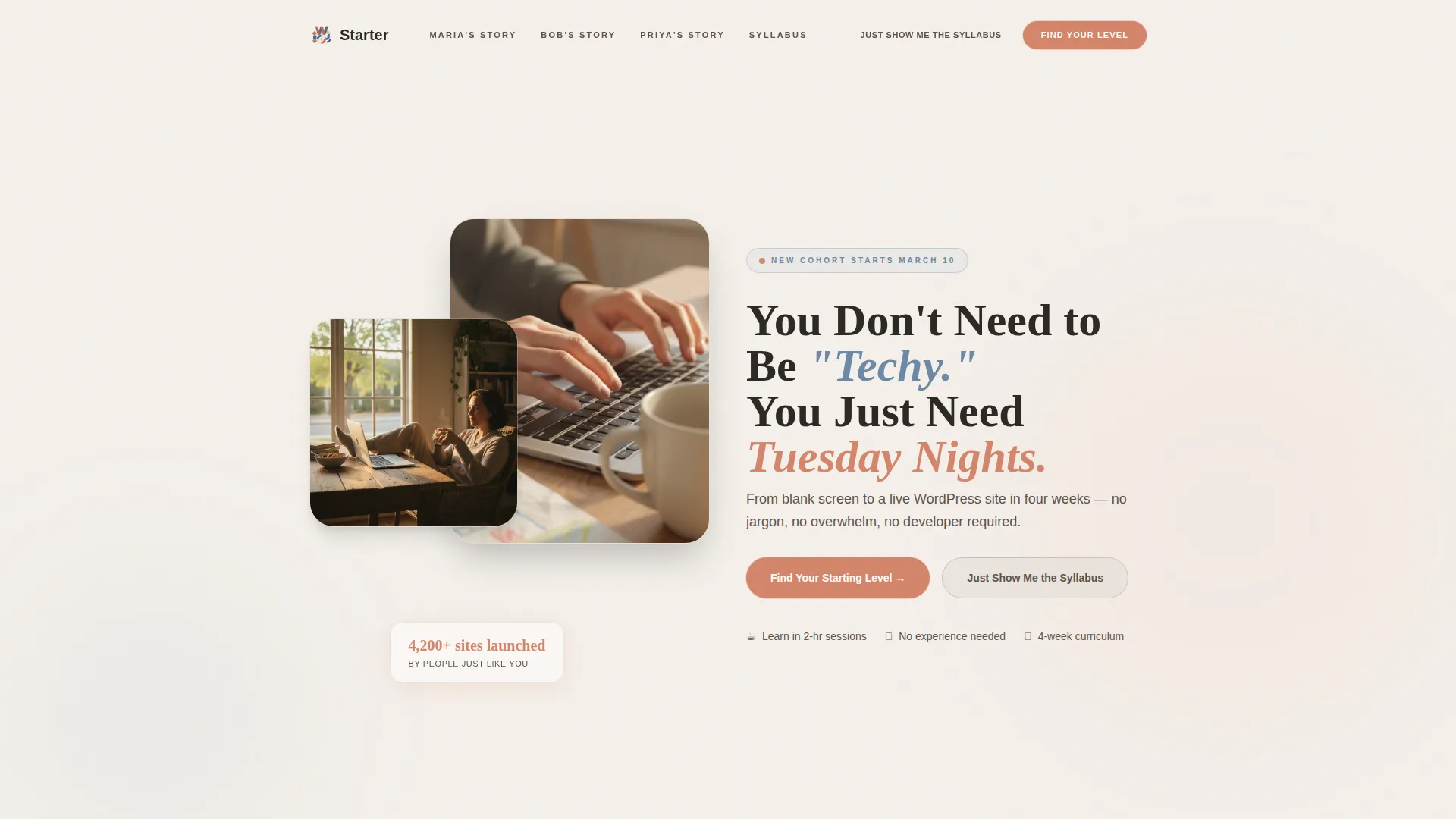
The Starter landing page template is built for WordPress website building online courses aimed at complete beginners. It uses a warm Family First visual style, a hub-and-spoke anchor navigation layout, and a five-question inline quiz to sort visitors into the right learning track. Real student case studies, animated counters, and a gentle terracotta call-to-action guide every visitor from curiosity to enrollment.
by Rocket studio
Quick summary
The Starter template is a single-page, anchor-navigated landing page designed for a beginner-level WordPress website building online course. It pairs warm, approachable visuals with a quiz-led conversion path. Case study storytelling, animated milestone counters, and a persistent mobile call-to-action work together to move hesitant first-timers toward signing up.
Who this template is for
This template speaks directly to course creators who teach practical, beginner-friendly WordPress skills to everyday people. It suits instructors whose students have little or no technical background and respond better to stories than to feature lists.
- Course creators targeting stay-at-home parents, hobbyists, or career-changers
- Instructors who use real student stories as their primary sales proof
- Online educators who want a quiz funnel to personalize the enrollment experience
What problem this template solves
Most course landing pages feel either too corporate or too cluttered for a beginner audience. First-time learners scroll past walls of bullet points and never feel the page was written for them. This template closes that gap with a scrapbook-style narrative flow and a welcoming tone.
- Visitors leave because the page feels intimidating or impersonal
- A one-size-fits-all pitch fails learners at very different skill levels
- There is no clear next step for skeptics who want details before committing
What you get with this template
You get a fully structured, single-page landing page built around a hub-and-spoke anchor navigation system. Every section serves a specific role in guiding a nervous beginner from "I stumbled here" to "I want to try this."
- A half-page photo-and-text hero header with a warm lifestyle photo layout and a pulsing quiz entry button
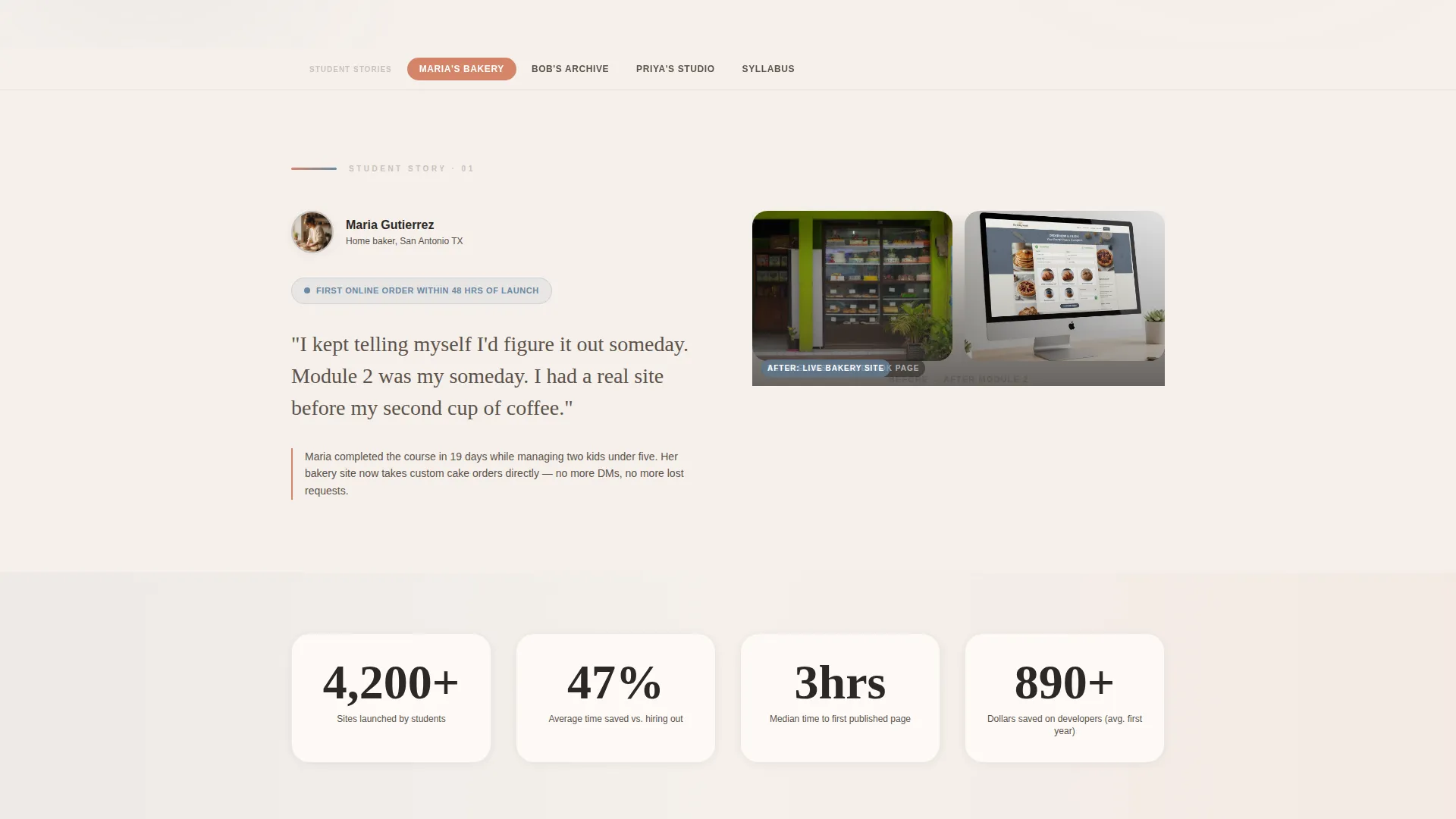
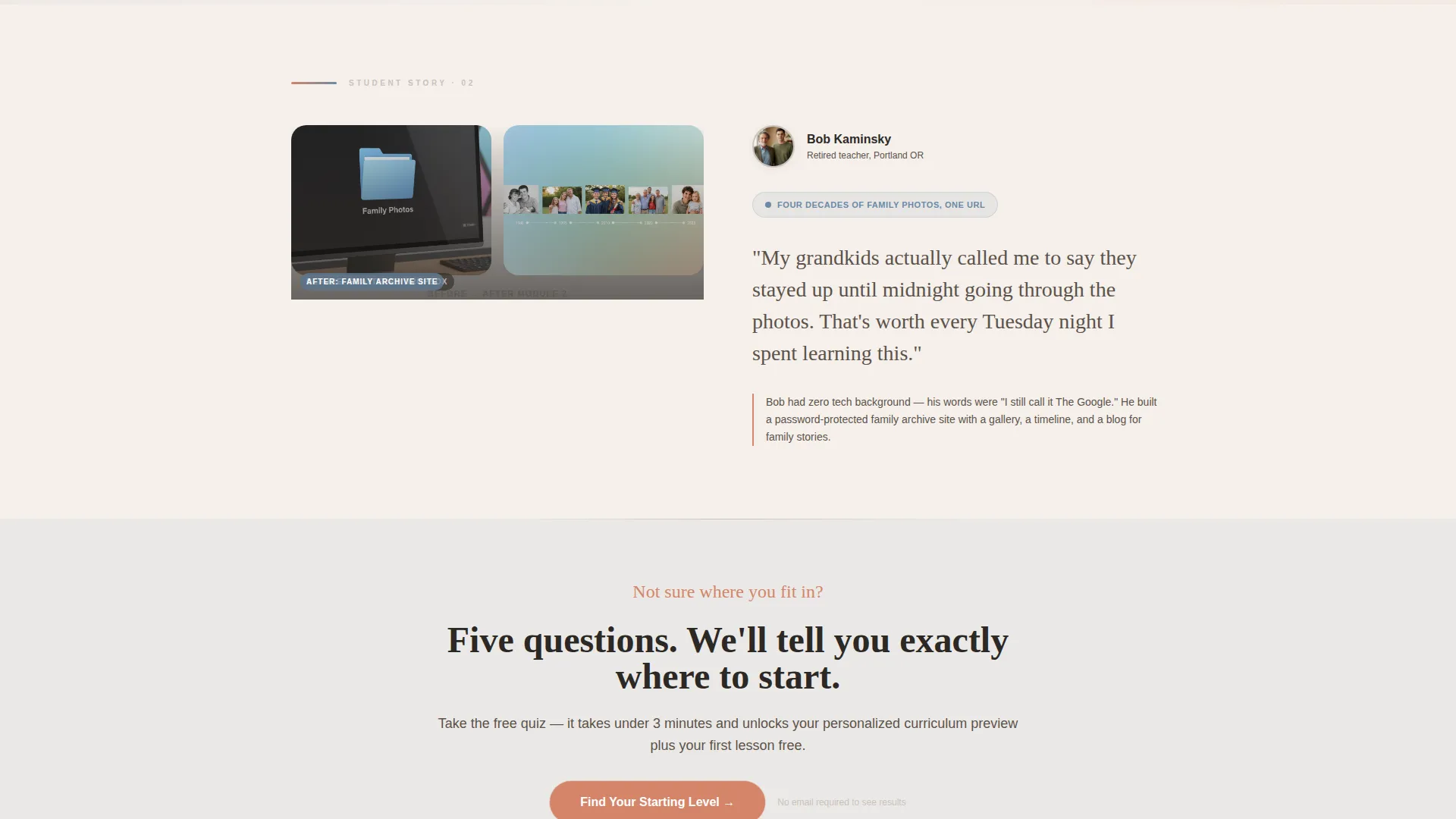
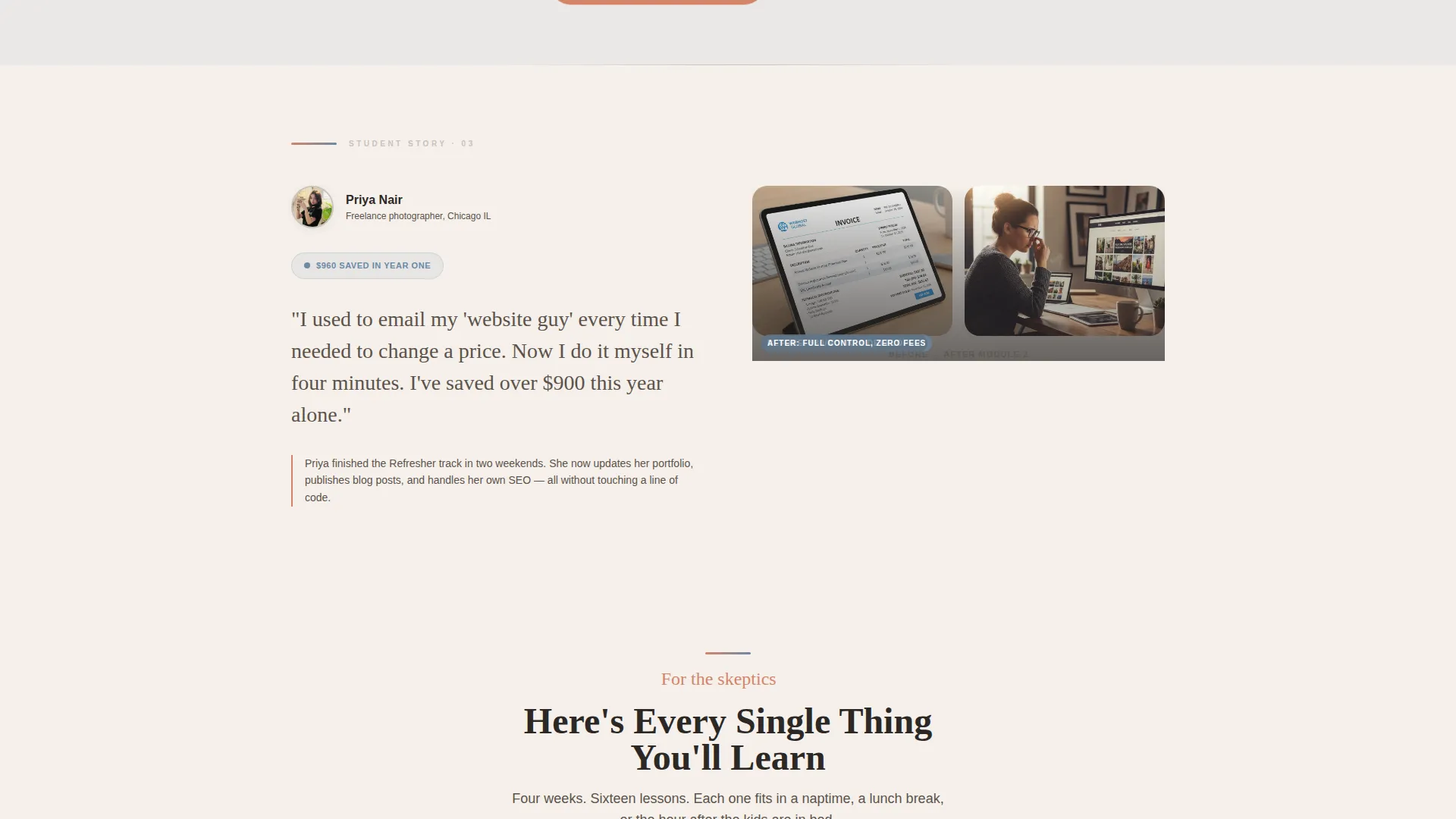
- Three anchor-linked case study spoke sections, each opening with a before-and-after student story and a handwritten-style quote
- Animated counter blocks between spokes displaying sites launched, hours saved, and money no longer spent on developers
Feature list
This section covers the core built-in components the template delivers out of the box.
Hub and Spoke Anchor Navigation
A sticky navigation bar links directly to each case study spoke on the page. Visitors can jump to the story most relevant to their own situation without scrolling past sections that do not apply to them.
Inline Five-Question Quiz
The primary conversion path is a five-question quiz that opens directly on the page. It asks about prior WordPress experience, domain ownership, intended site purpose, available weekly hours, and biggest fear. Results assign visitors to a Beginner, Confident Beginner, or Refresher track and deliver a personalized curriculum preview plus a free first-lesson unlock.
Case Study Narrative Sections
Each spoke section follows a structured before-and-after format. A before screenshot shows the student's old, clunky setup. The after view reveals a live, polished site. The student's own words appear in handwritten-style typography, making the transformation feel personal and credible.
Animated Milestone Counters
Short animated counter blocks sit between case study spokes. They tick up visually to show total sites launched, hours saved, and dollars no longer paid to outside developers. These counters add social proof without requiring the visitor to read a long paragraph.
Secondary Syllabus Path
A "Just Show Me the Syllabus" link gives skeptical visitors a direct route to course details. This secondary call-to-action catches people who are not ready for the quiz but still want proof of substance before they decide.
Fixed Mobile Bottom Bar
On mobile screens, the primary call-to-action appears as a persistent bar anchored to the bottom of the viewport. Visitors never have to scroll back up to find the enrollment entry point, keeping the conversion path within reach at all times.
Page sections overview
| Section | Purpose |
|---|---|
| Hero Header | Introduce the course with a warm lifestyle photo split and a pulsing quiz button |
| Sticky Anchor Nav | Let visitors jump to the spoke most relevant to their situation |
| Case Study: Bakery Mom | Show a real student's journey from Facebook page to live site in Module 2 |
| Midpoint Quiz call to action | Re-engage visitors between case studies with a second quiz entry point |
| Case Study: Retiree Archive | Demonstrate a non-business use case for a family photo archive site |
| Animated Counter Block | Reinforce social proof with ticking counters for sites, hours, and savings |
| Case Study: Photographer | Show how a freelancer stopped paying a monthly developer retainer |
| Syllabus Path | Offer skeptics a direct link to course content details |
| Fixed Mobile Bar | Keep the primary call-to-action accessible on all scroll positions on mobile |
Design & branding system
The template uses a Soft Mist color system that feels unhurried and approachable. Every color choice reinforces the idea that this course fits into real life, not a sterile tech environment.
- Warm linen white (#F5F0EB) and morning fog gray (#C8C2BC) create the base canvas, keeping the page light and easy to read
- Soft denim blue (#6B89A5) handles text accents and section dividers, adding calm visual structure without feeling cold
- Gentle terracotta (#D4856A) is reserved for buttons, progress indicators, and hover states, drawing the eye to every action point
Mobile & speed optimization
The template is structured to work cleanly on smaller screens, where many of this audience's visitors will first arrive. The layout priorities shift on mobile to keep the most important elements visible and tappable.
- The fixed bottom bar keeps the quiz call-to-action reachable without requiring a scroll back to the top
- The half-page photo-and-text hero collapses into a readable single-column stack on narrower viewports
- Animated counters and case study sections reflow vertically so content remains legible on phone-sized screens
How this template helps you convert
The page is designed around a quiz-led conversion model that meets visitors wherever they are in their confidence level. Every layout decision points toward one of two clear next steps.
- The inline quiz sorts visitors into personalized tracks, which removes the fear of starting at the wrong level and makes the enrollment decision feel low-risk and relevant to their specific situation.
- The "Just Show Me the Syllabus" secondary path catches visitors who are not quiz-ready, giving skeptics a reason to stay on the page and consider enrolling rather than bouncing immediately.
Other information about this template
This template is part of the Starter series, designed for course creators who are themselves in the early stages of building their online education business. It is a ready-to-customize starting point, not a blank canvas.
- The Family First theme and Soft Mist palette are baked into the design system, making it straightforward to adapt colors and copy to match a personal brand
- The hub-and-spoke anchor navigation pattern works well for courses with multiple student personas, since each spoke can spotlight a different audience segment
- The template is built for a WordPress website building online course niche but the case study and quiz structure can be adapted to other beginner-skill course topics with copy edits
Theme
Family First
Creative direction
Case Study Narrative
Color system
Soft Mist
Style
Hub & Spoke (Anchor Nav)
Direction
Quiz/Assessment
Page Sections
Hub and Spoke Anchor Navigation
Inline Five-question Quiz
Before-and-after Case Study Sections
Animated Milestone Counters
Dual Conversion Path Design
Fixed Mobile Bottom Bar
Related questions
Who is this landing page template designed for?
How does the inline quiz work on this template?
Can I adapt this template for a course topic other than WordPress?
What happens if a visitor is not ready to take the quiz?
Does the template include the before-and-after student screenshots?



