Accounting Firm Software Booking Website Template
Ledger is a bento grid landing page template built for accounting firm document management platforms. It opens with an interactive cost-and-time estimator, then drives the scroll through animated comparison tiles that quantify competitor gaps in real time. The design uses a focused Midnight Blue palette to speak directly to CPAs, managing partners, and outsourced bookkeeping teams ready to replace filing chaos with searchable, audit-ready archives.
by Rocket studio
Quick summary
Ledger is a single-page bento grid template designed for accounting firm document management platforms. It leads with a live Calculator/Estimator header, then delivers hard comparison data through animated tiles organized in a Spec Sheet creative direction. Every section earns the conversion by showing visitors their own inefficiency before asking them to act.
Who this template is for
This template speaks directly to accounting professionals who manage high document volumes and need to make a compelling case for switching platforms. It is built for firms and teams whose pain is specific and quantifiable.
- Managing partners at mid-size accounting firms handling extension backlogs and audit preparation
- Solo CPAs whose physical storage has become unmanageable during busy season
- Outsourced bookkeeping teams coordinating document workflows across multiple clients and time zones
What problem this template solves
Tax season document chaos is expensive and hard to visualize. Prospects often know they have a problem but cannot see the full cost until someone puts real numbers in front of them. This template makes that cost visible immediately.
- Visitors cannot easily compare their current storage method against a better alternative without doing their own math
- Static feature lists do not communicate urgency or quantify time and money waste
- Generic landing pages fail to address the specific pressures of IRS compliance, OCR accuracy, and retrieval speed that accounting professionals care about
What you get with this template
You get a fully structured, single-page bento grid layout built around a conversion framework that personalizes the pitch before asking for commitment. Every section is purpose-built for an accounting software audience.
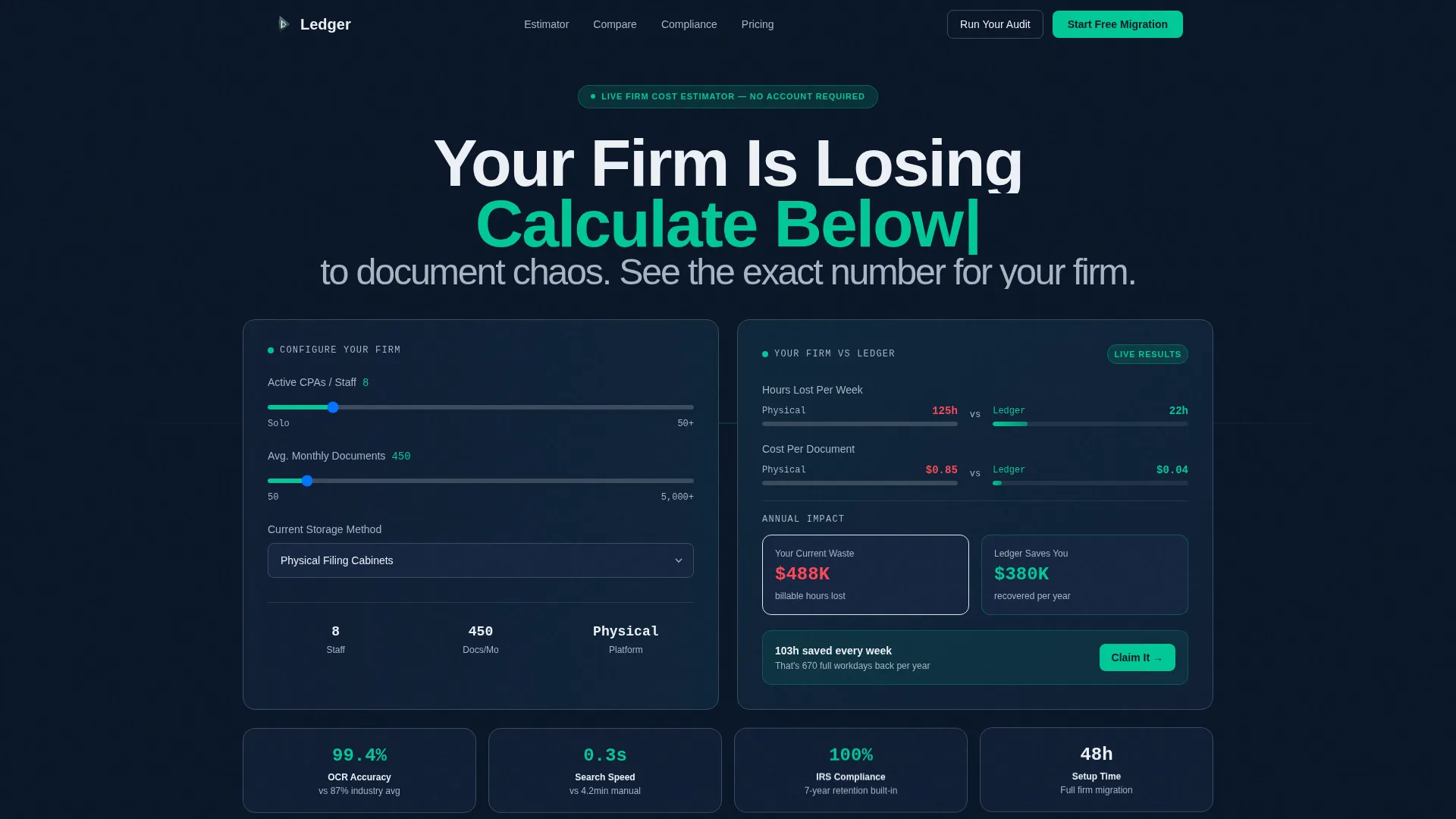
- An interactive Calculator/Estimator header with animated counters showing hours saved and cost per document
- A scrollable bento tile grid with live competitor comparison data organized as a Spec Sheet
- A persistent bottom bar with a three-field migration form and a primary call-to-action that loops back to the estimator
Feature list
This template includes a focused set of interactive and visual components. Each one is grounded in the specific selling context of accounting firm document management.
Interactive Cost and Time Estimator
The header functions as the primary sales tool. Visitors enter their firm size, monthly document volume, and current storage method using a dropdown that names specific competitors. The estimator returns an instant side-by-side cost and time comparison with eased counter animations, showing hours saved per week and cost per document in real time.
Animated Bento Grid Comparison Tiles
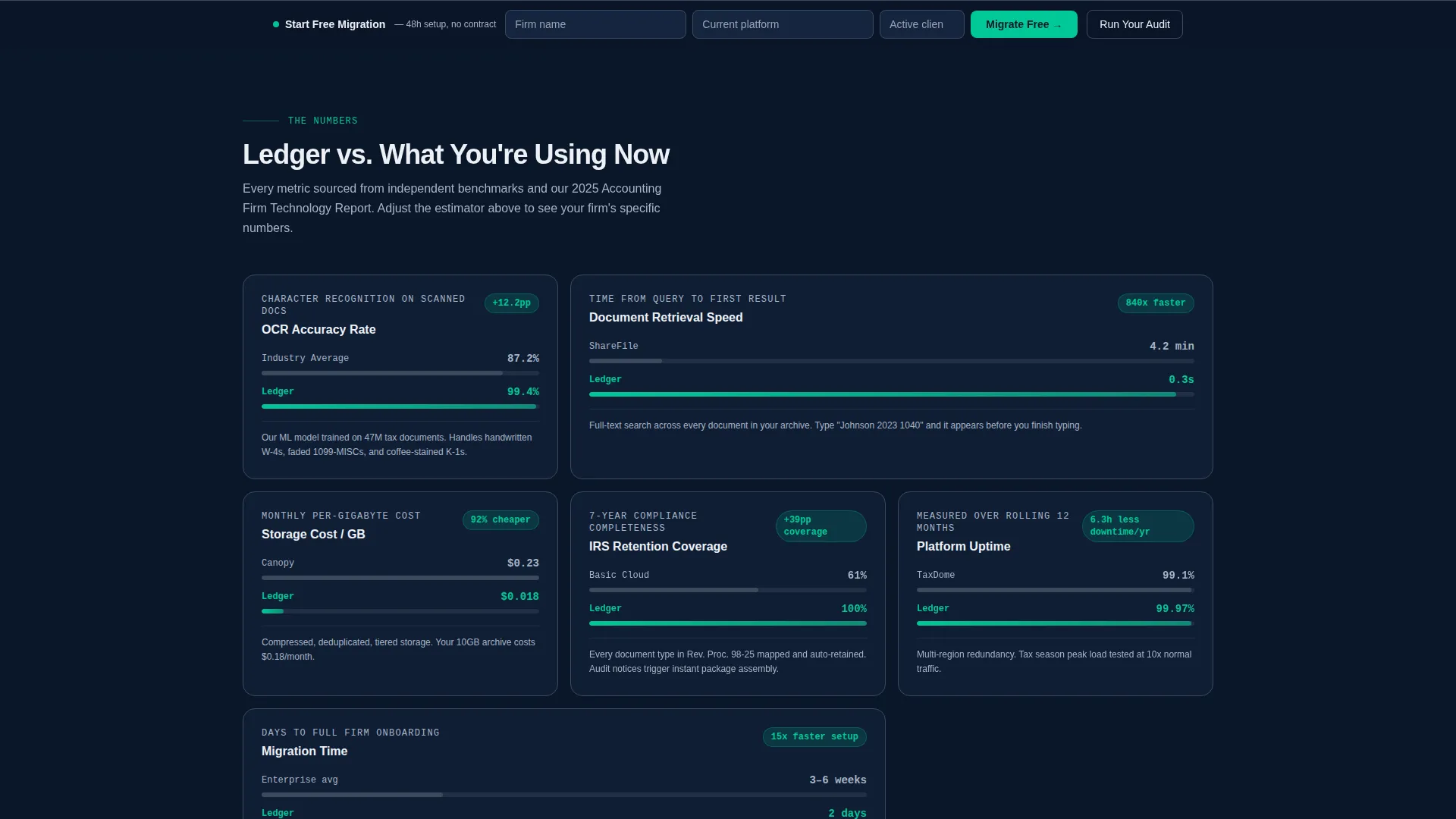
The scroll experience is built on discrete bento tiles that shift, expand, and reorder at each scroll checkpoint. Each tile presents a competitor benchmark on the left in muted gray, then slides the platform's number in from the right in compliance green. The live delta calculation keeps every comparison visual and impossible to ignore.
Spec Sheet Data Sections
Hard data drives the scroll rather than marketing copy. Tiles cover OCR accuracy rates, search retrieval speed, IRS document retention compliance coverage, and storage cost per gigabyte. Each metric is framed as a direct comparison so visitors always see the gap, not just the number.
Persistent Migration Bottom Bar
A sticky bottom bar stays visible as visitors scroll. It contains a three-field form collecting firm name, current platform, and number of active clients. This low-friction entry point captures intent from visitors who are ready to act without scrolling back to the top.
Primary and Secondary Call-to-Action System
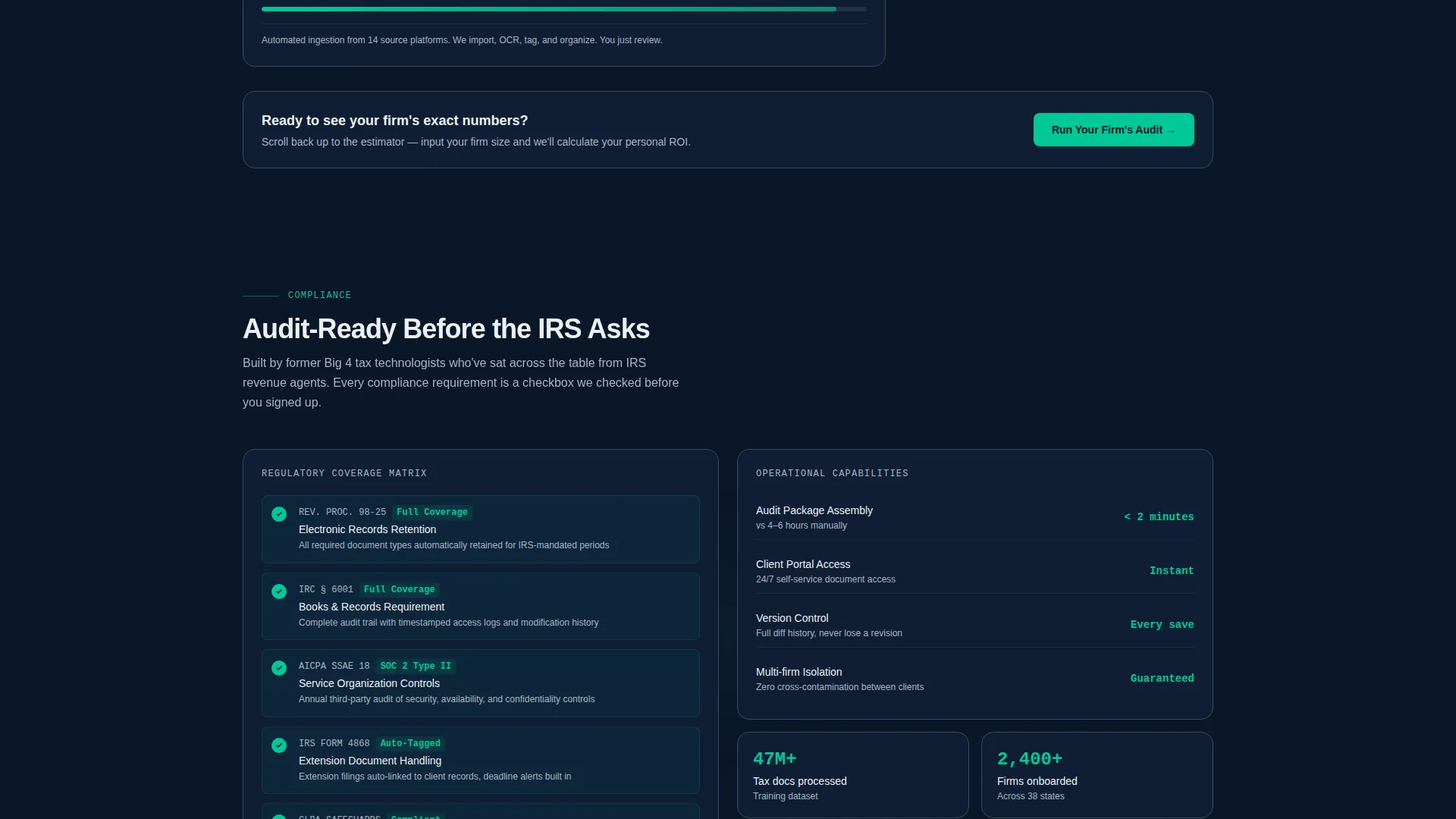
The primary call-to-action, labeled "Run Your Firm's Audit," links back to the header estimator for visitors who reached the comparison tiles before engaging with the tool. The secondary call-to-action, "Start Your Free Migration," lives in the persistent bottom bar and targets visitors who have already seen enough to decide.
Page sections overview
| Section | Purpose |
|---|---|
| Estimator Header | Interactive cost-and-time comparison tool |
| Competitor Comparison Tiles | Animated bento grid with live benchmark deltas |
| OCR and Retrieval Stats | Spec sheet tile for accuracy and speed data |
| Compliance Coverage Tile | IRS retention compliance comparison display |
| Storage Cost Tile | Per-gigabyte cost comparison against competitors |
| Persistent Bottom Bar | Sticky three-field migration form with call to action |
Design & branding system
The visual identity is built on a Midnight Blue color system that feels like a focused late-night work session, dark and controlled with precise pops of action color. Motion is purposeful throughout: every animation communicates a data point rather than decoration.
- Background uses deep terminal navy (#0A1628) with ledger-line gray (#3B4A5C) for card borders and dividers
- Statement white (#EDF0F5) handles all text and content panels for clean contrast against the dark base
- Compliance green (#00C896) activates on toggle states, progress bars, hover animations, and every winning comparison number
Mobile & speed optimization
The bento grid layout is structured to restack cleanly on smaller screens, keeping the estimator tool and comparison tiles readable without losing the dynamic motion experience. The design prioritizes focused, distraction-free interaction at every breakpoint.
- Animated counter and tile transitions are scoped to scroll events so the experience remains smooth on mobile viewports
- The persistent bottom bar maintains its fixed position on mobile, keeping the migration form accessible throughout the full scroll
How this template helps you convert
The conversion strategy is built around personalized proof. Visitors see their own numbers before they see any brand claim, which removes the skepticism that kills most software landing pages.
- The estimator header delivers a customized cost and time breakdown in the first interaction, creating immediate personal relevance before the visitor reads a paragraph of copy.
- The animated comparison tile grid sustains that momentum by translating platform advantages into live, scrollable data points tied to metrics accounting professionals already track.
- The persistent bottom bar and looping primary call-to-action keep the next step visible at all times, meeting visitors wherever they are in the page when they decide to act.
Other information about this template
This template is designed as a standalone landing page for accounting firm software platforms and document management tools. It is well suited for firms positioning against legacy storage solutions or paper-based workflows.
- The template style is Bento Grid with a Dynamic Motion theme, making it a strong fit for software products that need to communicate technical advantages without heavy copy
- The Comparison/Versus landing page direction means the layout assumes visitors are already evaluating options, not discovering the category for the first time
- The Calculator/Estimator header concept is particularly effective for accounting firm document management positioning because ROI is concrete and easy to quantify in this niche
- This template sits within the Technology category under the Accounting Firm Software subcategory, making it relevant for platforms competing in the accounting document management and digital archive space

Theme
Dynamic Motion
Creative direction
Spec Sheet
Color system
Midnight Blue
Style
Bento Grid
Direction
Comparison/Versus
Page Sections
Interactive Cost and Time Estimator
Animated Bento Grid Comparison Tiles
Spec Sheet Data Sections
Persistent Migration Bottom Bar
Dual Call-to-action System
Related questions
Who is this landing page template designed for?
Can I customize the competitor names in the estimator dropdown?
What metrics does the bento grid comparison display?
What information does the persistent bottom bar form collect?
Does this template work for an early-stage product launch?



