Church & Religious Software Professional Website Template
Steward is a dashboard and data grid landing page template built for institutional religious financial management platforms. It uses a Spec Sheet architecture to compare platform capabilities against spreadsheets and legacy software, giving diocesan CFOs, megachurch executive pastors, and synagogue treasurers a clear, authoritative case for switching to a unified asset oversight system.
by Rocket studio
Quick summary
Steward is a single-page, desktop-first landing page template designed for a church and religious asset management platform. It leads with institutional proof, walks visitors through a dense capability comparison grid, and closes with a free portfolio audit form. The layout feels like a financial data room, not a marketing brochure.
Who this template is for
This template is built for B2B software platforms serving religious organizations that manage significant financial assets. It speaks directly to the finance professionals responsible for those assets.
- Diocesan CFOs reconciling accounts across dozens of parishes
- Megachurch executive pastors reporting to elder boards and finance committees
- Synagogue treasurers managing cemetery trusts, capital campaigns, and endowment portfolios
What problem this template solves
Religious organizations often carry years of financial history spread across disconnected spreadsheets, filing cabinets, and legacy church management systems. No single document shows the complete picture. This template helps a platform communicate the cost of that fragmentation and present a credible alternative.
- Finance teams waste time reconciling data that should already match
- Board-ready compliance documentation is hard to produce from scattered records
- Legacy tools were not built for multi-entity, multi-denomination asset oversight
What you get with this template
You get a structured, high-density landing page that prioritizes trust signals and side-by-side capability proof over storytelling. Every section earns its place by answering a specific question a financial decision-maker would ask.
- A horizontal logo bar with a social proof statement anchoring the top of the page
- A Spec Sheet comparison grid covering asset classes, audit trails, compliance, and access controls
- A dual-path conversion section with a portfolio audit form and a gated compliance PDF download
Feature list
A brief paragraph introduces the feature set: each component below reflects a specific design or functional decision described in the source brief, built to serve the institutional finance audience this template targets.
Spec Sheet Comparison Grid
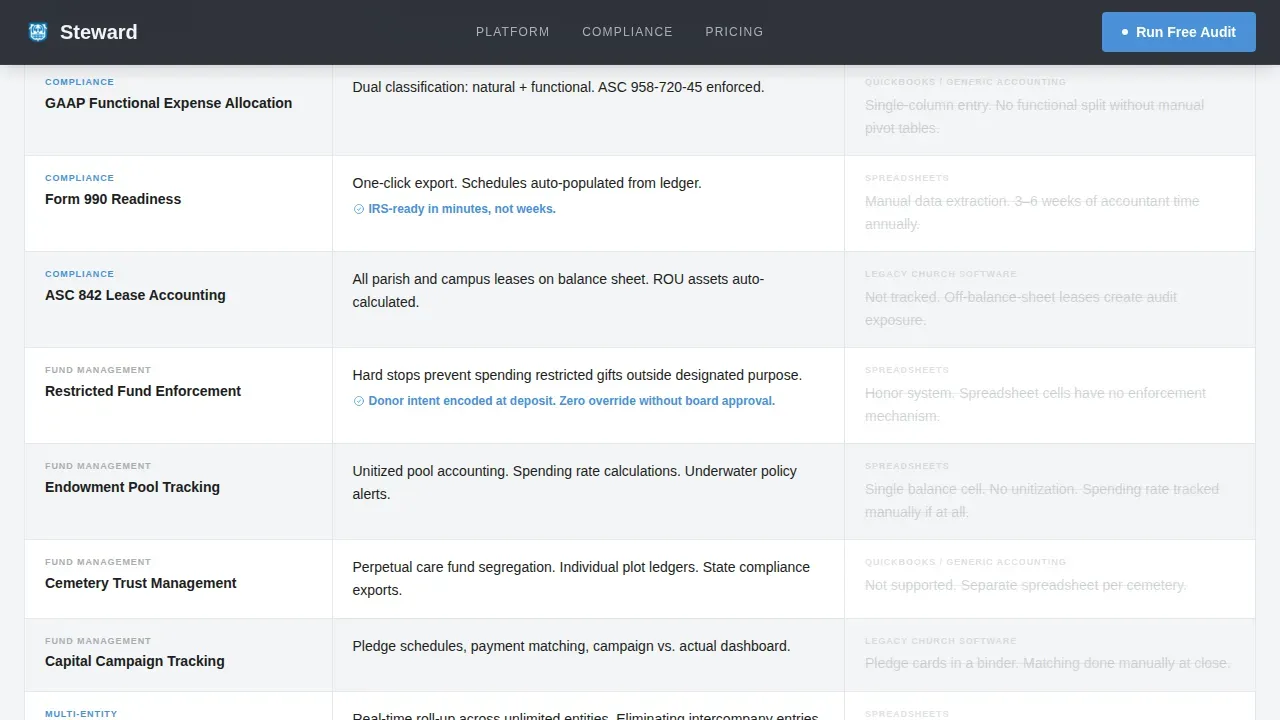
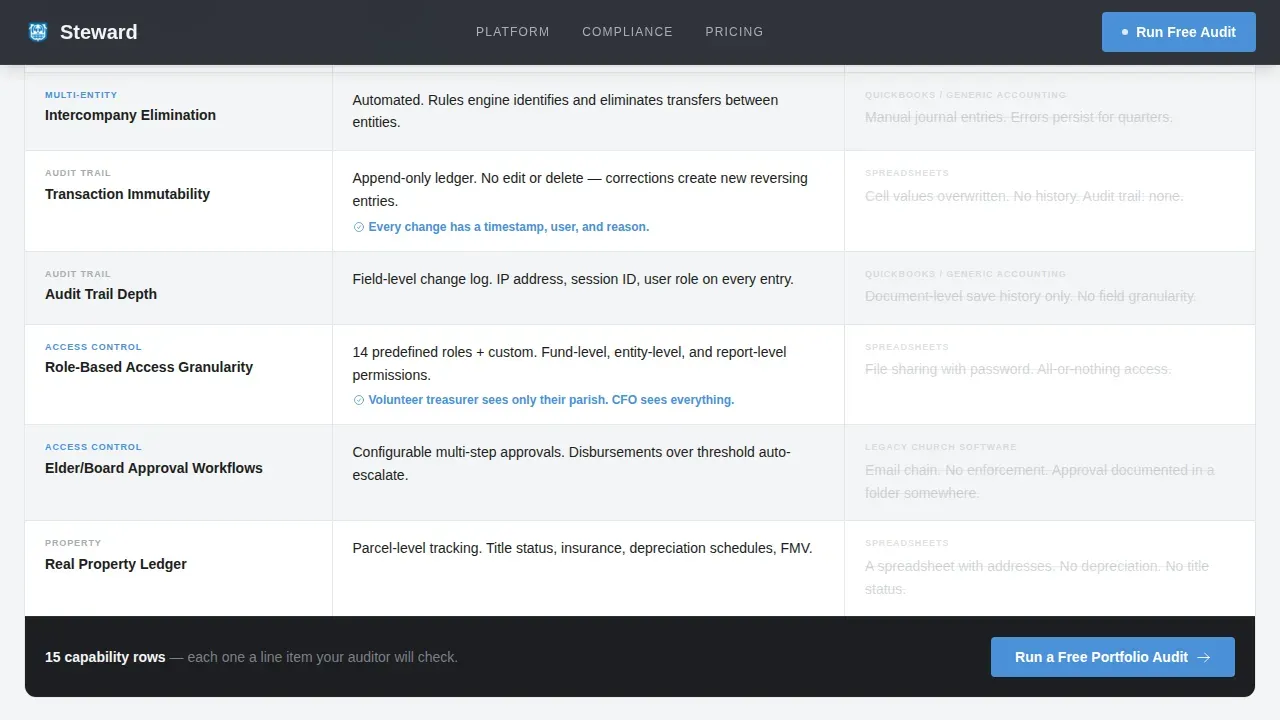
The centerpiece of the page is a row-by-row grid comparing platform capabilities against spreadsheets and legacy church management software. Each row covers a specific capability, such as restricted fund tracking, multi-entity consolidation, or role-based access granularity. The grayed-out alternative columns make the gap immediately visible without a single persuasive sentence.
Dual-Path Conversion Section
The primary call to action is a "Run a Free Portfolio Audit" form collecting organization name, denomination or affiliation, estimated total assets under management, and work email. A secondary path offers a downloadable compliance comparison PDF gated behind email only. This serves committee members who need documentation before they can commit to a live audit.
Sticky Conversion Bar
A sticky bar appears after three scroll depths and repeats the primary call to action. It keeps the conversion path accessible throughout the entire page without interrupting the reading experience.
Denomination Logo Bar
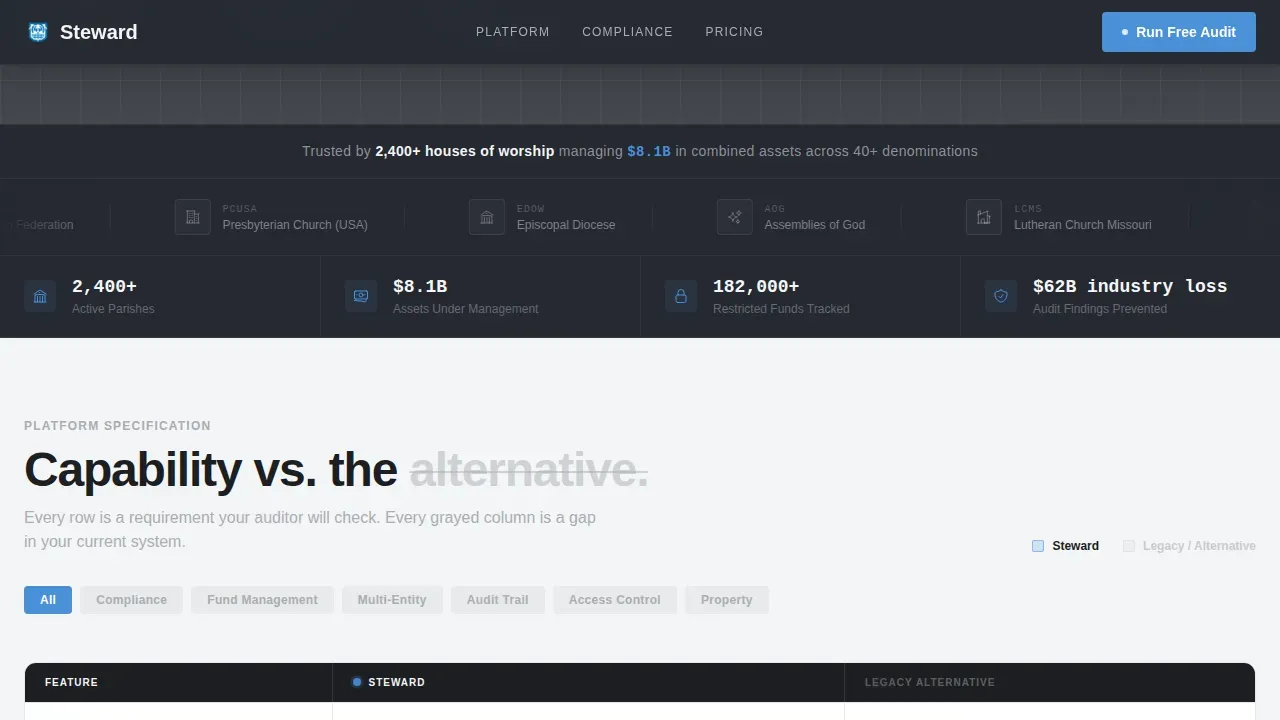
A slowly scrolling horizontal band displays denomination and organization logos, including Catholic diocese seals, Baptist convention marks, Jewish federation emblems, and Methodist conference shields. A single line of text above reads the combined asset proof statement. No hero image is needed; the logos carry the authority.
Data Command Visual System
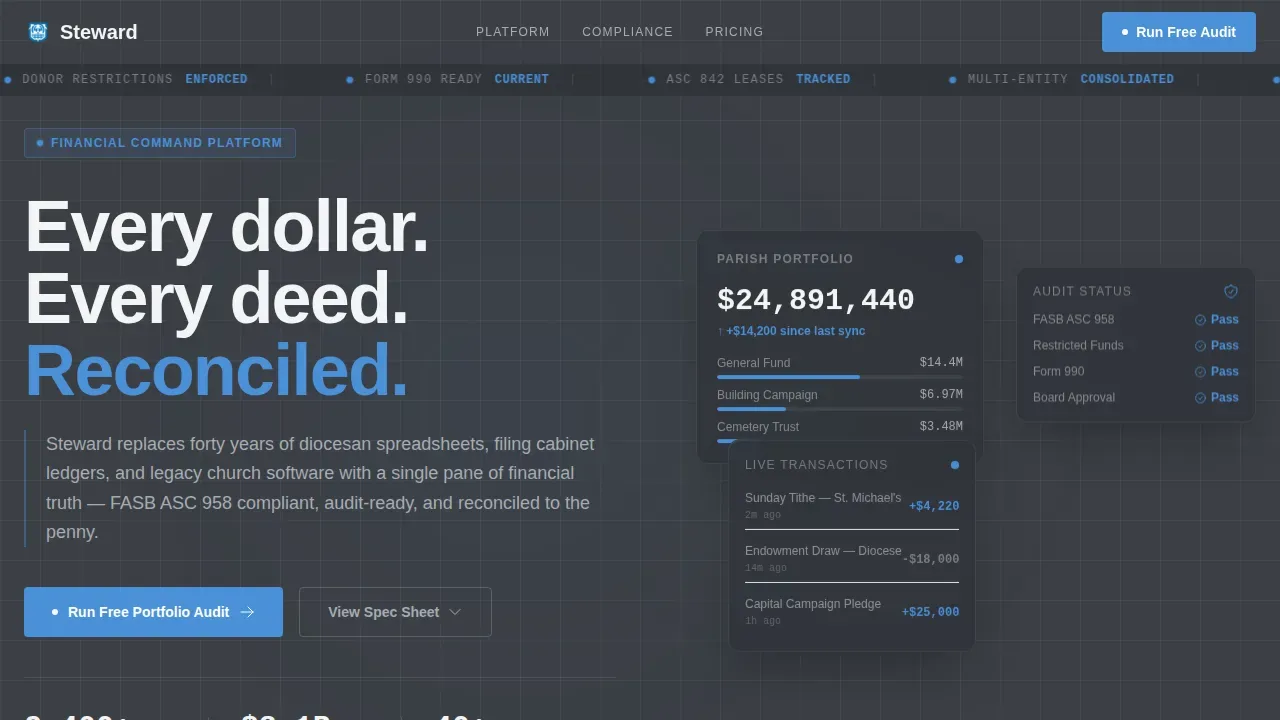
The template uses a Monochrome Steel color system with alternating gunmetal and cold white panel backgrounds to separate data zones. Signal blue appears only on interactive elements and live data points, training the reader to trust it as a reliable action indicator. Typography uses Manrope for headings and body text, and JetBrains Mono for all data and number displays.
Scroll-Triggered Animations
Section rows reveal with staggered scroll animations. A live ticker animation and sticky bar trigger are built into the interactive layer. Static sections use server-rendered components while the sticky bar and form interactions are handled client-side.
Page sections overview
| Section | Purpose |
|---|---|
| Hero Data Center | Establishes platform authority with floating stat cards and a live data ticker |
| Denomination Logo Bar | Delivers social proof via organization logos and a combined assets statement |
| Spec Sheet Grid | Compares platform capabilities row by row against spreadsheets and legacy tools |
| Asset Coverage Panel | Details the fund types, asset classes, and compliance standards Steward tracks |
| Audit Call to Action | Hosts the portfolio audit form and the gated compliance PDF download offer |
| Footer | Provides linear single-row navigation and legal links |
Design & branding system
The visual identity follows a Data Command theme. Every design decision reinforces the feeling of institutional precision, not marketing warmth. The palette and typography work together to communicate that numbers here are reliable.
- Gunmetal base (#3B3F45) and cold white panels (#F4F5F6) alternate across sections to create clear data zone separation
- Signal blue (#4A90D9) appears exclusively on interactive elements and live data points, and near-black (#1C1E21) handles all body text on light panels
- Manrope handles all headings and body copy while JetBrains Mono is reserved for every numerical and data display
Mobile & speed optimization
The template is built desktop-first, reflecting the reality that diocesan CFOs and finance directors work primarily at a desk. Responsive behavior is included so the layout holds across devices when needed.
- Desktop breakpoints are prioritized for the Spec Sheet grid and the comparison row layout
- Server Components render static sections for faster initial load, while the sticky bar and form run as Client Components
- Scroll reveal animations and the ticker are medium-weight, designed to add motion without blocking content visibility
How this template helps you convert
The conversion architecture is built around the decision-making process of institutional finance committees, not individual buyers. Every element moves a cautious, accountability-driven audience toward a defined next step.
- The logo bar and combined asset figure establish credibility before a visitor reads a single feature claim, reducing the skepticism that finance professionals carry into any vendor evaluation.
- The Spec Sheet grid does the persuasion work without narrative, letting the density of each row make the old way look inadequate by comparison, so the visitor arrives at the form already convinced.
- The dual-path conversion section captures two distinct buyer stages: the decision-maker ready for a direct audit and the committee member who needs a PDF to bring to a board vote before committing.
Other information about this template
This template is well suited for platforms operating in the church and religious software category, particularly those serving multi-entity institutional clients across denominations in the United States. A few additional details worth noting:
- The page is localized for United States usage, with USD currency, MM/DD/YYYY date formatting, and English-language copy throughout
- The footer follows a linear single-row pattern, keeping the page close on a clean, minimal note consistent with the institutional design direction
- The Spec Sheet rows explicitly cover Financial Accounting Standards Board (FASB) and Generally Accepted Accounting Principles (GAAP) compliance levels as comparison criteria, making the template relevant for organizations subject to nonprofit accounting standards
- The template is category-matched to the Technology intersection for church and religious asset management, with an intersection match score of 13, reflecting strong alignment between the template style and the niche
Theme
Data Command
Creative direction
Spec Sheet
Color system
Monochrome Steel
Style
Dashboard/Data Grid
Direction
Comparison/Versus
Page Sections
Spec Sheet Capability Comparison Grid
Dual-path Conversion Section
Sticky Conversion Bar
Denomination Logo Bar
Data Command Visual System
Scroll-triggered Section Reveals
Related questions
Who is this landing page template designed for?
What makes the Spec Sheet layout effective for a finance audience?
Can this template support two different types of leads?
Is this template built for desktop or mobile use?
What conversion elements are included in this template?



