Church & Religious Property Management Landing Page
Steward is a split-screen landing page template built for church and religious property management firms. It pairs a glassmorphic visual system with a stats-first content structure to build trust fast. Designed to convert church wardens, diocese administrators, and faith community leaders into qualified enquiries through a persistent call-to-action bar and a focused lead capture form.
by Rocket studio
Quick summary
Steward is a single-page landing page template designed for firms that manage sacred and heritage properties. The layout uses a 50/50 split screen, glassmorphic card layers, and a stats-driven narrative to help property managers earn trust quickly. It is purpose-built for lead generation, guiding visitors toward a property review request or a downloadable checklist.
Who this template is for
This template is built for property management professionals serving faith communities and heritage building custodians. If your clients are overwhelmed by compliance, maintenance, and insurance obligations, this page speaks directly to them.
- Church wardens and diocese administrators managing listed and unlisted buildings across a region
- Property management firms offering reactive maintenance, compliance audits, and insurance renewals to congregations
- Consultants and service providers working across multi-faith property portfolios including churches, mosques, synagogues, temples, and chapels
What problem this template solves
Faith community leaders are rarely trained property managers. They face listed-building regulations, aging infrastructure, and budget pressure all at once. A generic agency website does not communicate the specialist knowledge or the reliability these clients need before they make contact.
- Visitors leave without enquiring because the page fails to demonstrate credibility fast enough
- Wardens and administrators need evidence, not promises, before trusting a firm with a centuries-old building
- The lead capture process is often too vague, missing the specific questions that qualify a prospect properly
What you get with this template
This template delivers a complete, structured landing page layout ready to adapt for a church or religious property management firm. Every section is purposefully ordered to build credibility before asking for contact details.
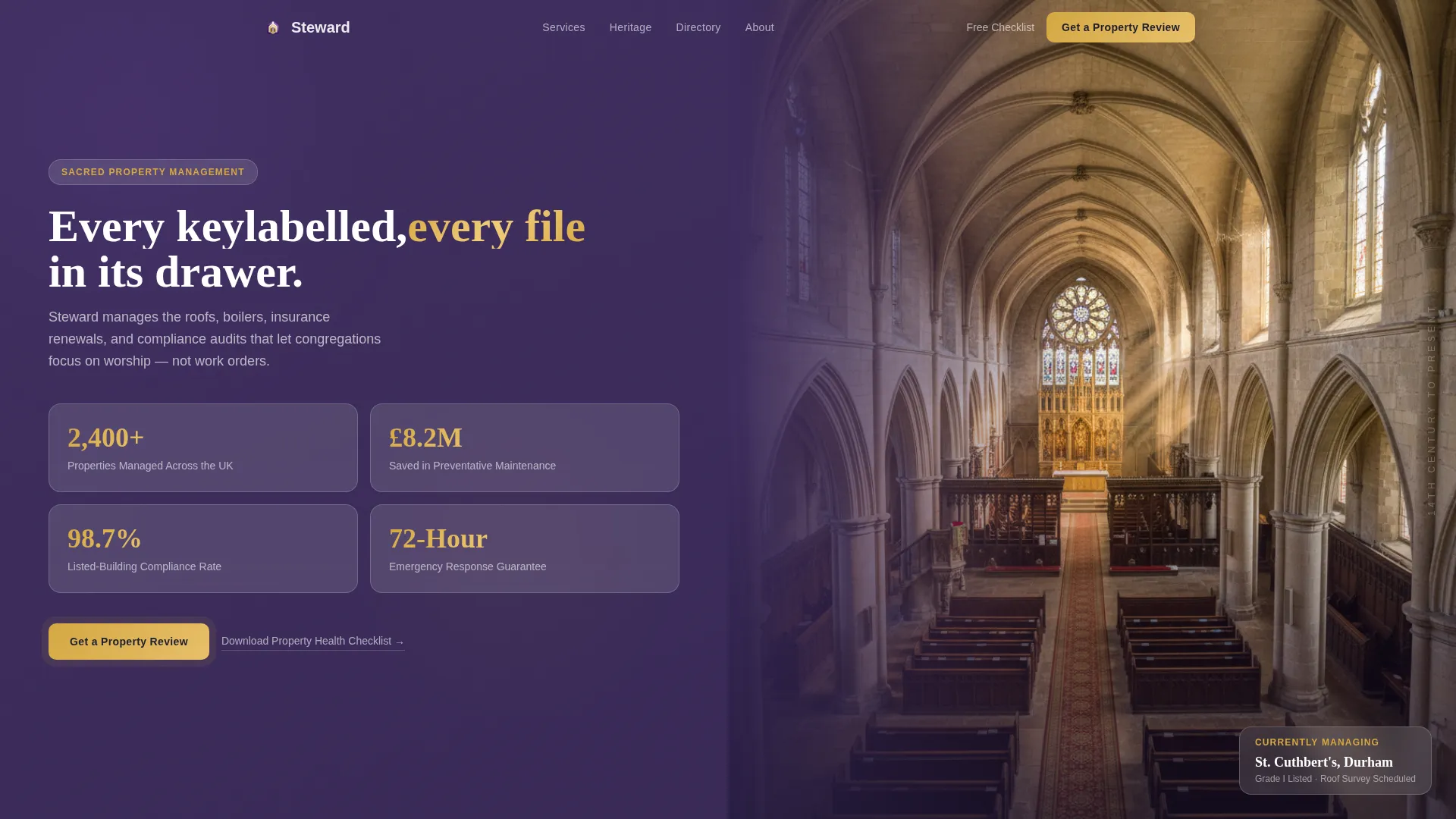
- A split-screen header featuring four glassmorphic stat cards on the left and a full-panel heritage photography zone on the right
- A persistent lead generation bar with a primary call-to-action and a slide-over enquiry form capturing property name, denomination, building grade, portfolio size, and most urgent concern
- An interactive directory module for filtering property case studies by type, plus a secondary email-gated checklist download path
Feature list
This template is built around a small number of high-impact components, each earning its place in the layout.
Stats-First Header Wall
The header opens with four large glassmorphic stat cards arranged in a two-by-two grid. Each card carries a headline metric: properties managed, maintenance savings, compliance rate, and emergency response time. Numbers animate upward on scroll, using gold numerals against frosted panels to create immediate authority.
Split-Screen Section Layout
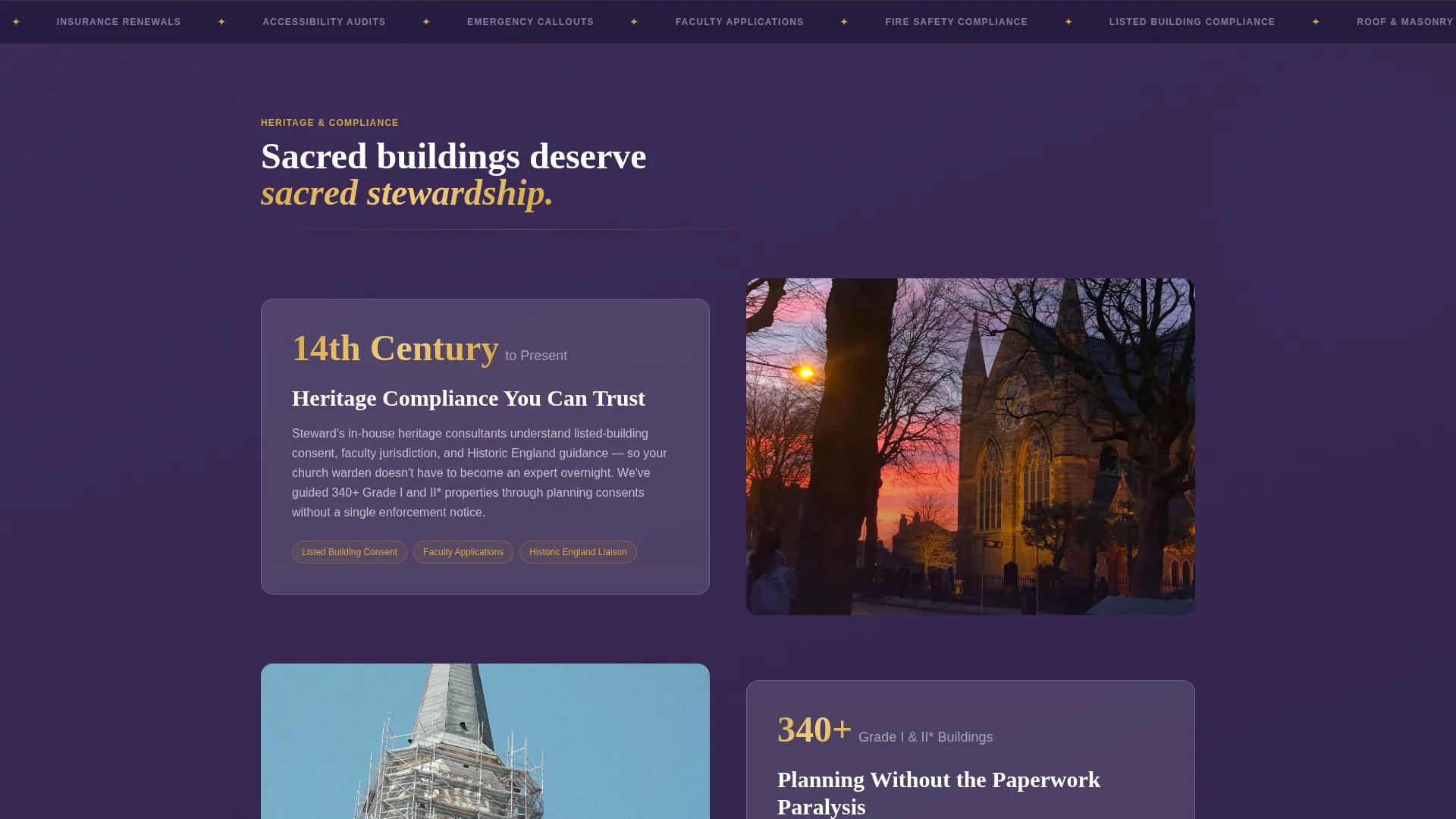
Every content section uses a 50/50 split screen structure. Glassmorphic cards slide in from alternating sides as the visitor scrolls, layering like transparent pages of a property ledger. This rhythm keeps the page visually active without sacrificing clarity or readability.
Interactive Property Directory Module
A midpage filter module lets visitors browse case studies by property type, including church, mosque, synagogue, temple, and chapel. Frosted panels sharpen on hover, revealing the relevant case study behind each card. This builds contextual trust across a multi-faith client base.
Persistent Lead Generation Bar
A glassmorphic bar anchors the primary call-to-action throughout the scroll. It transitions from transparent to a gold-bordered state once the visitor passes the third section, creating a visual cue that follows the reader without interrupting the content flow.
Slide-Over Enquiry Form
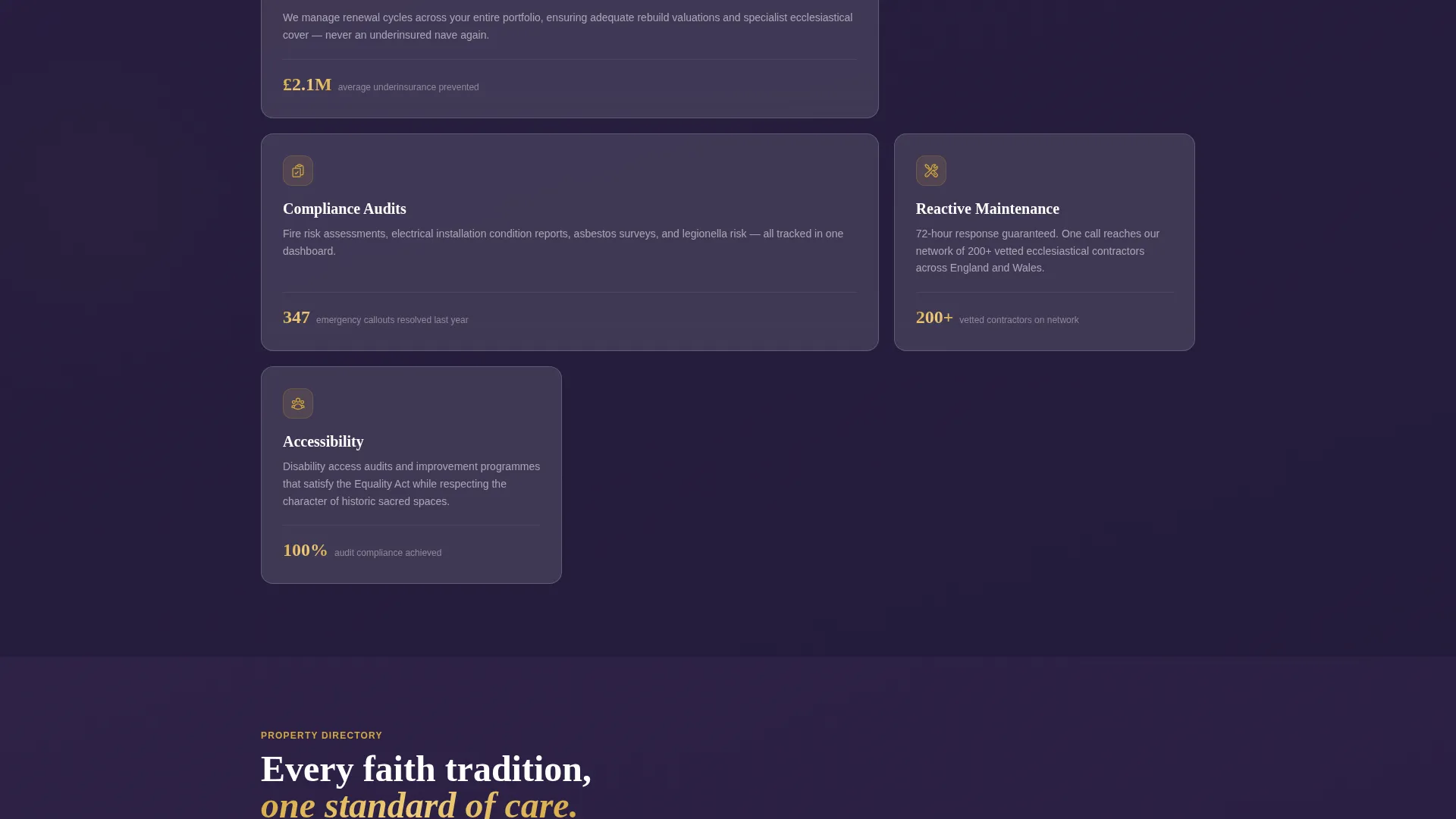
The primary form opens in a slide-over panel. It captures property name, denomination or faith tradition, building grade, portfolio size, and most urgent concern via a visual icon grid covering roof, heating, compliance, insurance, and accessibility. This structure qualifies leads at the point of capture.
Email-Gated Checklist Download
A secondary conversion path offers a downloadable Church Property Health Checklist behind an email gate. This captures visitors who are not yet ready to speak with a firm but need practical guidance on their property obligations tonight.
Page sections overview
| Section | Purpose |
|---|---|
| Stats header wall | Opens with four key metrics and heritage photography to establish authority immediately |
| Heritage compliance panel | Anchors the listed-building narrative with a date-led stat before explaining the service |
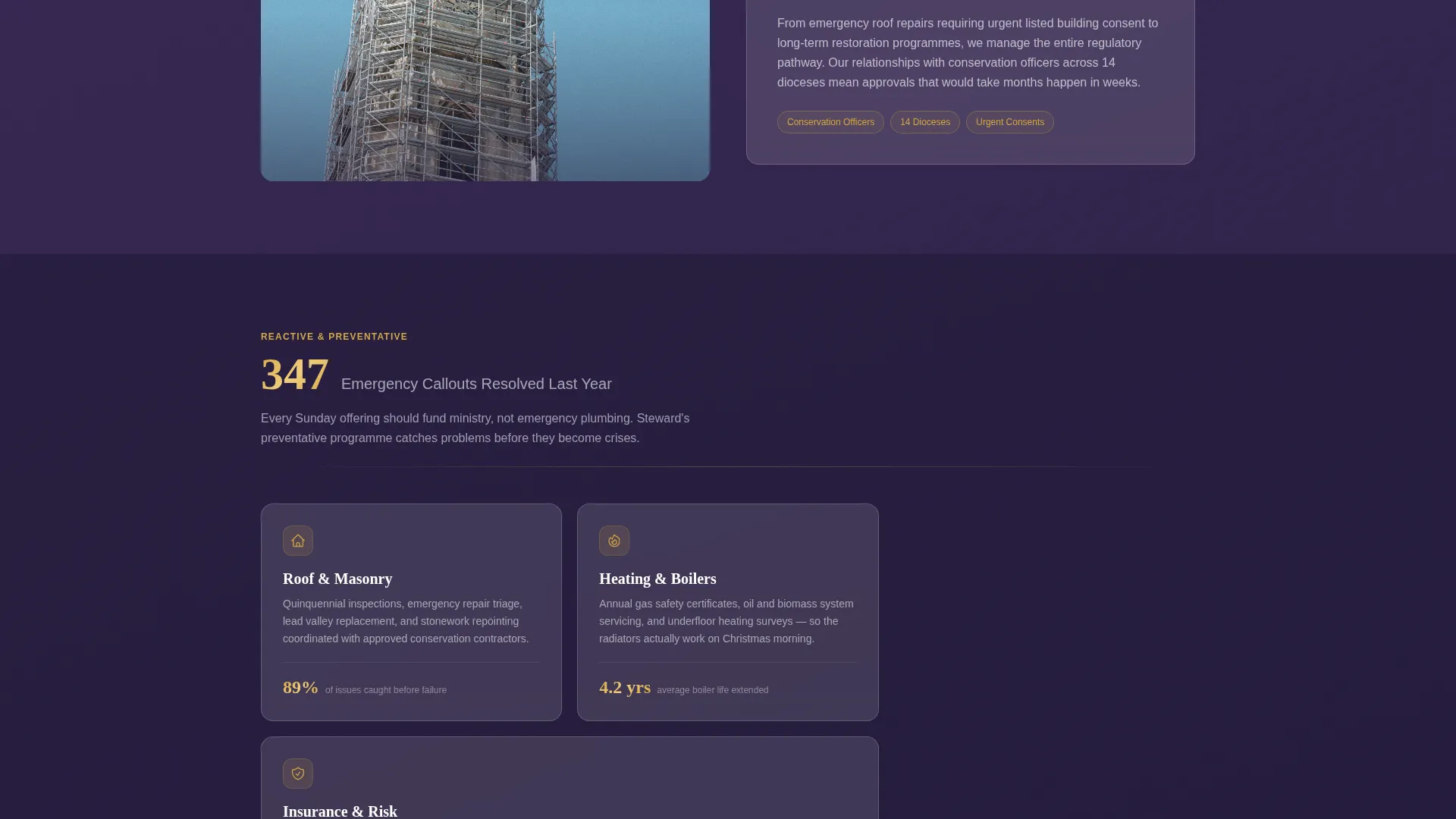
| Reactive maintenance panel | Uses a resolved-callout count to frame the emergency response offering |
| Interactive directory module | Lets visitors filter case studies by property type across faith traditions |
| Persistent call to action bar | Follows the visitor through scroll, solidifying visually to prompt a property review request |
| Slide-over enquiry form | Captures qualified lead details including building grade and most urgent concern |
| Checklist download gate | Offers a secondary path for wardens researching options before committing to a call |
Design & branding system
The visual identity follows a Directory and Discovery theme expressed through a glassmorphic color system. The overall effect is described in the brief as light passing through a stained-glass window onto a polished stone floor: layered, luminous, and reverently modern.
- Core palette: vestment purple (#3D2C5E) as the base background, frosted glass white (#FFFFFF at 12% opacity with backdrop blur) for card surfaces, sanctuary gold (#D4A843) for accent borders and hover states, and deep ecclesiastical charcoal (#1E1E2C) for body text
- Card styling: subtle glass edges, translucent layering, and hover sharpening give each card a physical depth that reinforces the property ledger metaphor
- Typography and numerals: gold numerals animate on scroll, reinforcing the stats-first narrative while maintaining the reverent tone of the overall palette
Mobile & speed optimization
The split-screen structure and glassmorphic layers are composed to remain legible and functional on smaller screens. The layout adapts without losing the visual hierarchy that makes the stats-first approach effective.
- The 50/50 split reflows cleanly so stat cards, photography panels, and directory modules remain readable on mobile viewports
- The persistent call to action bar and slide-over form are designed to function within constrained screen heights without blocking primary content
- Glassmorphic card layers use lightweight visual techniques to maintain the frosted aesthetic without excessive rendering overhead
How this template helps you convert
Every structural decision in this template is oriented toward turning a cautious warden or administrator into a qualified enquiry.
- The stats-first layout front-loads credibility. Visitors encounter hard numbers before they read a single marketing claim, reducing scepticism before it builds.
- The persistent gold-bordered call to action bar creates a low-friction entry point that stays visible throughout the scroll without interrupting the content narrative.
- The dual conversion paths, a direct property review request and an email-gated checklist, capture both ready buyers and early-stage researchers in the same page session.
Other information about this template
This template sits within the Church and Religious Software subcategory, designed specifically for the church and religious property management niche. It is equally suited to multi-faith property portfolios and single-denomination estate managers.
- The template style is Split Screen (50/50) with a Directory and Discovery theme, making it well suited for firms that want to present a range of services or property types in one structured view
- The Stats-First Impact creative direction means the layout works particularly well for firms that have measurable track records they want to lead with
- The Lead Generation landing page direction is reinforced at every scroll stage, from the opening metric wall through to the dual-path conversion footer
- The template is available through the platform's marketplace and can be customised to reflect a firm's own statistics, photography, brand colors, and service categories
Theme
Directory & Discovery
Creative direction
Stats-First Impact
Color system
Glassmorphic
Style
Split Screen (50/50)
Direction
Lead Generation
Page Sections
Stats-first Animated Header
Split-screen Section Flow
Interactive Property Directory
Persistent Scroll-triggered Call to Action Bar
Qualified Slide-over Enquiry Form
Email-gated Checklist Download
Related questions
Can this template be adapted for a multi-faith property portfolio?
What does the lead capture form ask for?
Is the checklist download a separate page?
Can a smaller firm use this template effectively?
What makes this layout suited to heritage and listed-building clients?



