Architecture Firm Software Professional Website Template
Stockline is a modular card grid landing page template built for warehouse management platforms targeting operations managers and architecture firms. It combines a live-metrics stats header, industry report scroll flow, and a dual-call to action app download structure. The Tech Glass visual system uses deep slate, sky blue, and signal green to make every inventory data point feel urgent and credible.
by Rocket studio
Quick summary
The Stockline precision warehouse management landing page template is a single-page, card grid layout designed for B2B logistics platforms. It opens with a stats dashboard header, flows through industry evidence cards, and closes with a full-width app download section. The design feels like a glass-walled control room at dawn: cool, data-forward, and built to earn trust before asking for a click.
Who this template is for
This template fits teams who need to sell complex warehouse management software to professional buyers. It speaks clearly to readers who evaluate platforms on evidence, not marketing language.
- Operations managers and warehouse directors managing inventory and warehouse operations across multiple facilities
- Architecture firms that need real flow data before designing fulfillment centers
- Logistics platform founders and product teams launching a warehouse management template app
What problem this template solves
Most warehouse management landing pages rely on vague promises. Buyers who manage inventory at scale need hard numbers and proof before they commit to a new tool or sign up for a demo.
- Manual inventory tracking creates errors, delays shipments, and drives up labor costs
- Warehouse managers lose time switching between spreadsheets to maintain stock levels and monitor quantities
- Architecture firms have no reliable reference for spatial flow data when designing new facilities
What you get with this template
This template gives you a complete, ready-to-customize landing page structure. Every section is pre-built as a modular card grid so you can adapt the layout to your brand without starting from scratch.
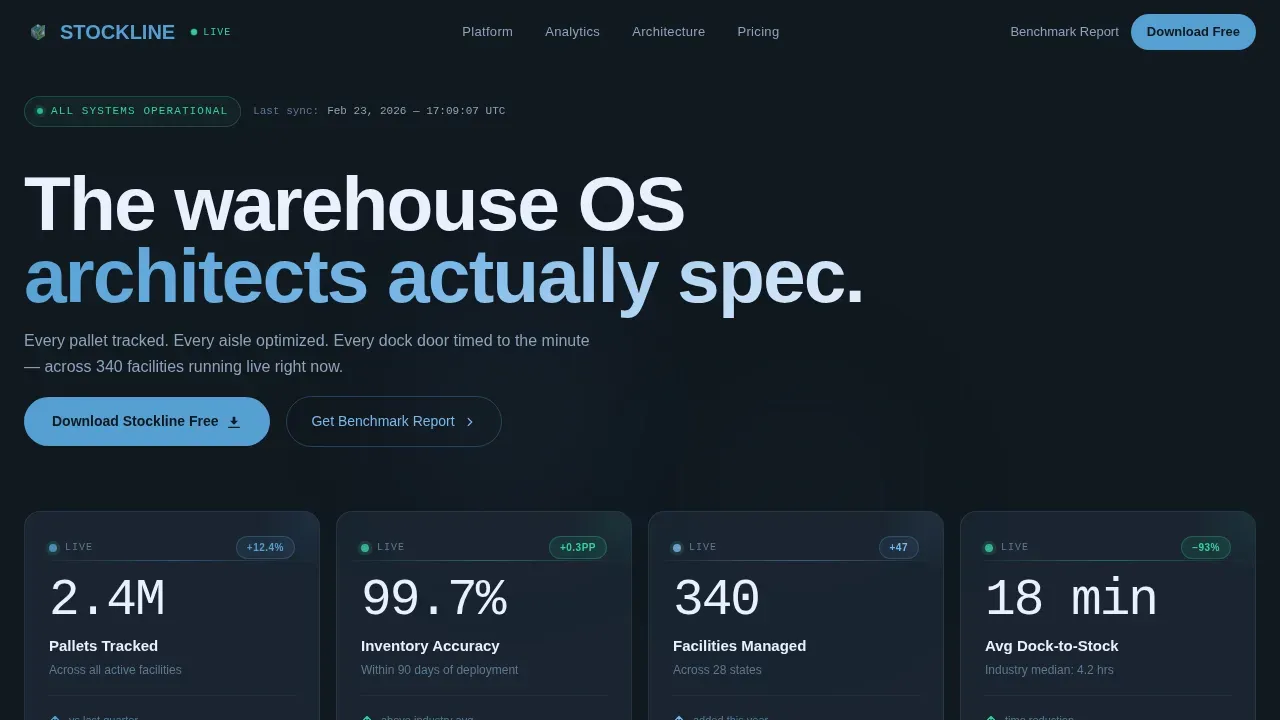
- A stats dashboard hero with glass-morphism metric cards showing live-style inventory tracking data
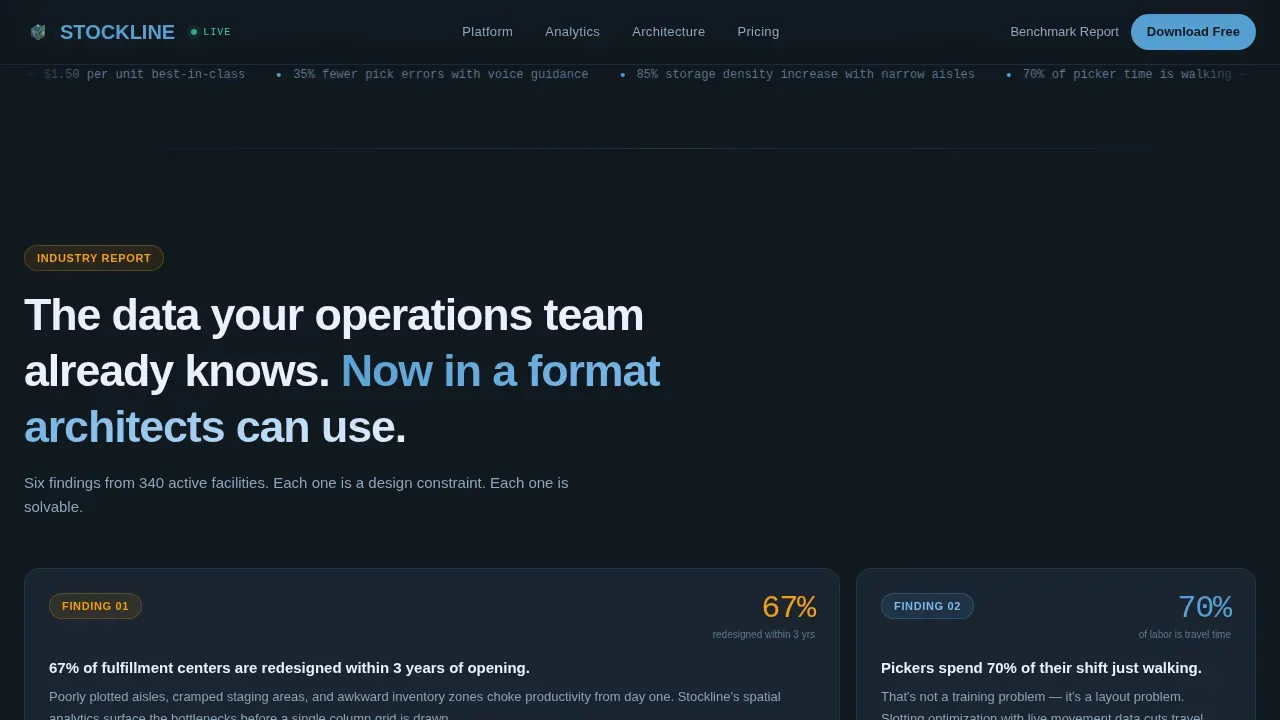
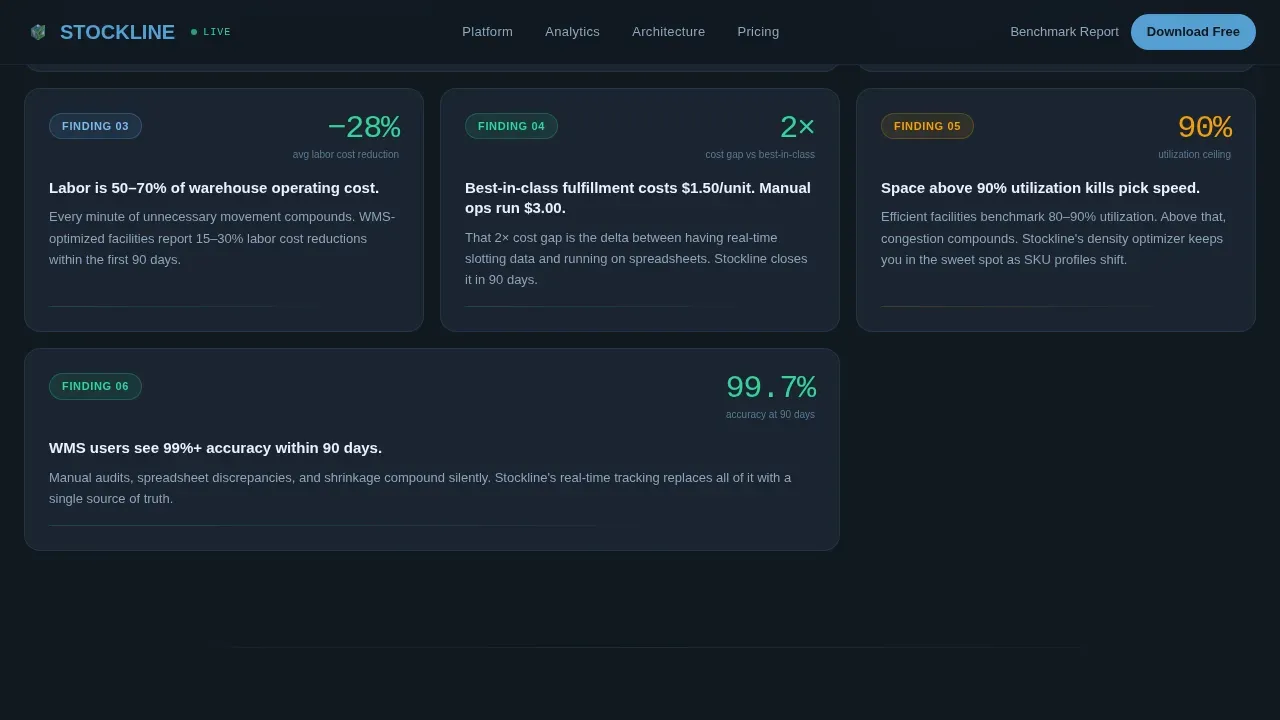
- An industry report card scroll featuring benchmark tables, facility heatmap previews, and before-and-after throughput details
- A dual-call to action section pairing an app download prompt with a PDF lead gate to capture customers at different stages
Feature list
This template is a powerful tool for communicating platform value through structured, data-led design. Each built-in component serves a specific role in moving visitors toward the download.
Live Stats Dashboard Header
The hero section displays four key metrics in individual glass-morphism cards. Numbers cover pallets tracked, inventory accuracy, facilities managed, and dock-to-stock time. Pulse animations make the data feel real-time, reinforcing trust before visitors scroll.
Modular Card Grid Layout
Every content row is a self-contained card module. This makes it straightforward to customize the order, swap in new data, or add supplier and case study details without breaking the overall layout.
Industry Report Scroll Flow
Cards are organized like chapters in an analyst report. Each row presents a warehouse operations finding, links it to a platform capability, and escalates the argument row by row. Visitors process evidence, not promises.
Asymmetric Bento Capabilities Grid
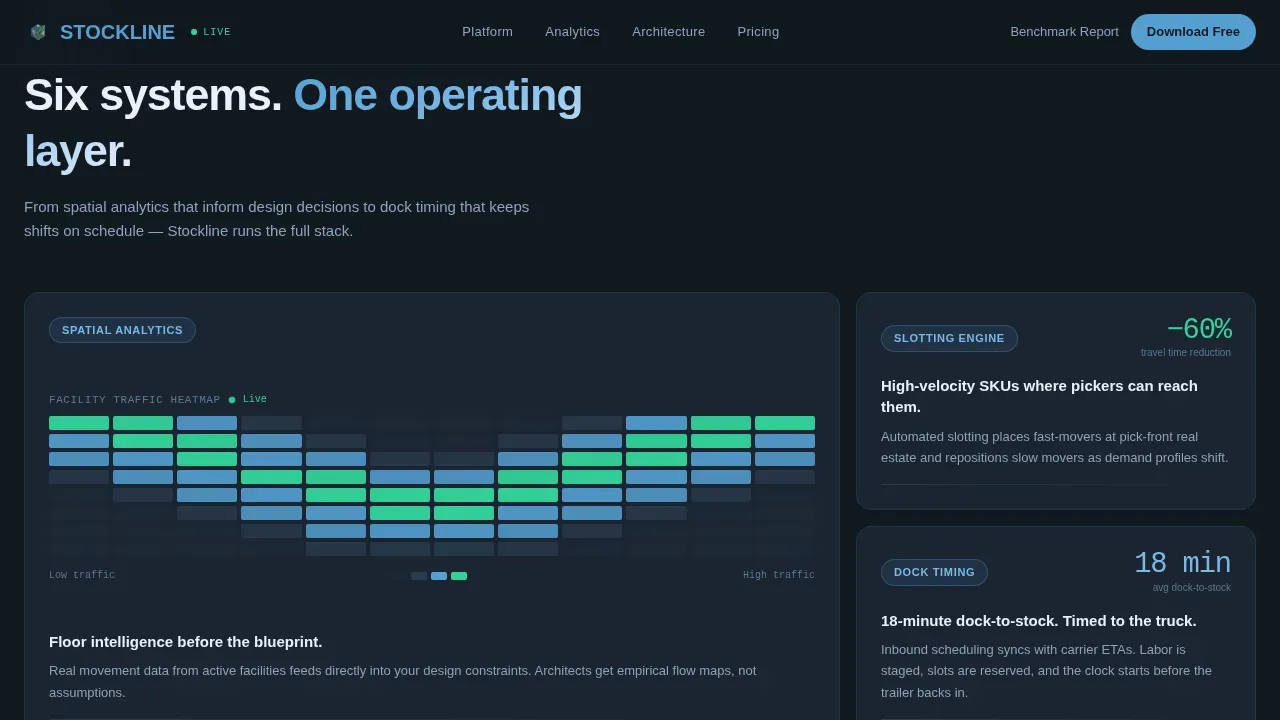
Platform capabilities including spatial analytics, slotting optimization, and real-time inventory management are displayed in an asymmetric bento grid. This layout gives visual weight to the most critical features and keeps the scan path efficient.
Dual-Path Conversion Section
A floating pill call-to-action appears after the third card row. A full-width final section anchors the primary app download alongside a secondary PDF gate. This lets warehouse managers self-select based on readiness, reducing friction and improving conversion effectiveness.
Case Study Evidence Cards
Before-and-after throughput cards show facility snapshots with real operational metrics. These cards give buyers concrete examples of outcomes, replacing vague claims with specific, credible data points.
Page sections overview
| Section | Purpose |
|---|---|
| Stats Dashboard Hero | Display live inventory metrics in glass cards |
| Industry Problem Grid | Present benchmark data on warehouse pain points |
| Platform Capabilities Bento | Showcase spatial analytics and inventory control tools |
| Case Study Cards | Show before-and-after throughput evidence |
| App Download Section | Drive app sign-up and PDF lead capture |
| Footer Linear Row | Provide navigation links and business details |
Design & branding system
The visual identity follows a Tech Glass theme. The color system pairs deep warehouse slate with open-sky blue and signal green accents to make inventory data pop against dark backgrounds.
- Colors: deep slate (#1E2A38), structural mid-gray (#4A5568), sky blue (#56A0D3), interface frost (#E8F0FE), and signal green (#34D399) for live metrics
- Typography: Manrope, a clean technical typeface that reads well at large display sizes and small card labels alike
- Cards float on frost-white surfaces with slate borders; sky-blue hover states bleed in like status indicators coming online
Mobile & speed optimization
The template is built desktop-first to serve operations managers at workstations, with a fully responsive layout for other screen sizes. Animations use a client and server component split for smooth performance across every device.
- Pulse animations on metric cards and scroll reveals are handled client-side to keep static content fast
- Glass card hover states and the floating call-to-action pill respond cleanly on touch and pointer devices
- The single-page structure keeps the layout compact and easy to navigate without deep menus
How this template helps you convert
The page earns its call-to-action by proving fluency first. Visitors see their own operational pain reflected in hard data before they ever reach a download button.
- The stats header establishes instant credibility with specific inventory management metrics, reducing skepticism early
- The industry report scroll builds a logical case row by row, so visitors arrive at the call to action already convinced
- The dual-path conversion section captures both ready-to-install users and research-stage leads, maximizing the value of every visit
Other information about this template
This template is relevant across logistics-focused industries where inventory management system quality directly affects profitability and client satisfaction. It is especially well suited for teams that want to streamline how they present warehouse inventory data to professional buyers.
- The free template structure is flexible enough to serve as a starting point without needing a free spreadsheet template or separate management system setup
- Centralized order management details can be added to the capabilities grid to show how the platform consolidates orders from various channels
- One-click document generation for invoices and delivery notes is a natural fit for the capabilities bento section
- Enhanced security details such as audit trails and individual user accounts can be added to the management template to signal trust
- The template supports scalability messaging for seasonal spikes and new locations, making it useful for warehouse managers overseeing growth
- Inventory control and purchase history data can be incorporated into the case study cards as supporting reference points
- Stockline.ai automates manual tasks in warehouse and inventory management using artificial intelligence, and this template is purpose-built to present those apps to the right buyers
- The SHOPLINE Smart Landing Page ecosystem offers a useful benchmark, as this template is designed to meet the same standard of quality with niche-specific precision for warehouse operations
Theme
Tech Glass
Creative direction
Industry Report
Color system
Slate & Sky
Direction
App Download
Page Sections
Live Stats Dashboard Header
Modular Card Grid Layout
Industry Report Scroll Flow
Asymmetric Bento Capabilities Grid
Dual-path Conversion Section
Case Study Evidence Cards
Related questions
Can I customize this template without coding knowledge?
Does this template support multiple warehouse locations?
Is this a free template?
Who manages the inventory data shown in the template?
Can I use this template to capture leads, not just app downloads?



