Stockroom — Inventory Management Landing Page Template
Stockroom is a single-page inventory management landing page template built for home services businesses. It features a live-data dashboard header, an interactive Cost of Stockouts Calculator, and a progressive scroll through truck-level inventory views. The Electric Indigo color system and Dashboard Pro theme make complex stock data feel organized, immediate, and action-ready.
by Rocket studio
Quick summary
Stockroom is a high-impact landing page template for home services inventory platforms. It opens with a pixel-perfect dashboard screenshot, drops visitors into a live cost calculator, then walks them through every layer of the inventory system. The design uses a dark cockpit aesthetic with electric indigo accents to make data feel alive and in control.
Who this template is for
This template is built for founders and product teams launching inventory management software aimed at the skilled trades. It speaks directly to operators who lose money every time a technician shows up to a job without the right part.
- HVAC shop owners managing multiple service vans who deal with phantom inventory losses
- Electrical contractors whose field technicians hoard supplies in personal bags, making stock counts unreliable
- Cleaning company dispatchers who cannot confirm which truck carries remaining supplies before dispatching a crew
What problem this template solves
Home services businesses bleed revenue through missed parts, duplicate orders, and stock that nobody can locate. A landing page that only lists features does not make that pain personal. This template makes it numerical and immediate.
- Field crews arrive at jobs missing critical parts, forcing costly return trips that eat into daily job capacity
- Owners have no real-time view across trucks, warehouses, and job sites, so reorder decisions are reactive and expensive
- Generic software landing pages fail to connect with trades operators who think in SKUs, truck numbers, and reorder thresholds
What you get with this template
You get a fully structured, single-page layout that guides a skeptical trades operator from awareness to free trial signup. Every section is designed to build credibility progressively before asking for anything.
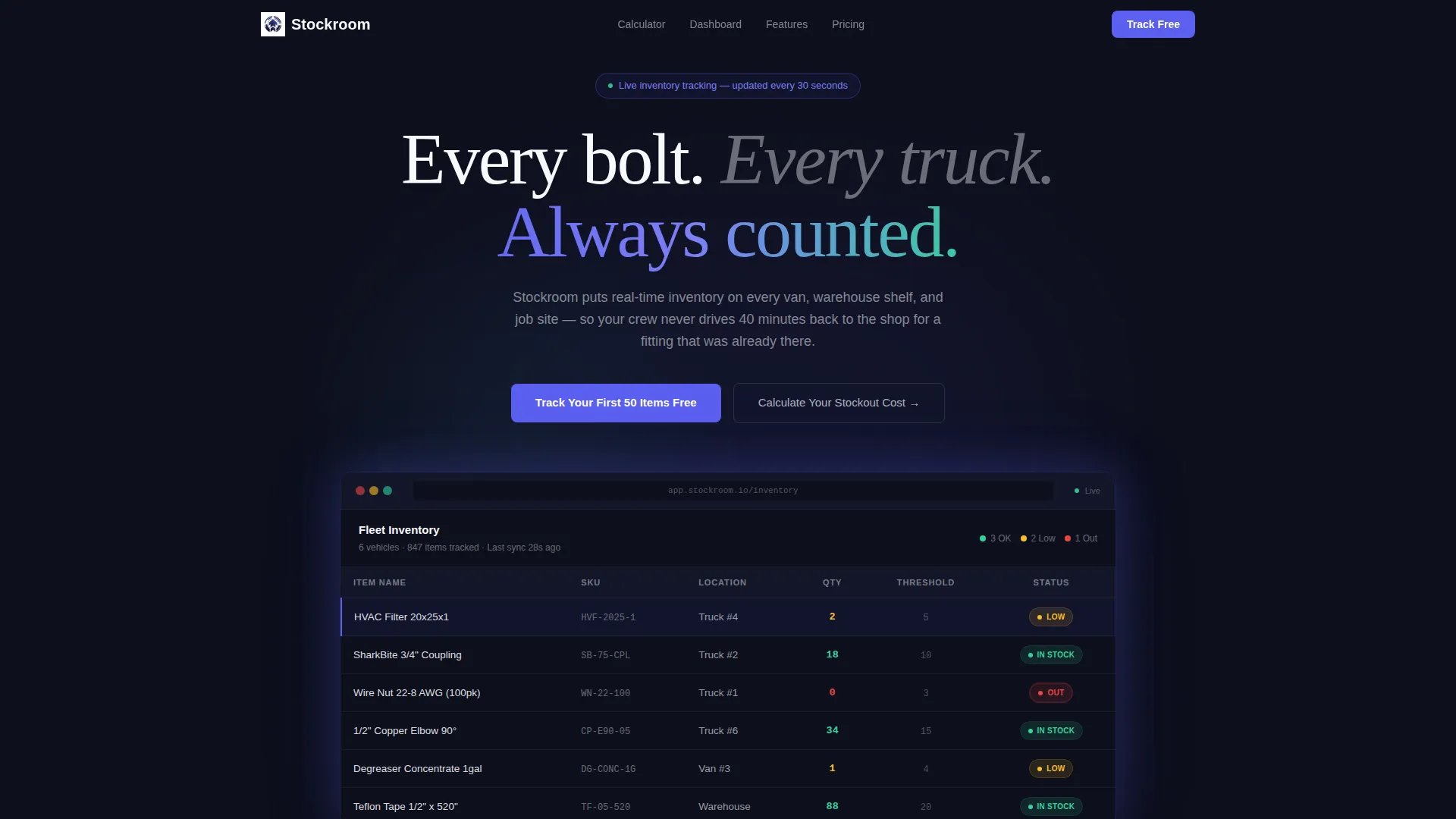
- A full-width product screenshot header showing a real inventory grid with item name, SKU, truck assignment, quantity, reorder threshold, and color-coded status badges
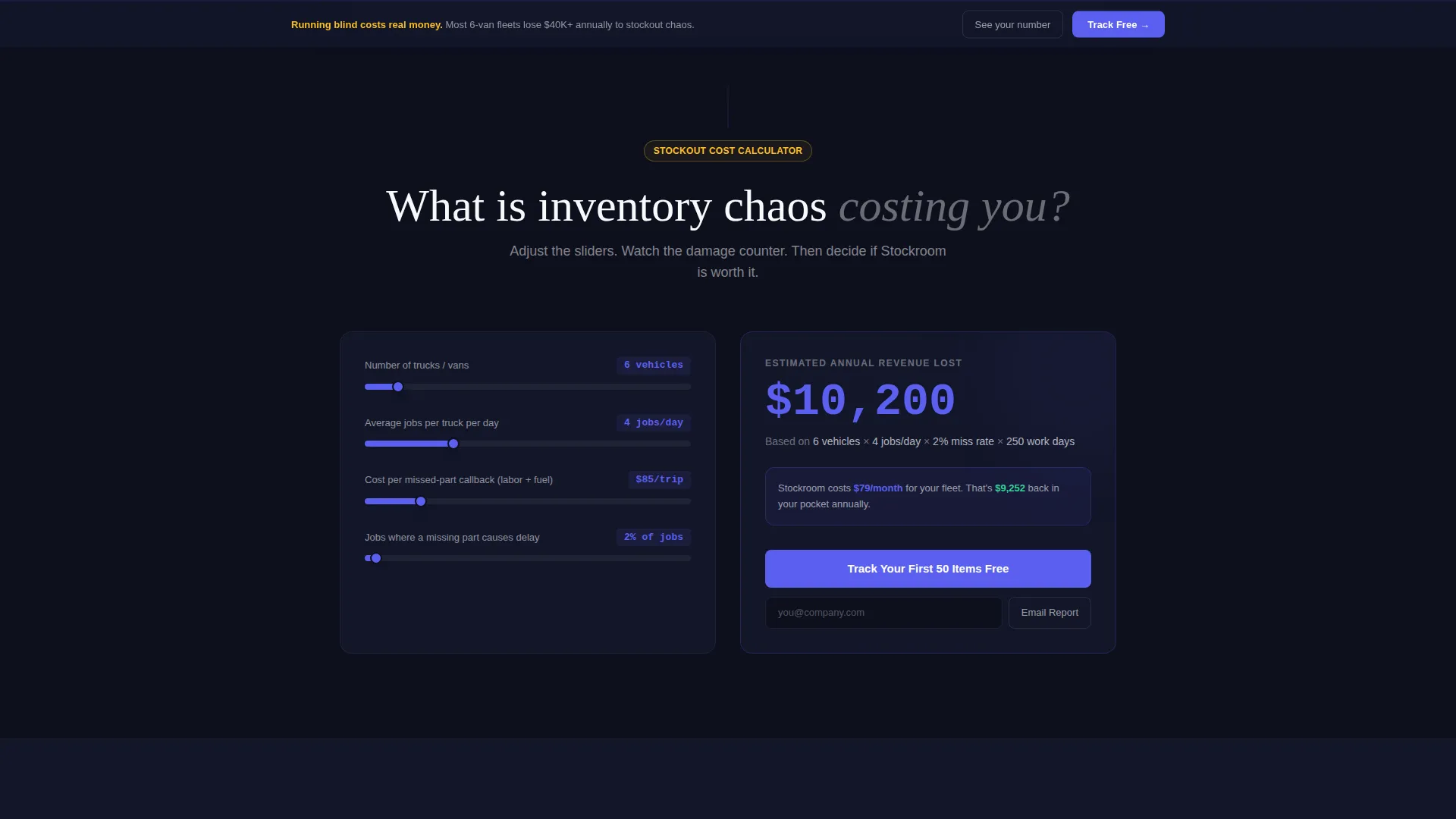
- An interactive Cost of Stockouts Calculator that takes truck count, daily job volume, and missed-part trip cost, then outputs an annual revenue loss figure in real time
- A sticky bottom bar and post-calculator call-to-action repeating the "Track Your First 50 Items Free" offer, plus an "Email Me This Report" secondary lead capture path
Feature list
This template packages several purpose-built components that work together to convert trades-industry visitors into trial signups.
Interactive Stockout Cost Calculator
Visitors enter three inputs: number of trucks, average jobs per day, and estimated cost per missed-part trip. The tool calculates annual revenue lost to inventory chaos and displays the result in animated indigo digits. The result creates urgency before any signup ask appears.
Live Dashboard Header Screenshot
The header presents a full-width, slightly angled product screenshot with a soft drop shadow. A specific inventory row is highlighted showing an item at low stock on a named truck. The product demonstrates its own value in the first scroll position without a competing tagline.
Progressive Inventory Reveal Scroll
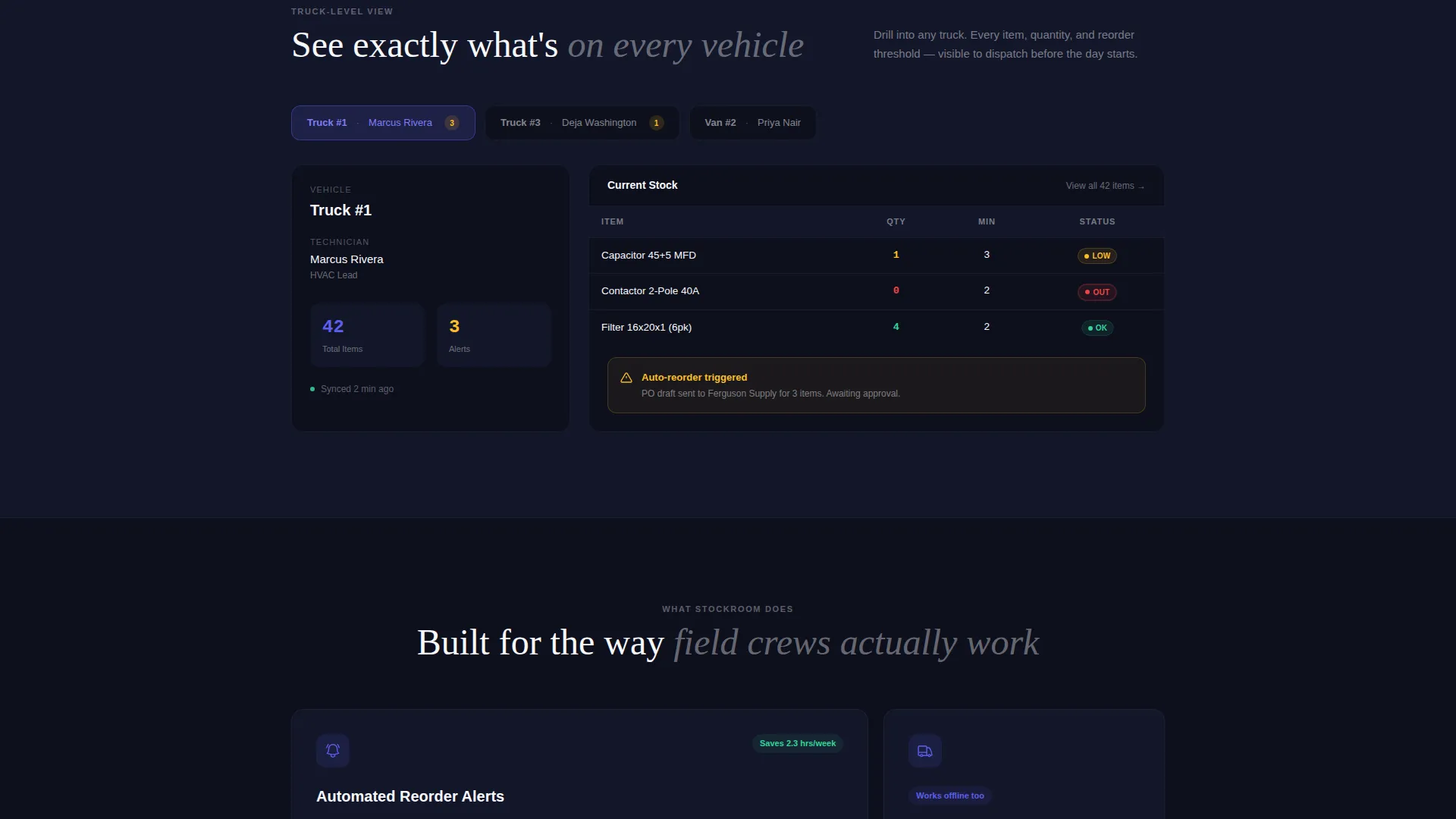
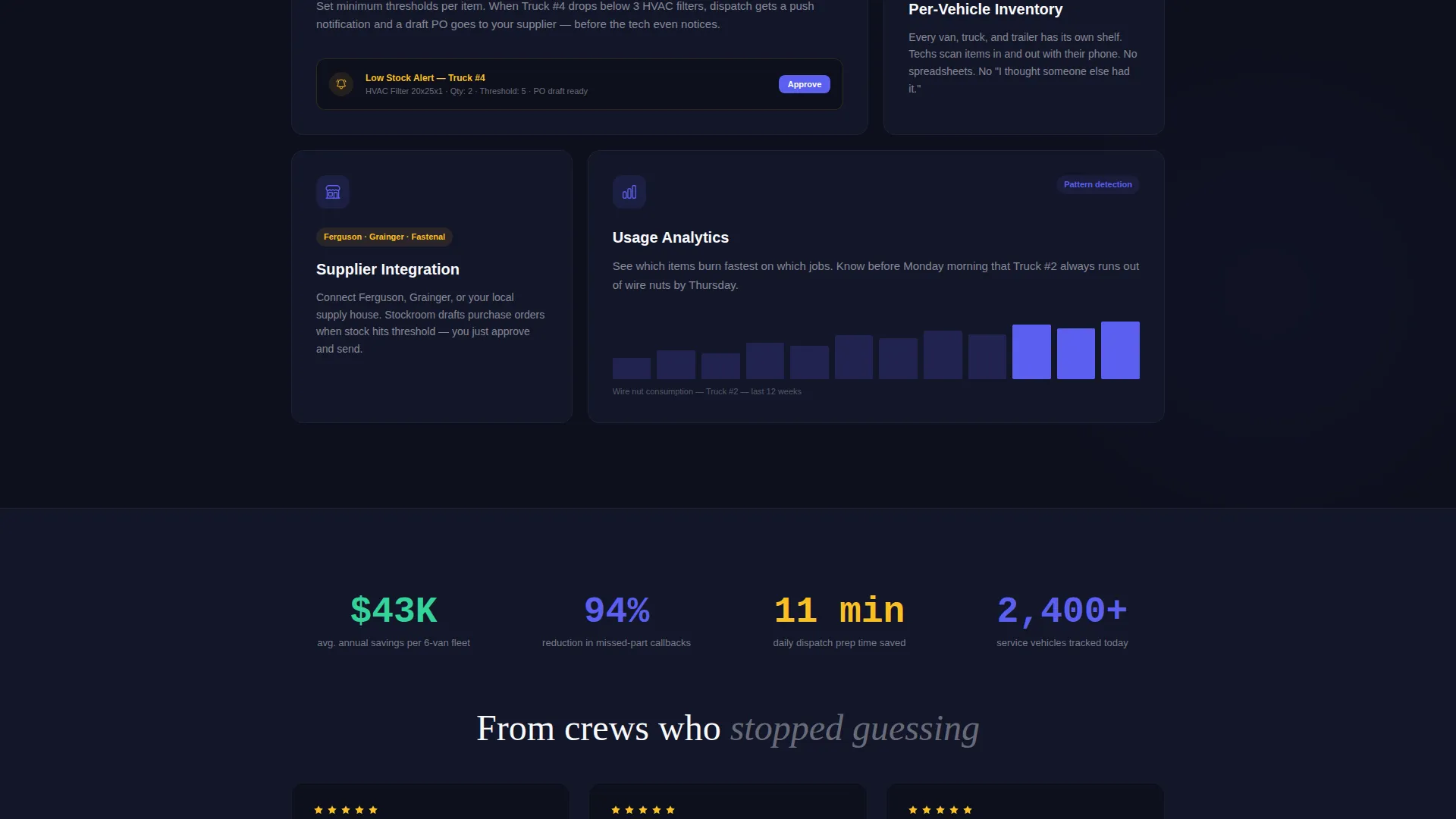
The page uncovers the platform in four layered sections: the inventory grid, the truck-level view, automated reorder alerts, and the supplier integration panel. Each section adds depth to the case that the platform already handles complex multi-location stock management.
Freemium Conversion Flow
The primary call-to-action button reads "Track Your First 50 Items Free" and appears immediately after the calculator result. A sticky bottom bar repeats the offer throughout the scroll. The signup form collects only email and company size, deferring all other onboarding to the product.
Secondary Lead Capture Path
Visitors who are not ready to commit can choose "Email Me This Report" after seeing their stockout cost result. This path captures contact details from decision-influencers who want to share the data with a business partner before signing up.
Color-Coded Status Badge System
Inventory rows carry live-style status badges rendered in status-green for in-stock items, low-stock amber for items approaching the reorder threshold, and red for out-of-stock. The visual language mirrors a real dispatch screen and makes stock health readable at a glance.
Page sections overview
| Section | Purpose |
|---|---|
| Dashboard Screenshot Header | Opens with the product as its own pitch |
| Stockout Cost Calculator | Personalizes the cost of inaction numerically |
| Calculator Result call to action | Converts calculator engagement into trial signups |
| Inventory Grid View | Shows item-level stock data across locations |
| Truck-Level Inventory | Breaks down stock assigned to individual vehicles |
| Reorder Alerts Panel | Demonstrates automated low-stock notifications |
| Supplier Integration Panel | Shows vendor connectivity within the platform |
| Email Report Capture | Catches leads not ready for immediate signup |
| Sticky Bottom Bar | Repeats the free trial offer throughout scroll |
| Minimal Signup Form | Collects email and company size only |
Design & branding system
The template uses the Dashboard Pro theme with an Electric Indigo color system. The palette is designed to feel like a dispatch screen at early morning: glowing, organized, and built around data clarity.
- Core colors: deep interface black (#0D0F1C) for the background, live-data indigo (#5B5FEF) for interactive elements, status-green (#34D399) for in-stock badges, low-stock amber (#FBBF24) for warning states, and clean surface white (#F8F9FC) for cards and table rows
- Indigo drives all interactive elements including buttons, toggles, and selected table rows, while the dark background recedes like a cockpit so data appears to float forward
- The angled product screenshot with a soft shadow reinforces the sense of a monitor sitting on a real desk, making the interface feel tangible rather than abstract
Mobile & speed optimization
The template layout is built with a mobile-first structure so the dashboard grid and calculator remain usable on smaller screens. Trades operators frequently check information from job site devices, so every interactive element needs to function cleanly at phone width.
- The inventory grid adapts to a scrollable card format on narrow screens, keeping column data readable without horizontal overflow
- The Cost of Stockouts Calculator inputs and result display stack vertically on mobile, preserving the full interaction without requiring desktop viewport dimensions
- The sticky bottom bar remains visible on mobile, ensuring the primary call-to-action is never more than a thumb-reach away
How this template helps you convert
The conversion architecture is built around making inaction feel expensive before asking for a commitment. Each stage earns the next click.
- The Cost of Stockouts Calculator produces a personal, numerical damage figure that makes the value proposition concrete. Visitors who see their own revenue loss estimate are far more motivated to act than visitors who read a generic benefit list.
- The "Track Your First 50 Items Free" call-to-action appears at peak motivation, immediately after the calculator result, and the minimal form reduces signup friction by asking only for email and company size.
- The "Email Me This Report" secondary path retains leads who are not ready to sign up alone, turning a near-exit into a qualified contact who carries the cost data to a business partner.
Other information about this template
This template is categorized under Technology, specifically within the Home Services Software and Software as a Service subcategory. It is designed for the home services inventory management niche and carries an intersection match score of 13 against its target market signals.
- The template style is Dashboard and Data Grid, making it well suited for platforms that need to demonstrate data density and real-time status without overwhelming first-time visitors
- The creative direction follows a Calculator-First approach, a proven pattern for SaaS and operational software tools where the cost of a problem is not immediately obvious to a prospect
- The header concept is a Product Screenshot, which is particularly effective for inventory and workflow tools because the interface itself communicates capability faster than copy can
- The freemium and trial landing page direction aligns with low-barrier conversion goals common in home services software, where trust must be built before operators hand over operational data
Theme
Dashboard Pro
Creative direction
Calculator/Tool First
Color system
Electric Indigo
Style
Dashboard/Data Grid
Direction
Freemium/Trial
Page Sections
Interactive Stockout Cost Calculator
Live Dashboard Screenshot Header
Progressive Inventory Scroll Sections
Freemium Trial Conversion Flow
Secondary Email Lead Capture
Color-coded Inventory Status Badges
Related questions
What type of business is this template designed for?
Can I use this template without a working calculator tool?
How does the signup form work?
What is the secondary 'Email Me This Report' lead path?
Is this template suitable for a single-product SaaS launch?



