Hospitality Software Professional Website Template
The Stockroom landing page template is a dark, data-command single-page layout built for hospitality warehouse management platforms. It uses a split-screen format, animated dashboard hero, and a scroll-driven lead generation flow. The page is designed to show inventory chaos transformed into real-time control, and it earns demo requests by letting the visuals do the work before a form field appears.
by Rocket studio
Quick summary
The Stockroom template is a single-page lead generation layout for hospitality inventory management software. It opens with a full-bleed animated dashboard hero, moves through three scroll-triggered split sections, and closes with a structured lead capture form. The design uses a dark Data Command aesthetic to communicate precision, control, and real-time visibility across every shelf and pallet.
Who this template is for
This landing page template is built for B2B hospitality software teams that need to communicate the value of an inventory management system quickly and credibly. It is purpose-built for platforms serving operational buyers who are skeptical, time-poor, and tired of spreadsheets.
- Hotel operations directors managing multiple properties who need one centralized view of stock levels across locations
- Resort purchasing managers preparing for high-volume event weekends who rely on accurate par-level data and real time inventory updates
- Boutique hostel owners still running stock inventory counts manually who are ready to move to a structured, digital process
What problem this template solves
Back-of-house inventory management is still chaotic in most hospitality operations. Misplaced supplies, miscounted quantities, and buried expiry dates create real business cost. This template is designed to show that problem clearly and resolve it visually before the first form field appears.
- Operations teams lose hours each week to manual tracking, and errors in stock inventory data affect sales, waste, and customer satisfaction
- Purchasing managers have no reliable way to identify low stock levels or automate reorder alerts without a dedicated inventory tracking system
- Decision-makers evaluating inventory management software need to see the transformation before they commit to a demo or share a work email
What you get with this template
You get a complete, ready-to-customize single-page layout that delivers the full lead generation flow from first impression to form submission. Every section is structured to move the visitor toward one of two clear calls to action.
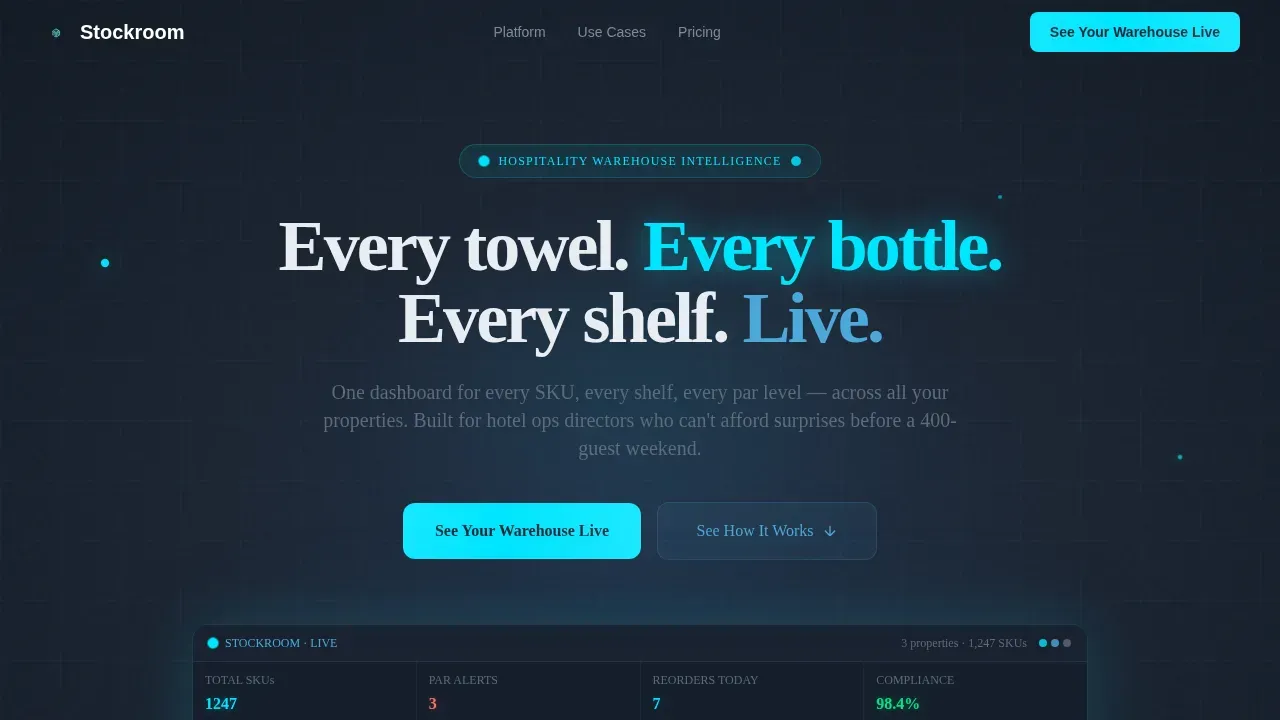
- A full-bleed animated hero with pulsing cyan data nodes, live counter animations, and a headline that lands after the glow stabilizes
- Three scroll-triggered split sections that each answer a distinct buyer objection using side-by-side visual contrast
- A two-path lead capture form with a property type selector, a stock quantity range slider, and a secondary gated PDF option for visitors not yet ready to book a demo
Feature list
This inventory template is designed with six core functional sections that each serve a specific role in the landing page conversion flow.
Animated Dashboard Hero Section
The hero opens in near-black and a warehouse dashboard materializes from the center. Data nodes pulse in cyan, shelf maps render in sky blue, and count numbers tick upward in real time. The headline appears after the animation stabilizes, giving the visual time to establish trust before any copy asks for attention.
Three Split-Screen Comparison Sections
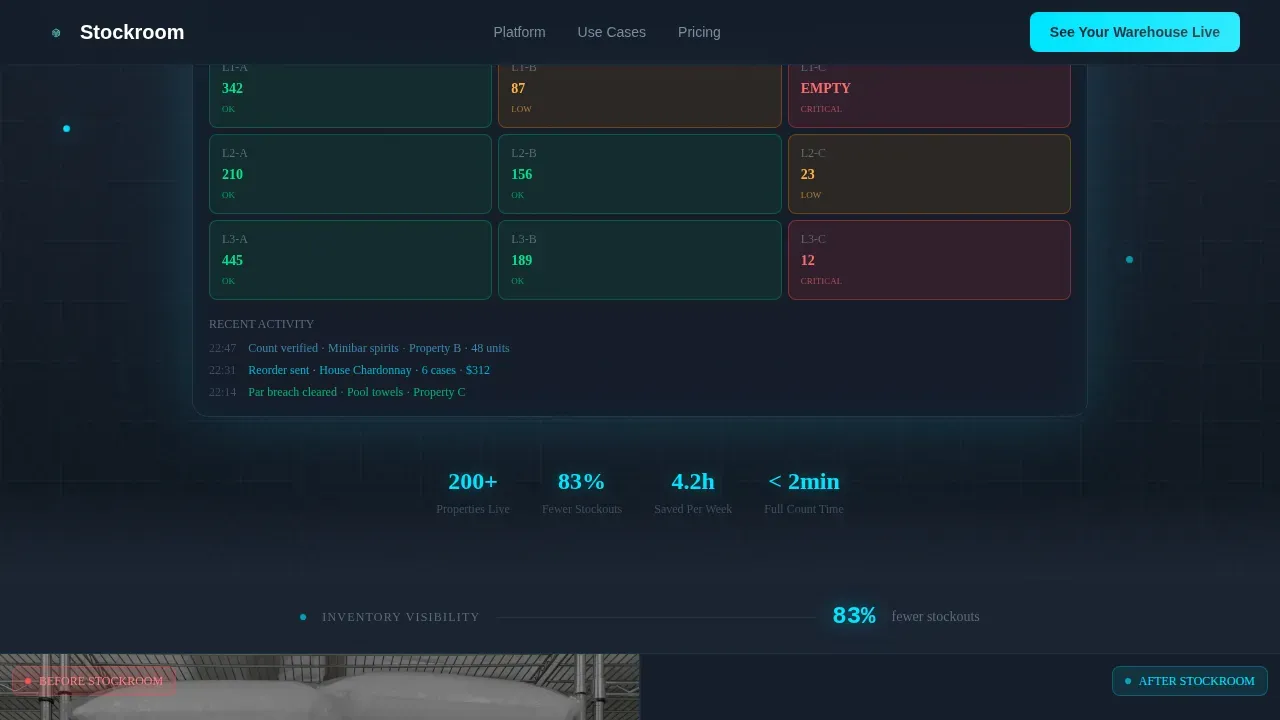
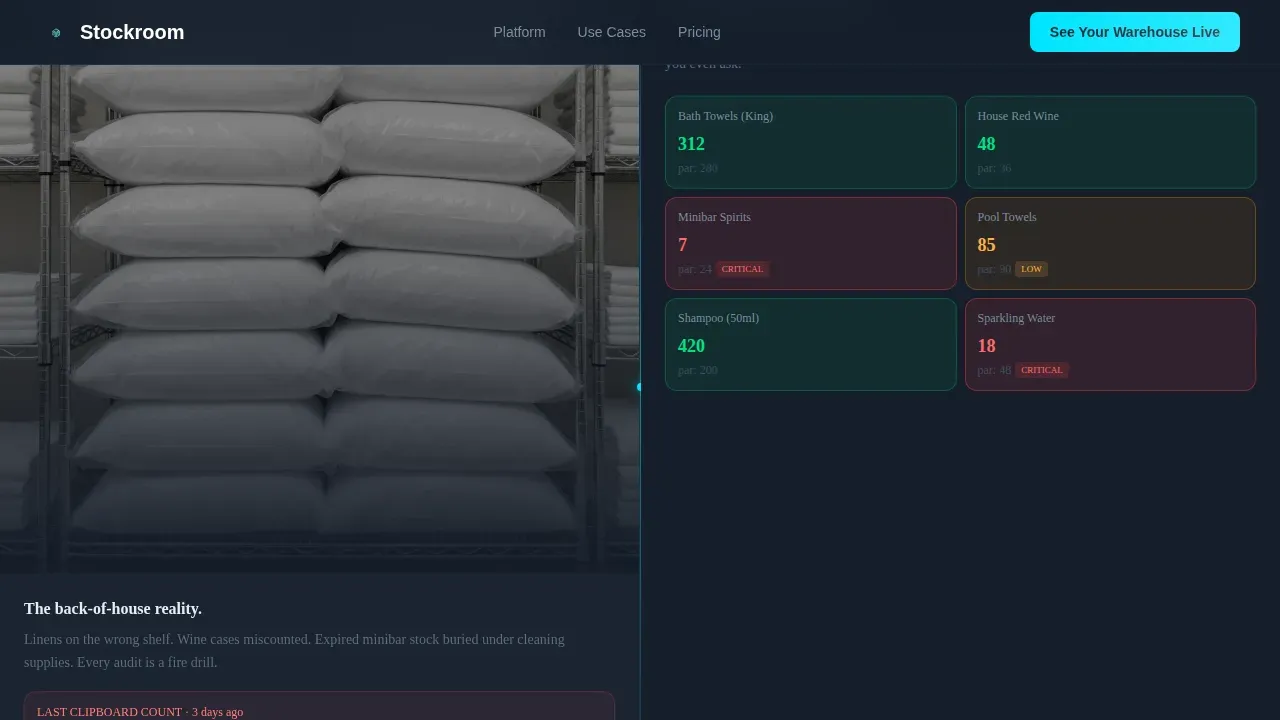
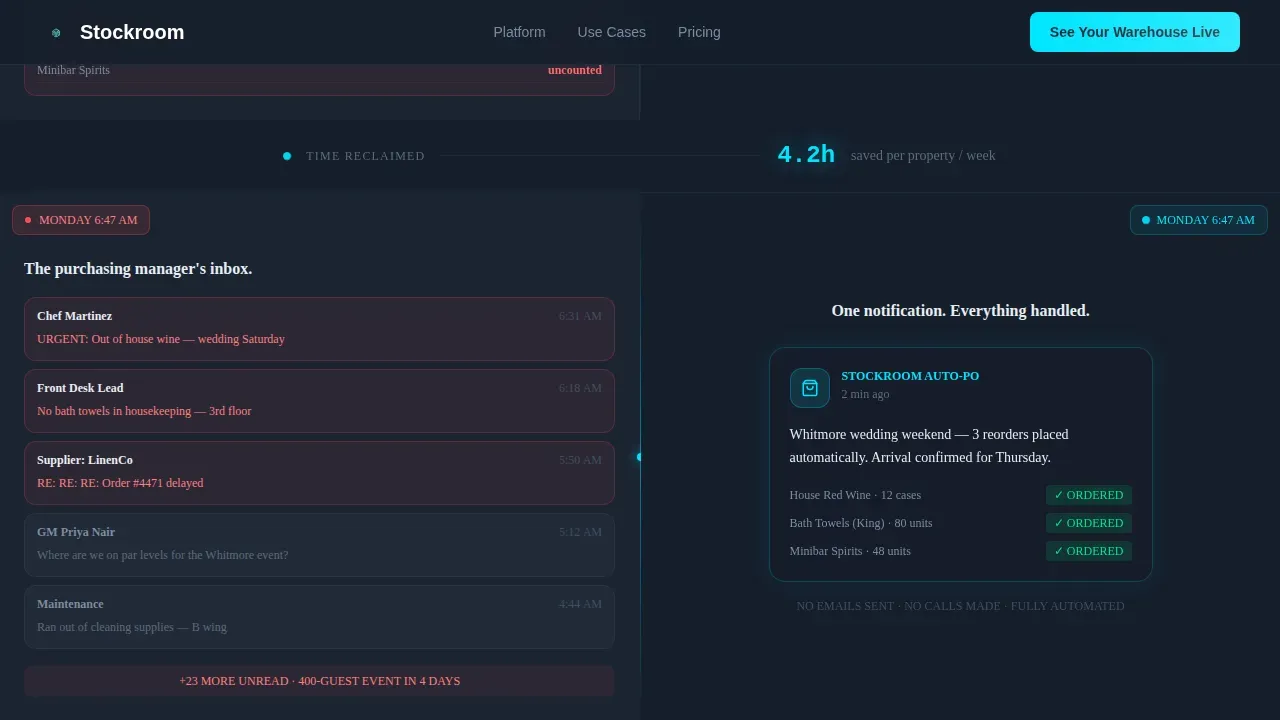
Each split section places a before-state on the left and an after-state on the right. The first compares a cluttered hotel stockroom photo to a digitized clean grid inventory list. The second shows purchasing email chaos versus a single automated reorder notification. The third contrasts a red-cell spreadsheet with a green-lit compliance dashboard. Inline stats such as "83% fewer stockouts" and "4.2 hours saved per week" anchor each section with concrete data.
Scroll-Triggered Launch Energy Pacing
The template uses a countdown-style scroll sequence that accelerates across sections. Each split fires with increasing visual intensity, glow accents deepen, and the pacing creates forward momentum. Visitors feel the process moving before they reach the form, which reduces friction at the point of lead capture.
Dual-Path Lead Generation Form
The form section opens with a property type selector covering hotel, resort, hostel, and multi-site options. A range slider captures the number of stock-keeping units (SKUs) managed. A work email field completes the primary path. A secondary call to action offers a gated PDF par-level calculator for visitors who want value before committing to a demo, capturing email and property size only.
Repeating Primary Call to Action
The "See Your Warehouse Live" call to action appears in the hero and again after the third split section. This repetition ensures the primary conversion path is always within reach as the visitor scrolls, without interrupting the visual storytelling flow of the page.
Linear Single-Row Footer
The footer follows a clean single-row pattern that keeps the page contained and professional. It closes the layout without adding visual noise, maintaining the dark command-center aesthetic through to the final pixel.
Page sections overview
| Section | Purpose |
|---|---|
| Animated hero header | Establish platform credibility with live dashboard glow and primary call to action |
| Split section one | Show cluttered stockroom versus clean digitized inventory grid to answer "Does it work?" |
| Split section two | Compare email chaos to automated reorder notification to answer "Will it save time?" |
| Split section three | Contrast red-cell spreadsheet with compliance dashboard to answer "Can I trust the data?" |
| Lead generation form | Capture property type, SKU range, and work email with a secondary PDF download path |
| Linear footer | Close the page with a minimal single-row footer matching the dark design system |
Design & branding system
The visual identity follows a Data Command theme using the Slate and Sky color system. The palette is built around dark operational surfaces with small, precise points of light that each carry meaning. Typography pairs Manrope for headlines with JetBrains Mono for data labels and numbers, reinforcing the command-center feel.
- Color palette: deep operations charcoal (#1B2432) for backgrounds, brushed steel gray (#5C6B7A) for secondary surfaces, inventory-clear sky blue (#4DA8DA) for structural elements, and alert cyan (#00E5FF) reserved for live data points, hover states, and call to action pulses
- Typography and motion: Manrope headlines deliver confident readability at scale; JetBrains Mono anchors all numeric data and labels; high-intensity animation includes pulsing nodes, scroll-triggered splits, counter animations, and glowing calls to action
Mobile & speed optimization
The template is built desktop-first for operations directors and purchasing managers who primarily work from desktop or tablet devices. Responsive behavior ensures the layout adapts cleanly for mobile access, so team members on the stockroom floor can still engage with the page from any device.
- Desktop-first layout prioritizes the split-screen format and animated dashboard for full-width viewing on desktop and tablet devices
- Responsive design ensures the landing page reflows cleanly across smaller screen sizes, so mobile users can access the form and secondary PDF call to action without layout breakage
How this template helps you convert
This landing page template is structured to remove doubt and build momentum before any commitment is asked of the visitor. The visual proof comes first, the form comes last.
- The animated hero establishes that the inventory management software works by showing the dashboard breathing and numbers moving in real time, so visitors feel the product before they read a single feature description
- The three split sections address the three most common buyer objections in order, using visual contrast and punchy inline stats to deliver proof at the exact moment doubt might appear
- The dual-path form respects visitor preferences by offering both a high-intent demo path and a lower-commitment PDF download, which means the page can capture leads at two different readiness levels without losing either audience
Other information about this template
This inventory template supports a range of hospitality business types and team sizes. It is designed to work as a standalone landing page within a broader website or as a standalone campaign page. The structured format makes it straightforward to customize content, swap color values, and adapt the copy for different market segments or regional preferences.
- The inventory list and product details inside each split section can be updated to reflect your platform's actual stock category structure and supplier information
- Supplier details, supplier information blocks, and supply chain context can be added to the form or split sections to match your platform's specific data format and audience knowledge
- The par-level calculator PDF path is a secondary lead capture tool; teams can evaluate its effectiveness using standard reporting tools to measure conversion against the primary demo call to action
- The template is structured to store lead data in whatever format your team uses, including export to spreadsheets or other tools, depending on your existing inventory management process
- Excel-compatible data references and structured inventory management system descriptions can be incorporated into the PDF asset or split-section copy to address buyers still relying on manual spreadsheets
- The page can be adapted for manufacturers, multi-site hospitality groups, or any business operating a warehouse with complex stock inventory tracking needs
- Regular audits of landing page performance and user feedback can help you identify areas to improve the form flow, update inline stats, or refine the call to action copy over time
- The template is available as part of a broader library of templates for hospitality and technology use cases
Theme
Data Command
Creative direction
Launch Energy
Color system
Slate & Sky
Style
Split Screen (50/50)
Direction
Lead Generation
Page Sections
Animated Full-bleed Dashboard Hero
Three Scroll-triggered Split Sections
Dual-path Lead Generation Form
Launch Energy Scroll Pacing
Repeating Call to Action Placement
Linear Single-row Footer
Related questions
What is the Stockroom live inventory command landing page template?
Can I customize the colors, copy, and form fields in this template?
Who is the lead generation form designed for?
Does this template work as a standalone campaign page?
Can the split sections be updated for different property types or inventory categories?



