Expert Dental Software Cost Estimator Website Template
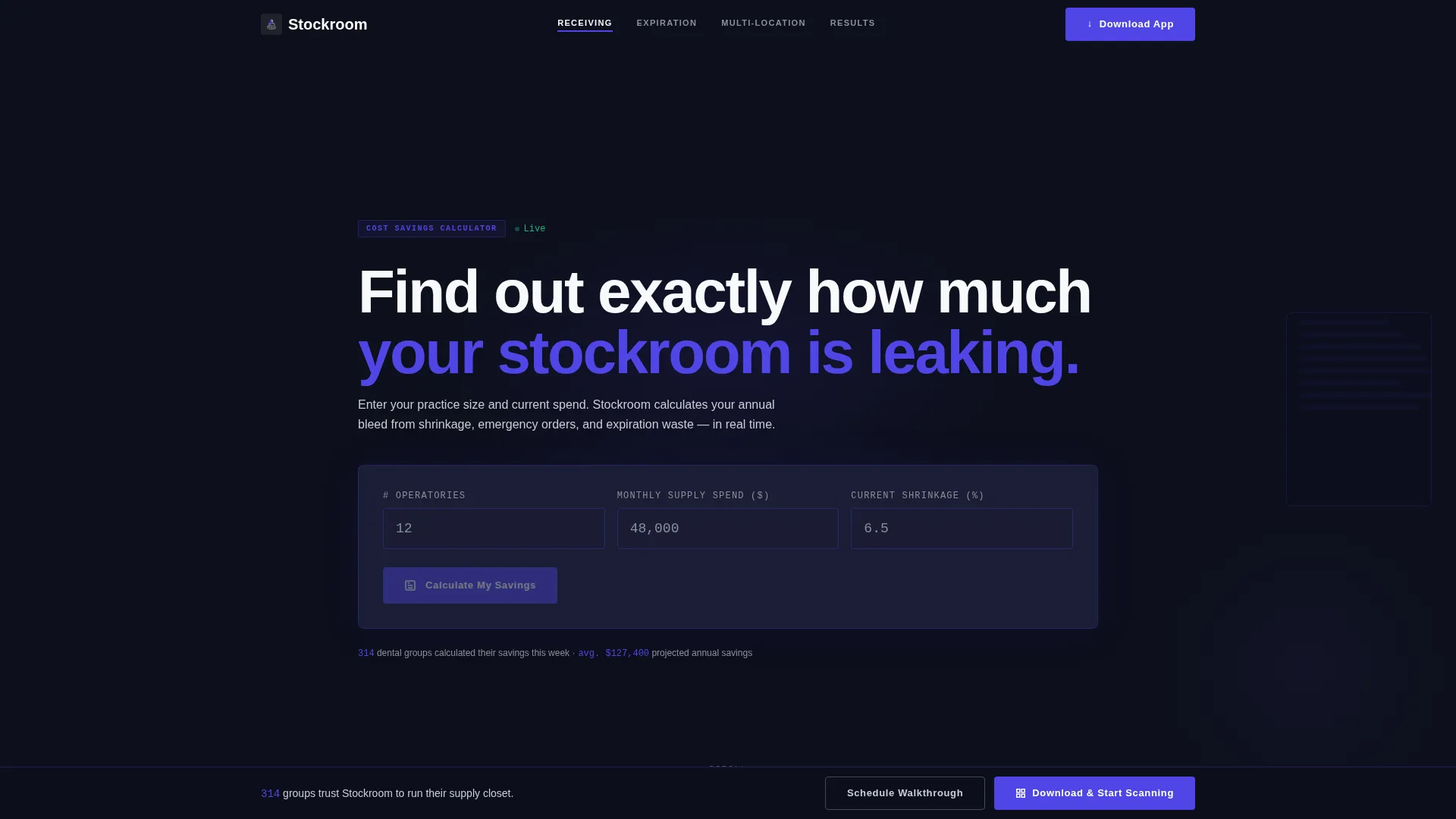
Stockroom is a hub-and-spoke dental warehouse management landing page built for teams that track every crown, implant, and bracket from receiving dock to operatory drawer. It opens with a live cost-savings calculator, guides visitors through spec-sheet spoke sections, and drives downloads with a persistent "Download & Start Scanning" call to action.
by Rocket studio
Quick summary
Stockroom is a precision dental warehouse management landing page. It combines a working cost-savings calculator header with anchor-nav spoke sections that each answer one operational question. The Data Command visual theme and Electric Indigo color system make dense inventory data feel controlled and trustworthy, pushing supply managers toward an app download or a guided demo.
Who this template is for
This template is built for dental supply professionals who manage real inventory pressure every day. It speaks directly to operators juggling large monthly budgets across one or many locations.
- Multi-location dental group purchasing directors managing six-figure monthly supply inventories
- Solo-practice office managers who handle procurement alongside every other operational duty
- Regional dental distributors reconciling shipped quantities against what actually arrived
What problem this template solves
Dental supply teams lose money in two predictable ways: emergency orders placed at markup when stock runs out, and expired product that nobody caught in time. A landing page that looks generic does not earn the trust of a purchasing director comparing warehouse platforms.
- Unplanned stockouts force last-minute orders at inflated prices, draining purchasing budgets
- Expired crowns, implants, and brackets create write-offs and compliance headaches
- Multi-location inventory conflicts leave no single source of truth for what is actually on hand
What you get with this template
You get a fully structured, single-page hub-and-spoke layout designed around the dental warehouse management workflow. Every section is purpose-built to move a skeptical supply professional from curiosity to commitment.
- A live Calculator/Estimator header that animates projected annual savings based on operatory count, monthly spend, and shrinkage percentage
- Anchor-navigated spoke sections styled as product data sheets, each focused on one operational question
- A persistent bottom bar with the primary "Download & Start Scanning" call to action and a secondary enterprise demo path
Feature list
This template ships with six purpose-built components that work together as a cohesive sales argument.
Live Cost-Savings Calculator
Visitors enter their number of operatories, average monthly supply spend, and current shrinkage percentage. The calculator animates indigo numbers to reveal projected dollars saved, units recovered, and emergency orders eliminated, giving every visitor a personalized reason to download.
Hub-and-Spoke Anchor Navigation
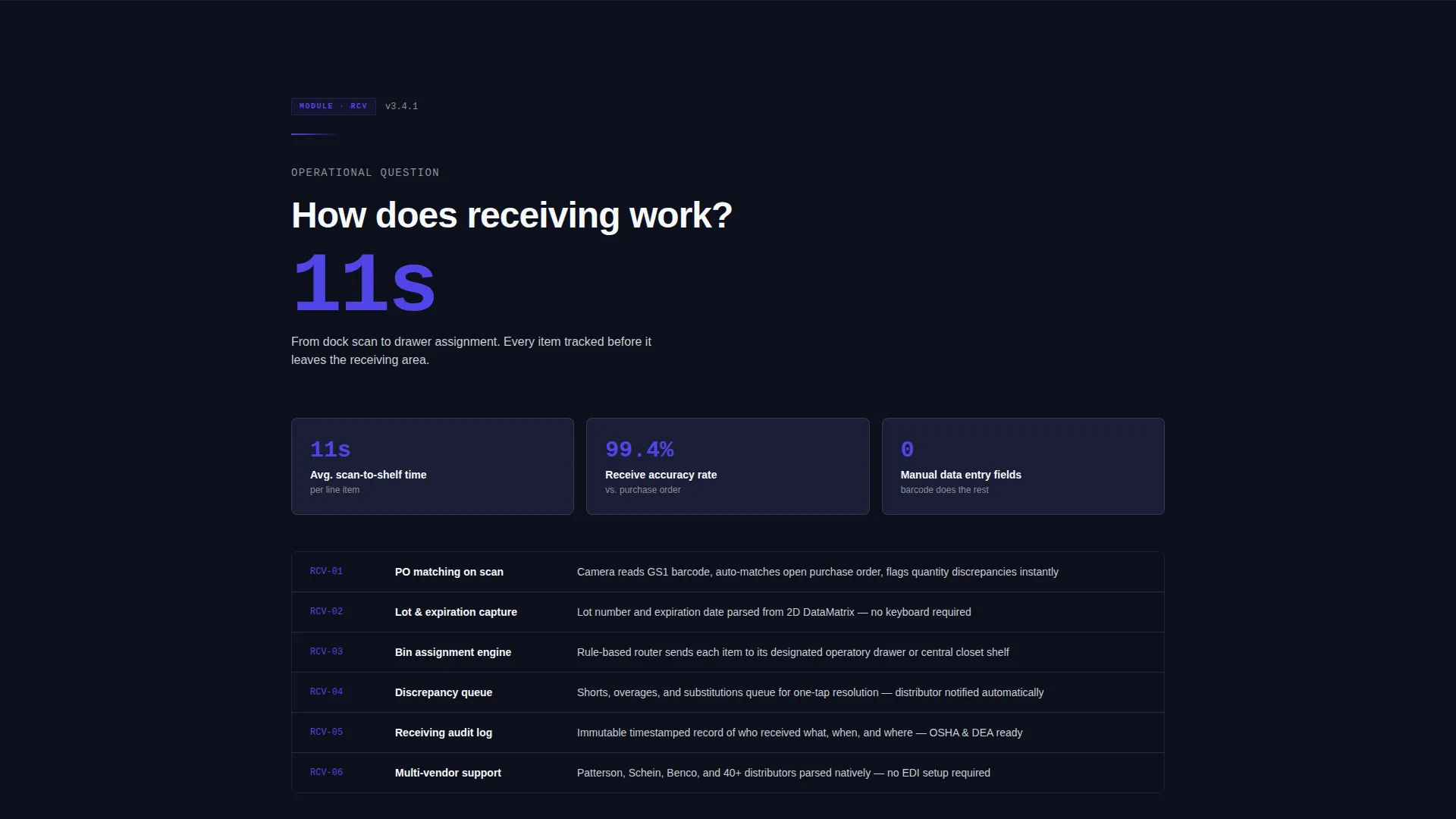
A sticky anchor nav connects the header to each spoke section below. Each spoke reads like a product data sheet with a single large-type key performance indicator headline, a three-column stat row, and a compact feature grid underneath.
Spec Sheet Spoke Sections
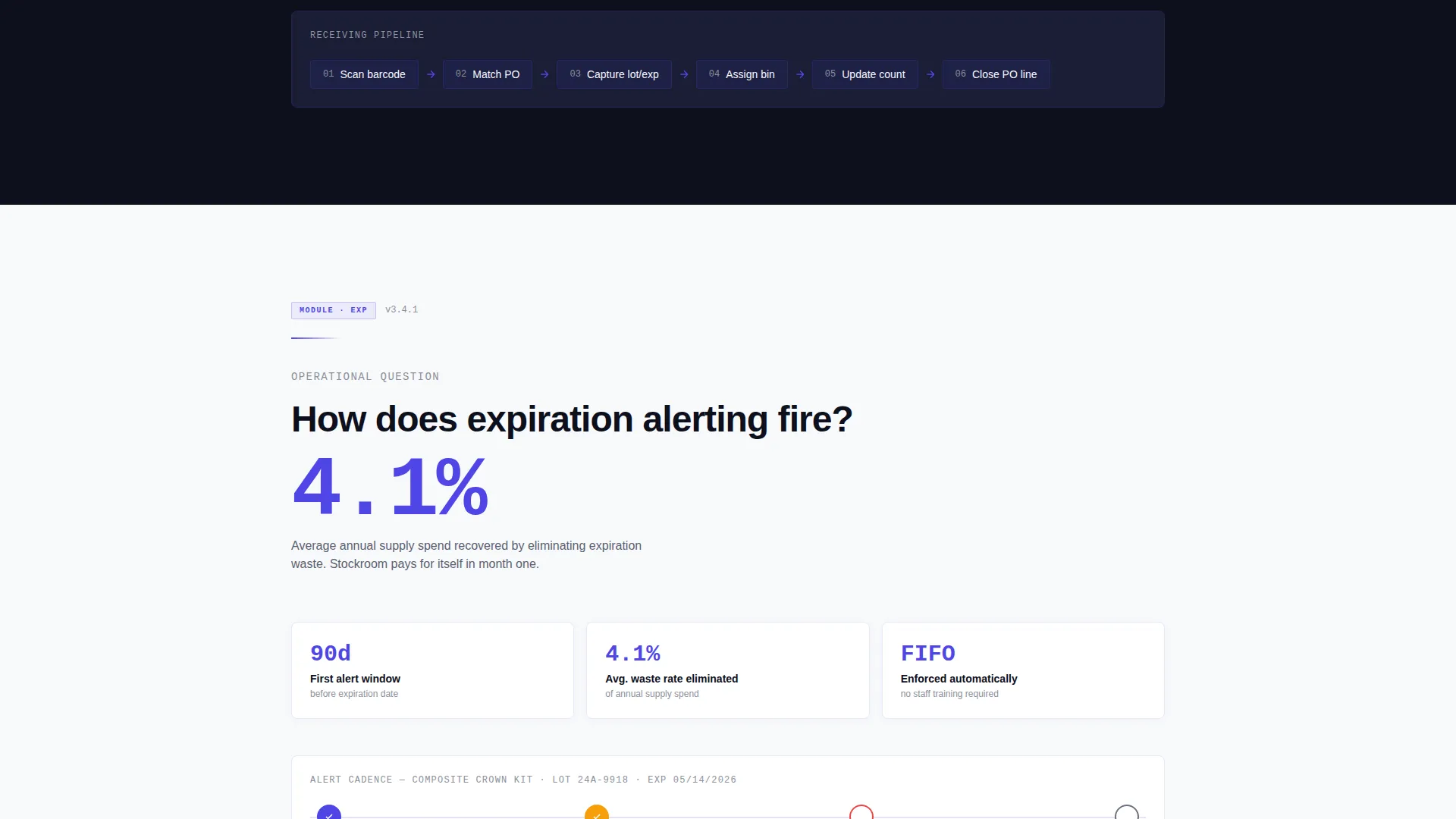
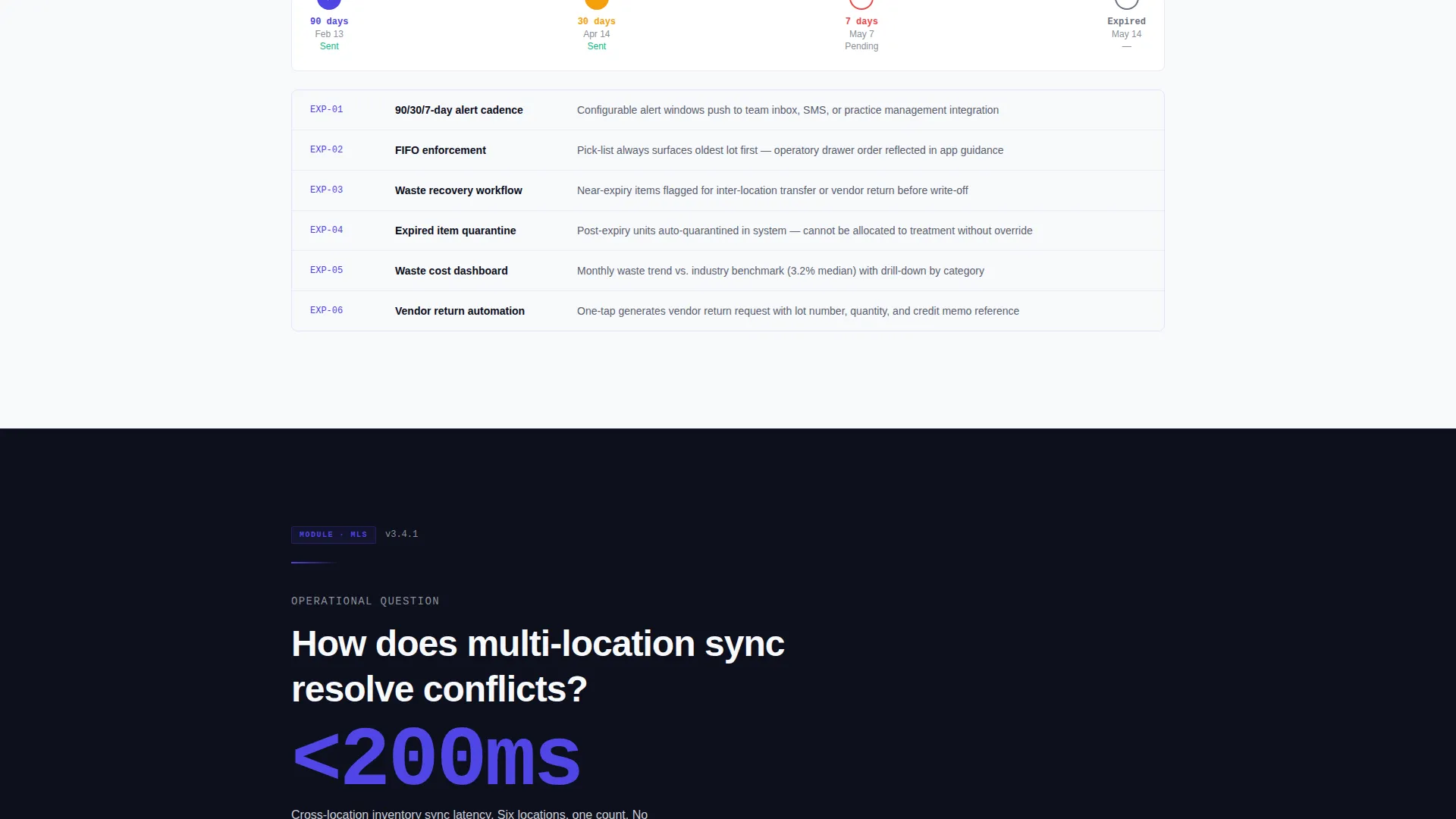
Each spoke section answers exactly one operational question, how receiving works, how expiration alerting fires, how multi-location sync resolves conflicts. Scrolling deepens specificity rather than broadening promises, building the case through accumulated precision.
Persistent Download Call-to-Action Bar
After the second spoke section, a bottom bar locks into place and follows the visitor down the page. It surfaces the primary "Download & Start Scanning" button alongside the secondary "Schedule a Warehouse Walkthrough" link for enterprise leads.
Platform-Detect Download Screen
Tapping the primary call to action triggers a platform-detect screen that offers iOS and Android app store badges plus a QR code for desktop visitors. This removes friction for any device type.
Enterprise Demo Path
A dedicated secondary conversion path captures purchasing directors and multi-location operators who need a guided walkthrough before committing to a full rollout. The "Schedule a Warehouse Walkthrough" link appears alongside every primary call to action.
Page sections overview
| Section | Purpose |
|---|---|
| Calculator Header | Personalizes projected savings with live animated results |
| Anchor Navigation Bar | Lets visitors jump directly to any operational spoke |
| Receiving Dock Spoke | Explains how inbound shipments are logged and verified |
| Expiration Alerting Spoke | Shows how expiration tracking fires reorder and removal alerts |
| Multi-Location Sync Spoke | Demonstrates how inventory conflicts are resolved across sites |
| Download Call-to-Action Bar | Persists after second spoke to drive app download |
| Platform-Detect Screen | Delivers iOS, Android, and QR options on a single tap |
| Enterprise Demo Path | Captures leads needing a guided pre-rollout walkthrough |
Design & branding system
The visual identity follows a Data Command theme that feels like a cleanroom server rack, the blue glow of active drives inside a dark chassis. Every color and spacing choice is deliberate and nothing is decorative without purpose.
- Deep terminal black (#0D0F1C) backgrounds anchor the layout; electric indigo (#4F46E5) pulses across active states, data highlights, and key performance indicator type
- Clinical silver (#C9CDD4) handles secondary text and divider lines, while sterile white (#F8F9FC) surfaces card backgrounds and input fields
- Calculator inputs glow with indigo borders on focus, and result numbers animate like a scoreboard to reinforce the data-command aesthetic
Mobile & speed optimization
The template is built with the mobile barcode scan workflow at its center. The primary call to action and the platform-detect screen are both designed for one-thumb use on a warehouse floor or operatory hallway.
- The persistent bottom bar keeps the download button reachable without scrolling back to the top
- The platform-detect screen auto-surfaces iOS and Android badges alongside a QR code, covering any device scenario a visitor arrives with
How this template helps you convert
Every structural and visual decision in this template pushes toward a download or a demo booking. Conversion is not left to a single button at the bottom of the page.
- The calculator header creates a personalized financial reason to act before the visitor reads a single feature claim, anchoring attention with real numbers specific to their practice size.
- The spec-sheet spoke format builds layered operational trust section by section, so by the time a visitor reaches the persistent download bar they have already answered their own objections.
Other information about this template
This template is categorized under Technology with a Dental Software subcategory, targeting the Dental Warehouse Management niche. It is a single hub-and-spoke landing page, not a multi-page website.
- The template style is Hub and Spoke with sticky Anchor Navigation, matching the Spec Sheet creative direction from the intersection context
- The header concept is a Calculator/Estimator, and the landing page direction is App Download, both derived from the matched intersection row
- The Electric Indigo color system and Data Command theme are consistent across all spoke sections for a unified visual experience
- This template can support rollout planning for multi-location dental groups as well as solo-practice operators, given the audience segmentation built into the copy framework
Theme
Data Command
Creative direction
Spec Sheet
Color system
Electric Indigo
Style
Hub & Spoke (Anchor Nav)
Direction
App Download
Page Sections
Live Cost-savings Calculator Header
Hub-and-spoke Anchor Navigation
Spec Sheet Spoke Sections
Persistent Bottom Download Bar
Platform-detect Download Screen
Enterprise Demo Conversion Path
Related questions
Who is this landing page template designed for?
What does the calculator in the header actually do?
Does this template include more than one conversion path?
How many spoke sections does this template include?
Can this template work for a single-location dental practice?



