Specialist E-Commerce Digital Presence Cost Estimator Website Template
Catalog is a scroll-reveal landing page template built for e-commerce knowledge bases. It combines a personalized Knowledge Gap Estimator, an interactive topic explorer, and a live search demo into one dark, focused interface. The Dashboard Pro theme and Teal Catalyst color system give it the feel of a professional SaaS control panel built for serious online sellers.
by Rocket studio
Quick summary
Catalog is a single-page, scroll-reveal landing page template designed for e-commerce knowledge bases. It opens with an interactive estimator, guides visitors through a layered content explorer, and converts on a freemium trial model. Every section animates progressively, giving visitors the experience of descending into a well-organized, authoritative resource built for online sellers.
Who this template is for
This template is built for operators who sell online and need structured, searchable frameworks to grow. It fits teams and solo operators who are past the beginner stage and ready for a more professional knowledge hub.
- Shopify store owners managing high-volume, time-intensive daily operations
- Amazon private-label sellers working through listing optimization and margin strategy
- Direct-to-consumer brand operators who need organized playbooks covering advertising, retention, and fulfillment
What problem this template solves
E-commerce operators often have the ambition but lack a clear, organized system for finding the right answers quickly. Scattered browser tabs, disconnected tutorials, and generic advice slow decision-making at exactly the wrong moments.
- Visitors arrive without context, making it hard for a knowledge base to show its relevance immediately
- No clear entry point means high bounce rates before a visitor has explored any real content
- Generic landing pages fail to communicate the depth and structure that serious sellers actually need
What you get with this template
You get a complete, conversion-focused landing page that positions your e-commerce knowledge base as an essential operating tool. Every section is purpose-built to move a skeptical visitor from curiosity to signup.
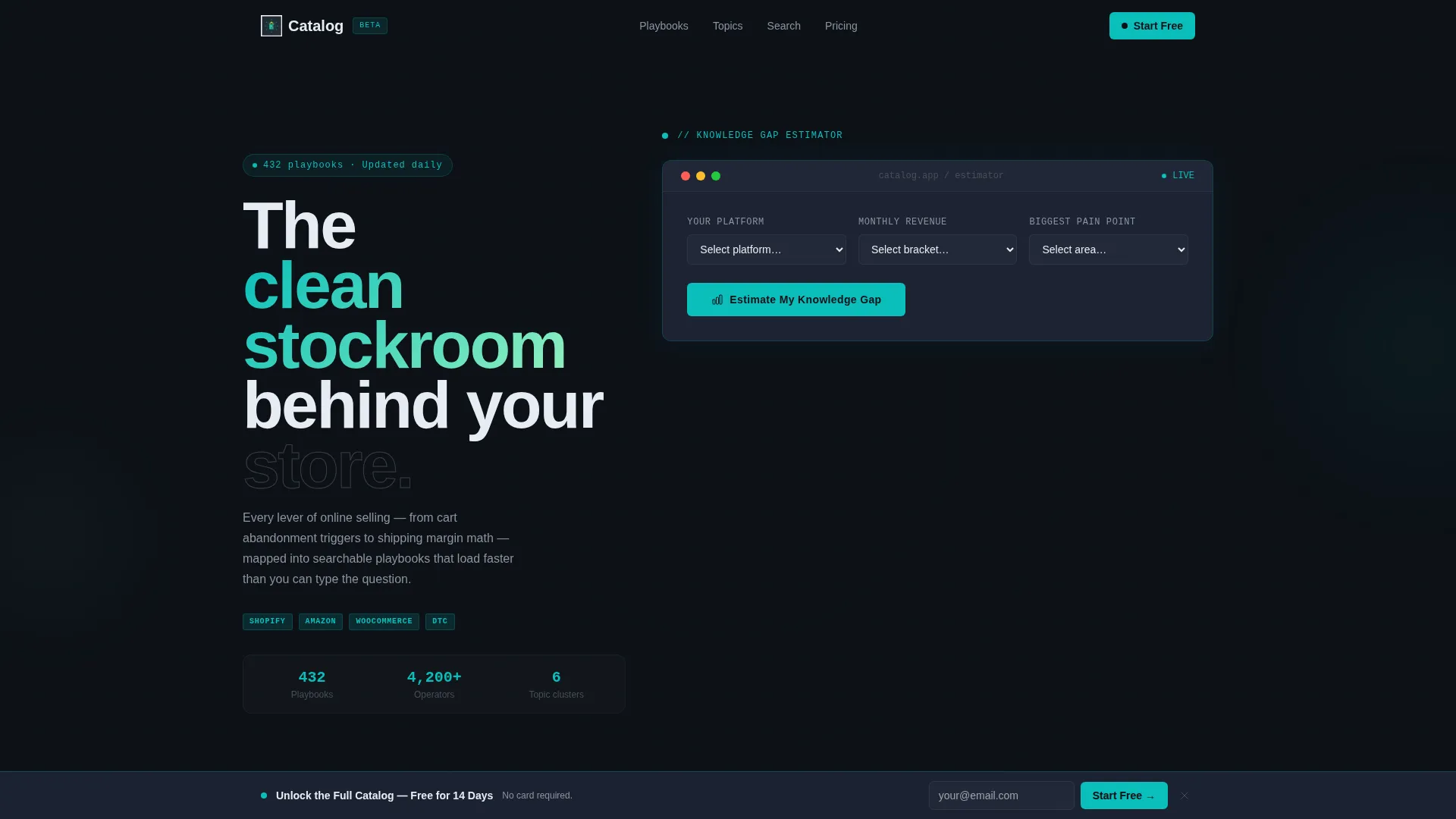
- A fully interactive Knowledge Gap Estimator above the fold with platform, revenue, and pain-point inputs
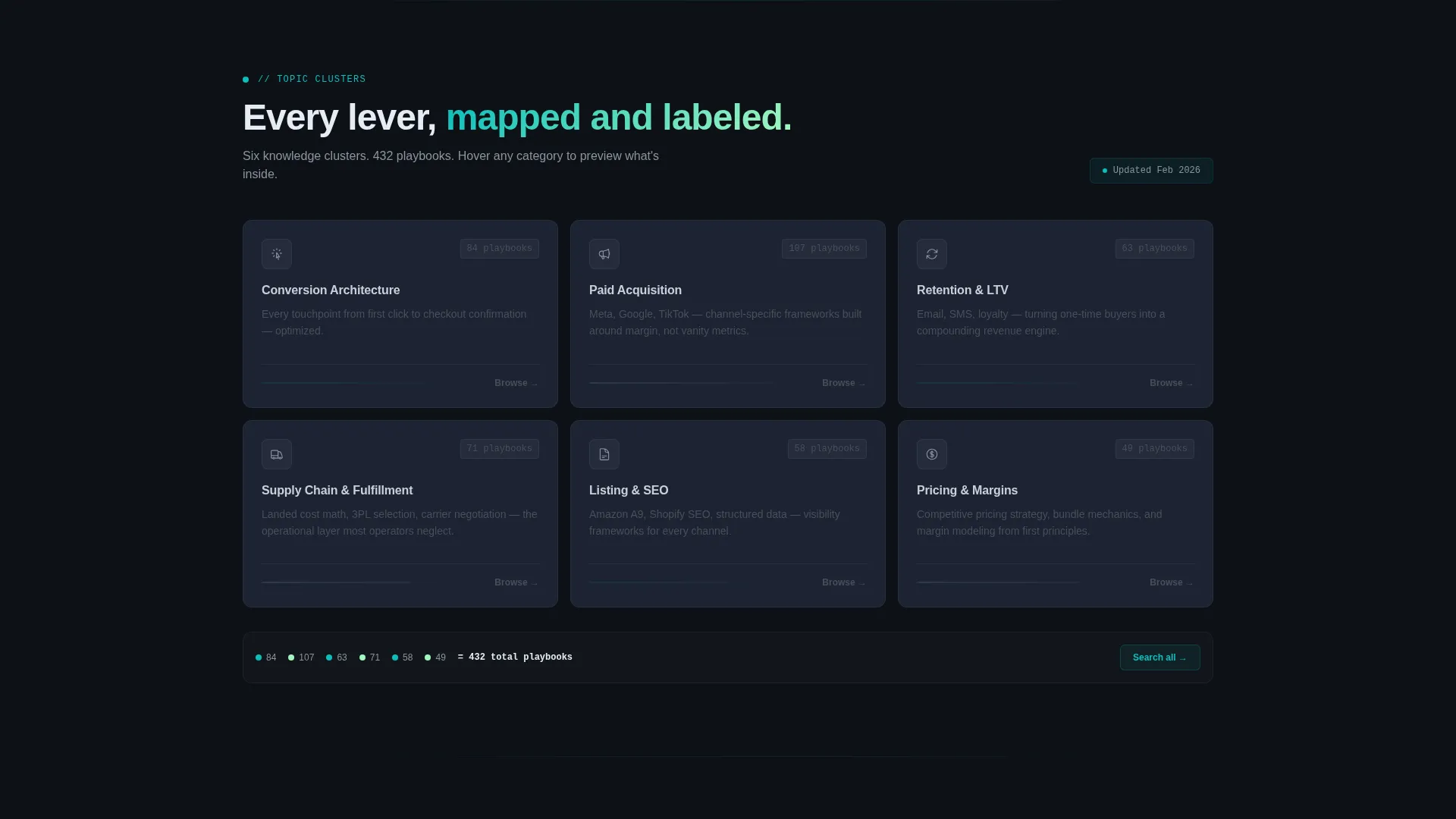
- A progressive scroll experience with a taxonomy map, category preview cards, and a live search bar demo
- Three strategically placed primary calls to action and a secondary lead magnet conversion path
Feature list
This template delivers a focused set of interactive components and design elements drawn directly from the source brief. Each feature is designed to earn attention and guide visitors toward a clear next step.
Knowledge Gap Estimator
Visitors select their selling platform, monthly revenue bracket, and top pain point from a dropdown. On submit, the tool renders a personalized score card showing relevant playbook counts, an estimated revenue impact figure, and a peer benchmark percentage. Results animate in with electric lime accents pulsing once.
Progressive Scroll Reveal
Each page section loads as the visitor scrolls, using a subtle fade-and-lift animation. This creates the sensation of descending through organized layers of content, keeping attention focused and reducing overwhelm. The structure mirrors the organized stockroom metaphor at the core of the product concept.
Interactive Topic Explorer
After the estimator, a taxonomy map of all topic clusters responds to cursor movement. Hovering over any category expands a sample article card showing real headlines, read-time estimates, and contributor avatars. This gives visitors a genuine preview of the knowledge base depth before they commit.
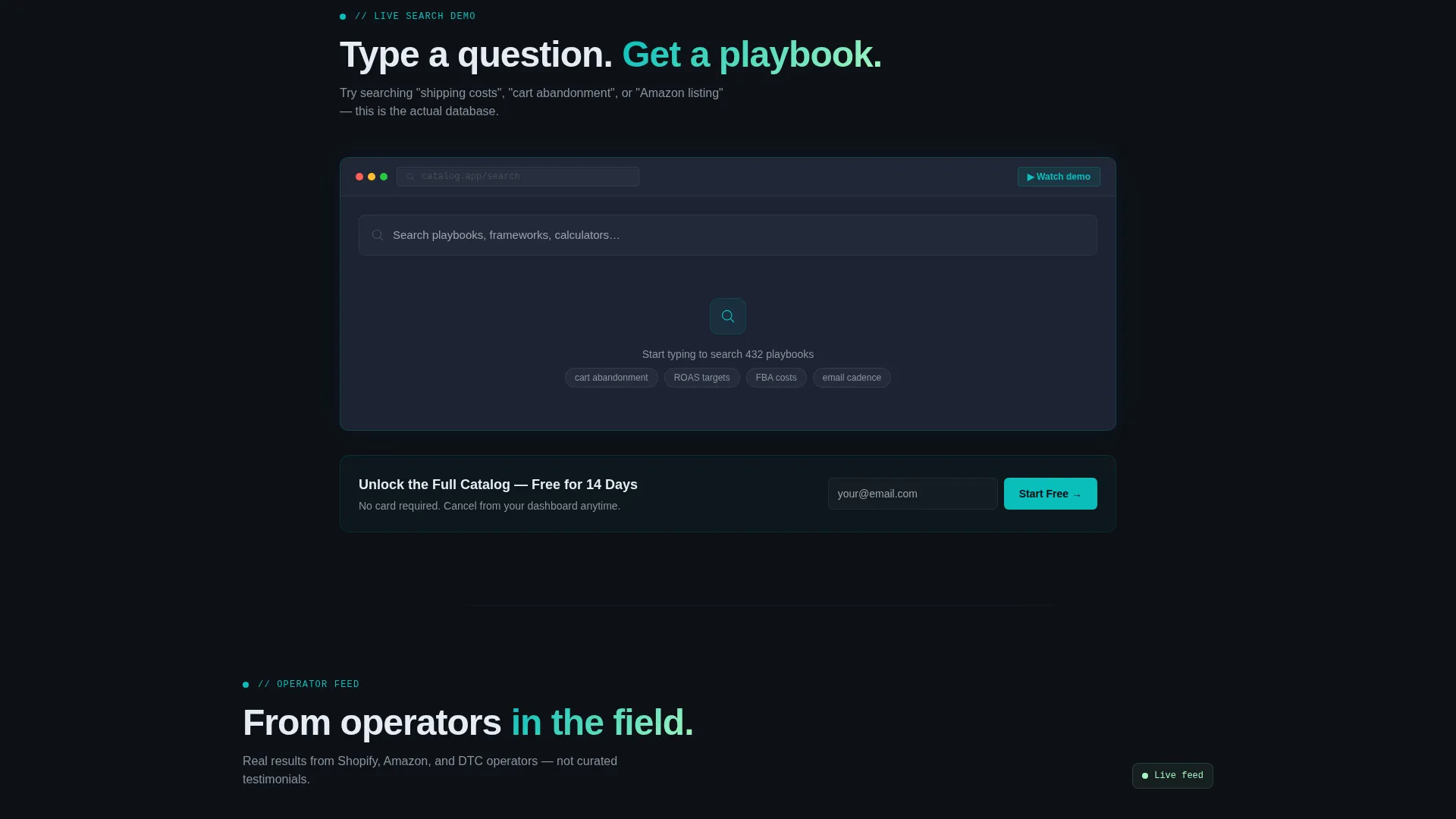
Live Search Bar Demo
A functional search bar lets visitors type a real question and watch results populate in real time from the actual database. This section demonstrates product value directly inside the landing page, removing doubt about whether the content covers their specific needs.
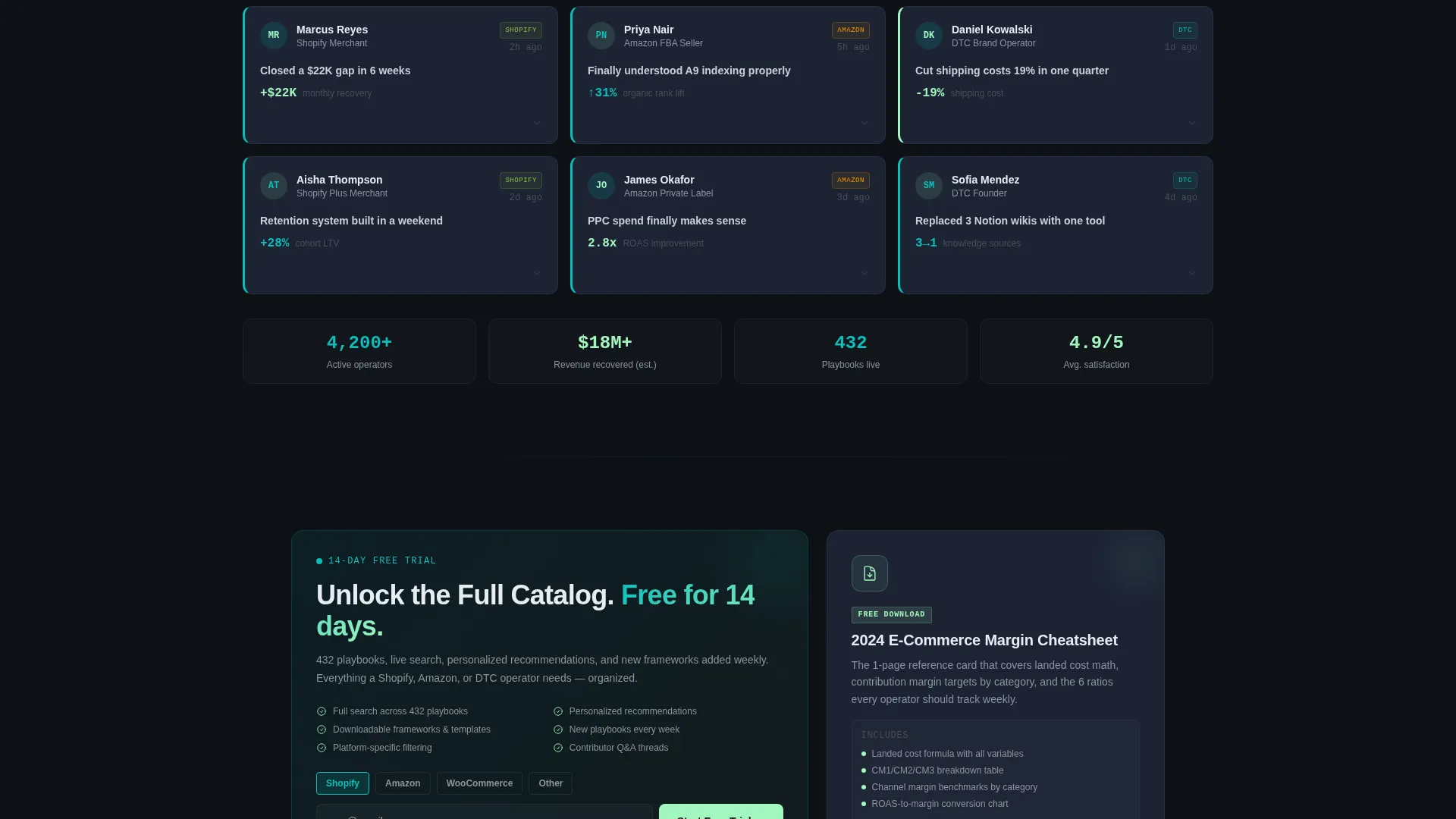
Dashboard-Style Testimonials
Merchant testimonials are displayed as small, timestamped notification cards rather than traditional quote blocks. This presentation matches the SaaS control panel visual identity and makes social proof feel contextual and credible rather than staged.
Freemium Trial Conversion System
The primary call to action, "Unlock the Full Catalog, Free for 14 Days," appears three times: below the estimator, after the live search demo, and in a persistent bottom bar that activates after 40 percent scroll depth. A secondary path offers a downloadable margin cheatsheet as a lead magnet for visitors not yet ready to sign up.
Page sections overview
| Section | Purpose |
|---|---|
| Knowledge Gap Estimator | Personalizes the experience above the fold using platform and pain-point inputs |
| Estimator Results Card | Delivers a scored, animated output with peer benchmarks and playbook counts |
| Topic Taxonomy Map | Gives an interactive visual overview of all knowledge base content clusters |
| Category Preview Cards | Lets visitors hover to expand sample article cards with headlines and read times |
| Live Search Demo | Shows real-time search results from the database to demonstrate content depth |
| Testimonial Notifications | Displays merchant social proof as timestamped dashboard-style cards |
| Primary call to action Block | Prompts trial signup with a single-field email form and platform selector toggle |
| Lead Magnet Gate | Captures email and platform in exchange for a downloadable margin cheatsheet |
| Persistent Bottom Bar | Activates at 40 percent scroll depth with a persistent trial signup prompt |
Design & branding system
The visual identity follows a Dashboard Pro theme built around the Teal Catalyst color system. Every color choice is purposeful, signaling action, status, or structure in a way familiar to operators who live inside SaaS dashboards.
- Deep operations black (#0D1117) as the page background, slate panel gray (#1C2333) for card surfaces, and cool white (#E6EDF3) for body text
- Primary teal (#0ABFBC) on active form fields and key interface elements, with electric lime (#A3F7BF) reserved for hover states and progress indicators
- The overall palette evokes a focused control panel environment, dark and intentional, where every bright element earns its presence by signaling something actionable
Mobile & speed optimization
The scroll-reveal, progressive loading approach is designed to keep the page feeling fast and responsive even as interactive components load in sequence. The template is structured to avoid rendering heavy sections before the visitor reaches them.
- Sections animate in on scroll rather than loading all at once, keeping initial load weight low
- Interactive components like the estimator and search demo are positioned after the above-the-fold section, allowing the first visible content to appear quickly
- The dark background and minimal decorative elements reduce visual noise and rendering overhead on smaller screens
How this template helps you convert
Every section of this template is built around a specific conversion moment. The flow moves from personalization to proof to commitment, reducing friction at each step.
- The Knowledge Gap Estimator creates an immediate personal connection by showing visitors exactly how the knowledge base applies to their situation, making the first call to action feel earned rather than premature.
- The live search demo and category explorer let visitors verify the product's depth before signing up, handling the most common objection, "Does this actually cover what I need?", inside the page itself.
- The three-placement primary call to action combined with the lead magnet path means the template catches both ready-to-commit visitors and those who need a lower-stakes first step.
Other information about this template
This template is built within the broader Scroll Reveal (Progressive) template style, making it suitable for any knowledge base or content platform that benefits from a layered, exploratory presentation. A few additional details worth noting:
- The signup form uses a single email field plus a platform selector toggle, so onboarding is pre-personalized before a visitor even reaches the product
- The ghost-text reassurance line, "No card required. Cancel from your dashboard anytime," is included beneath the primary form field to reduce hesitation
- The lead magnet is described in the brief as a "2024 E-Commerce Margin Cheatsheet" PDF gate, capturing both email address and platform preference
- This template is categorized under Technology, specifically within the E-Commerce Digital Presence subcategory and E-Commerce Knowledge Base niche
- The Interactive Explorer creative direction and Calculator/Estimator header concept are both baked into the template structure, not optional add-ons
Theme
Dashboard Pro
Creative direction
Interactive Explorer
Color system
Teal Catalyst
Style
Scroll Reveal (Progressive)
Direction
Freemium/Trial
Page Sections
Knowledge Gap Estimator
Progressive Scroll Reveal Layout
Interactive Topic Taxonomy Map
Live Search Bar Demo
Dashboard-style Social Proof
Three-placement Call to Action with Lead Magnet
Related questions
What kind of product is this template designed to promote?
Can I customize the estimator inputs for my own platform and topic categories?
How does the lead magnet conversion path work?
How many times does the primary call to action appear on the page?
Does the page work on mobile devices?



