Cannabis Digital Presence Specialist Professional Website Template
Strain is a precision dispensary landing page built for data-driven cannabis consumers. The template pairs a glowing comparison dashboard with interactive filters, letting visitors explore strains by cannabinoid ratios, terpene profiles, and effect tags before they ever click a buy button. It earns conversions by letting the data speak first.
by Rocket studio
Quick summary
Strain is a single-page dispensary template designed for the analytical cannabis buyer. It opens with a live-style comparison dashboard showing three strains side by side, then deepens through scrollable filter layers, lab-result drill-downs, and heat-mapped effect visualizations. The layout is dense, purposeful, and built to convert through exploration rather than persuasion.
Who this template is for
This template is built for dispensaries and cannabis retailers whose customers arrive with questions, not just curiosity. If your audience reads certificates of analysis (COAs) before reading reviews, this page speaks their language.
- Home growers and medical patients comparing tetrahydrocannabinol (THC) to cannabidiol (CBD) ratios for specific outcomes
- Connoisseurs and experienced consumers who evaluate strains the way sommeliers evaluate vintages
- Online cannabis stores that want their product catalog to feel like a precision research tool
What problem this template solves
Most dispensary pages bury product data behind generic descriptions and stock photography. Knowledgeable buyers leave those pages fast because the information they need is not surfaced clearly.
- Strain profiles lack cannabinoid and terpene breakdowns that informed buyers rely on
- Comparison shopping across multiple strains requires too many page loads and too much effort
- The page never proves its value before asking for a click, so trust is lost before it is built
What you get with this template
You get a full single-page experience structured around real data density. Every section serves a purpose in moving the visitor from curiosity to confidence.
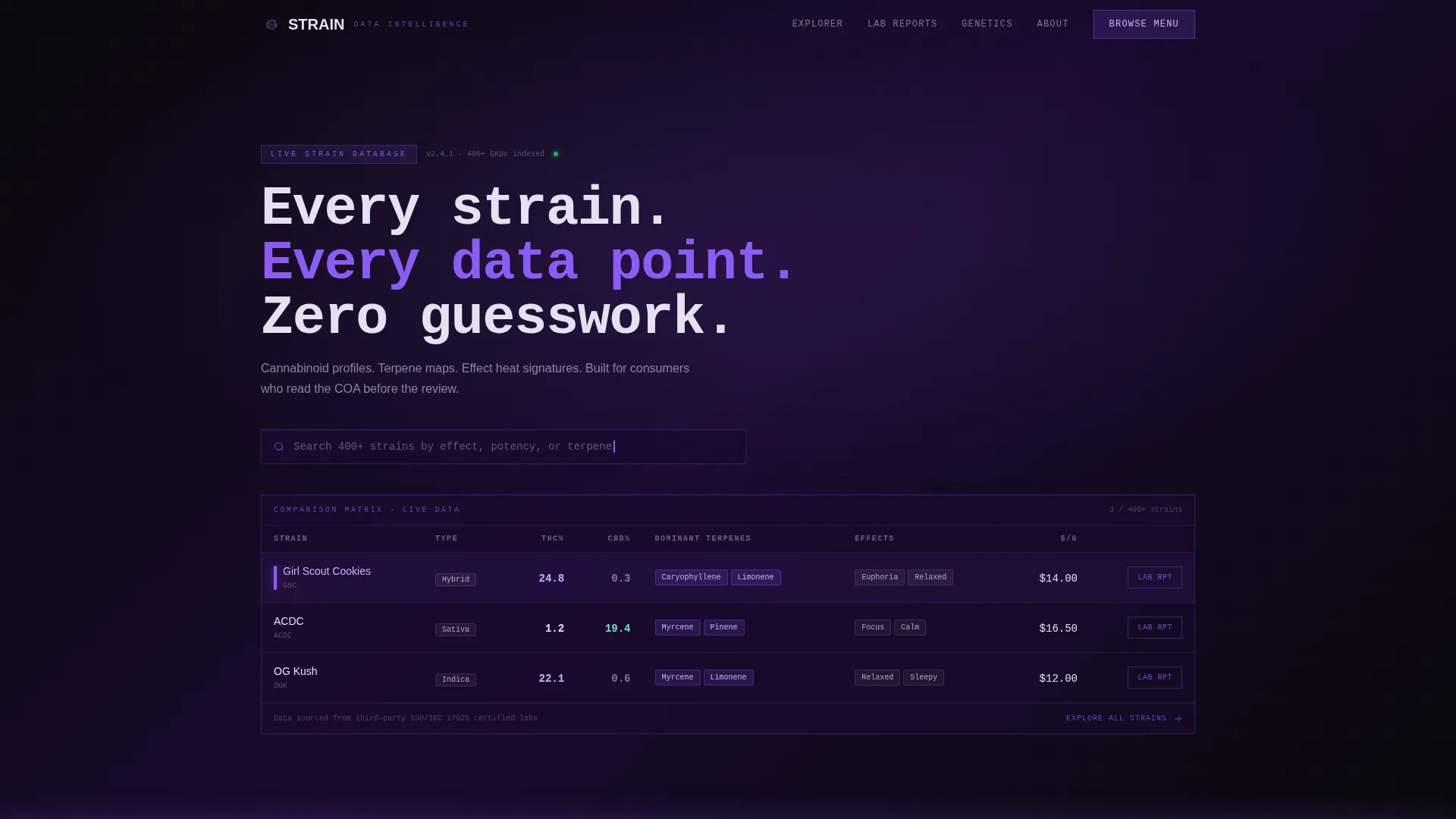
- A header comparison dashboard showing three strains with THC percentage, CBD percentage, dominant terpenes, effect tags, and price per gram
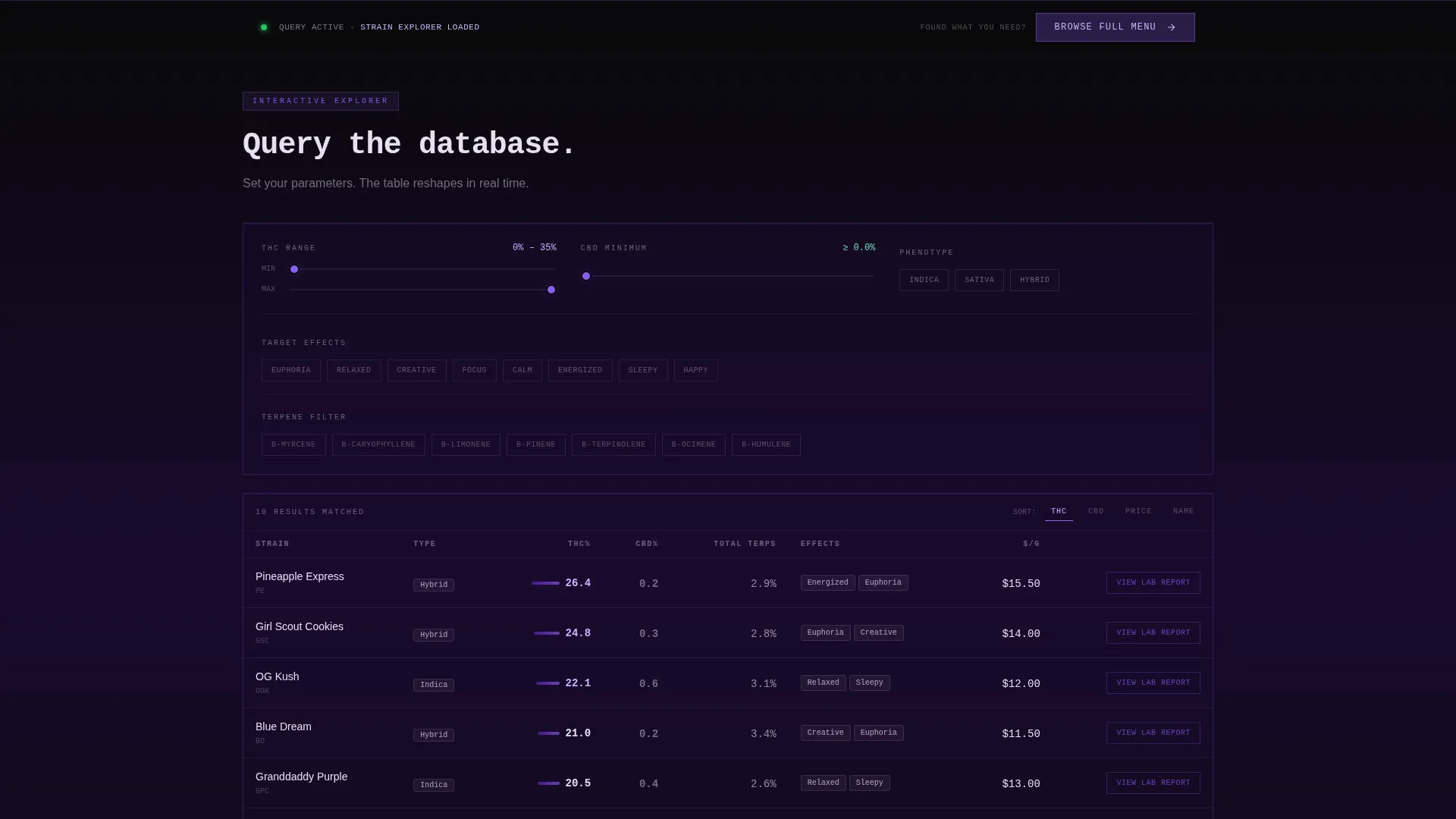
- Interactive filter controls including effect sliders, potency ranges, and flavor wheels that reshape the comparison table in real time
- A sticky bottom bar anchored to the primary call to action, activating after the first filter interaction
Feature list
This template delivers six tightly scoped components, each grounded in the source brief.
Live Strain Comparison Dashboard
The header renders as a product screenshot styled as a live data terminal. Three strains appear side by side in glowing table rows. Columns display THC percentage, CBD percentage, dominant terpenes such as myrcene, limonene, and caryophyllene, effect tags like focus, calm, and euphoria, and price per gram. The layout is intentionally dense to signal credibility before copy is read.
Interactive Filter Controls
Below the header, visitors use effect sliders, potency range inputs, and flavor wheels to narrow their search. The comparison table reshapes in real time as filters are adjusted. This makes the scroll itself the shopping experience rather than a passive read.
Strain-Level Lab Result Drill-Down
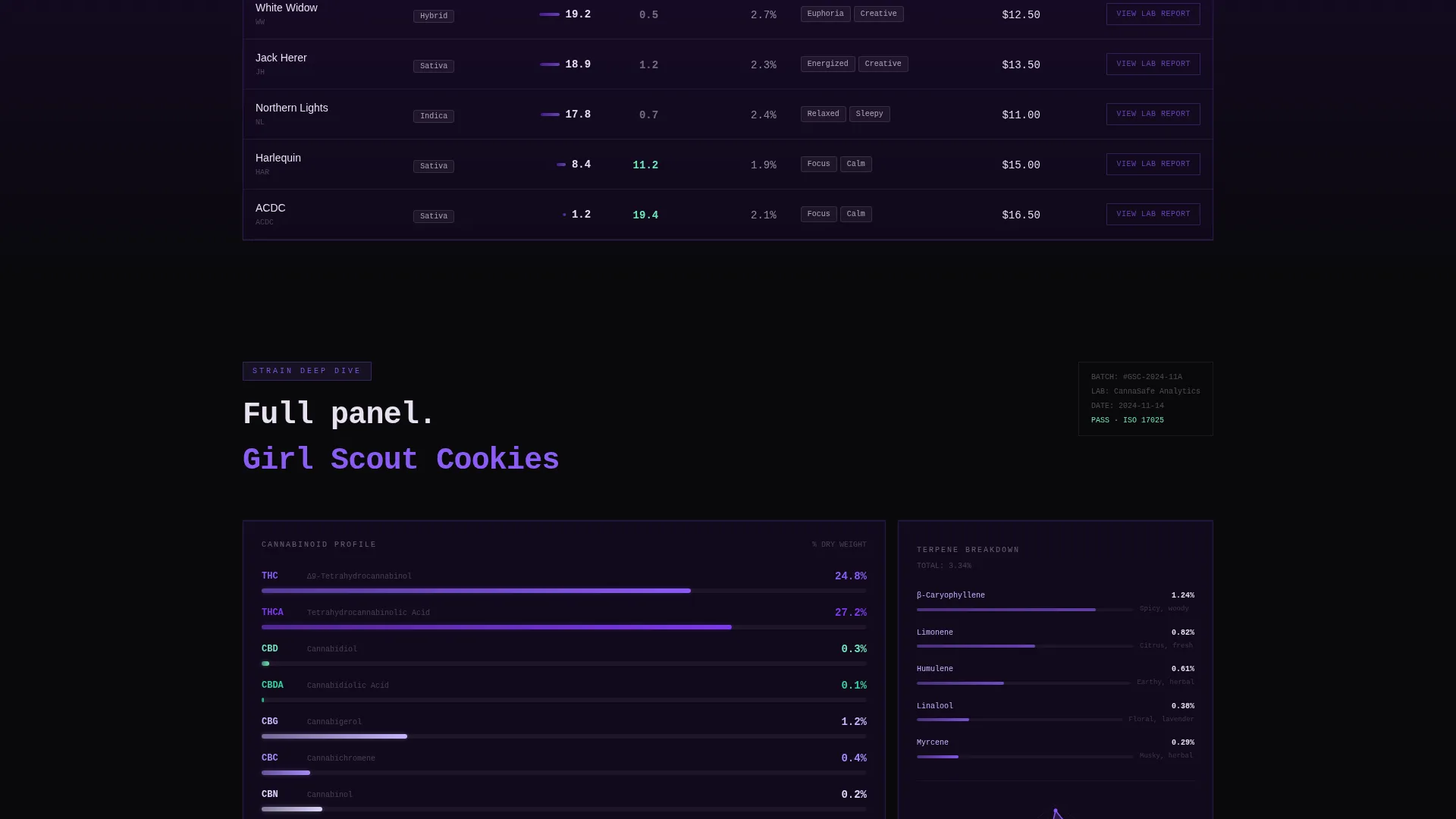
Each strain row includes a secondary call to action reading "View Lab Report" that links to an individual product page. This gives analytically minded buyers a direct path to the full certificate of analysis without leaving the exploration flow.
Effect Heat Map Visualization
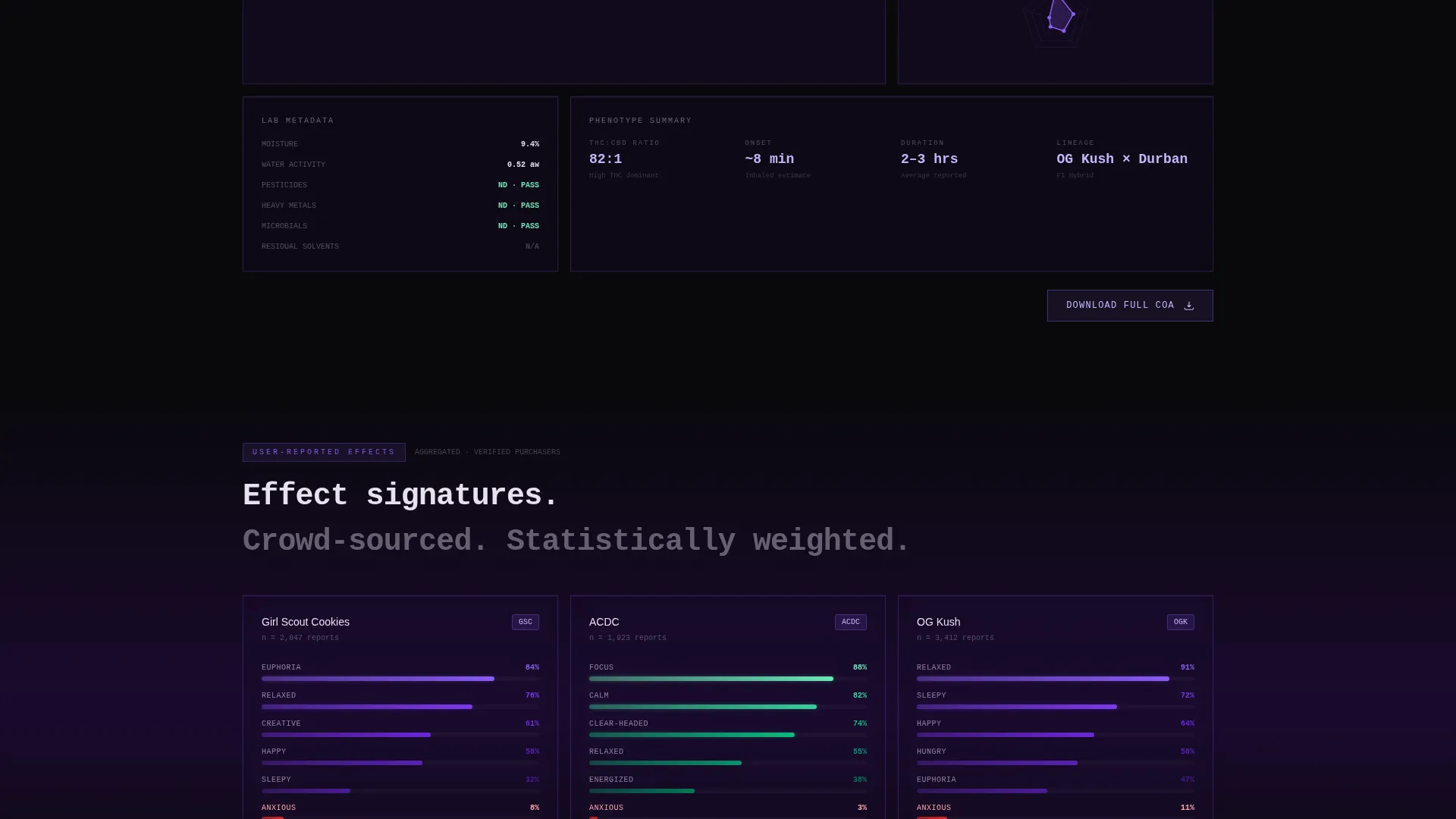
After the primary comparison table, the page introduces stacked user-reported effect data visualized as heat maps. This deepens the data layer for visitors who want more than raw numbers before deciding.
Search Bar with Strain Index Signal
A blinking violet cursor sits in a search bar at the top of the header. The prompt text reads "Search 400+ strains by effect, potency, or terpene." This single line sets the scope of the catalog immediately and reinforces the platform's depth.
Behavior-Triggered Sticky call to action Bar
The primary call to action, "Browse Full Menu," lives in a sticky bottom bar. It activates only after the visitor interacts with a filter. This sequencing earns the click by proving the tool works before making the ask.
Page sections overview
| Section | Purpose |
|---|---|
| Header Dashboard | Display three-strain side-by-side data comparison with search bar |
| Filter Controls | Let visitors reshape comparison table by effect, potency, and flavor |
| Comparison Table | Core strain exploration layer with terpene and cannabinoid data |
| Lab Result Rows | Surface per-strain COA links via "View Lab Report" row-level call to action |
| Effect Heat Maps | Visualize stacked user-reported effects for deeper strain evaluation |
| Sticky call to action Bar | Trigger "Browse Full Menu" button after first filter interaction |
Design & branding system
The visual identity follows a Data Command theme built on a Void and Violet color system. Every color decision is functional, not decorative. The palette reads like a lab monitor running in a dark room.
- Background layers stay in absolute void black (#09090B) and deep phantom purple (#1A0A2E), keeping the focus on data
- Electric violet (#8B5CF6) activates on hover states, data highlights, and interactive elements to direct attention without noise
- Clinical UV white (#E8E0F0) is used for all type and table borders, giving text a phosphor-on-CRT quality that feels precise and readable
Mobile & speed optimization
The template is designed so that the data-dense layout remains navigable on smaller screens. The comparison table and filter controls are structured to reflow cleanly without sacrificing the core experience.
- Filter controls and comparison rows are built to stack vertically on mobile viewports without losing column context
- The sticky call to action bar remains accessible at the bottom of the screen across device sizes, keeping the primary action reachable at all times
How this template helps you convert
This template converts by building trust through the data experience itself, not through promotional language. By the time a visitor reaches the call to action, they have already found what they were looking for.
- The header dashboard establishes credibility in the first second. Dense, specific numbers signal that the store knows its product deeply.
- Interactive filters reward exploration. Each adjustment proves the catalog is real and searchable, lowering hesitation before the click.
- The behavior-triggered sticky call to action only appears after interaction, so the ask feels earned rather than forced.
Other information about this template
This template is categorized under Technology with a subcategory focus on Cannabis Digital Presence. It is purpose-built for the Cannabis Online Store niche and aligns with an intersection match that prioritizes data depth over lifestyle branding.
- The template style is a Comparison Table, making it particularly well suited for stores with broad strain catalogs and technically literate audiences
- The creative direction is Interactive Explorer, meaning the page is designed to respond to visitor behavior rather than present a fixed narrative
- The header concept is a Product Screenshot rendered as a working dashboard, setting expectations immediately that this is a data-first experience
- The landing page direction is Click-Through, with every interaction layer designed to qualify the visitor before routing them into the full store
Theme
Data Command
Creative direction
Interactive Explorer
Color system
Void & Violet
Style
Comparison Table
Direction
Click-Through
Page Sections
Live Strain Comparison Dashboard
Interactive Filter Controls
Strain-level Lab Result Links
Effect Heat Map Visualization
Search Bar with Catalog Depth Signal
Behavior-triggered Sticky Call to Action
Related questions
Who is this template best suited for?
Can I customize the strain data and filter categories shown in the template?
Does the sticky call to action bar always show, or does it only appear after interaction?
Is this template suitable for a medical cannabis dispensary?
How does the page guide visitors toward individual product pages?



