Cloud Architecture Research Lab Landing Page Template
Stratum is a split-screen landing page template built for cloud architecture research labs. It pairs an interactive topology diagram with a scrolling Problem-to-Solution arc, guiding platform engineers and CTOs from their most pressing infrastructure failures to a clear simulation call to action. The design uses a Slate and Sky color system with Dynamic Motion animations throughout.
by Rocket studio
Quick summary
Stratum is a single-page, split-screen landing page template purpose-built for cloud architecture research and stress-testing services. It opens with a live topology diagram and walks visitors through escalating failure scenarios before resolving into a unified architecture view. The design rewards technically sophisticated buyers with motion, data, and a confident call to action.
Who this template is for
This template is designed for teams and individuals who sell or communicate cloud infrastructure research, stress-testing, or optimization services. It speaks directly to a technically fluent audience that expects specifics over stock photos.
- Platform engineering leads diagnosing unexpected monthly cloud bills
- CTOs planning monolith migrations who need proof a new topology can handle peak traffic
- DevOps teams at growth-stage companies comparing container orchestration options with real benchmarks
What problem this template solves
Cloud infrastructure buyers are skeptical. Blog posts and vendor slides do not move them. They need to see simulation outputs, failure modeling, and cost projections before they trust a service. A generic template cannot hold that story. Stratum is built specifically for this tension.
- Standard templates force cloud-native services into hero-photo layouts that feel mismatched
- Visitors leave before reaching the call to action because the value is described, not demonstrated
- No clear comparison path means buyers cannot see their own situation reflected in the page
What you get with this template
Stratum delivers a fully structured, single-page layout that moves visitors from problem recognition to conversion in one controlled scroll. Every visual element on the page does real communicative work.
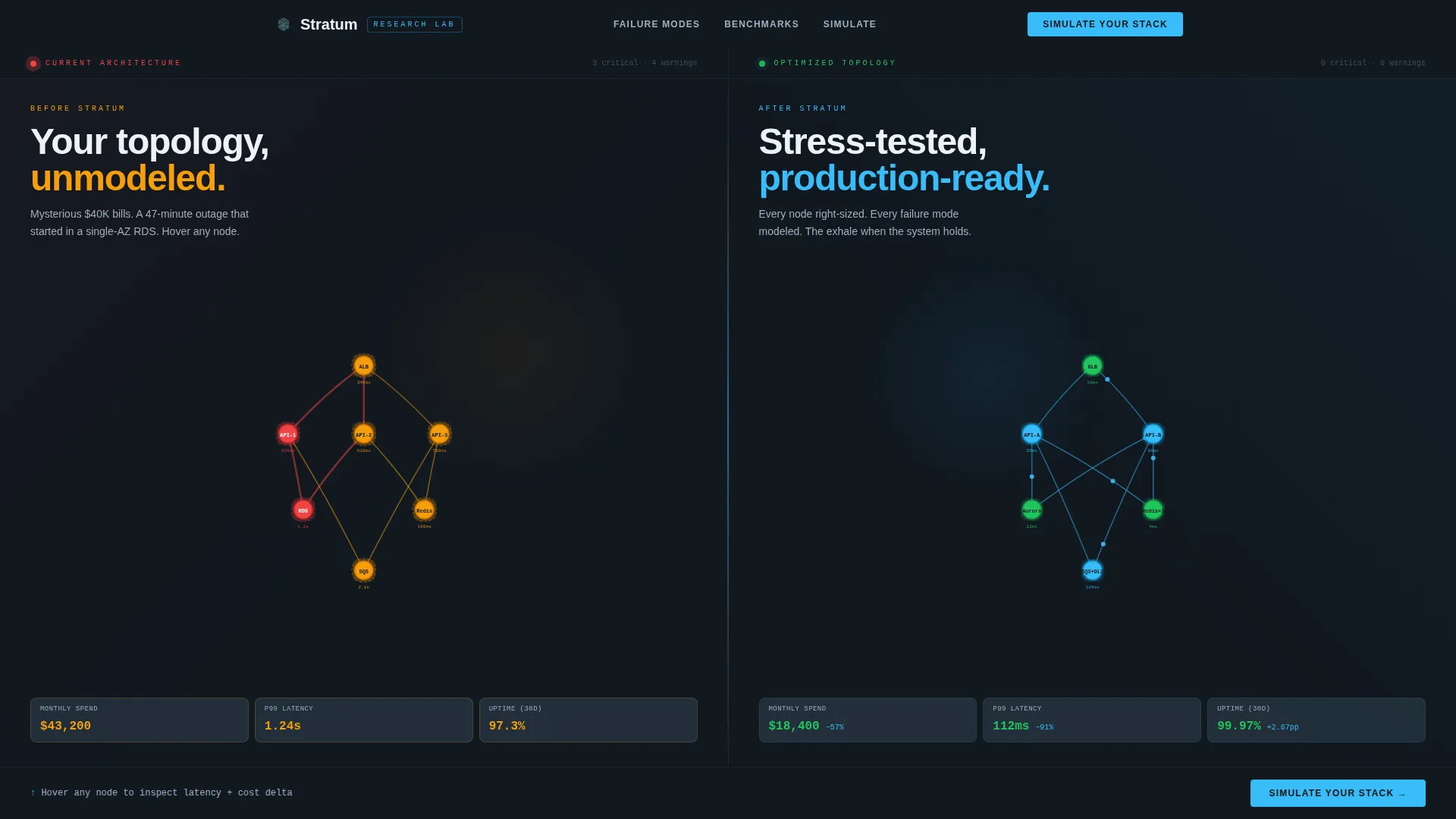
- A split-screen interactive topology header showing "Current" versus optimized architecture side by side
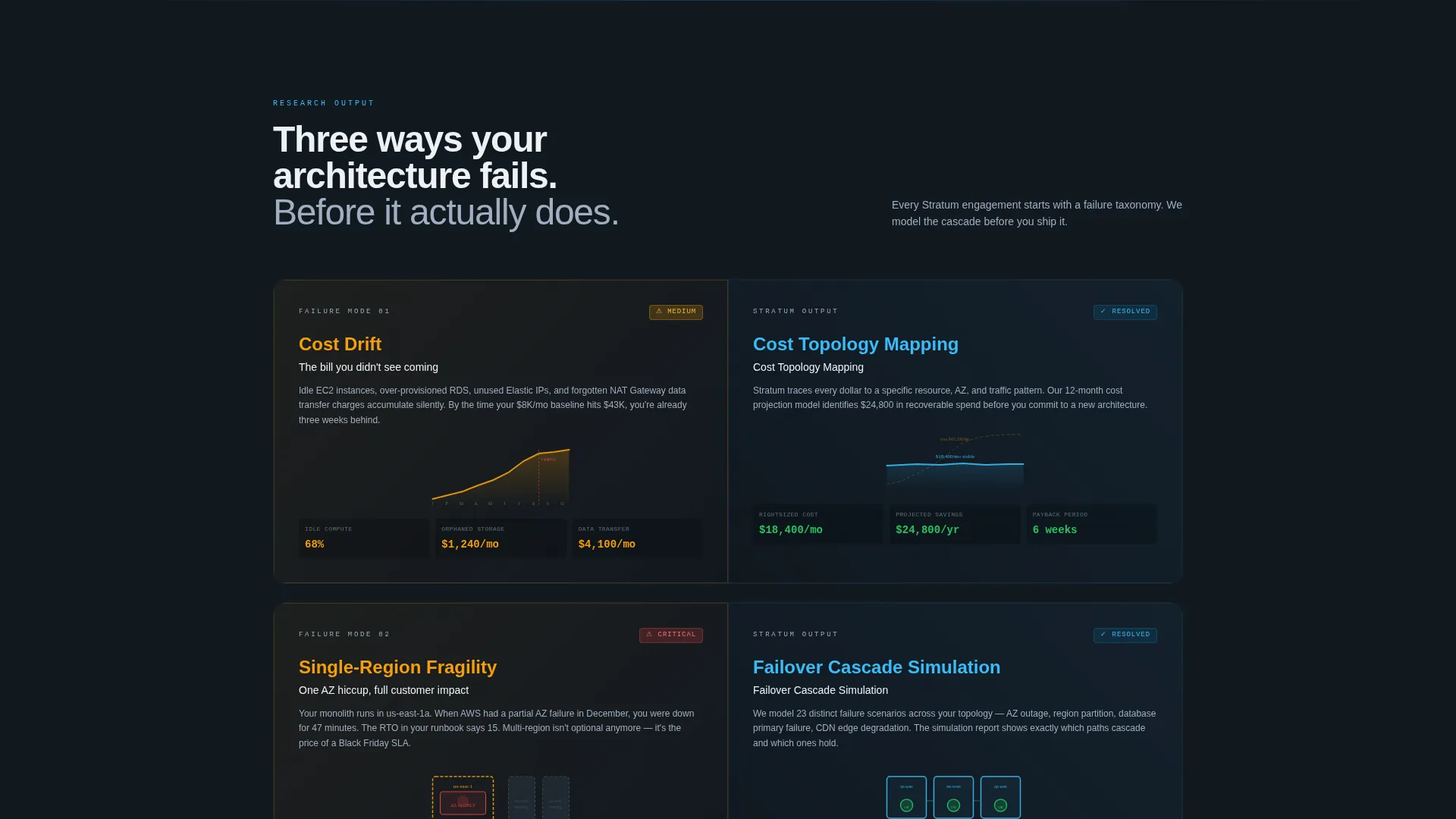
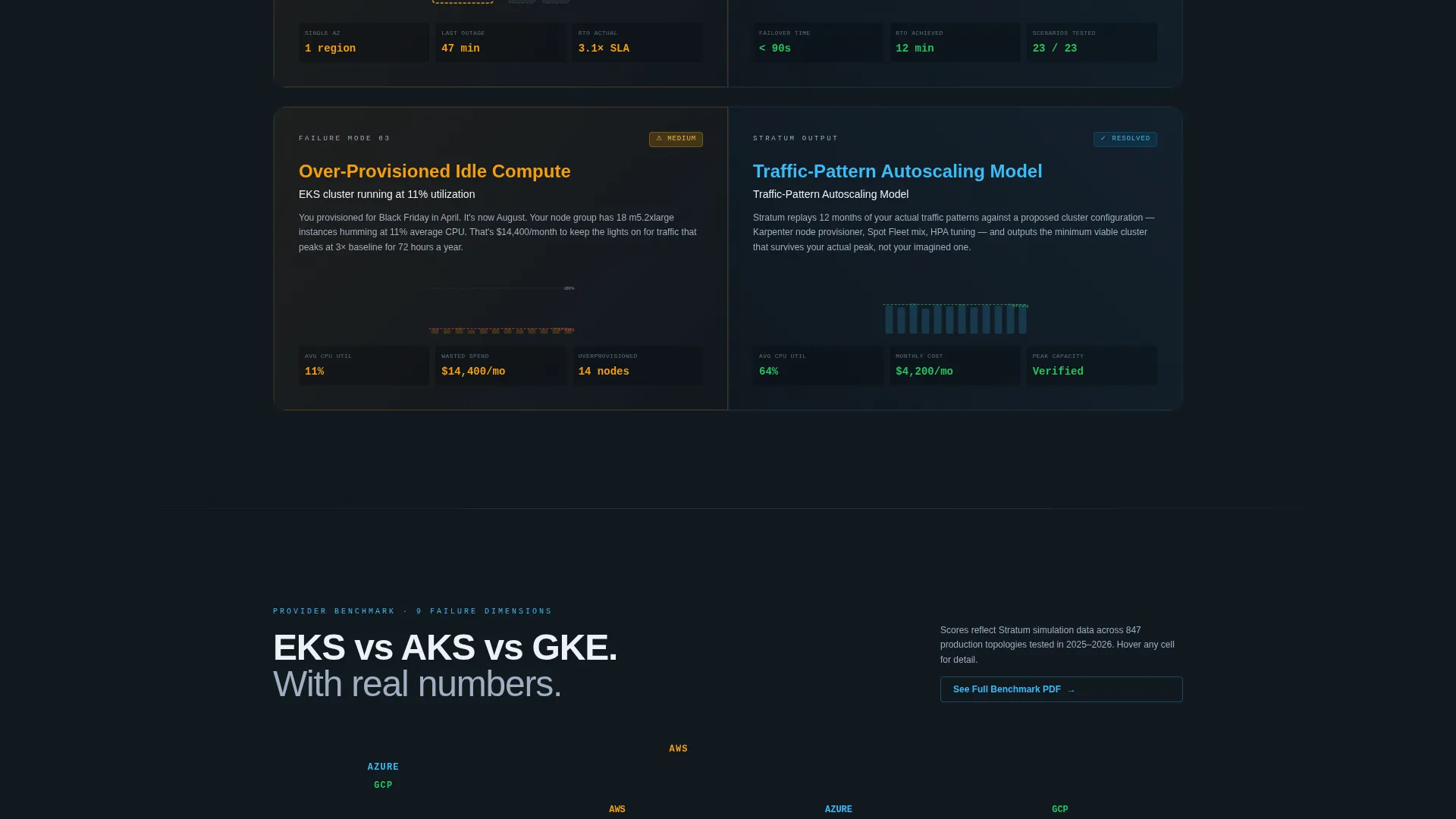
- A scrolling Problem-to-Solution arc with animated micro-diagrams illustrating cost drift, regional fragility, and idle compute
- A primary conversion form ("Simulate Your Stack") and a secondary gated PDF path ("See the Full Benchmark")
Feature list
This template includes purpose-built sections and interactions that reflect the brief exactly. Each feature listed below is present in the described layout.
Interactive Topology Header
The header fills the full viewport with a live, explorable architecture diagram. The left half renders a tangled "Current" state with bottleneck nodes pulsing in warning amber. The right half shows the optimized topology with nodes animating calmly in sky blue. Visitors can hover individual nodes to surface simulated latency and cost delta data.
Split-Screen Problem-Solution Arc
Below the header, the left panel stays locked to the problem lane. Each scroll step surfaces a specific cloud failure mode, illustrated with animated micro-diagrams that carry a slightly restless motion quality. The right panel mirrors each problem with research output: simulation reports, topology rewrites, and twelve-month cost projection graphs.
Escalating Tension Layout
The page structure builds deliberately. It begins with a minor inefficiency, escalates to architectural risk, and climaxes at a catastrophic failure scenario. The final section resolves into a single full-width panel showing a unified, optimized architecture with every metric reading green.
Simulate Your Stack Form
At the point where the split screen collapses into one panel, the primary call-to-action form appears. It includes a cloud provider dropdown (covering major providers and a multi-cloud option) and a monthly infrastructure spend slider ranging from five thousand to five hundred thousand dollars and above.
Gated Benchmark PDF Path
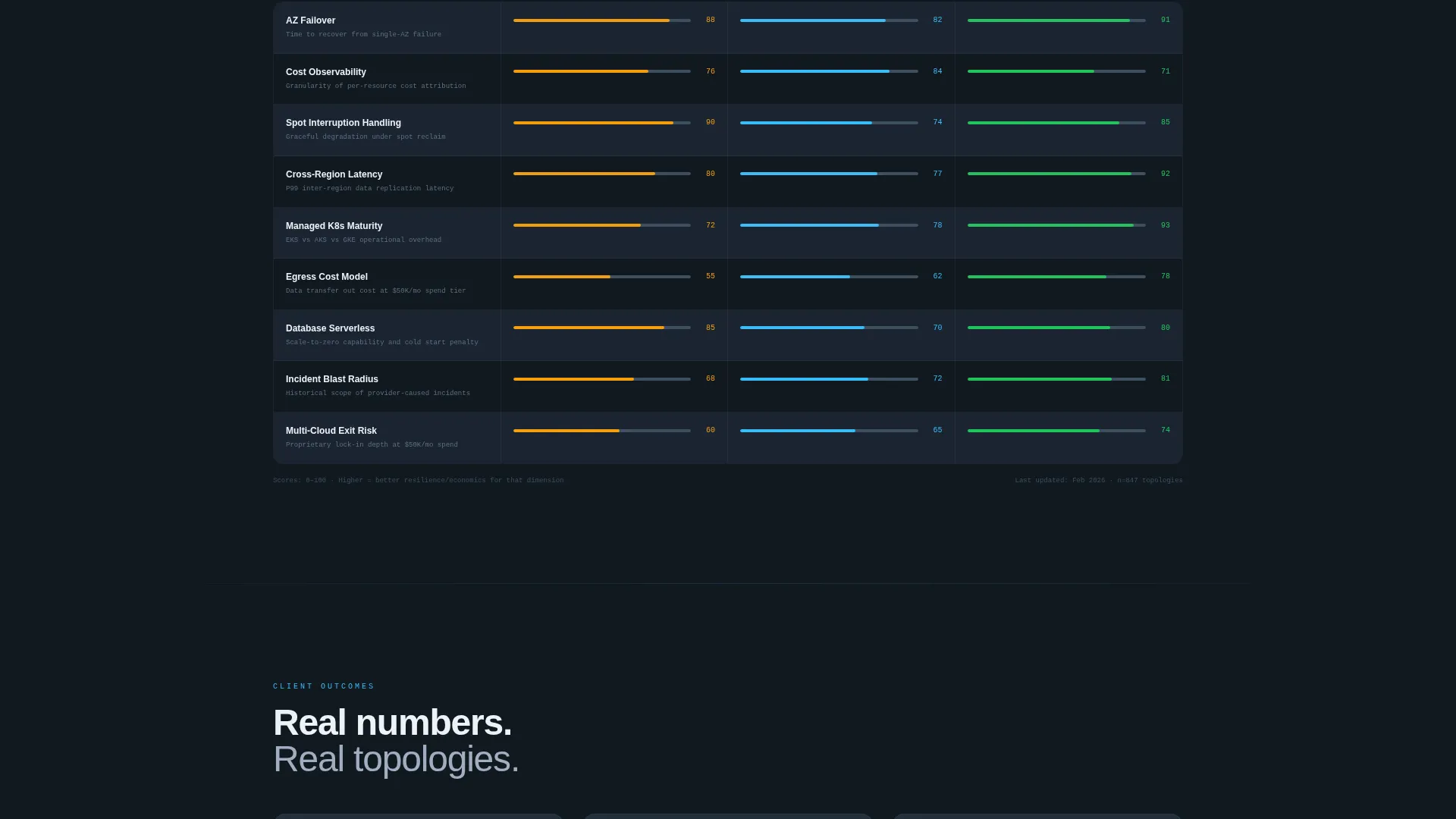
A secondary conversion path offers a downloadable PDF comparing cloud providers across nine failure dimensions. It requires only a work email address to access. This path is designed for visitors who want evidence before committing to the simulation.
Dynamic Motion Visual System
Accent blue pulses on interactive elements and traces animated lines along connection paths. Hover states on comparison cells trigger glows. The motion language is precise and intentional, giving every interaction the feel of a signal firing across a live network rather than a decorative animation.
Page sections overview
| Section | Purpose |
|---|---|
| Interactive Topology Header | Show current versus. optimized architecture live |
| Cost Drift Panel | Illustrate unexpected spend growth with animation |
| Regional Fragility Panel | Surface single-region failure risk visually |
| Idle Compute Panel | Highlight over-provisioned resource waste |
| Research Output Mirror | Pair each problem with simulation reports and graphs |
| Catastrophic Failure Climax | Escalate tension to the highest-stakes scenario |
| Unified Architecture Resolution | Resolve all problems in one full-width green-metric view |
| Simulate Your Stack Form | Capture provider and spend data to start simulation |
| Benchmark PDF Gate | Convert research-first visitors via email for PDF access |
Design & branding system
Stratum uses the Slate and Sky color system, which was designed to feel like standing on a cold data center floor looking out at a dawn sky. The palette is restrained and purposeful, with color used to communicate system state rather than decoration.
- Deep infrastructure slate (#1B2432) as the primary page background, mid-tone gunmetal (#3D4F5F) for card surfaces, and cirrus white (#EDF2F7) for all body text
- Live-sky blue (#38BDF8) as the sole accent color, appearing on animated connection traces, hover glows, and interactive data lines
- Warning amber (#F59E0B) reserved exclusively for bottleneck nodes and problem-state indicators in the current topology diagram
Mobile & speed optimization
The split-screen layout and motion system are designed with intentional restraint so the experience remains legible and navigable on smaller screens. The Dynamic Motion theme applies motion meaningfully rather than decoratively, which supports reasonable performance across devices.
- The 50/50 split-screen structure is built to reflow gracefully on mobile viewports without losing the problem-solution pairing
- Animated elements use targeted, path-specific motion rather than full-page effects, keeping the visual load focused
How this template helps you convert
Stratum earns the conversion by showing the simulation before asking for anything. Visitors experience the product's value through the interactive header and scrolling arc, which means by the time they reach the form, the case is already made.
- The interactive topology header creates immediate engagement by letting visitors explore architecture states and see cost and latency deltas on hover, building trust through transparency before any copy makes a claim.
- The escalating Problem-to-Solution arc mirrors the visitor's own experience, moving from a recognizable small frustration to a high-stakes scenario and back to resolution, so the call to action feels like a natural next step rather than an interruption.
Other information about this template
Stratum is categorized under the Technology and Cloud Architecture Technology niche. It is matched to the Comparison/Versus landing page direction, which means the layout is structured around helping technically literate buyers evaluate options and see their own situation reflected in the page.
- The template style is Split Screen (50/50), designed for side-by-side information delivery throughout the scroll
- The header concept is classified as Interactive Preview, meaning the first thing visitors see is a functional, explorable product demonstration rather than a static image
- The creative direction follows the Problem-to-Solution Arc model, a structure suited to high-consideration technical purchases where buyers need to feel the problem before they accept a solution
- The Dynamic Motion theme governs all animation decisions on the page, keeping motion tied to data state rather than visual flair
Theme
Dynamic Motion
Creative direction
Problem→Solution Arc
Color system
Slate & Sky
Style
Split Screen (50/50)
Direction
Comparison/Versus
Page Sections
Interactive Topology Header
Split-screen Problem-solution Arc
Escalating Tension to Resolution
Simulate Your Stack Conversion Form
Gated Benchmark PDF Path
Dynamic Motion Visual System
Related questions
Who is this landing page template designed for?
Does the template include the topology diagram animations?
Can I use this template for a service that covers multiple cloud providers?
What does the split-screen layout look like on mobile devices?
What are the two conversion paths on this landing page?



