Micro-SaaS & Developer Tools Professional Website Template
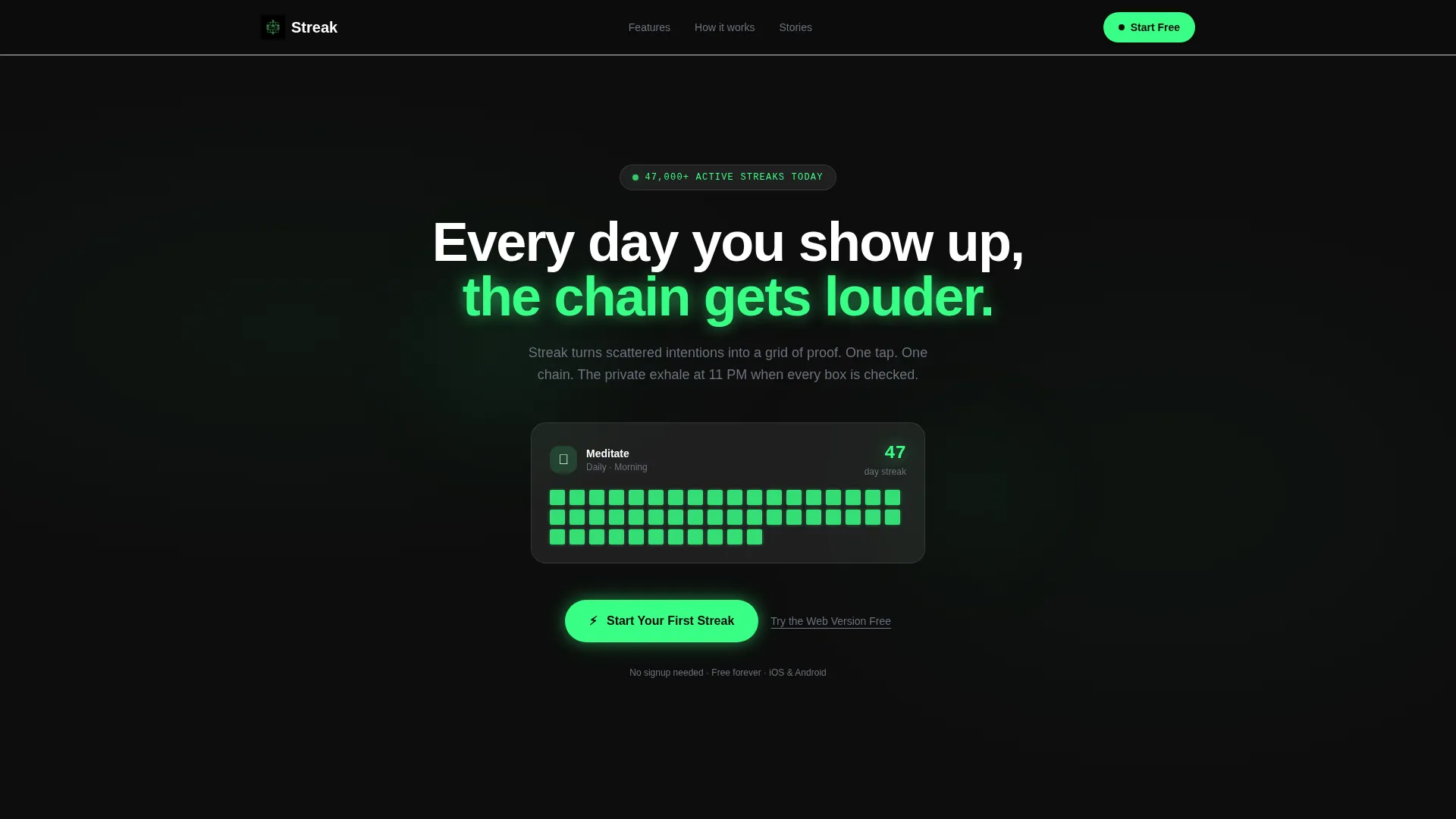
Streak is a scroll-reveal landing page template built for a habit tracker app. It opens with an animated code snippet, walks visitors through a Problem-to-Solution arc, and closes with a frictionless single-tap download call to action. The glassmorphic Dashboard Pro design makes discipline feel achievable before the app is even installed.
by Rocket studio
Quick summary
Streak is a single-page, scroll-reveal landing page template designed for a habit tracker app. It guides visitors through a cinematic problem-to-solution story, from a chaotic notification graveyard to a glowing streak dashboard. The design is glassmorphic and dark-focused, and every section reveals progressively as the user scrolls downward.
Who this template is for
This template is built for indie developers, micro-SaaS founders, and product teams launching a habit tracker app. It speaks to a technically literate audience without alienating everyday users who simply want to build better routines.
- Developers and solo founders promoting a habit tracking app to early adopters
- Product designers who want a polished, dark-mode landing page ready to customize
- Small teams building in the productivity or self-improvement app niche
What problem this template solves
Most app landing pages list features and stop there. They do not connect emotionally with the person who has already downloaded three habit trackers and quit all three. This template solves that gap by mirroring the visitor's own experience back to them before presenting the solution.
- Generic app pages fail to earn trust from users who have tried and abandoned similar tools
- High-friction signup forms create drop-off before the visitor ever reaches the app store
- Static pages cannot show the feeling of an unbroken streak, which is the product's core value
What you get with this template
You get a fully structured, single-page scroll-reveal landing page with a clear narrative arc and all core sections pre-built. The layout moves from emotional hook to product proof to download call to action in one unbroken flow.
- A cinematic header with an animated code snippet that dissolves into a live glassmorphic dashboard card
- A four-panel Problem-to-Solution scroll arc with micro-animations tied to scroll position
- Three strategically placed "Start Your First Streak" call-to-action placements plus a secondary "Try the Web Version Free" path
Feature list
This template includes a focused set of interactive and visual features drawn directly from the design brief.
Animated Code Snippet Header
The hero opens with a monospaced code block reading streak.log("meditate", { days: 47, alive: true }) rendered against a deep void black background with a blinking cursor. After a brief beat, it dissolves into a glassmorphic dashboard card showing the same habit as a glowing chain. The transition bridges a developer aesthetic with universal emotional clarity.
Scroll-Triggered Progressive Reveal
Each content panel activates only when the visitor scrolls into view. This scroll-reveal structure makes the page itself feel habitual, one more flick to see what comes next. Nothing loads all at once; every section earns its appearance.
Problem-to-Solution Four-Panel Arc
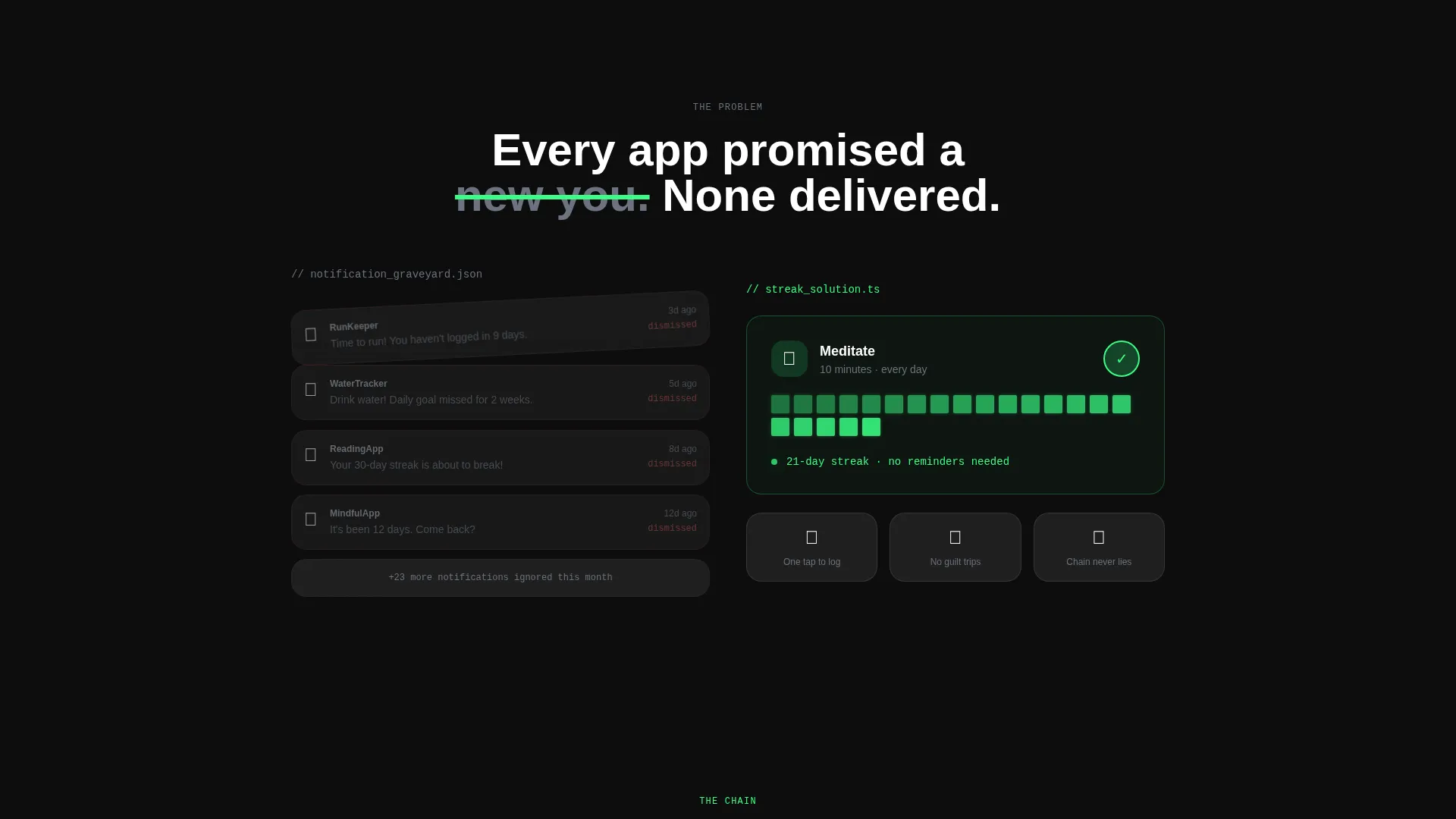
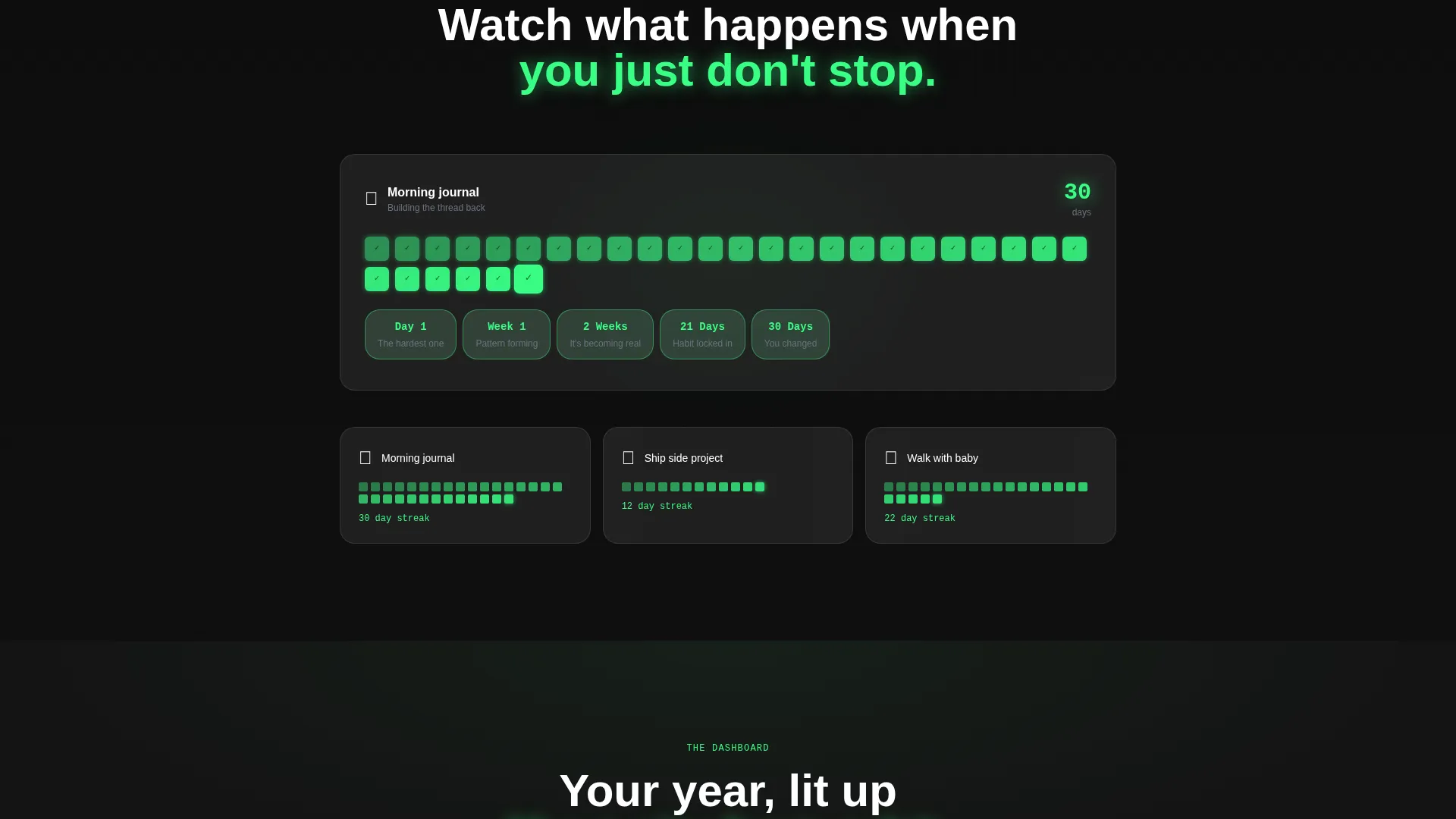
The page walks through four escalating states: a notification graveyard, a single clean habit card, a growing chain with micro-animations, and a full dashboard with a heatmap calendar. Each panel advances the narrative and deepens product understanding.
Glassmorphic Dashboard Card with Heatmap
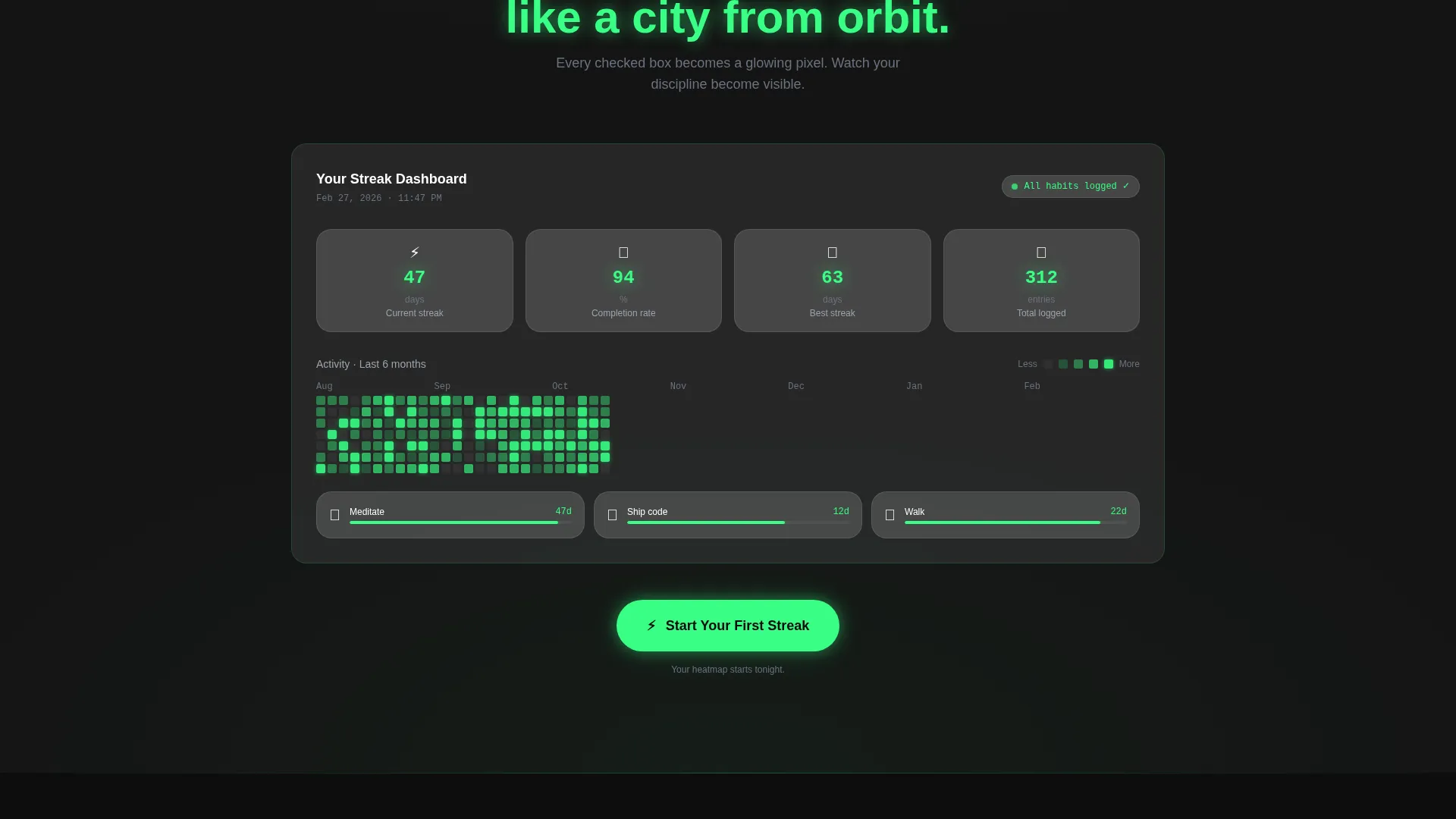
A full dashboard section reveals frosted glass habit cards, streak chains of varying lengths, and a heatmap calendar that glows like a city seen from orbit. The visual system makes abstract progress feel tangible and real.
Platform-Detect Download Modal
The primary call to action opens a modal that detects the visitor's platform and serves either the App Store or Play Store link automatically. This removes decision friction and keeps the path to download as short as a single tap.
Persistent Mobile Bottom Bar
On mobile, a sticky bottom bar keeps the primary call to action in view at all times during scroll. Visitors never have to scroll back up to find the download button.
Page sections overview
| Section | Purpose |
|---|---|
| Animated Code Header | Opens with the code snippet and dashboard card transition |
| Notification Graveyard Panel | Shows the chaos of failed habit reminders to trigger recognition |
| Single Habit Card | Introduces the product as a simple, frictionless solution |
| Growing Chain Animation | Demonstrates the streak mechanic with scroll-triggered micro-animations |
| Full Dashboard Reveal | Displays multiple habits, streak lengths, and the heatmap calendar |
| Primary call to action Block | Places "Start Your First Streak" below the heatmap reveal |
| Secondary Web call to action | Offers "Try the Web Version Free" for visitors who avoid app installs |
| Mobile Sticky Bar | Keeps the primary call to action persistent on smaller screens |
Design & branding system
The visual identity follows a Dashboard Pro theme built on a glassmorphic color system. The palette is deliberately dark and focused, like a cockpit at night where every illuminated element earns its place.
- Core colors: deep void black (#0D0D0D) as the base, frosted glass panels at 8% white opacity with backdrop blur, electric streak green (#39FF85) for active states and completion indicators, and muted slate (#6B7280) for secondary text
- Glass cards float over subtle gradient meshes with 1px white borders at 10% opacity, and the green accent pulses only where progress is present
- Typography uses a monospaced font in the hero and a clean sans-serif system throughout, keeping the developer aesthetic without sacrificing everyday readability
Mobile & speed optimization
The template is built with mobile visitors as a first-class consideration. The scroll-reveal behavior and sticky bottom bar are both designed specifically for thumb-first navigation.
- Scroll-triggered animations are scoped to viewport entry so they perform cleanly on touch devices
- The persistent bottom bar on mobile keeps the download call to action one tap away at every scroll depth
- The platform-detect modal removes the need for separate iOS and Android pages, consolidating the mobile conversion path into one layout
How this template helps you convert
Every design and copy decision in this template points toward a single outcome: getting the visitor one tap closer to downloading the app.
- The three-placement call-to-action strategy means the primary action is visible after the emotional hook, after the product proof, and always on mobile, so the visitor never has to search for it.
- Removing the signup form entirely reduces the chain of friction to a single tap, because the brief is explicit that every extra field is a broken chain before it starts.
- The scroll-reveal arc builds investment progressively so that by the time the visitor reaches the heatmap reveal, they have already spent time with the product story and feel ready to act.
Other information about this template
This template is part of the Micro-SaaS and Developer Tools subcategory within the Technology category on the marketplace. It is designed as a standalone landing page, meaning it does not require a multi-page site structure to deliver its full narrative.
- Template style: Scroll Reveal (Progressive), with each panel activating on scroll entry
- Theme: Dashboard Pro with a glassmorphic color system
- Header concept: Code Snippet with an animated dissolve transition into a live dashboard card
- Creative direction: Problem-to-Solution Arc across four narrative panels
- Landing page direction: App Download, with both App Store and Play Store paths served via platform detection
- Intersection match: Technology category, Micro-SaaS and Developer Tools subcategory, Habit Tracker App niche
Theme
Dashboard Pro
Creative direction
Problem→Solution Arc
Color system
Glassmorphic
Style
Scroll Reveal (Progressive)
Direction
App Download
Page Sections
Animated Code Snippet Hero
Scroll-triggered Section Reveals
Four-panel Problem-to-solution Arc
Heatmap Calendar Dashboard
Platform-detect Download Modal
Persistent Mobile Sticky Bar
Related questions
Do I need coding skills to use this template?
Can I change the call-to-action links to point to my own app store listings?
Does this template include a signup form?
Is this template suitable for a web app without a mobile app yet?
How many sections are pre-built in this template?



