Real-Time Analytics Landing Page Template
Stream is a dark-themed, dashboard-style landing page template built for real-time analytics tools and frameworks. It features an interactive live-data header, an animated feature matrix with code snippets and micro-visualizations, and a freemium conversion flow with an inline terminal signup. Designed for backend engineers, data team leads, and startup CTOs who need to ship a compelling product page fast.
by Rocket studio
Quick summary
Stream is a single-page landing page template purpose-built for real-time analytics products. The header runs a live simulated data stream right in the browser. A scrollable feature matrix walks visitors through every system capability. The conversion flow ends with a terminal-style, no-credit-card signup. It is built for teams that need a polished, technical product page without hiring a front-end developer.
Who this template is for
This template is aimed at technical builders and data-focused teams who need to market a high-throughput analytics product quickly and credibly.
- Backend engineers managing high-volume event pipelines who want to show stakeholders what the system can actually do
- Data team leads who need a clear, structured product page instead of scattered internal documentation
- Startup CTOs who need an investor-ready metrics dashboard page launched before headcount grows
What problem this template solves
Most analytics tools look impressive in demos but fall flat on a marketing page. Generic layouts fail to communicate real-time speed, data density, or technical depth to an engineering audience.
- Visitors leave before understanding the product because there is nothing interactive to engage with
- Static screenshots of dashboards do not build trust with engineers who want proof before they commit
- Conversion flows that ask for a credit card or a sales call lose technical buyers immediately
What you get with this template
You get a complete, production-ready landing page that does the selling through demonstration. Every section is pre-designed and pre-structured so you can drop in your own data and go live.
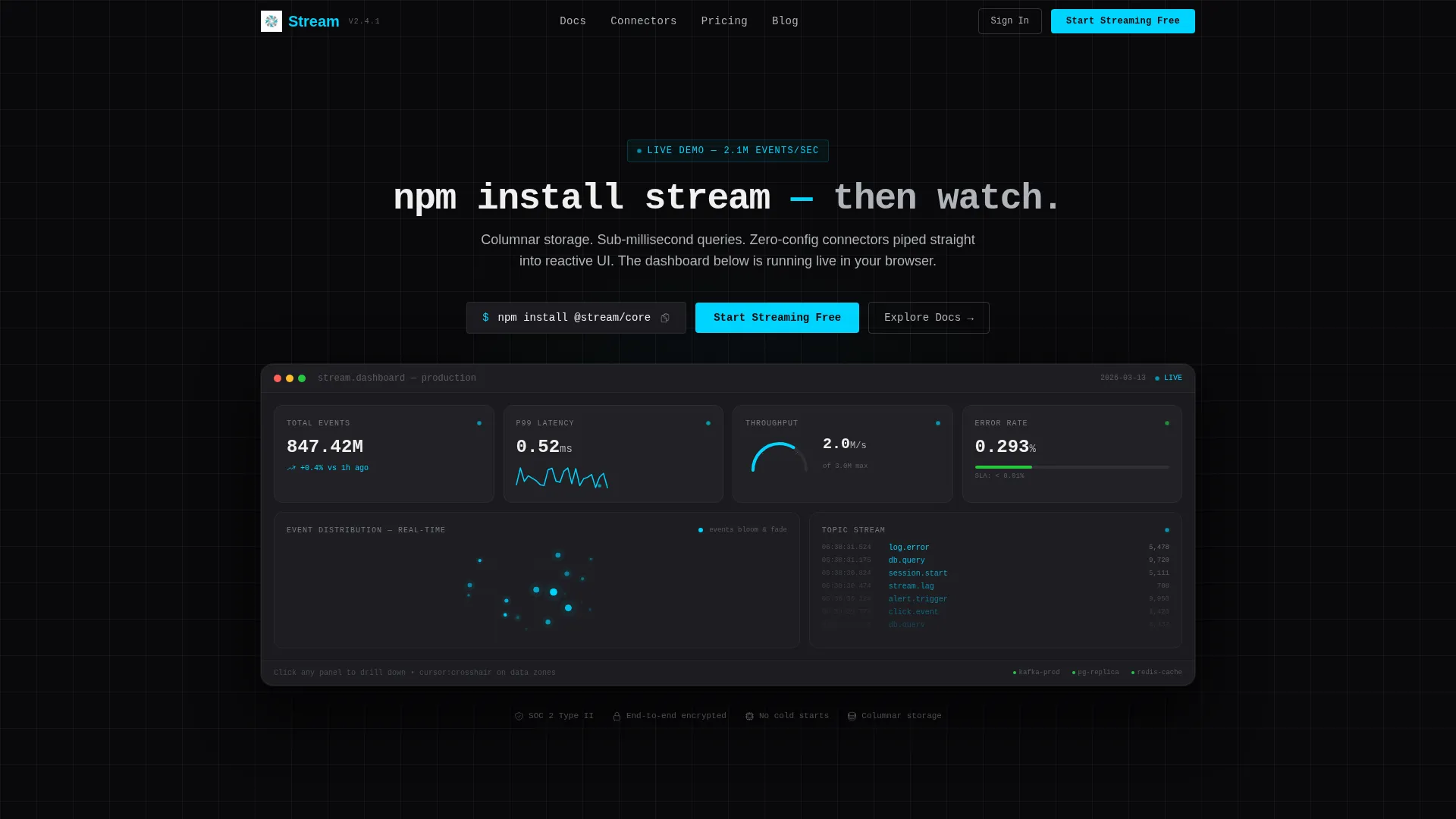
- An interactive header dashboard with animated event counters, a latency sparkline, a throughput gauge, and a real-time scatter plot
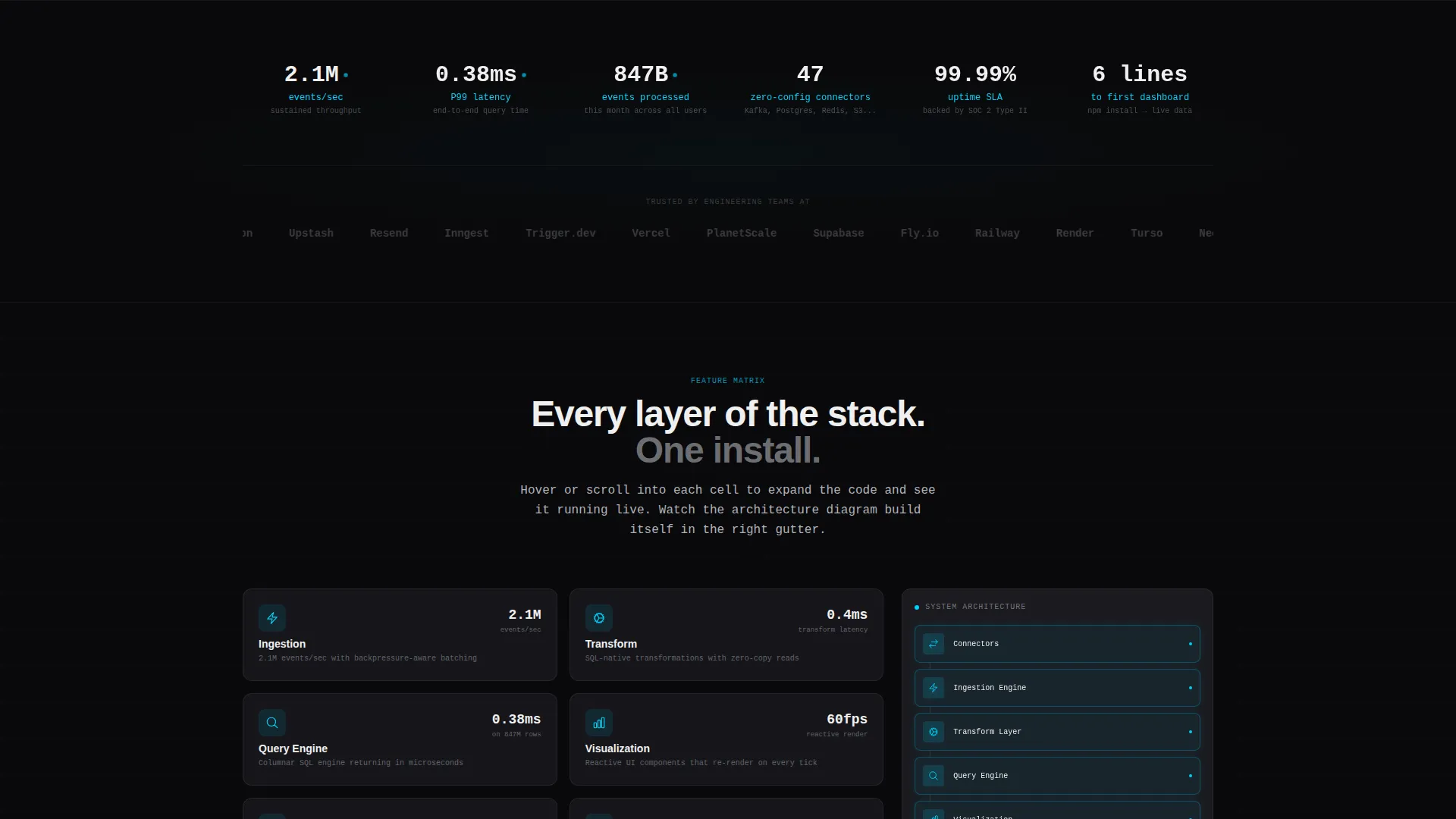
- A scroll-driven feature matrix where each capability tile expands with a code snippet and a live micro-visualization
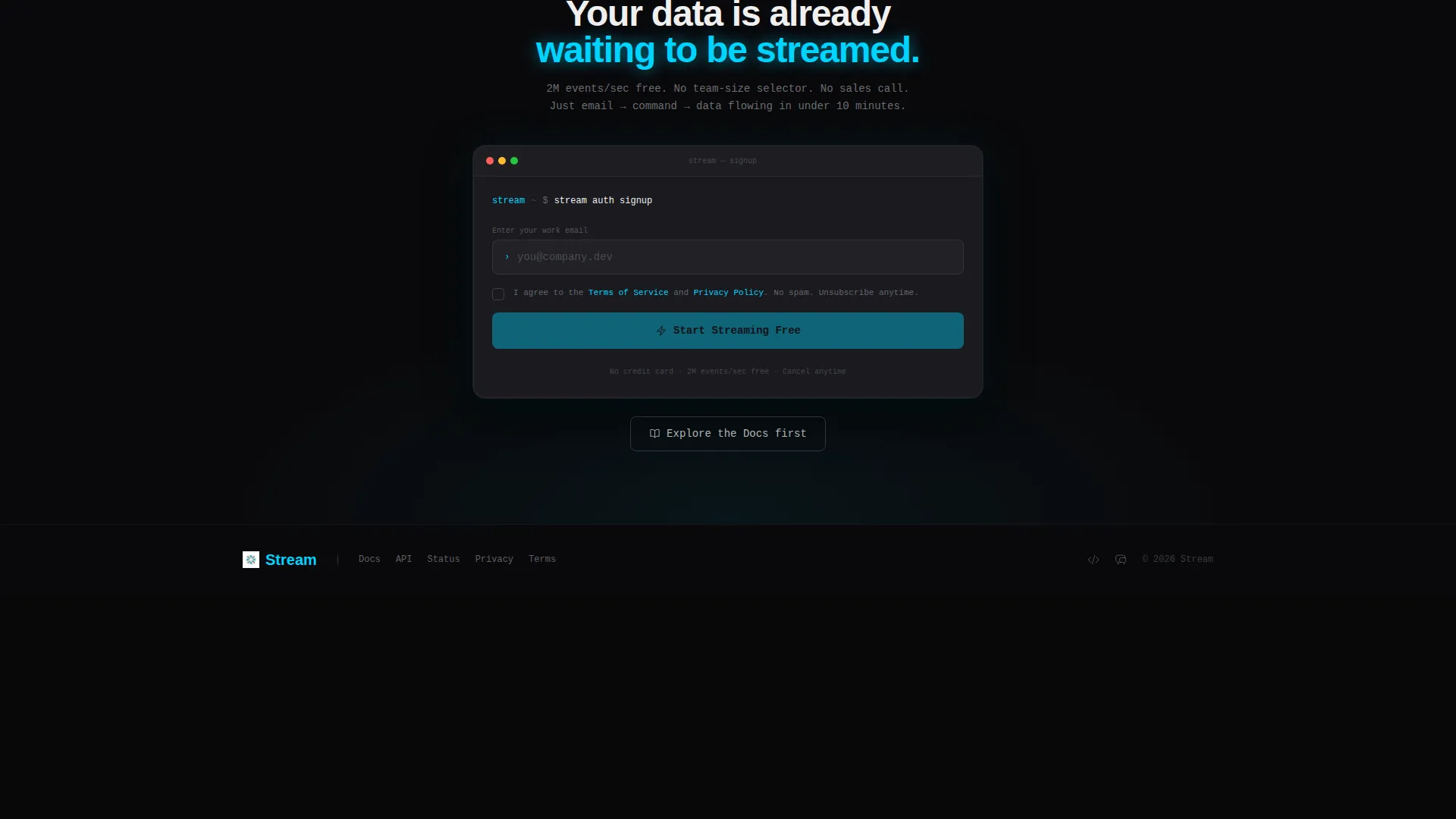
- A freemium inline terminal signup flow with no credit card requirement and a post-submit command ready to copy
Feature list
This template ships with six distinct capability sections, each designed to communicate a specific layer of a real-time analytics architecture.
Interactive Header Dashboard
The header is a fully functional, explorable mini-dashboard embedded in the viewport. Event counts tick upward in real time, a latency sparkline holds at 0.4 milliseconds, a throughput gauge trembles at 2.1 million events per second, and a scatter plot blooms and fades like radar pings. Clicking any panel zooms into a detail view. The cursor switches to a crosshair on hover, signaling that this is not a screenshot.
Scroll-Driven Feature Matrix
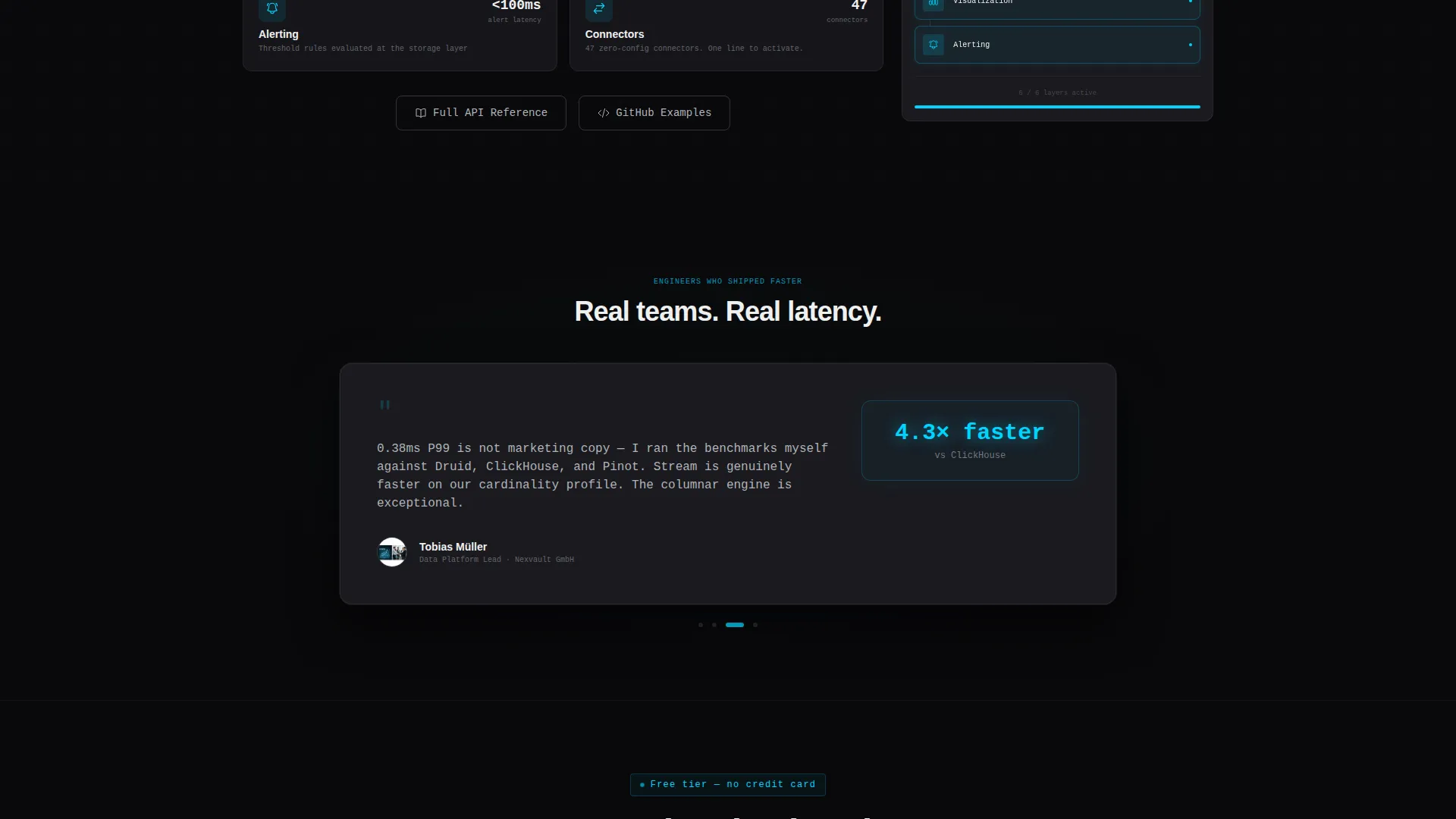
Scrolling past the header drops visitors into a structured grid. Each cell covers one capability: ingestion, transformation, query engine, visualization, alerting, and connectors. Tiles start as dark steel panels showing an icon and a label. On hover or scroll-into-view, the tile expands to reveal a code snippet on the left and a live micro-visualization on the right.
Persistent Architecture Diagram
A sticky right-gutter element assembles in real time as the visitor scrolls through the feature matrix. Each row they review adds a new layer to a running architecture diagram. By the time they reach the bottom, they see the complete system fully assembled from the pieces they just explored.
Terminal-Style Inline Signup
The primary conversion flow is a minimal inline terminal. It asks for an email address with a monospaced placeholder, a single checkbox for terms agreement, and nothing else. After submitting, a ready-to-copy command appears: npx create-stream-app. No credit card, no team-size selector, no sales call required.
Pinned Call-to-Action Bar
The primary call to action, "Start Streaming Free," is rendered in cold cyan on void black and pinned to the top navigation. It repeats after the feature matrix and again in the footer. This ensures the conversion entry point is always within reach regardless of where the visitor is on the page.
Code Snippet Access Points
Every code snippet in the feature matrix sits beside a secondary "Explore the Docs" link pointing to the API reference. Engineers who prefer to read before they commit always have a direct path to technical depth. This removes friction for the most skeptical buyer segment.
Page sections overview
| Section | Purpose |
|---|---|
| Pinned Navigation Bar | Keeps primary call to action visible at all times |
| Interactive Header Dashboard | Demonstrates the live product experience immediately |
| Monospaced Hero Headline | Sets the product tone with a single terminal-style line |
| Feature Matrix Grid | Walks visitors through each capability with code and visuals |
| Sticky Architecture Diagram | Builds a full system picture as the visitor scrolls |
| Inline Terminal Signup | Converts visitors with a minimal, no-barrier form |
| Footer Call to Action | Repeats the primary conversion prompt at page end |
Design & branding system
The visual identity uses a Tech Glass aesthetic built on a Monochrome Steel color system. Every surface stays below a lightness threshold that keeps the page nocturnal, so data becomes the only visible light source.
- Base layer is void black (#09090B), card surfaces use panel chrome (#1A1A1F), primary type is electric white (#F0F0F0), and secondary text along with graph gridlines use brushed steel (#B0B3B8)
- Cold cyan (#00D4FF) is the single accent color, reserved exclusively for live-state indicators, active data points, hover states, and the primary call-to-action button
- All primary text uses a monospaced typeface, reinforcing the terminal and engineering identity throughout the page
Mobile & speed optimization
The template is structured with a responsive grid that adapts the feature matrix and dashboard header across screen sizes. The dark palette and contained component structure keep the visual weight manageable on smaller viewports.
- The feature matrix tiles stack vertically on narrow screens so code snippets and micro-visualizations remain readable without horizontal scrolling
- The pinned navigation and persistent call-to-action button remain accessible at all viewport widths, keeping the conversion path unblocked on mobile
How this template helps you convert
The page is built around a proof-before-ask principle. Visitors experience the product before they are ever asked to sign up, which removes the biggest objection for technical buyers.
- The interactive header dashboard acts as a live product demo, so visitors understand what the tool does within seconds of landing on the page
- The terminal-style signup removes every common friction point: no credit card, no company size question, no sales call, just an email and a checkbox
- The "Explore the Docs" link beside every code snippet gives skeptical engineers a safe path to more information, keeping them engaged rather than bouncing
Other information about this template
This template is designed specifically for the real-time analytics tool and framework niche, where technical credibility is the primary purchase signal. The layout and content structure reflect what backend engineers and data professionals expect from a product they would actually evaluate.
- The template style is a Dashboard and Data Grid layout, chosen because it mirrors the interfaces that the target audience uses every day
- The Theme is Tech Glass and the Color System is Monochrome Steel, both selected to align with the visual language of server-side and infrastructure tooling
- The header concept is an Interactive Preview, which is a deliberate choice to let the product speak before any marketing copy does
- The creative direction is a Feature Matrix, a format that respects how engineers evaluate software: one capability at a time, with evidence at each step
- The conversion direction is Freemium and Trial, aligned with how developer tools are typically adopted: try first, pay later
Theme
Tech Glass
Creative direction
Feature Matrix
Color system
Monochrome Steel
Style
Dashboard/Data Grid
Direction
Freemium/Trial
Page Sections
Interactive Live-data Header
Scroll-driven Feature Matrix
Persistent Architecture Diagram
Terminal-style Conversion Flow
Pinned Multi-point Call to Action
Docs-adjacent Code Snippets
Related questions
Do I need a front-end development team to use this template?
Can I connect the header dashboard to real live data?
Is the signup flow really credit-card-free out of the box?
Who is the ideal user for this landing page template?



