Intelligent Insurance Operations Landing Page Template
Underwrite is a dark-dashboard insurance landing page built for operations VPs, MGA founders, and digital transformation leads who need to show prospects exactly what automation can do for their business. An interactive ROI calculator fires up immediately, a clickable workflow explorer proves every claim, and a live data grid reinforces credibility, all working together to move qualified insurance buyers toward a booked audit.
by Rocket studio
Quick summary
Underwrite is a single-page insurance landing page template designed for B2B software teams selling workflow automation to mid-market carriers and managing general agents (MGAs). The page leads with a live ROI calculator, walks visitors through a clickable workflow explorer, surfaces anonymized throughput data in a live grid, and closes with a two-path lead capture form. Everything is built around one idea: show the bottleneck dissolving in real time.
Who this template is for
This template was built for a very specific target audience inside the insurance industry. If your buyers are operations professionals staring at renewal backlogs or legacy systems that were never meant to scale, this page speaks their language before you say a word.
- Operations VPs at mid-market carriers who need to justify automation investment with hard numbers
- MGA founders still running insurance workflows in spreadsheets who are ready to move past manual processes
- Digital transformation leads at legacy insurers who have been burned by long implementation timelines and need a page that earns trust quickly
What problem this template solves
Insurance workflow automation is a hard sell. Buyers have seen vendor promises collapse under the weight of complex legacy systems, fragmented data, and eighteen-month rollouts. A standard hero image and a bullet list of features will not move these customers.
The real problem is credibility. Prospects need to feel the speed before they believe it. This landing page solves that by replacing passive copy with active proof.
- Repetitive tasks and manual processes in underwriting drive up cycle time and human error, and a static landing page cannot show how automation fixes that
- Insurance processes like claims processing, document classification, and policy servicing are too complex to explain in a paragraph
- Buyers are skeptical of vendor claims because they have been overpromised before, so trust signals and live data must do the persuading
What you get with this template
You get a fully structured insurance landing page that moves visitors from curiosity to conversion without overwhelming visitors at any single step. Every section is purpose-built to reduce friction, build credibility, and guide visitors toward a qualified lead action.
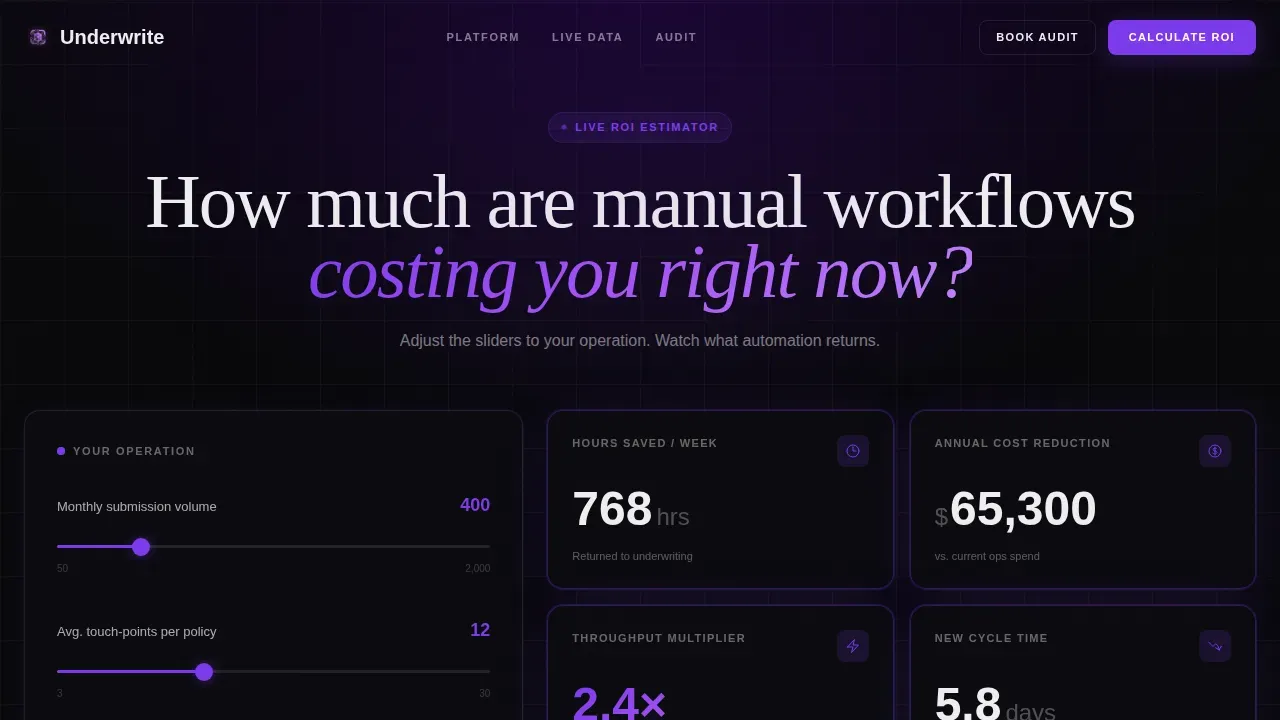
- An interactive ROI calculator in the header that outputs hours saved, cost reduction, and a throughput multiplier as visitors adjust sliders
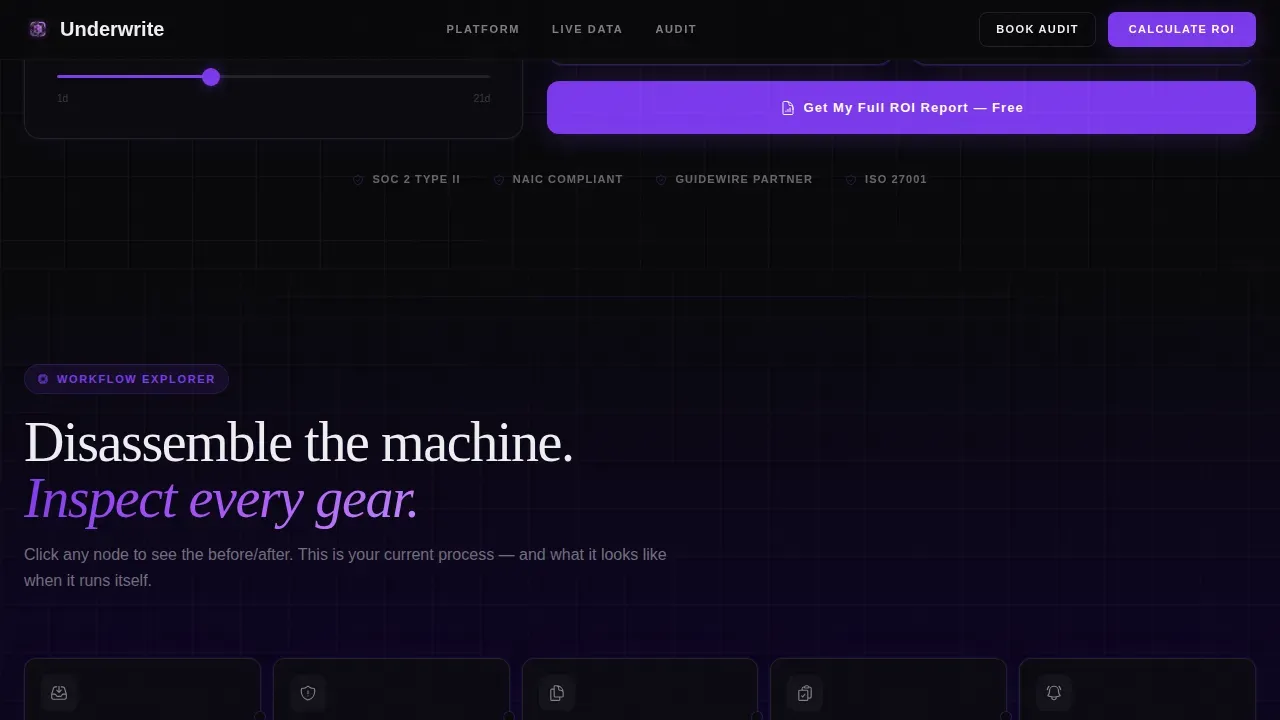
- A scrollable workflow explorer with clickable automation nodes covering intake parsing, risk flagging, document generation, compliance checks, and broker follow ups
- A live data grid showing anonymized deployment throughput, a social proof section with specific carrier results, and a two-path lead capture form that qualifies leads by carrier type, core system, and biggest bottleneck
Feature list
This landing page template packages several purpose-built components that work together to keep users engaged and move them toward conversion. Below are the key features that define what this page delivers.
Live ROI Calculator Header
The header skips the traditional hero image in favor of a working estimator panel. Visitors input their monthly submission volume, average touch-points per policy, and current cycle time in days. The output panel animates in real time, displaying hours saved per week, projected cost reduction, and a throughput multiplier. Numbers tick upward in electric violet as sliders move, making the value proposition feel personal and immediate. Gating the full report behind an email and company name turns the calculator into the primary lead capture tool.
Interactive Workflow Explorer
Below the fold, a visual workflow builder lets visitors click through five automation nodes: intake parsing, risk flagging, document generation, compliance checks, and broker notifications. Each node expands into a micro-demo with before-and-after animated bar charts that collapse processing times from minutes to seconds. This section lets prospects disassemble the automation system, inspect each stage, and feel speed compounding as they scroll. It is the engine that keeps users engaged after the calculator creates the initial promise.
Live Throughput Data Grid
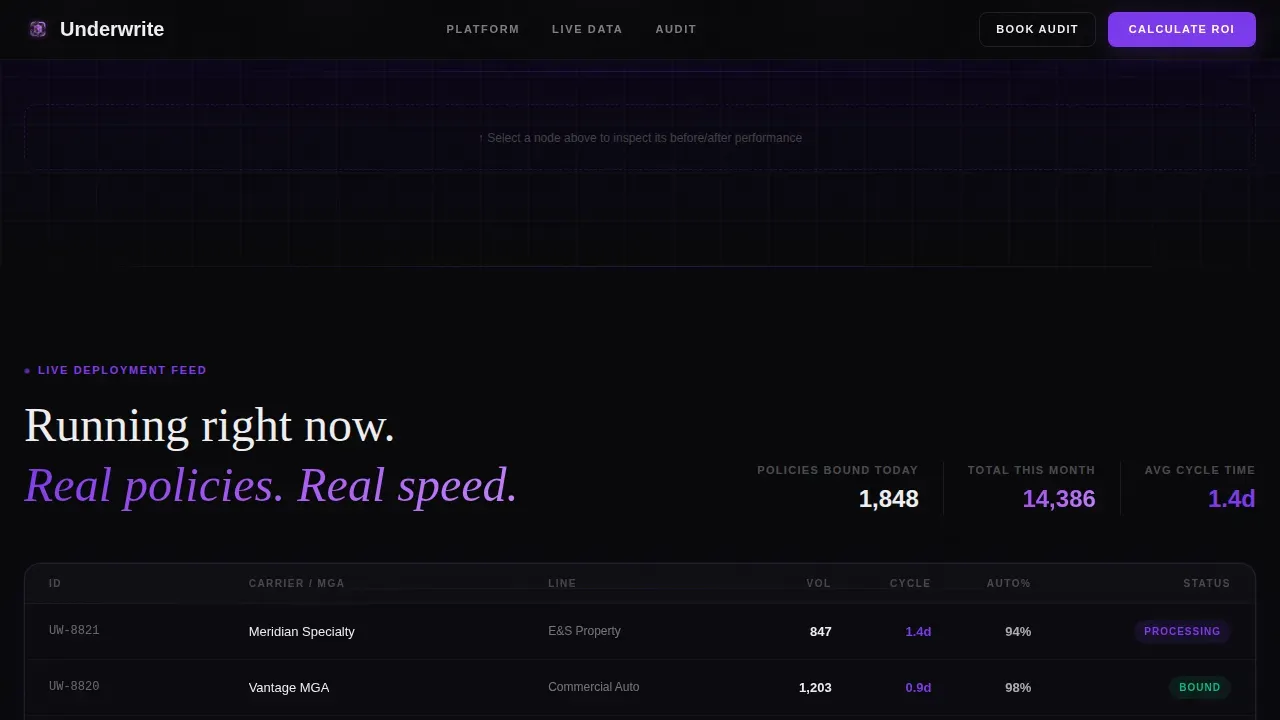
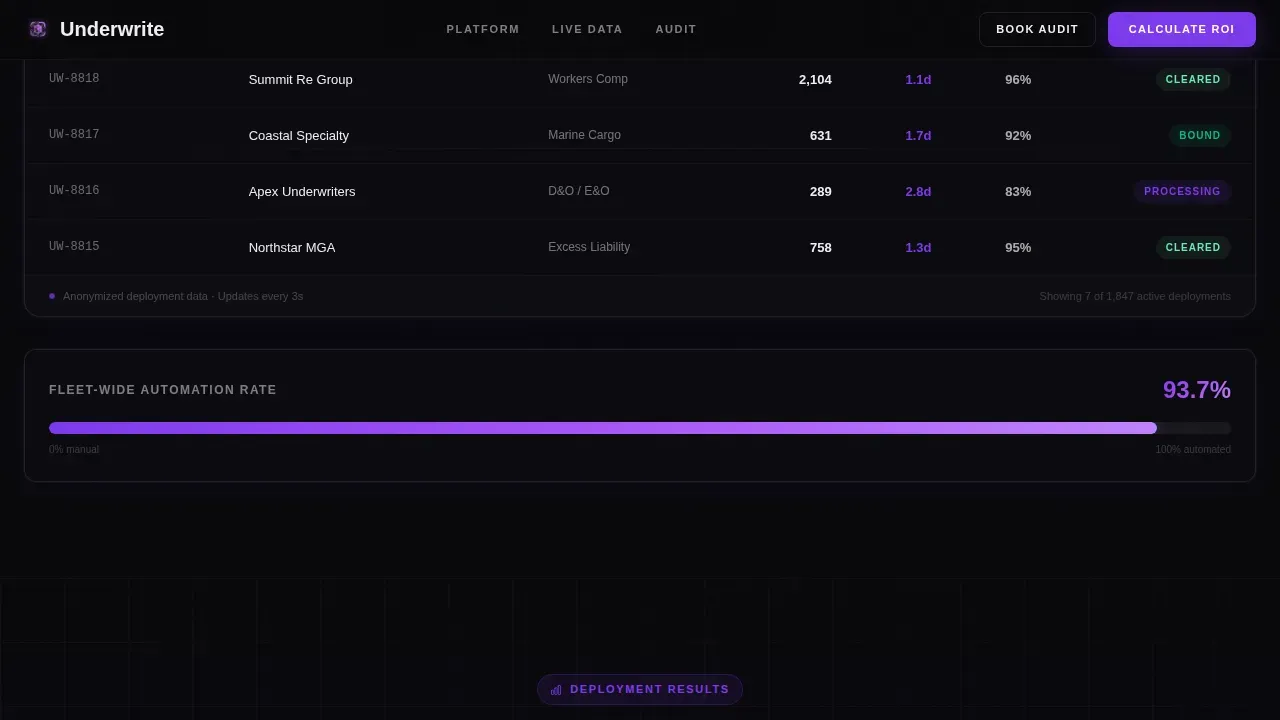
Midway through the page, a data grid displays anonymized throughput metrics from real deployments. Rows subtly pulse and update to reinforce that the system is processing real insurance policies right now. This component functions as a live trust signal, showing data in motion rather than static case study text. The grid is especially effective with operations buyers who instinctively trust data over narrative.
Two-Path Lead Capture System
The page uses two distinct calls to action. The primary path, "Calculate My ROI," appears inside the calculator and gates the full report behind a minimal form. The secondary path, "Book a Workflow Audit," sits after the workflow explorer and collects name, carrier type (carrier, MGA, or broker), core system, and a single open text field for the biggest bottleneck. Multi-step form logic keeps friction low while still qualifying leads effectively, avoiding the risk of overwhelming visitors with too many fields at once.
Social Proof and Deployment Results
A dedicated section surfaces specific results from named carrier and MGA deployments. Metrics are concrete: actual throughput numbers, not vague percentages. This section works alongside the live data grid to build layered trust signals. Social proof and real deployment data are essential for buyers in the insurance sector who need peer validation before committing to a workflow audit conversation.
Scroll-Driven Animation System
The template uses high-intensity animation throughout: ticking number counters in the calculator, animated bar charts in the workflow explorer, node expansion effects, and live row pulses in the data grid. Animations are triggered by scroll position so visitors experience each reveal at the right moment. The pacing is deliberate, matching the feeling of watching a jammed process suddenly clear and accelerate.
Page sections overview
| Section | Purpose |
|---|---|
| ROI Calculator Header | Interactive estimator; captures leads via gated full report |
| Workflow Explorer | Clickable automation nodes with animated before/after charts |
| Live Data Grid | Anonymized throughput metrics with live row updates |
| Social Proof | Named carrier and MGA results with specific deployment numbers |
| Workflow Audit Form | Two-field qualification form for booking a live audit |
| Footer | Single-row linear pattern with essential navigation links |
Design & branding system
The visual identity channels a mission control aesthetic that feels like a product launch dashboard at 2 AM. Every non-essential element is stripped away so the live data burns through clearly. The color system is called Void & Violet, and it is built to feel focused and alive at the same time.
- Background layers move through a gradient from absolute void black (#09090B) to deep interstellar purple (#1A0533), keeping the eye moving without distraction
- Electric violet (#7C3AED) hits every interactive element, active state, ticking metric, and data highlight; a faint violet glow at 8% opacity halos around cards to suggest constant system processing
- Phosphor white (#EEEEF0) carries all typography and grid lines, and white space is used deliberately to separate data zones without losing the dense, dashboard feel; DM Sans handles interface and data text while Fraunces carries display headlines
Mobile & speed optimization
This template is desktop-first by design. The dashboard aesthetic, data grid density, and slider-driven calculator are built primarily for operations professionals working on workstations. That said, the layout adapts responsibly to smaller screens without breaking core interactivity.
- Client-side components handle the calculator, animated charts, and node expansion; server-rendered static sections keep the rest of the page fast on initial load
- The workflow explorer and data grid reflow cleanly on tablet viewports, preserving the interactive experience without requiring a separate mobile layout
How this template helps you convert
Every section of this insurance landing page is designed to earn the next click. Conversion is not left to a single call to action buried at the bottom. It compounds across the page through a deliberate sequence.
- The calculator delivers immediate, personalized value before asking for anything. Visitors see their own numbers first, which means the email gate feels like unlocking a report they already believe in rather than filling out a cold form. This approach reflects best-practice thinking: frictionless forms that earn submission by delivering value first consistently outperform cold lead capture across the insurance industry.
- The workflow explorer converts skeptics by letting them interact with the automation system rather than just read about it. Animated bar charts showing claims processing time collapsing from days to minutes are more persuasive than any paragraph, and the node-by-node structure keeps prospects focused on one process stage at a time rather than absorbing a wall of features.
- The Workflow Audit form qualifies leads at the point of capture. Asking for carrier type and core system means the sales team receives context before the first call. The open bottleneck field doubles as a qualification signal and makes the customer feel heard, boosting both conversion rates and downstream sales efficiency.
Other information about this template
This template is a great example of how a focused insurance landing page can serve multiple insurance business models from a single layout. It is worth knowing a few additional details before you build.
- Insurance workflow automation works across life, health, and general insurance lines. Whether your platform handles auto insurance submissions, travel insurance renewals, or personal lines policy management, the workflow explorer nodes and data grid can be adapted to reflect your specific processes.
- The landing page is built to serve insurance providers who sell to other businesses, not end consumers. It assumes the visitor already understands what underwriting means and is evaluating whether your automation platform can improve their internal insurance workflows.
- Insurance landing pages exist to generate new leads for insurance companies, and 69% of all insurance purchases begin with a search. This template is designed to intercept that intent with an experience that does the selling before the sales team gets involved.
- Intelligent automation in the insurance sector is transforming how companies handle everything from claims processing to policy servicing. By integrating advanced technologies such as artificial intelligence (AI), machine learning, and Robotic Process Automation (RPA), insurers can automate routine tasks, reduce operational costs, and minimize human error. Insurers can reduce operational expenses by 40% using workflow automation.
- Automating data entry alone can reduce back-office operating costs by 20 to 30%. Automation enables instant follow ups via email, boosting lead conversion rates significantly after a visitor submits the audit form.
- The form submission immediately triggers back-office actions such as API calls to a CRM system, meaning no lead sits in a queue waiting for manual review. Every interaction is designed to create a seamless data flow from visitor input to sales pipeline.
- Intelligent Document Processing (IDP) can parse, classify, and support document classification workflows, which is relevant context for prospects evaluating whether the platform handles their current document intake challenges.
- The underwrite intelligent insurance workflow automation landing page template is built around the theme of Startup Velocity and uses the Void & Violet color system, Interactive Explorer creative direction, and a Calculator/Estimator header concept. These intersection attributes are what make it distinct from a generic insurance landing page.
- Trust signals in this template include the live data grid, named deployment results, and the calculator output itself. Trust indicators instill confidence in insurance software templates because they replace vendor claims with verifiable data.
- Automating workflows helps insurers reduce delays, errors, and operational costs. Centralized, cloud-based approaches create a single source of truth for underwriting teams, improving compliance and reducing human error across insurance processes.
- This template uses bullet points and numbered lists throughout to keep skimmable sections readable without losing detail. The visual hierarchy supports decision making by surfacing the most important data at every scroll depth.
- Industry awards and peer recognition can be added to the social proof section as additional trust signals if your platform has received recognition within the insurance industry.
Theme
Startup Velocity
Creative direction
Interactive Explorer
Color system
Void & Violet
Direction
Lead Generation
Page Sections
Live ROI Calculator with Gated Report
Clickable Workflow Automation Explorer
Live Anonymized Throughput Data Grid
Qualifying Two-path Lead Capture
Scroll-triggered Animation System
Deployment Social Proof Section
Related questions
Who is this landing page template designed for?
Can the ROI calculator be connected to real backend data?
Does this template work for insurance products beyond commercial lines?
How does the two-path lead form reduce drop-off?
What makes this different from a standard insurance landing page?



