Stride - Dynamic Fitness Landing Page Template
Stride is a dashboard-style fitness landing page template built for a step counter and pedometer app. It leads with live-style data visuals, progress rings, spark-line charts, and a real-time step count, to show the product in action before any copy is read. The design runs on a matte-black carbon fiber palette with electric lime accents, built for freemium conversion.
by Rocket studio
Quick summary
Stride is a single-page, stats-first landing page template for a step counter and fitness app. It skips lifestyle photography entirely and opens with a live-style dashboard that proves the product works through real sample data. The carbon fiber color system and animated data tiles create an experience that feels like glancing at a sports watch mid-walk.
Who this template is for
This template fits founders, indie developers, and product teams launching a step counter or pedometer app. It works especially well when the product's value is best shown through numbers rather than described in headlines.
- Developers launching a freemium fitness or step tracking app
- Product marketers who want a conversion-focused app landing page without a heavy lifestyle shoot
- Consumer app teams targeting desk workers, new parents, or health-conscious retirees
What problem this template solves
Most fitness app landing pages rely on stock photography and feature lists that users scroll past. Stride solves the trust gap by leading with the product itself. Visitors see real sample data before they read a single line of copy.
- Builds product credibility instantly through data-first visual design
- Removes friction from the sign-up path with a single-field phone number entry and a free tier that feels genuinely costless
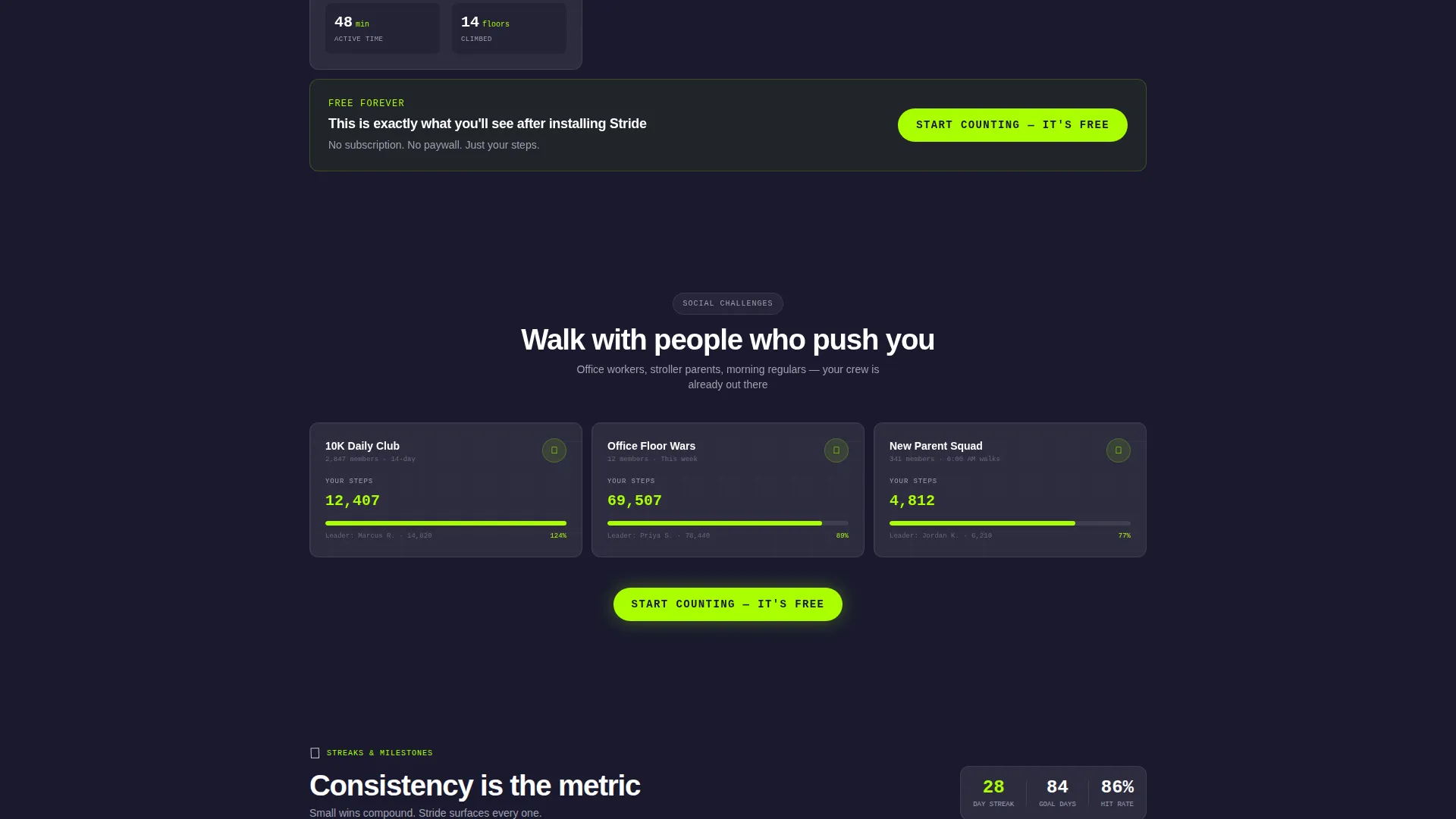
- Gives visitors two clear paths: commit to the free download or explore a live demo sandbox first
What you get with this template
The template delivers a complete, single-page layout structured around a living dashboard grid. Every section is pre-populated with sample data so the page functions as a product demo in itself.
- A slim logo bar header displaying integration partner icons in a quiet scroll loop
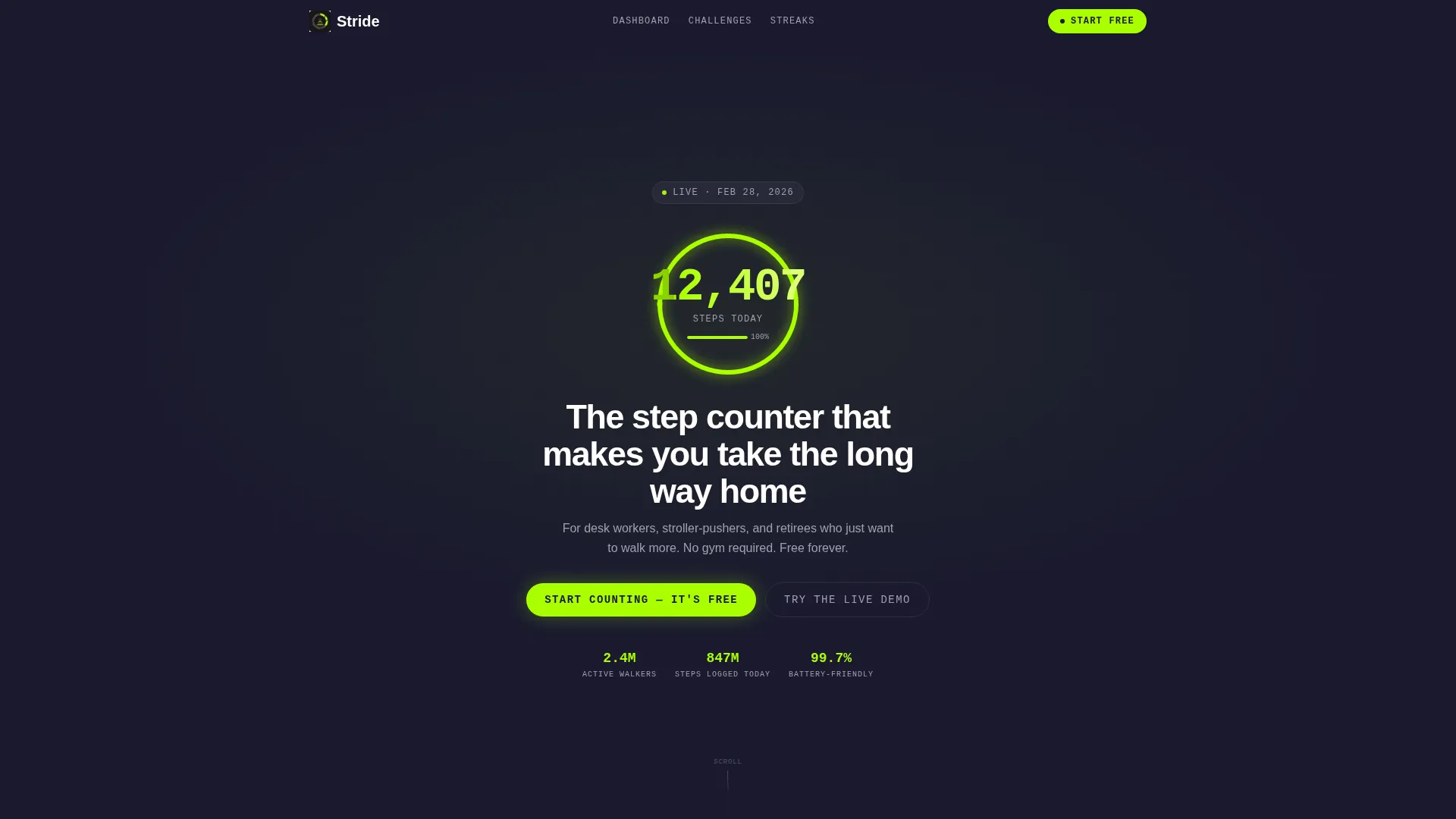
- An animated progress ring and large-scale step count stat rendered in electric lime on graphite black
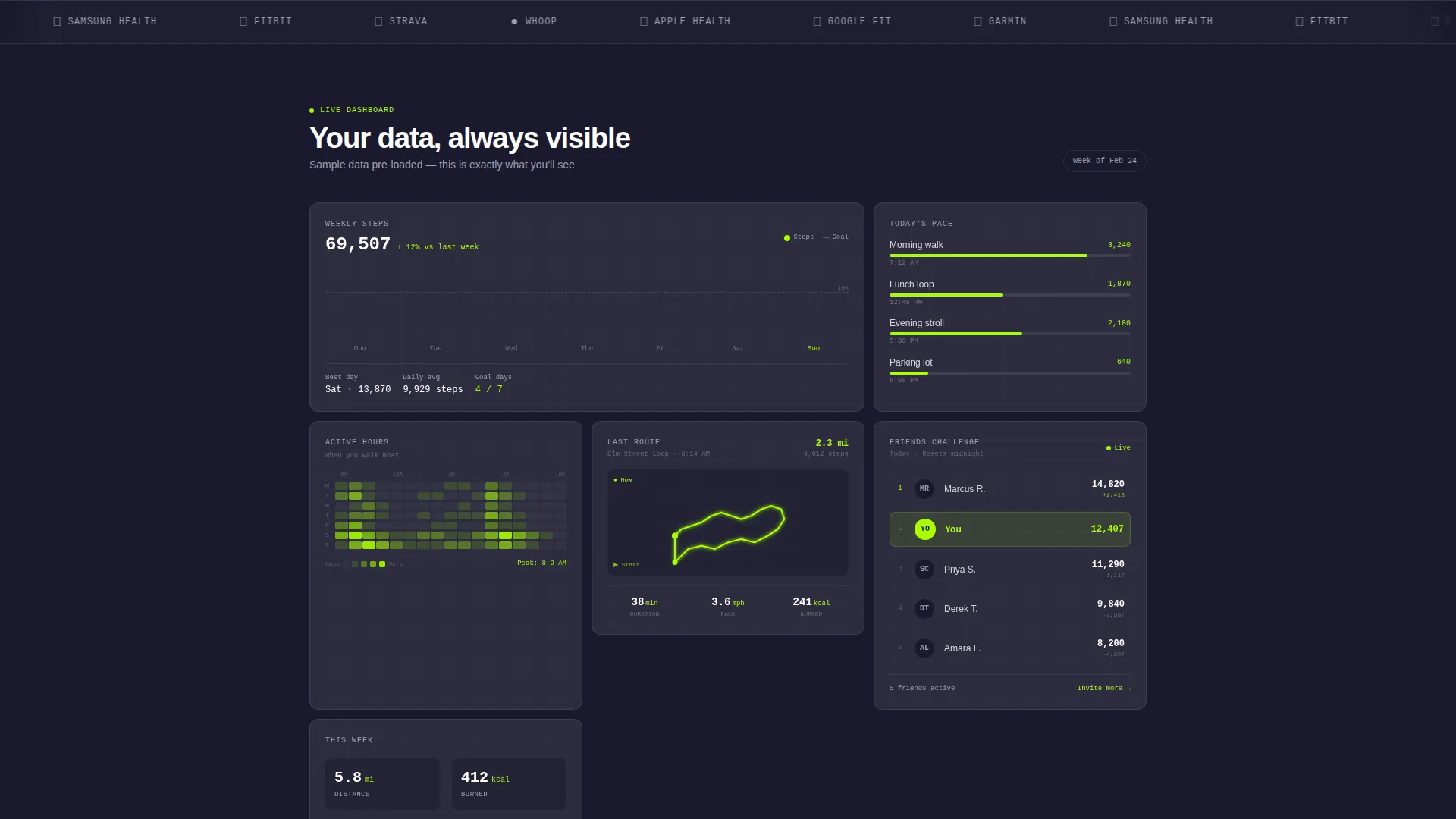
- A dashboard tile grid with spark-line charts, an active-hours heatmap, a friends leaderboard snippet, and a route-map thumbnail
- A floating mobile call to action bar and an inline "Try the Live Demo" secondary path
Feature list
This section covers the core capabilities built into the Stride template.
Stats-First Hero Header
The header skips hero imagery and opens with a single stat displayed at display scale: "12,407 steps today" in electric lime on a deep graphite background. A thin animated progress ring completes itself around the number, establishing product proof before any descriptive copy appears.
Living Dashboard Tile Grid
The main content area is a grid of data tiles that animate into view on scroll. Each tile surfaces a different metric: weekly step trends via spark-line charts, an active-hours heatmap, a social leaderboard with friends' initials and step counts, and a neighborhood route-map thumbnail.
Integration Partner Logo Bar
A slim, looping logo bar beneath the hero stat displays icons for health and fitness platform partners. The strip runs quietly in the background, reinforcing platform compatibility without interrupting the data-first visual flow.
Dual Conversion Path Design
The primary call to action, "Start Counting, It's Free," appears as a floating bottom bar on mobile and repeats after every third dashboard tile. A secondary option, "Try the Live Demo," drops visitors into an interactive sandbox pre-loaded with sample data.
Single-Field SMS Download Entry
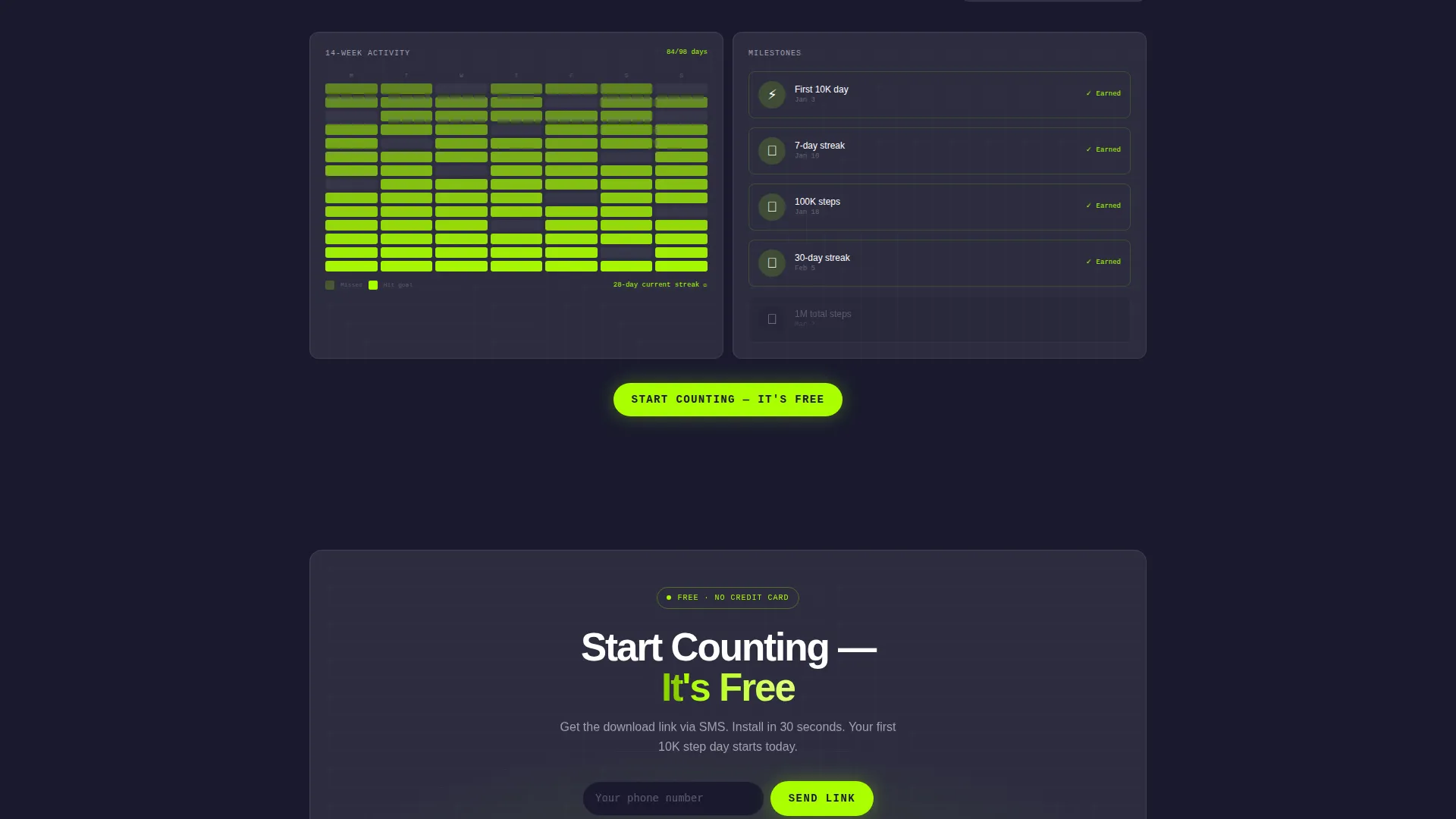
Tapping the primary call to action reveals a single input field for a phone number. The app download link is sent by text message, reducing sign-up friction to one step and one field.
Carbon Fiber Visual System
The entire template uses a four-tone palette: deep graphite black, woven carbon gray, cool titanium for secondary text and dividers, and electric lime reserved exclusively for live data points, progress rings, and calls to action. The result feels like the back of a matte-black sports watch.
Page sections overview
| Section | Purpose |
|---|---|
| Logo Bar Header | Displays partner icons and anchors the headline step count stat |
| Animated Step Counter | Renders the live-style progress ring and display-scale step number |
| Dashboard Tile Grid | Shows metric tiles animating in with spark-lines, heatmap, leaderboard, and route map |
| Social Leaderboard Tile | Surfaces friends' step counts to introduce the social challenge layer |
| Route Map Thumbnail | Visualizes a real neighborhood walk trace inside the grid |
| Floating call to action Bar | Pins the primary free-start call to action on mobile scroll |
| Live Demo Entry | Launches an interactive sandbox dashboard with pre-loaded sample data |
| SMS Sign-Up Field | Captures a phone number and sends an app download link by text |
Design & branding system
The Stride template uses a carbon fiber color system that prioritizes contrast and data legibility over decoration. Every color choice serves the numbers first and the brand second.
- Deep graphite black (#1A1A2E) as the primary background, woven carbon gray (#2D2D3F) for tile surfaces, and cool titanium (#A0A0B0) for secondary labels and divider lines
- Electric lime (#AAFF00) used exclusively on live data points, progress rings, and calls to action, never as a decorative fill
- No lifestyle photography or hero imagery anywhere on the page; the dashboard grid and data visualizations carry the full visual weight
Mobile & speed optimization
The template is structured for a smooth mobile experience. The floating call to action bar and single-field entry remove the friction points that typically cause drop-off on small screens.
- The primary call-to-action button is pinned as a floating bottom bar on mobile so it stays reachable without scrolling back to the top
- Dashboard tiles animate into view on scroll, keeping the initial load visually clean and preventing layout overwhelm on narrow viewports
- The SMS download flow reduces the sign-up sequence to a single field, making conversion achievable in under ten seconds on a phone
How this template helps you convert
Stride is designed around a freemium conversion model where the page itself acts as a product demo. Every layout decision is intended to lower perceived risk and shorten the path to action.
- The data-first header establishes immediate product credibility. Visitors see a real step count and a completing progress ring before reading a headline, which builds trust faster than descriptive copy alone.
- The repeating inline call to action after every third tile keeps the conversion prompt visible throughout the scroll journey without requiring a dedicated pricing section or commitment ask.
- The "Try the Live Demo" secondary path gives hesitant visitors a risk-free way to experience the product interface directly, increasing the likelihood they return to the primary sign-up flow.
Other information about this template
Stride sits at the intersection of the Directory and Discovery theme and the Stats-First Impact creative direction. The template style is a Dashboard and Data Grid layout, which means the page structure is built around metric surfaces rather than narrative copy blocks.
- The template is categorized under Technology, specifically the Consumer App and Platform subcategory, with a niche focus on step counter and fitness app use cases
- The freemium and trial landing page direction means no pricing information appears on the page; the value is demonstrated entirely through the interactive dashboard experience
- The header concept follows a Logo Bar pattern, which grounds the product in a familiar ecosystem of health platforms without requiring a separate integrations page
Theme
Directory & Discovery
Creative direction
Stats-First Impact
Color system
Carbon Fiber
Style
Dashboard/Data Grid
Direction
Freemium/Trial
Page Sections
Stats-first Animated Hero Header
Living Dashboard Tile Grid
Integration Partner Logo Bar
Dual Conversion Path Layout
Single-field SMS Sign-up
Carbon Fiber Color System
Related questions
Who is the Stride template designed for?
Does the template include real data or sample data?
Can I use this template without a lifestyle photoshoot?
How does the conversion flow work on mobile?
Can visitors try the product before signing up?



