Stride - Powerful Fitnessapp Landing Page Template
Stride is a scroll-reveal landing page template built for white-label fitness app platforms. It opens with a live ROI calculator, then progressively discloses platform depth through animated metrics, a brand studio, technical integration panels, and a three-step lead capture form. The dark Dashboard Pro aesthetic and teal glow accents make every section feel like a live fitness dashboard.
by Rocket studio
Quick summary
Stride is a high-interactivity landing page template for B2B fitness tech platforms that let brands launch their own white-label step counter and fitness apps. The page opens with an interactive ROI calculator, layers in social proof metrics, and progressively reveals technical depth. A sticky call-to-action bar and a three-step form drive qualified lead capture throughout.
Who this template is for
This template is built for platforms that sell white-label fitness app solutions to business buyers. If your product helps organizations ship a branded step counter or wellness app without writing code, Stride communicates that value fast and converts the right visitors.
- Corporate wellness directors who need ROI proof before pitching a step challenge program to leadership
- Insurance product managers and boutique gym chains who want a branded fitness experience for their users
- Platform founders and growth teams targeting CTOs or integration engineers who evaluate vendors on technical specs
What problem this template solves
Most fitness tech platforms lose qualified buyers because their marketing page either looks too generic or buries the proof too deep. Wellness directors need numbers before they fill out a form. CTOs need to see an SDK snippet before they book a call. Stride solves both.
- Visitors see a live ROI calculator before any sales copy, which reduces skepticism early
- Technical sections with code snippets and API context give integration engineers the spec signals they need
- A progressive three-step form reduces friction by only asking for what matters at each stage
What you get with this template
Stride delivers a fully structured, single-page layout with high animation fidelity and a clear lead generation flow. Every section serves a specific conversion function, and the design system is ready to use without modification.
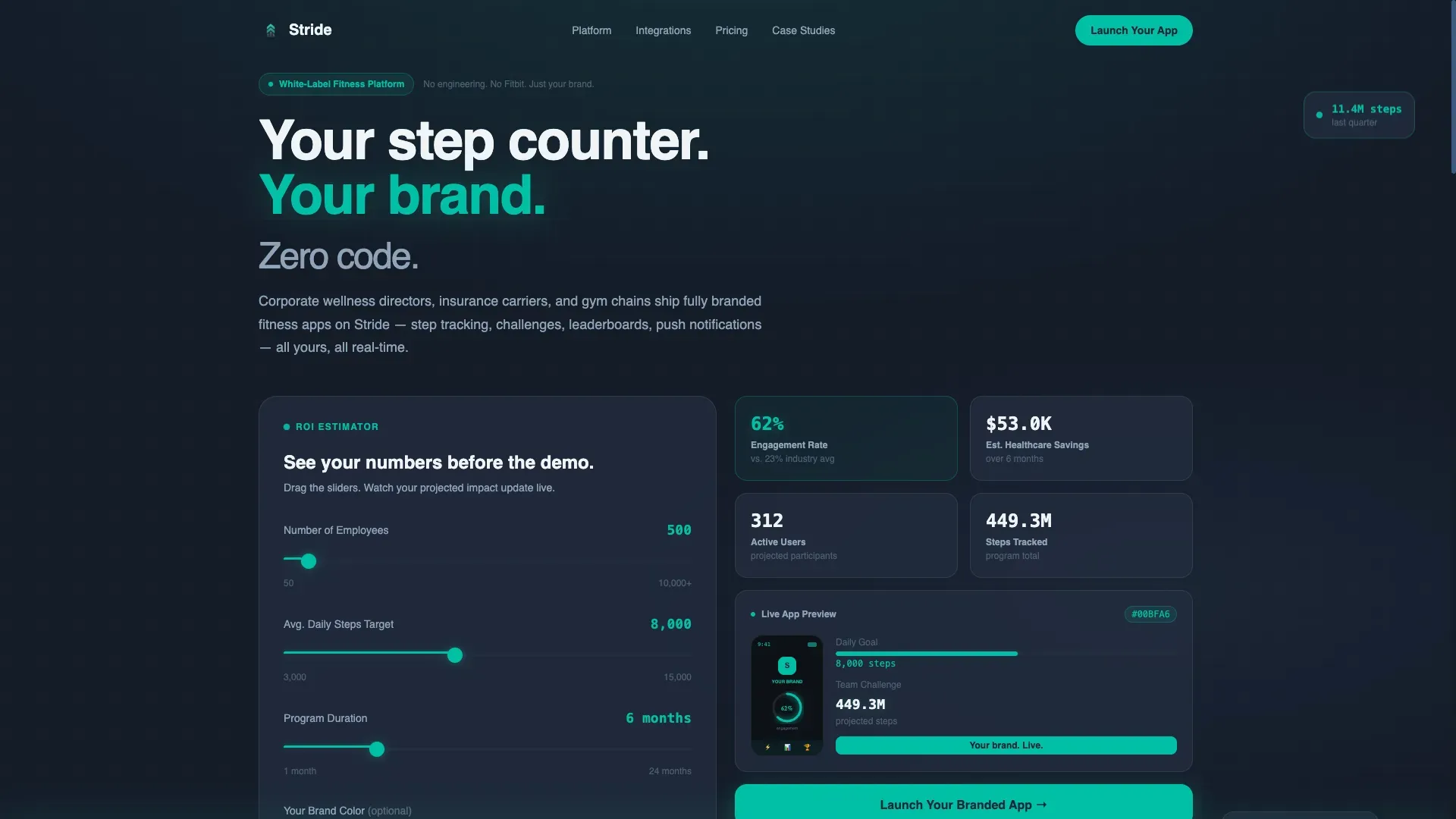
- An interactive ROI calculator in the hero with three sliders, a live output panel, and an optional hex color input for brand previewing
- Six purpose-built sections progressing from proof to product detail to lead capture, including a sticky bottom call-to-action bar
- A dark Dashboard Pro visual theme using the Teal Catalyst color system, with DM Sans typography and JetBrains Mono for metric and code readouts
Feature list
This template is built for one job: turning serious business buyers into qualified leads. Every feature below is directly drawn from the template structure.
Interactive ROI Calculator Hero
Three sliders let visitors input employee count, daily step targets, and program duration. A live output panel animates projected engagement rates and estimated healthcare cost reductions in real time. An optional hex color field updates an animated branded app mockup as the visitor types.
Scroll-Reveal Progressive Disclosure
Each section materializes as the visitor scrolls into it, mimicking a dashboard populating with live data. Screenshots sharpen from blurred placeholders into full-resolution interface previews. This pacing builds trust by making the platform feel real and specific rather than a generic product brochure.
White-Label Brand Studio Section
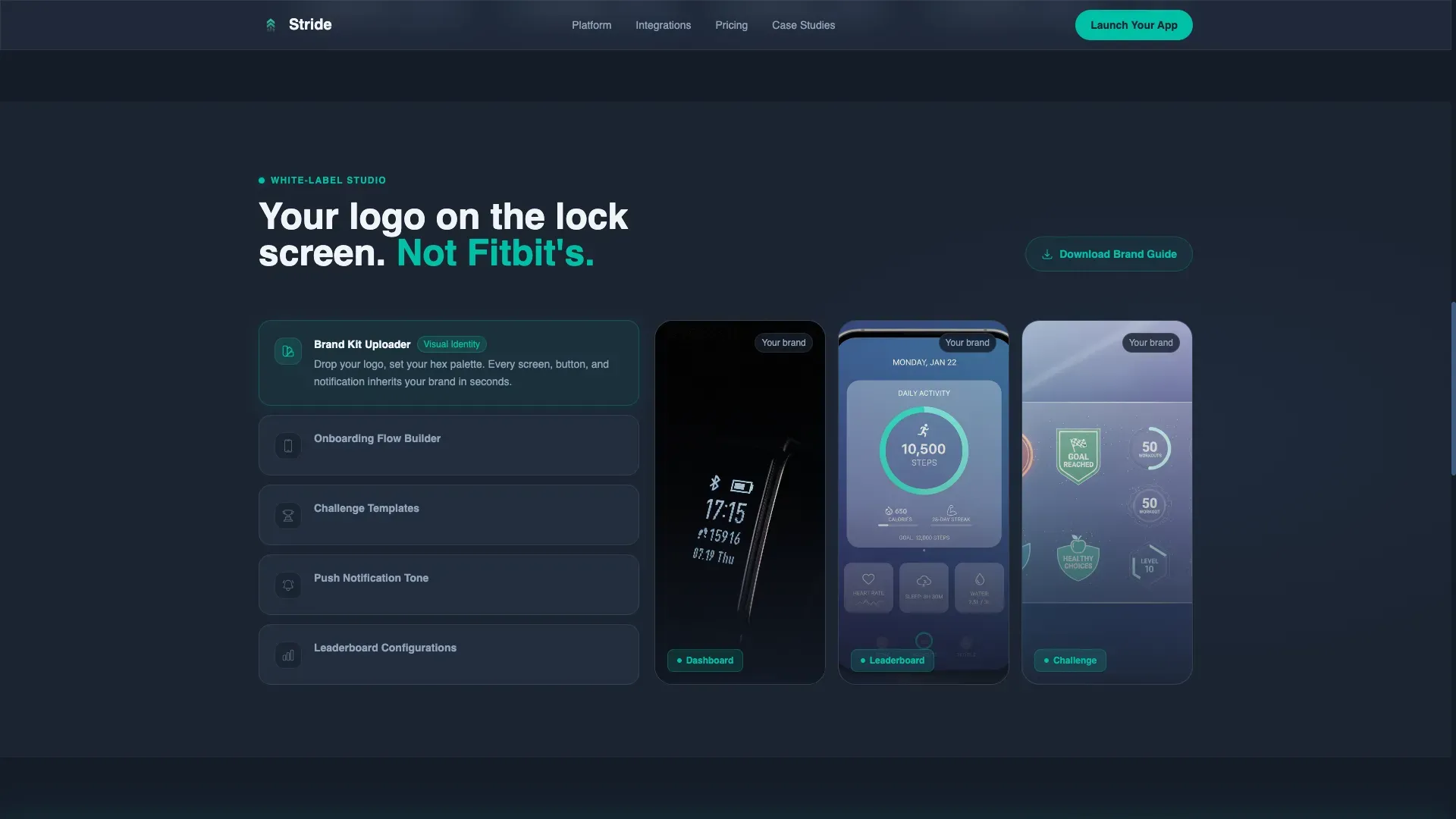
A dedicated section showcases the brand kit uploader, live hex-color preview, and mockup showcase. Visitors can see exactly how the logo, onboarding flow, and push notification tone would look under their own branding. This section directly addresses the core buying question: "Will it actually look like ours?"
Three-Step Progressive Lead Capture Form
The form reveals itself across three steps. Step one collects company name and industry vertical. Step two asks for estimated user base and launch timeline. Step three captures contact details and an optional brand hex color, keeping each step lightweight and reducing drop-off.
Technical Integration Panel
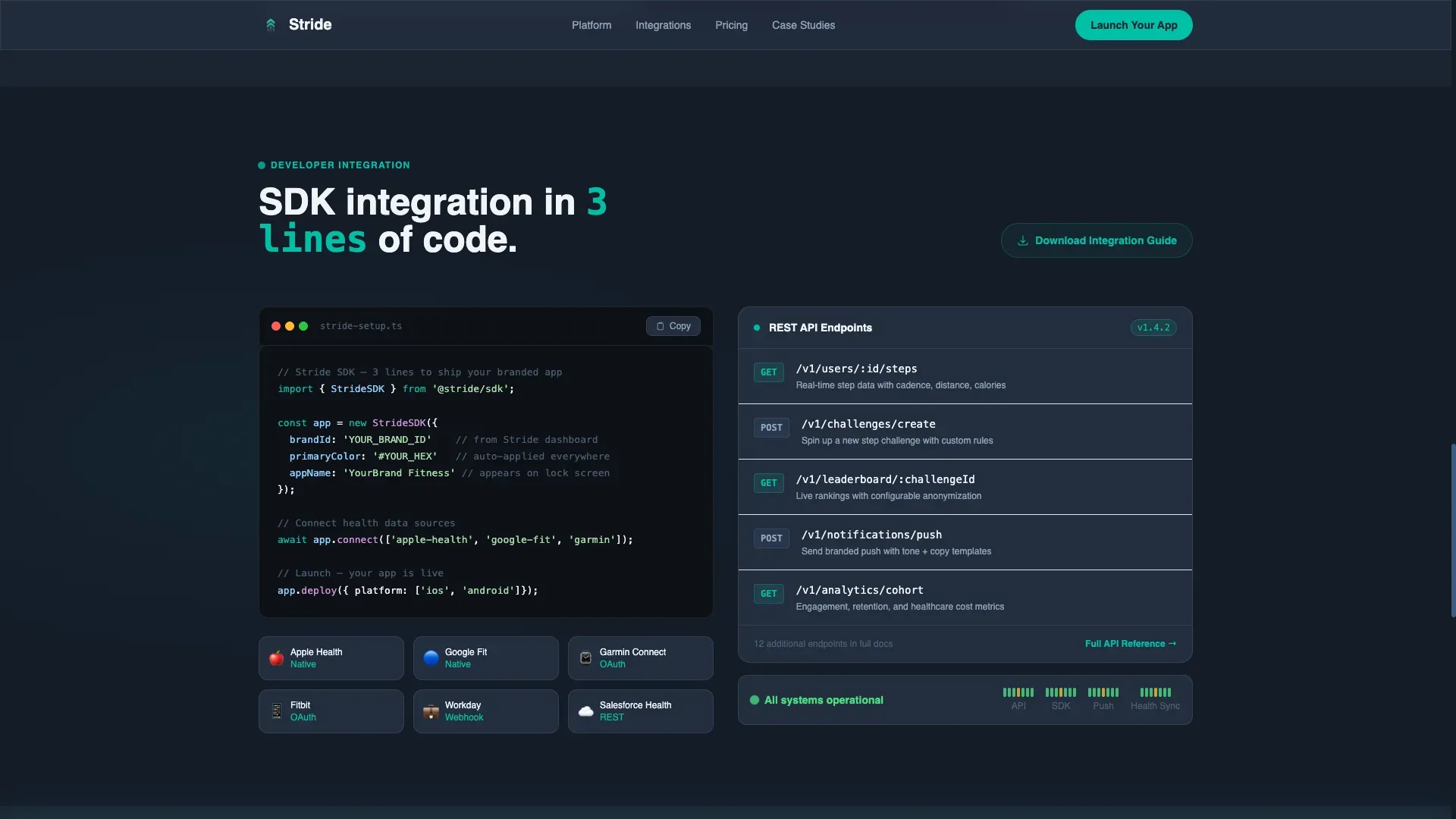
A dedicated technical section displays an SDK integration snippet, challenge template options, leaderboard configuration details, and API endpoint context for syncing activity data. A secondary call-to-action, "Download the Integration Guide," sits below this section to capture CTOs who need specs before a conversation.
Sticky Call-to-Action Bar
A "Launch Your Branded App" bar anchors to the bottom of the viewport after the calculator interaction. It remains visible throughout the scroll journey, giving visitors a persistent conversion path without interrupting the reading flow.
Page sections overview
| Section | Purpose |
|---|---|
| ROI Calculator Hero | Opens with interactive sliders and live branded mockup output |
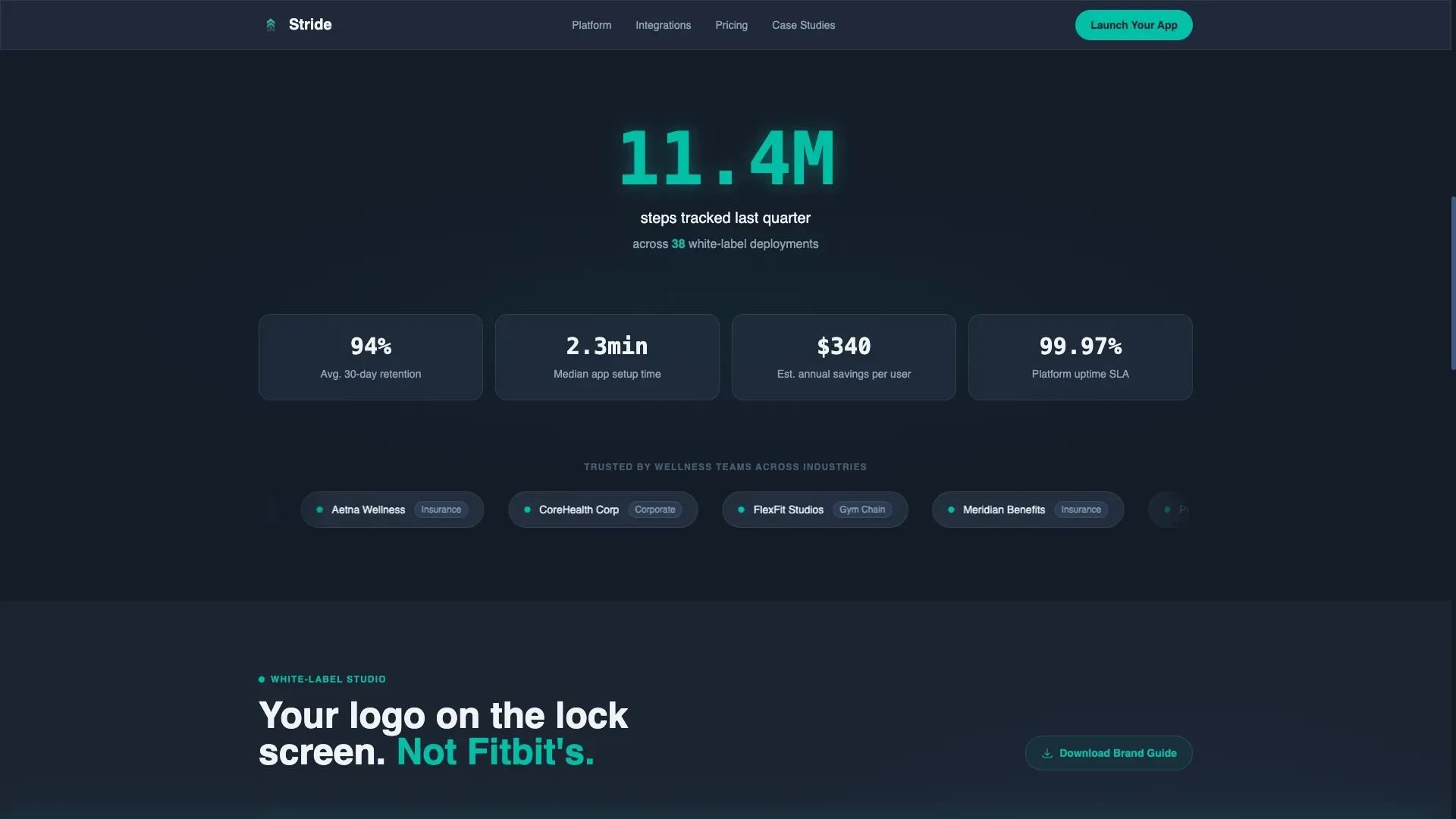
| Social Proof Metrics | Displays 11.4M steps stat, 38 deployments, and marquee client logos |
| White-Label Brand Studio | Shows hex-color preview, brand kit uploader, and mockup showcase |
| Technical Integration Panel | Presents SDK snippet, API context, and secondary guide download call to action |
| Testimonials and Lead Capture | Three-step progressive form with testimonial cards and photos |
| Sticky call to action Bar | Persistent bottom bar anchored after calculator interaction |
| Footer | Single-row linear footer layout |
Design & branding system
The visual identity follows the Dashboard Pro theme with the Teal Catalyst color system. It reads like a fitness dashboard at early morning: dark mode active, metrics pulsing, everything sharp and purposeful.
- Core palette: deep charcoal (#1B2432) for backgrounds, primary teal (#00BFA6) for active accents, cool slate (#3D5A80) for card and panel surfaces, and sharp white (#F0F4F8) for data text and readouts
- Typography: DM Sans for all headings and body copy, JetBrains Mono for code snippets and numeric metric displays
- Visual style: glassmorphic panels, scroll-triggered counter animations, pulse glow effects on interactive elements, and high-contrast data readouts throughout
Mobile & speed optimization
The template is designed desktop-first to match how wellness directors and CTOs evaluate vendors, but it ships with full mobile responsiveness so no buyer is left behind on a smaller screen.
- Layouts reflow cleanly across breakpoints, preserving the dashboard aesthetic on both tablet and mobile viewports
- Static sections use server component patterns to keep non-interactive content lightweight, while calculator and form components are isolated as client components
How this template helps you convert
Stride converts visitors by removing hesitation at every stage of the scroll. The structure is intentional: proof first, product depth second, commitment last.
- The ROI calculator shows value before asking for anything, so visitors arrive at the form already convinced rather than just curious
- Technical sections with SDK context and a downloadable integration guide give engineering evaluators a reason to stay and engage, creating a second conversion path alongside the main form
- The three-step form and sticky call-to-action bar work together to ensure that wherever a visitor decides to act, a low-friction next step is always visible
Other information about this template
Stride is built for the B2B fitness technology space, where buying decisions involve multiple stakeholders and longer evaluation cycles. The template anticipates that dynamic by serving different content layers to different visitor types within a single page flow.
- The template supports US English localization with USD currency formatting and MM/DD/YYYY date display
- Animation intensity is high throughout, with scroll-triggered reveals, live counter animations, slider real-time updates, and pulse glow effects on teal accent elements
- The footer uses a Pattern 1 linear single-row layout, keeping the bottom of the page clean and uncluttered
- The page is optimized for lead generation as its primary conversion goal, with qualified contact capture as the measurable outcome
Theme
Dashboard Pro
Creative direction
Stats-First Impact
Color system
Teal Catalyst
Style
Scroll Reveal (Progressive)
Direction
Lead Generation
Page Sections
Interactive ROI Calculator with Live Mockup
Scroll-reveal Progressive Disclosure
White-label Brand Studio Section
Three-step Progressive Lead Capture Form
Technical Integration Panel with Secondary Call to Action
Sticky Launch Call-to-action Bar
Related questions
Who is the Stride template designed for?
Can I customize the brand colors shown in the ROI calculator section?
Does the template include the three-step lead form structure?
What does the technical integration panel include?
Is Stride a single-page or multi-page template?



