Advanced Architecture Firm Professional Website Template
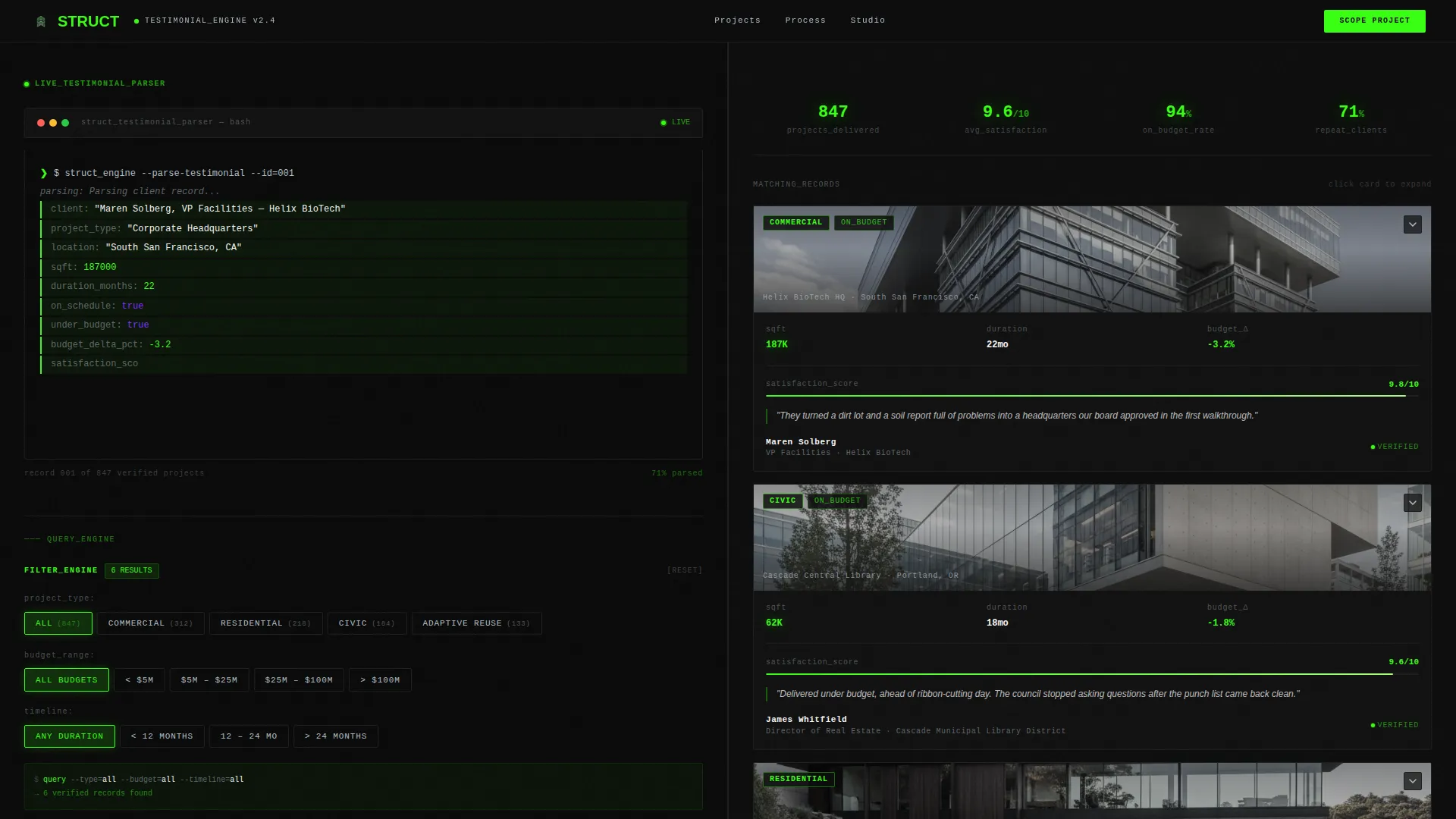
Struct is a split-screen architecture firm testimonials landing page that turns client feedback into an interactive, filterable database. Visitors filter by project type, budget range, and timeline to surface matching case data cards. The terminal-style header, persistent lead-generation form, and contextual calls to action make the page as persuasive as it is precise.
by Rocket studio
Quick summary
Struct is a single-page template built for architecture firms that want their project track record to do the selling. A 50/50 split-screen layout pairs an interactive Testimonial Filter Engine on the left with live-updating client data cards on the right. Every filter combination returns real results, moving visitors from curiosity to conviction before they ever reach the contact form.
Who this template is for
This template is designed for architecture firms that rely heavily on project credibility to win new clients. It works especially well when a firm has a diverse portfolio and wants visitors to self-select into the right case evidence.
- Architecture firms with residential, commercial, civic, and adaptive reuse project history
- Principals and marketing directors who want social proof to function as an interactive sales tool
- Studios pitching corporate campuses, municipal buildings, or custom hillside homes
What problem this template solves
Most testimonials pages are passive. Visitors scroll through a wall of quotes and struggle to find a project that mirrors their own. Struct removes that friction entirely.
- Unfiltered testimonial pages feel generic and fail to match visitor intent
- Static quote grids cannot communicate project-level metrics like square footage, budget performance, or timeline
- Firms lose leads when visitors cannot quickly confirm the firm has done exactly what they need done
What you get with this template
You get a fully structured, single-page layout engineered around one goal: letting visitors prove to themselves that this firm is the right fit. The design is as functional as a build specification document.
- A live-typing Code Snippet header styled as terminal output, parsing a real testimonial into structured data fields
- A Testimonial Filter Engine with project type, budget range, and timeline selectors driving the right-panel content
- Two conversion paths: a contextual "Scope Your Project" form and a gated "Download Full Case Studies" secondary offer
Feature list
This section covers the core interactive and visual components built into the Struct template.
Live-Typing Terminal Header
The header opens with a monospaced code block that auto-types line by line, simulating live terminal output. Fields like client, project_type, sqft, on_budget, and would_refer parse on screen before the right panel reveals a high-contrast building photograph. It sets a data-first tone before any visitor reads a single quote.
Testimonial Filter Engine
The left panel hosts three selectors: project type (residential, commercial, civic, adaptive reuse), budget range, and timeline. Choosing any combination instantly updates the right panel with matching client testimonial cards. Every filter state returns results, so visitors build confidence through their own exploration rather than passive scrolling.
Dynamic Testimonial Data Cards
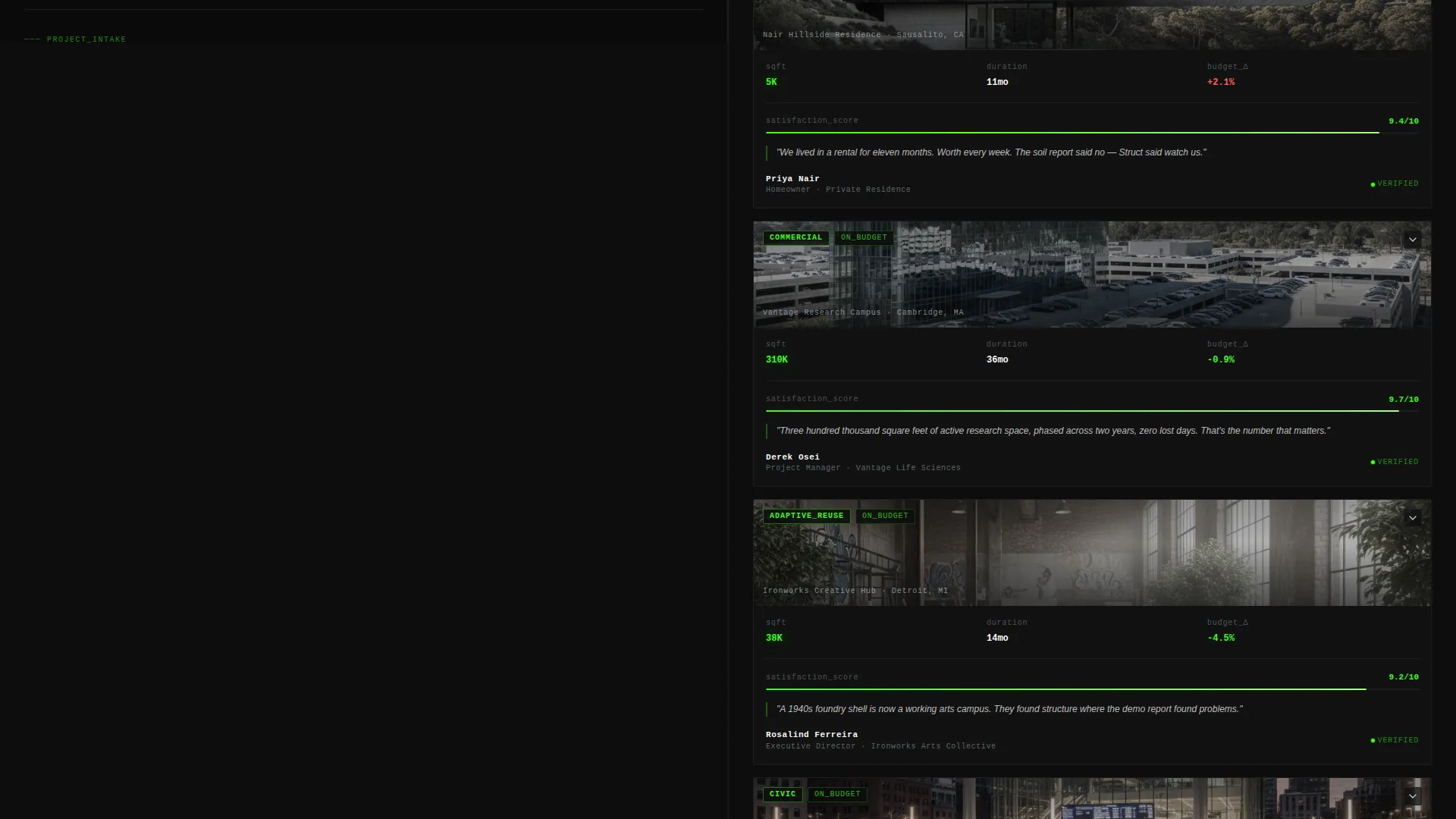
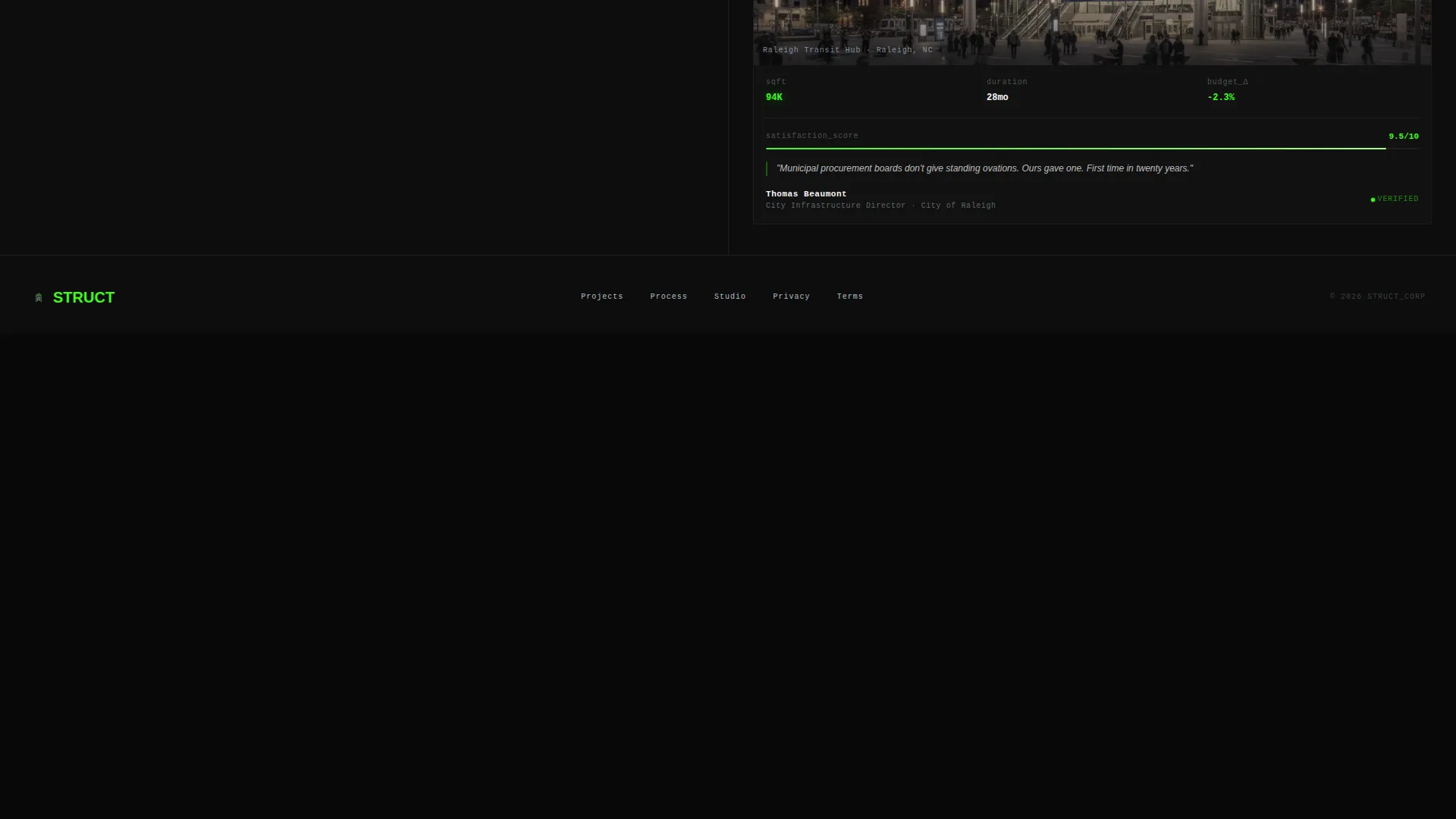
Each card in the right panel displays structured project metrics alongside a pull quote. Visitors see satisfaction indicators, project statistics, and the client's words in a single scannable unit. The card format reinforces the template's data-command identity while keeping human testimony at the center.
Contextual Persistent call to action
The primary call to action, "Scope Your Project," lives at the bottom of the left panel throughout the page. It updates its label based on the active filter state, reading "Scope Your Commercial Project" or "Scope Your Residential Project" depending on selection. The inline form collects project type, site address, approximate square footage, and email.
Gated Case Study Download
A secondary conversion path offers a full case studies document behind an email gate. This gives visitors who are not yet ready to scope a project a lower-commitment way to engage. It extends the firm's reach into the visitor's inbox with documented project evidence.
Split-Screen 50/50 Layout
The page is built on a strict 50/50 vertical split. The left panel holds all interactive and conversion elements. The right panel is a reactive display surface that responds to filter choices. The division keeps the tool and the proof always visible side by side.
Page sections overview
| Section | Purpose |
|---|---|
| Terminal Header Block | Opens with live-typing code output parsing a real client testimonial |
| Testimonial Filter Engine | Lets visitors filter by project type, budget, and timeline |
| Right-Panel Card Grid | Displays matching testimonial data cards based on filter state |
| Persistent call to action Form | Contextual "Scope Your Project" form anchored to left panel bottom |
| Case Study Download | Secondary email-gated offer for full project documentation |
Design & branding system
The visual identity follows a Data Command theme built on the Acid Digital color system. The palette reads like a dark-mode build specification at 2 a.m.: precise, electric, and immediately legible.
- Void black (#0D0D0D) as the base background, cool titanium (#B0BEC5) for body text and secondary labels, and terminal phosphor green (#39FF14) for live data outputs and active indicators
- Ultraviolet highlight (#7B2FFF) applied to hover states and active interactive elements for clear visual feedback
- Monospaced typography anchors the terminal aesthetic across the header code block, data card metrics, and filter labels
Mobile & speed optimization
The split-screen layout is structured to adapt across screen sizes while preserving the interactive logic that makes the page work. The Data Command visual system keeps contrast high, which supports legibility at any size.
- The 50/50 panel structure collapses gracefully on smaller screens so filter controls and data cards remain accessible
- High-contrast color ratios between void black and terminal phosphor green keep text readable without relying on images for clarity
- The auto-typing header animation is designed to load inline rather than depend on heavy external assets
How this template helps you convert
Struct earns its leads by making visitors feel in control. The conversion logic is built into the interaction design, not bolted on as an afterthought.
- The filter engine lets visitors self-qualify by selecting their own project type and budget range, so the "Scope Your Project" form arrives after they have already confirmed the firm is relevant to them.
- Contextual call to action label updates ("Scope Your Commercial Project" versus "Scope Your Residential Project") reduce cognitive load and make the next step feel personally tailored rather than generic.
- The gated case study download captures visitors who need more evidence before committing, creating a second conversion moment without requiring a full project inquiry.
Other information about this template
Struct was designed specifically for the architecture firm testimonials page niche, where the challenge is not collecting quotes but making them interrogable. The template sits within the broader category of architecture firm website templates that prioritize credibility-led conversion.
- The template style is a 50/50 split screen, a layout well suited to tool-plus-proof pairings in high-consideration service categories
- The creative direction is Calculator/Tool First, meaning the interactive filter engine is the primary experience, not an optional feature
- The header concept is a Code Snippet, a deliberate choice to signal precision and data fluency before any traditional marketing copy appears
- This template falls under the Technology category, reflecting its emphasis on interface-driven interaction over static content presentation

Theme
Data Command
Creative direction
Calculator/Tool First
Color system
Acid Digital
Style
Split Screen (50/50)
Direction
Lead Generation
Page Sections
Live-typing Terminal Header
Interactive Testimonial Filter Engine
Dynamic Client Data Cards
Contextual Persistent Call to Action Form
Gated Case Study Download
50/50 Split-screen Layout
Related questions
Can I change the filter categories to match my firm's project types?
Does the lead form connect to a CRM or email platform?
Is the auto-typing header animation editable?
Do I need all four project types to use this template?
What is the secondary conversion path for visitors who are not ready to inquire?



