Interactive Creative Arts Platform Landing Page Template
Canvas is a single-column fine arts quiz landing page template built for AP Art History students, museum docents, and curious adult learners. It pairs a multi-step curator form with a scroll-driven art history timeline, giving visitors a genuine taste of the quiz experience before they sign up. Every section is designed to earn the lead by teaching first.
by Rocket studio
Quick summary
Canvas is a single-column, lead generation landing page template for a fine arts practice and quiz app. It opens with a multi-step curator form, walks visitors through an interactive art history timeline, and closes with a focused call-to-action block. The template is built to convert students, museum docents, and adult art enthusiasts into engaged app users by letting them experience the quizzes before they commit.
Who this template is for
This template was designed for EdTech creators and fine arts educators who want to present an engaging online quiz product with editorial confidence. It speaks directly to three distinct learner types, and the layout reflects that range from the very first screen.
- AP Art History students preparing for the May exam who need bite-sized, era-specific quizzes they can fit into a bus ride or a study break
- Museum docents and gallery educators looking to sharpen their floor knowledge and test their recall of specific movements, artists, and techniques
- Adult learners and art enthusiasts who stood in front of a Vermeer or a Basquiat and wanted to understand exactly what they were seeing
What problem this template solves
Most quiz landing pages try to explain the product with bullet points and screenshots. This template takes a different approach. It puts visitors inside the course experience immediately, letting them interact with real sample quizzes before a single email address is collected. That shift from description to demonstration is the core problem this template solves.
- Passive browsing converts poorly. Standard landing pages describe quizzes without letting visitors test them. This template embeds interactive sample questions directly in the page so students can feel the value of the course before they sign up.
- Generic quiz landing pages lose niche audiences. AP Art History students, docents, and adult learners all have different motivations. The multi-step onboarding form asks each visitor about their preferred art period and learning depth, making the experience feel curated rather than generic.
- Lead capture without trust is friction. By giving knowledge away first through sample quizzes, the template earns the email rather than demanding it. Every answered question is proof the app works.
What you get with this template
This template delivers a complete, single-column landing page ready to present a fine arts quiz app with editorial depth and interactive momentum. Every section was designed with a specific conversion or engagement purpose in mind, so visitors move naturally from curiosity to commitment.
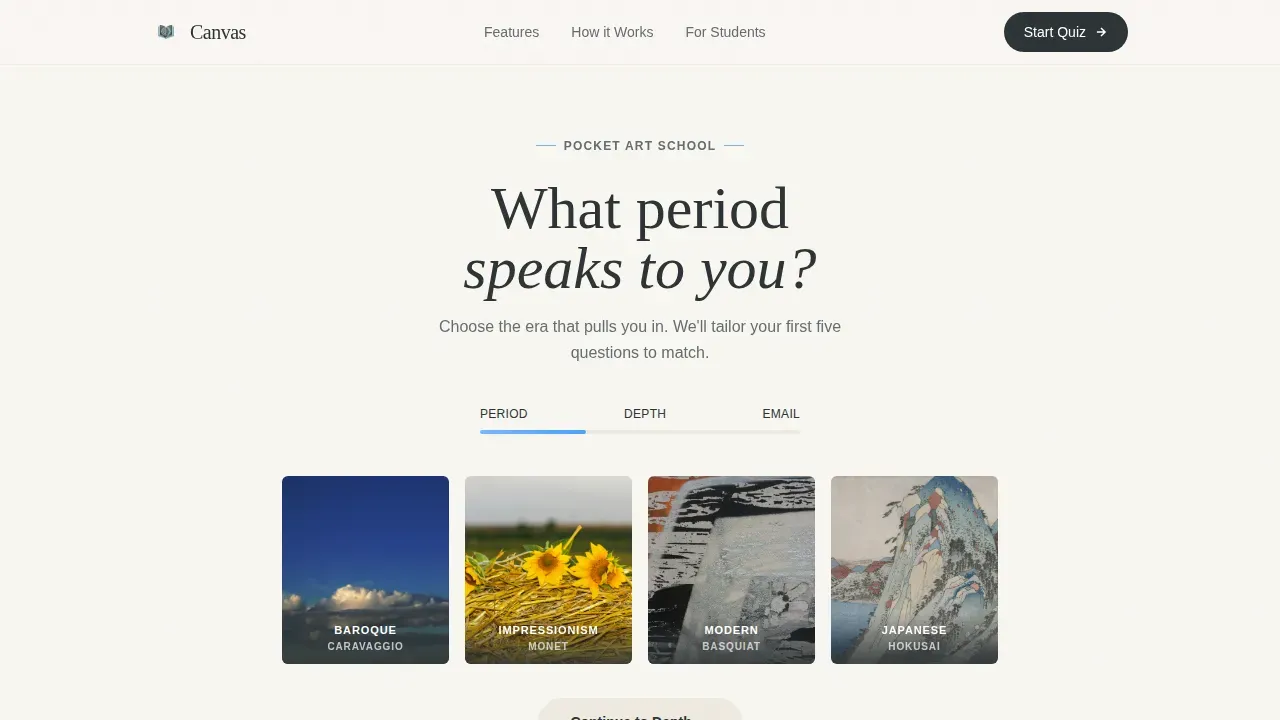
- A multi-step curator form in the hero section that opens with art period tiles, advances to learning depth placards, and closes with a single email field, all with atmospheric background shifts between steps
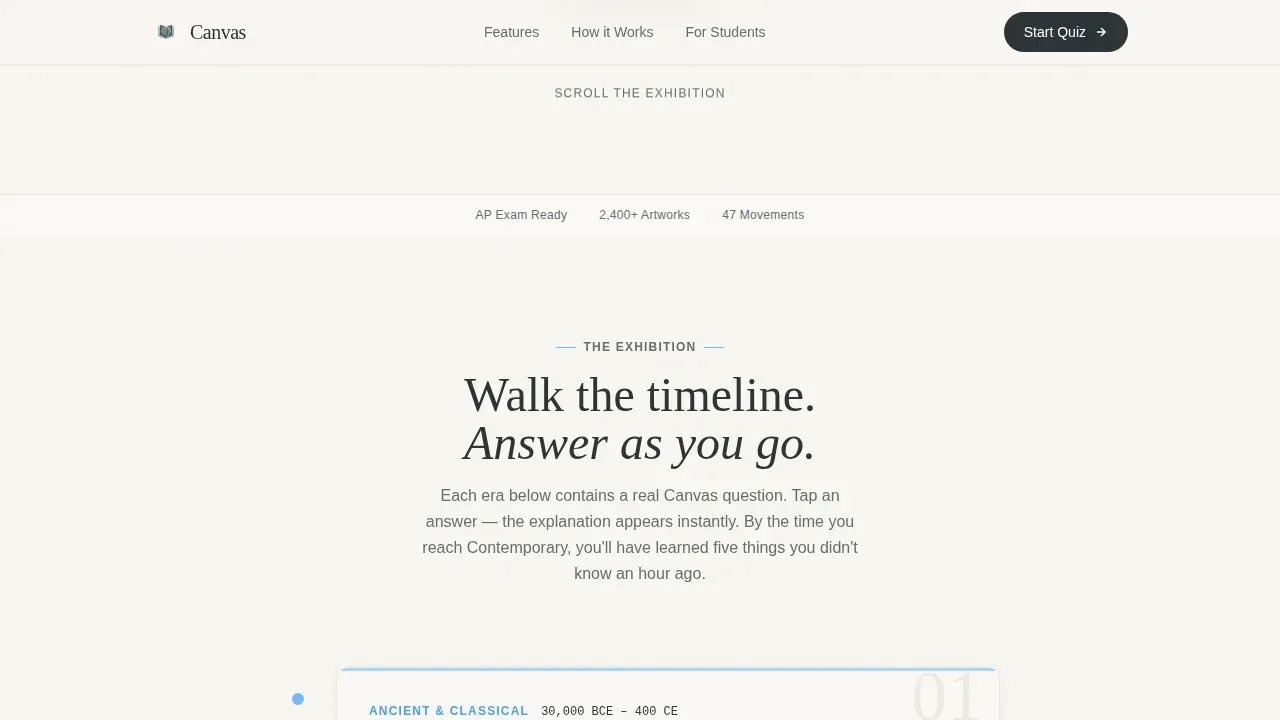
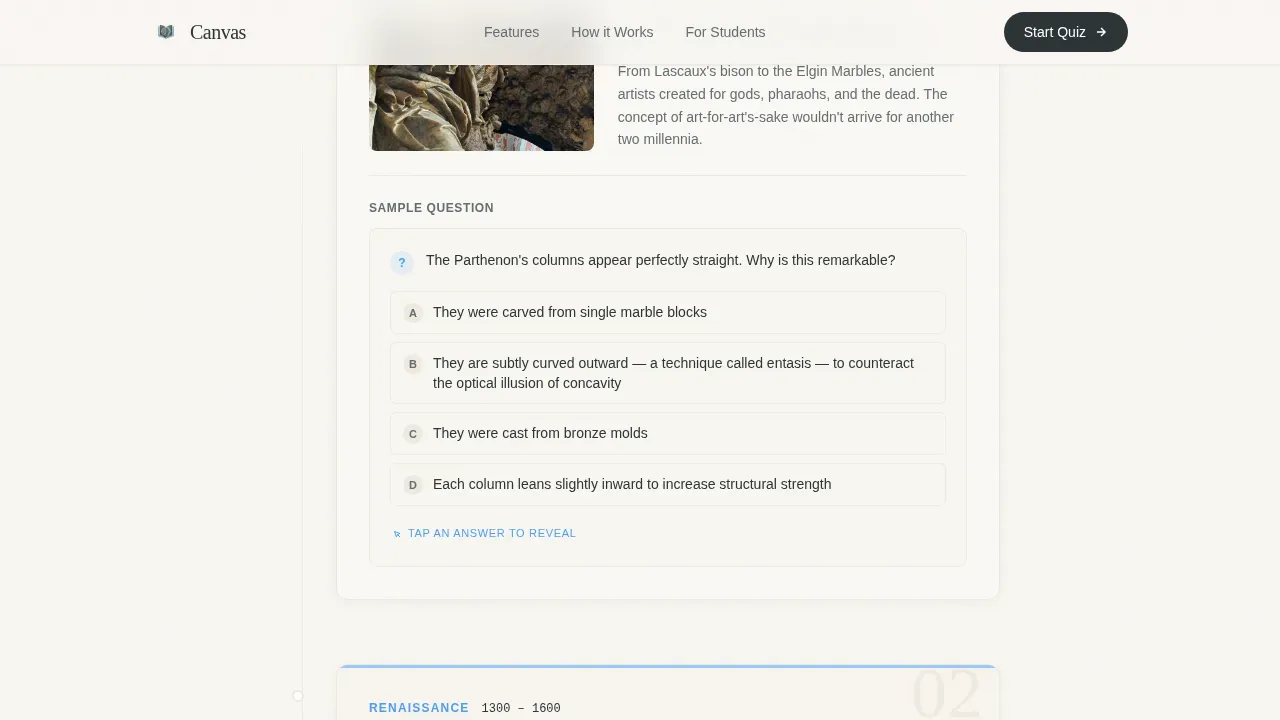
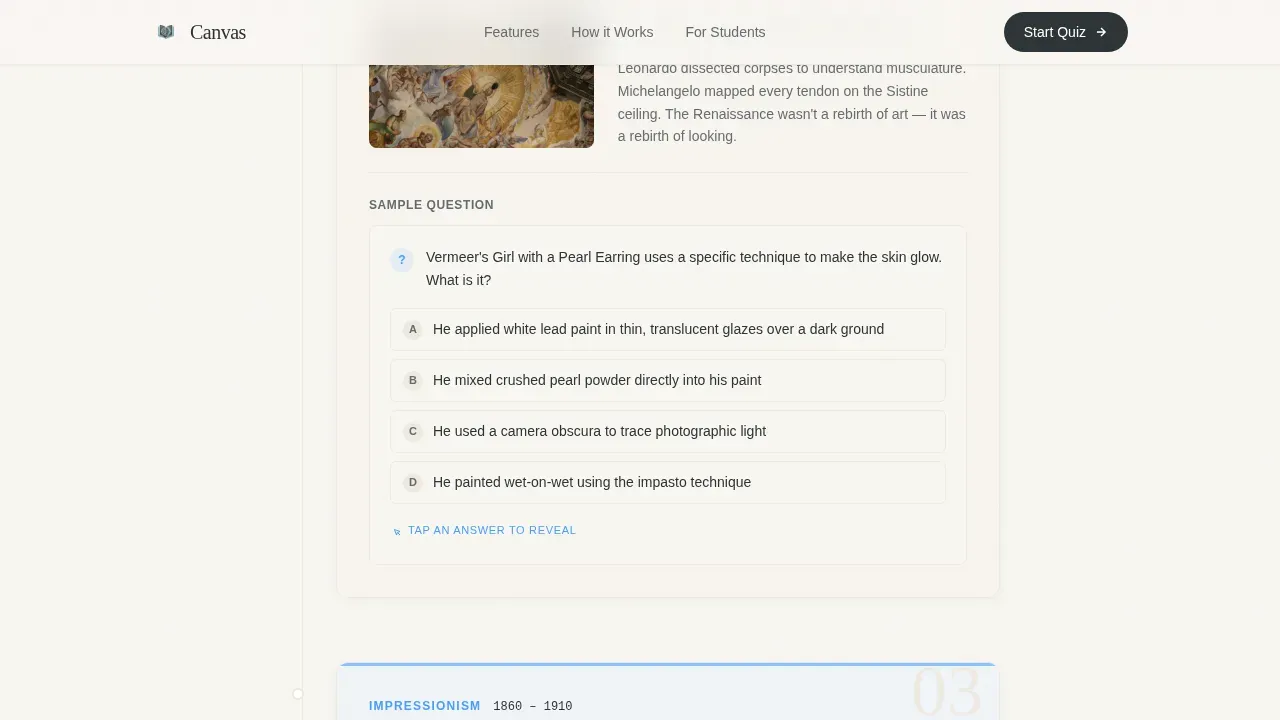
- A scroll-driven art history timeline with five era chapter cards (Ancient, Renaissance, Impressionist, Modern, Contemporary), each containing a tap-to-reveal sample quiz question that lets visitors actually test themselves as they scroll
- Two strategically placed lead capture moments: the header form collects email and learning depth preference, while a mid-page module offers a free AP Art History Starter Pack with a single email field for visitors not yet ready to commit
- A social proof section featuring testimonials from students, docents, and adult learners, each referencing specific artworks or score improvements to build credibility
- A final conversion block with a prominent "Start Your First Quiz" call-to-action, plus a sticky bottom bar that appears after any sample question interaction to reinforce the habit loop
- A linear single-row footer that keeps the page clean and focused without distracting links
Feature list
This template is built around a small number of high-impact interactive elements. Each one serves a clear purpose within the lead generation flow, and together they create a landing page that feels less like a sales page and more like a curated course introduction.
Multi-Step Curator Onboarding Form
The hero opens mid-conversation. Visitors choose an art period from thumbnail image tiles, then select a learning depth from three gallery placard options (Casual, Studious, Obsessive), then enter their email. The background hue shifts with each step, making the entire form feel like a living canvas page rather than a static lead capture widget. This multi-page quiz format is proven to increase conversion rates for lead generation by breaking the process into small, low-friction steps.
Era-by-Era Timeline with Tap-to-Reveal Quizzes
After the hero, the page scrolls visitors through art history itself. Five chapter cards present Ancient, Renaissance, Impressionist, Modern, and Contemporary eras in sequence. Each card contains a sample quiz question with a tap-to-reveal answer. Questions grow harder as visitors scroll further, and the sky-blue accent intensifies section by section. This interactive test approach demonstrates the app's value without requiring any sign-up first, giving students and docents immediate feedback on what they already know.
Anchored Sticky Call-to-Action Bar
Once a visitor interacts with any sample quiz question, a "Start Your First Quiz" bar anchors itself to the bottom of the viewport. It stays visible as the visitor continues scrolling, creating a persistent but non-intrusive prompt to take action. This sticky element is triggered by quiz interaction, so it appears only when a visitor has already demonstrated engagement, making it a well-timed rather than premature conversion push.
Mid-Page Free Lead Magnet Module
A secondary lead capture module appears mid-page, offering a free AP Art History Starter Pack to visitors who are not yet ready to create a full account. It asks only for an email address. This single-field format reduces friction and gives the template two distinct lead capture points, each targeting a different level of visitor intent without cluttering the page layout.
Social Proof Testimonials Section
The template includes a dedicated section for testimonials from students who improved their exam scores, docents who sharpened their visual analysis skills, and adult learners who connected emotionally with specific artworks. Specific artwork references and concrete outcomes make these testimonials feel earned rather than generic, helping build credibility with all three audience segments.
Editorial Art History Visual Design System
The template uses Fraunces serif headlines and DM Sans body text to create a typographically rich, exhibition catalogue aesthetic. Large artwork images anchor each era card. The design prioritizes high-quality visuals and minimalism so the art takes center stage on every slide of the timeline. This visual-first approach keeps the brand tone consistent from the hero form through to the final call-to-action block.
Page sections overview
| Section | Purpose |
|---|---|
| Hero Curator Form | Collects art period preference, learning depth, and email in three interactive steps |
| Timeline Era Cards | Presents five art history eras with tap-to-reveal sample quizzes to demonstrate app value |
| Mid-Page Lead Magnet | Captures email via a free AP Art History Starter Pack offer for undecided visitors |
| Social Proof Block | Displays student, docent, and learner testimonials with specific artwork references |
| Final call to action Block | Presents the primary "Start Your First Quiz" conversion call-to-action |
| Sticky call to action Bar | Anchors to the bottom viewport after any quiz interaction to reinforce action |
| Single-Row Footer | Closes the page with a clean, focused linear link row |
Design & branding system
The visual identity follows an Educational Guide theme built around a Slate and Sky color palette. Every color choice was made to evoke the specific atmosphere of a museum on a quiet Tuesday morning, with natural overhead light, cool slate floors, and the warm yellow of a notebook page left open mid-thought. The brand tone is hushed and authoritative, editorial without being cold.
- Color palette: gallery-wall charcoal (#2D3436) for backgrounds and containers, docent-card warm gray (#636E72) for supporting text and labels, open-skylight blue (#74B9FF) for interactive elements and accents that intensify through the timeline, and pencil-margin cream (#FFEAA7) reserved for progress indicators, active states, and highlights
- Typography: Fraunces serif for all headlines to create the exhibition catalogue weight and feel, paired with DM Sans for body copy, labels, and form instructions to keep the layout clean and readable at small sizes
- Visual style: large, high-definition artwork images anchor each era card and the hero tiles; the overall aesthetic is minimalist and image-heavy to let the art display itself at full impact while keeping the surrounding layout clean
Mobile & speed optimization
Designing with a mobile-first approach was a foundational decision for this template, not an afterthought. The two primary use cases stated in the brief are quiz sessions at the bus stop and bedtime study sessions, which means the entire experience must work beautifully on a small screen with a single thumb. Every interactive element, from the curator form tiles to the tap-to-reveal quiz answers, is sized and spaced for mobile touch targets on any device.
- Mobile-first single-column flow: the template uses a single-column layout throughout, which means no reflow or layout shift between a phone and a computer screen; every section stacks naturally and the timeline slides read clearly on any device
- Scroll-triggered animations: subtle scroll-reveal effects introduce each era card as the visitor moves down the page, creating a sense of wonder without requiring heavy media assets or complex interactions that would slow a mobile device
- Component-level rendering approach: static sections of the page (timeline cards, testimonials, footer) are structured as server-rendered components, while interactive elements (the multi-step form and tap-to-reveal quizzes) are handled as client components, keeping the page responsive and focused
How this template helps you convert
This template is built around a single conversion principle: earn the click by giving knowledge away first. Every structural decision, from the opening form to the sticky call-to-action bar, supports that principle. Quizzes and assessments are among the most powerful tools available for lead generation, and this template uses them at every point in the visitor journey.
- The multi-step form qualifies and warms visitors at the same time. By asking about art period preference and learning depth before requesting an email, the form makes visitors feel understood rather than harvested. The background shift between steps creates a sense of progression that encourages completion. A focused interactive test at the top of the page is one of the most effective ways to drive conversions when presented correctly.
- The timeline turns browsers into learners before asking for anything. Each era card presents a sample quiz question that visitors can answer immediately. By the time a visitor reaches the mid-page lead magnet, they have already experienced the course in miniature. The sticky call-to-action bar appears only after that first quiz interaction, so it arrives as a natural next step rather than a premature demand. Lead magnet quizzes like the free AP Art History Starter Pack module further boost conversions by adding an email sign-up after users complete those initial questions.
Other information about this template
This section covers additional context about how the template is structured, what tools support it, and how it fits into a broader educational or marketing workflow.
- Canvas LMS context: Canvas LMS is a cloud-based Learning Management System (LMS) that brings instructors, students, and course content together in online course sites. Using Canvas LMS while teaching promotes a consistent academic experience for students and ensures they have access to course resources and instructions. Canvas LMS streamlines course management and communication, and it allows users to download quiz presentations as a PPTX, MP4 video, PDF document, or image file for use across multiple formats.
- Template customization: you can fully customize the color system, artwork images, quiz questions, and form copy directly in your dashboard after selecting this template. Each template section follows a dedicated structure with clear instructions so you can edit headings, swap images, update the logo, and adjust the brand tone without touching code. You can also add and duplicate slides or module cards to extend the timeline course beyond five eras if your quiz content requires it.
- Embedding and sharing options: you can embed quiz elements from this template on partner or affiliate websites to extend reach, and you can share lead capture pages through email and social media channels. Multiple quiz landing pages targeting different audience segments, such as separate pages for AP exam students versus adult learners, can work well when built from the same base template with tailored copy and imagery.
- No-code quiz tools: no-code quiz creation tools allow users to build and edit quizzes without any programming knowledge. These tools often provide customizable templates to streamline the quiz creation process, and they can help you create personalized experiences for your users without requiring a developer. This template is compatible with that no-code workflow, so a teacher, course creator, or independent educator can present professional-grade quiz landing pages without writing a single line of code.
- Webflow animation note: for teams seeking high-end, custom animations and advanced scroll interactions beyond what is described in this template, Webflow is a platform well-suited to building those kinds of immersive, animation-rich experiences. The Artgram template on Webflow, for example, is designed for showcasing high-resolution visuals with an interactive media lightbox. Note that this Canvas template is a standalone landing page template and is not a Webflow product; it is its own distinct offering within this marketplace.
- Downloading and documentation: after you access and configure this template, you can download your completed page assets and quiz document files for use across presentations or course management systems. The template also includes a description and step by step instructions for setting up each section, so even a first-time user can launch a complete, professional quiz landing page without prior experience.
Theme
Educational Guide
Creative direction
Timeline Progression
Color system
Slate & Sky
Style
Single Column Flow
Direction
Lead Generation
Page Sections
Multi-step Curator Onboarding Form
Scroll-driven Art History Timeline
Anchored Sticky Call-to-action Bar
Mid-page Free Lead Magnet Module
Social Proof Testimonials Section
Editorial Visual Design System
Related questions
Who is this template best suited for?
Can I customize the quiz questions and art period content?
Does the template support two separate lead capture points?
Is this template designed for mobile users?
Can I use this template without any coding knowledge?



