Tutoring & Coaching Center Booking Website Template
Studytable is a warm, hub-and-spoke landing page built for independent math and science tutoring practices. It introduces each tutor by name, subject, and personality, then guides visitors toward a free group study session signup. The anchor navigation, portrait sections, testimonial blocks, and registration form work together to make booking feel personal, not transactional.
by Rocket studio
Quick summary
Studytable is a single-page tutoring landing page with a hub-and-spoke layout and sticky anchor navigation. It puts real tutors front and center, walks visitors through subject-specific sections, and builds enough trust that clicking "Reserve a Free Study Session" feels like pulling up a chair, not filling out a form.
Who this template is for
This template is designed for small and independent math and science tutoring practices that want a warm, people-first online presence. It works especially well when the practice has a recognizable team of tutors and wants to highlight each person's subject expertise.
- Independent tutors and small tutoring practices covering math and science subjects
- Tutoring businesses serving middle school, high school, and early college students
- Practices looking to grow enrollment through weekend group workshop events
What problem this template solves
Many tutoring landing pages look generic and institutional. They list subjects and prices but never show the person behind the lesson. Families searching for help do not just want credentials. They want to feel that someone patient and capable is already waiting for their student.
- Parents cannot easily tell whether a tutor is the right fit before committing
- Students and families feel hesitant to book without a sense of the tutor's personality
- Practices lose potential clients because the page never earns enough trust to justify the click
What you get with this template
You get a fully structured, single-page landing page built around your tutoring team. Every section has a clear job, from the sticky logo bar that doubles as navigation to the registration form that closes the visit with a low-pressure next step.
- A sticky header that transforms into an anchor nav as visitors scroll
- Tutor portrait sections with first-person copy, testimonial blocks, and a dual-path conversion section
- A pre-built event registration form and a secondary calendar embed link for one-on-one bookings
Feature list
This template includes a purposeful set of built-in layout components and design details. Each one reflects the warm, study-room atmosphere described in the brief.
Sticky Logo Bar with Anchor Navigation
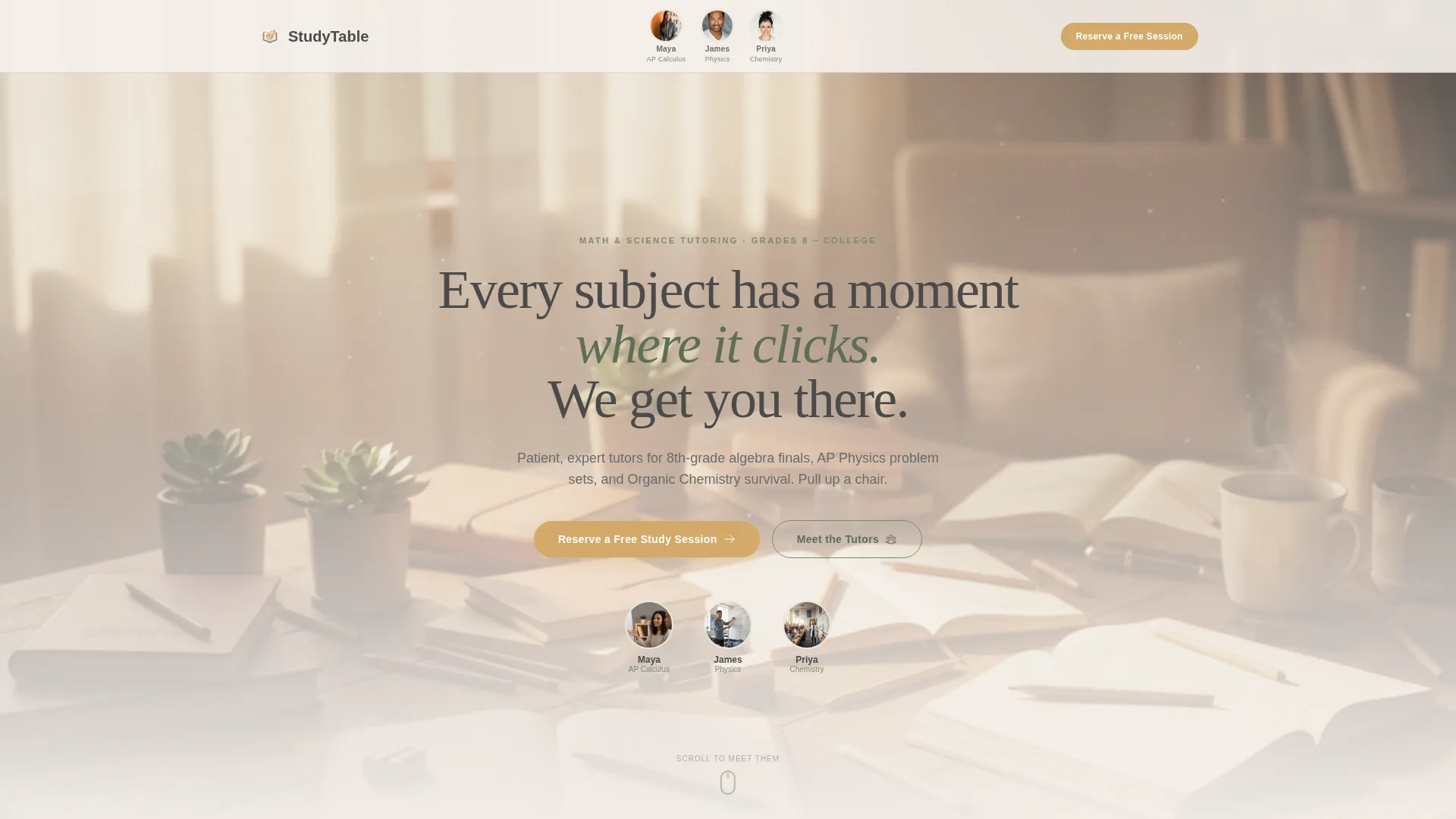
The header opens as a horizontal logo bar showing the practice wordmark and circular tutor portrait badges. Each badge displays the tutor's name and subject specialty. As the visitor scrolls, the bar becomes a sticky anchor nav where subject-area labels replace the portraits, keeping navigation human first.
Tutor-Led Hub-and-Spoke Sections
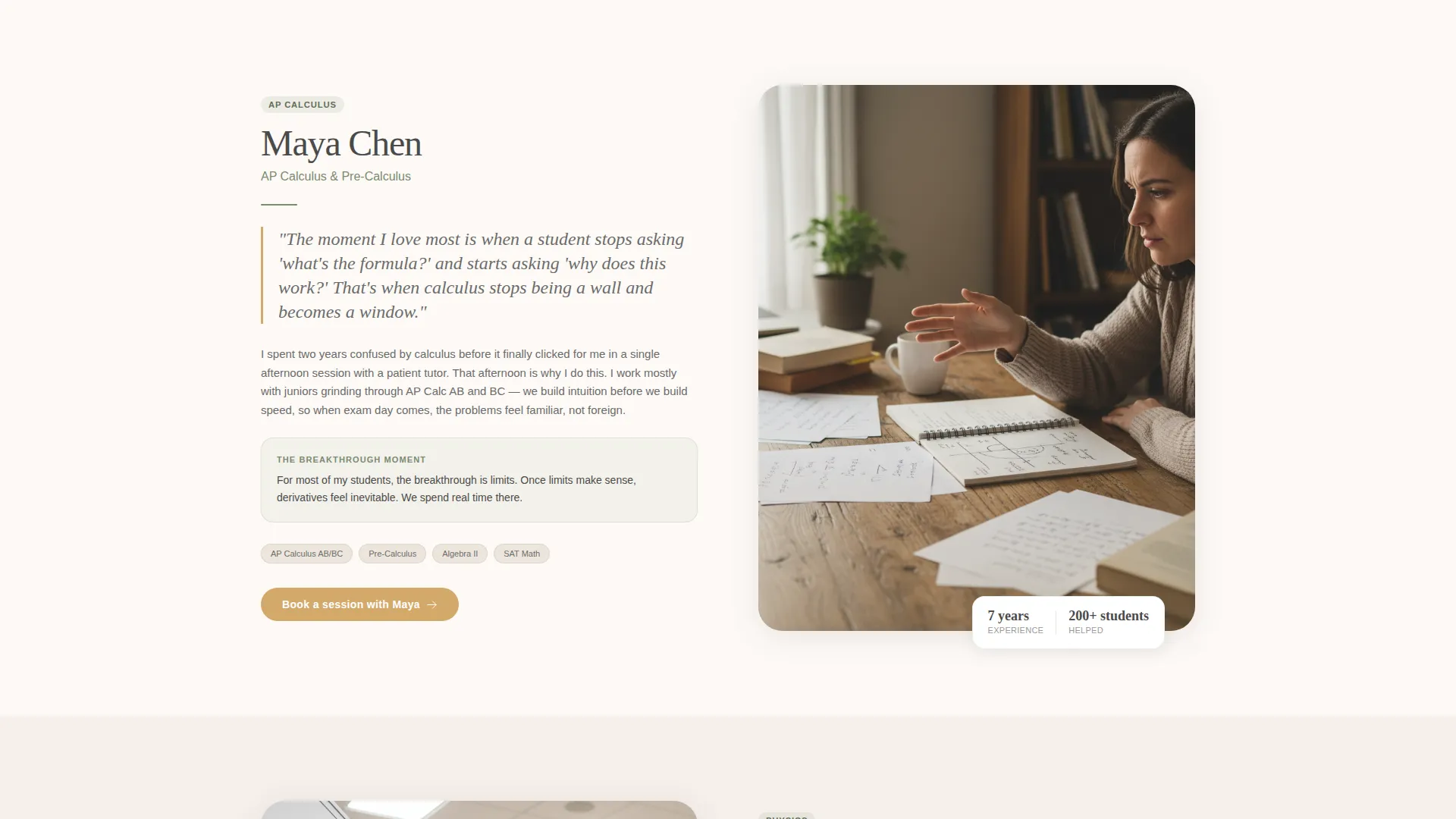
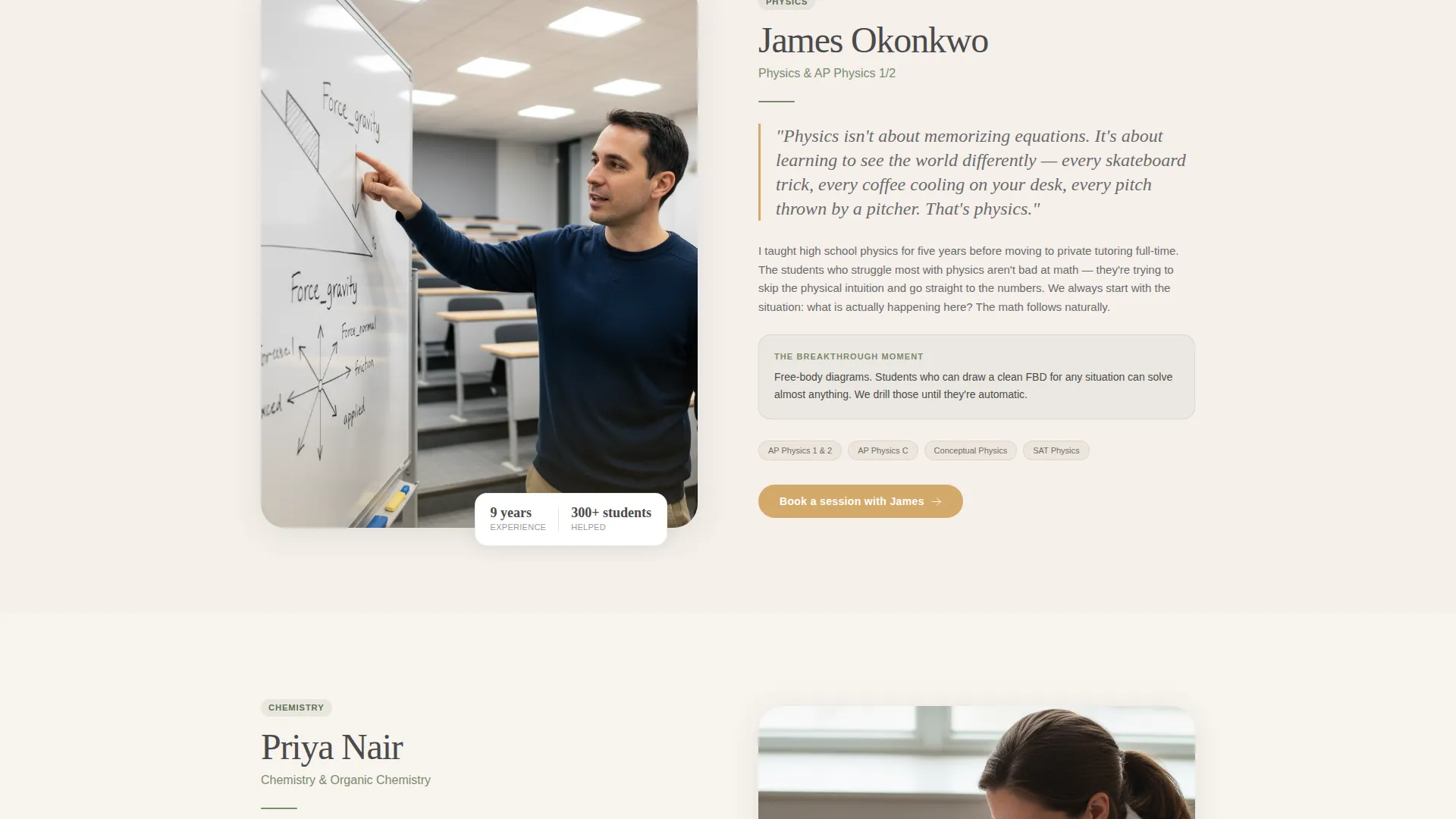
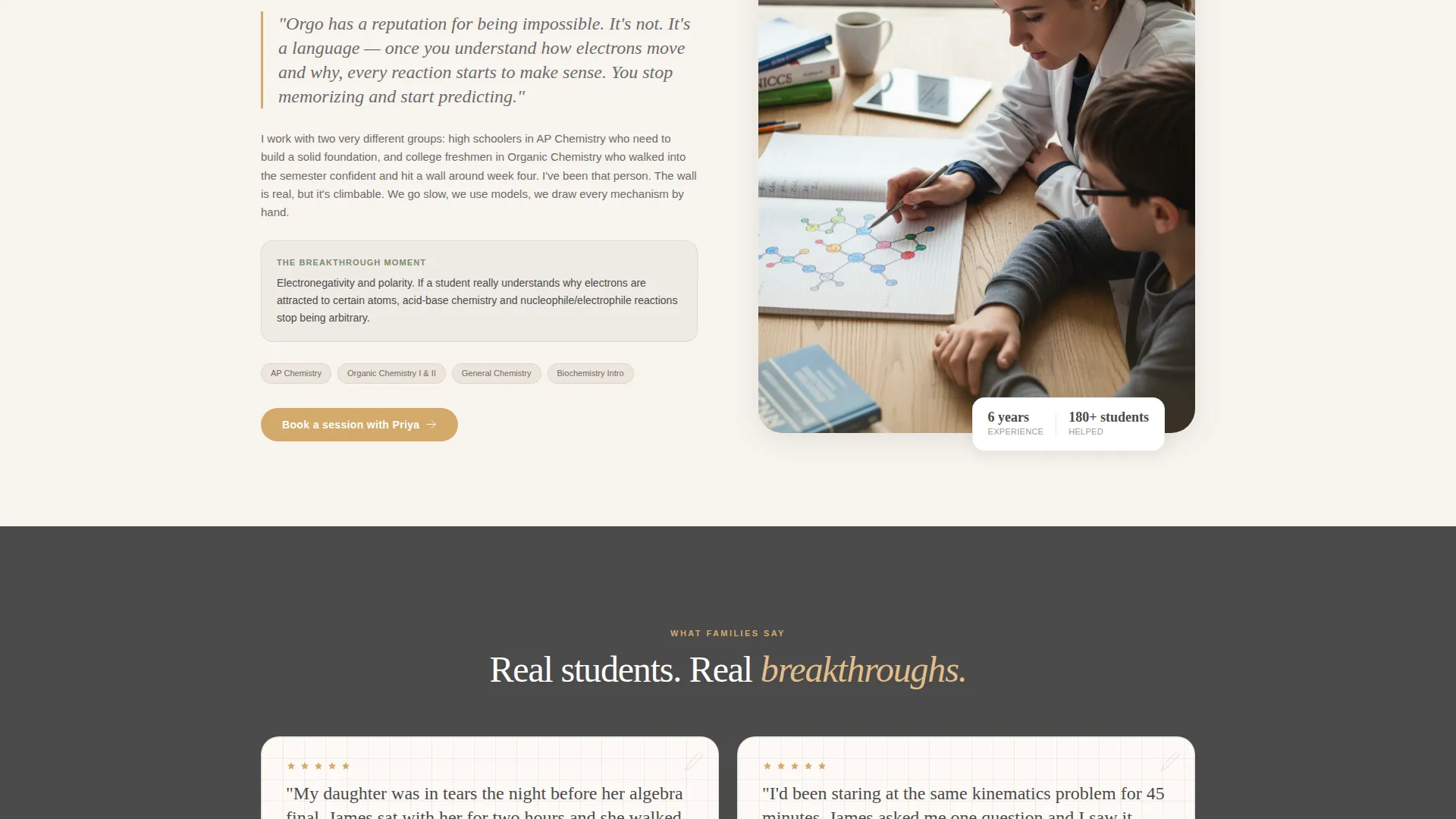
Each spoke section is anchored to a specific tutor and subject domain. It pairs a warm portrait of the tutor mid-explanation with a short first-person paragraph about their teaching approach and what a student breakthrough looks like in their subject.
Graph-Paper Testimonial Blocks
Between tutor sections, short parent and student testimonials appear in a handwritten-style typeface on a graph-paper background texture. These blocks break up the scroll and reinforce trust at the exact moments a visitor might hesitate.
Event Registration Form
The primary call to action is "Reserve a Free Study Session." The form collects the student's first name, grade level, subject (from a dropdown including Algebra, Geometry, Calculus, Physics, Chemistry, and Biology), and preferred Saturday time slot. It is anchored to a weekend group workshop event.
Secondary One-on-One Booking Path
Below the registration form, a secondary line reads "Not ready for a group? Book a 1-on-1 instead." This links to a simple calendar embed, giving visitors a lower-commitment alternative without leaving the page.
Community Hearth Color System
The entire page uses the Soft Mist palette: warm linen white backgrounds, pencil-graphite gray body text, chalkboard sage for dividers and navigation highlights, and soft amber on buttons and hover states. The result feels like a study room in late afternoon light, not a sterile service directory.
Page sections overview
| Section | Purpose |
|---|---|
| Sticky Logo Bar | Introduces the practice wordmark and tutor portraits, becomes anchor nav on scroll |
| Hero Headline | Delivers the core message: "Every subject has a moment where it clicks. We get you there." |
| Tutor Spoke: Maya | Showcases AP Calculus tutor with portrait, first-person copy, and subject context |
| Tutor Spoke: James | Showcases Physics tutor with portrait, first-person copy, and subject context |
| Tutor Spoke: Priya | Showcases Chemistry tutor with portrait, first-person copy, and subject context |
| Testimonial Blocks | Graph-paper-style parent and student quotes placed between tutor sections |
| Registration Form | Collects student details for the free weekend group study session |
| One-on-One Booking | Secondary path linking to a calendar embed for individual session scheduling |
Design & branding system
The visual identity follows a Community Hearth theme built on the Soft Mist color system. Every color and typographic choice is deliberate, chosen to feel lived-in and inviting rather than clinical or corporate.
- Warm linen white (#F5F0EB) for backgrounds, pencil-graphite gray (#4A4A4A) for body text, and chalkboard sage (#7A8B6F) for dividers and nav highlights
- Soft amber (#D4A96A) on all primary buttons and hover states, evoking lamplight on a wooden desk
- Graph-paper background textures on testimonial blocks and handwritten-style type to reinforce the study-room atmosphere
Mobile & speed optimization
The hub-and-spoke layout is built to stay readable and navigable on smaller screens. The sticky anchor nav keeps visitors oriented whether they are reading on a laptop, tablet, or phone.
- The sticky navigation collapses gracefully so subject-area labels remain tappable on mobile viewports
- Portrait images and testimonial blocks are sized and stacked to maintain visual warmth on narrow screens
- The registration form fields stack vertically on mobile so the dropdown and time-slot selector remain easy to use
How this template helps you convert
The page is structured to build trust gradually before it ever asks for anything. By the time a visitor reaches the registration form, they have already met the tutors, read real testimonials, and identified which subject their student needs help with.
- The tutor-first scroll sequence introduces personalities and teaching philosophies before any pricing or commitment language appears, lowering resistance early.
- The "Reserve a Free Study Session" form uses a low-stakes framing and a short field set, making signup feel like reserving a seat rather than purchasing a service.
- The secondary one-on-one booking path catches visitors who are not ready for a group session, giving them a softer next step and keeping them in the funnel.
Other information about this template
This template is built for tutoring practices that rely on personal reputation and word-of-mouth referrals. The design and layout choices reflect that reality at every scroll depth.
- The template style is Hub and Spoke with Anchor Navigation, meaning each tutor section functions as a self-contained spoke while the sticky header ties the whole page together
- The creative direction is Team and People, so the page is designed around real faces, real names, and real subject specialties rather than generic service descriptions
- The template fits the Education and Training category, specifically the Tutoring and Coaching Center subcategory, and is optimized for the Math and Science Tutoring niche
- The landing page direction is Event Registration, making the free weekend group workshop the clear focal point of the conversion path
Theme
Community Hearth
Creative direction
Team & People
Color system
Soft Mist
Style
Hub & Spoke (Anchor Nav)
Direction
Event Registration
Page Sections
Sticky Anchor Navigation Header
Tutor-led Spoke Sections
Graph-paper Testimonial Blocks
Event Registration Form
Secondary One-on-one Booking Path
Community Hearth Visual System
Related questions
Can I add or remove tutor sections from the hub-and-spoke layout?
What subjects are included in the registration form dropdown?
Do I have to use the group workshop as the primary conversion offer?
How does the secondary one-on-one booking path work?
Can a solo tutor use this template effectively?



