Reliable IT Services Landing Page Template
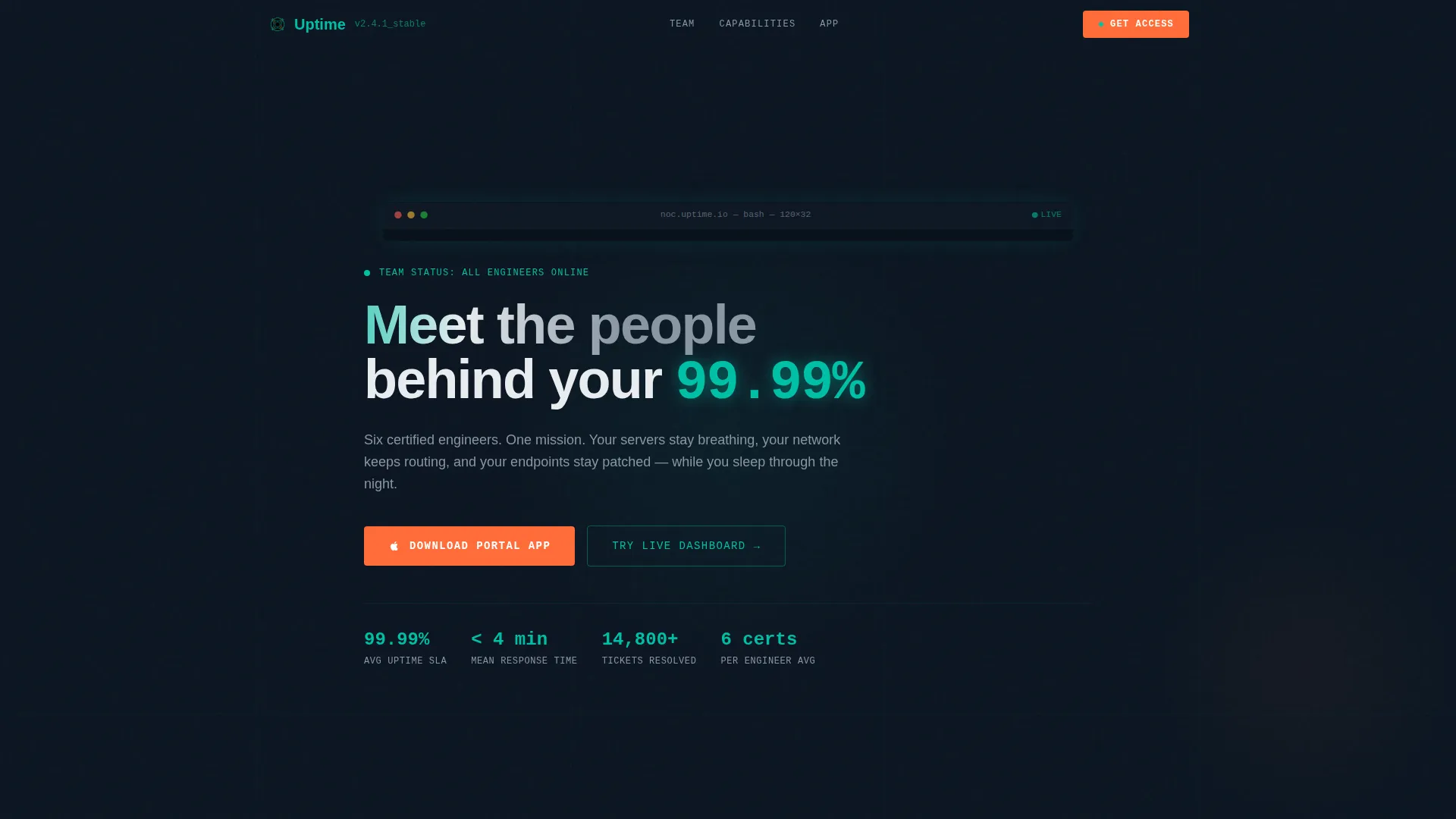
Uptime is a modular card grid landing page built for managed IT services firms. It combines a terminal-style hero animation, engineer data profile cards, capability sections with real metrics, and a three-panel app preview. The design follows a Data Command aesthetic, dark, teal-lit, and built to make clients trust the team before they scroll past the fold.
by Rocket studio
Quick summary
Uptime is a single-page landing page template for managed IT services teams. It opens with a live-typing terminal animation, moves into modular engineer profile cards and capability sections, and closes with a Portal App download call to action. Every section is built to earn trust before asking for commitment.
Who this template is for
This template is designed for IT services firms that sell on credibility. If your business runs on real engineers with real credentials, this layout gives those people a stage worth standing on.
- Managed service providers pitching mid-market and small-to-medium business clients
- IT consultancies replacing a departing in-house sysadmin for a client
- Infrastructure teams that want a public-facing team page that doubles as a capabilities brief
What problem this template solves
Buying managed IT services is a trust problem, not a price problem. Decision-makers, whether a chief technology officer, a startup founder, or an office manager suddenly handed the IT keys, need to see the humans behind the help desk before they sign anything.
- Generic agency templates bury engineers behind stock photography and vague service lists
- Buyers cannot verify expertise from a standard "Our Team" carousel
- There is no clear path from "I trust these people" to "I want their app on my phone"
What you get with this template
You get a fully structured landing page that moves a visitor from first impression to app download without a single dead end. The layout is opinionated by design, each section exists to reduce doubt and increase confidence.
- A terminal hero section with a four-second typing animation that resolves into your headline
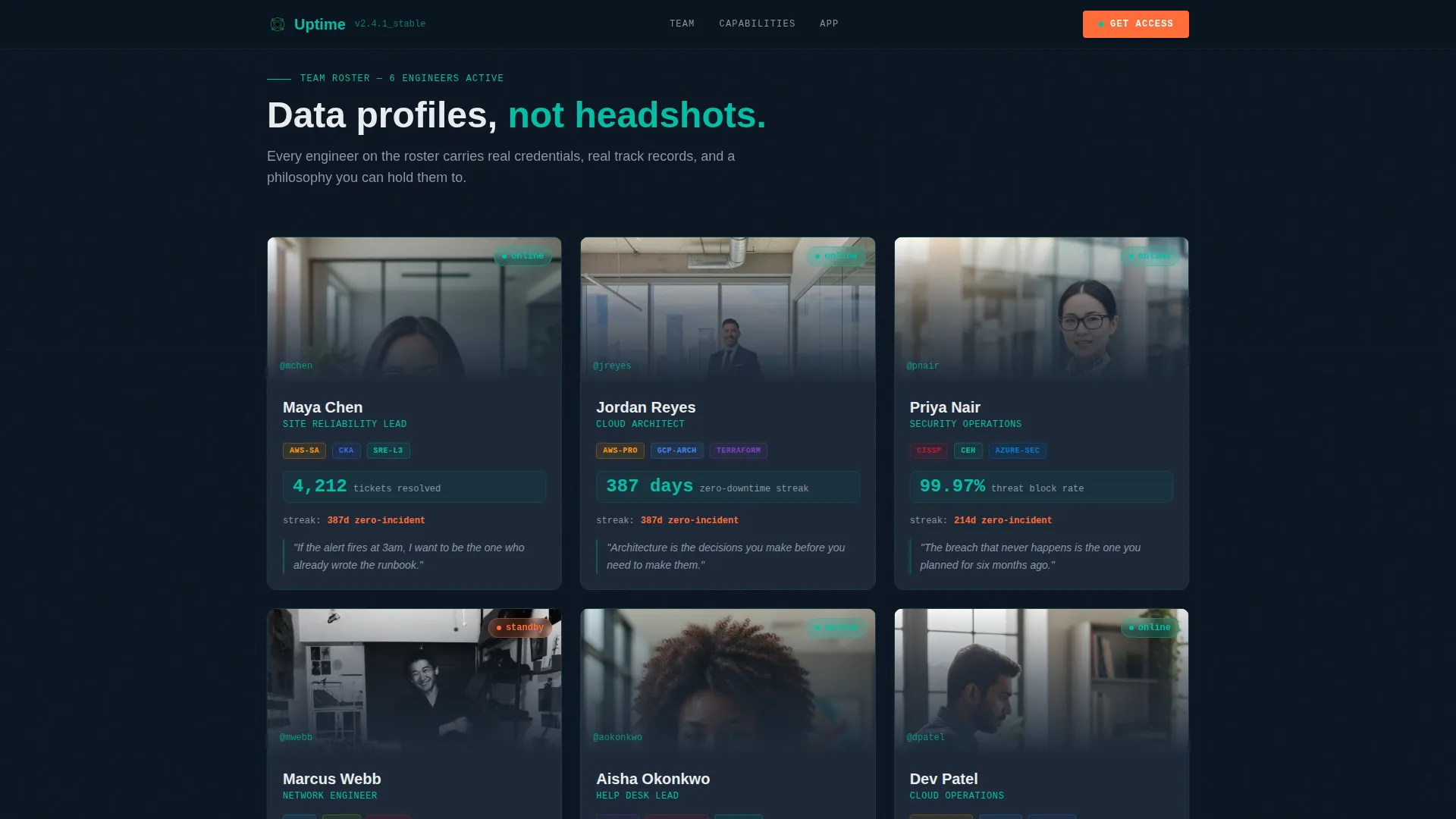
- Modular engineer profile cards showing credentials, resolved-ticket counts, and personal philosophy quotes
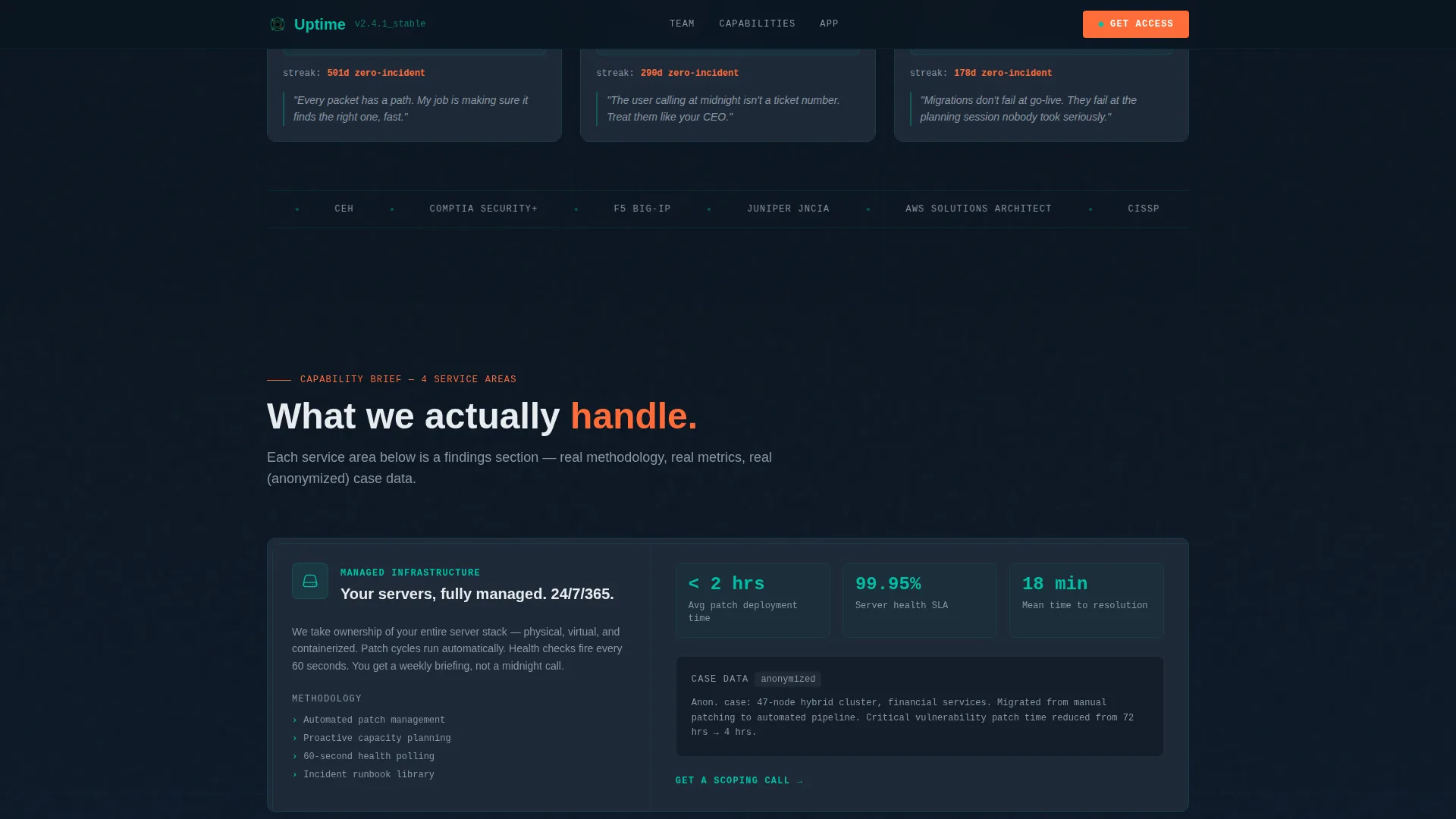
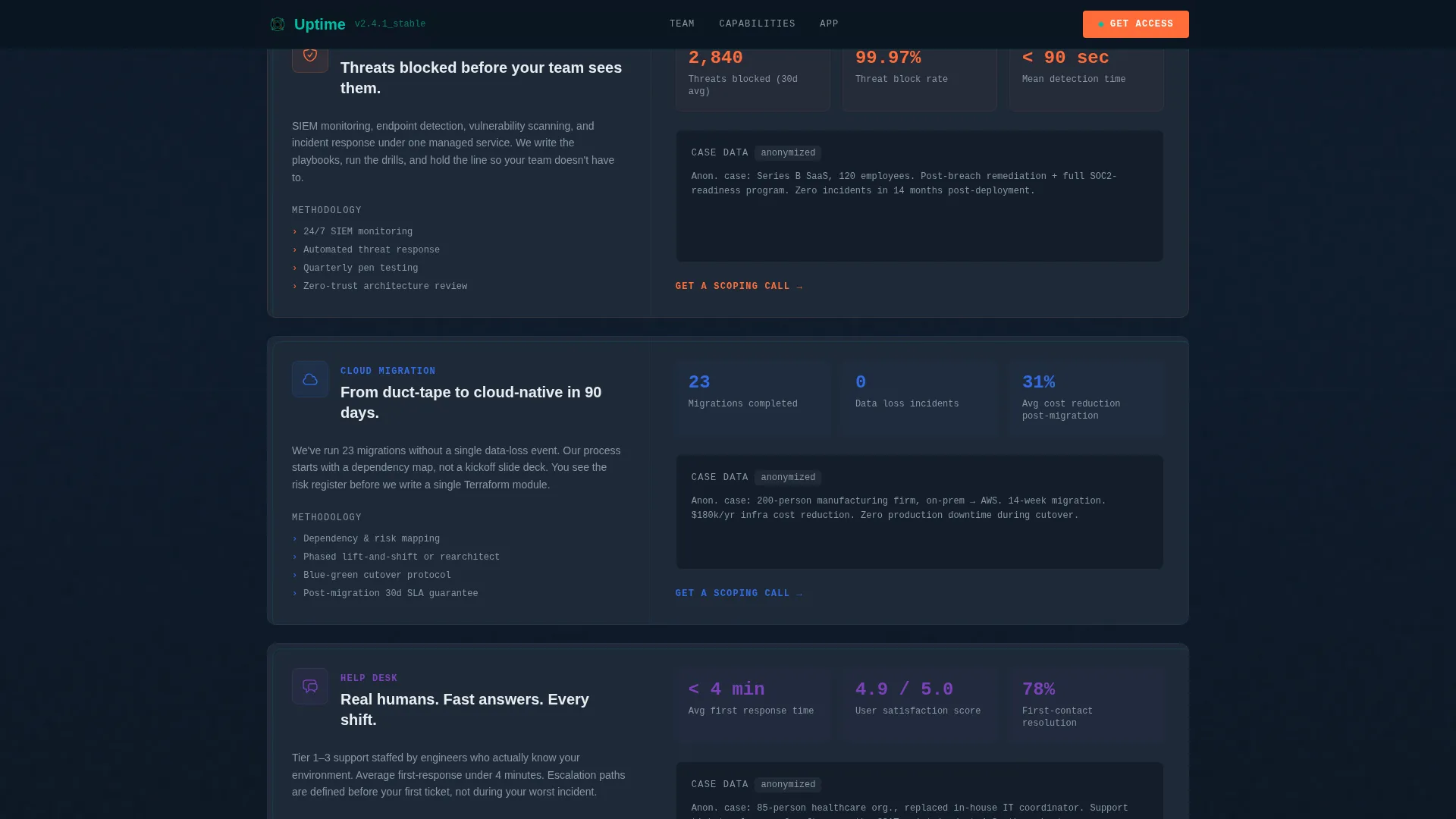
- Capability cards presenting service areas with methodology summaries and anonymized metrics
- A three-panel app preview section highlighting ticket tracking, team availability, and one-tap escalation
- A device-detecting call to action that serves the correct App Store or Google Play badge automatically
- A secondary inline call to action for a browser-based live dashboard preview requiring only an email
Feature list
This section covers the core built-in capabilities of the Uptime template as delivered.
Terminal Hero with Typing Animation
The header renders as a full-width terminal emulator using a monospaced font. A diagnostic script types out character by character, returning each engineer's handle, specialty, and uptime hours logged. After four seconds, the terminal minimizes and reveals the main headline.
Engineer Data Profile Cards
Each team member appears as a structured data card, not a standard headshot. Cards display the engineer's name, role, certification badges (such as cloud platform or networking credentials), a real-time-styled performance stat, and one sentence written in their own voice.
Modular Capability Cards
Below the team grid, the layout shifts to service area cards. Each card covers a capability, such as managed infrastructure, cybersecurity, cloud migration, or help desk support, with metrics, a methodology summary, and anonymized case data presented in a briefing-document style.
Three-Panel App Preview Section
A mid-scroll section shows three mobile mockup panels side by side. The panels demonstrate real-time ticket tracking, team availability status, and one-tap escalation, giving visitors a concrete preview of the Portal App before they download it.
OS-Detecting App Download call to action
The primary call to action detects the visitor's operating system and automatically displays the matching App Store or Google Play badge. This removes friction at the final conversion step and keeps the experience clean on any device.
Inline Live Dashboard call to action
A secondary call to action embedded mid-page invites visitors to try a browser-based live dashboard preview. It requires only an email address, lowering the barrier for visitors who are not yet ready to download the app.
Page sections overview
| Section | Purpose |
|---|---|
| Terminal Hero | Opens with a four-second typing animation and headline reveal |
| Engineer Profile Cards | Displays team credentials, stats, and personal philosophy |
| Capability Cards | Presents service areas with metrics and methodology |
| App Preview Panels | Shows three-panel mobile mockup mid-scroll |
| App Download call to action | Drives Portal App download with OS-detect badge toggle |
| Live Dashboard call to action | Captures email for browser-based dashboard trial |
| Footer | Single-row linear footer closing the page |
Design & branding system
The visual identity runs on a Data Command theme, the kind of aesthetic you associate with a network operations center at midnight. Every color choice reinforces operational authority and quiet confidence.
- Deep terminal black (#0B1521) as the base background, slate panel gray (#1E2A38) for card surfaces, and active teal (#00BFA6) as the primary accent across headings, borders, and interactive states
- Signal white (#E8ECEF) for body text to maintain readability against dark panels, with catalyst orange (#FF6D3A) reserved for alert-level calls to action and hover states
- JetBrains Mono for all terminal and code-rendered elements; Manrope for body copy and section headings, creating a clear visual separation between "machine output" and human narrative
Mobile & speed optimization
The template is built desktop-first to serve the network operations center aesthetic at full fidelity. A strong mobile fallback ensures the layout holds at smaller screen sizes without losing its operational tone.
- Static sections use server components for fast initial render; client-side code handles animations, typing effects, and interactive states only where needed
- The OS-detect call to action toggle, terminal typewriter animation, card hover depth effects, and scroll-reveal transitions are all scoped to client components to avoid blocking the initial page load
- The card grid reflows cleanly on mobile, keeping profile cards and capability cards readable and tap-friendly at smaller viewports
How this template helps you convert
Every design decision in this template is aimed at moving a skeptical buyer toward a confident action. The page earns the download rather than demanding it.
- The terminal animation creates an immediate tone of operational seriousness. Visitors understand within four seconds that this team is technical, not decorative.
- The engineer profile cards and capability sections build layered credibility. By the time a visitor reaches the app preview, they have already seen credentials, metrics, and real service data.
- The dual call to action structure, a direct app download and a low-commitment live dashboard trial, gives visitors two on-ramps based on where they are in their decision process.
Other information about this template
This template is suited for IT services firms that want a public-facing page combining team transparency with a clear product conversion goal. It sits at the intersection of a team showcase and a product marketing page.
- The template style is a Card Grid (Modular) layout, making it straightforward to update individual engineer cards or capability sections without rebuilding the full page
- Animation intensity is high by design and includes terminal typewriter effects, beam path accents, card hover depth transitions, and scroll-reveal entrances for each section
- The footer follows a linear single-row pattern, keeping the closing section minimal and on-brand without adding visual weight after the primary call to action
Theme
Data Command
Creative direction
Industry Report
Color system
Teal Catalyst
Style
Card Grid (Modular)
Direction
App Download
Page Sections
Terminal Hero with Typing Animation
Engineer Data Profile Cards
Capability Cards with Metrics
Three-panel Mobile App Preview
Os-detecting App Download Call to Action
Inline Live Dashboard Call to Action
Related questions
Can I update the engineer cards with my own team's information?
Does the OS-detect app badge work automatically?
Is this template suitable for a small IT firm with only a few engineers?
What is the Live Dashboard call to action connected to?
Can the terminal animation be turned off or adjusted?



