Swarm - Autonomous Robotics Landing Page Template
Swarm is a split-screen landing page template built for autonomous drone and robotics companies. It opens with a live code snippet beside a drone liftoff video, then walks visitors through field-proven data cards before routing them to a tailored solutions page. The template is designed to earn qualified clicks from industry decision-makers.
by Rocket studio
Quick summary
Swarm is a single-page, click-through landing page template for drone and robotics companies. It pairs a syntax-highlighted code snippet with a looping liftoff video at the top, then builds a data-driven case through split-screen evidence cards. A persistent sector-routing call to action moves qualified visitors forward without asking them to fill out a form.
Who this template is for
This template is built for companies that sell autonomous field technology to serious industrial buyers. If your sales cycle depends on earning credibility before asking for a conversation, this layout does that work upfront.
- Oil and gas field supervisors who schedule pipeline inspection runs
- Emergency response coordinators who deploy aerial reconnaissance before ground teams move in
- Logistics directors who automate warehouse inventory counts at scale
What problem this template solves
Most tech company pages lead with product features before the visitor cares. Industrial buyers, field supervisors, and operations directors need to see evidence of outcomes first. They will not click through to a pricing page unless the case is already made.
- Visitors leave early when pages open with abstract claims and no field data
- Generic contact forms feel misaligned for high-stakes B2B sectors like energy, defense, and logistics
- A single layout often fails to speak to buyers across different industries simultaneously
What you get with this template
You get a fully structured landing page that builds a compelling, data-first narrative from the first scroll to the final call to action. Every section has a defined role in moving a qualified visitor toward the click.
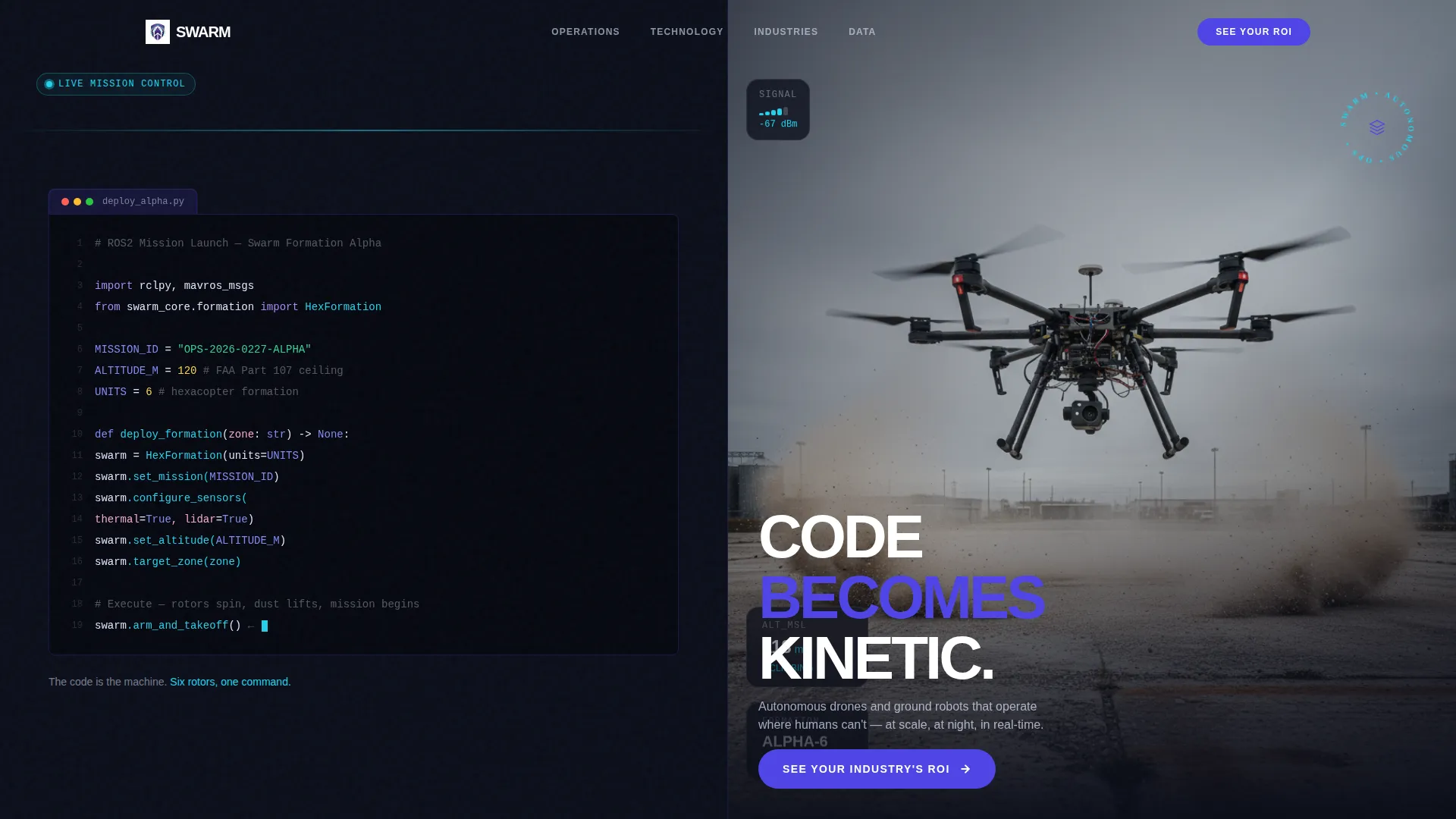
- A 50/50 split-screen header with a monospaced ROS2 or MAVLink code snippet on the left and a looping drone liftoff video on the right
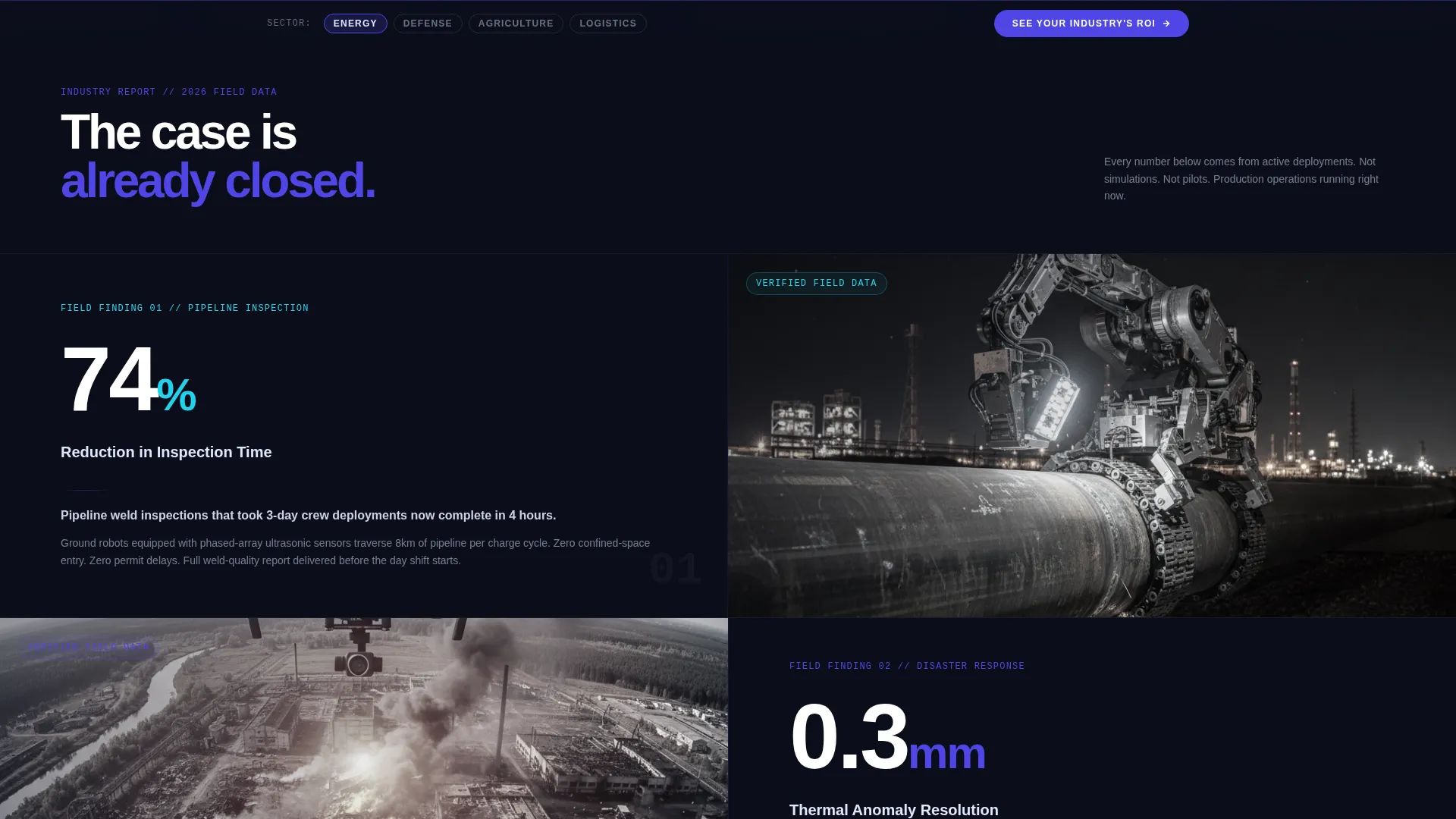
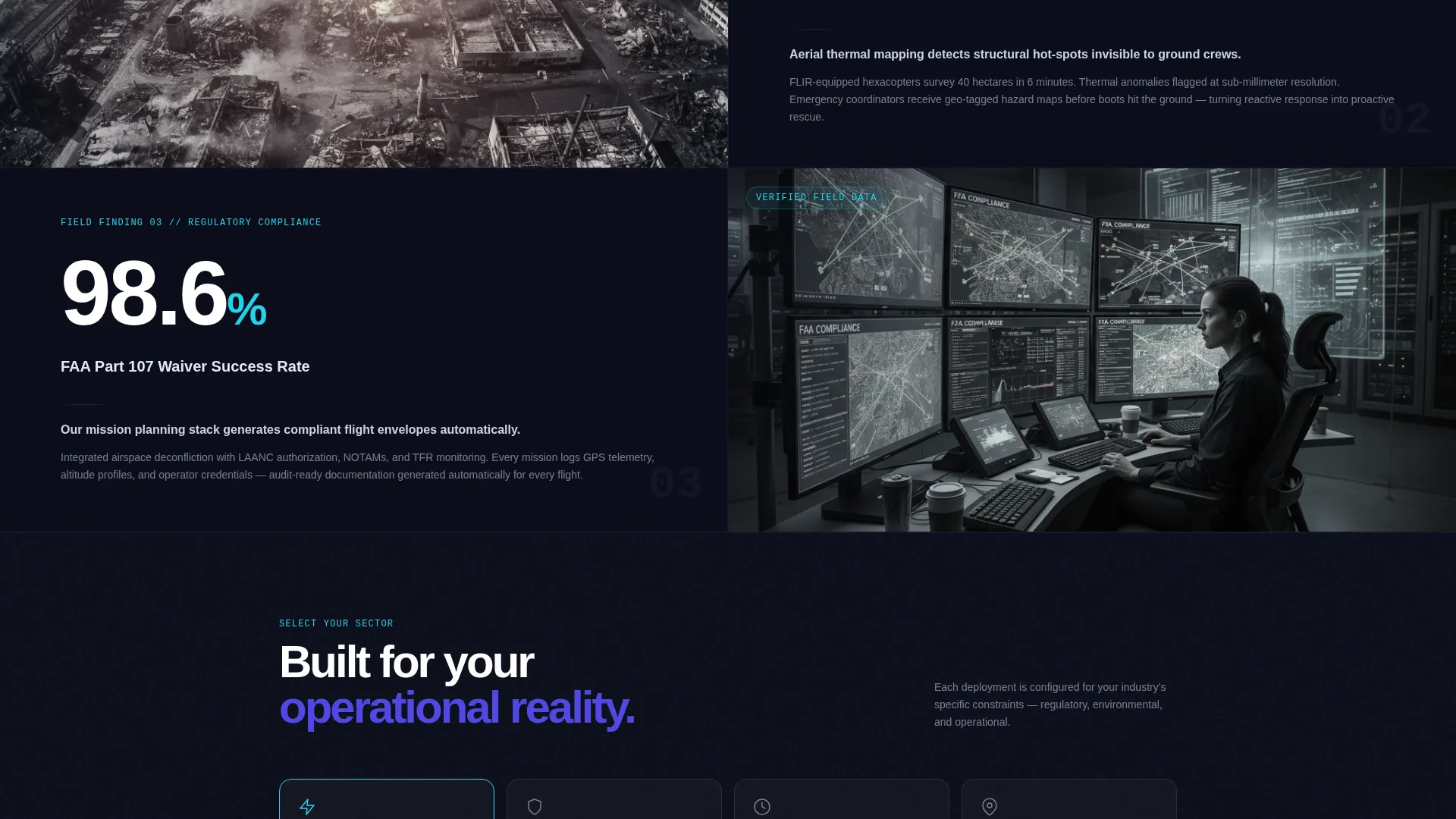
- A series of split-screen data cards, each pairing a bold field statistic with corresponding footage or a 3D flight-path visualization
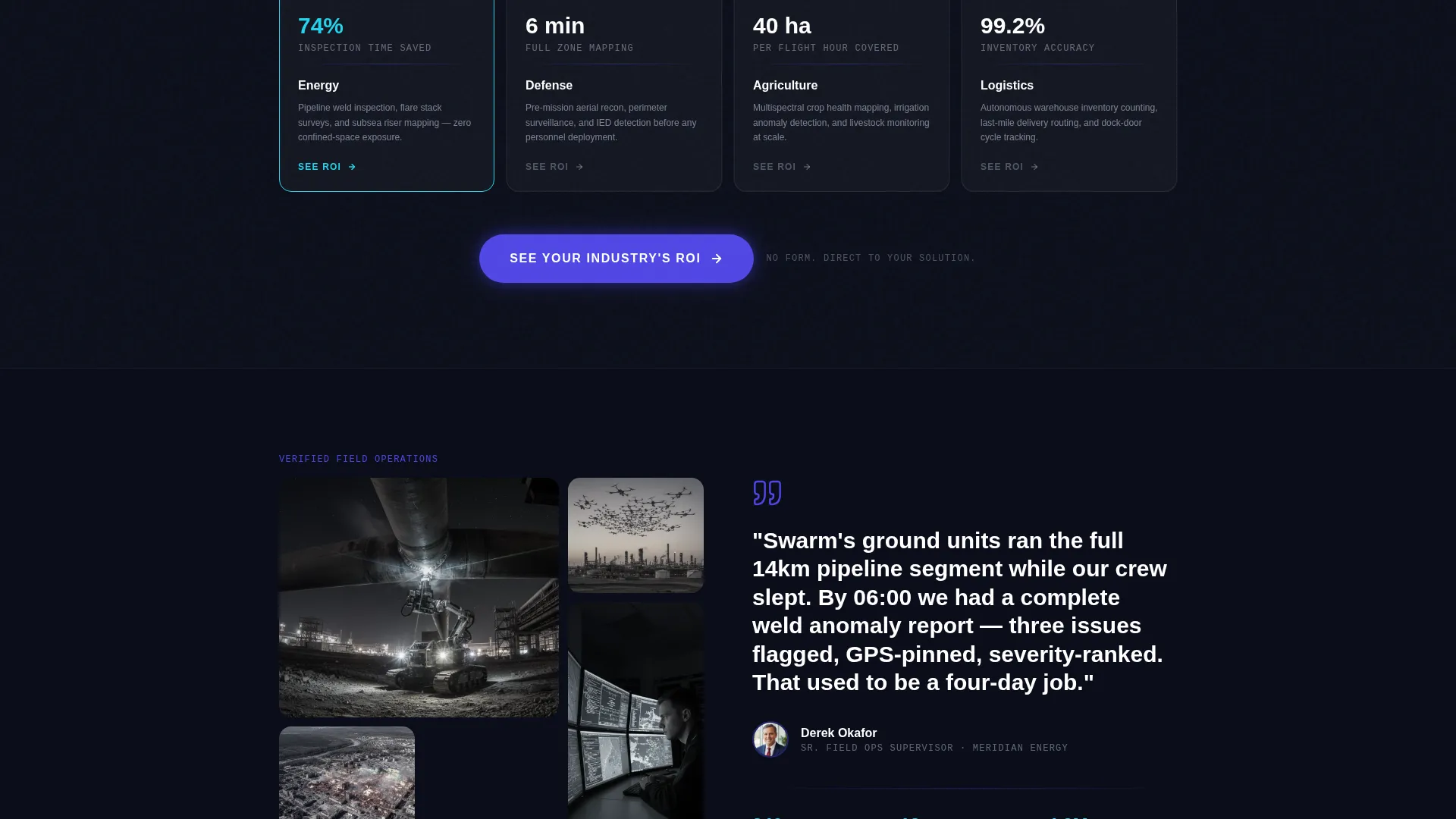
- A sector selector (Energy, Defense, Agriculture, Logistics) that routes each click to a tailored solutions breakdown
Feature list
This template is built around a small number of high-impact layout decisions, each one serving a specific conversion role.
Split-Screen Code and Video Header
The header divides the viewport in half. The left side shows a syntax-highlighted code snippet in a monospaced font, ending on an arm_and_takeoff() call with a blinking cursor. The right side plays a looping hexacopter liftoff video the moment the page loads. Visitors see cause and effect in a single glance.
Industry Report Data Cards
Each scroll section is a split-screen data card. The left side anchors a bold statistic or field finding, such as inspection time reduced by 74 percent or thermal anomaly detection at 0.3mm resolution. The right side shows the corresponding field footage or 3D flight-path visualization. The narrative escalates from problem scale to proof of solution.
Sector-Routing Call to Action
The primary call to action reads "See Your Industry's ROI" and first appears after the third data card. It also anchors persistently in a slim bottom bar for the rest of the page. A sector selector lets visitors choose Energy, Defense, Agriculture, or Logistics before clicking through to a solutions page built for their context.
Dynamic Motion Visual Theme
The page follows a Dynamic Motion theme. Key layout elements are designed to feel kinetic, reflecting the held-breath moment when a drone formation lifts off a charging pad. Scroll pacing and visual weight guide the eye from data point to data point.
Ground-Control Color System
The Electric Indigo color system uses four intentional values: deep mission-control black for backgrounds, electric indigo for interactive and structural elements, sensor-green for live-data accents and hover states, and pale HUD gray for body text and section dividers. Every color carries signal.
Page sections overview
| Section | Purpose |
|---|---|
| Split-screen header | Pairs code snippet with drone liftoff video |
| Data card one | Opens problem scale with field statistic |
| Data card two | Escalates evidence with inspection footage |
| Data card three | Delivers resolution data and visualization |
| Primary call to action block | Introduces sector-routing call to action |
| Data cards continued | Builds remaining evidentiary weight |
| Persistent bottom bar | Anchors call to action throughout the scroll journey |
| Sector selector | Routes visitor to industry-specific solutions |
Design & branding system
The visual identity is built around a ground-control monitor aesthetic. Dark backgrounds keep attention on luminous data points, and every color is used with intent rather than decoration.
- Electric Indigo (#4F46E5) pulses on key structural elements and interactive waypoints
- Sensor-green (#22D3EE) marks live-data accents and hover states throughout the page
- Pale HUD gray (#E0E7FF) handles body text and section dividers for clear legibility on dark backgrounds
Mobile & speed optimization
The template is structured to translate the 50/50 desktop split into a clear vertical reading flow on smaller screens. Each section maintains its visual hierarchy when stacked.
- Split-screen data cards reflow into single-column stacks on mobile viewports
- The persistent bottom bar with the call to action remains visible on all screen sizes
- The sector selector stays accessible and functional across touch-based interfaces
How this template helps you convert
The page earns the click before asking for it. By the time the call to action appears, the visitor has already consumed three data cards of field evidence.
- Front-loading field statistics and footage removes doubt before the call to action appears, so visitors arrive at the sector selector already convinced the technology works.
- The sector selector personalizes the next step, routing each visitor to a solutions page that matches their industry context instead of dropping everyone onto the same generic page.
- The persistent bottom bar keeps the primary call to action visible throughout the scroll, so a visitor who is ready to click does not have to hunt for the button.
Other information about this template
This template is categorized under Technology, specifically the IoT and Hardware subcategory, with a niche focus on drone and robotics companies. It is built as a click-through landing page, meaning there is no form on the page. The conversion goal is a qualified click to a deeper solutions page.
- The template style is Split Screen (50/50), consistent with the Industry Report creative direction
- The header concept is a Code Snippet, designed to communicate technical credibility at a glance
- The page is optimized for buyers in energy, defense, agriculture, and logistics sectors
- The Dynamic Motion theme and Electric Indigo color system are core to the visual identity and are not interchangeable with generic palettes
Theme
Dynamic Motion
Creative direction
Industry Report
Color system
Electric Indigo
Style
Split Screen (50/50)
Direction
Click-Through
Page Sections
Split-screen Code and Video Header
Industry Report Data Cards
Sector-routing Call to Action
Dynamic Motion Visual Theme
Electric Indigo Color System
Related questions
Does this template include a contact form?
Can I replace the code snippet in the header with my own?
How does the sector selector work?
Is this template suitable for a single-industry company?
What type of video works best in the header?



