Micro-SaaS & Developer Tools Specialist Professional Website Template
Swatch is a scroll-reveal landing page template built for a browser-based color palette generator. It uses a dark Tech Glass visual identity, interactive glass panel headers, and progressive scroll reveals to demonstrate the tool before asking for any commitment. Designed for frontend developers, user interface designers, and indie makers, it turns a single hex input into a full production palette in seconds.
by Rocket studio
Quick summary
Swatch is a precision-crafted landing page template for a color palette generator tool. The design follows a Calculator/Tool First direction, meaning the live tool is the first thing visitors interact with. Dark glass panels, scroll-triggered reveals, and a fixed call-to-action bar work together to convert visitors who arrive with a problem and leave with a palette already in hand.
Who this template is for
This template is built for makers who ship tools, not just talk about them. If your product solves a real workflow problem for technical or creative users, this template communicates that immediately.
- Frontend developers mid-sprint who need accessible, production-ready color palettes without leaving their workflow
- user interface designers building out design systems from a single brand color and needing harmonic, contrast-checked outputs
- Indie makers and solo builders who have strong color intuition but want a tool that validates and exports their choices
What problem this template solves
Most tool landing pages describe features before proving value. Visitors read paragraphs and still do not know if the product fits their need. This template flips that sequence by leading with the live tool itself.
- Visitors interact with the color palette generator before reading a single line of marketing copy
- Each scroll reveal layers in deeper capabilities, so the product case builds naturally as the visitor explores
- The fixed bottom call-to-action appears only after the visitor has seen enough to act, reducing friction at the decision moment
What you get with this template
You get a single-page scroll-reveal layout that demonstrates a color palette generator in motion. Every section is designed to carry the visitor deeper into the tool's value before asking them to click.
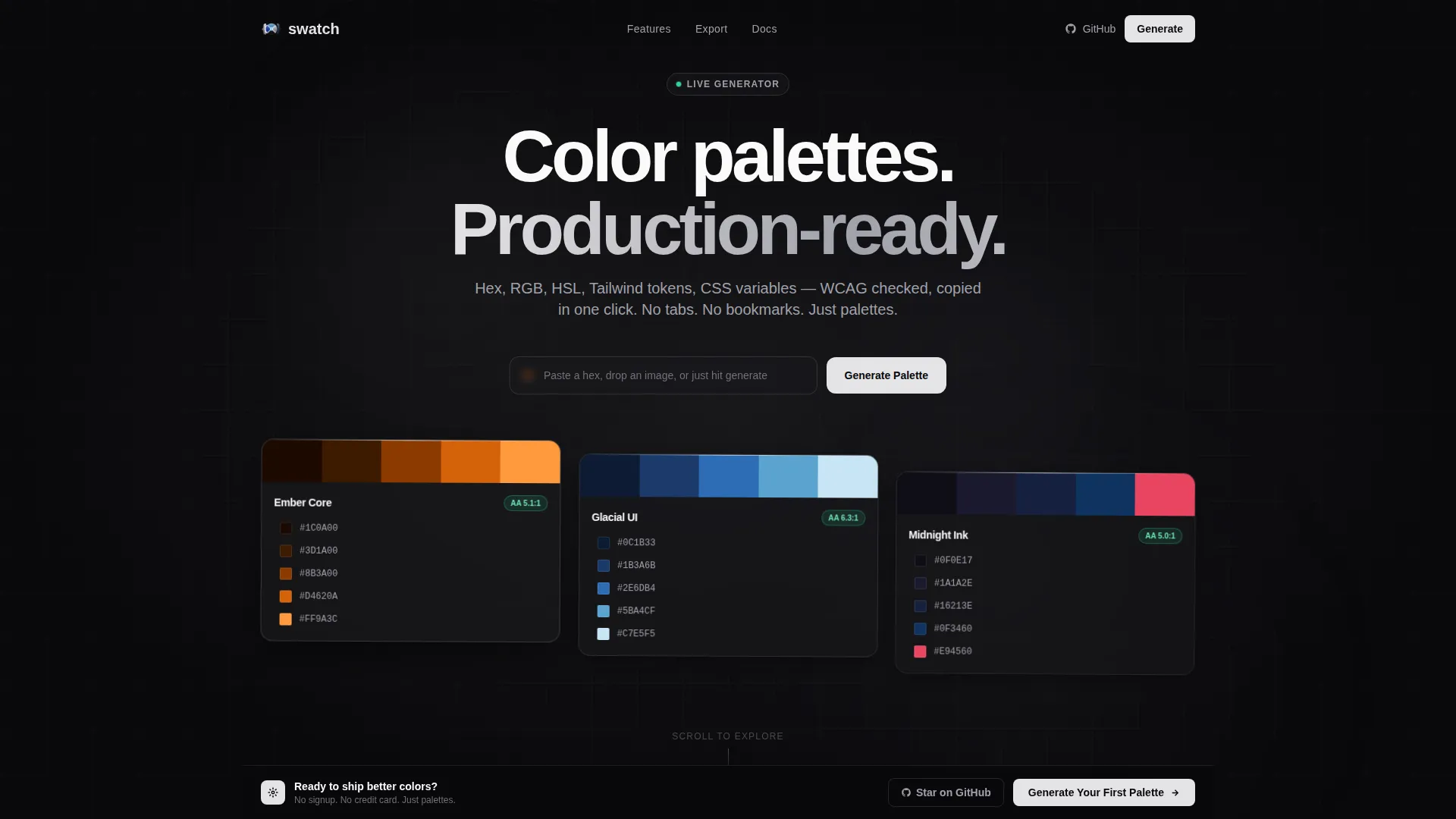
- A header section with three interactive dark glass panels showing live hex codes and contrast ratios, plus a single input field for instant palette generation
- Progressive scroll reveals that unlock an accessibility scores view, an export panel with format previews, and a live user interface mockup rendering the palette onto real interface components
- Two primary call-to-action placements and one secondary call-to-action, structured so the visitor has already used the tool before they are asked to commit
Feature list
This template covers every key moment in the visitor journey, from first interaction to final click.
Live Interactive Header Panels
Three frosted-glass panels float against the void background, each displaying a generated palette with hex codes and contrast ratios. The moment a visitor interacts with the input field, the panels re-render with new colors, demonstrating the product immediately.
Progressive Scroll Reveal Sections
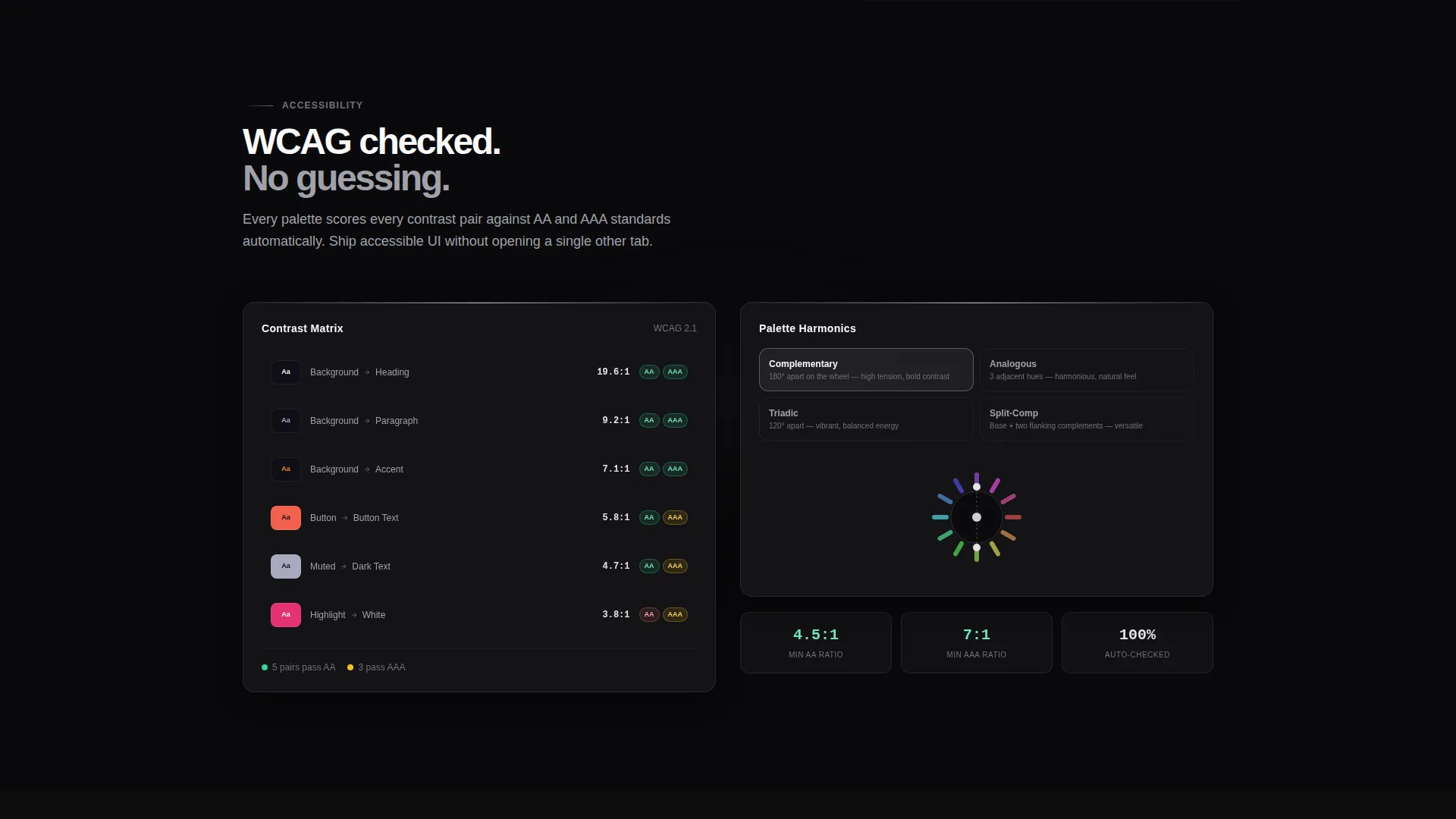
Each scroll position unlocks a new layer of the tool. The first reveal expands accessibility scores and palette harmonics. The second brings in an export panel. The third renders the palette onto a live user interface mockup. Glass panels slide apart with parallax depth on each reveal.
Export Format Preview Panel
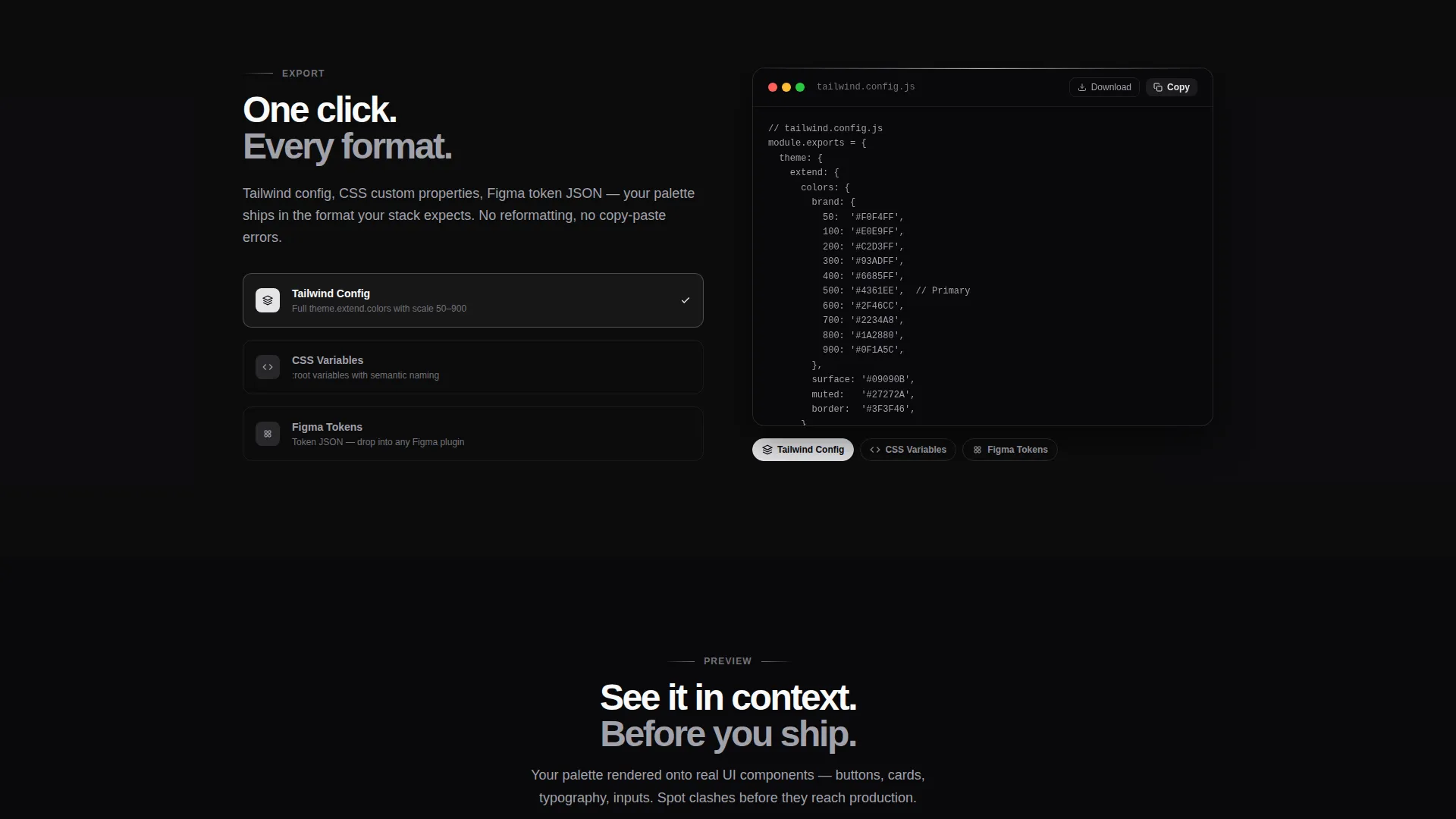
A dedicated section slides in to show the palette output in multiple formats: CSS variables, Tailwind configuration tokens, and a Figma plugin preview. Visitors see exactly what they will copy and paste before clicking anything.
Live user interface Mockup Preview
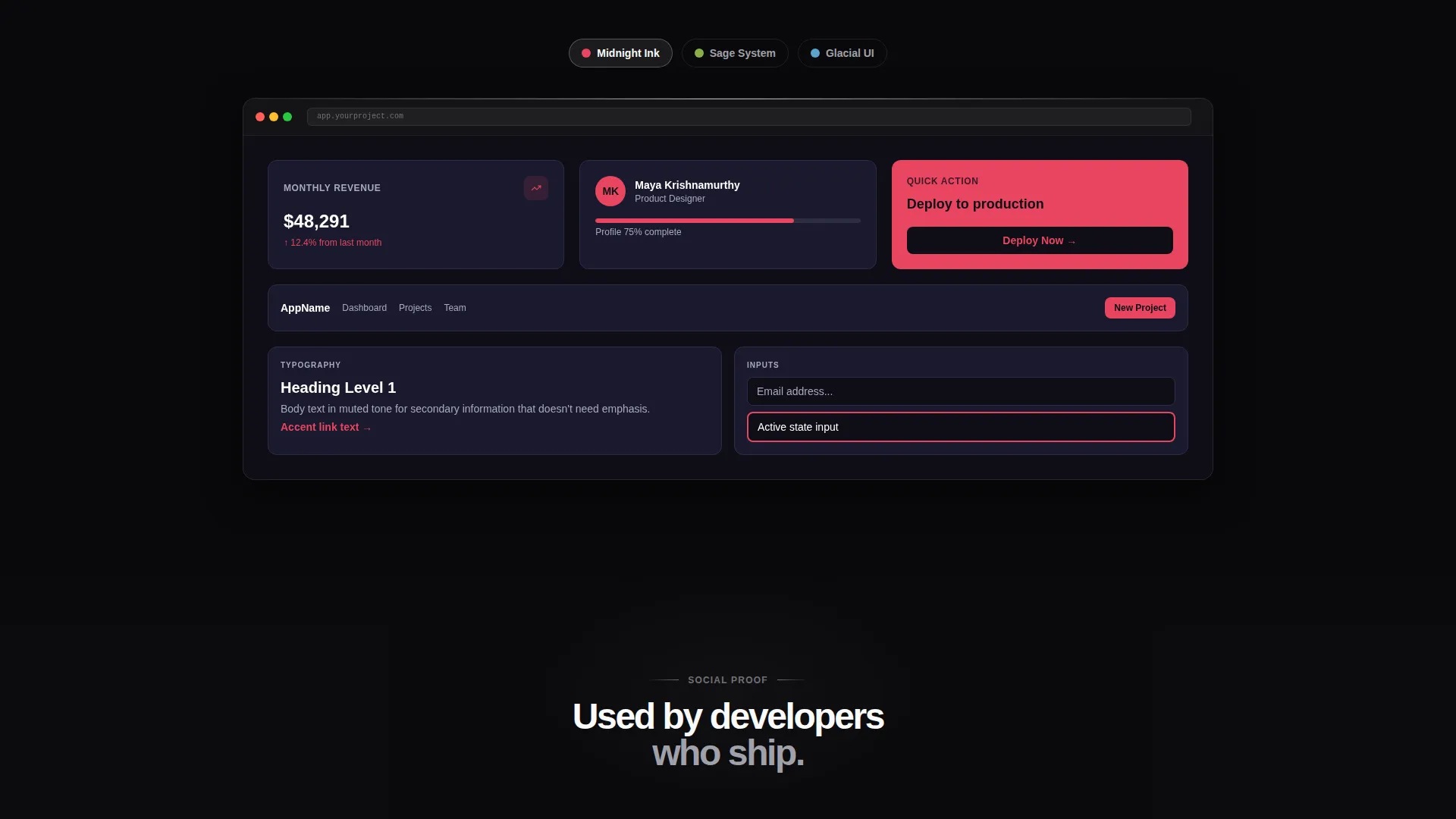
A side-by-side section renders the generated palette onto a working interface preview, including buttons, cards, and typography. Visitors can see their colors applied to real components before committing to the tool.
Fixed Bottom Call-to-Action Bar
A persistent bar materializes after the second scroll reveal and stays visible as the visitor continues reading. It carries the primary action without interrupting the scroll experience until the visitor is ready.
Secondary GitHub Call-to-Action
The final section includes a "Star on GitHub" call-to-action aimed at developers who want social proof before bookmarking the tool. It sits at the natural end of the scroll journey, after the product case is already made.
Page sections overview
| Section | Purpose |
|---|---|
| Header Input Panel | Delivers live palette generation and immediate product proof via three interactive dark glass panels |
| Accessibility Scores Reveal | Expands on first scroll to show contrast ratios and palette harmonic data alongside generated colors |
| Export Formats Panel | Slides in to preview CSS variables, Tailwind tokens, and Figma plugin output |
| Live user interface Mockup | Renders the active palette onto interface components so visitors see colors in real context |
| Fixed call to action Bar | Materializes after second reveal to keep the primary action reachable without interrupting scroll |
| GitHub call to action Section | Closes the page with a developer-focused secondary action and social proof anchor |
Design & branding system
The visual identity is built on a Monochrome Steel color system. Every surface is machined, minimal, and precise, with no warmth and no decorative clutter.
- Background layers sit between void black (#09090B) and brushed graphite (#18181B), with text rendered in polished chrome (#A1A1AA) and bright white (#FAFAFA) for clear hierarchy
- Interactive borders and glass card edges catch the electric accent (#E4E4E7), flaring toward white on hover states and active inputs to signal responsiveness without color noise
- The Tech Glass theme drives all panel styling: translucent frosted-glass rectangles with spectral refraction along their edges, giving depth without imagery
Mobile & speed optimization
The template is built for fast, focused rendering. The scroll-reveal logic is triggered by scroll position, keeping the initial load light while the interactive header draws immediate attention.
- Glass panel layouts and parallax reveals are structured to adapt across screen sizes without losing the tool-first visual hierarchy
- The fixed bottom call-to-action bar is designed to remain accessible on small screens without covering essential content during the scroll experience
How this template helps you convert
This template is built around one principle: let the visitor use the product before asking them to commit. Every design and layout decision supports that sequence.
- The interactive header lets visitors generate and see a real palette immediately, creating personal investment in the output before any copy asks them to act
- Progressive scroll reveals build the product case in layers, so by the time the fixed call-to-action bar appears, the visitor has already experienced the tool's core value
- The no-form, no-signup-gate click flow means the primary call-to-action lands the visitor directly into the live tool with their header-generated palette already loaded, removing every barrier between interest and use
Other information about this template
This template is part of a broader set of Micro-SaaS and developer tool landing page templates. It is built specifically for the Color Palette Generator niche within the Technology category.
- The template style is Scroll Reveal (Progressive), meaning content and capability are introduced in layers as the visitor scrolls rather than presented all at once
- The creative direction is Calculator/Tool First, a pattern well suited to tools like color palette generators, contrast checkers, and design utilities where the product itself is the most convincing pitch
- The header concept is Dark Glass Panels, a visual treatment that works particularly well for developer tools and precision instruments where clarity and depth matter more than warmth
- The landing page direction is Click-Through, optimized for direct tool entry rather than lead capture or newsletter signup
Theme
Tech Glass
Creative direction
Calculator/Tool First
Color system
Monochrome Steel
Style
Scroll Reveal (Progressive)
Direction
Click-Through
Page Sections
Interactive Dark Glass Panel Header
Progressive Scroll Reveal Layout
Multi-format Export Preview
Live User Interface Mockup Preview Section
Fixed Bottom Call-to-action Bar
Developer-focused Secondary Action
Related questions
Does this template require a signup form or lead capture?
What color output formats does the template showcase?
Can I adapt the export panel to show different output formats?
Who is the secondary call-to-action designed for?
How does the scroll reveal sequence work in this template?



