Cannabis Industry Services Professional Website Template
Queue is a hero-dominant landing page template built for cannabis drive-through dispensaries. It leads with a stats wall showing live order data, then flows into a scannable product grid, a real-time queue map, speed-focused reviews, and a frictionless three-step order-ahead modal. Every section is designed to move time-constrained customers from arrival to checkout in seconds.
by Rocket studio
Quick summary
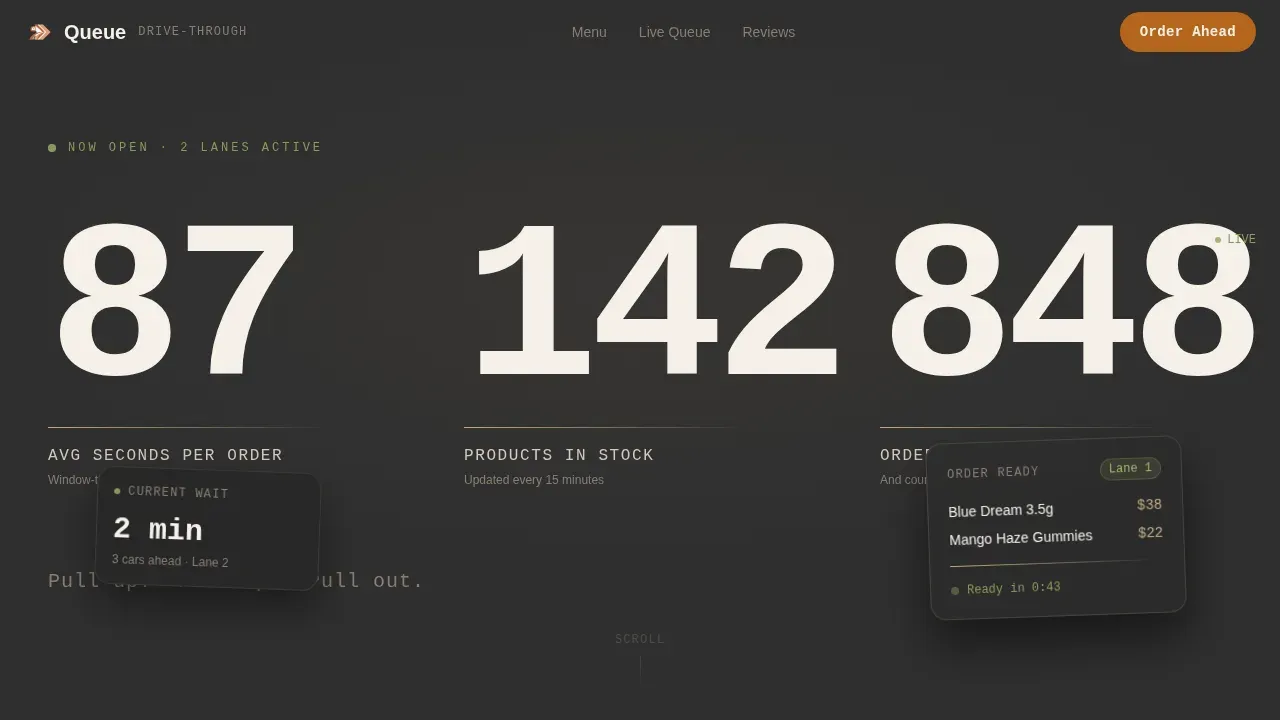
Queue is a single-page, hero-dominant landing page template for cannabis drive-through dispensary operations. It opens with three oversized live stats, then guides visitors through a scannable product grid, a real-time lane map, speed reviews, and a no-account order flow. The page layout, color palette, and copy work together to make every scroll feel fast and purposeful.
Who this template is for
This landing page is built for dispensary owners and operators who run or plan to launch a drive-through service. It serves cannabis retail businesses where speed is the core promise and crowded waiting areas are the problem being solved.
- Drive-through cannabis dispensary operators who need a dedicated conversion page
- Retail store managers who want to reduce wait times and move more customers through the lane
- Cannabis business owners who plan to offer order-ahead pickup and need a mobile-first web presence
What problem this template solves
Most dispensary website designs ask too much of busy customers. They bury the menu, hide hours, and offer no way to order ahead. Visitors who pull up on a phone expect to shop fast, not scroll through paragraphs. A high-converting landing page for a cannabis dispensary drive-through must focus on speed, convenience, and clear, action-oriented messaging to reduce friction.
- Eliminates crowded waiting areas by giving customers a way to order before they arrive
- Removes the need to browse a cluttered site just to find price and inventory data
- Replaces a generic dispensary website with a purpose-built, speed-first conversion page
What you get with this template
Queue delivers a complete, ready-to-customize landing page with six distinct sections, each designed around a single job. Real-time inventory and pre-order status are displayed prominently so customers always know what is available for immediate pickup. Every section of the page connects to the overall goal: get customers to order ahead and skip the lane.
- A stats-first hero with three live data points: average service time, live product count, and a ticking order counter
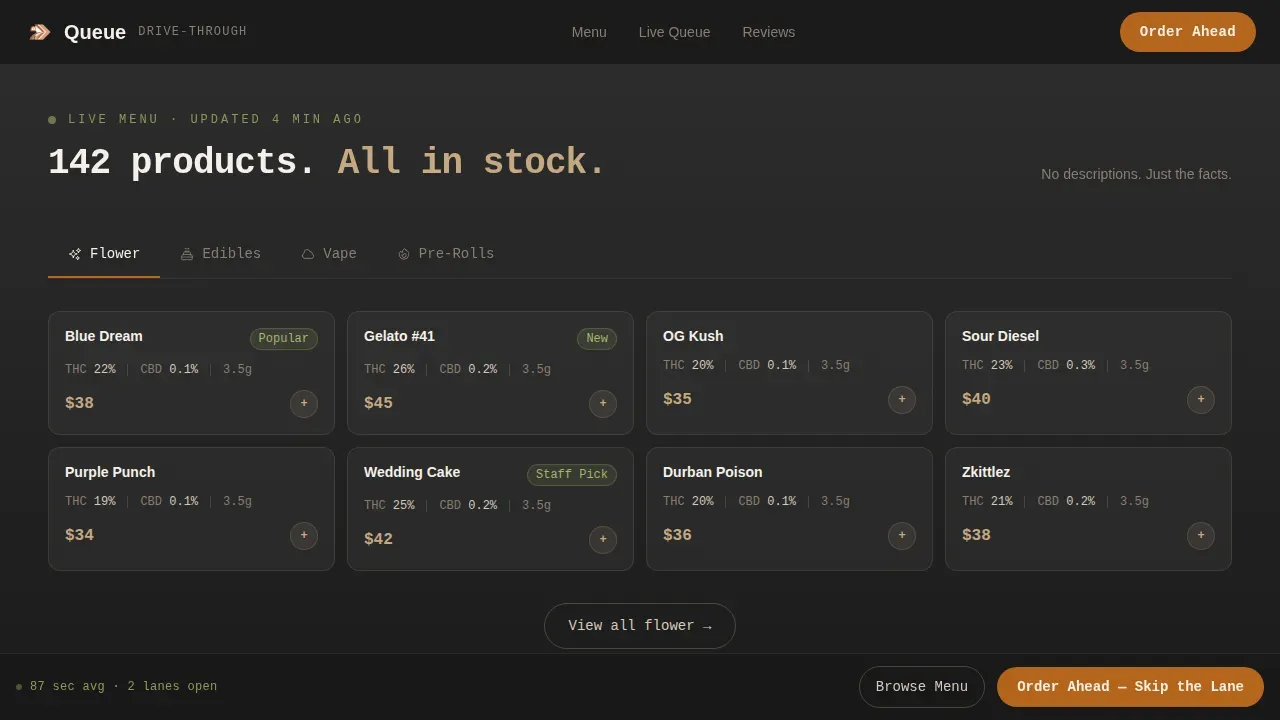
- A tabbed product grid organized by format, with strain name, THC and CBD percentages, weight, and price on each tile
- A three-step order-ahead modal, a queue map showing real-time lane status, and a speed-review section
Feature list
Queue includes a focused set of purpose-built components that support fast, frictionless customer flow from the first scroll to order confirmation.
Stats-First Hero Section
Three oversized monospace numbers fill ninety percent of the viewport on load. They display average drive-through time, live product count, and a live order counter that ticks upward in real time. No lifestyle photography, no filler copy. The data is the message, and it builds immediate trust with customers who are already in the parking lot.
Tabbed Live Menu Grid
The product grid organizes inventory by format: flower, edibles, vape, and pre-rolls. Each tile shows strain name, THC and CBD data, weight, and price. Descriptions stay under eight words to keep the layout scannable. Customers can browse the full menu without leaving the page, and every tile is one tap from the order flow.
Three-Step Order-Ahead Modal
The primary call to action opens a lightweight modal that walks customers through three steps: select products from the live menu, choose a pickup window (now, 15 minutes, or 30 minutes), and enter a phone number for a ready-text. No account creation is required. This keeps the purchase process fast and removes the biggest source of drop-off for time-sensitive customers.
Real-Time Queue Map
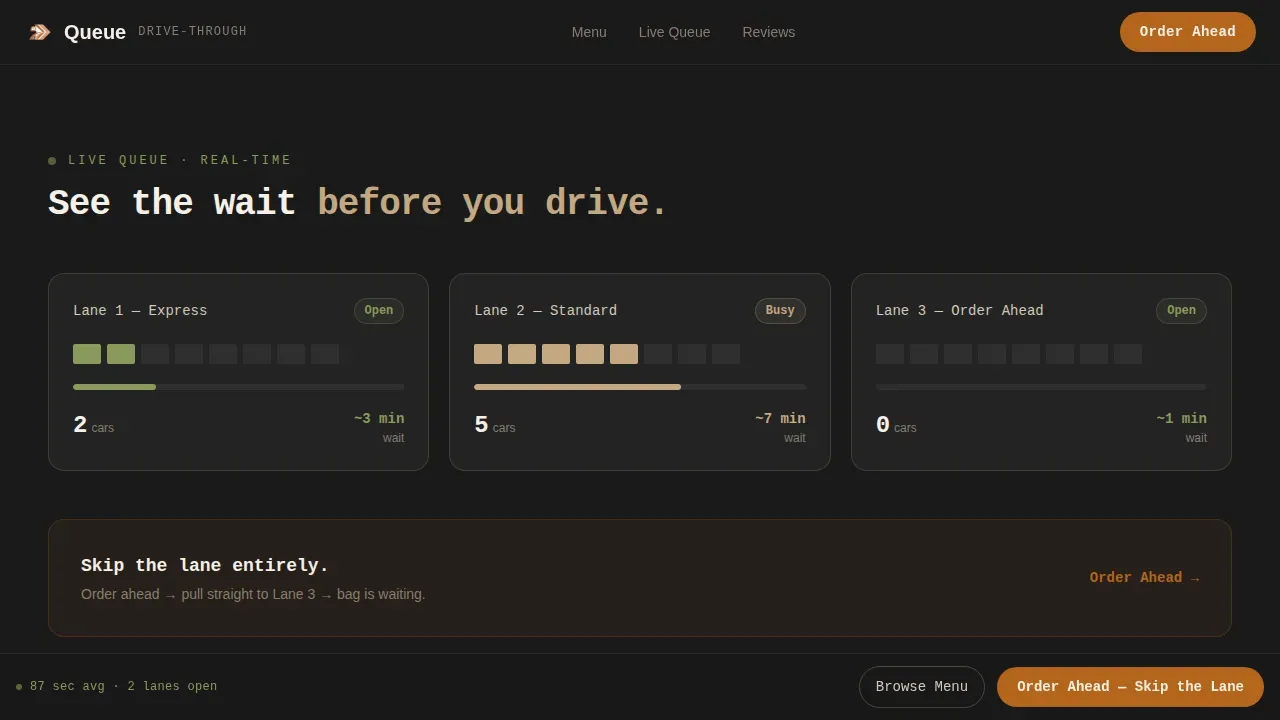
A dedicated map module shows live lane status at each drive-through window. Customers can see wait conditions before they arrive. This data transparency supports customer satisfaction and helps the store manage customer flow without phone calls or guesswork.
Speed-Focused Social Proof
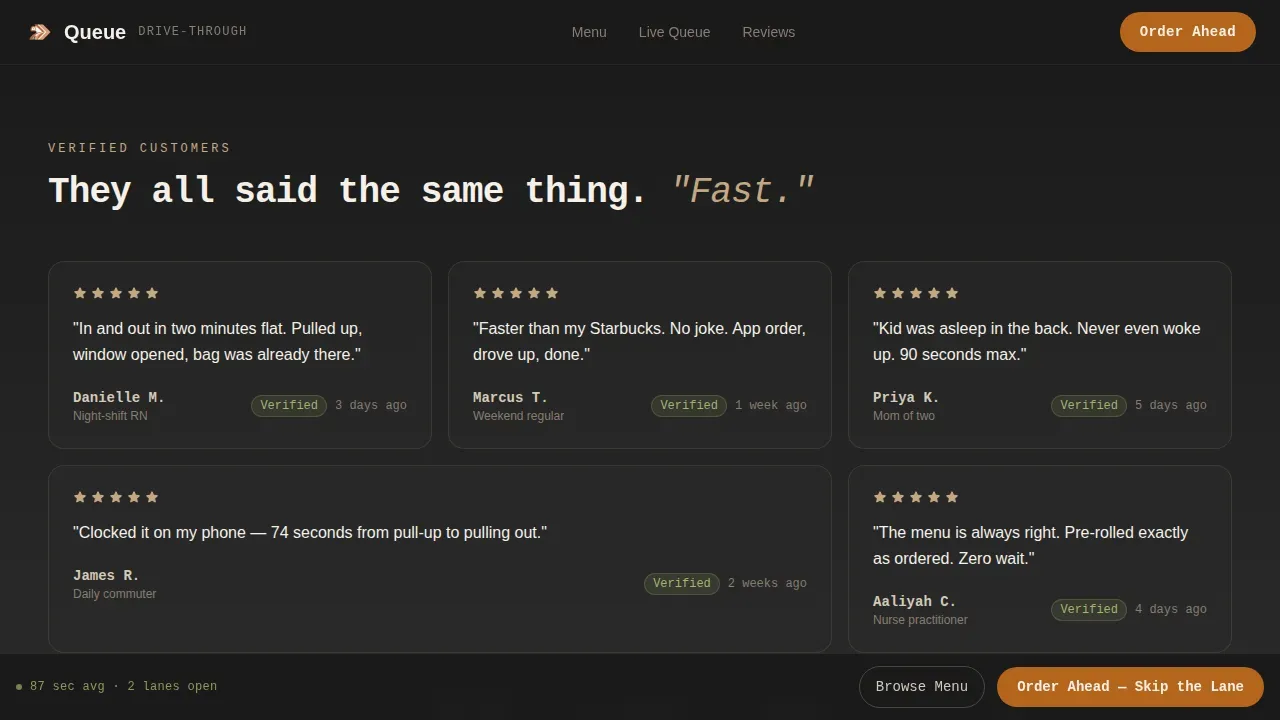
Five-star micro-reviews are stacked in a dedicated section. Every review specifically mentions service time, for example, "in and out in two minutes" or "faster than my coffee stop." Customer testimonials focused on speed are among the most effective trust signals for a drive-through dispensary landing page. This section reinforces the core value proposition at every scroll depth.
Sticky Order-Ahead call to action Bar
After the first scroll, a persistent bottom bar carries the primary call to action: "Order Ahead, Skip the Lane." It stays visible as visitors move through the menu, the map, and the reviews. A secondary link, "Just Browse the Menu," scrolls directly to the product grid for visitors who are not ready to commit but should stay on-page.
Page sections overview
| Section | Purpose |
|---|---|
| Stats Hero Wall | Open with live data: service time, product count, and order counter |
| Live Menu Grid | Browse products by format with price, weight, and THC/CBD data |
| Real-Time Queue Map | Show live lane status so customers plan their arrival |
| Speed Review Stack | Build trust through customer testimonials that mention wait time |
| Order Ahead Modal | Guide customers through a three-step, no-account order flow |
| Footer Row | Display store hours, location, and payment method details |
Design & branding system
Queue uses a Service Utility visual theme built around a Warm Stone color palette. The combination feels like a clean concrete counter in golden-hour light: warm enough to feel approachable, flat enough to feel efficient. The color palette uses sun-baked sandstone (#C4A882), asphalt charcoal (#2E2E2E), desert sage (#8A9A5B), and dry clay (#B5651D) applied consistently across buttons, badges, and price tags.
- JetBrains Mono is used for all stats and numbers to create a data-terminal visual language
- DM Sans handles body copy and navigation labels for clean, readable retail-grade web design
- Desert sage marks all "in stock" and "ready now" indicators; dry clay accent colors all primary action elements including the logo treatment and call-to-action buttons
Mobile & speed optimization
Over 70 percent of cannabis traffic is mobile-first, and this template is built with that reality as the starting constraint. Buttons are thumb-friendly, text is readable without zooming, and the page layout stacks cleanly at every breakpoint. Your cannabis dispensary website is often the first place potential customers interact with your brand, so mobile performance is critical to first impressions.
- The stats wall, product grid, and order modal all reflow to single-column layouts on small screens
- Smooth scroll behavior and stagger reveal animations are implemented with mobile rendering as the priority
- The sticky call-to-action bar stays pinned at the bottom of the viewport on phones, keeping the order flow one tap away at all times
How this template helps you convert
Queue is designed around a single conversion goal: move visitors from passive browsing to active ordering as fast as possible. Every scroll moves visitors closer to clicking into the menu. A strong call to action drives online sales and foot traffic to a cannabis retail store, and Queue puts that call to action in front of every customer at every point in the page.
- The stats wall earns attention and trust in the first three seconds, replacing the need for lifestyle imagery with real operational data that speaks to busy customers
- The live menu grid and real-time queue map give customers the information they need to make a confident purchase decision without leaving the page
- The sticky order-ahead bar and three-step modal remove every remaining barrier between intent and completed order, reducing drop-off for the nurse finishing a shift, the parent with a sleeping toddler, and the regular who already knows their order
Other information about this template
Queue is a purpose-built template for the cannabis industry, designed to serve a diverse range of customers including patients, regular shoppers, and first-time CBD consumers. The page supports consistent brand expression from the logo placement in the footer through to the color-coded inventory status indicators. Below are additional details relevant to operators evaluating this template for their dispensary business.
- This template can support queue management system concepts visually, with the lane map and order-ahead flow reflecting queue management software best practices for reducing crowded waiting areas
- Real-time metrics displayed in the hero allow operators to communicate staff performance and store throughput without a single line of descriptive copy
- An age verification gate, payment method details, and drive-through location signage are all planned sections within the template layout, supporting legal compliance and reducing customer confusion at the window
- The page is built for ecommerce conversion and connects naturally to an existing cannabis ecommerce platform, making it a practical tool for dispensary operations that already have a product catalog online
- Using a dedicated landing page with geo-targeted content can improve organic traffic and local search visibility for the drive-through service, helping the store attract more customers from nearby searches
- Operators can plan and customize every section within their budget without needing to rebuild the overall site, because this landing page functions as a standalone conversion layer on top of any existing dispensary website
Theme
Service Utility
Creative direction
Stats-First Impact
Color system
Warm Stone
Style
Hero-Dominant (90/10)
Direction
Direct Sales
Page Sections
Stats-first Hero with Live Data Wall
Tabbed Product Grid with Scannable Tiles
Three-step Order-ahead Modal
Real-time Lane Queue Map
Speed-review Social Proof Section
Sticky Dual-cta Bottom Bar
Related questions
Does this template require customers to create an account to order ahead?
Can I use this template for a dispensary that serves both flower and edibles customers?
Is this landing page suitable for mobile users pulling up in a car?
How does the queue map section work?
Can this template help my dispensary appear in local search results?