Swipe - Powerful Dating Landing Page Template
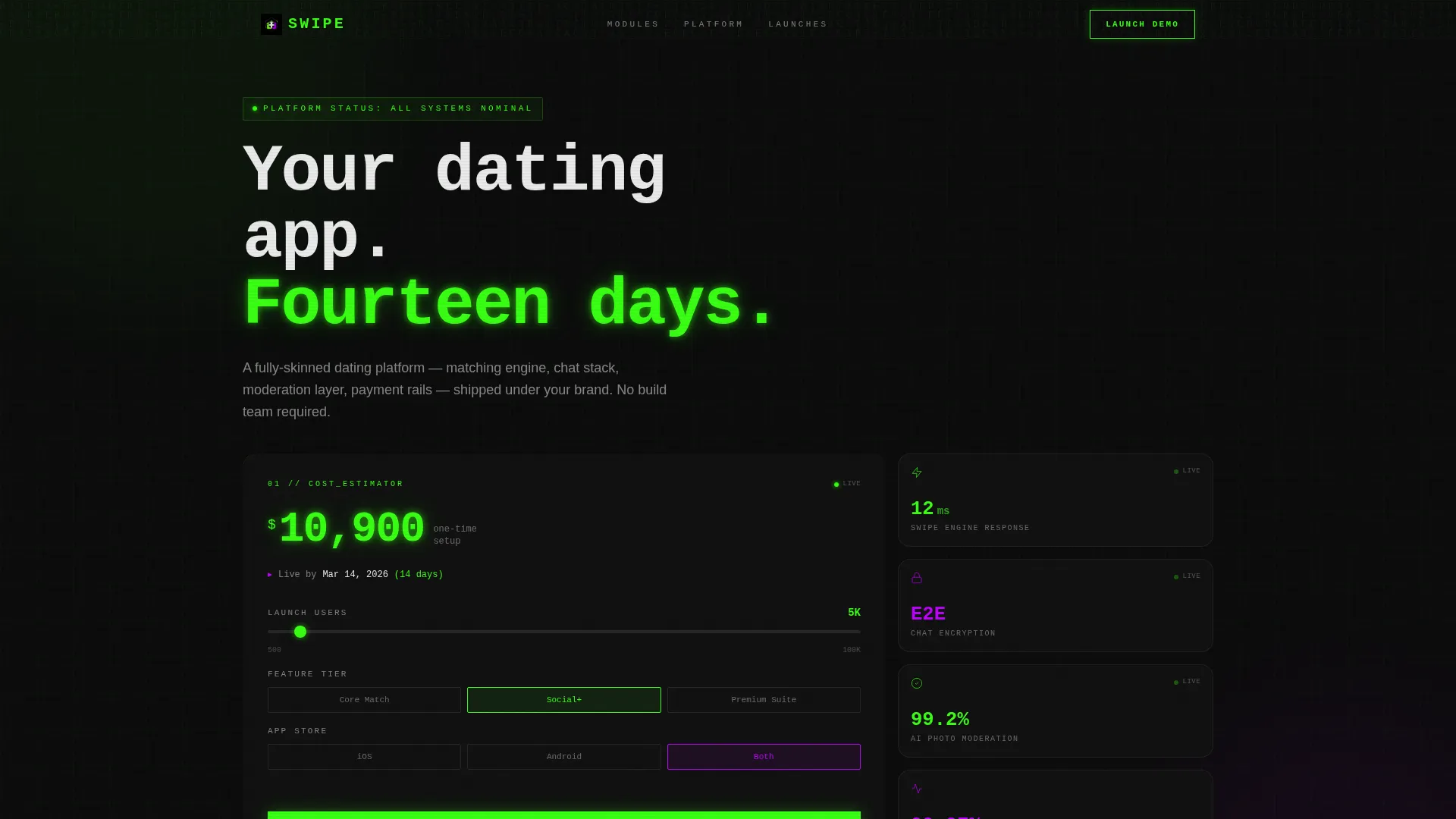
Swipe is a bento grid landing page template built for white-label dating app platforms. It combines an interactive cost estimator header, a technical spec sheet scroll experience, and a click-through funnel that routes visitors into a live demo sandbox. The design uses a high-contrast Acid Digital color system to make every module feel production-ready from the first scroll.
by Rocket studio
Quick summary
Swipe is a single-page bento grid template designed for white-label dating app platforms. It opens with an interactive cost estimator, moves through a modular technical spec sheet, and closes with a clear click-through funnel. The Acid Digital color system makes the page feel charged and credible to both technical buyers and startup founders.
Who this template is for
This template is built for entrepreneurs and teams who need to sell a fully skinned dating app platform to informed buyers. It speaks directly to people who want proof before they commit.
- Startup founders building niche dating apps in verticals like faith-based matching or expat communities
- Digital agencies presenting turnkey platform products in investor decks or client pitches
- Existing community platforms looking to bolt a dating feature onto their current user base
What problem this template solves
Selling a complex white-label platform is hard when your landing page looks like a brochure. Buyers want evidence, not marketing copy. This template replaces vague promises with a structured, data-driven presentation that earns trust at every scroll depth.
- Generic templates fail to communicate technical specs like latency benchmarks, uptime commitments, and integration support
- Founder and agency buyers need to see real numbers before they will book a demo or request a quote
- Platforms without a guided demo funnel lose warm leads who are not yet ready to commit
What you get with this template
You get a fully structured bento grid landing page that presents a white-label dating app platform from first impression to conversion. Every section is purpose-built to move a technical buyer through the funnel.
- An interactive header estimator with live price animation, projected launch date output, and surrounding spec tiles
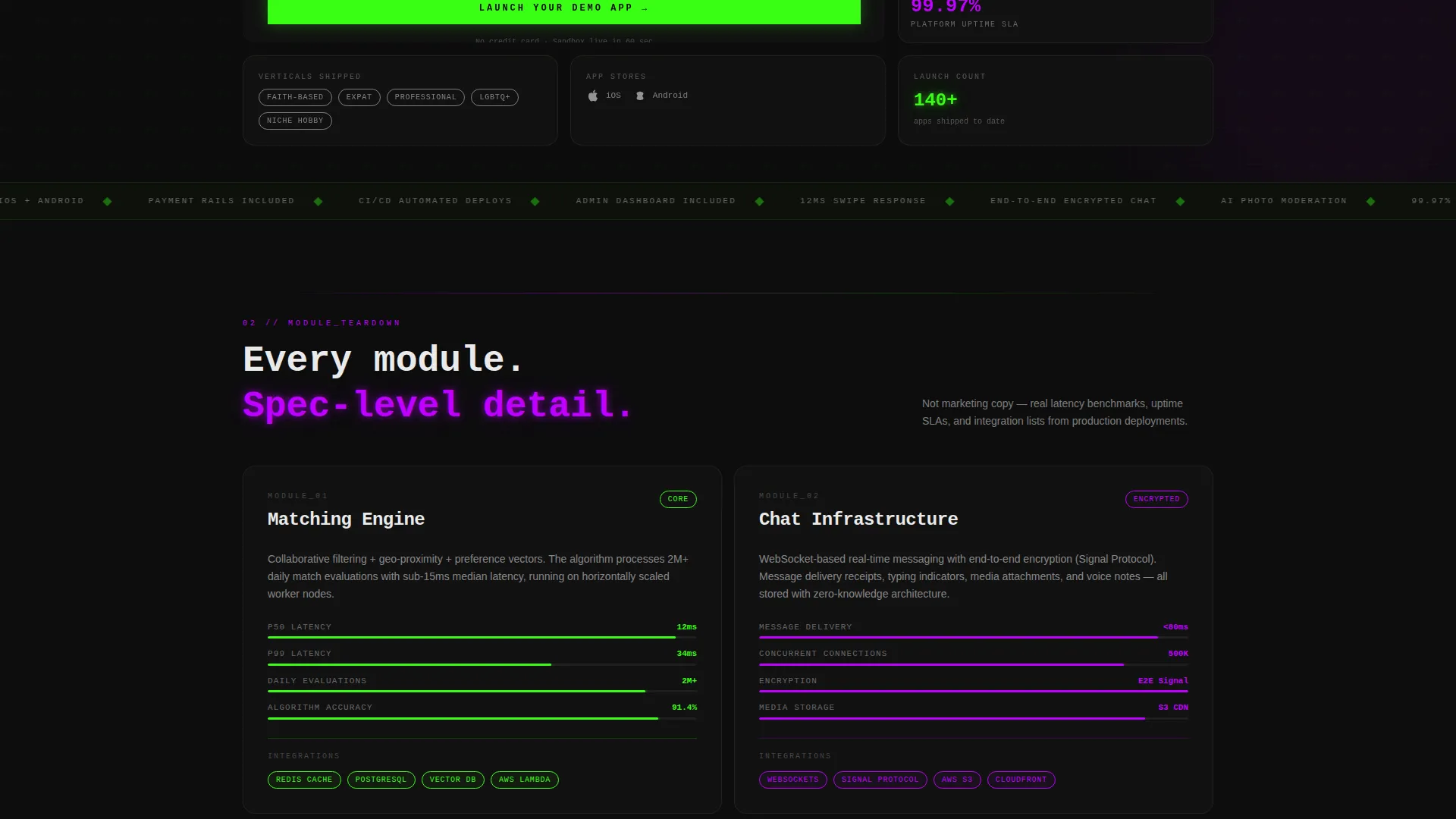
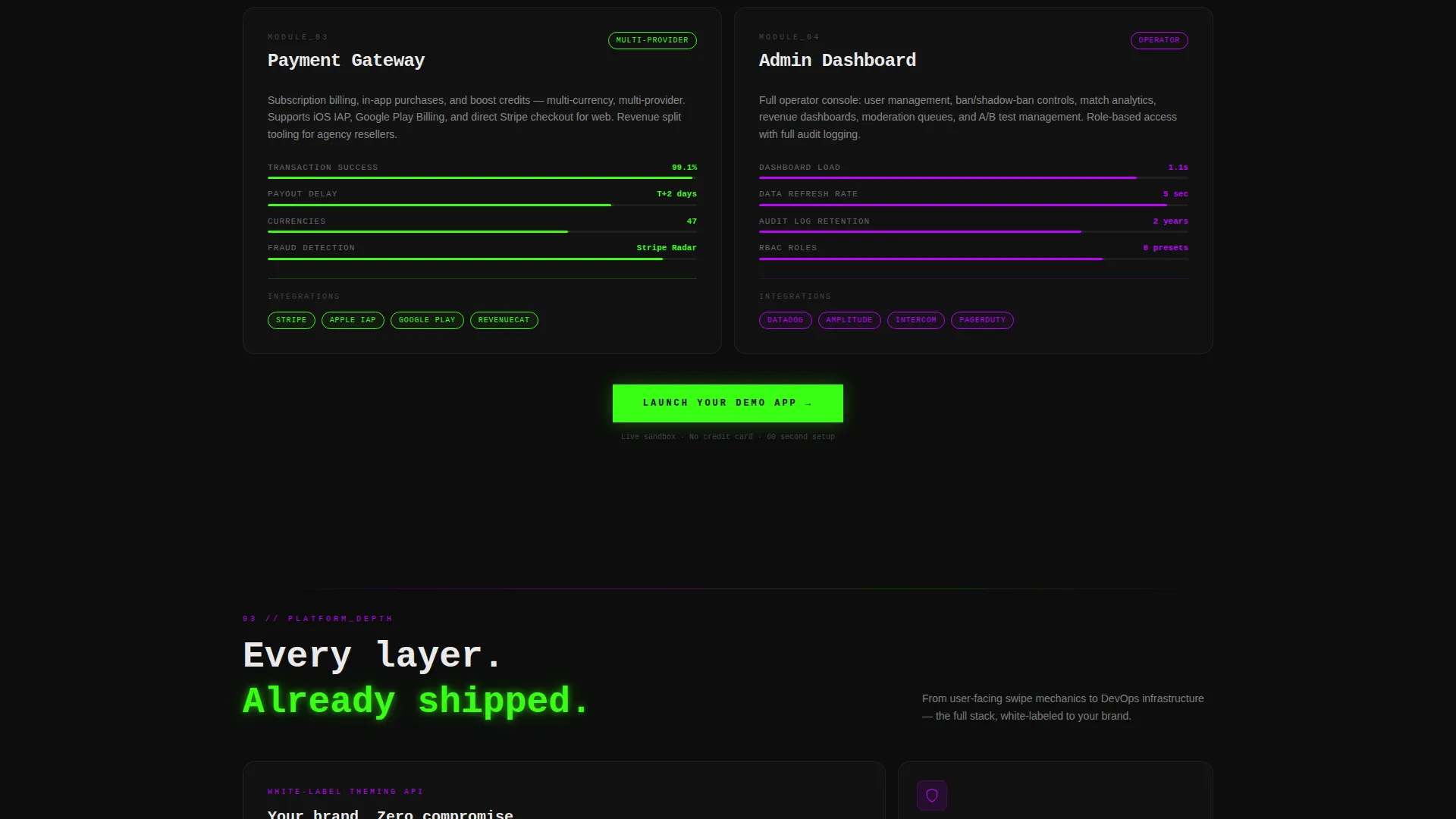
- A scrollable spec sheet layout covering matching engine, chat infrastructure, payment gateway, and admin dashboard modules
- A click-through funnel with a primary call to action, a mid-page repeat placement, a sticky bottom bar, and a secondary email-capture lead link
Feature list
This template packages several purpose-built components that work together to present a complex platform in a clear, engaging way.
Interactive Cost Estimator Header
The largest bento tile in the header holds a live cost estimator. Visitors input three values: number of users at launch, feature tier selection (Core Match, Social Plus, or Premium Suite), and target app store (iOS, Android, or both). A terminal-green price figure animates in real time alongside a projected launch date as the sliders and toggles update.
Live Spec Tile Cluster
Smaller tiles surrounding the estimator pulse with platform specs. Each tile surfaces a data point such as swipe engine response time, end-to-end encrypted chat status, and photo moderation capabilities. These tiles make the numbers feel live and credible rather than decorative.
Scrollable Technical Spec Sheet
Each bento row below the header unpacks a single platform module. Rows cover the matching algorithm, chat infrastructure, payment gateway, and admin dashboard. Every row includes its own mini-spec card showing latency benchmarks, uptime service level agreements, and supported integrations.
Escalating DevOps Depth
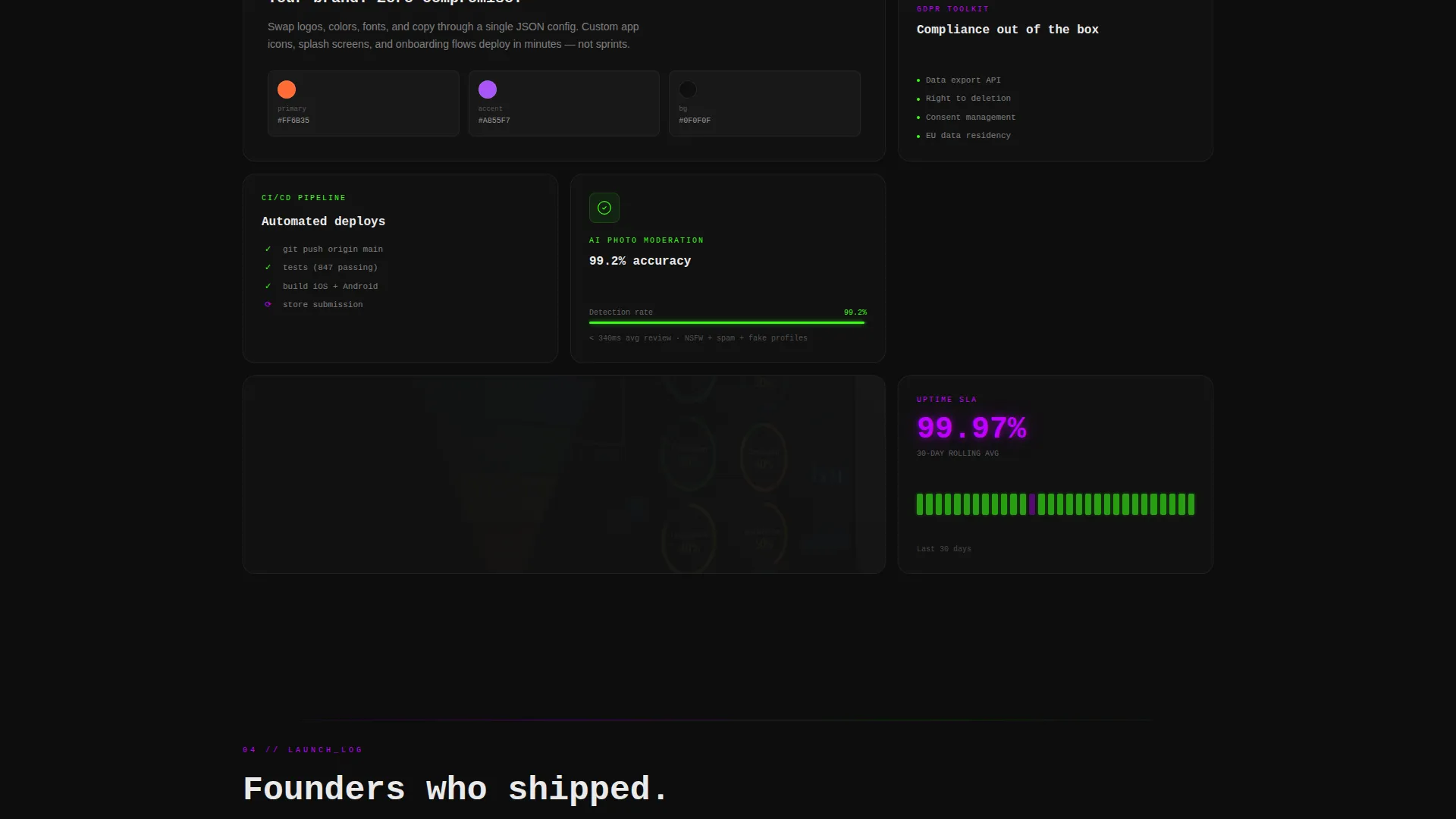
As the visitor scrolls deeper, the spec sheet moves from user-facing features into infrastructure territory. Topics covered include the continuous integration and continuous delivery pipeline, the white-label theming application programming interface, and the General Data Protection Regulation compliance toolkit. This rewards technical buyers who need detailed proof.
Sticky Click-Through Funnel
The primary call to action, "Launch Your Demo App," appears three times: at the estimator output in the header, mid-page after the matching engine spec, and in a persistent sticky bottom bar. Clicking routes the visitor into a hosted sandbox where they can experience swiping, chat, and the admin panel firsthand.
Secondary Email-Capture Lead Link
A text link labeled "Download Full Spec PDF" sits alongside the primary call to action. It captures an email address from leads who are not yet ready to enter the demo, keeping the funnel active without adding friction to the page.
Page sections overview
| Section | Purpose |
|---|---|
| Header Estimator Cluster | Interactive cost and launch date calculator with surrounding live spec tiles |
| Matching Engine Spec | Module row detailing algorithm performance, latency benchmarks, and integration support |
| Chat Infrastructure Row | Spec card covering chat stack capabilities and uptime service level agreement |
| Payment Gateway Row | Module breakdown of payment rails and supported gateway integrations |
| Admin Dashboard Row | Spec card for the moderation layer and admin panel feature set |
| DevOps Deep Dive | CI/CD pipeline, theming API, and GDPR compliance toolkit coverage |
| Sticky Bottom Bar | Persistent call-to-action bar repeating the primary demo launch prompt |
Design & branding system
The visual identity follows a Dashboard Pro theme powered by the Acid Digital color system. The palette is built around four values that create a synthetic, high-contrast digital aesthetic.
- Void black (#0D0D0D) dominates every card background, terminal green (#39FF14) fires on data points and hover states, UV purple (#BF00FF) marks section dividers and icon glows, and interface white (#EAEAEA) keeps body text and card borders surgically legible
- The bento grid layout uses card clusters of varied tile sizes to create visual rhythm and draw the eye toward key data points
- Typography is set for high contrast legibility against dark backgrounds, keeping spec data and pricing figures readable at a glance
Mobile & speed optimization
The bento grid layout is structured to reflow cleanly across screen sizes, keeping the estimator and spec cards usable on smaller viewports.
- Bento tile clusters resize and stack responsively so the interactive estimator remains functional on mobile screens
- The sticky bottom bar is designed to persist across device sizes, keeping the primary call to action visible throughout the scroll
- Spec cards use concise data presentation so content stays readable without horizontal scrolling on narrow displays
How this template helps you convert
Every structural decision in this template is oriented toward one outcome: moving a technical buyer from curiosity to a demo booking or a lead capture.
- The interactive estimator creates immediate personal relevance by showing the visitor their own projected cost and launch date before they read a single feature description.
- The escalating spec sheet builds credibility progressively, satisfying both high-level founders in the early scroll and DevOps-focused buyers who dig into the infrastructure rows.
- Three placements of the primary call to action plus a frictionless secondary email-capture link ensure that no buyer leaves without a clear next step.
Other information about this template
This template is part of a broader set of technology-category landing pages designed for consumer app and platform products. A few additional details are worth noting before you get started.
- The template is built around a single-page bento grid flow, making it suitable for direct campaign traffic, investor deck supplements, or product launch announcements
- The placeholder brand environment referenced in the demo funnel section is a structural concept built into the page layout, not a hosted service delivered with the template file
- The "Download Full Spec PDF" secondary link is a layout element; connecting it to an actual email capture service requires integration with your preferred form or marketing tool
- The fourteen-day launch timeline referenced in the estimator output is drawn from the platform brief and is intended as an illustrative data point within the estimator component
Theme
Dashboard Pro
Creative direction
Spec Sheet
Color system
Acid Digital
Style
Bento Grid
Direction
Click-Through
Page Sections
Interactive Cost Estimator Header
Live Surrounding Spec Tiles
Scrollable Module Spec Sheet
Escalating Devops Coverage
Three-placement Click-through Funnel
Secondary Email-capture Lead Link
Related questions
Who is this template designed for?
What makes the header estimator different from a standard hero section?
Do I need coding skills to customize this template?
Can I adapt this template for a niche dating app vertical?
What modules does the spec sheet section cover?



