Switch — Dynamic Feature Flag Landing Page Template
Toggle is a bold brutalist landing page template built for feature flag and feature toggle services. It opens with a live interactive dashboard, guides visitors through a deployment risk calculator, and closes with a direct SDK install call to action. The result is a single-page flow that earns developer trust through hard evidence before asking for any commitment.
by Rocket studio
Quick summary
Toggle is a single-page landing page template for feature flag and feature toggle services. It leads with an interactive browser-rendered dashboard, follows with a self-service complexity calculator, and ends with a platform-specific SDK install prompt. Every section is built to prove value before asking for action.
Who this template is for
This template is designed for teams who ship fast and need fine-grained control over what gets released, when, and to whom. It speaks the language of engineers and product managers who treat deployments as live operational decisions, not ceremonies.
- Platform engineers at Series B startups running multiple daily deploys
- DevOps leads at enterprises managing production risk on high-stakes release cycles
- Product managers who want to target a feature at a specific user segment before a full rollout
What problem this template solves
Most developer tool landing pages open with marketing copy and close with a vague free-trial button. That approach loses technically sophisticated visitors immediately. This template solves that trust gap by leading with utility.
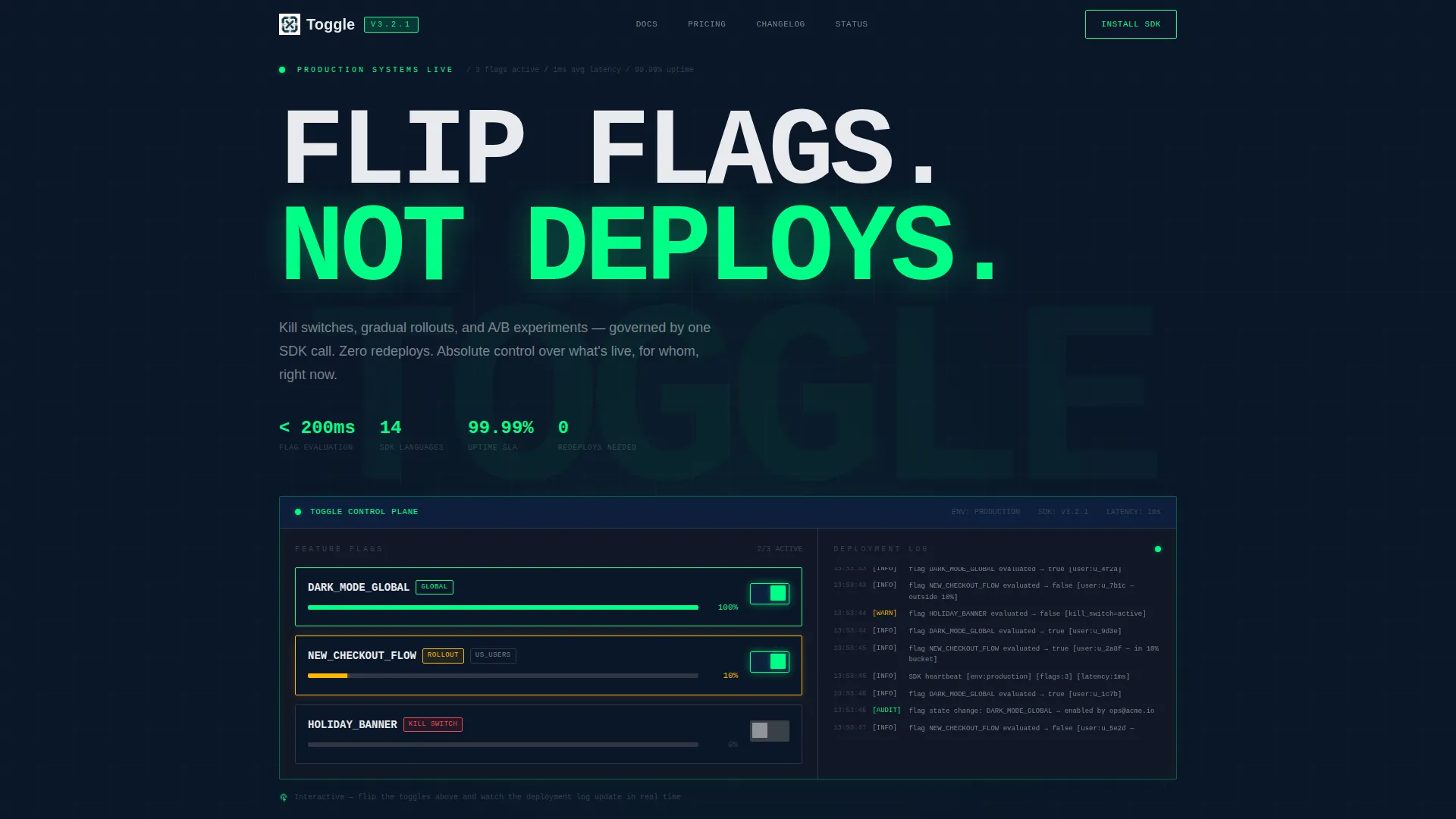
- Visitors interact with a real-looking feature toggle dashboard before reading a single sales sentence
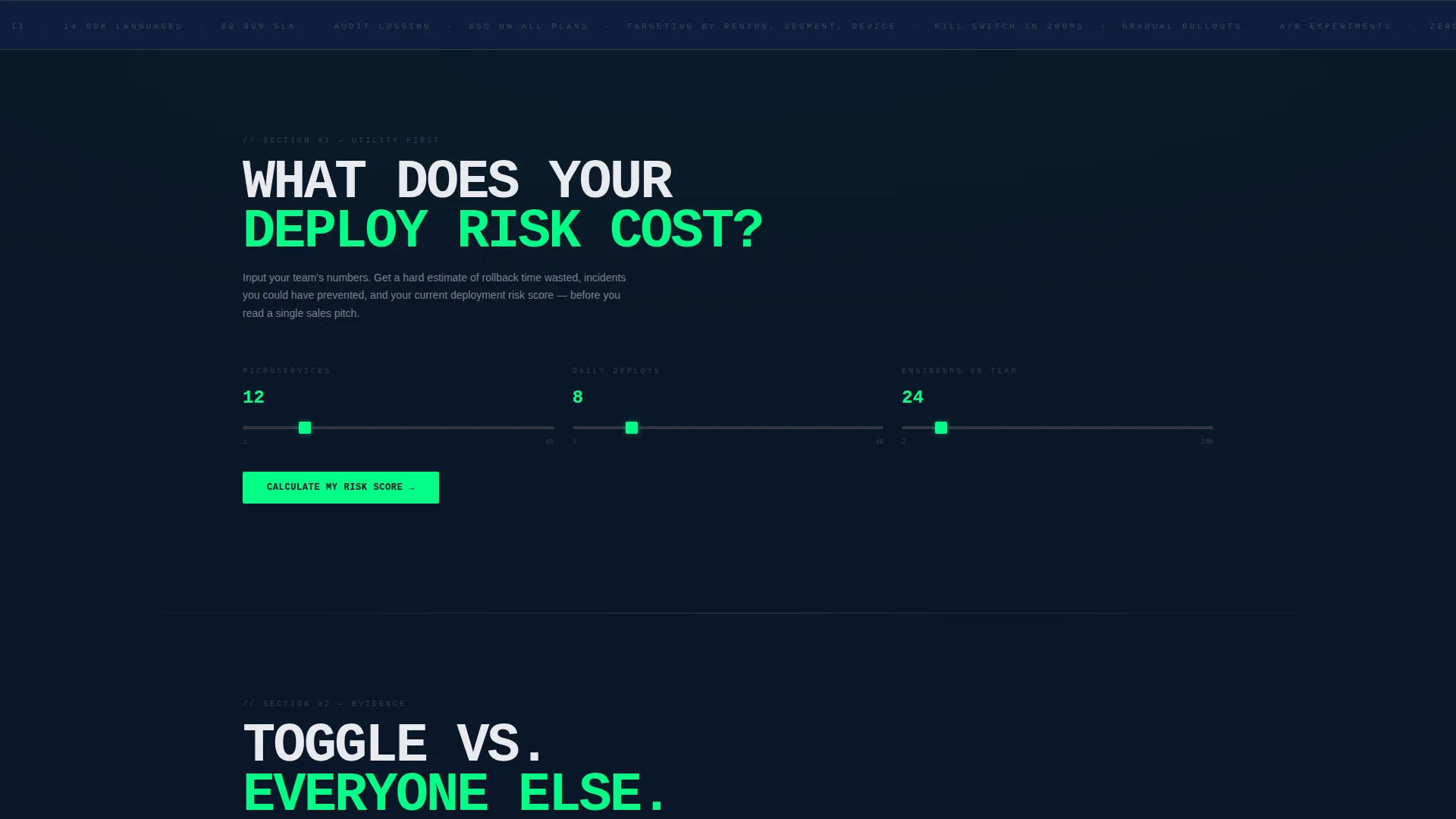
- A built-in calculator converts their own team metrics into concrete rollback time and risk estimates
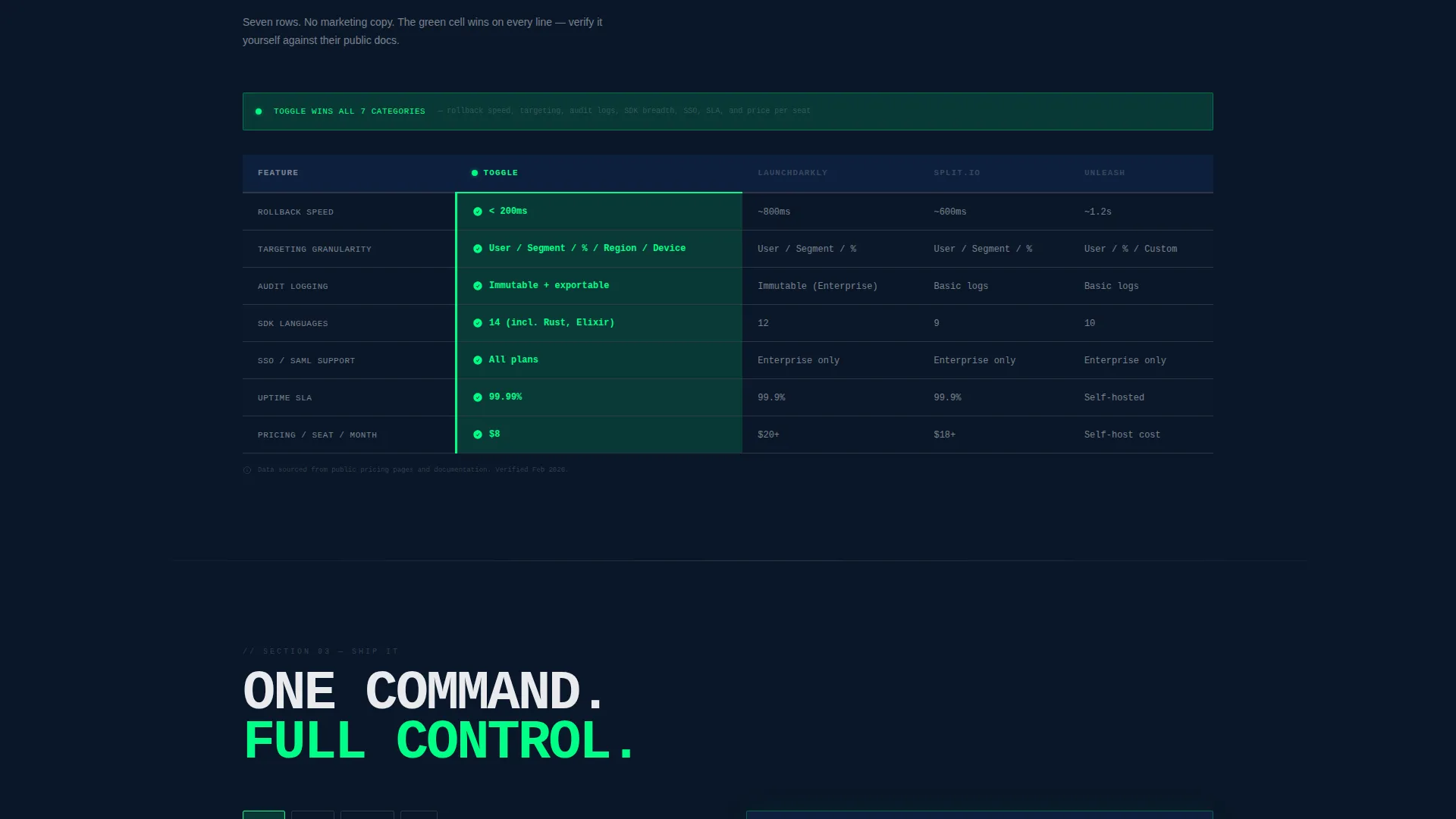
- The comparison table puts their current workflow side by side with Toggle across seven specific dimensions
What you get with this template
You get a fully structured single-page layout that moves a developer visitor from curiosity to installation through progressively harder evidence. Nothing is decorative. Every section carries a specific job.
- An interactive feature flag preview panel with three live-flippable toggles and a mock deployment log
- A flag complexity calculator that outputs rollback time saved, incident reduction percentage, and a deployment risk score
- A brutalist seven-row comparison table highlighting Toggle's advantages in electric green
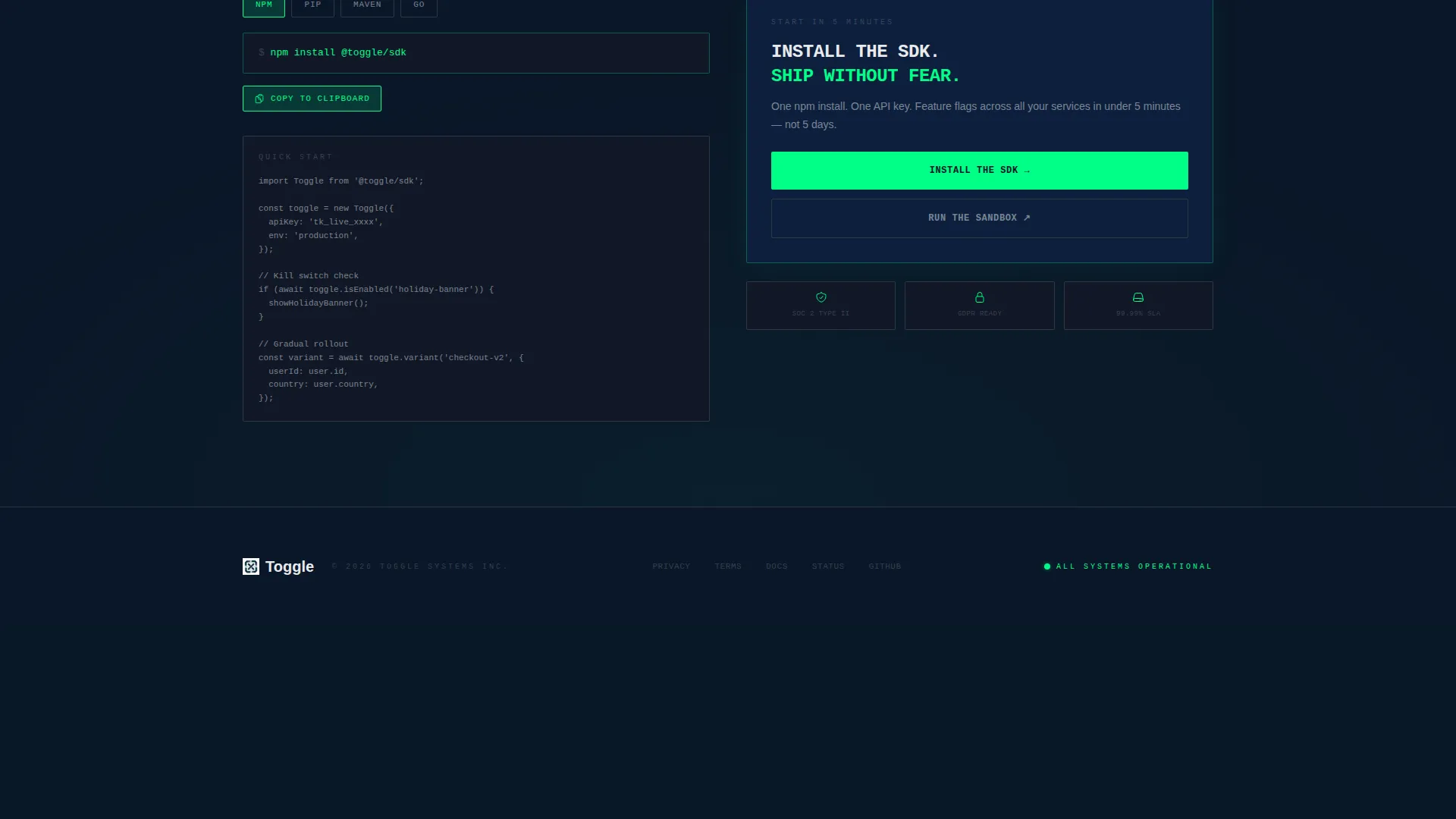
- A primary call to action with a platform selector for npm, pip, Maven, and Go modules that copies the install command to clipboard
Feature list
This template is built around components that do real work for technically minded visitors. Each section earns the next click.
Interactive Feature Flag Dashboard
A browser-rendered panel shows three live feature flags: "Dark Mode (Global)," "New Checkout Flow (US 10%)," and "Holiday Banner (Kill Switch)." Visitors flip the toggles themselves and watch rollout percentages animate, user segment tags rearrange, and a mock deployment log scroll in real time beneath the panel.
Flag Complexity Calculator
Visitors input their number of microservices, average daily deploys, and team size. The tool immediately outputs estimated rollback time saved per month, an incident reduction percentage, and a deployment risk score, all tied to the visitor's own numbers.
Brutalist Comparison Table
A seven-row table compares the visitor's current workflow against Toggle across rollback speed, targeting granularity, audit logging, supported SDK languages, single sign-on support, uptime service-level agreement, and pricing per seat. The winning cell in each row is highlighted in electric toggle green.
Platform-Specific SDK Install call to action
The primary call to action includes a platform selector covering npm, pip, Maven, and Go modules. Clicking any platform copies the correct install command to the clipboard instantly. The visitor's calculator results stay visible alongside the button as a persistent proof point.
Sandbox Environment Path
A secondary call to action labeled "Run the Sandbox" links to a hosted playground. This gives cautious visitors a zero-commitment way to experience the product before installing anything locally.
Page sections overview
| Section | Purpose |
|---|---|
| Interactive toggle dashboard | Let visitors flip live feature flags and watch real-time log output |
| Flag complexity calculator | Convert team metrics into rollback time saved and risk score |
| Comparison table | Show Toggle versus. current workflow across seven technical rows |
| SDK install call to action | Deliver a clipboard-ready install command with platform selector |
| Sandbox secondary call to action | Offer a hosted playground as a lower-commitment entry point |
Design & branding system
The visual identity follows a Bold Brutalist theme built on a Midnight Blue color system. The palette is designed to feel like a server room at 2 AM, where every element is load-bearing and nothing exists for decoration.
- Core colors: deep terminal navy (#0A1628) as the base, slab concrete gray (#3A3F47) for structural surfaces, electric toggle green (#00FF87) for active states and table win highlights, and cold white (#E8EAED) for typography
- Typography is monospaced, oversized, and set in all-caps against the dark base, making every label feel stamped into sheet metal
- The overall aesthetic communicates absolute operational control, matching the mental model of engineers who treat production as something dangerous and live
Mobile & speed optimization
The template is structured so that interactive components and heavy visual panels do not block the reading flow on smaller screens. The layout prioritizes the information hierarchy that matters most to a developer audience scanning on any device.
- The interactive dashboard panel and calculator are laid out to remain functional and legible on mobile viewports
- The comparison table scrolls horizontally on small screens so no row data is hidden or truncated
- The sticky calculator results near the call to action keep the visitor's personal numbers visible regardless of scroll position
How this template helps you convert
This template is built around a deliberate trust ladder. Persuasion is earned through sequential proof, not front-loaded emotion.
- The interactive dashboard gives visitors a tactile sense of control before any marketing copy appears, reducing the instinctive skepticism developers bring to product pages.
- The calculator forces the visitor to produce their own numbers, making the value case personal and specific before they reach the comparison table or any call to action.
- The SDK install section meets the visitor at the exact moment of highest intent, offering a clipboard-ready command and a sandbox fallback so no technical objection is left unanswered.
Other information about this template
This template is purpose-built for the feature toggle and feature flag service niche inside the broader developer tools category. It is structured to support a technically sophisticated audience that expects proof over persuasion.
- The template style is a Comparison Table landing page, appropriate for services competing against manual deployment workflows or incumbent tooling
- The header concept is an Interactive Preview, which is specifically chosen to demonstrate the core product behavior without requiring the visitor to sign up first
- The creative direction is Calculator or Tool First, meaning the scroll earns trust through the visitor's own calculated outcomes before revealing marketing claims
- The landing page direction is App Download, focused on getting developers to run an install command or enter a sandbox rather than submit a lead form
- This template fits product-led growth motion well, where the first meaningful action is installation rather than a sales conversation
Theme
Bold Brutalist
Creative direction
Calculator/Tool First
Color system
Midnight Blue
Style
Comparison Table
Direction
App Download
Page Sections
Live Interactive Toggle Dashboard
Flag Complexity Calculator
Seven-row Comparison Table
Platform-specific SDK Install Call to Action
Sandbox Secondary Path
Related questions
Who is this landing page template designed for?
Can I customize the feature flags shown in the interactive dashboard?
What does the Flag Complexity Calculator output?
Does the comparison table come pre-filled with content?
What are the two call-to-action paths in this template?



