Online Course Platform Careers Website Template
Syllabus is a single-instructor course landing page template built for mid-career professionals who need structured learning, not more scattered tutorials. It opens with a Persona Selector that tailors the page experience to each visitor, then walks them through a zigzag module journey before converting with a friction-free "Start Module 1 Free" enrollment flow.
by Rocket studio
Quick summary
Syllabus is a focused, single-page course template designed for one expert teaching one structured curriculum. It greets visitors with a three-card Persona Selector, adapts content to their chosen learner identity, and guides them through a zigzag module walkthrough before presenting a freemium enrollment form. The result is a landing page that earns commitment before asking for it.
Who this template is for
This template is built for solo course creators who have real expertise and want a page that communicates it clearly. It suits instructors who are tired of generic course pages that treat every visitor the same way.
- Independent instructors or consultants launching a structured online course
- Mid-career professionals pivoting into course creation with deep subject-matter knowledge
- Educators who want a conversion-focused page without hiring a custom development team
What problem this template solves
Most online course pages describe a course instead of demonstrating it. Visitors arrive unsure whether the instructor understands their specific situation, and they leave without enrolling. This template solves that problem by personalizing the experience from the very first section.
- Visitors self-select their learner archetype, so the page speaks directly to their gap
- The module walkthrough shows curriculum logic before asking for any commitment
- Two conversion paths (free module trial and syllabus download) reduce friction for visitors at different readiness levels
What you get with this template
You get a fully designed, single-page course landing page with high interactivity and a clear conversion architecture. Every section is purpose-built around the journey from curious visitor to enrolled student.
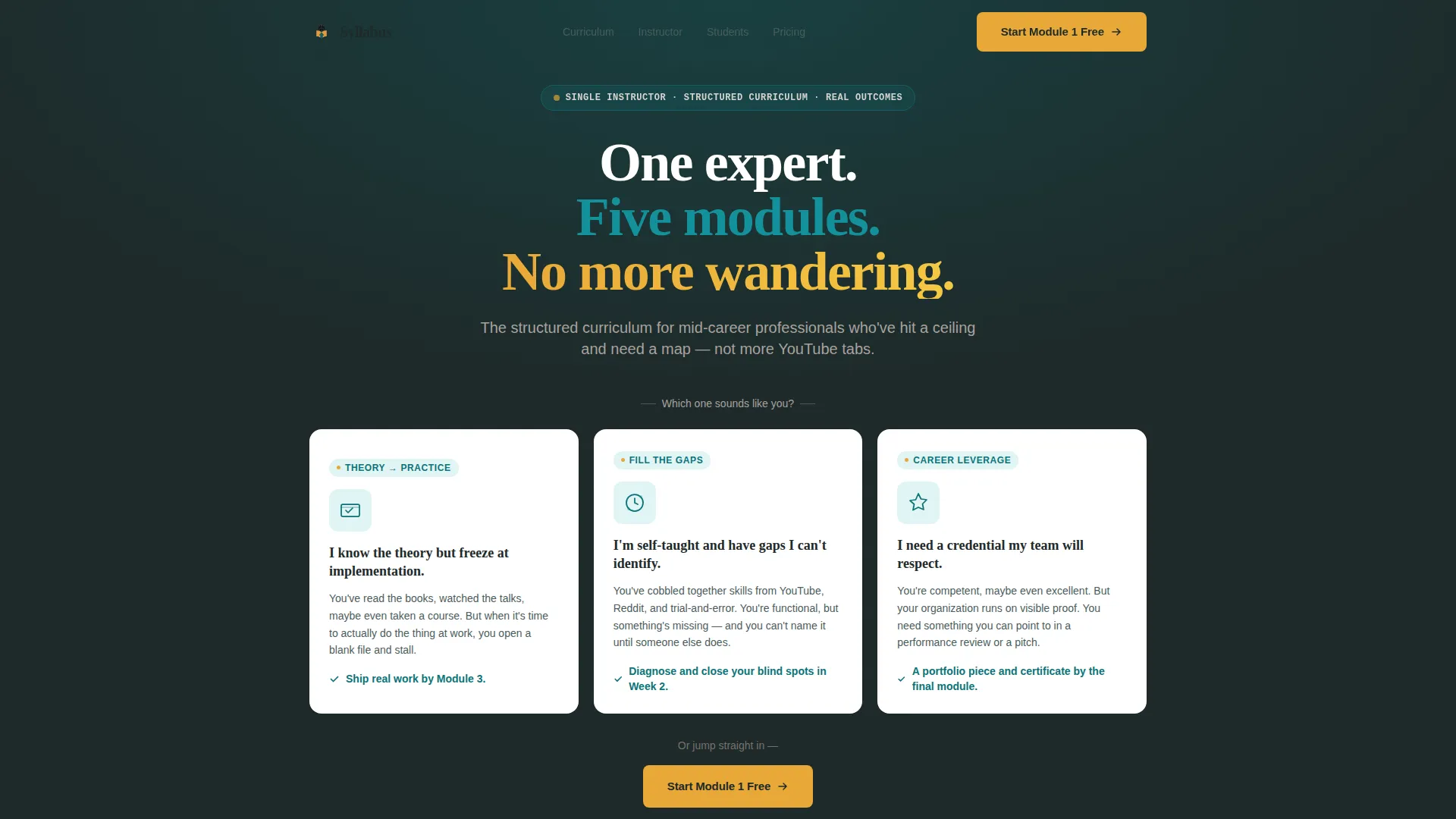
- A Persona Selector hero with three learner archetype cards and a post-selection instructor reveal
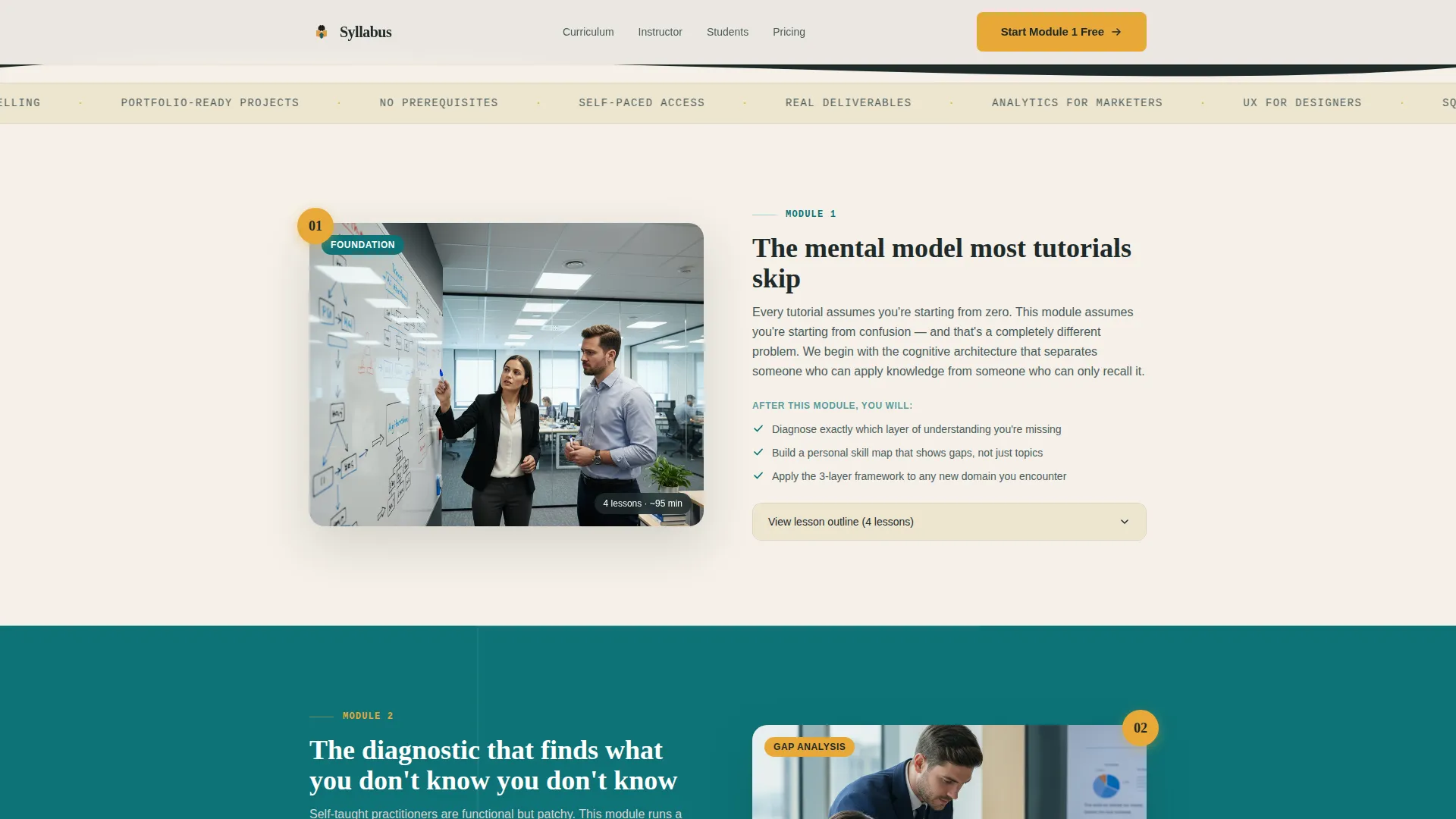
- A zigzag Step-by-Step Guide layout walking through course modules with alternating content previews and outcome descriptions
- An inline freemium enrollment form and a secondary PDF syllabus download gate
Feature list
This template includes purpose-built components that work together to move a hesitant professional toward enrollment with confidence.
Persona Selector Hero
Three horizontally arranged learner archetype cards let visitors identify themselves in the first seconds. Each card carries a second-person description and a single-line outcome promise. After selection, the instructor portrait and credential line appear, establishing authority only after relevance.
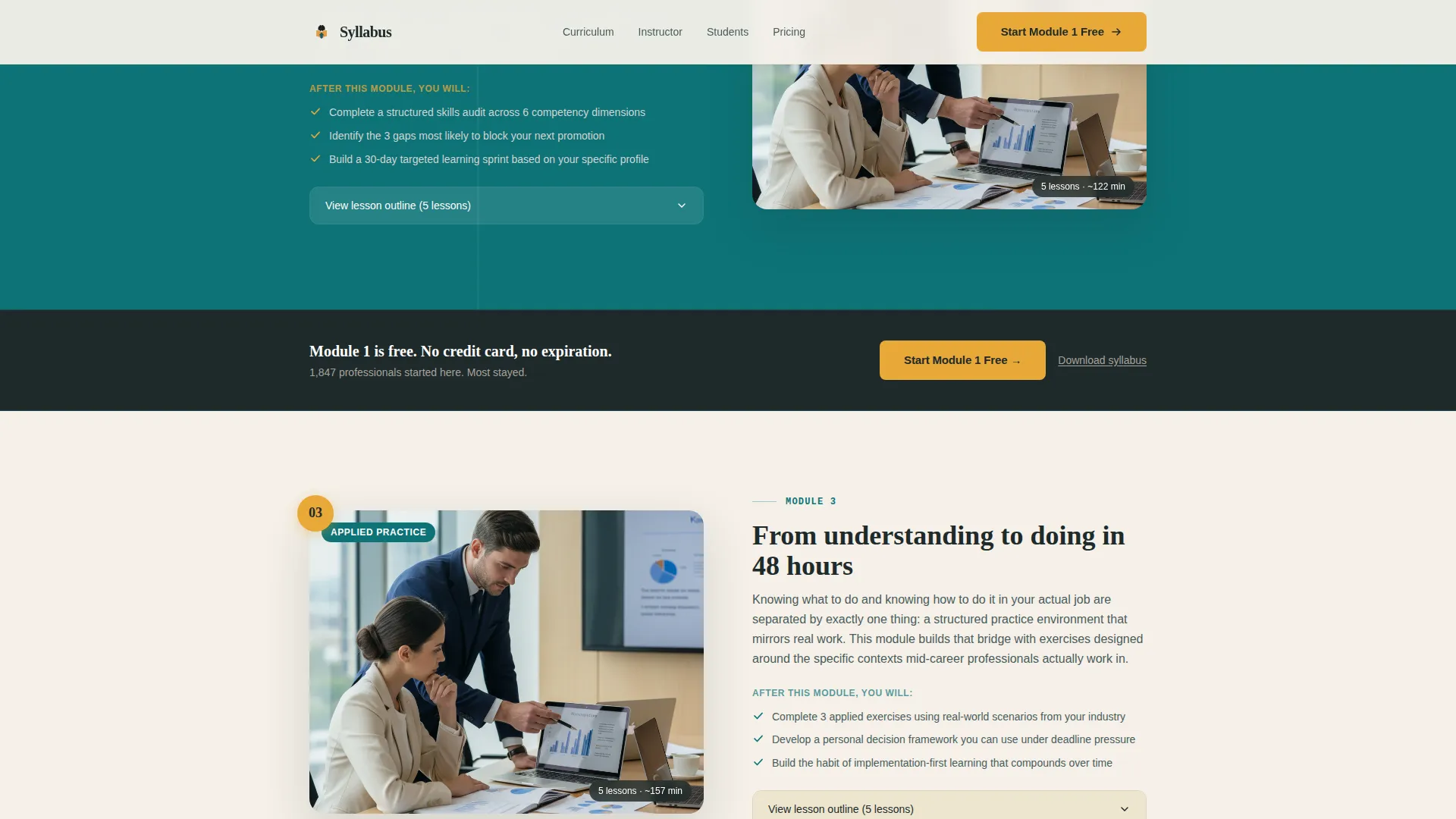
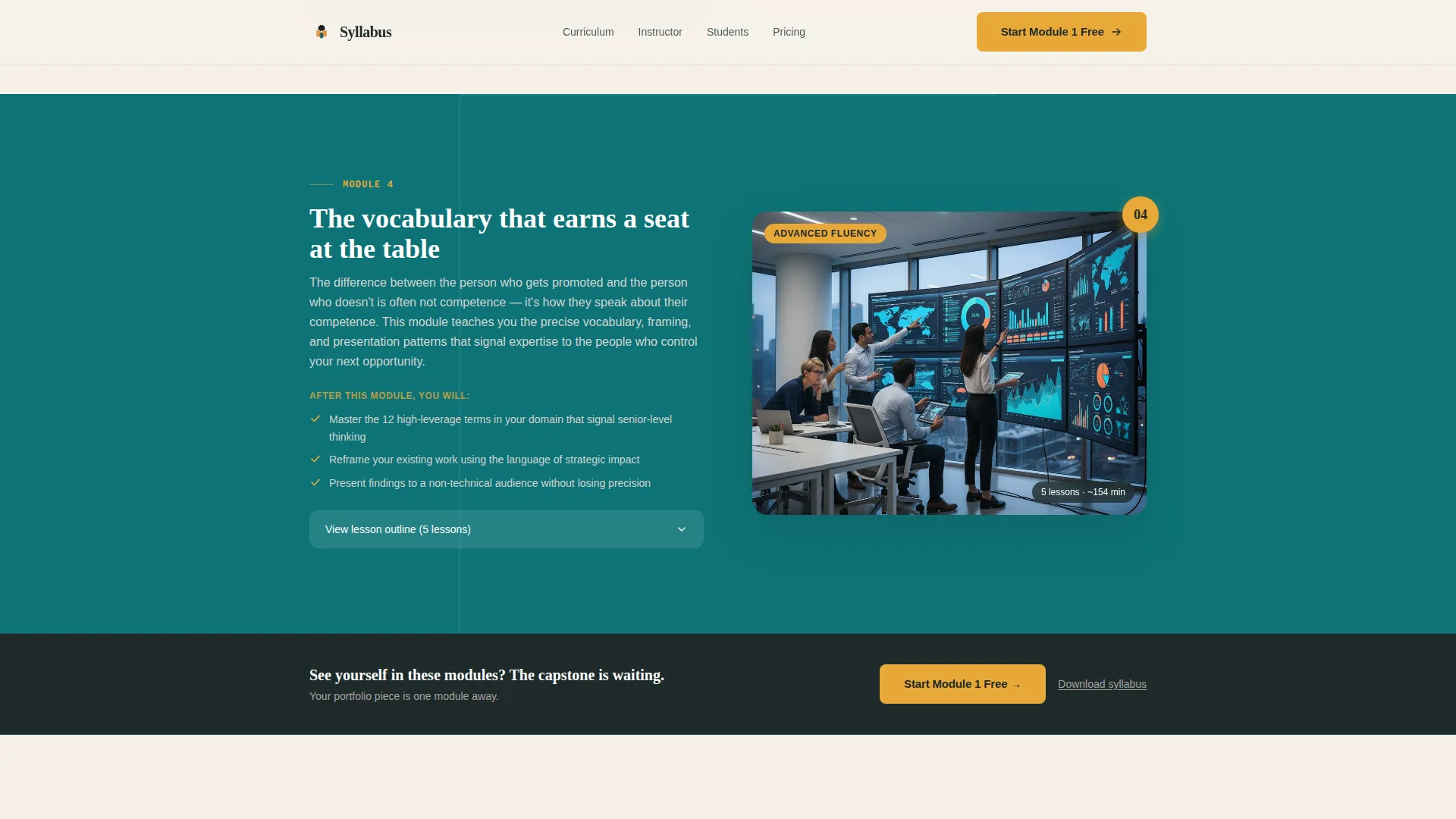
Zigzag Module Walkthrough
Each course module occupies its own alternating section, pairing a content preview (lesson screenshot, framework diagram, or embedded clip) with a plain-language description of what the student will be able to do afterward. Catalyst amber numbered step markers track progress down the page like a visual syllabus.
Freemium Enrollment Flow
The primary call to action, "Start Module 1 Free," appears first below the Persona Selector and repeats after every second module section. Clicking opens a minimal inline form: first name, email, and a single experience-level dropdown. No credit card is required.
Syllabus Download Gate
A secondary conversion path offers a PDF syllabus download for visitors who are not ready to enroll. This captures email with even less friction and keeps the instructor in contact with warm leads who need more time.
Module 1 Lesson Outline Preview
Visitors can read the actual Module 1 lesson outline directly on the page. This transparent preview proves the instructor's thinking is worth following before any commitment is made.
Instructor Credibility Section
A dedicated section pairs the instructor's candid portrait with credentials and role-specific micro-testimonials. Social proof is matched to the selected persona, making testimonials feel directly relevant rather than generic.
Page sections overview
| Section | Purpose |
|---|---|
| Persona Selector Hero | Visitor self-identifies as a learner archetype; instructor reveal follows selection |
| Module Zigzag Walkthrough | Alternating previews and outcomes guide visitors through the full curriculum logic |
| Instructor Credibility Block | Photo, credentials, and micro-testimonials build trust after relevance is established |
| Social Proof Section | Role-specific student testimonials and outcome metrics reinforce enrollment confidence |
| Freemium Conversion Section | Module 1 outline, inline enrollment form, and syllabus download gate drive action |
| Linear Footer | Single-row footer closes the page with clean navigation and secondary links |
Design & branding system
The visual theme is Institutional Authority brought to life through the Teal Catalyst color system. The palette feels like a prestigious university library renovated with modern lighting: credentialed and serious, but alive with forward motion.
- Deep lecture-hall teal (#0D7377) dominates section backgrounds in alternating light and dark bands; warm parchment (#F5F0E8) breathes between content blocks; chalkboard charcoal (#1E2A2A) anchors all body text
- Catalyst amber (#E8A838) is reserved exclusively for buttons, numbered step markers, and active states, making every clickable moment visually distinct
- Typography pairs Fraunces display headings for authoritative presence with DM Sans body text for clean, modern readability
Mobile & speed optimization
The template is built desktop-first to match the professional audience most likely viewing on a work machine, but it is fully responsive across all screen sizes. Interactive components are structured to keep the experience smooth on any device.
- The Persona Selector, inline enrollment form, and accordion module outlines use client-side components; static sections use server components to keep load behavior efficient
- Scroll-triggered reveals, parallax depth, masked text animations, and a marquee element add motion without blocking the core content from loading
- The zigzag layout reflows cleanly on smaller screens so module previews and outcome descriptions remain readable and well-spaced
How this template helps you convert
The conversion architecture is layered deliberately. Every decision reduces hesitation rather than adding pressure.
- The Persona Selector makes the visitor feel seen before they read a single word of course content, which lowers the instinct to bounce and raises willingness to keep scrolling.
- The zigzag module walkthrough lets visitors experience the curriculum's logic in sequence, so by the time they reach the enrollment form they have already decided the instructor knows what they need.
- Two conversion paths (free module start and syllabus PDF download) meet visitors at different levels of readiness, capturing both the ready-to-enroll professional and the still-researching one.
Other information about this template
This template is categorized under Education and Training, specifically within the Online Course Platform subcategory for single-instructor courses. It is designed for English-language audiences using USD pricing and United States date formatting.
- Animation intensity is high and includes masked text reveals, persona card selection states, scroll-triggered section reveals, and parallax depth effects
- The color system is named Teal Catalyst; the creative direction follows a Step-by-Step Guide structure; the header concept is a Persona Selector; and the conversion model is Freemium/Trial
- The template style is Zigzag/Alternating, which means content and preview blocks switch sides with each module section to create visual momentum as the visitor scrolls
Theme
Institutional Authority
Creative direction
Step-by-Step Guide
Color system
Teal Catalyst
Style
Zigzag/Alternating
Direction
Freemium/Trial
Page Sections
Persona Selector with Instructor Reveal
Zigzag Module Walkthrough
Freemium Enrollment Form
Syllabus PDF Download Gate
Module 1 Lesson Outline Preview
Role-specific Social Proof Section
Related questions
Can I customize the learner archetype cards for my specific course topic?
Do I need to offer a free module to use this template?
How many course modules does the zigzag section support?
What kind of social proof does this template support?
Is this template suitable for a first-time course creator?



