Tutoring Digital Presence Professional Website Template
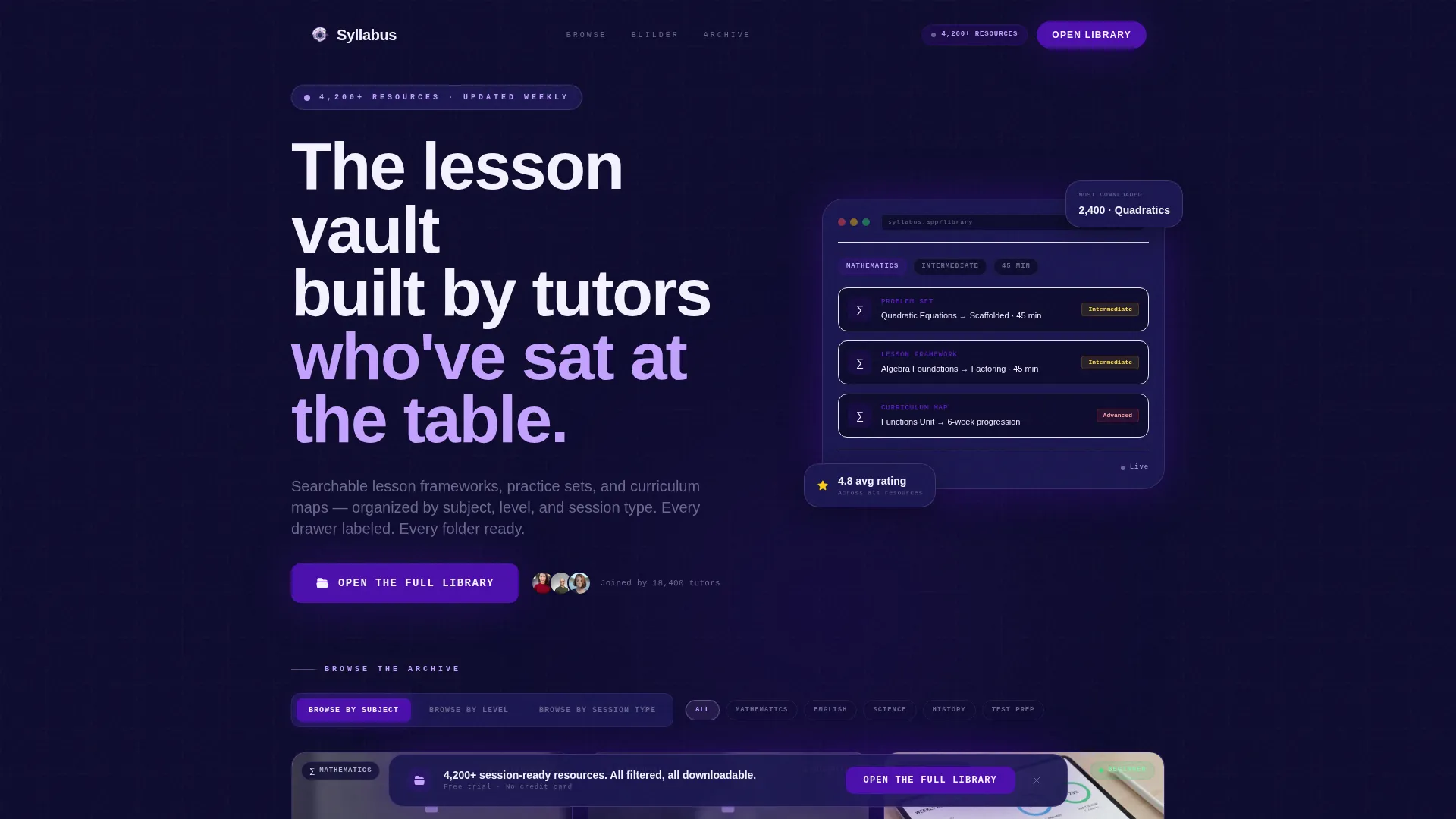
Syllabus is a dark, interactive tutoring knowledge base landing page built for independent tutors, small agency owners, and homeschool parents. It leads with a live tab switcher and a Session Builder tool that renders a personalized resource stack on demand. The design follows a Data Command visual theme: deep navy, charged indigo, and phosphor lilac across a snappy modular card grid.
by Rocket studio
Quick summary
Syllabus is a single-page tutoring knowledge base landing page template. It combines a feature tab switcher, a Session Builder tool, and a modular card grid to help tutoring resource platforms move visitors toward a free trial signup. The template suits curriculum marketplaces, tutoring agencies, and independent educators who need a structured, visually commanding digital presence.
Who this template is for
This template is purpose-built for people who create and sell structured tutoring resources. It fits anyone running a curriculum library or knowledge base and needing an interactive, professional storefront to drive signups.
- Independent tutors managing five or more subjects across a large student roster
- Small tutoring agency owners onboarding new hires who need ready-to-use session plans
- Homeschool parents and educators looking for structured curriculum progression without institutional complexity
What problem this template solves
Most tutoring resource pages look like static document dumps. They fail to show visitors how deep the library really goes, and they lose leads who are curious but not yet convinced. This template solves that by making the archive feel alive and navigable before the visitor ever signs up.
- Visitors cannot explore resources by subject, level, or session type without committing first
- Resource platforms struggle to communicate depth and quality through static screenshots alone
- Potential users abandon pages that lack interactive proof before asking for an email or payment
What you get with this template
You get a fully structured, interaction-led landing page built around a modular card grid and two primary conversion paths. Every section is designed to layer proof and deepen engagement as visitors scroll.
- A feature tab switcher hero with three browse modes and a live reshuffling card grid
- A Session Builder tool that renders a personalized resource stack based on subject, level, and session length
- A persistent bottom call-to-action bar, inline social proof cards, and a secondary email capture modal
Feature list
This template includes six purpose-built interactive and visual components drawn directly from the source brief.
Feature Tab Switcher Header
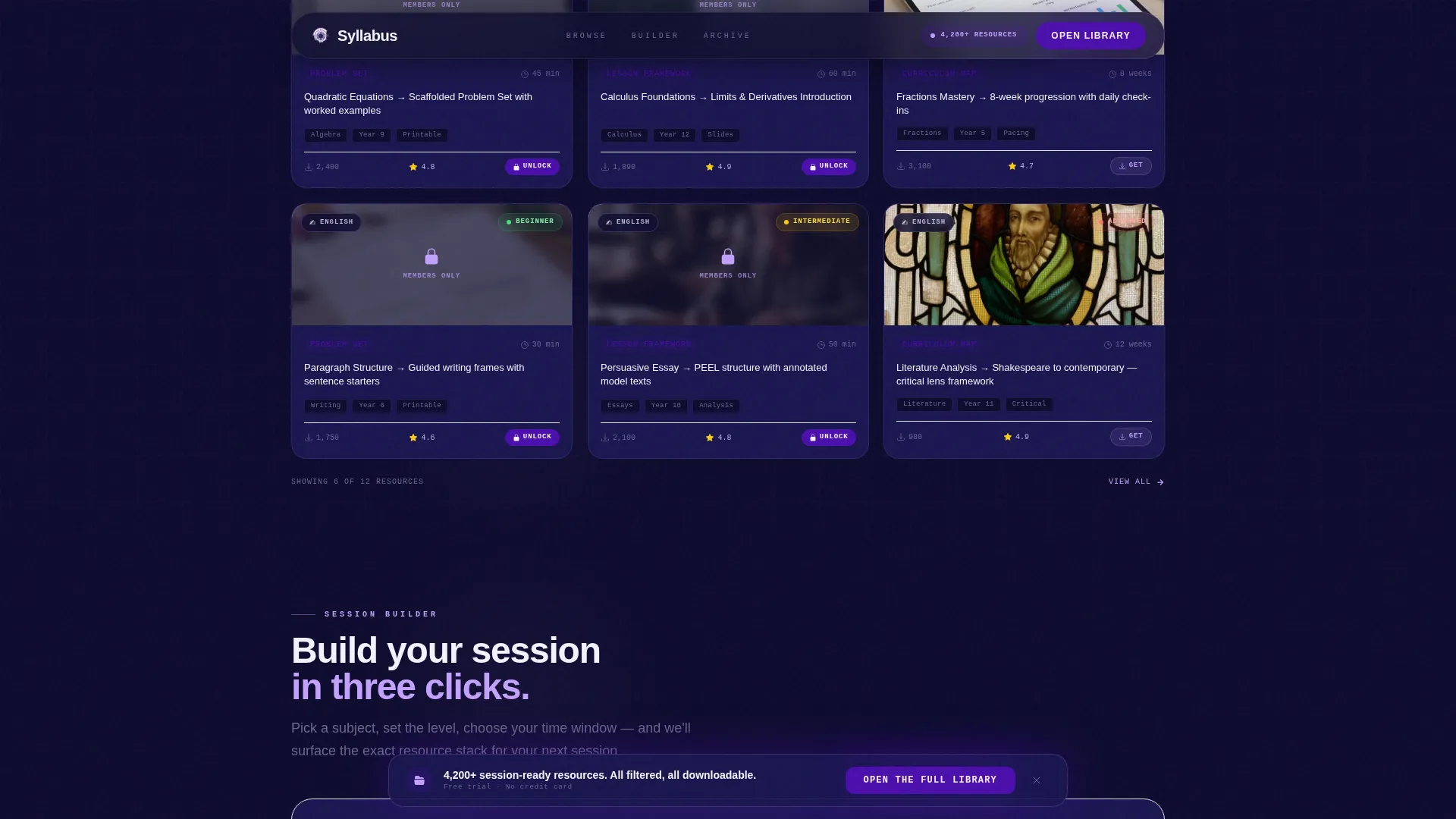
Three clickable tabs sit above the card grid: "Browse by Subject," "Browse by Level," and "Browse by Session Type." Each click reshuffles the grid instantly with a snappy, mechanical snap transition. The default state shows six resource cards mid-cascade, each displaying a subject icon, a difficulty badge, and a one-line descriptor.
Interactive Session Builder Tool
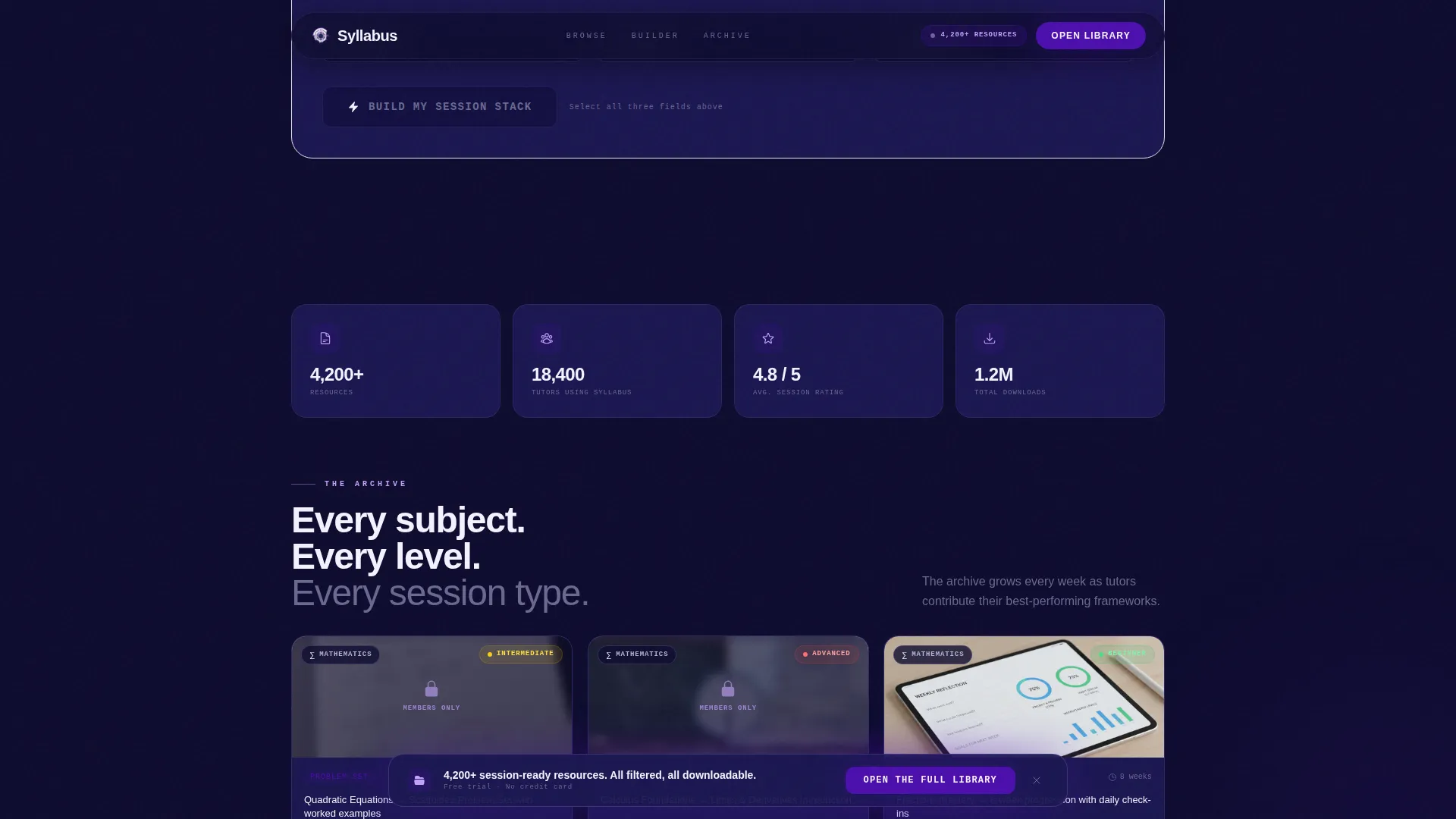
Visitors select a subject, a student level, and a session length. The tool instantly renders a recommended resource stack of three to five cards. Each card in the stack includes download indicators and compatibility tags, making the tool feel like a real planner rather than a marketing widget.
Modular Resource Card Grid
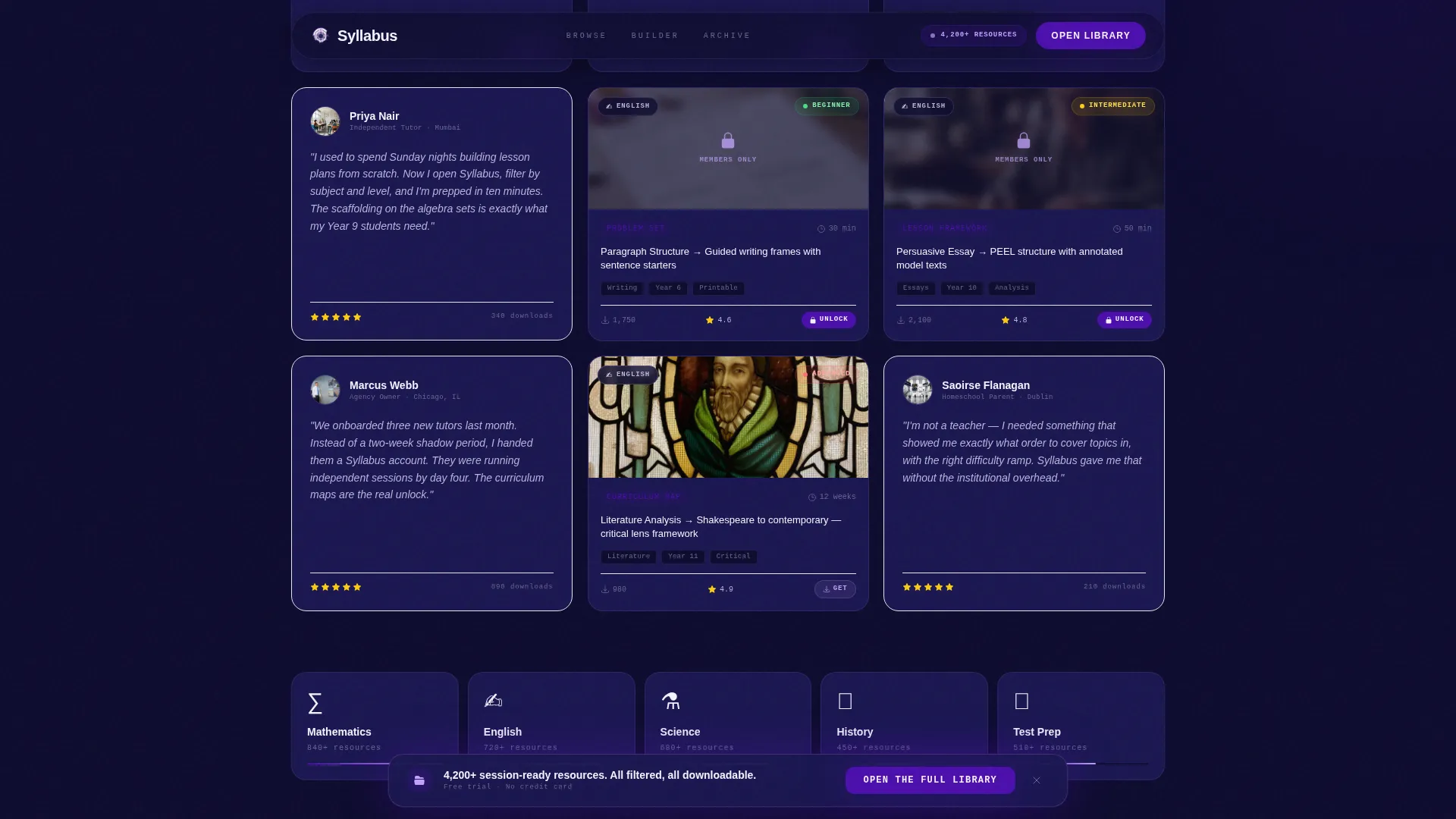
Cards are laid out in a modular grid with blurred previews and lock icons on restricted content. Each card shows a subject icon, a difficulty badge, and a short descriptor. Usage stats such as download counts and average ratings appear inline, building credibility without requiring a separate testimonial section.
Archive Depth and Proof Scroll Sequence
As visitors scroll, the grid thickens and filters multiply. Tutor testimonial cards appear inline between resource rows, each paired with usage statistics. This progressive reveal turns casual browsing into a growing sense of the library's scale and quality.
Persistent Bottom Call-to-Action Bar
After a visitor reaches forty percent scroll depth, a fixed bottom bar appears with the primary call to action: "Open the Full Library." It stays visible without interrupting the reading flow, keeping the conversion path always one click away.
Sample Pack Email Capture Modal
A secondary conversion path labeled "See a Sample Pack" triggers a modal that delivers three unlocked resource previews via email capture. This warms leads who want proof before committing to the free trial signup.
Page sections overview
| Section | Purpose |
|---|---|
| Hero Tab Switcher | Browse resources by subject, level, or session type with a live card grid |
| Session Builder Tool | Render a personalized resource stack by selecting subject, level, and session length |
| Archive Depth Section | Progressive grid reveal with inline testimonials and per-card usage stats |
| Testimonial and Stats Band | Social proof with tutor names, download counts, and ratings |
| Call-to-Action Section | Primary "Open the Full Library" button and "See a Sample Pack" modal trigger |
| Footer | Linear single-row footer with essential links |
Design & branding system
The visual identity follows a Data Command theme built around a planetarium control room aesthetic. Dark backgrounds make every illuminated element feel intentional, and each bright surface carries information rather than decoration.
- Color palette: deep command-center navy (#0D0B2E) as the base, charged indigo (#4B0EAD) for active states and progress indicators, phosphor lilac (#C4A1FF) for card borders and hover glows, and chalk white (#F4F2FF) for card faces and body text
- Typography: Plus Jakarta Sans for body and headings, JetBrains Mono for labels, badges, and data-style indicators
- Motion style: high animation using GSAP ScrollTrigger for stagger card reveals, tab snap transitions, and a magnetic call-to-action effect
Mobile & speed optimization
The template is designed desktop-first to match the primary use case of tutors working at a desk. A solid mobile fallback ensures the layout remains usable across screen sizes.
- Desktop-first layout with a responsive mobile fallback for all major interactive components
- Server components handle the static shell for faster initial load, while client components power the interactive tools
- Interactive elements including the tab switcher, Session Builder, and modal are scoped to client-side rendering to keep the static frame lightweight
How this template helps you convert
This template is structured as a click-through landing page. Every section is sequenced to build trust and reduce friction before asking for any commitment.
- The Session Builder tool creates a personalized experience early in the scroll, making the resource library feel immediately relevant to each visitor's specific needs.
- Blurred card previews with lock icons visually communicate what is available behind the signup, creating a clear and motivating value gap without being aggressive.
- The persistent bottom bar and the secondary "See a Sample Pack" modal give visitors two distinct paths to convert, matching both high-intent and early-stage visitors.
Other information about this template
This template is localized for English-language markets using United States date formats (MM/DD/YYYY) and USD pricing conventions. It is built for EdTech software as a service platforms, curriculum marketplaces, and business-to-consumer or business-to-business knowledge base products.
- Animation intensity is high, using GSAP ScrollTrigger for scroll-driven reveals, stagger effects, and tab transitions
- The template style is Card Grid (Modular), making it straightforward to expand or reorder resource cards as the library grows
- The footer uses a linear single-row pattern, keeping the page exit clean and uncluttered
- This template fits platforms positioned in the tutoring digital presence space within the broader EdTech and tutoring knowledge base niche
Theme
Data Command
Creative direction
Calculator/Tool First
Color system
Electric Indigo
Style
Card Grid (Modular)
Direction
Click-Through
Page Sections
Feature Tab Switcher with Live Card Grid
Interactive Session Builder Tool
Modular Resource Card Grid
Progressive Archive Depth Reveal
Persistent Bottom Call-to-action Bar
Sample Pack Email Capture Modal
Related questions
Does this template include an actual resource library or database?
Can I change the subject categories and filter labels?
Is there a form on this landing page?
Who benefits most from the Session Builder tool?
Can I adapt this template for a paid marketplace instead of a free trial flow?



