Syllabus - Powerful K-12 Landing Page Template
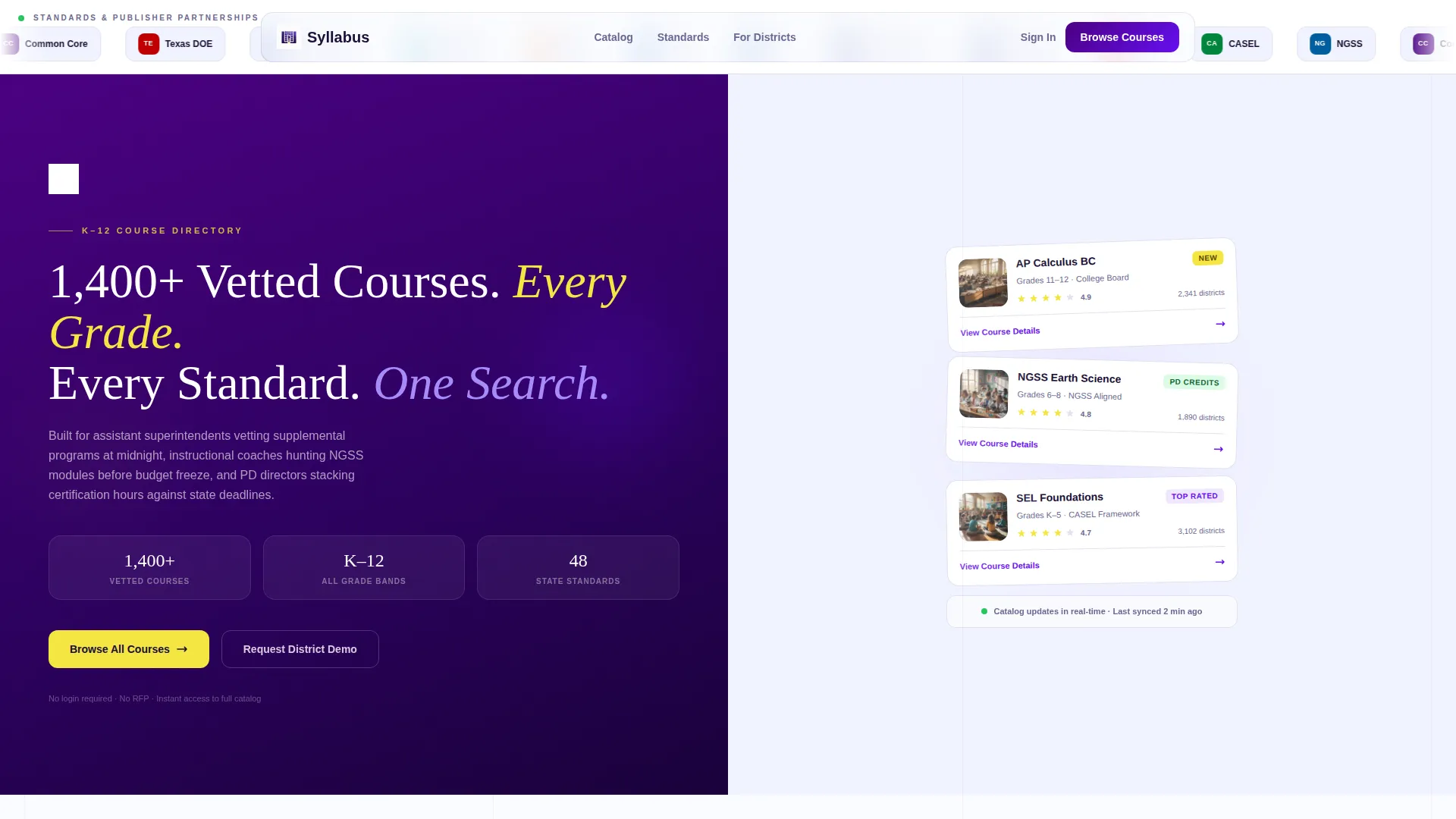
Syllabus is a split-screen K-12 course and training platform landing page built for district-level decision-makers. It pairs a persistent filter sidebar with a live-updating course grid, letting administrators browse, compare, and evaluate standards-aligned programs at a glance. The Electric Indigo color system and Directory and Discovery theme give it the organized, authoritative feel of a well-run curriculum library.
by Rocket studio
Quick summary
Syllabus is a single-page, split-screen landing page template designed for K-12 course and training platforms. It guides district coordinators, instructional coaches, and professional development directors through a structured course discovery experience. A persistent filter sidebar, a scrollable course grid, and a friction-free call to action work together to move visitors from browsing to enrollment.
Who this template is for
This template is built for organizations that need to present a large catalog of standards-aligned courses to district-level buyers. It suits platforms where the decision-maker is not a student but an administrator with a deadline.
- District coordinators and department heads evaluating supplemental programs across grade bands
- Instructional coaches searching for subject-specific modules before a budget cycle closes
- Professional development directors matching teacher certification hours to state requirements
What problem this template solves
K-12 procurement buyers arrive with specific needs: grade level, subject area, standard alignment, and delivery format. A generic course page forces them to dig. This template removes that friction by putting filters and results on screen at the same time.
- Visitors can narrow a catalog of over 1,400 courses without leaving the page or filling out a form
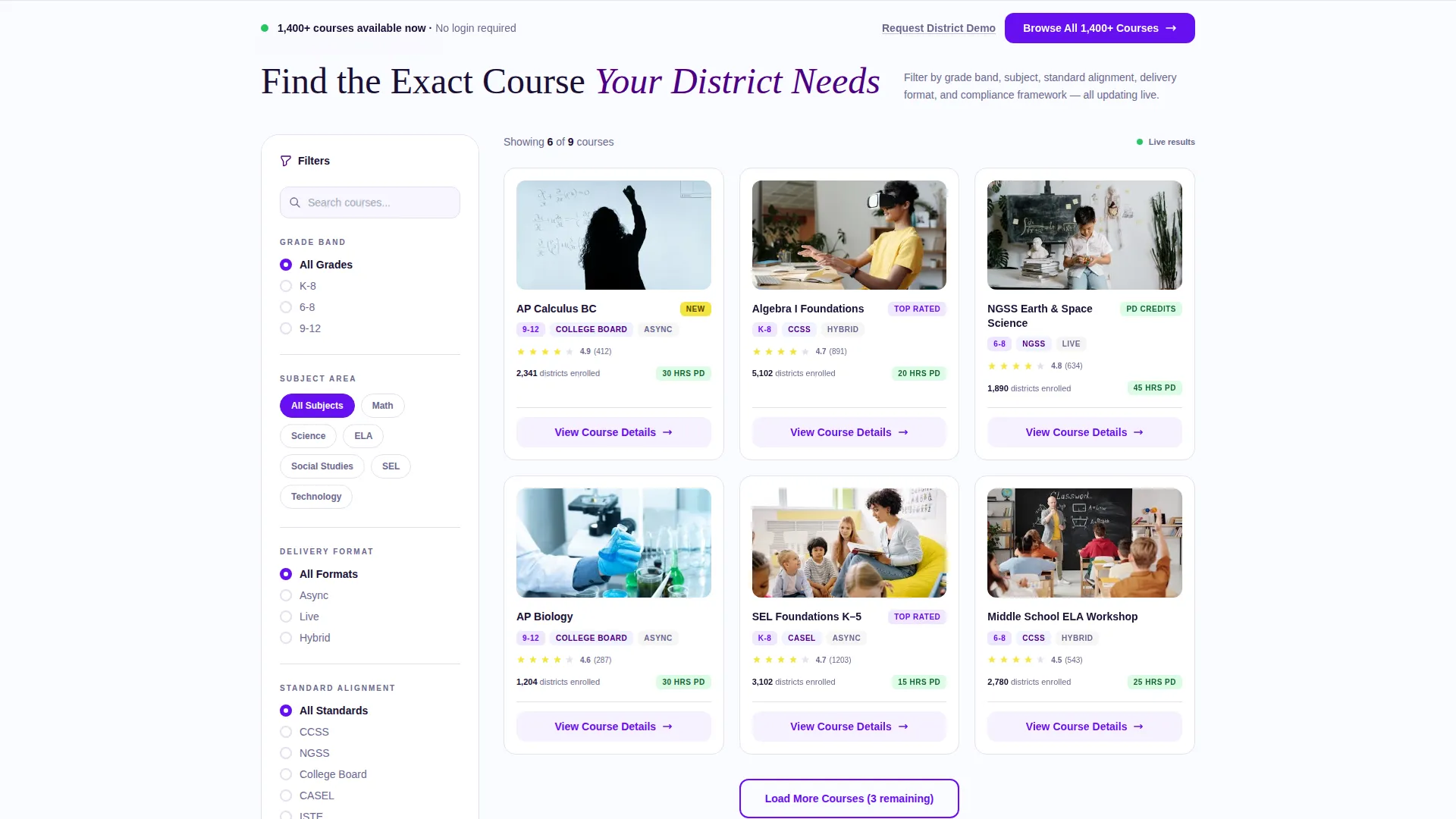
- Course micro-cards surface ratings, enrollment counts, and alignment badges so buyers compare at a glance
- The sticky call-to-action bar keeps the primary action visible no matter how far a visitor scrolls
What you get with this template
You get a fully structured, single-page layout designed to handle a high-volume course directory with clarity and confidence. Every visual and functional decision traces back to the needs of a time-pressed district buyer.
- A split-screen layout with a locked filter sidebar and a responsive course grid panel
- A logo bar header that displays publisher and standards-body trust marks in a slow, seamless ticker
- Tiered calls to action: an instant browse path and a delayed district demo request that appears after the visitor earns context
Feature list
This template delivers a complete set of layout components purpose-built for course discovery and district-level enrollment decisions.
Split-Screen Filter and Grid Layout
The 50/50 split keeps the filter sidebar locked on the left while the course grid fills and updates on the right. Visitors never lose their place in the filtering process as they scroll through results.
Persistent Filter Sidebar
The sidebar organizes filters by grade band, subject, standard alignment, seat count, and professional development credit eligibility. Each filter dimension is introduced progressively as the visitor scrolls, guiding them from broad to specific without overwhelming the page.
Course Micro-Card Grid
Each card in the grid shows a course title, star rating, enrollment count, and alignment badge. The primary action on every card is a "View Course Details" button routing to a dedicated enrollment page.
Logo Bar Header with Trust Ticker
The header opens with a horizontal ribbon of recognizable K-12 publisher and standards-body logos scrolling in a slow, seamless ticker. Below it, a bold headline and course counter communicate scale before a visitor reads a single line of body copy.
Sticky Bottom Call-to-Action Bar
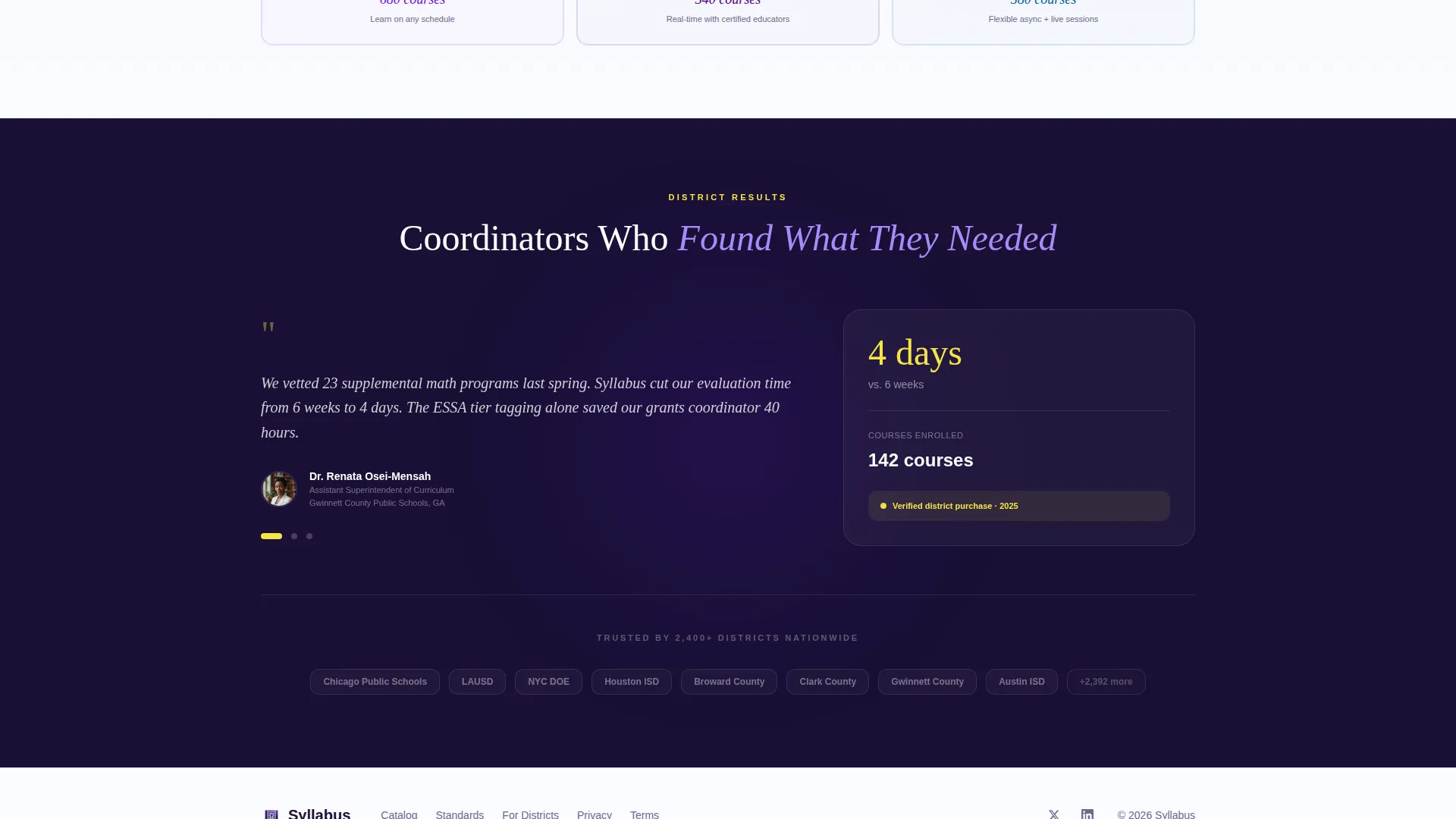
A fixed bar at the bottom of the viewport carries the primary action in volt indigo on chalk-white. It requires no form and no login, delivering visitors directly into the full course directory with a single click.
Scroll-Triggered Secondary Ask
A "Request a District Demo" path surfaces only after the visitor has scrolled past three filter sections. The ask is earned, not assumed, which makes it more likely to convert high-intent buyers.
Page sections overview
| Section | Purpose |
|---|---|
| Logo Bar Header | Builds trust with publisher and standards-body marks before copy is read |
| Bold Headline Counter | Communicates catalog scale instantly with a course count and value statement |
| Filter Sidebar Panel | Lets buyers narrow by grade, subject, standard, seat count, and PD credit |
| Course Grid Panel | Displays live-updating micro-cards with ratings, badges, and enrollment data |
| Subject Filter Scroll | Introduces subject-based discovery as the first scrollable filter dimension |
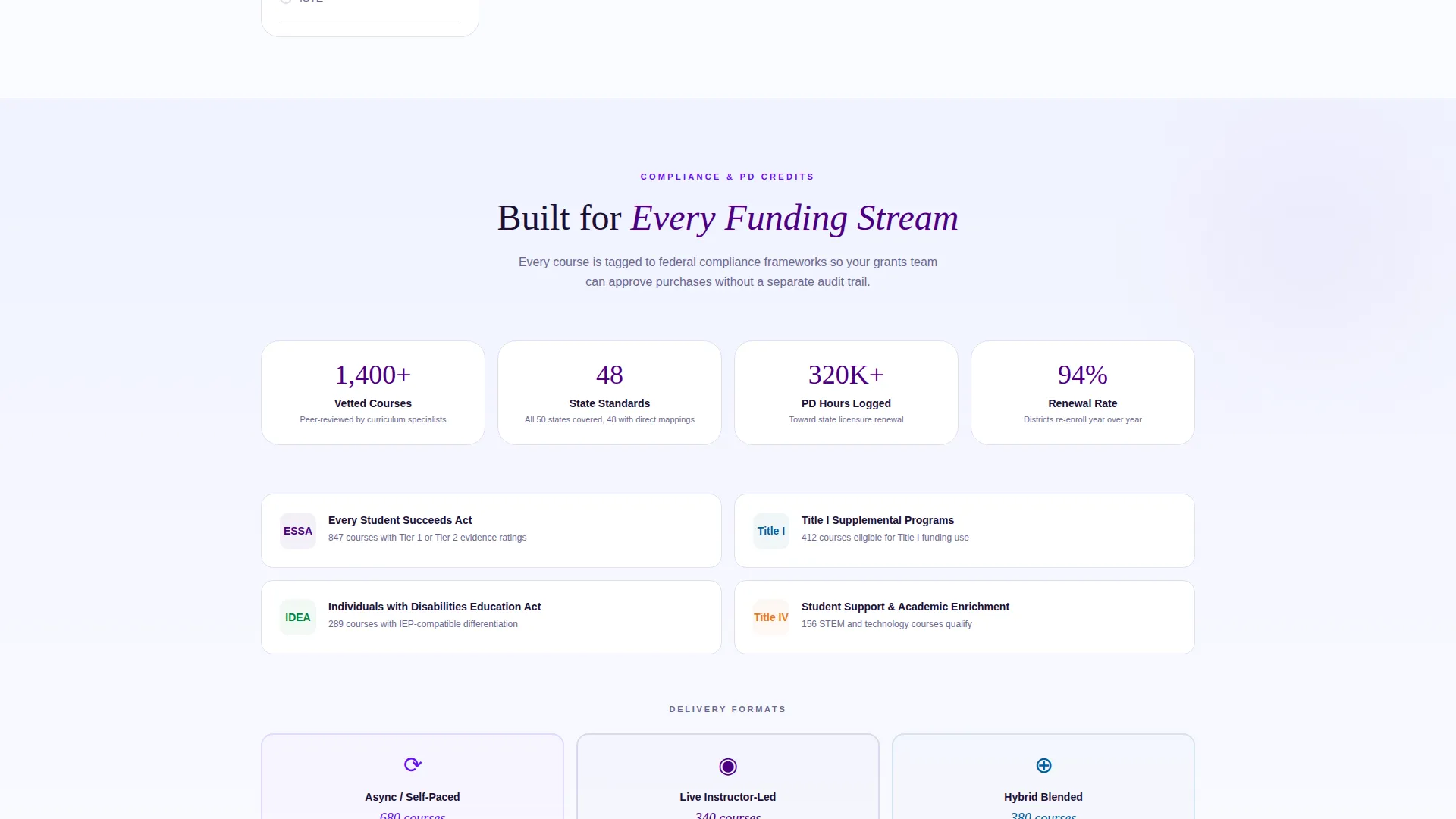
| Compliance Filter Scroll | Layers compliance framework filtering as the second scroll section |
| Delivery Format Scroll | Adds async, live, and hybrid format filtering as the third scroll section |
| Sticky call to action Bar | Keeps the primary browse action visible and friction-free across all scroll positions |
| District Demo Request | Surfaces a secondary high-intent path after three filter sections are passed |
Design & branding system
The Electric Indigo color system gives this template the authority of a curriculum library and the clarity of a smartboard in a focused classroom. Every color choice has a functional role in the directory experience.
- Deep digital indigo (#4B0082) anchors headers and navigation, while bright volt indigo (#6610F2) activates hover states and filter highlights
- Chalk-white (#FAFBFF) fills content panels to keep course cards readable and uncluttered
- Highlighter yellow (#F5E642) marks badges, star ratings, and "New" course tags, drawing the eye to the most relevant signals on each card
Mobile & speed optimization
The split-screen layout adapts to smaller viewports so that district buyers reviewing options on a tablet or phone can still navigate filters and course cards without friction.
- The filter sidebar collapses into an accessible panel on narrow screens, keeping the course grid the primary focus
- Micro-cards are sized and spaced for touch interaction, making it practical to scroll and tap on a mobile device
- The sticky call-to-action bar remains fixed at the bottom of the screen across all device sizes
How this template helps you convert
Every layout decision in this template is built to reduce the distance between arriving on the page and taking an action. The conversion path is progressive and low-friction.
- The logo bar and course counter establish credibility and scale in the first two seconds, giving busy administrators a reason to keep scrolling rather than bouncing.
- The filter sidebar and micro-card grid create an interactive discovery experience that keeps visitors engaged through multiple scroll sections, building confidence in the catalog before the primary call to action appears.
- The sticky browse bar removes the need to scroll back to the top, and the delayed district demo ask reaches only visitors who have already demonstrated high intent by exploring three filter dimensions.
Other information about this template
This template is a strong fit for edtech platforms that serve district procurement workflows. It is equally useful for curriculum publishers, professional development providers, and state-aligned course aggregators building a public-facing directory.
- The Directory and Discovery theme and Feature Matrix creative direction make this layout reusable across subject areas, grade bands, and delivery formats without redesigning the page
- The template style is a 50/50 split screen and the landing page direction is Click-Through, meaning the primary goal is moving visitors into a deeper catalog view rather than capturing a form submission upfront
- The Click-Through direction pairs well with high-volume catalogs where a visitor needs to explore before they are ready to commit to a demo or enrollment conversation
Theme
Directory & Discovery
Creative direction
Feature Matrix
Color system
Electric Indigo
Style
Split Screen (50/50)
Direction
Click-Through
Page Sections
Split-screen Filter and Grid Layout
Persistent Filter Sidebar
Course Micro-card Grid
Logo Bar Header with Trust Ticker
Sticky Bottom Call-to-action Bar
Scroll-triggered District Demo Ask
Related questions
Who is the intended audience for this landing page template?
Can this template handle a large course catalog?
Does a visitor need to log in or fill out a form to browse courses?
How does the template balance two different calls to action?
Is this template suitable for non-K-12 training platforms?



