Nonprofit Software Directory Website Template
Syllabus is a nonprofit learning management landing page template built for organizations that need one clear, searchable home for every training program, compliance course, and volunteer onboarding module. The scroll-reveal layout guides visitors through a filterable course directory, a drag-to-sequence curriculum builder, and a live dashboard mockup before inviting them to explore the full platform.
by Rocket studio
Quick summary
Syllabus is a single-page, scroll-reveal landing page template designed for nonprofit learning management platforms. It walks visitors through a filterable course directory, an interactive learner-path timeline, and a live dashboard mockup. The page builds familiarity with the product before presenting a single, clear call to action: explore the full platform.
Who this template is for
This template is built for nonprofit technology platforms that help organizations manage training and compliance. It speaks directly to the people inside those organizations who feel the pain most.
- Program directors managing cohort training schedules and board-mandated compliance requirements
- Operations managers at mid-size foundations who need audit-ready completion records
- Executive directors at grassroots organizations who have inherited a disorganized collection of training materials
What problem this template solves
Nonprofit organizations often stitch together training programs using shared drives, email threads, and disconnected tools. The result is scattered materials, missed completions, and no clear way to prove compliance during an audit. This template gives a nonprofit learning management platform a landing page that names that exact problem and shows a believable solution.
- Scattered volunteer onboarding modules and compliance courses with no central home
- No way to demonstrate training completion records to grant funders or auditors
- A confusing mix of tools that no single staff member fully controls
What you get with this template
You get a fully designed, scroll-reveal landing page that lets visitors interact with the product concept before they ever click a link. Every section is purposeful, and the visual progression earns the call to action rather than demanding it.
- A filterable course directory section with category chips and smooth card transitions
- A drag-to-sequence learner-path timeline that makes curriculum building feel tangible
- A live dashboard mockup that populates completion data and overdue flags as the visitor scrolls
- A persistent bottom call-to-action bar and a secondary text link to vertical-specific case study pages
Feature list
This template's standout capabilities come directly from its interactive structure and the specific journey it creates for visitors.
Scroll-Reveal Progressive Layout
Each section appears as the visitor scrolls, building context before asking for a commitment. The experience moves from browsing courses to building paths to watching outcomes, each step granting more agency.
Filterable Course Directory
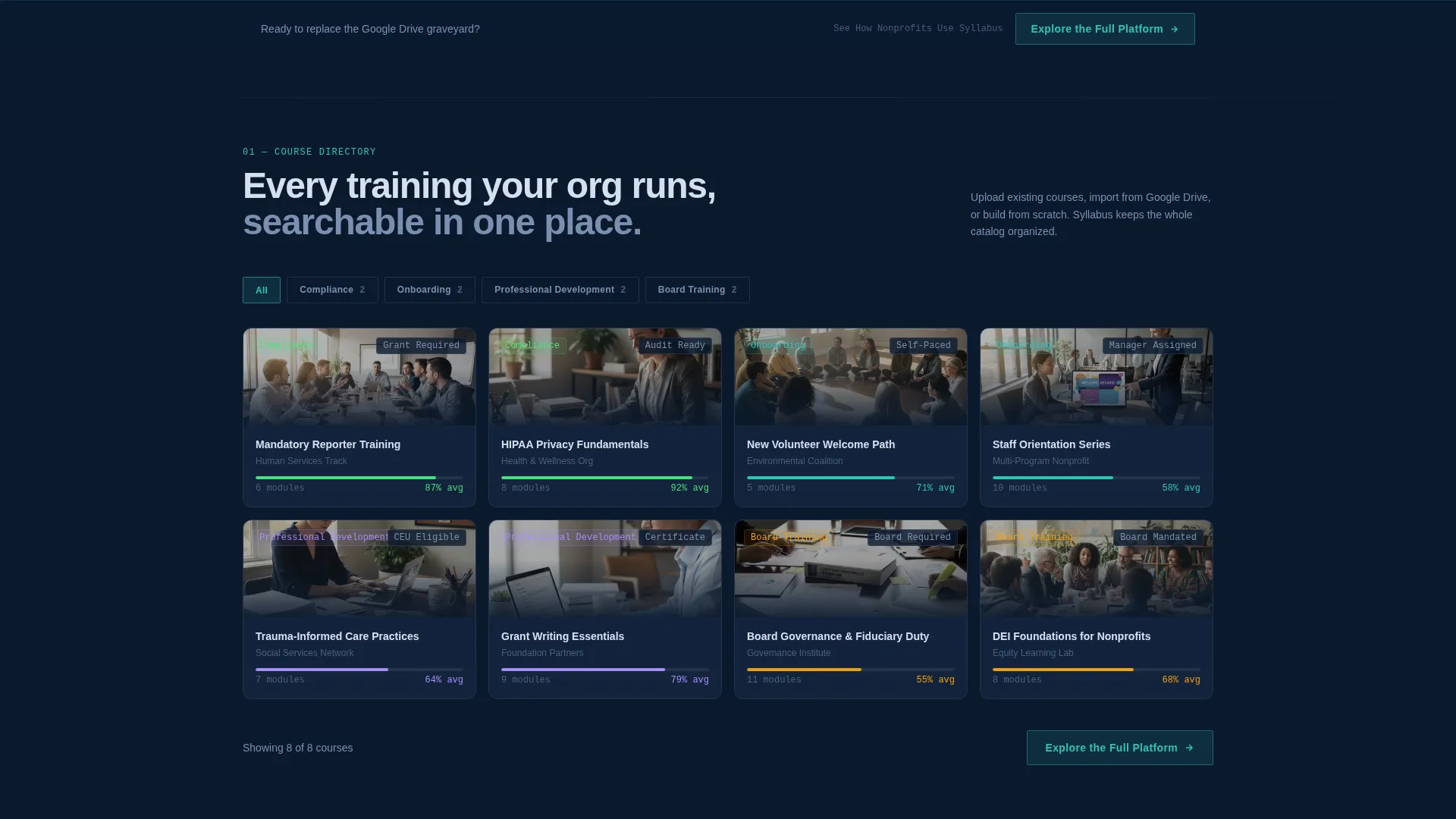
Visitors can click category chips such as Compliance, Onboarding, Professional Development, and Board Training to reshape the visible course cards. Transitions are smooth, and the interaction makes the platform's organizational logic immediately clear.
Drag-to-Sequence Curriculum Builder
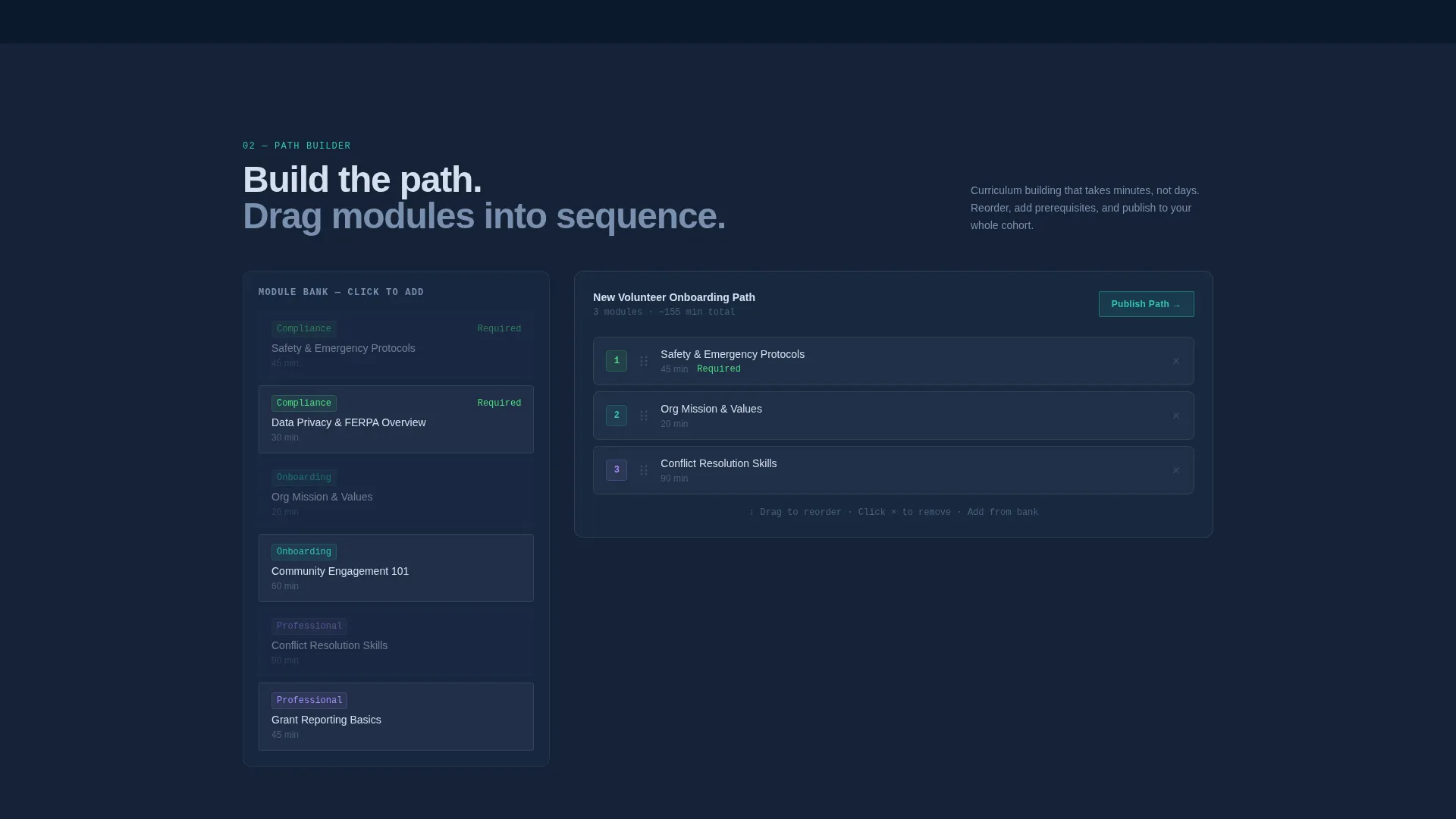
A learner-path timeline slides in from the right. Visitors can drag modules into order, giving them a hands-on feel for how the platform's curriculum-building tools work before they sign up.
Live Dashboard Mockup
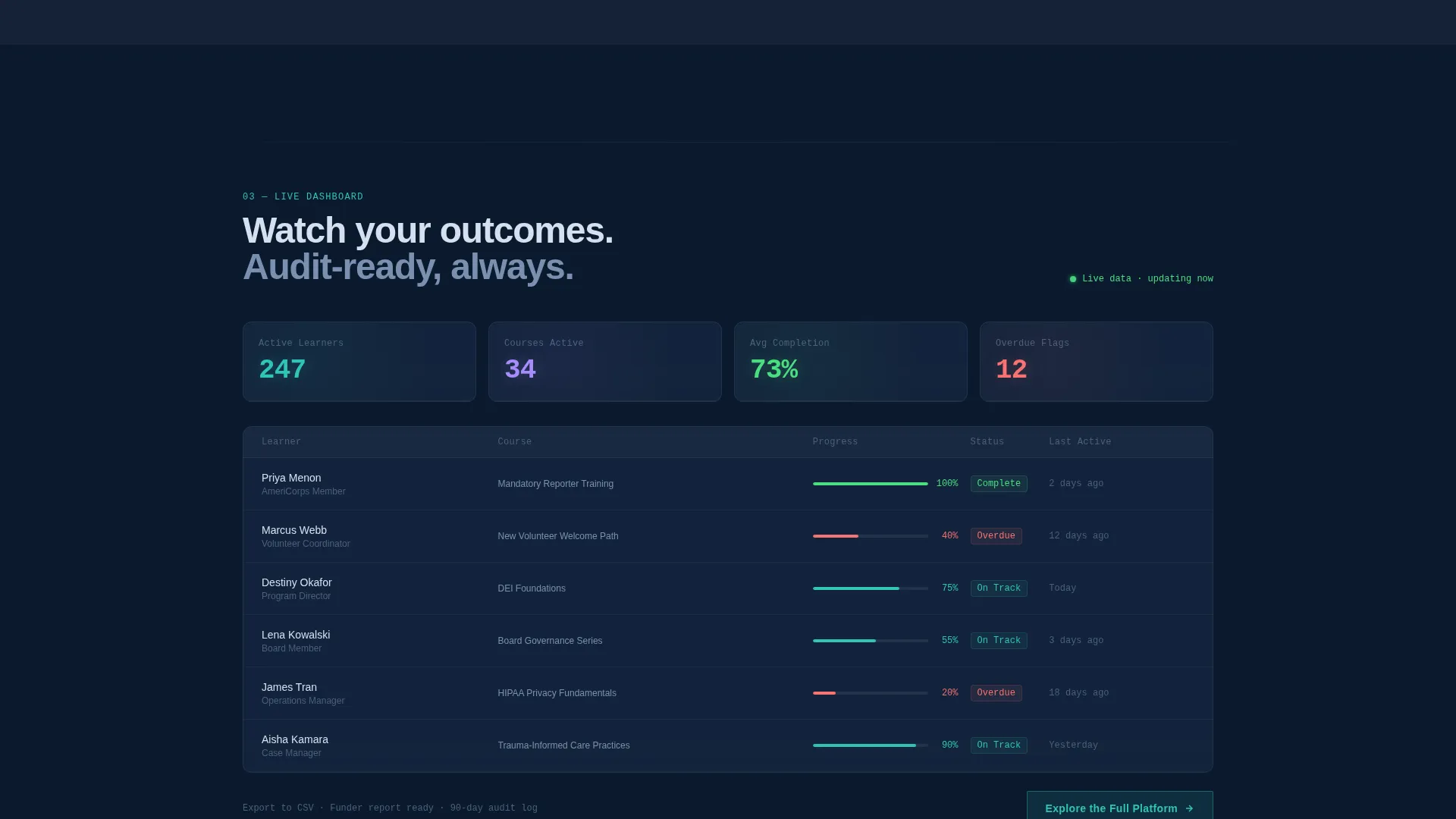
A dashboard section populates completion percentages and overdue flags in real time as the visitor scrolls. Each data point ticks upward, making the tracking capability feel active rather than theoretical.
Dark Glass Panel Header
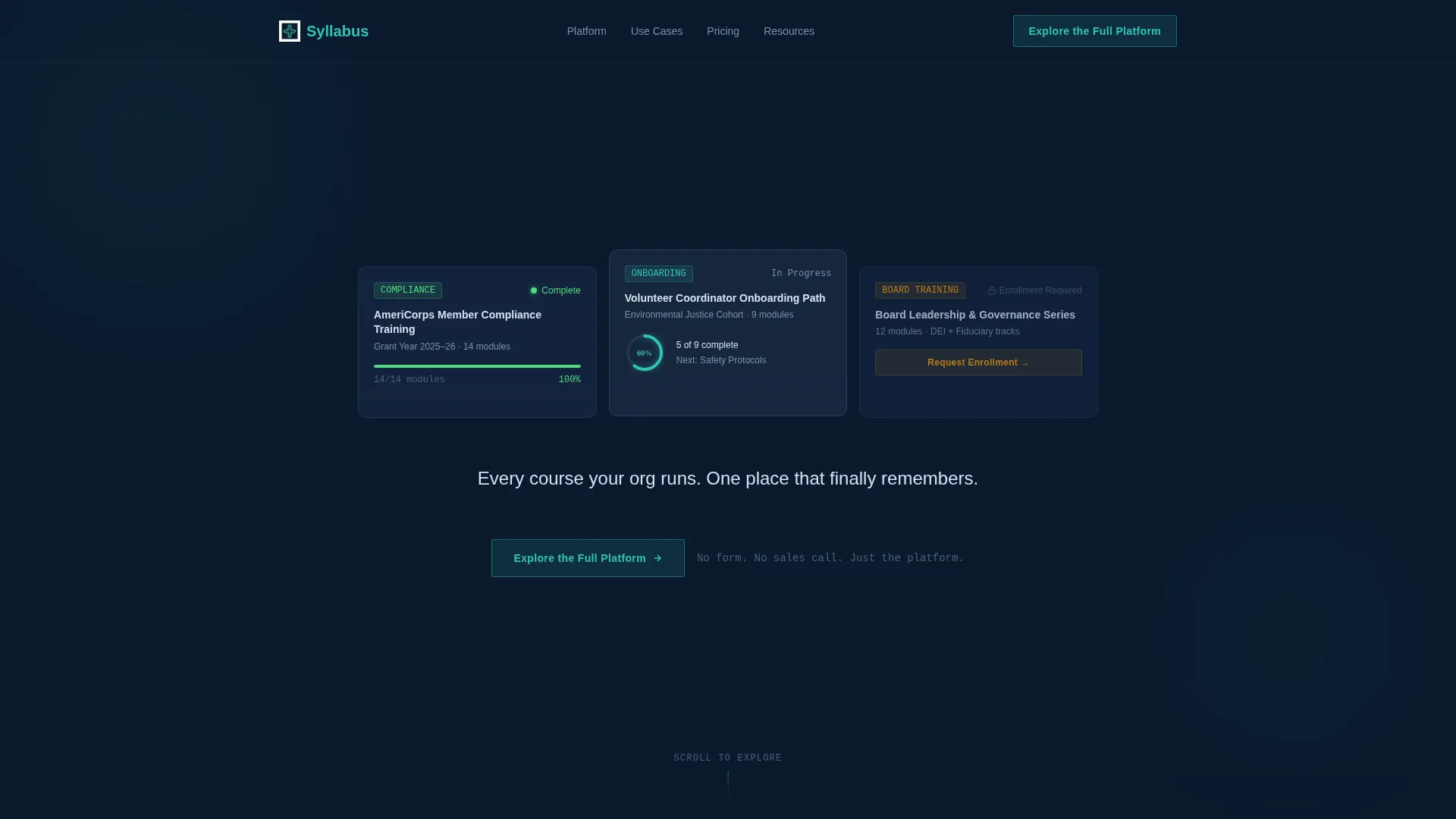
Three frosted-glass rectangles display distinct course card states: a completed compliance module, a half-finished onboarding path with a glowing progress ring, and a locked leadership series awaiting enrollment. A single headline types itself onto the screen after the first visual beat.
Click-Through Call-to-Action System
The primary call to action, "Explore the Full Platform," appears after the directory interaction and again as a persistent bottom bar following the dashboard section. A secondary text link branches to three vertical-specific case study pages covering human services, environmental, and education organizations.
Page sections overview
| Section | Purpose |
|---|---|
| Dark Glass Header | Introduces the platform with three frosted-glass course card states and a self-typing headline |
| Course Directory | Lets visitors filter and browse cards by training category |
| Learner Path Timeline | Lets visitors drag modules into sequence to experience curriculum building |
| Dashboard Mockup | Populates live completion data and overdue flags as visitor scrolls |
| Primary Call to Action | Directs visitors to a guided product tour with a glass-panel button |
| Persistent Bottom Bar | Repeats the primary call to action after the dashboard section |
| Secondary Case Study Link | Branches to vertical-specific pages for human services, environmental, and education orgs |
Design & branding system
The visual identity follows a Directory and Discovery theme built on a Midnight Blue color system. Every design decision reinforces the feeling of a well-organized, authoritative system rather than a promotional webpage.
- Deep command-center navy (#0B1A2E) as the base background, with soft charcoal panel (#1C2A3F) for card surfaces and a pale lunar text color (#D6E0F0) for readability
- Signal teal (#2EC4B6) used exclusively for interactive highlights, progress indicators, and call-to-action elements
- Frosted-glass card treatments with subtle micro-reflections that respond to cursor movement, creating depth without decorative clutter
Mobile & speed optimization
The template is designed with a scroll-reveal structure that keeps each section lean and focused. Progressive disclosure means content loads in context, preventing the page from feeling overwhelming on any screen size.
- Section-by-section reveal keeps the visual hierarchy intact on smaller screens
- Interactive elements such as category chips and the drag-to-sequence timeline are designed to remain navigable without precise cursor control
- The persistent call-to-action bottom bar stays accessible throughout the scroll experience on mobile viewports
How this template helps you convert
This template earns the click rather than demanding it. Every section builds familiarity before a single call to action appears, so visitors arrive at the button already feeling ownership over the product.
- The filterable directory and drag-to-sequence timeline let visitors touch the platform's logic directly, reducing the mental distance between curiosity and trial
- The dashboard mockup makes outcomes feel real and already in progress, shifting the visitor's mindset from "could this work?" to "this is already working"
- The single, repeated call to action directs all momentum toward one next step: a guided product tour, with no form friction and no competing choices
Other information about this template
This template is built specifically for the nonprofit software category, where trust and clarity matter more than flash. It is well suited for any nonprofit learning management system platform looking to demonstrate value before asking for a sign-up.
- The template style is Scroll Reveal (Progressive), meaning sections activate in sequence as the visitor moves down the page
- The creative direction is Interactive Explorer, meaning visitors manipulate sections rather than passively reading them
- The landing page direction is Click-Through, with no form on the page and a single destination call to action
- The header concept is Dark Glass Panels, a distinctive visual treatment that sets the product apart from typical nonprofit software pages
- This template fits platforms in the nonprofit learning management space, including tools that help organizations manage volunteer training, compliance tracking, and professional development for staff
Theme
Directory & Discovery
Creative direction
Interactive Explorer
Color system
Midnight Blue
Style
Scroll Reveal (Progressive)
Direction
Click-Through
Page Sections
Scroll-reveal Progressive Layout
Filterable Course Directory
Drag-to-sequence Curriculum Builder
Live Dashboard Mockup
Dark Glass Panel Header
Click-through Call-to-action System
Related questions
What kind of organization is this template designed for?
Does this landing page include a sign-up form?
Can I customize the course category chips and dashboard data?
How does the scroll-reveal structure work on smaller screens?
What are the three case study pages linked from this template?



