Transfer Learning Newsletter & Community Landing Page
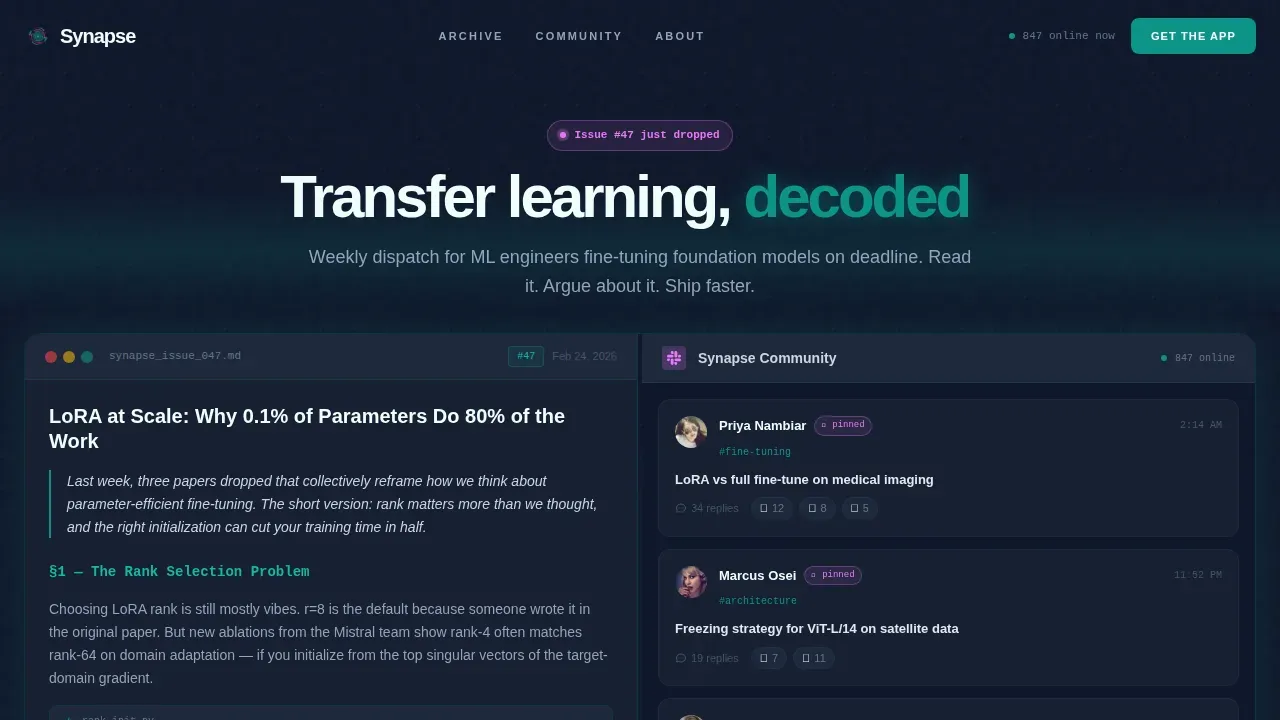
Synapse is a split-screen landing page template built for a transfer learning newsletter and community. It pairs a live newsletter preview with a Slack-style community feed, a filterable archive, and an interactive model diagram. The app-download call to action captures phone numbers for install links, backed by live member counters and issue stats that give visitors instant social proof.
by Rocket studio
Quick summary
Synapse is a single-page template designed for applied machine learning communities. It puts real newsletter content and live community threads side by side from the first scroll. Visitors explore before they commit. The page drives app downloads through a phone-number capture form, live counters, and layered interactive content that rewards curiosity at every depth.
Who this template is for
This template is built for ML-focused newsletter operators who need a landing page that speaks directly to technical readers. It works best when the product is a weekly dispatch paired with an active community channel.
- Applied researchers at growth-stage startups shipping models on tight deadlines
- Solo practitioners retraining vision transformers on niche or domain-specific datasets
- Team leads weighing pretrain-versus-adapt decisions and looking for peer insights
What problem this template solves
Technical newsletter landing pages often fail their audience. Generic hero sections do not signal scientific rigor. A plain sign-up form gives no taste of what is inside. Visitors leave before they trust the product enough to purchase or download. The design of a landing page for a transfer learning newsletter must signal both scientific rigor and practical utility from the first second.
- Visitors get no preview of content quality before they are asked to commit
- Community value is invisible until after sign-up, removing a key reason to join
- App-download pages rarely reduce friction for desktop-first technical users
What you get with this template
The template delivers a complete set of interactive pages built around a 50/50 split-screen layout. Each section is designed to deepen engagement rather than simply fill vertical space. You get everything needed to launch a credible, high-interactivity landing page in one purchase.
- A scrollable live newsletter mock on the left and a Slack-style community feed on the right
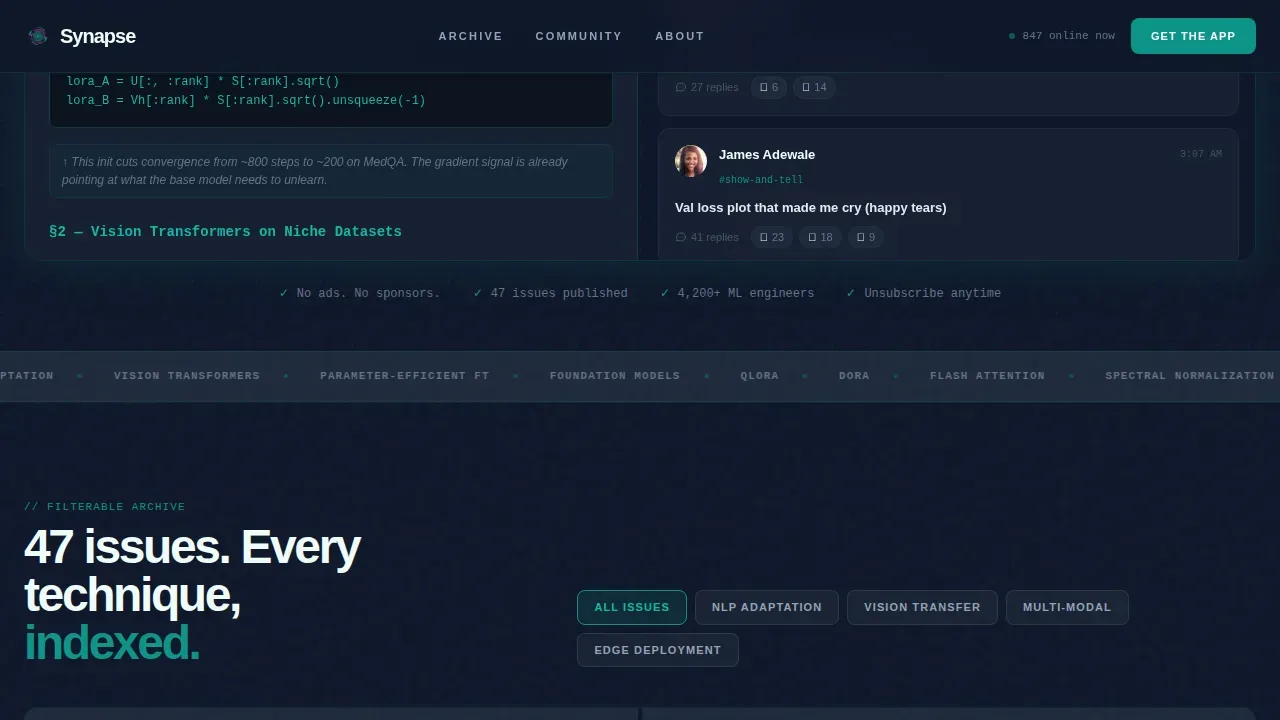
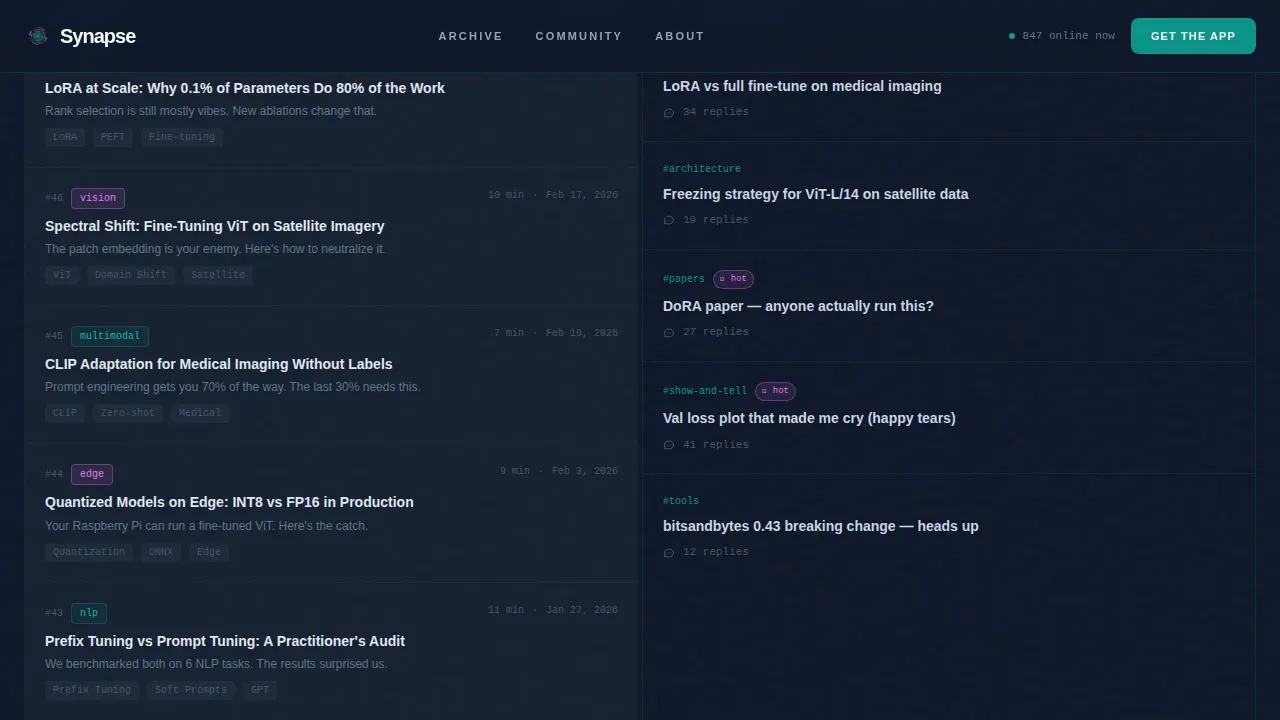
- A filterable archive explorer that repopulates both panels by topic category
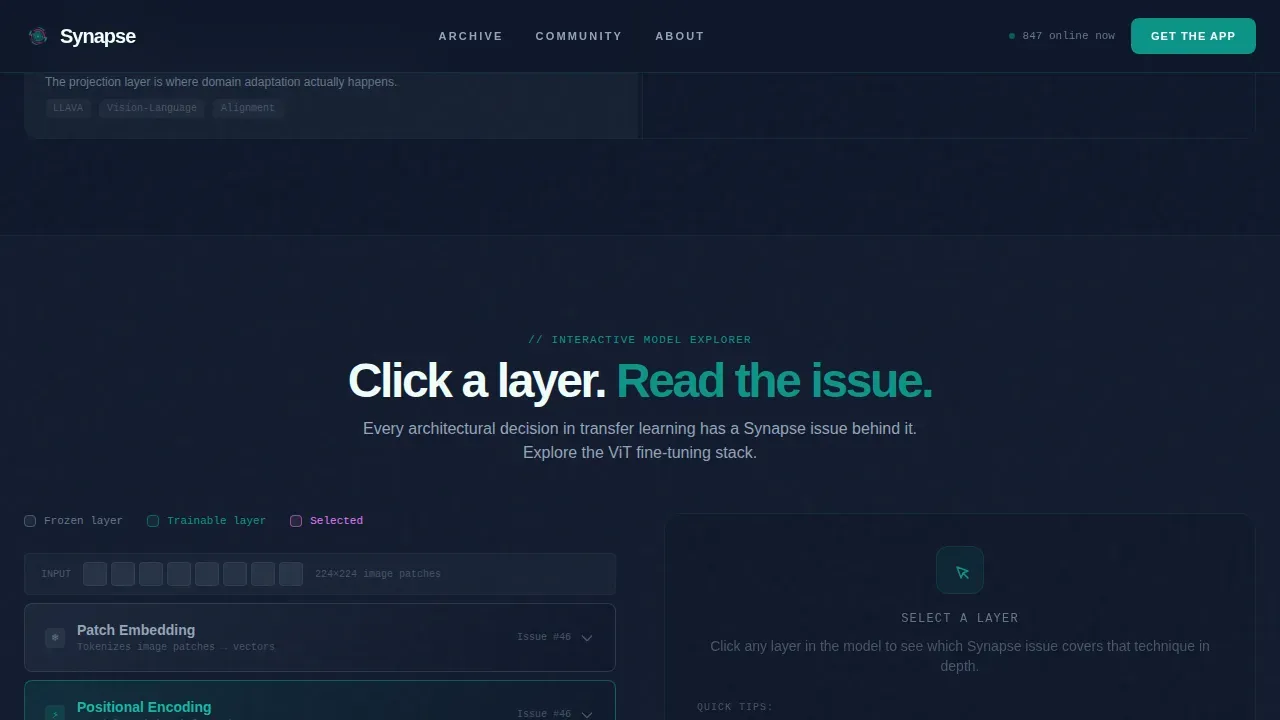
- An interactive frozen-and-unfrozen layer diagram linking techniques to specific newsletter editions
Feature list
This template combines five purpose-built interactive components. Each one is designed to turn passive browsers into active participants.
Split-Screen Interactive Preview
The hero section splits 50/50. The left panel shows a scrollable mock of the latest newsletter issue, complete with real headlines, inline code snippets, and annotated architecture diagrams that expand on hover. The right panel mirrors a Slack-style feed with pinned threads, member avatars, emoji reactions, and a pulsing typing indicator. Visitors are reading and browsing before any sign-up request is made.
Filterable Archive Explorer
Below the hero, a topic filter lets visitors toggle between categories such as NLP adaptation, vision transfer, multi-modal, and edge deployment. Both panels repopulate with matching issues and related community threads. This component doubles as a content syllabus, giving visitors a clear sense of the knowledge they will gain over time.
Interactive Model Layer Diagram
An explorable diagram lets visitors click individual frozen or unfrozen layers in a neural network illustration. Each layer reveals the newsletter edition that covered that specific training technique. This feature makes the archive tactile and positions the newsletter as a structured path through transfer learning education.
App Download Call to Action with Live Counters
A single-field form captures a phone number and sends an install link via SMS. Platform auto-detection displays the correct iOS or Android badge. Below the form, a live counter shows community members online now and total issues published, providing social proof at the exact moment of conversion.
Community Proof Section
A dedicated section surfaces member stats, recent thread activity, and testimonials from recognized practitioners. Social proof metrics here include subscriber counts and indications of peer participation. This section reduces the risks a visitor feels before downloading yet another app.
Page sections overview
| Section | Purpose |
|---|---|
| Hero Split Screen | Preview newsletter and community feed side by side |
| Archive Explorer | Filter topics and repopulate both panels live |
| Model Layer Diagram | Link frozen layers to matching newsletter editions |
| App Download call to action | Capture phone number and deliver install link |
| Community Proof | Show member stats, activity, and testimonials |
| Footer | Horizontal flow with links and contact information |
Design & branding system
The visual identity channels a terminal-dashboard aesthetic that feels like a model training run at midnight. Deep signal teal (#0D9488) anchors every call to action and section divider. Terminal dark (#0F172A) holds the reading space. Catalyst white (#F0FDFA) lifts content surfaces off the dark background. Hot magenta (#E879F9) fires only at moments of surprise: new issue badges, notification pulses, and interactive hotspots. DM Sans handles headings while JetBrains Mono renders all code and terminal-style text elements.
- Teal dominates buttons, progress indicators, and section dividers
- Magenta appears only on hover states, activity badges, and alert moments
- Neural circuit imagery and scan-line animations reinforce the transfer learning theme visually
Mobile & speed optimization
The template is designed desktop-first, matching the workstation habits of its primary audience. Responsive breakpoints keep all interactive panels functional on smaller devices. The hero section is crucial, and it is optimized to load fast so technical users do not bounce before the experience begins.
- Interactive panels adapt to stacked layouts on smaller devices
- Client-side components are isolated so static sections render immediately
- Typing indicators, marquee text, and glassmorphism effects are contained to avoid layout shift
How this template helps you convert
The conversion path is built around progressive content exposure rather than an upfront commitment request.
- Visitors land inside live content immediately. The hero preview lets them read a real issue and browse real community threads before any form appears. This reduces entry friction and builds trust faster than a static headline.
- The archive explorer and layer diagram deepen engagement over multiple scroll depths. By the time the app download call to action appears, visitors have already experienced the product's value. The single-field phone capture keeps the final step easy and low-friction.
Other information about this template
This template draws context from the broader landscape of synapse-named products and initiatives, which helps set realistic expectations for different buyers.
- The synapse transfer learning newsletter community landing page template is built for one specific use case: a technical ML newsletter with an active companion community
- Cognizant's Synapse initiative aims to provide job training to one million individuals by 2026, empowering individuals with technology skills across a variety of industries including manufacturing, healthcare, and government sectors
- That initiative is committed to reaching underserved communities and is proud to promote diversity, equity, and inclusion in tech education, creating a path to careers for participants who lack access to traditional education
- Synapse-branded templates are adaptable for events beyond AI, including education, design, and fintech, and can host both in-person and online summits to discuss opportunities in artificial intelligence
- The Synapse template includes a dedicated Sponsors page to provide recognition for event sponsors and features a content management system-powered blog for publishing event news and update posts in october or any other time of year
- Database templates built on Synapse principles act as blueprints derived from best practices and government regulations, helping organizations plan data solutions for data governance and reporting across society and multiple industries
- Synapse uses parametrised templates to generate the content of emails and web pages it shows to customers, and by default will look for HTML page templates for registration, password reset, and Single Sign-On (SSO) flows
- Templates rendered with variables use Jinja 2, and an error in template syntax will surface at render time rather than silently failing, so note any configuration gap early
- Sustainability considerations, products designed for longevity, and results that improve life outcomes are all accepted reasons organizations in manufacturing, government, and society at large choose template-driven approaches to education and workforce development
- Social proof metrics added to the landing page can link community success to peer participation from recognized companies or universities, giving future members confidence before they contact the team or submit a request to join
Theme
Startup Velocity
Creative direction
Interactive Explorer
Color system
Teal Catalyst
Style
Split Screen (50/50)
Direction
App Download
Page Sections
Split-screen Hero with Live Preview
Filterable Topic Archive Explorer
Interactive Neural Layer Diagram
Phone Capture App Download Call to Action
Community Proof Section
Teal Catalyst Visual System
Related questions
Who is this template built for?
Can I adapt this template for other AI events or topics?
How does the app download section work?
Does the template include community proof and testimonials?
Is the interactive layer diagram pre-built?



