Sync - Data Command Video Conferencing Landing Page Template
Sync - Data Command Video Conferencing Landing Page Template
The Sync Data Command Video Conferencing Landing Page Template is a high-energy, mission-control-styled landing page built for enterprise video conferencing services. It leads with an interactive three-slider calculator, flows into an animated comparison table, and locks in a sticky call-to-action bar. The design runs on void black, phosphor green, and ultraviolet to signal precision, speed, and scale.
by Rocket studio
Loading preview…
Quick summary
This landing page template is purpose-built for a 4K video conferencing service targeting IT directors, remote-first CTOs, and enterprise event producers. It opens with a live calculator, builds momentum through an animated comparison table, and closes every scroll with a frictionless click-through call to action. The visual theme is Data Command: dark, precise, and charged with controlled energy.
Who this template is for
This template is built for B2B SaaS teams selling enterprise video conferencing. It speaks directly to technical buyers who evaluate platforms on evidence, not emotion.
IT directors managing bandwidth across large, multi-floor headquarters deployments
Remote-first CTOs who require reliable, scalable video conferencing with no office overhead
Event producers streaming keynote video sessions across multiple continents simultaneously
What problem this template solves
Enterprise video conferencing buyers are skeptical. They need to calculate their own business case before trusting any vendor. Standard landing pages ask for commitment too early and provide too little proof. This template flips that dynamic.
It lets visitors self-qualify using a live calculator before any sign-up is required
It removes navigation bars to minimize distractions and keep focus on the conversion goal
It proves scale through a live-stat ticker displaying real meeting and uptime data
What you get with this template
You get a complete, single-page click-through landing page with high interactivity and a clear conversion sequence. Every section is provided as an editable, fully structured block you can customize to match your offer.
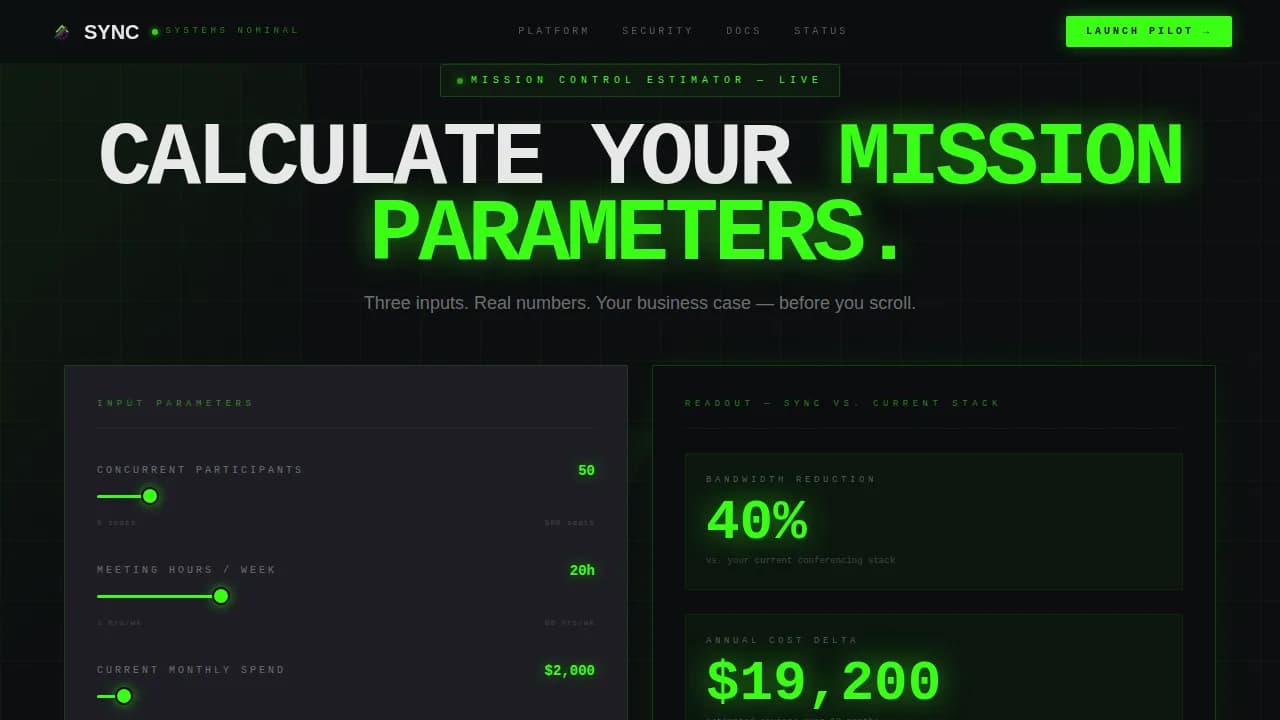
A three-slider hero calculator with live phosphor-green readouts and an inline call to action
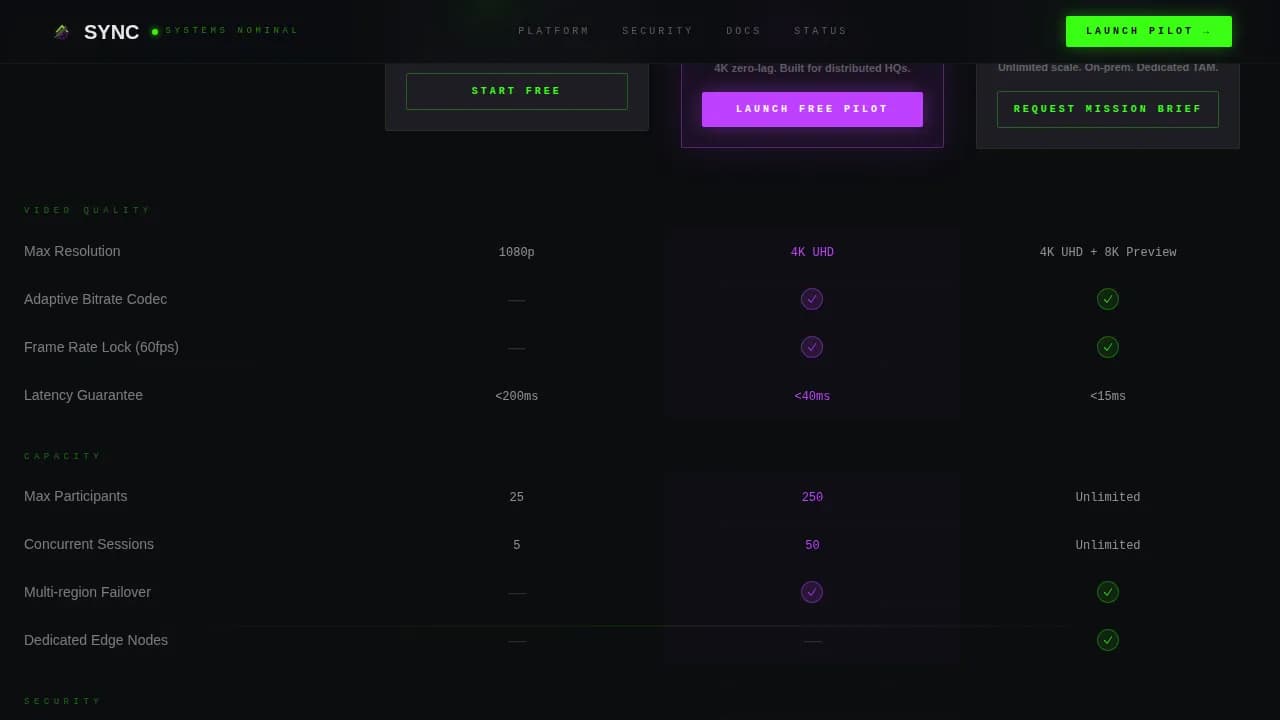
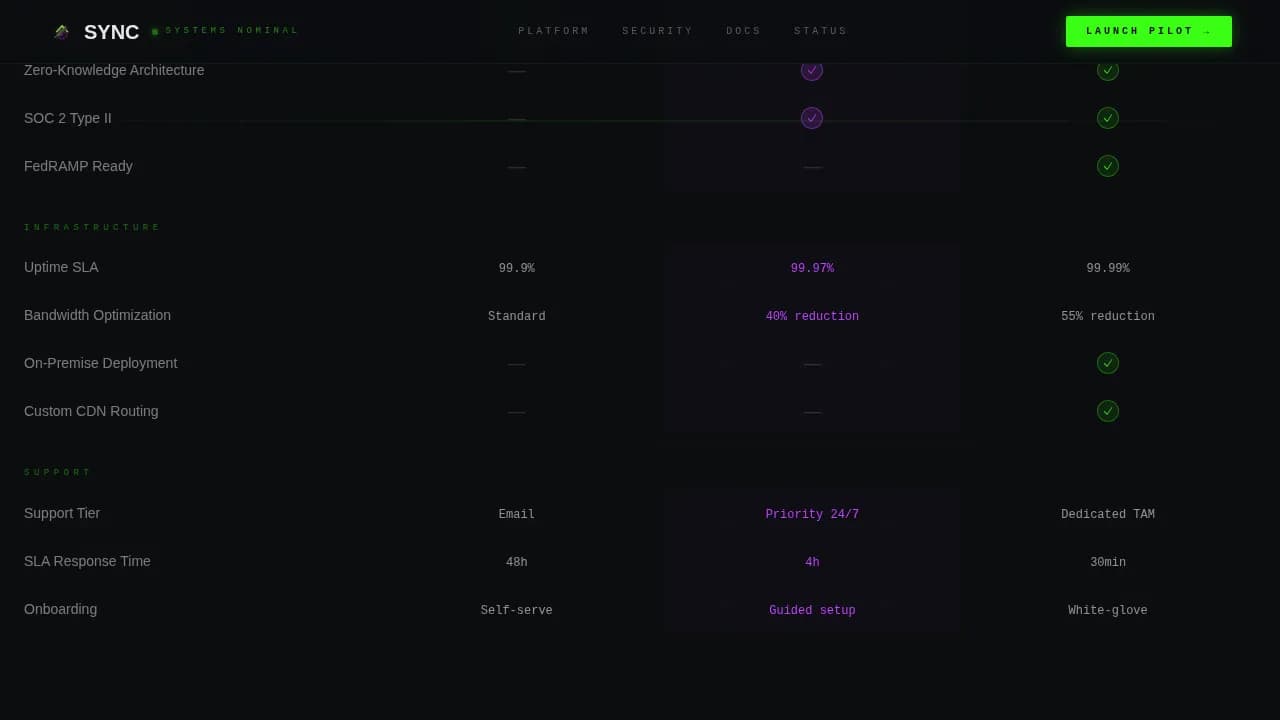
An animated three-tier comparison table with ultraviolet recommended-column highlighting and staccato checkmark reveals
A sticky bottom call-to-action bar that locks in after the visitor scrolls past the comparison table, plus a minimal developer-style footer
Theme
Data Command
Creative direction
Launch Energy
Color system
Acid Digital
Style
Comparison Table
Direction
Click-Through
Page Sections
Interactive Three-slider Hero Calculator
Animated Three-tier Comparison Table
Live Real-time Stats Ticker
Sticky Bottom Call-to-action Bar
Click-through Funnel Layout
Editable Data Command Visual System
Related questions
Can I edit the calculator sliders and readout values?
Does this landing page include a form?
How does the comparison table handle the recommended tier?
Is the live stats ticker connected to real data by default?
Can I use this template for sharing on social or paid channels?
Feature list
This landing page template is packed with components required for high-converting enterprise video conferencing pages. Each feature is shown in context so you can edit and deploy with confidence.
Interactive Hero Calculator
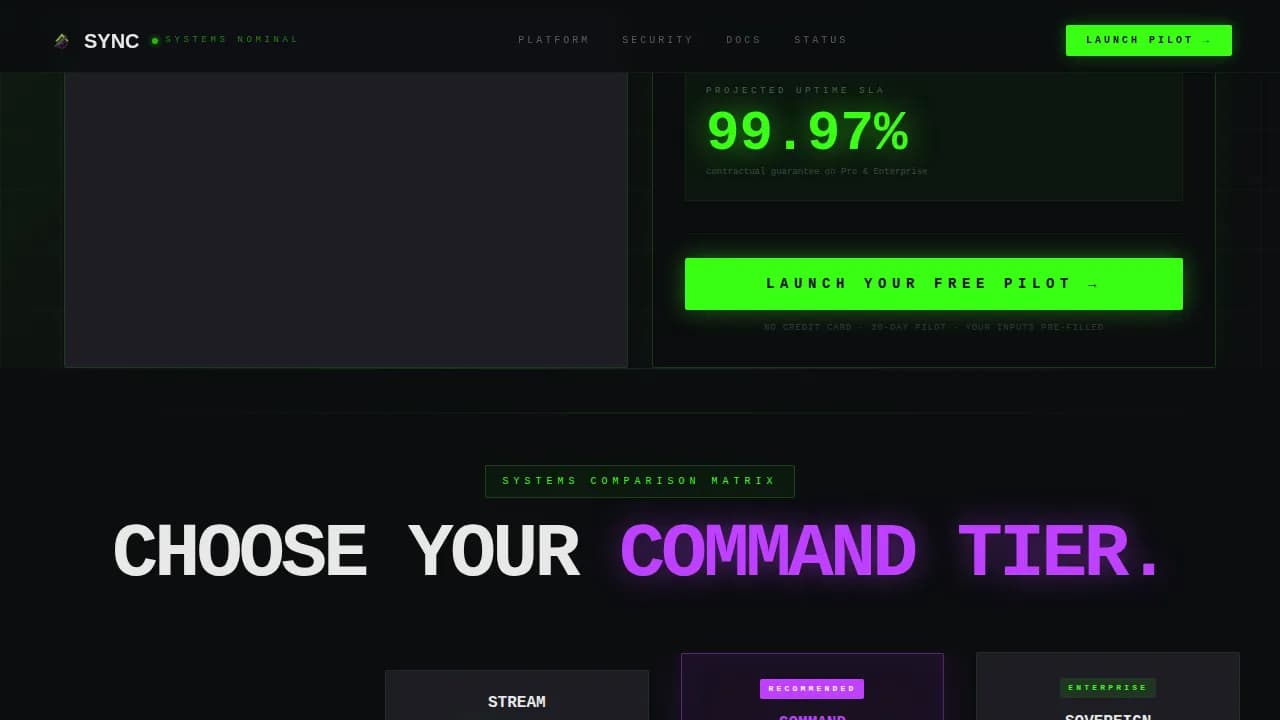
Three sliders let visitors input participant count, weekly meeting hours, and current monthly spend. As they drag, the readout updates in real time, displaying estimated bandwidth savings, annual cost difference, and uptime probability in oversized phosphor-green numerals. The primary call-to-action button is shown directly inside the output panel, adding value before a single scroll occurs. This approach lets each user build their own business case instantly.
Animated Comparison Table
Three pricing tiers are set side by side in a full-width table. Checkmarks animate in rapid staccato, each feature row lighting up like a system coming online. The recommended tier column is marked with an ultraviolet backglow. Competitor columns are shown in muted scanner-line gray. This layout makes tier differentiation clear and compelling for buyers comparing video conferencing options.
Live Stats Ticker
A real-time data ticker displays meetings currently in progress, aggregate video minutes streamed today, and global uptime percentage. Numbers refresh continuously, providing social proof through live evidence. This section is optional to wire to a live data source but is fully editable as a display component from defaults.
Sticky Call-to-Action Bar
After the visitor scrolls past the comparison table, a bottom bar locks into position and stays visible. It carries the primary call to action and passes calculator inputs as URL parameters into a pre-filled sign-up flow. This removes form friction and reduces the conversion moment to a single decisive click, adding real value for pages targeting high-intent buyers.
Click-Through Funnel Structure
The page is structured as a pure click-through funnel. No forms appear on this landing page. The call to action is shown three times: inside the calculator panel, anchored to the recommended table column, and locked in the sticky bar. This sequence earns the click by letting the visitor calculate before committing.
Data Command Visual System
The full color and typography system is provided as editable attributes throughout the template. Void black backgrounds, phosphor-green data elements, and ultraviolet accent highlights are set as defaults across every section. JetBrains Mono is used for numerals and data displays; Manrope handles body content. Every color value and text style can be edited to match your own branding requirements.
Page sections overview
Section
Purpose
Hero Calculator
Interactive three-slider estimator with live readout and inline call to action
Comparison Table
Animated three-tier feature grid with recommended column UV glow
Live Stats Ticker
Real-time display of meeting volume, video minutes, and uptime
Sticky call to action Bar
Persistent bottom bar locking in after table scroll with URL-param click-through
Footer
Minimal developer-style footer in Pattern 8 GitHub style
Design & branding system
The template uses an Acid Digital color system built around a mission-control aesthetic. Every color, font, and spacing attribute is editable so you can adapt the defaults to your own brand guidelines.
Color palette: void black (#0B0D0F) background, terminal phosphor green (#39FF14) for calls to action and data, ultraviolet (#BF40FF) for recommended-tier highlight, scanner-line gray (#1E1E24) for table rows and dividers, and clean white (#E8E8E8) for body text
Typography: JetBrains Mono for all numerical and data display elements; Manrope for body copy and section headings
Animation attributes: GPU-accelerated transforms power the ticker, diagonal ray effects, slider live updates, and staccato checkmark reveals across the comparison table
Mobile & speed optimization
This template is built desktop-first, reflecting the primary audience of IT directors working on workstations. A mobile responsive fallback is included so the landing page remains functional across devices. Over 80% of users access landing pages via mobile, making the responsive layout a required baseline even for desktop-first video conferencing pages.
All sections reflow cleanly for smaller screens, including the calculator sliders and comparison table
GPU-accelerated transforms and requestAnimationFrame keep ticker animations smooth without blocking the main thread
The page is structured to load core content first, supporting fast initial display and reducing bounce risk
How this template helps you convert
This landing page is built around a deliberate conversion sequence. Each section earns trust before asking for anything, making the final click feel like a natural conclusion rather than a request.
The hero calculator lets visitors calculate their own savings and uptime value, creating personal investment before the comparison table is even shown
The animated comparison table provides structured evidence, and the ultraviolet recommended column guides the eye toward the right tier without pressure
The sticky call-to-action bar keeps the conversion option visible and frictionless, passing calculator data directly into the sign-up flow via URL parameters
Other information about this template
This template is part of a broader set of landing pages designed for Telecom and Connectivity use cases. It sits within the Communication and Unified Comms subcategory, with a niche focus on video conferencing service pages. Several additional details are worth noting for teams adding this template to their development workflow.
The Sync Data Command Video Conferencing Landing Page Template uses the Intersection Match theme pairing Data Command with Launch Energy creative direction for a specific emotional arc
All default text across the template is clearly marked, making it straightforward to edit each section without guesswork
The template supports adding video content blocks, example testimonials, and security badge display elements as optional enhancements within the provided layout
Guided editable regions make creating new landing pages from this base fast and consistent, with content placement attributes clearly set for each zone
The slide sync experience concept is supported by this layout: a video and related document can be shown side by side, with pages in the document changing to correspond to what is being presented in the video
Contact and feedback elements are optional and can be added to the footer region without disrupting the core click-through funnel position