API-First Enterprise Software Complete Professional Website Template
Syndicate is a bold brutalist landing page template built for API-first product information management (PIM) platforms. It uses a split-screen layout, live code snippets, and a Carbon Fiber color system to speak directly to platform engineers and integration leads. Every section is designed to prove capability fast and drive technical buyers into a sandbox signup.
by Rocket studio
Quick summary
Syndicate is a single-page, click-through landing page template for headless, API-first PIM software. It uses a 50/50 split-screen layout, a bold brutalist visual theme, and real request/response code blocks to convert technical buyers. The design feels like a freshly provisioned server: lean, purposeful, and ready to run.
Who this template is for
This template is built for teams shipping API-first enterprise software to a technical audience. It speaks the language of engineers and integration specialists without softening the message.
- Platform engineers at mid-market e-commerce companies connecting storefronts to ERP backends
- Integration leads at agencies migrating brands off legacy PIM systems
- CTOs who need a product that delivers flexibility without vendor lock-in
What problem this template solves
Most software landing pages try to explain a complex product with vague benefit statements and stock imagery. Technical buyers see through that immediately. Syndicate solves the credibility gap by showing the product working, not describing it working.
- Engineers leave pages that show screenshots instead of real API responses
- Generic SaaS templates lack the visual weight needed to earn trust from skeptical CTOs
- No-code-friendly templates are often too polished and decorative for an API-first audience
What you get with this template
You get a fully structured, single-page landing page layout with every section pre-built for a technical product launch. The design system, copy structure, and conversion logic are all baked in.
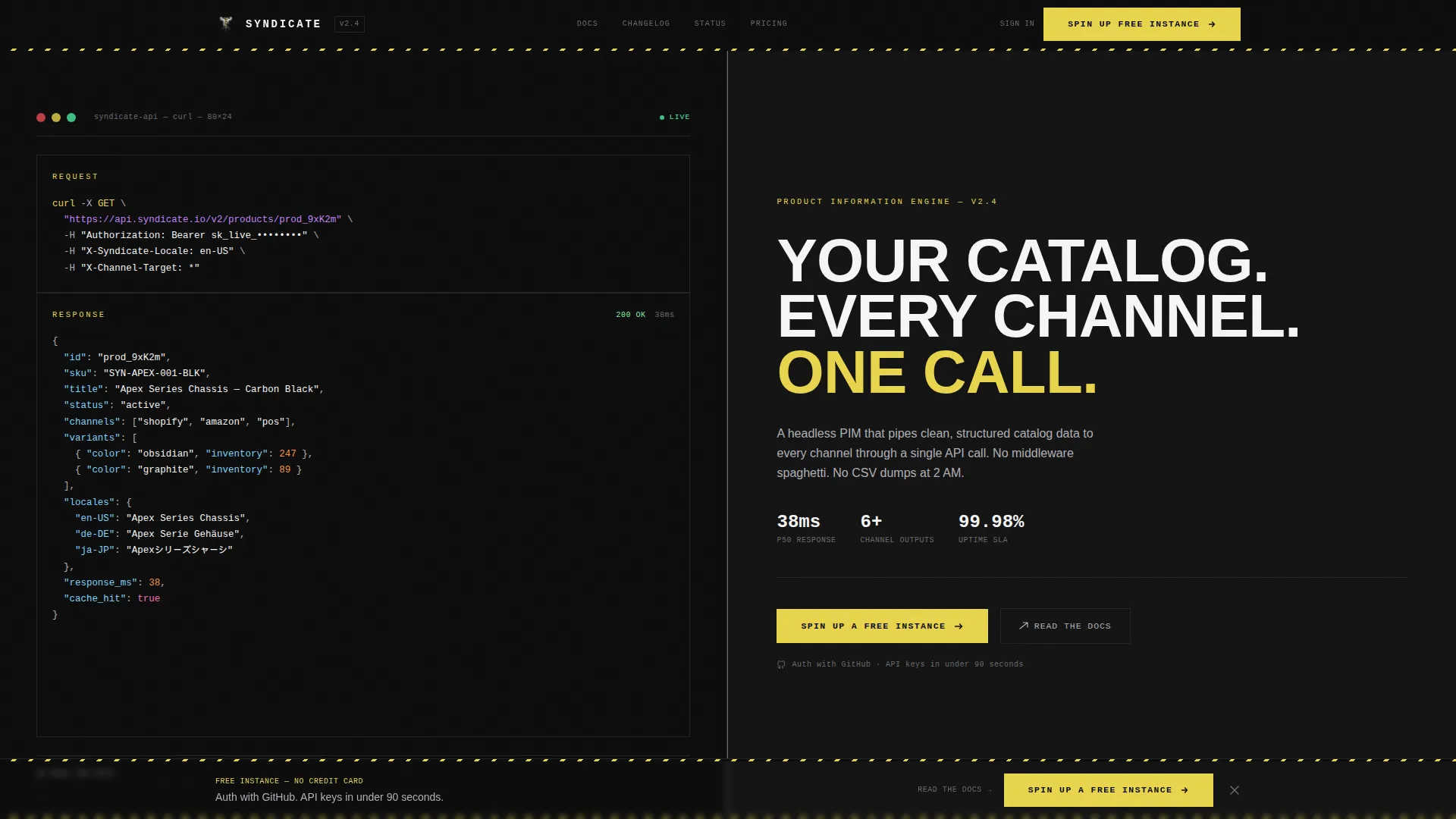
- A 50/50 split-screen header featuring a live-formatted cURL request and a bold all-caps headline
- Sectioned scroll flow with schema visualizers, multi-channel output comparisons, and speed benchmark blocks
- A persistent bottom call-to-action bar and inline secondary text links beside every code example
Feature list
This section covers the core layout and design capabilities delivered inside the Syndicate template.
Split-Screen Header with Live Code Display
The header divides cleanly into two equal halves. The left panel holds a syntax-highlighted cURL request pulling a product object from the API, with the JSON response expanding below it. The right panel carries a single bold headline in heavy grotesque type, all caps, wide-tracked. A hard vertical rule in aluminum gray separates the two sides.
Multi-Channel Output Comparison Block
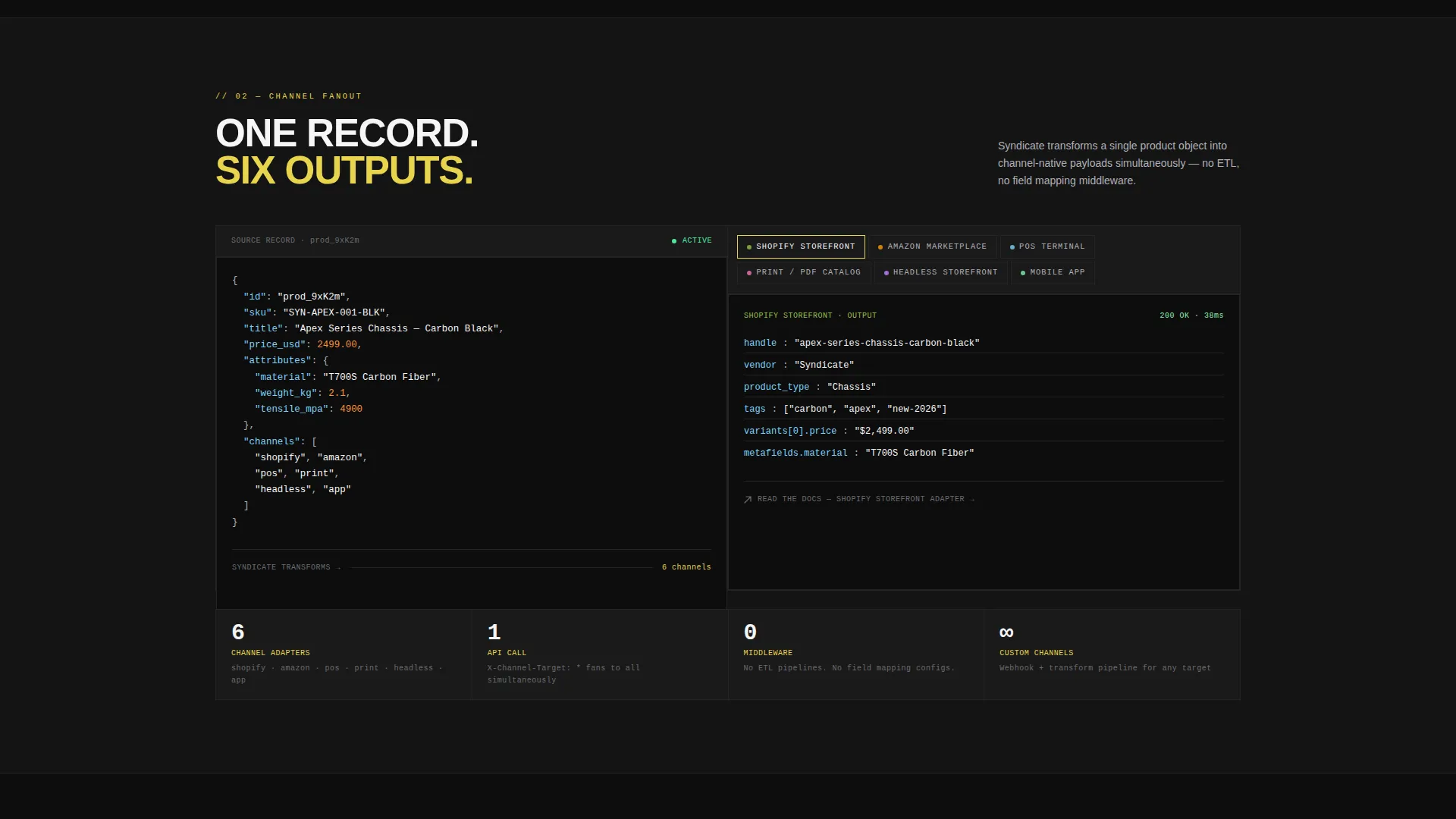
A dedicated section shows one product record on the left and six simultaneous channel outputs on the right. The channels shown include a storefront, a mobile app, a marketplace listing, a print PDF, a point-of-sale display, and a headless storefront. This layout makes the "one record, every channel" value proposition immediately visible.
Brutalist Speed Benchmark Blocks
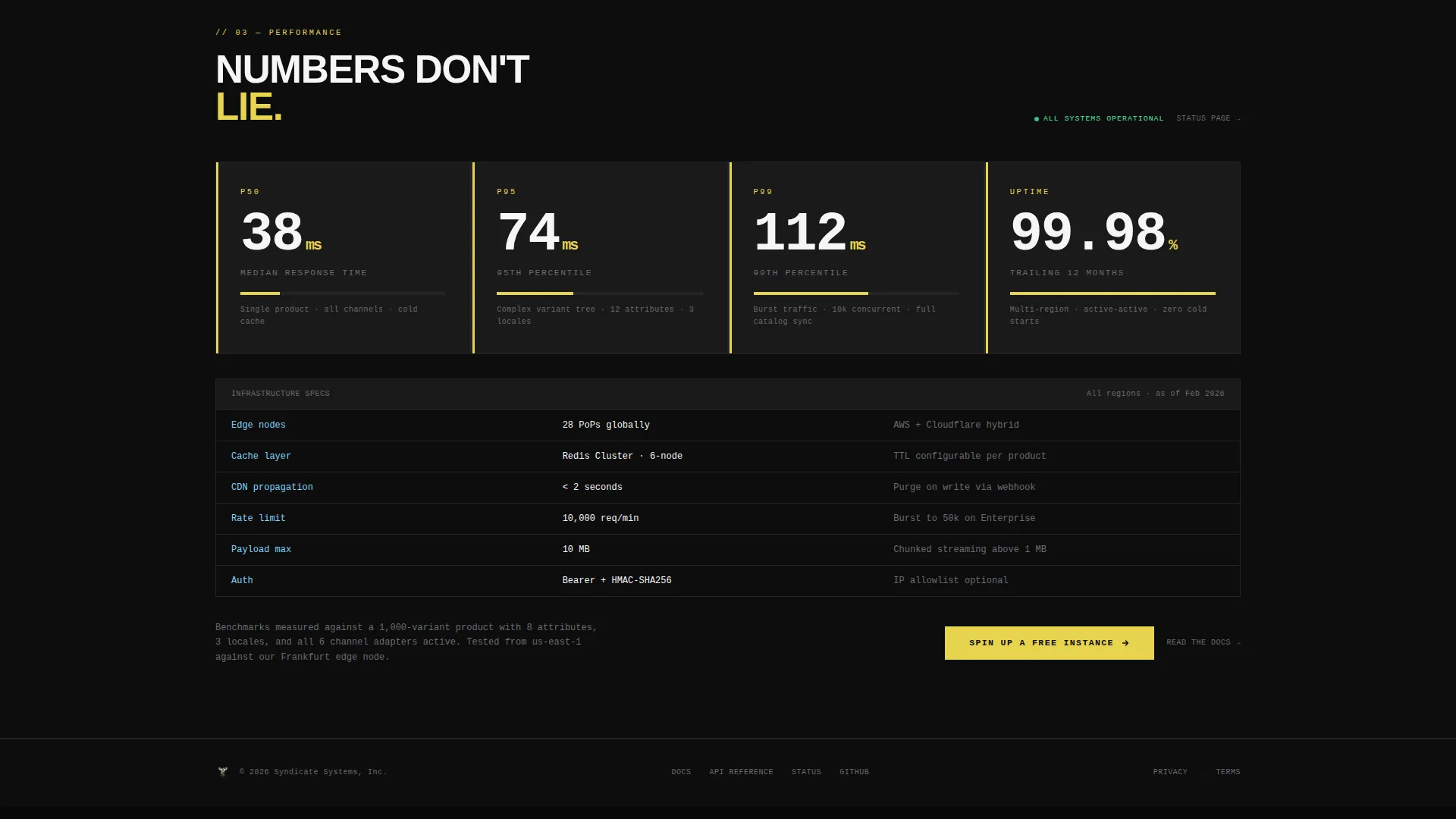
Response times are displayed as oversized monospace numerals inside brutalist data blocks. These sections feel like a live dashboard readout. They deliver hard performance evidence without relying on charts or infographics.
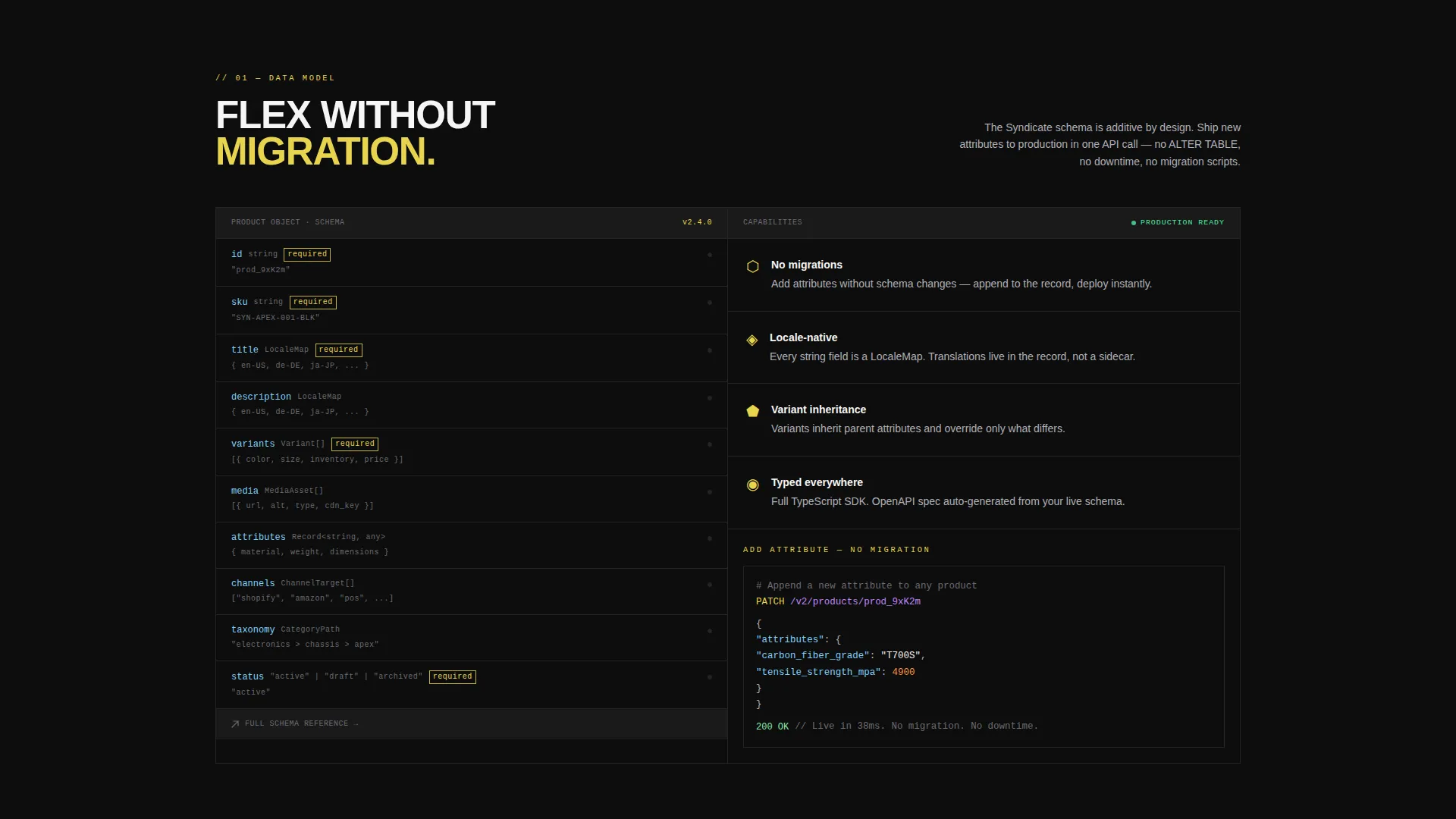
Schema Visualizer Section
A dedicated scroll section shows how product data models flex and adapt without requiring schema migration. This gives engineers a direct view into the structural flexibility of the API before they ever sign up.
Persistent Bottom Call-to-Action Bar
After the third scroll section, a fixed bottom bar appears and stays visible through the rest of the page. It carries the primary call-to-action button in hazard yellow. This keeps the conversion prompt present without interrupting the content flow.
Inline Secondary Text Links
Every code example section includes a "Read the Docs" text link beside it. This gives detail-oriented visitors a low-friction path to deeper technical documentation without leaving the page experience.
Page sections overview
| Section | Purpose |
|---|---|
| Split-Screen Header | Anchor the value proposition with live code and a bold headline |
| Schema Visualizer Block | Show data model flexibility without migration friction |
| Single Record, Six Outputs | Prove multi-channel delivery from one product record |
| Speed Benchmark Display | Deliver hard response-time evidence in oversized monospace type |
| Persistent call to action Bar | Keep the primary conversion action visible after the third scroll section |
Design & branding system
The design follows a bold brutalist theme built on the Carbon Fiber color system. Every choice is deliberate: no gradients, no decorative imagery, no softening.
- Deep carbon black (#0D0D0D) dominates all backgrounds, machined aluminum (#B0B0B8) carries body text and divider lines, and hazard-signal yellow (#E8D44D) hits every interactive element and status indicator
- Raw white (#F5F5F5) appears only inside code blocks and data displays, making every schema preview and API response feel like a lit panel in a dark control room
- Typography uses a heavy grotesque typeface for headlines set in all caps with wide tracking, while code samples render in monospace to keep data legible and distinct
Mobile & speed optimization
The template is structured to load fast and read cleanly across screen sizes. Its lean visual approach, with no background images, no gradients, and no video, keeps the asset footprint minimal by design.
- The split-screen layout adapts to narrower viewports without losing the code-first visual hierarchy
- Monospace code blocks and data panels are sized for readability on both desktop and mobile displays
- The persistent bottom call-to-action bar is designed to sit cleanly above the browser chrome on mobile screens
How this template helps you convert
Syndicate is a click-through landing page optimized to move technical buyers from curiosity to sandbox signup. Every layout decision reinforces that direction.
- Real request/response pairs replace screenshots, so the product proves itself before asking for anything from the visitor
- The primary call-to-action button in hazard yellow appears at the header fold and again in the persistent bottom bar, keeping the signup path short and visible throughout the scroll
- Inline "Read the Docs" links beside every code example give detail-oriented engineers a trust-building detour without breaking the conversion flow
Other information about this template
Syndicate is purpose-built for the API-first PIM category and is a strong fit for teams positioning headless catalog infrastructure against legacy monolithic systems.
- The GitHub authentication flow referenced in the click-through path lets engineers authenticate, name their instance, and receive API keys in under ninety seconds
- The template's tone and visual language are calibrated for an audience that has been burned by vendor lock-in and responds to evidence over narrative
- Teams using headless commerce stacks, including those pairing Shopify storefronts with external ERP systems, will find the channel output comparison section especially relevant to their integration context
- This template is available on the platform as a ready-to-use starting point that can be customized to match a specific product's API structure and branding
Theme
Bold Brutalist
Creative direction
Launch Energy
Color system
Carbon Fiber
Style
Split Screen (50/50)
Direction
Click-Through
Page Sections
Split-screen Header with Live Code
Multi-channel Output Comparison
Brutalist Speed Benchmark Blocks
Schema Visualizer Section
Persistent Bottom Call-to-action Bar
Inline Secondary Text Links
Related questions
Who is this landing page template designed for?
Does this template include a signup form?
Can I customize the code snippets and color system?
What makes this template different from a standard SaaS landing page?
How many sections does this landing page include?



