AI & Machine Learning Reviews Website Template
Synth is a dashboard-style AI music generator landing page built for the browser. It features a live waveform header, an interactive prompt-to-preview demo, a community track data grid, and a stem-layer explorer. The layout guides visitors from passive listening to active creation, converting through a freemium flow that requires no sign-up for the first generated track.
by Rocket studio
Quick summary
Synth is a single-page, dark-canvas landing page for a browser-based AI music generator. Visitors type a text prompt, hear a 15-second preview generate live, and explore stem layers before ever creating an account. The page earns trust through direct interaction, then converts with a free-first, email-gated download flow.
Who this template is for
This template is built for AI-powered music tools that need to demonstrate their engine before asking visitors to sign up. It works best when the product itself is the most convincing pitch.
- Indie game developers scoring trailers on tight timelines who need fast, royalty-free results
- YouTube creators and content producers who want music beds that sound original and on-brief
- Ad agencies and freelance producers working short turnarounds who need broadcast-ready stems quickly
What problem this template solves
Most music tool landing pages describe their product in words and hope visitors believe them. That gap between claim and proof is where conversions are lost. This template closes that gap by making the product interactive from the first scroll.
- Visitors leave before converting because they never hear or touch the actual output
- Generic hero sections and feature bullet lists fail to communicate how an AI audio engine actually feels to use
- Freemium tools struggle to justify sign-up before the product has proved itself
What you get with this template
You get a fully structured, interaction-first landing page that walks visitors through hearing, creating, and dissecting AI-generated music in three escalating sections. Every component is built to demonstrate the engine rather than describe it.
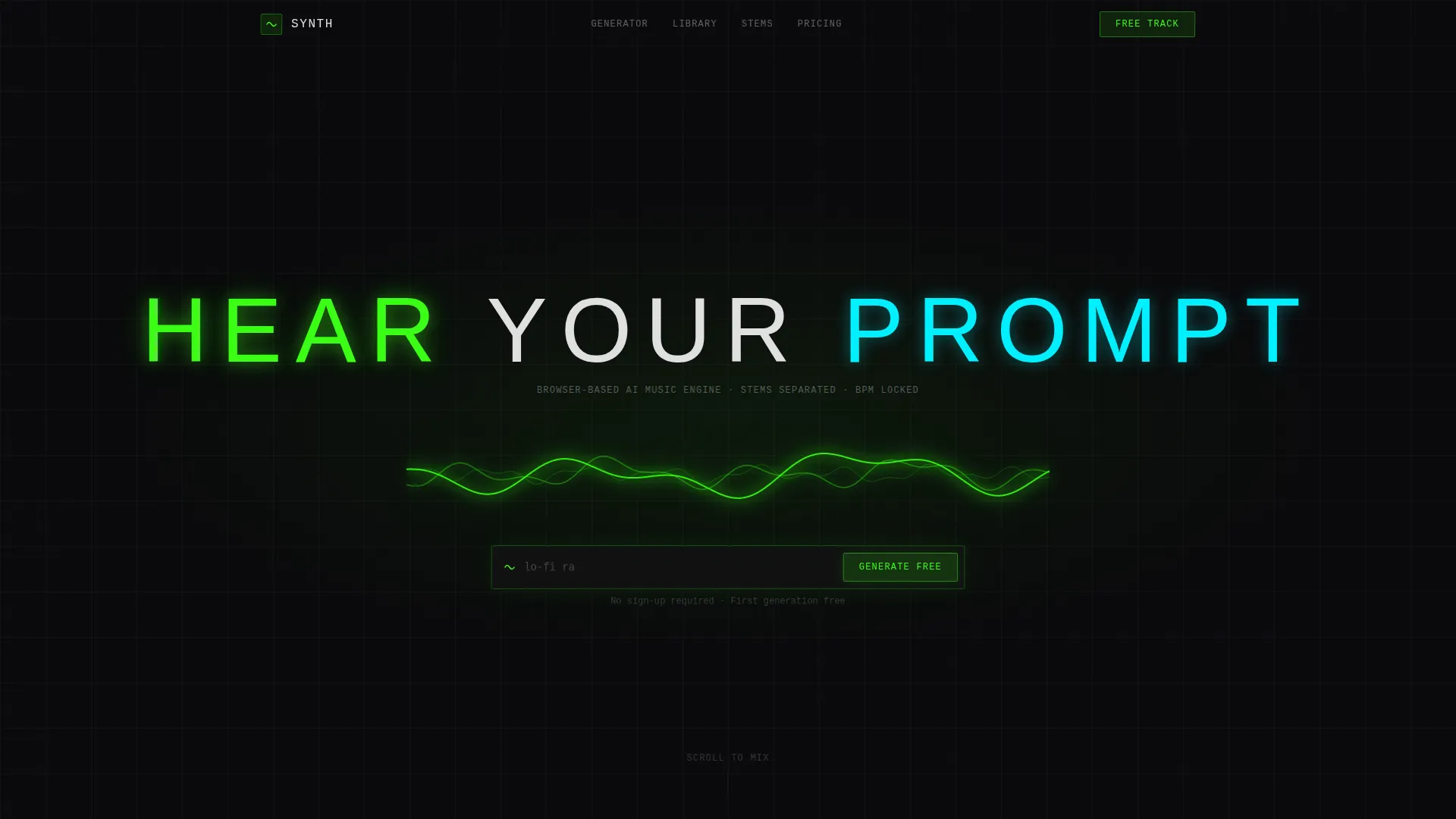
- A live waveform header with an embedded prompt field and auto-playing generated audio snippet
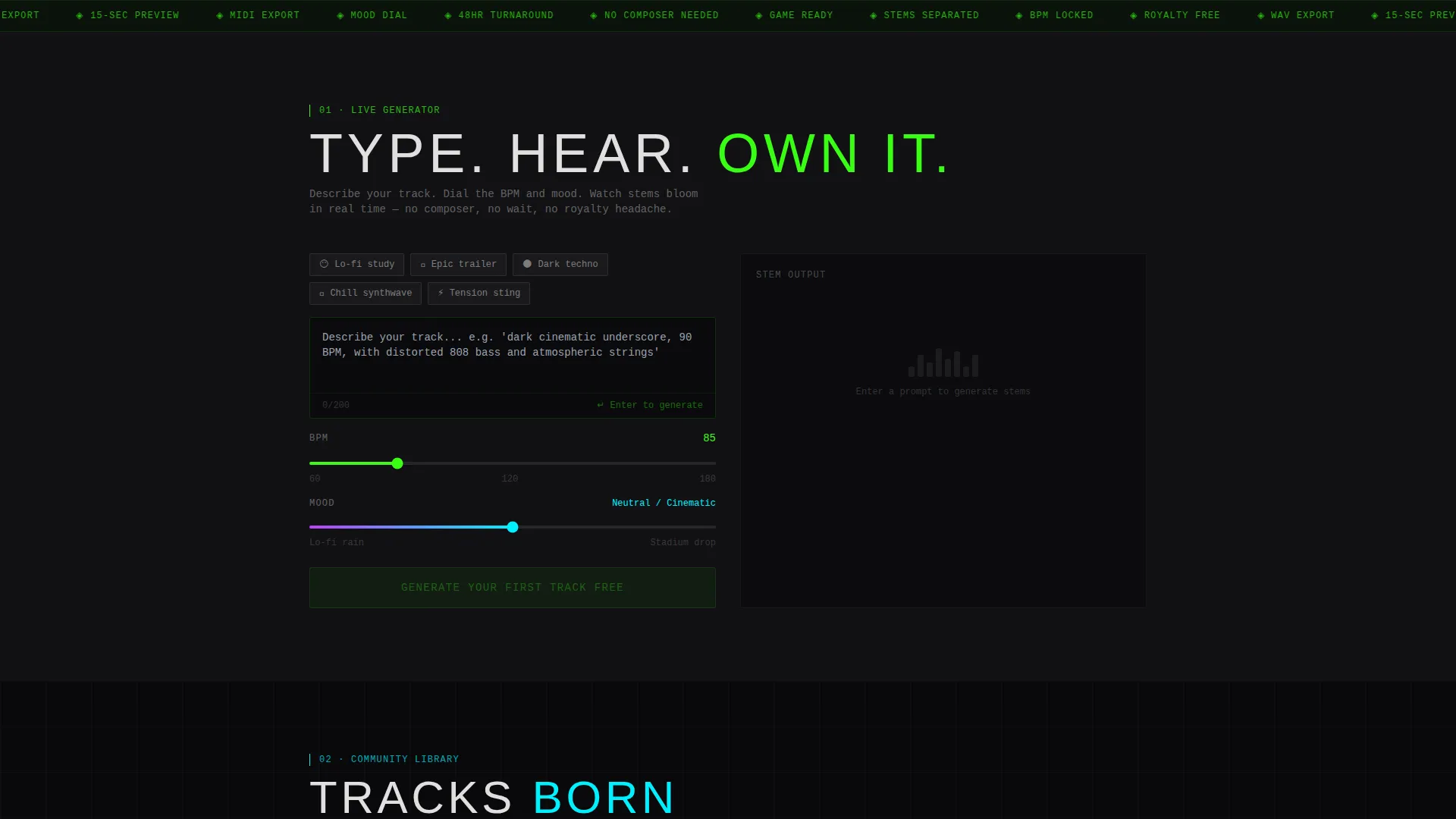
- An interactive demo section with a 15-second preview generator and color-coded stem visualizer lanes
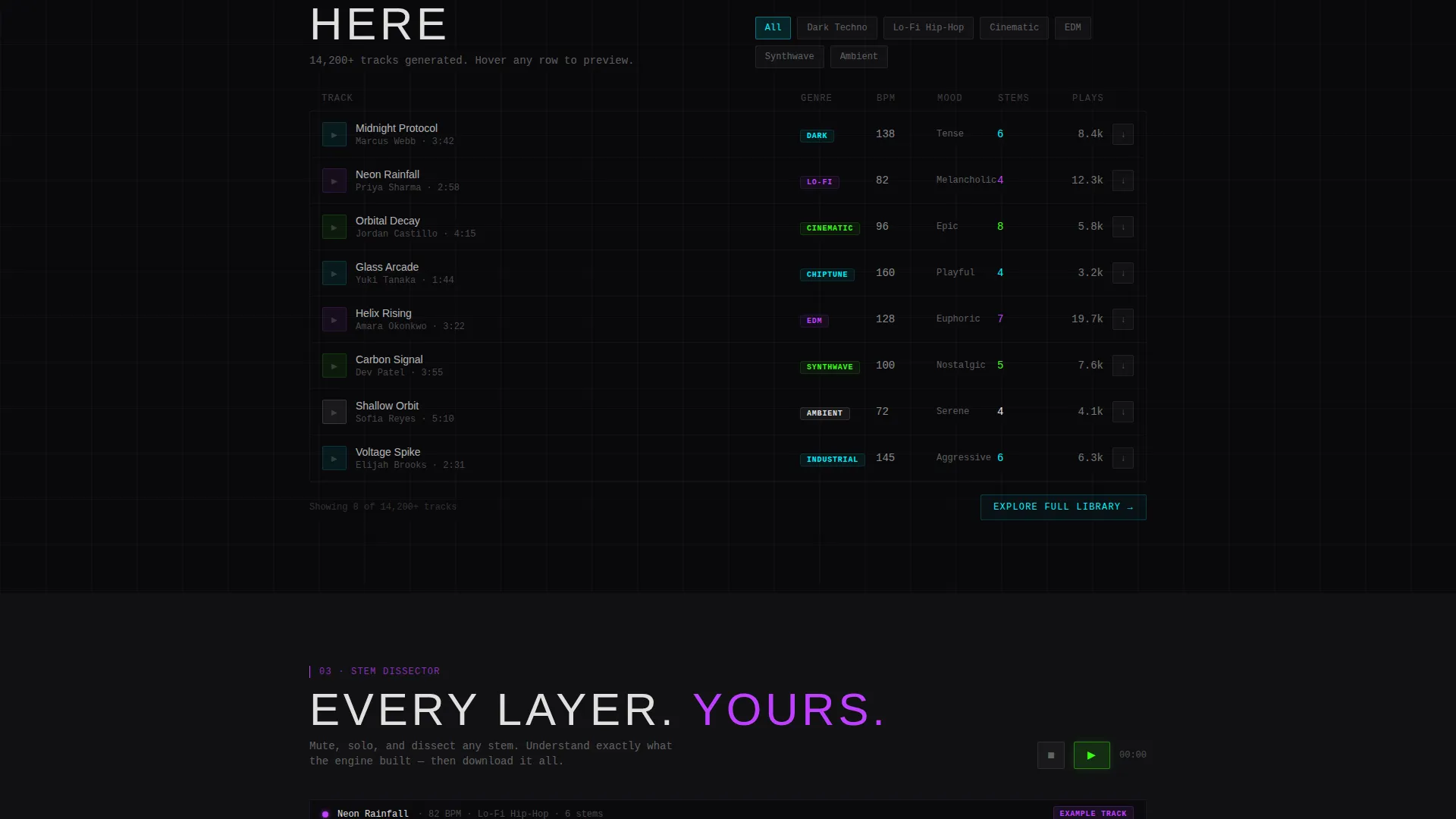
- A community track data grid with genre tags, BPM badges, mood sliders, and hover-playback rows
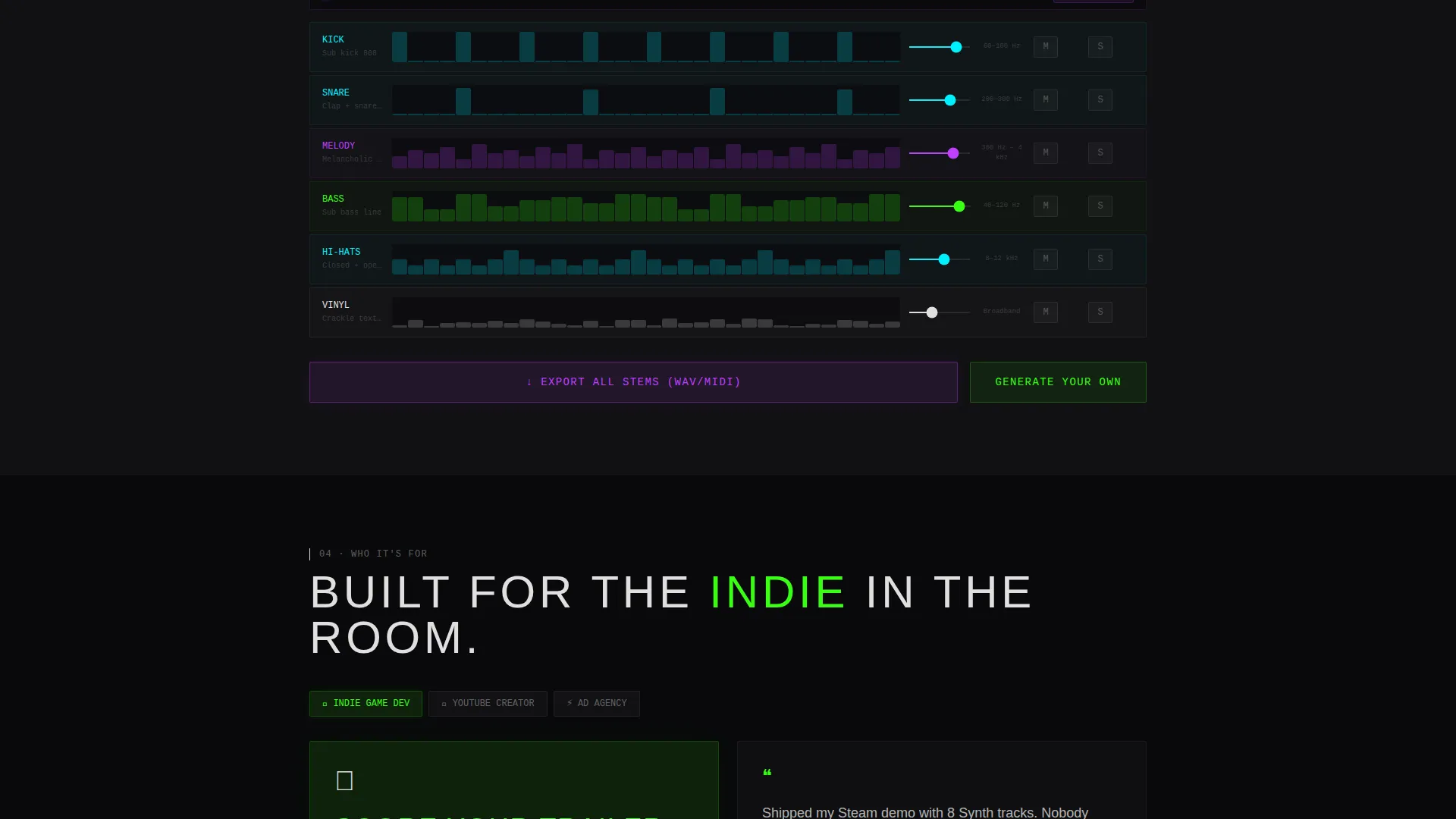
- A stem-layer explorer where visitors can mute and solo individual channels by clicking lane tiles
- A sticky bottom conversion bar and a primary in-header call-to-action button, both in phosphor green
Feature list
This template ships with purpose-built components designed specifically for an AI music generator. Each section is interactive, not decorative.
Live Waveform Hero Header
The header fills the full screen with a pulsing phosphor green waveform on a void black canvas. An auto-playing audio snippet drives the waveform animation in real time. A blinking cursor inside an overlaid prompt field signals to visitors that this is an engine they can operate, not a product they can only admire.
Real-Time Prompt Preview Generator
Section one lets visitors type any text prompt and hear a 15-second generated preview without creating an account. Stems appear as color-coded horizontal lanes: drums in cyan, melody in ultraviolet purple, and bass in phosphor green. The experience teaches the product by letting visitors feel it.
Community Track Data Grid
Section two is a living data grid of tracks generated by the community. Each row carries genre tags, a BPM badge, and a mood slider. Rows are playable on hover, and micro-animations ripple through cells as audio peaks fire, making the grid feel like a console that is always active.
Stem Layer Explorer
Section three isolates a single track into its individual stem layers. Visitors click lane tiles to mute or solo each channel, gaining a hands-on sense of the engine's separation quality. This section converts skeptics by letting them inspect the output at the component level.
Freemium Conversion Flow
The primary call-to-action, "Generate Your First Track Free," appears first as the submit button inside the header prompt field. It reappears as a sticky bottom bar after visitors scroll past the live demo. No account is required for the first generation; an email capture gates the stem and WAV file download.
Acid Digital Color System
Every interface element uses an emissive four-color palette: void black, phosphor green, ultraviolet purple, and hot signal cyan over a near-black matte surface. The result is a mixing-console aesthetic where each accent reads like an active LED meter rather than a decorative choice.
Page sections overview
| Section | Purpose |
|---|---|
| Waveform Hero Header | Establishes the engine's identity and invites the first prompt input |
| Live Preview Generator | Lets visitors generate and hear a 15-second AI track before signing up |
| Community Tracks Grid | Shows real generated output with playable rows and BPM and mood metadata |
| Stem Layer Explorer | Breaks a track into mutable stem channels to demonstrate separation quality |
| Sticky Conversion Bar | Keeps the free-generation call to action visible after the hero scrolls away |
Design & branding system
The visual language is built around the Acid Digital color system applied to a Startup Velocity theme. Every color is emissive rather than reflective, designed to read like glowing studio hardware against total darkness.
- Core palette: void black (#09090B) as the background, phosphor green (#39FF14) for primary actions and waveforms, ultraviolet purple (#BF40FF) for melody stems and accent highlights, hot signal cyan (#00F0FF) for drum lanes and interactive hover states, near-black matte (#111113) as the surface layer, and sparse white (#E0E0E0) for readable body type
- Typography is set wide-tracked and oversized in the header, dropping to clean, legible weight in data grid rows and section body copy
- The overall aesthetic references a blacked-out mixing studio where the only light sources are LED meters, VU needles, and glowing active channels
Mobile & speed optimization
The layout is designed with a scroll-driven, section-by-section flow that adapts naturally to narrower viewports. Interactive stem lanes and grid rows are sized for touch interaction as well as cursor hover.
- Color-coded stem lanes maintain their visual hierarchy at mobile widths, keeping drum, melody, and bass tracks visually distinct without labels
- The sticky conversion bar is intentionally compact so it does not obstruct the interactive sections on smaller screens
How this template helps you convert
This template is built around a single principle: let the product prove itself before making any ask. The conversion flow is carefully sequenced so that each stage of interaction increases visitor confidence and reduces sign-up friction.
- The header generates immediate engagement by placing a live, auto-playing waveform and a ready-to-use prompt field at the very first screen, so visitors interact before they read a single feature claim.
- The email capture is positioned after the first generation completes, gating stem and WAV downloads at the moment a visitor already values what they have just created, making the conversion feel like a natural next step rather than a barrier.
Other information about this template
This template is suited for any team building or marketing a browser-based AI music generation product. It is equally effective as a product launch page, a waitlist page, or an ongoing freemium acquisition surface.
- The Interactive Explorer creative direction means every scroll position is a product demonstration, not passive reading
- The dark full-bleed header concept and Dashboard/Data Grid template style make the page feel like professional studio software rather than a typical SaaS marketing page
- The secondary call-to-action, "Explore the Library," gives hesitant visitors a low-commitment path into the community grid without requiring any generation or sign-up
- Template style, color system, and interaction pattern are all consistent with AI and machine learning product launches in the technology category
Theme
Startup Velocity
Creative direction
Interactive Explorer
Color system
Acid Digital
Style
Dashboard/Data Grid
Direction
Freemium/Trial
Page Sections
Live Waveform Hero Header
Real-time Prompt Preview Generator
Community Track Data Grid
Stem Layer Explorer
Freemium Conversion Flow
Acid Digital Emissive Color System
Related questions
Does a visitor need to create an account to try the generator?
What does the community track data grid show?
Can visitors interact with individual stem layers?
How does the sticky conversion bar work?
Who is this landing page template designed for?



