Telecommunications - High-Converting Staff Landing Page Template
A scroll-reveal landing page template built for telecommunications staff scheduling platforms. It features a Feature Tab Switcher header with three interactive glass-panel tabs, animated section reveals, and a freemium trial conversion flow. Designed for operations managers, workforce planners, and NOC directors, this template brings clarity to complex shift coverage across multiple time zones and roster sizes.
by Rocket studio
Quick summary
This is a single-page, scroll-reveal landing page template for a telecom staff scheduling platform. It opens with a three-tab interactive header showcasing Shift Builder, Coverage Map, and Overtime Tracker views. Each scroll section materializes progressively from blur to focus, simulating the platform experience before any sign-up is asked.
Who this template is for
This template is built for teams selling scheduling software into the telecommunications industry. It speaks the language of people managing large, shift-based workforces around the clock.
- Operations managers at regional carriers handling 200-person rosters across multiple time zones
- Workforce planners at multi-system operators (MSOs) managing surge coverage without excessive overtime costs
- Network Operations Center (NOC) directors who need confirmed staffing for every graveyard shift and field dispatch window
What problem this template solves
Telecom scheduling platforms often struggle to communicate the depth and precision of their tools on a landing page. A generic SaaS page fails to earn trust from buyers who live inside shift complexity every day.
- Visitors leave before understanding how coverage gaps get filled in real time
- The product's actual capabilities, such as drag-and-drop scheduling, live coverage maps, and overtime burn-down tracking, go unseen
- Buyers with urgent staffing pain do not connect emotionally with a static feature list
What you get with this template
You get a fully structured, visually detailed landing page template with every section pre-built and ready to customize. The layout is purpose-designed for telecom workforce scheduling software.
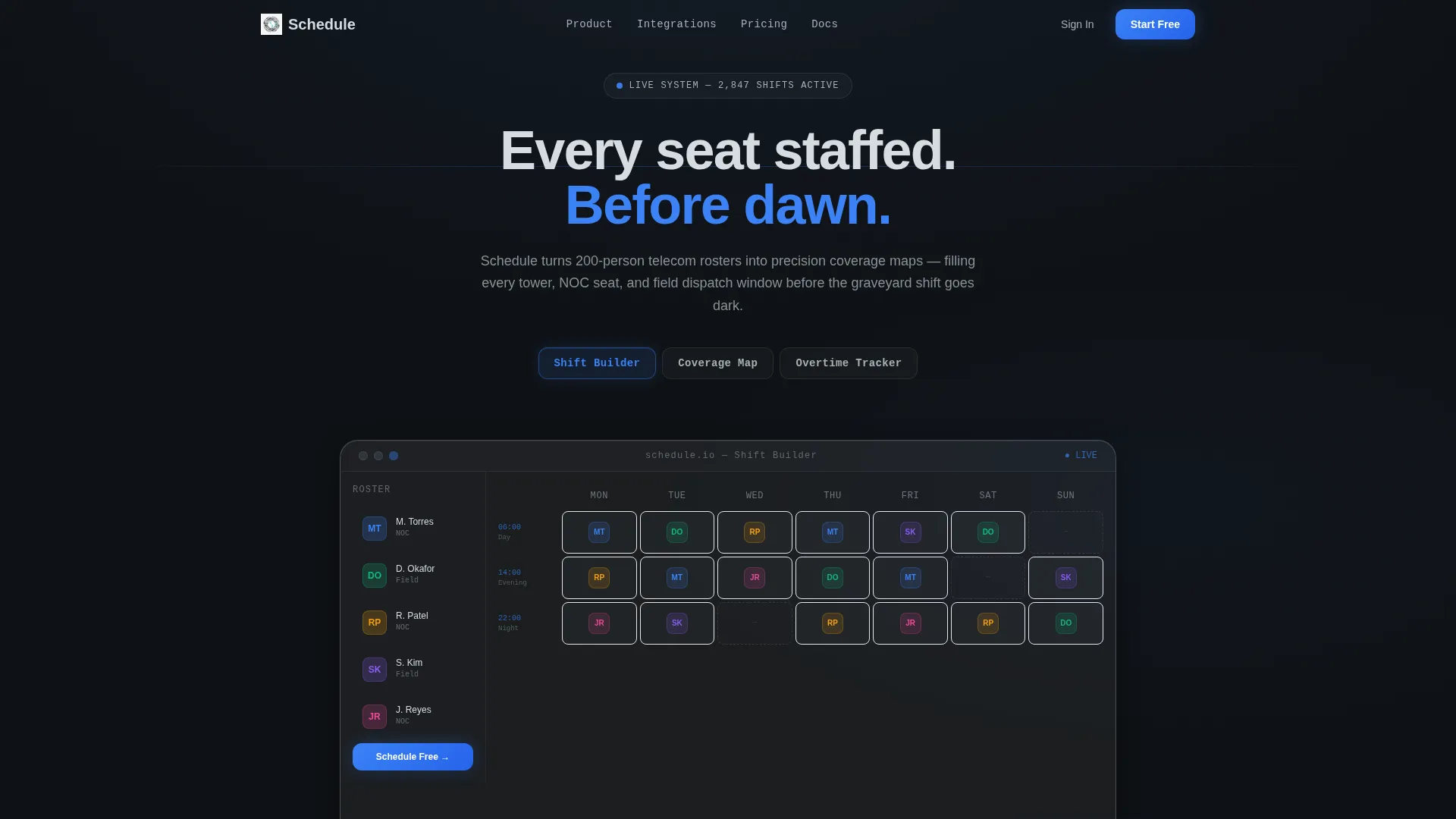
- A Feature Tab Switcher header with three frosted-glass tabs, each revealing a distinct live user interface mockup
- Scroll-reveal section animations that progressively bring each content block into focus as the visitor moves down the page
- A two-step freemium trial conversion form with no credit card requirement, plus a persistent bottom call to action bar
Feature list
This template delivers purpose-built components aligned to the telecom scheduling use case. Each element has a clear function and a clear visual role.
Interactive Feature Tab Switcher Header
Three glass-panel tabs float across the viewport: Shift Builder, Coverage Map, and Overtime Tracker. The active tab glows with the electric-blue accent color. Each tab reveals a distinct frosted-glass user interface mockup, giving visitors a hands-on preview of the platform before they scroll.
Drag-and-Drop Shift Builder Mockup
The Shift Builder tab displays a weekly grid with technician avatars snapping into time blocks. This visual immediately communicates the platform's core scheduling mechanic. It sets expectations clearly and makes the interface feel familiar before sign-up.
Live Coverage Map Visualization
The Coverage Map tab shows a regional map with cell-tower icons pulsing green, amber, or red based on staffing density. Visitors can instantly understand the geographic scope of the tool. The color-coded status system mirrors real operational dashboards.
Overtime Burn-Down Chart Panel
The Overtime Tracker tab renders a real-time burn-down chart with a visible threshold line. This speaks directly to workforce planners who are accountable for overtime budgets. It shows the platform's financial monitoring capability in a single glance.
Progressive Scroll-Reveal Sections
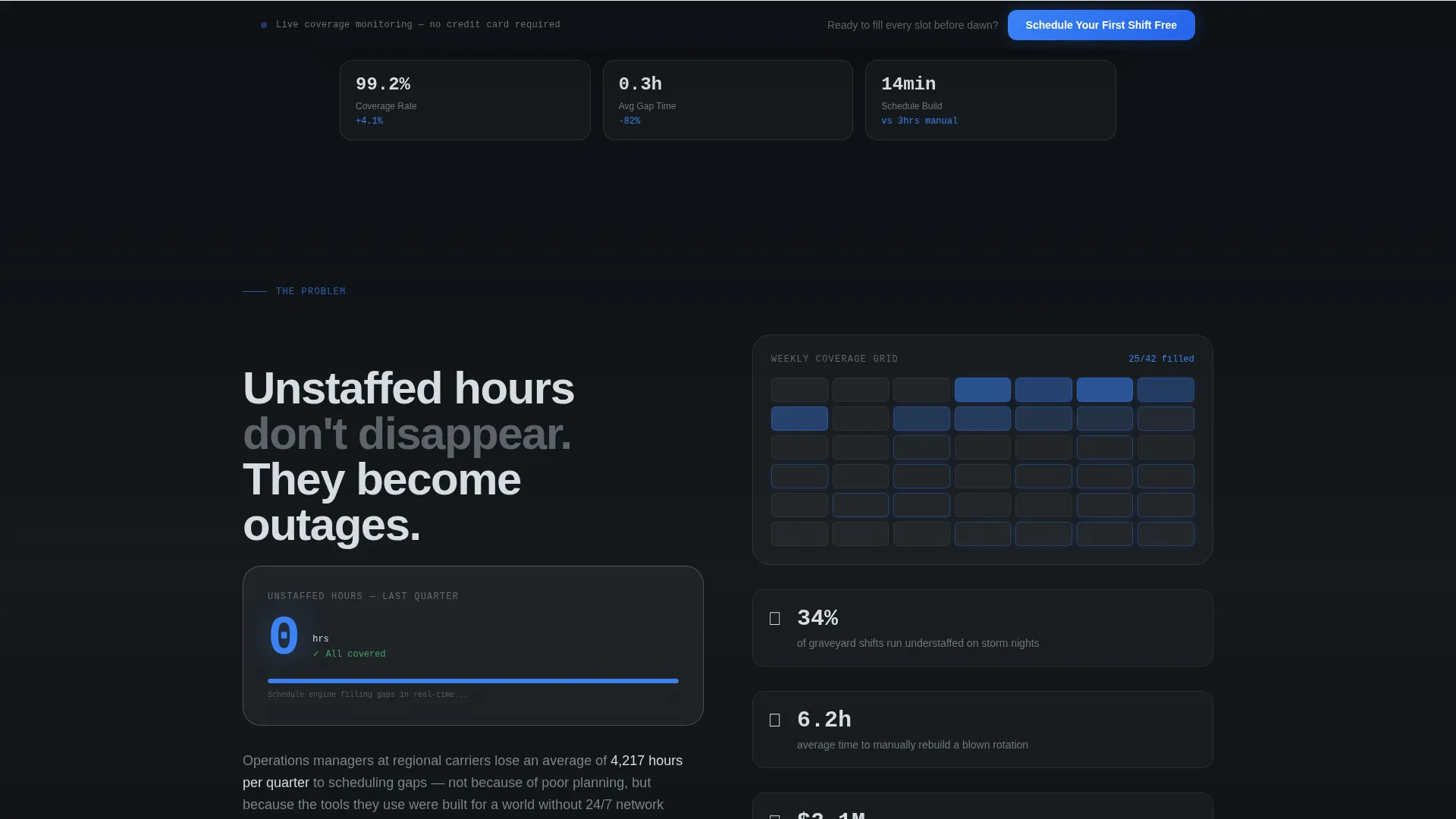
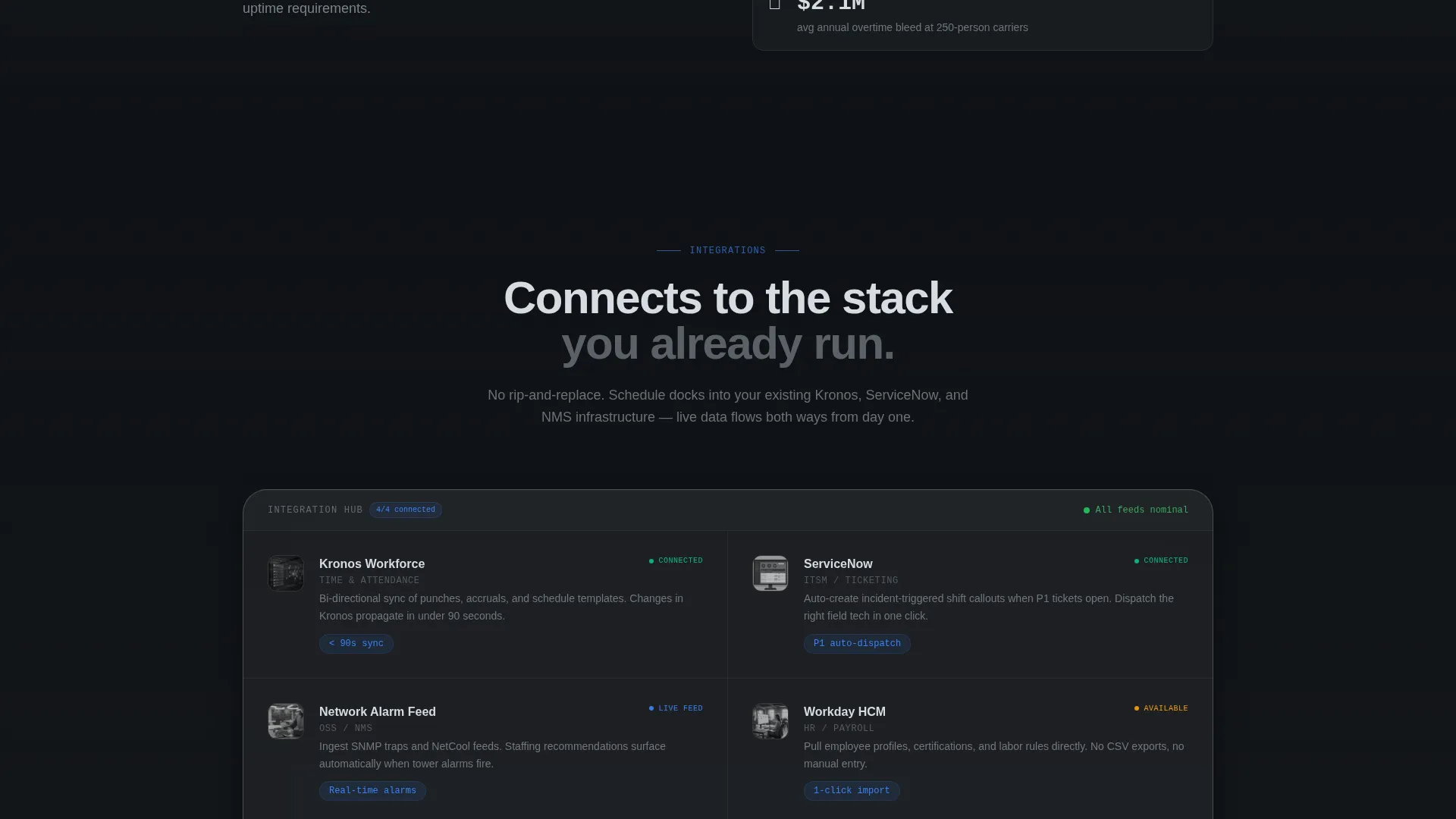
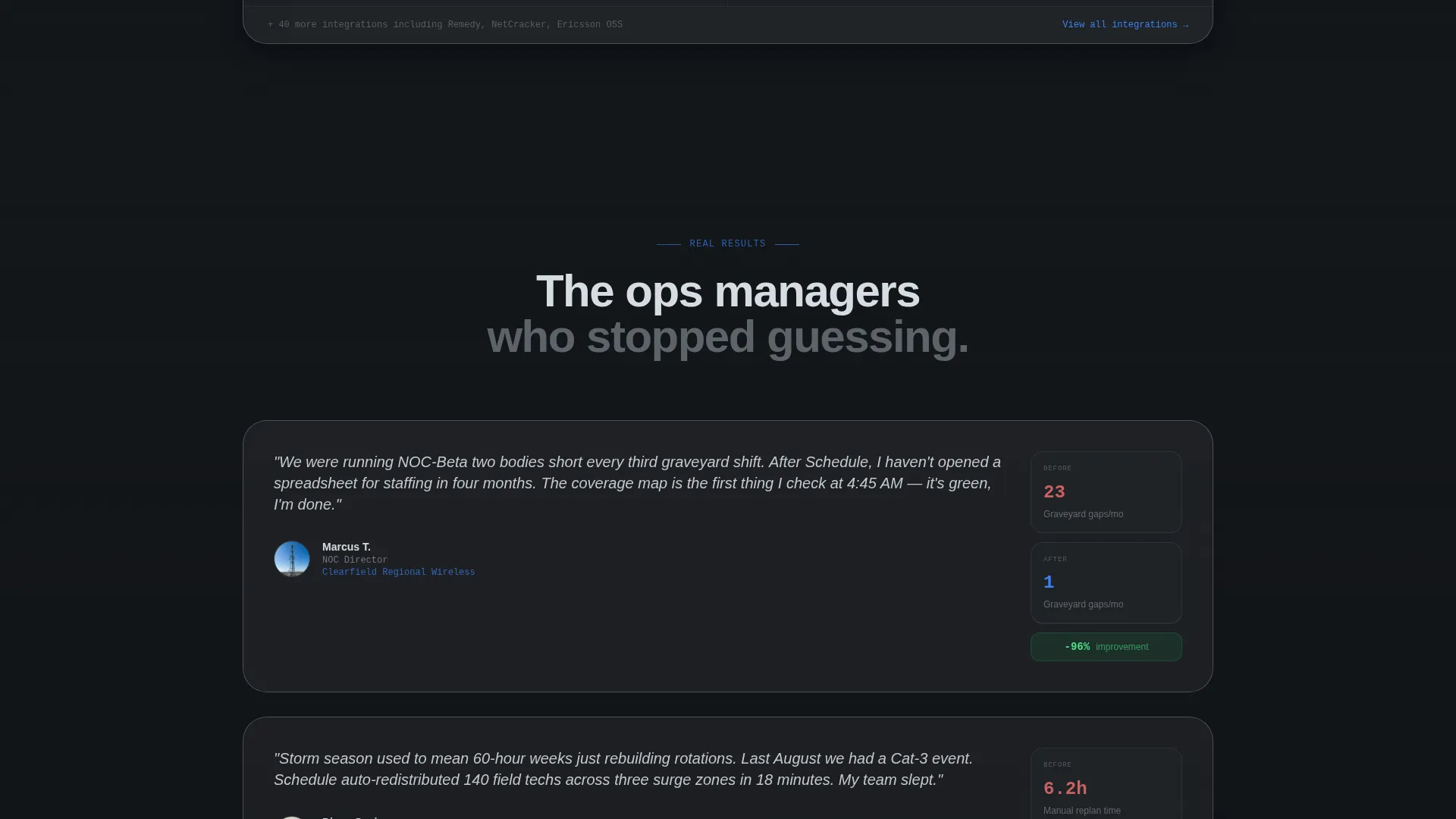
Every section fades from soft blur into sharp focus as the visitor scrolls. Section one shows an animated counter of unstaffed hours ticking down to zero. Sections two and three reveal integration panels and social proof cards in sequence, simulating the onboarding experience.
Two-Step Freemium Trial Form
The primary call to action opens a two-step form. Step one collects company name, roster size range, and work email. Step two uses toggle chips to identify current integrations. No credit card is required at any point.
Page sections overview
| Section | Purpose |
|---|---|
| Tab Switcher Header | Introduces three core platform views via interactive glass tabs |
| Unstaffed Hours Counter | Animates a pain-point metric ticking down to zero as gaps fill |
| Integration Panels | Slides in connected platform cards to show ecosystem fit |
| Social Proof Cards | Displays quoted ops managers with before-and-after staffing metrics |
| Persistent call to action Bar | Anchors the trial sign-up button after the first scroll |
| Two-Step Trial Form | Collects company details and integration preferences for onboarding |
Design & branding system
The visual identity uses a Tech Glass theme with a Monochrome Steel color palette. Every element feels like cold alloy under controlled lighting, with one status indicator telling the visitor that everything is live.
- Core palette: deep gunmetal (#1B1F23) for backgrounds, brushed aluminum (#A8B0B8) for secondary elements, polished chrome highlight (#D6DCE1) for surface accents, and electric blue (#3B82F6) reserved for interactive states and live data pulses
- Frosted-glass card surfaces, translucent panel overlays, and soft blur-to-focus reveal animations define the visual language throughout the page
- The electric-blue accent appears on the active tab glow, the primary call to action button, and animated data indicators, keeping the user's eye directed toward action
Mobile & speed optimization
The template is structured for responsive display across screen sizes. The scroll-reveal behavior and tab interactions are designed to translate cleanly from desktop to smaller viewports.
- Tab switcher layout and frosted-glass card panels are built to reflow gracefully on tablet and mobile screen widths
- Progressive reveal animations are kept lightweight in their construction so they do not interrupt the scroll experience on mobile devices
- The persistent bottom call to action bar is particularly useful on mobile, where it stays accessible without disrupting the content reading flow
How this template helps you convert
The page is designed so that visitors interact with the product before they are ever asked to sign up. Every scroll section builds familiarity and trust progressively.
- The Feature Tab Switcher lets visitors explore Shift Builder, Coverage Map, and Overtime Tracker views before any form appears, creating a micro-product experience that reduces sign-up hesitation
- The animated unstaffed-hours counter and frosted social proof stat cards give buyers a concrete, quantified sense of the problem and the outcome, making the trial offer feel low-risk and well-earned
- The persistent bottom call to action bar and the two-step form with toggle-chip integration selection keep conversion friction minimal, meeting the visitor at the exact moment they are ready to act
Other information about this template
This template is part of a broader set of high-converting landing page templates designed for the telecommunications software and SaaS category. It is built on an Interactive Explorer creative direction, meaning the layout rewards curious visitors who engage with it.
- The template style is Scroll Reveal (Progressive), which means each section is intentionally sequenced to simulate the onboarding journey of the platform itself
- The freemium and trial conversion direction makes it suitable for platforms offering roster sizes from 1 to 500 or more employees without requiring upfront payment commitments
- The integration panel section references workforce management and network alarm feed contexts, making the template adaptable for platforms that connect with third-party enterprise tools in the telecom operations space
Theme
Tech Glass
Creative direction
Interactive Explorer
Color system
Monochrome Steel
Style
Scroll Reveal (Progressive)
Direction
Freemium/Trial
Page Sections
Feature Tab Switcher Header
Animated Unstaffed Hours Counter
Sliding Integration Panel Section
Social Proof Stat Cards
Persistent Bottom Call to Action Bar
Two-step Freemium Trial Form
Related questions
Who is this landing page template designed for?
What conversion flow does this template use?
Can I update the integration panel labels to match my platform?
What makes the scroll-reveal format effective for telecom buyers?
Does this template support different roster size ranges?



