Certified Space & Advanced Aerospace Professional Website Template
Tether is a hub-and-spoke landing page template built for a materials engineering firm developing space elevator technology. It guides national space agencies, aerospace defense contractors, and sovereign wealth funds through a phased engineering roadmap, from carbon nanotube ribbon research to counterweight deployment, while gating high-value technical resources behind a progressive lead-capture form.
by Rocket studio
Quick summary
Tether is a precision-engineered, single-page hub-and-spoke template designed for a space elevator technology firm. It presents a full development roadmap across five engineering phases, opens with a striking cost-per-kilogram comparison, and drives conversion through gated technical downloads. The template is built for high-credibility audiences who need data density and design authority in equal measure.
Who this template is for
This template is designed for materials engineering firms and advanced aerospace technology companies communicating complex infrastructure projects to highly technical decision-makers. It suits organizations that need to establish credibility before asking for a meeting or a form fill.
- National space agencies commissioning orbital infrastructure feasibility studies
- Aerospace defense contractors evaluating alternatives to chemical rocket logistics
- Sovereign wealth funds assessing long-horizon space infrastructure investments
What problem this template solves
Most aerospace technology pages either bury their data or overwhelm visitors before earning their trust. Tether solves this by layering information progressively, starting with cinematic renders and plain-language summaries, then surfacing white papers and engineering schematics for visitors who keep scrolling.
- Visitors leave before understanding the scale or credibility of the project
- Gated resources get ignored because the page gives away too little upfront
- Complex multi-phase projects are hard to navigate without a clear structural spine
What you get with this template
You get a fully structured, single-page layout that functions as both a content hub and a lead-generation engine. Every section serves a specific role in the buyer journey, from first impression to resource download.
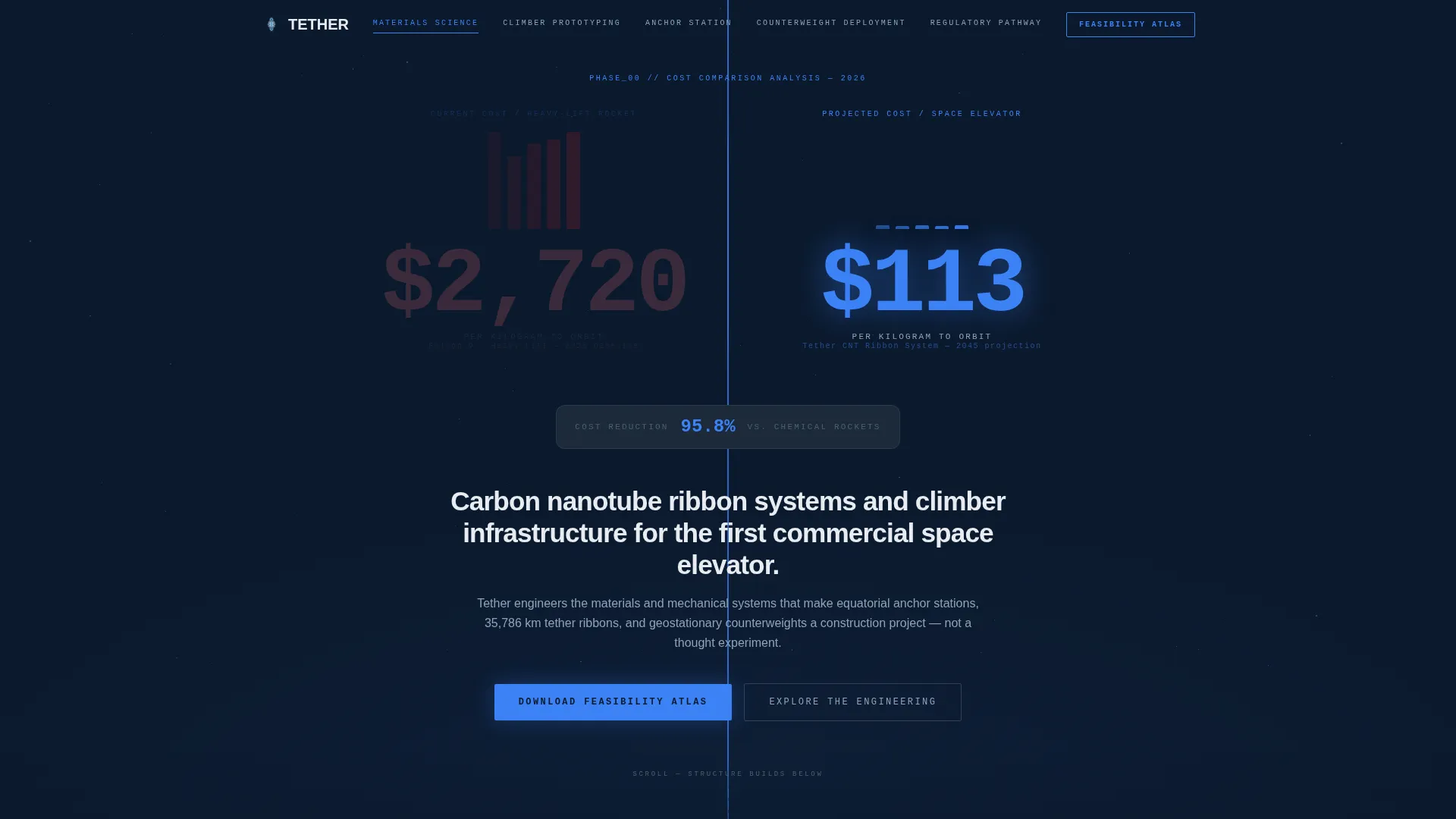
- A split-viewport header showing the $2,720 per kilogram rocket cost dissolving into the $113 per kilogram space elevator projection
- Five anchor-nav spokes covering Materials Science, Climber Prototyping, Anchor Station Design, Counterweight Deployment, and Regulatory Pathway
- A progressive gated form for the "Download the Feasibility Atlas" primary call to action, plus contextual secondary download triggers at each spoke
Feature list
This section covers the core functional and design components built into the Tether template.
Split-Viewport Cost Comparison Header
The header opens as a before-and-after case study. A towering bar chart representing $2,720 per kilogram via heavy-lift rocket dissolves slowly into a sliver of calm blue at $113 per kilogram. Numbers are typeset in a monospaced engineering font at a scale designed to let the magnitude register before the visitor scrolls.
Animated Tether Ribbon Motif
A thin animated ribbon draws vertically from the bottom of the screen and continues climbing past the fold. As the visitor scrolls deeper, the ribbon thickens, reinforcing the sensation that the structure is being assembled in real time. This persistent visual thread connects every development phase from top to bottom.
Hub-and-Spoke Anchor Navigation
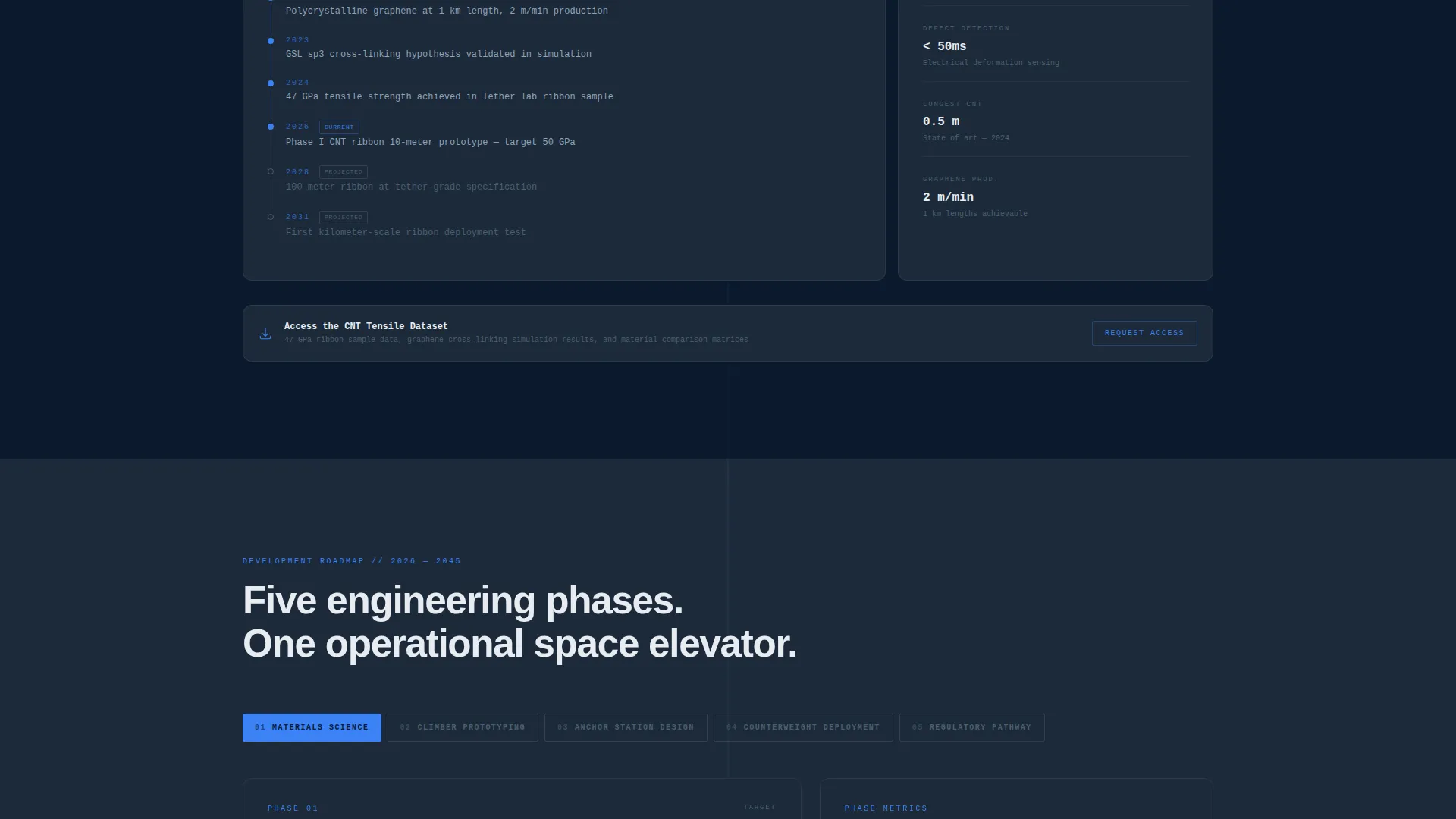
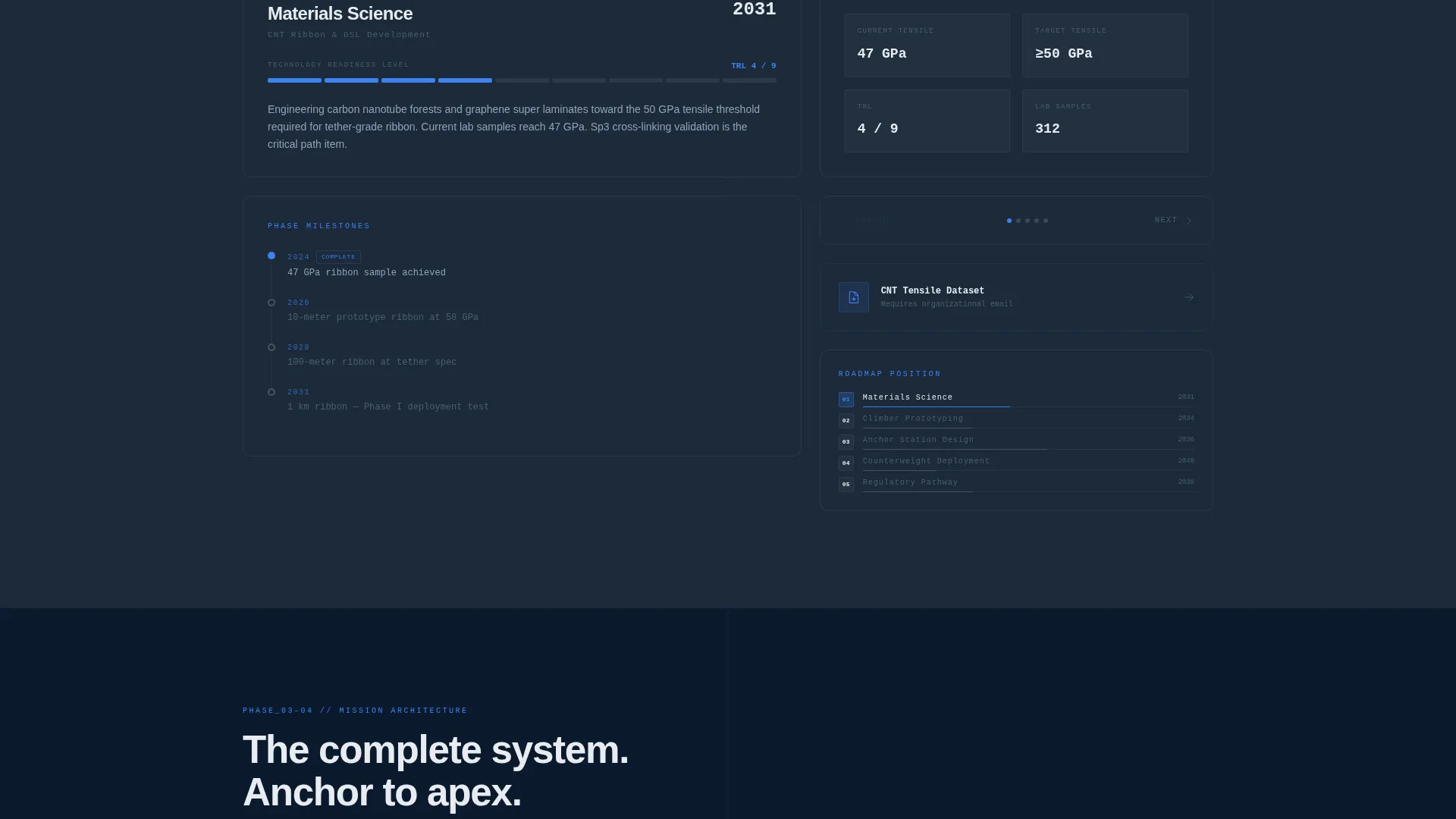
Five anchor nav spokes correspond to five engineering phases. Each spoke links directly to its section, allowing technical visitors to jump to the phase most relevant to their role. The active spoke is highlighted using the high-voltage blue accent color, keeping orientation clear at all times.
Progressive-Disclosure Content Architecture
Early sections use cinematic renders and accessible summaries. Later sections surface white papers, simulation datasets, and engineering schematics. This tiered approach rewards visitors who scroll deeper with increasingly detailed and privileged technical information.
Phased Engineering Timeline Per Spoke
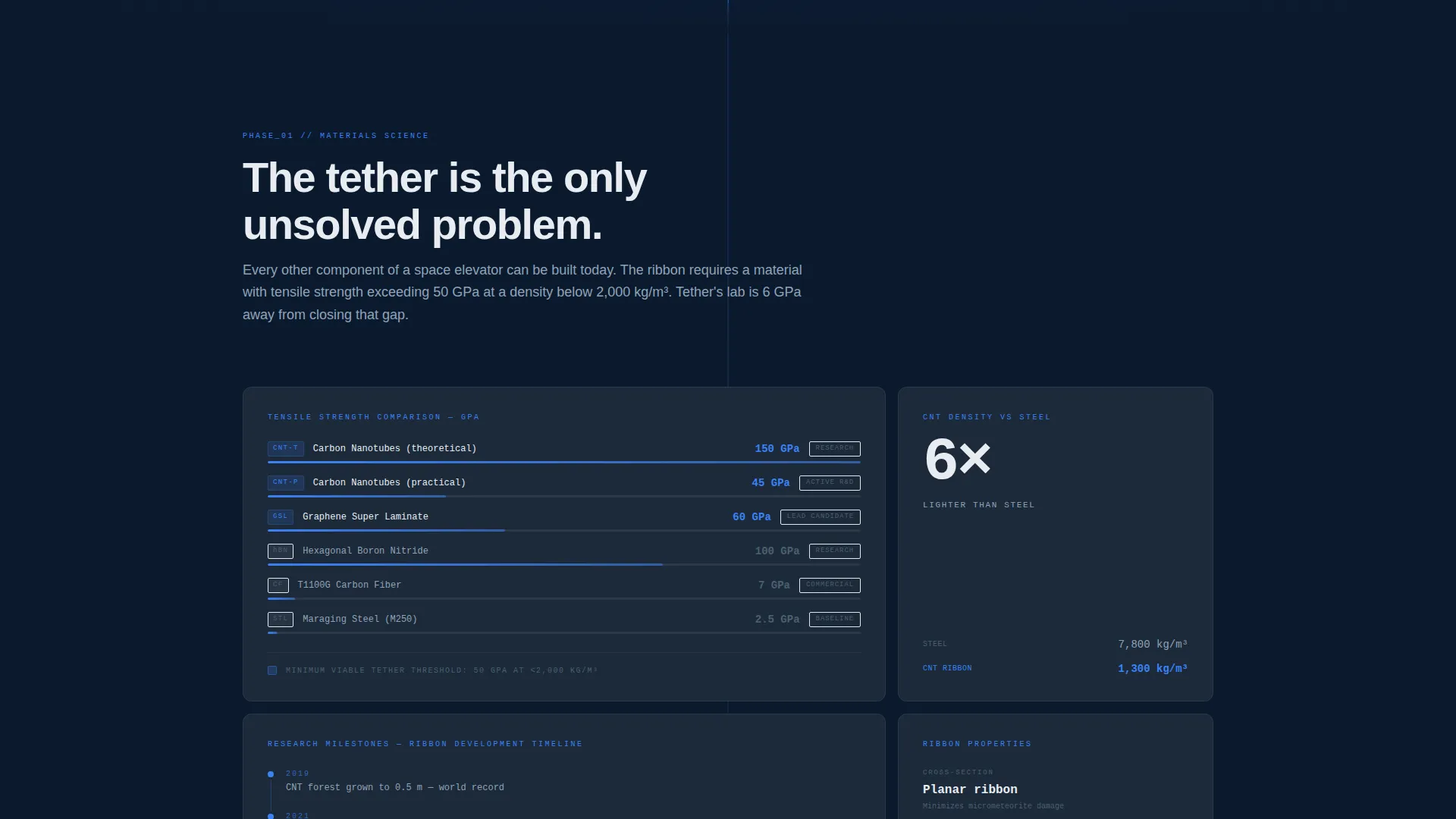
Each spoke contains a mini-timeline running from current research milestones, such as tensile strength records and grant awards, to projected operational dates. The structure makes the development roadmap readable at a glance while giving serious evaluators a clear sense of where each phase stands.
Progressive Lead Capture Form
The primary call to action gates the "Feasibility Atlas" technical PDF behind a three-step progressive form. The first field filters by organizational email domain, accepting government, military, and corporate aerospace addresses. The second field captures role title. The third is a single checkbox for briefing interest. Secondary contextual downloads at each spoke require only the email already captured.
Page sections overview
| Section | Purpose |
|---|---|
| Cost Comparison Header | Opens with before-and-after cost-per-kilogram data to establish immediate scale and credibility |
| Anchor Navigation Bar | Lets visitors jump directly to any of the five engineering phase spokes |
| Materials Science Spoke | Covers carbon nanotube ribbon research milestones and tensile strength progress |
| Climber Prototyping Spoke | Presents climber system development stages and current prototype data |
| Anchor Station Design Spoke | Details equatorial anchor station design concepts and engineering progress |
| Counterweight Deployment Spoke | Outlines geostationary counterweight plans and projected deployment timeline |
| Regulatory Pathway Spoke | Surfaces the regulatory white paper and international coordination milestones |
| Feasibility Atlas Gate | Hosts the primary call-to-action form for the gated technical PDF download |
Design & branding system
The visual identity follows a Corporate Precision theme built on a Navy Authority color system. Every color decision is purposeful, and the overall effect is closer to a deep-space command deck than a marketing page.
- Core palette: command-deck navy (#0B1A2E) for backgrounds, mission-critical charcoal (#1C2A3A) for panels, and technical white (#E8ECF1) for data surfaces and body text
- Single accent: high-voltage blue (#3B82F6) used exclusively for interactive elements, progress indicators, and anchor nav highlights
- Typography: monospaced engineering font for data displays; all surfaces are matte with no decorative glow
Mobile & speed optimization
The template is designed to maintain its data-dense layout without sacrificing usability on smaller screens. The anchor navigation and ribbon motif adapt to narrower viewports so the structural logic of the page remains intact.
- Anchor nav collapses cleanly on mobile so visitors can still move between spokes without losing their place
- The animated ribbon and split-viewport header are structured to remain readable across device sizes
How this template helps you convert
Tether earns conversions by giving serious buyers enough proprietary data in the open scroll to justify the next step. The gated resources feel like a natural upgrade rather than an interruption.
- The header cost comparison immediately frames the value proposition in numbers that decision-makers can take into internal briefings, removing the need for the visitor to build the case themselves.
- Contextual secondary downloads at each spoke lower the friction for visitors who are not yet ready for the full Feasibility Atlas, capturing email addresses at multiple points in the scroll without adding separate landing pages.
- The progressive form filters for qualified leads by design, so the organizational email domain field ensures that downloads reach agency procurement teams, defense contractors, and institutional investors rather than unqualified traffic.
Other information about this template
This template is part of a broader family of Corporate Precision templates built around the Navy Authority color system. It is specifically matched to the Space Elevator Technology niche within the Aerospace and Defense category, and the intersection score of 13 reflects a tight alignment between the template style, creative direction, and landing page purpose.
- Template style: Hub and Spoke with Anchor Navigation, suited to multi-phase technical projects that need both scannable overview and deep-dive detail
- Creative direction: Timeline Progression, structuring the scroll as an engineering roadmap from present research to projected operational status
- Header concept: Case Study Before and After, using real cost-per-kilogram figures to anchor the value proposition immediately
- Landing page direction: Content and Resource hub, prioritizing gated technical PDFs and contextual dataset downloads as primary conversion assets
- Intersection match score: 13, indicating strong alignment across all five matched context fields
Theme
Corporate Precision
Creative direction
Timeline Progression
Color system
Navy Authority
Style
Hub & Spoke (Anchor Nav)
Direction
Content/Resource
Page Sections
Split-viewport Cost Comparison Header
Animated Tether Ribbon Motif
Hub-and-spoke Anchor Navigation
Phased Engineering Timeline Per Spoke
Progressive-disclosure Content Architecture
Progressive Lead Capture Form
Related questions
Who is the primary audience for this template?
What are the five spoke sections in the anchor navigation?
How does the lead capture form work?
Can the color palette and typography be customized?
What kind of content does each spoke section contain?



