HVAC Digital Presence Booking Website Template
Thermostat is a bold brutalist HVAC booking and scheduling landing page built for one job: turn a panicked homeowner or a property manager into an app download before they pick up the phone. Every section reveals progressively, showing real pricing, real tech profiles, and real arrival windows. No fluff, no waiting, no callbacks.
by Rocket studio
Quick summary
Thermostat is a scroll-reveal HVAC landing page template built around a single, urgent idea: book a certified technician before the sun rises. The page uses a bold brutalist design system, an angled product screenshot hero, and a progressive feature matrix to earn the app download. Each section powers on like a breaker flipping, revealing heating and cooling service detail one stage at a time.
Who this template is for
This HVAC landing page template is built for teams that need to convert high-intent visitors fast. Whether you are launching a new HVAC business or rebuilding a landing page for paid ads, Thermostat gives you a focused, high-pressure structure that works.
- Homeowners facing emergency heating or cooling repairs at any hour who need a tech now, not tomorrow
- Property managers handling scheduling across dozens of units with different system ages and service histories
- Commercial facility directors locking in quarterly HVAC maintenance plans before budget season closes
What problem this template solves
Most HVAC landing pages waste the visitor's attention. They bury the booking form, hide pricing, and give no signal of who is actually showing up. Thermostat solves this by making every critical detail visible before the first scroll ends.
- Customers leave because they cannot see pricing, arrival windows, or technician credibility up front
- Emergency HVAC landing page traffic converts poorly when the page feels slow, vague, or untrustworthy
- HVAC businesses running ads to a generic website lose conversions because the page does not match the urgency of the click
What you get with this template
This template delivers a complete, ready-to-customize HVAC landing page structure. You get a scroll-triggered progressive layout that builds the case for an app download section by section, with every design decision focused on speed, clarity, and conversions.
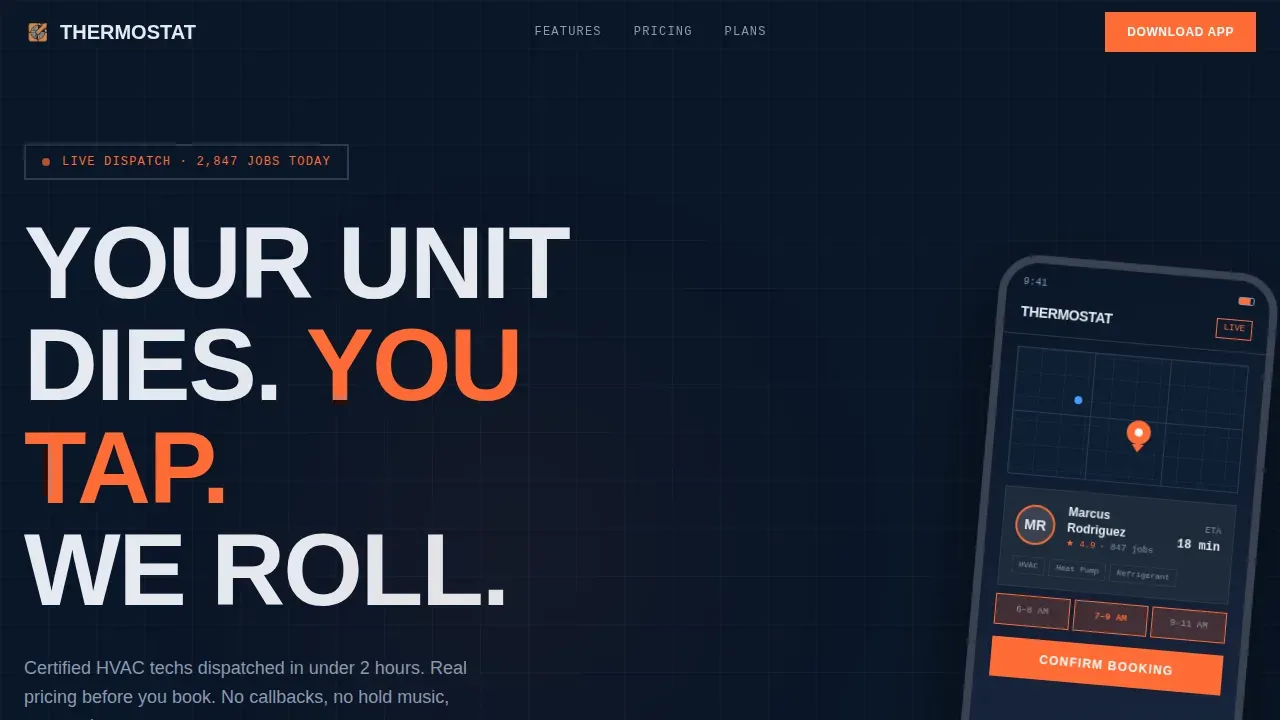
- A brutalist hero section with an angled phone frame, a live booking screenshot, and an aggressive headline above the fold
- Five fully structured page sections covering instant booking mechanics, tech-matching, live pricing, and maintenance plan comparison
- A Midnight Blue color system, monospaced data labels, and emergency orange calls to action configured and ready to customize
Feature list
This HVAC landing page template includes the following built-in capabilities, each designed to move a visitor from hesitation to action.
Progressive Scroll-Reveal Layout
Each section of the page reveals as the visitor scrolls, using Intersection Observer triggers. The experience feels like a system powering on: instant booking mechanics appear first, then the tech-matching flowchart, then the pricing matrix, then maintenance plan cards. This staggered reveal keeps attention focused and rewards visitors who continue reading.
Brutalist Hero with Product Screenshot
The hero section opens with an oversized phone frame tilted five degrees, displaying a live HVAC booking in progress. A map pin, a tech profile card showing a 4.9 rating, and a confirmed 7:00 to 9:00 AM arrival window are visible on screen. The headline is set in ultra-heavy condensed type against a solid deep navy background, no gradients, no blur.
Live Pricing Matrix Section
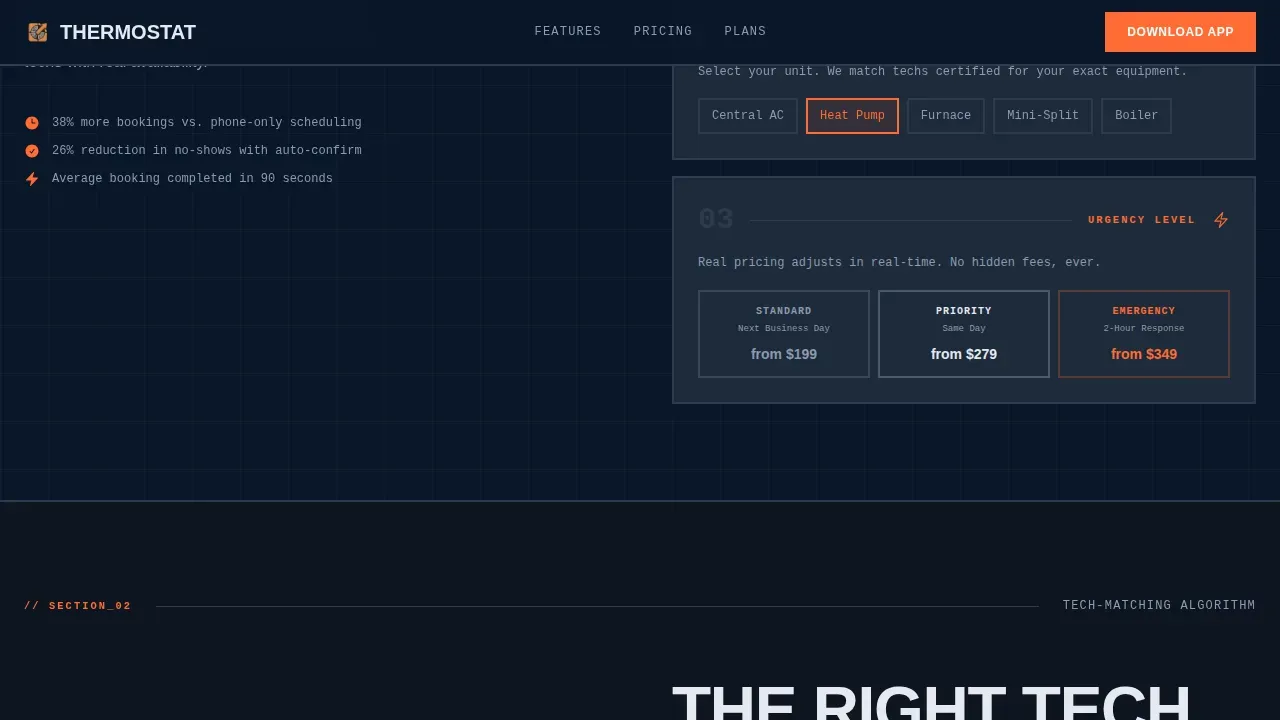
A dedicated section displays a pricing table with service type rows and urgency tier columns. Cells animate and fill in as they enter the viewport, giving the visitor a clear, real-time sense of what each job costs before they ever tap the booking button. Transparent service tiers are displayed in simple, border-heavy table rows that match the brutalist design system.
Tech-Matching Flowchart Block
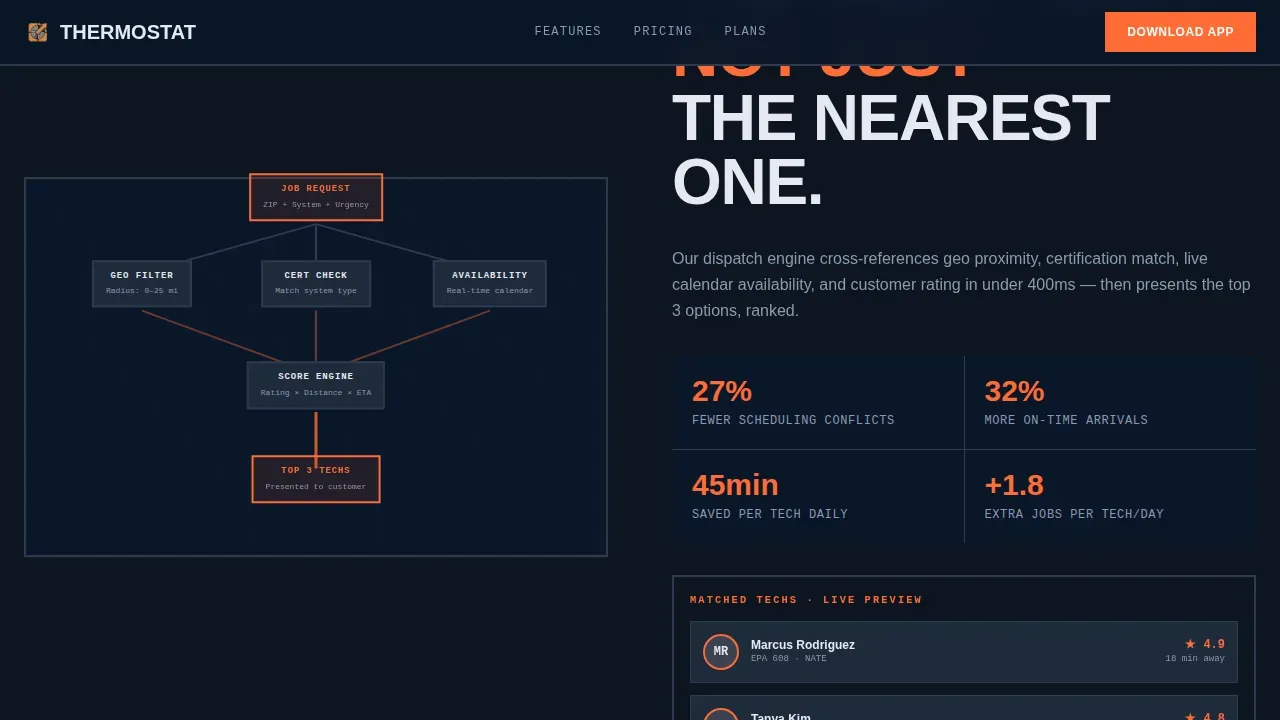
A brutalist flowchart visualizes how the platform assigns the right technician to each job. Thick borders, monospaced labels, and a boxy grid layout make the skill-based assignment logic legible at a glance. This section directly addresses the concern most homeowners have about who is entering their home by showing certifications and specialties in plain text.
Maintenance Plan Comparison Cards
Heavy concrete-gray cards stack the available maintenance plan tiers side by side. Each card uses the exposed-steel surface color and ice-white text to keep the design consistent. The section helps HVAC companies turn one-time repair customers into recurring plan holders without any pushy copy.
App Download call to action with SMS Fallback
The final conversion section offers two paths. The primary call to action reads "Download and Book in 90 Seconds" with App Store and Google Play badges in monochrome that snap to emergency orange on hover. A secondary path offers an SMS link field with a steel-gray outlined button, so visitors who are not ready to download can still capture their number and get the link sent to their phone.
Page sections overview
| Section | Purpose |
|---|---|
| Hero Product Screenshot | Establish urgency, show live booking proof, and place the primary call to action above the fold |
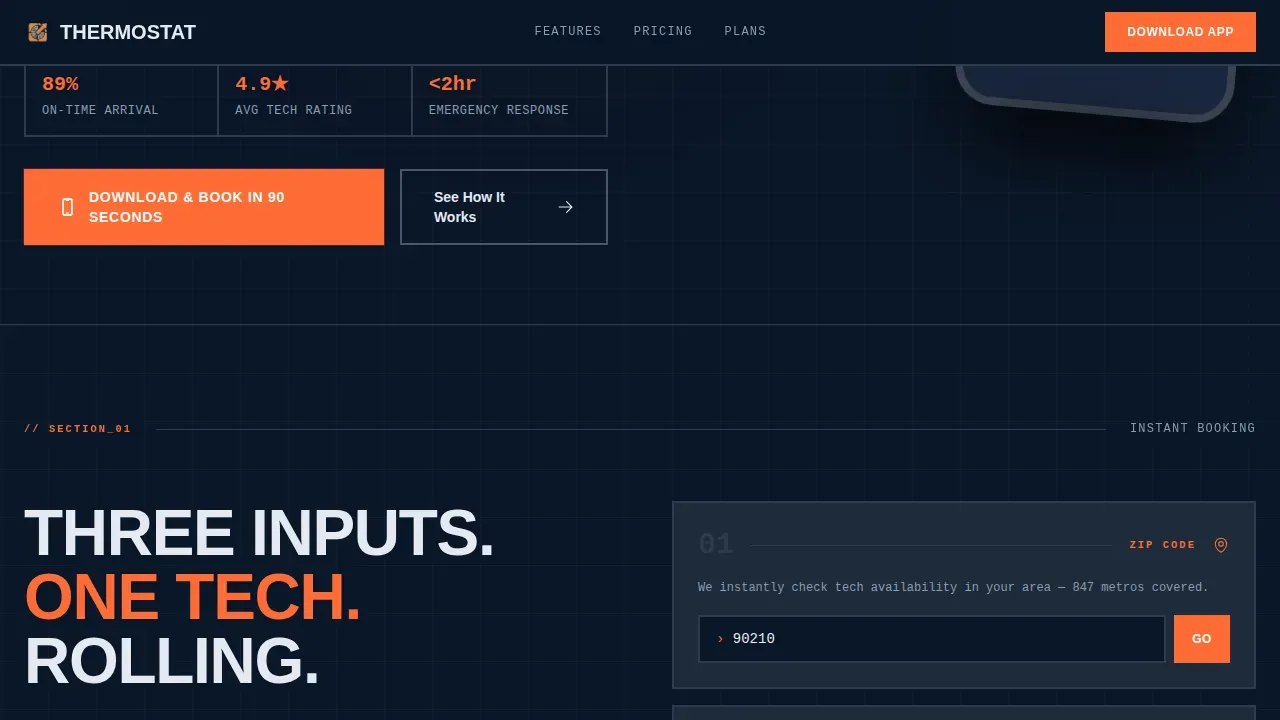
| Instant Booking Mechanics | Display the zip code, system type, and urgency input flow in a brutalist form layout |
| Tech-Matching Flowchart | Visualize how skilled technicians are matched to each job with monospaced labels |
| Live Pricing Matrix | Animate service and urgency pricing cells into view as the visitor scrolls |
| Maintenance Plan Cards | Compare recurring service tiers in heavy concrete-gray card blocks |
| App Download Footer | Drive the final conversion with paired download badges and an SMS link option |
Design & branding system
The design system is a fully realized Midnight Blue palette built for an industrial, high-contrast HVAC landing page. Every color choice is functional and intentional, with nothing added for decoration.
- Deep terminal navy (#0A1628) as the page background, exposed-steel gray (#3B4252) for card surfaces and dividers, ice-white (#E5E9F0) for all body text and labels
- Emergency orange (#FF6B35) reserved exclusively for calls to action and live-status indicators, rendered in monochrome on badges and snapping to full orange on hover
- Ultra-heavy condensed Manrope headlines for impact, JetBrains Mono for all data labels, pricing cells, and monospaced flowchart text
Mobile & speed optimization
This template is built mobile-first because the product it promotes is a mobile app. The phone frame hero, the stacked card layout, and the single-column pricing matrix all render cleanly on small screens without a layout shift.
- The responsive design scales all five page sections cleanly across devices, from a large desktop monitor down to a 375-pixel phone screen
- Scroll-triggered animations use lightweight Intersection Observer logic, keeping the page responsive and avoiding heavy JavaScript overhead
- The brutalist design approach naturally avoids heavy images and complex CSS layers, which supports fast load times especially critical for emergency HVAC landing page traffic arriving from paid ads
How this template helps you convert
This template is engineered around one outcome: the app download. Every design and content decision works toward that conversion point, reducing friction and building confidence at each scroll stage.
- The hero section places the call to action above the fold so every visitor sees the booking prompt immediately, before any waiting or additional scrolling is required. The product screenshot acts as social proof, showing a real booking in progress with a rated technician and a confirmed arrival window.
- The progressive feature matrix earns the download by showing real pricing, real tech-matching logic, and real maintenance plan tiers before asking for anything. By the time a visitor reaches the app download section, they have already seen how the service works and what it costs, which directly improves conversion rates.
- The dual call to action structure captures visitors at two levels of intent. High-intent users click the download badge directly. Lower-intent visitors enter a phone number and get an SMS link, keeping them in the funnel and improving total page conversions.
Other information about this template
This template is a strong starting point for any HVAC company that wants a focused, high-converting landing page connected to a paid ads campaign or a marketing push. The structure supports A/B testing across headlines, call to action copy, and pricing tiers, making it practical for teams that want to experiment and optimize based on real visitor behavior.
- You can customize the color tokens, section order, and content blocks to match your brand without rebuilding the layout from scratch, which saves time and resources
- The template follows best practices for HVAC landing page design: strong headlines above the fold, a clear booking path, relevant social proof, and a layout that communicates urgency without feeling chaotic
- Designers looking for brutalist HVAC landing page examples and resources will find this template a practical reference, inspired by the raw-aesthetic direction seen across service-focused brutalist work on platforms like Dribbble
- The thermostat brutalist hvac booking scheduling landing page template is suited for HVAC companies running separate campaigns for heating repairs, cooling service, or maintenance plan enrollment, with each campaign linking to a dedicated version of the page
- This hvac landing page template can support service areas across multiple zip codes and urgency tiers, making it relevant for both local HVAC businesses and regional dispatch operations
Theme
Bold Brutalist
Creative direction
Feature Matrix
Color system
Midnight Blue
Direction
App Download
Page Sections
Progressive Scroll-reveal Section System
Brutalist Hero with Angled Phone Frame
Animated Live Pricing Matrix
Tech-matching Flowchart Block
Maintenance Plan Comparison Cards
Dual-path App Download Call to Action
Related questions
Who is this HVAC landing page template best suited for?
Can I customize the colors and content without advanced coding skills?
Does the template show pricing and arrival windows to help build trust?
How does the page handle both emergency and scheduled HVAC service jobs?
Can this template support A/B testing on headlines and calls to action?



