Expert Preschool Landing Page Template
Pipeline is a hub-and-spoke landing page template built for DataOps training and certification platforms. It uses an anchor navigation system with a Feature Matrix layout to guide engineers, team leads, and learning managers through curriculum tiers, hands-on lab details, and certification outcomes, all inside a dark Tech Glass visual identity that feels like a live monitoring dashboard.
by Rocket studio
Quick summary
Pipeline is a single-page, anchor-nav landing page template designed for DataOps training and certification platforms. It opens with a logo bar and a credibility stat, then lets visitors self-navigate across five structured spokes: Curriculum, Labs, Certification, Teams, and Outcomes. The Tech Glass design with Acid Digital colors gives the page the feel of a live terminal environment.
Who this template is for
This template is built for organizations and individuals who sell or promote technical upskilling programs in the data engineering space. If your offer involves structured training, certification credentials, or team-seat licensing, Pipeline gives you the right structure to communicate it clearly.
- Platform engineering leads buying team seats ahead of a major data infrastructure migration
- Individual data engineers pursuing a certification that signals pipeline fluency to hiring managers
- Learning and development directors at mid-market companies sourcing vendor-neutral credentials for their teams
What problem this template solves
Generic course landing pages bury the details that technical buyers actually need. Data engineers do not want marketing copy, they want to see lab hours, tool coverage, exam formats, and pass rates before they commit to anything. Pipeline solves the mismatch between how technical audiences evaluate training and how most pages present it.
- Visitors cannot self-route by role or buying intent on a single linear scroll
- Curriculum depth and certification rigor are hidden behind vague promises or forced into long paragraphs
- Lead generation forms appear before trust is earned, causing drop-off before the click
What you get with this template
You get a fully structured, section-led landing page that organizes every critical piece of your training offer into a scannable, self-navigable layout. The template is built around five anchor-linked spokes that each contain a tiered comparison grid and glass-panel cards.
- A sticky anchor navigation bar with five labeled spokes: Curriculum, Labs, Certification, Teams, and Outcomes
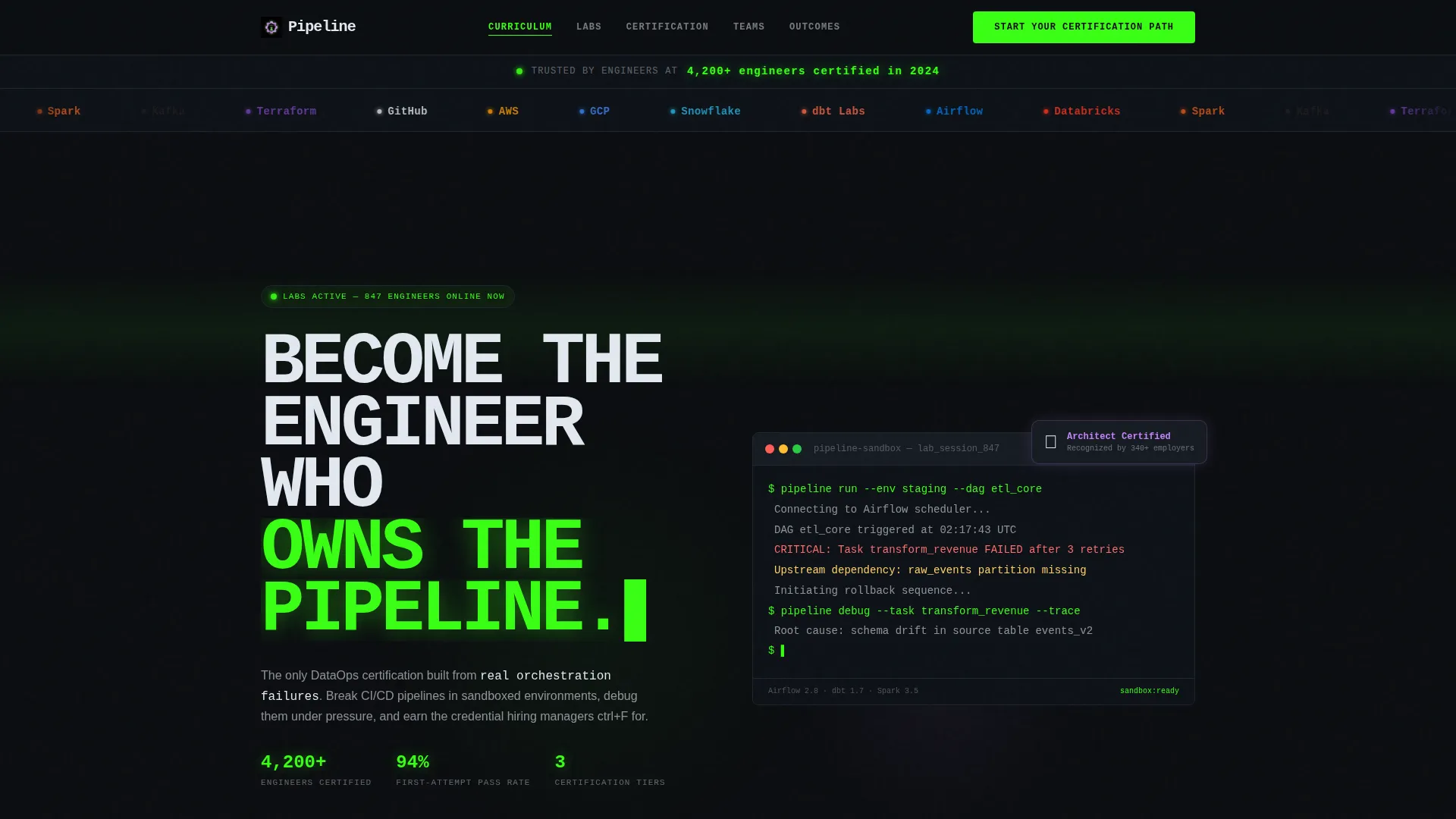
- A logo bar header with a scrolling partner ribbon and a phosphor green credibility stat
- A progressive three-screen lead capture form and a secondary gated PDF conversion path
Feature list
This section walks through the core capabilities built into the Pipeline template.
Anchor Navigation Bar
A sticky navigation bar pins to the top of the page as visitors scroll. Each of the five spoke labels, Curriculum, Labs, Certification, Teams, and Outcomes, acts as a clickable anchor. Visitors jump directly to the section that matches their buying intent without scrolling through unrelated content.
Tiered Feature Matrix
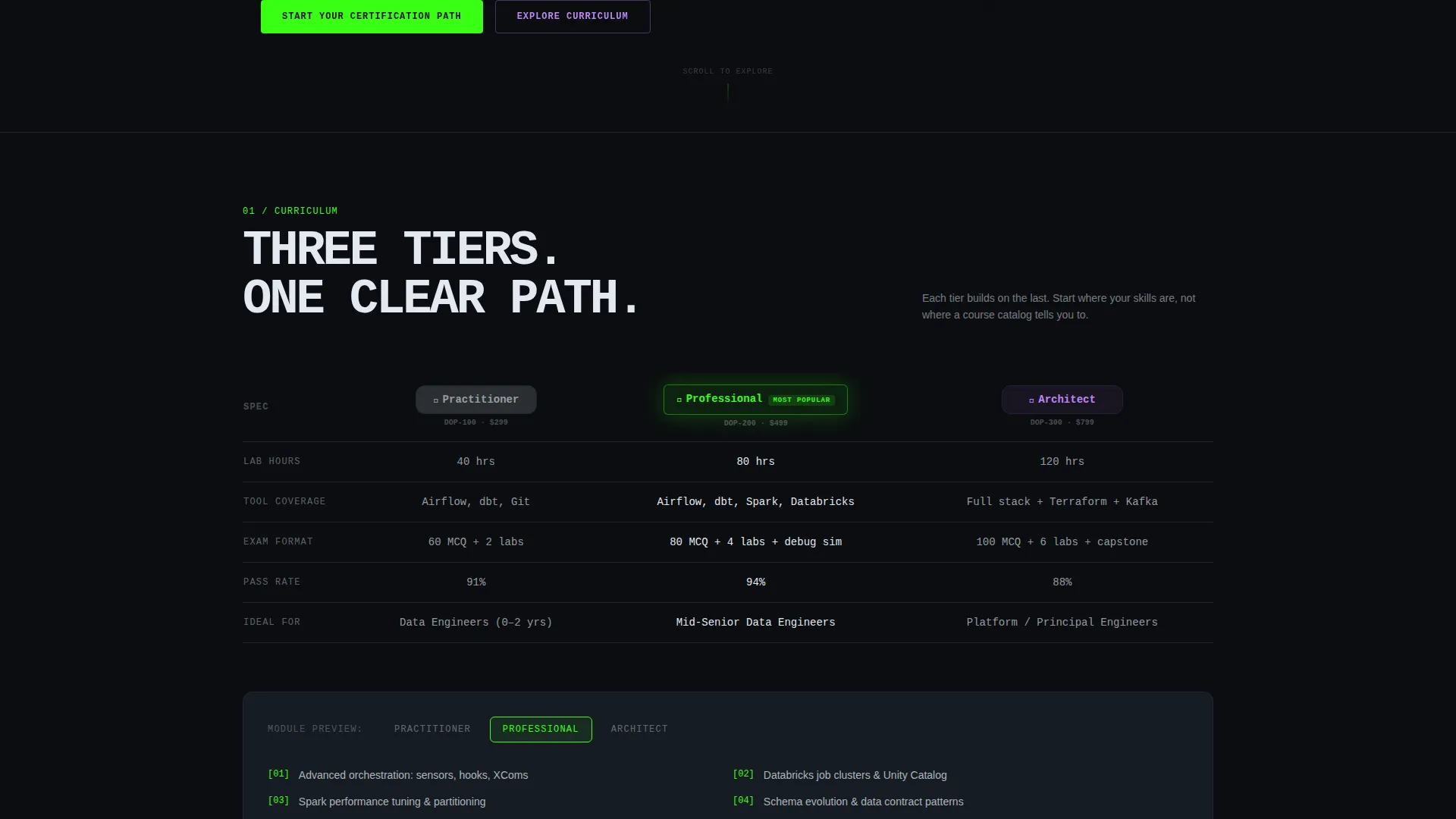
Each spoke section contains a structured comparison grid with three columns: Practitioner, Professional, and Architect. Rows detail lab hours, tool coverage, exam format, and pass rates. This format rewards the analytical mindset of data engineering buyers and removes ambiguity about what each tier includes.
Progressive Lead Capture Form
The primary call-to-action opens a three-screen progressive form. The first screen captures role, the second captures team size, and the third collects work email and preferred start window. This staged approach reduces friction and qualifies leads before they reach the final submission screen.
Gated Exam Blueprint Download
A secondary conversion path offers individual engineers a downloadable exam blueprint as a gated PDF. This lighter-commitment option captures the same work email while serving visitors who are not yet ready to start a full certification path. It broadens lead capture without diluting the primary call-to-action.
Glass-Panel Card System
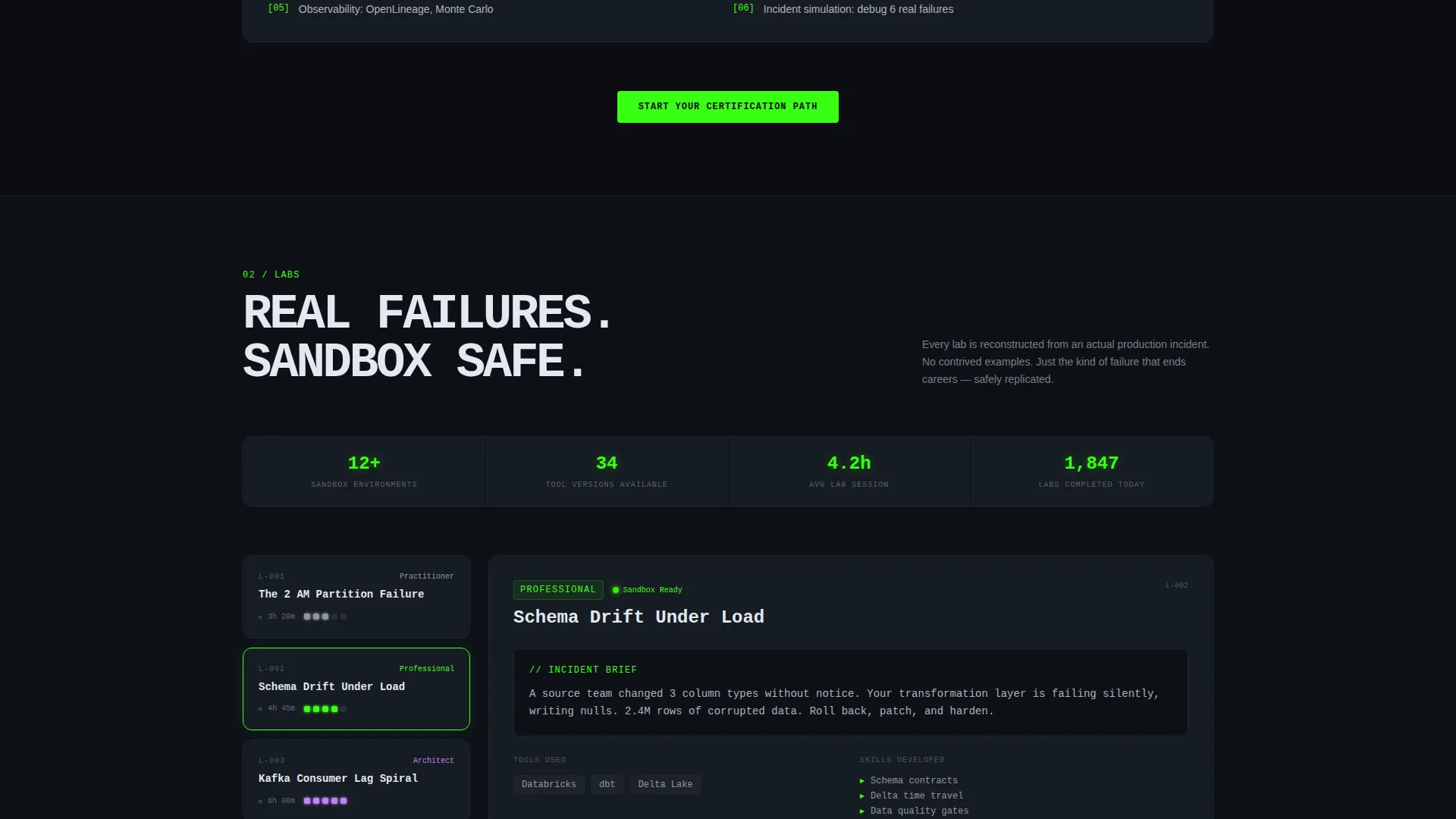
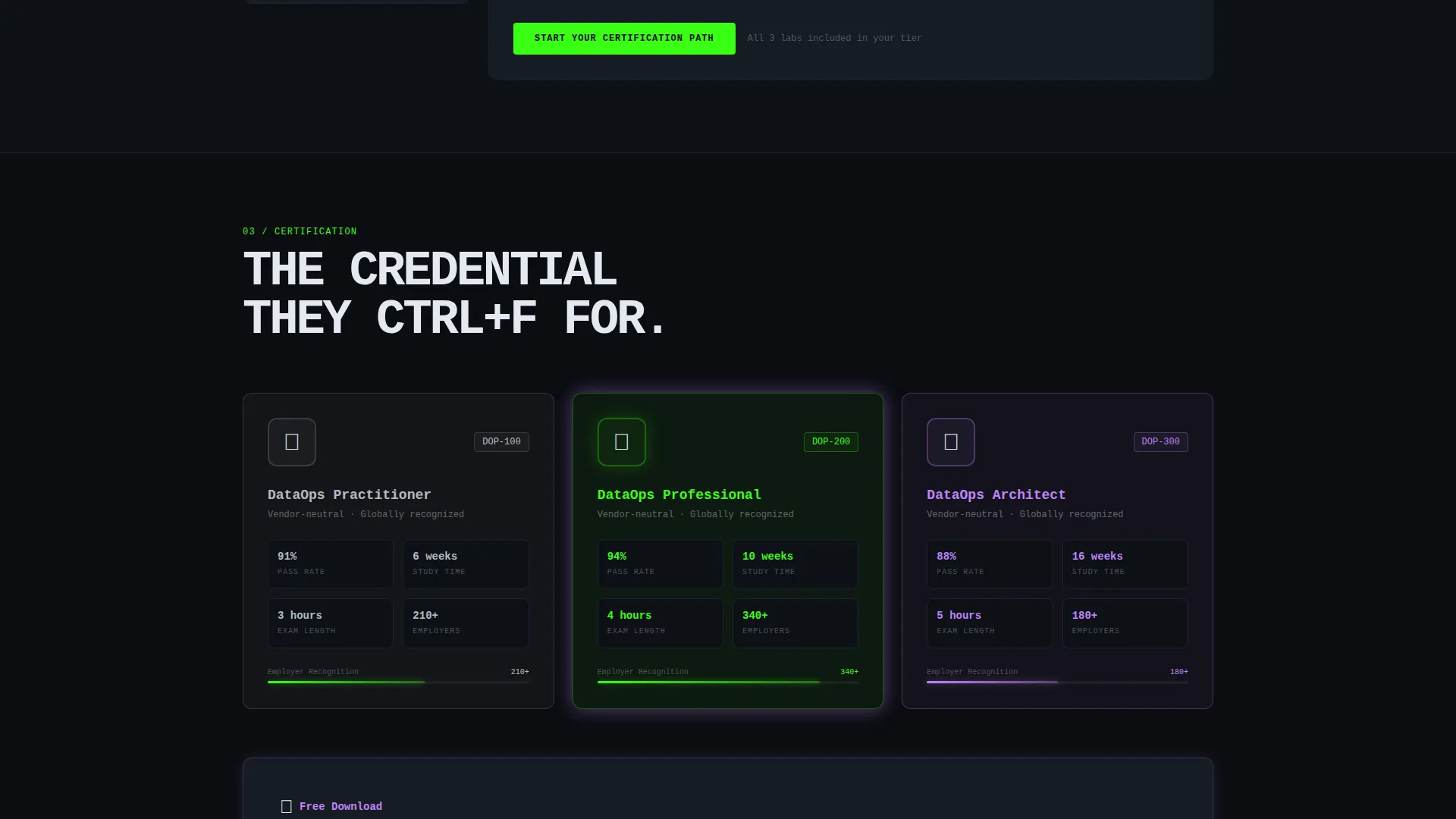
Information inside each spoke is presented in glass-panel cards with a subtle phosphor green border glow at 12 percent opacity. Cards are tight and scannable, designed to deliver key facts in compact blocks. The visual style mirrors a monitoring dashboard, keeping the aesthetic consistent with the audience's daily work environment.
Logo Bar with Credibility Stat
The header opens with a slow-scrolling horizontal ribbon of partner and employer logos. A single stat rendered in phosphor green anchors the bar: "4,200+ engineers certified in 2024." This combination establishes platform credibility before any paragraph of body copy loads.
Page sections overview
| Section | Purpose |
|---|---|
| Logo Bar Header | Establishes trust with partner logos and a certification stat |
| Anchor Navigation Bar | Pins to top; lets visitors jump to any spoke |
| Curriculum Spoke | Compares tier content across Practitioner, Professional, Architect |
| Labs Spoke | Details hands-on lab hours, sandbox environments, and tool coverage |
| Certification Spoke | Covers exam format, pass rates, and credential details |
| Teams Spoke | Presents team-seat options and group enrollment information |
| Outcomes Spoke | Shows pass-rate data and hiring-signal proof points |
| Primary call to action Section | Repeats "Start Your Certification Path" at the base of each spoke |
| Progressive Lead Form | Three-screen form with role, team size, and email capture |
| Exam Blueprint Download | Gated PDF offer as a secondary lead conversion path |
Design & branding system
The visual identity follows a Tech Glass theme with an Acid Digital color system. Every color choice is intentional: the palette replicates the feeling of a live data monitoring dashboard running at midnight, where dark surfaces make neon accents feel active and alive.
- Background is void black (#0B0D10); card surfaces use deep panel gray (#161B22); text sits in cool white (#E2E8F0)
- Phosphor green (#39FF14) drives live-state accents, progress indicators, and the credibility stat; electric lilac (#C084FC) activates on hover states and certification badge glows
- Typography uses oversized monospaced type for the headline; dividers use barely-there charcoal (#1E2530) to separate sections without visual interruption
Mobile & speed optimization
The layout is structured for clarity on smaller screens without sacrificing the matrix-style information density that makes it useful for technical buyers. The anchor nav and spoke grid adapt to narrower viewports while keeping the core comparison structure intact.
- Sticky anchor navigation remains accessible on mobile, keeping spoke labels reachable without scrolling back to the top
- Glass-panel cards reflow into single-column stacks on smaller screens, preserving scannability
- The progressive form screens are designed as focused single-view steps, reducing cognitive load on any screen size
How this template helps you convert
Pipeline is built around a trust-first conversion sequence. Every layout decision moves a skeptical technical buyer closer to the form without feeling pushy.
- The logo bar and credibility stat establish platform authority in the first viewport, before any body copy loads, giving visitors a reason to keep scrolling.
- The Feature Matrix layout lets buyers self-qualify by tier and intent, so they arrive at the call-to-action already confident in what they are signing up for.
- The two-path lead capture strategy, a full certification enrollment form and a lighter exam blueprint download, meets buyers at different commitment levels and captures more leads across the funnel.
Other information about this template
Pipeline is designed to serve the DataOps training and certification niche specifically, not general online course platforms. The template's structure reflects the way data professionals actually evaluate technical training: by querying details, not by reading narratives.
- The template is well suited for platforms offering training tied to tools in the modern data stack, including orchestration and pipeline tooling ecosystems
- Partner logo slots in the header ribbon are sized for recognizable employer and tool logos, such as those from Snowflake, dbt Labs, Apache Airflow, and Databricks data teams
- The Outcomes spoke is structured to surface pass-rate data and hiring-signal proof points, which are the closing arguments that matter most to individual engineers and their managers
- The vendor-neutral framing of the certification positioning makes the template adaptable for platforms that are not tied to a single tool provider
Theme
Tech Glass
Creative direction
Feature Matrix
Color system
Acid Digital
Style
Hub & Spoke (Anchor Nav)
Direction
Lead Generation
Page Sections
Sticky Anchor Navigation with Five Spokes
Tiered Certification Comparison Matrix
Three-screen Progressive Lead Form
Gated Exam Blueprint Download
Tech Glass Visual Identity System
Logo Bar with Credibility Stat
Related questions
Who is the Pipeline template built for?
Can I use this template for a multi-tier certification program?
How does the lead generation flow work?
Is the anchor navigation visible throughout the page scroll?
Can this template support team-seat or group enrollment offers?



