DVSA Motorcycle Licence Course Landing Page Template
Throttle is a DVSA-approved motorcycle licence course landing page built for training schools that need to convert first-timers into booked students fast. It pairs a three-step booking form with a timeline card grid that walks visitors through every stage of the UK licensing journey, from CBT day one to the Mod 2 road ride, complete with live seat counts and a sticky booking bar.
by Rocket studio
Quick summary
Throttle is a single-page, card-grid landing page built for UK motorcycle training schools. It guides visitors from "I want to ride" to "I have a date booked" through a three-step header form, a timeline progression of course stages, and persistent booking prompts. The design uses an Institutional Authority visual style to build trust before asking for a commitment.
Who this template is for
This template is built for motorcycle training schools and independent instructors running DVSA-approved courses in the UK. It suits any school that takes complete beginners through Compulsory Basic Training (CBT), Mod 1, and Mod 2 on a fixed-day schedule with limited seat numbers.
- Training schools offering CBT, Mod 1, and Mod 2 courses to adult beginners
- Independent instructors who need a professional booking page that handles multiple course types
- Established schools looking to replace a generic enquiry form with a structured, stage-by-stage conversion page
What problem this template solves
Most motorcycle training school pages ask visitors to fill in a vague contact form and wait. That passive approach loses the commuter who needs a CBT before Monday and the career-changer who is ready to pay right now. This template removes the ambiguity by walking each visitor through a personalised booking path the moment they arrive.
- Visitors have no clear next step because available dates and seat counts are buried or absent
- Generic course pages cannot adapt to whether a visitor holds no licence, a provisional, or a full car licence
- Schools lose urgency-driven bookings because nothing on the page signals scarcity or upcoming deadlines
What you get with this template
You get a fully structured, single-page layout that doubles as a course guide and a booking engine. Every section is designed to move the visitor one step closer to selecting a date and confirming a place.
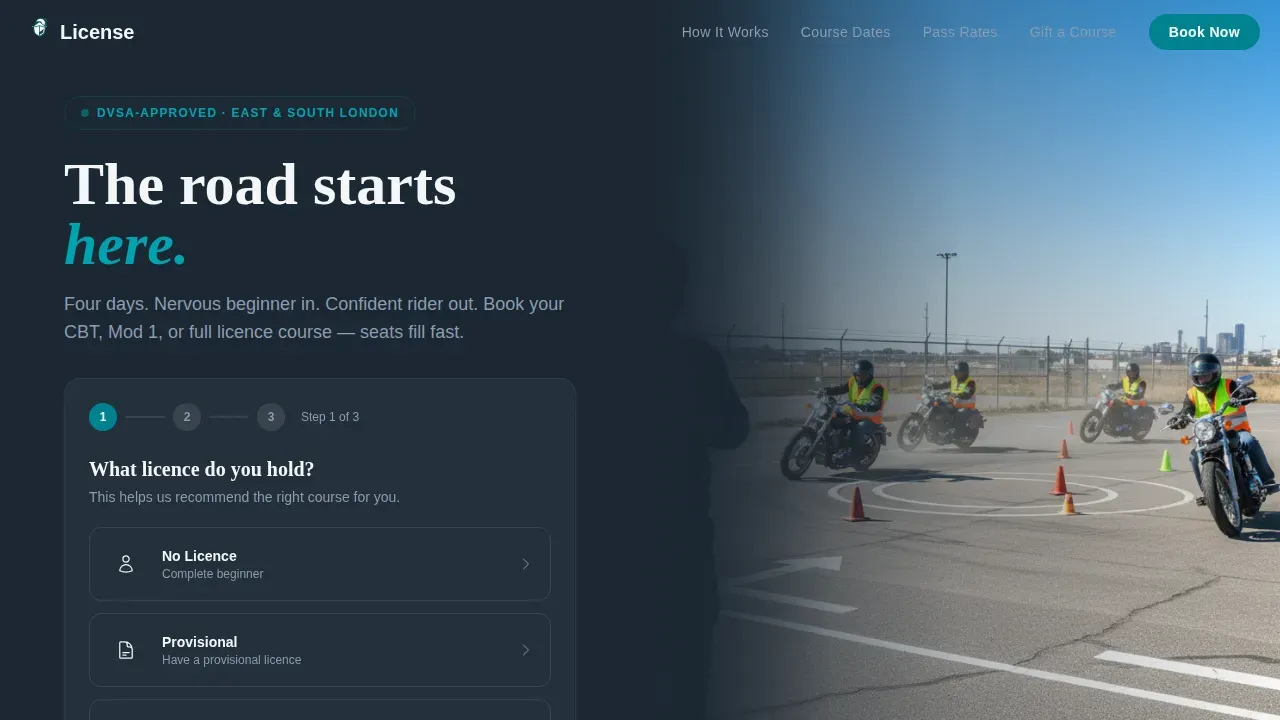
- A three-step header form that filters course options by current licence type and riding preference, then surfaces a live calendar with seat-count badges
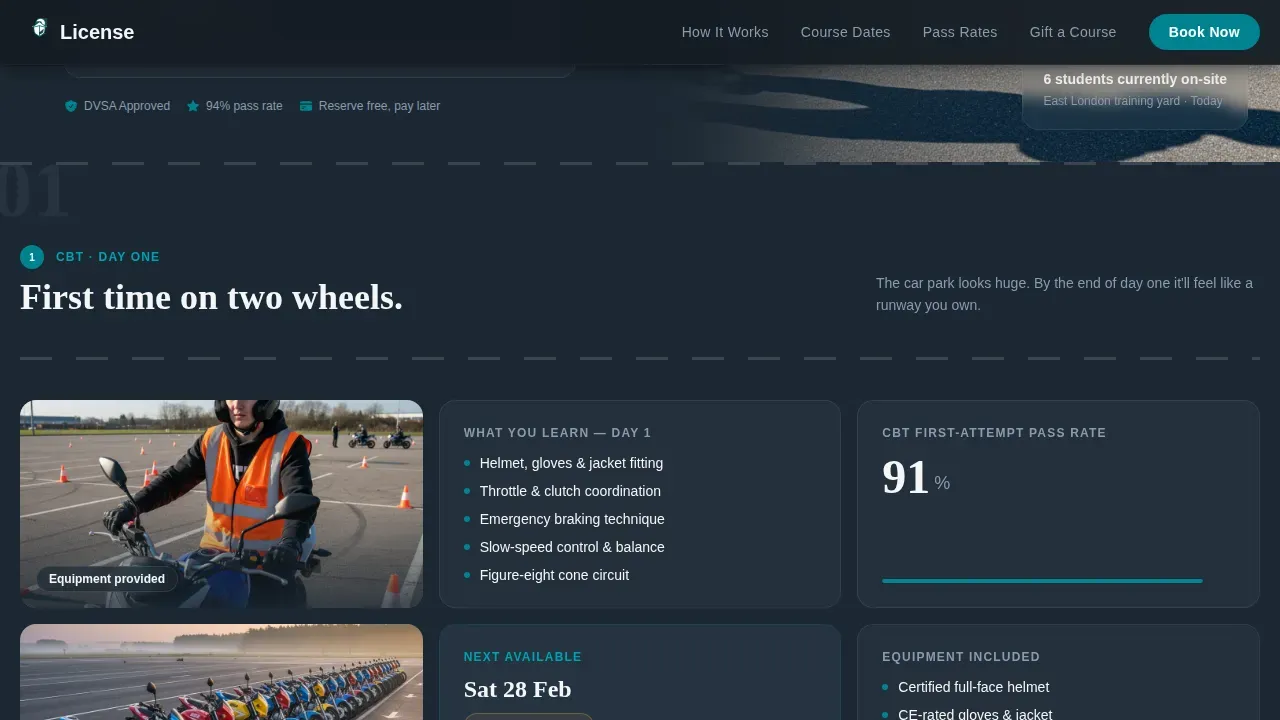
- A scroll-driven timeline of five course stages, each represented by a modular card row with photography, skill breakdowns, and a "Book Your Course Date" call to action
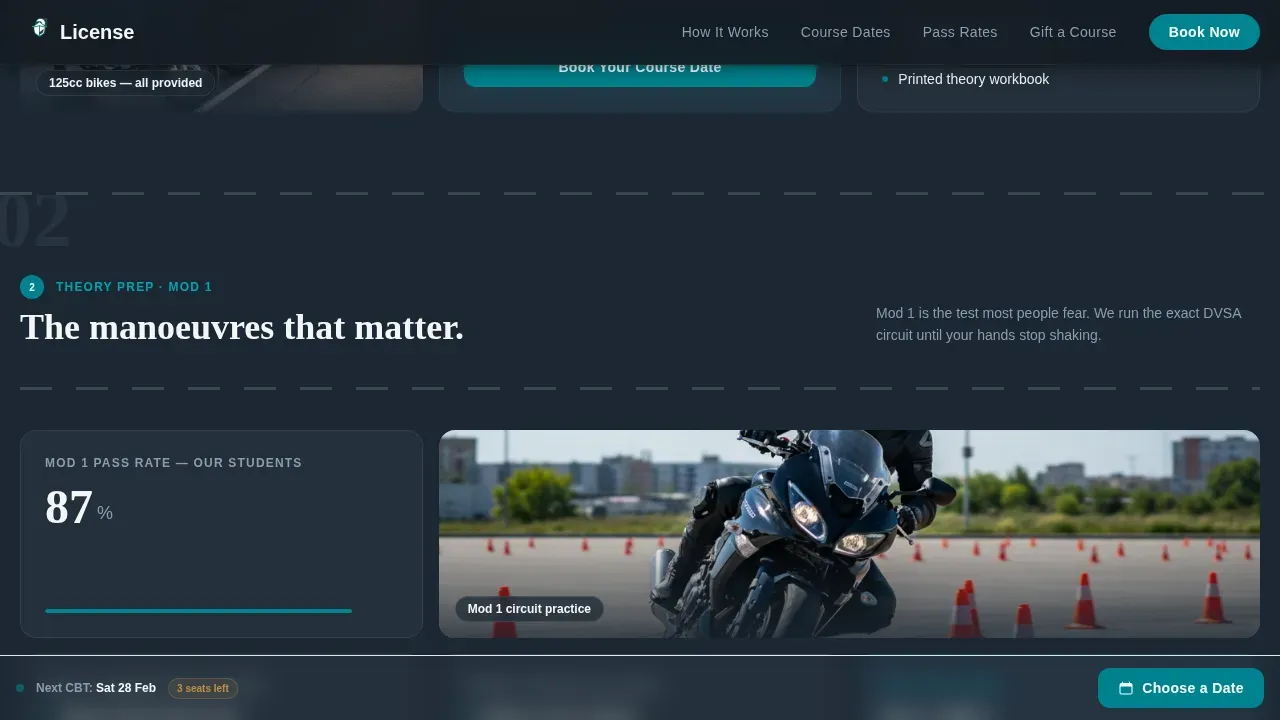
- A sticky bottom bar that appears after the visitor scrolls past the header form, keeping the selected course type and a compressed date-selection button always visible
Feature list
A brief paragraph introduces the feature set: every component listed below is included in the template and maps directly to a specific stage of the visitor's decision journey.
Three-Step Booking Form
The header splits into two columns. The left side hosts a multi-step form that asks for current licence status, preferred riding type, and then reveals a filtered calendar showing available course dates with seat counts. The right side displays an instructor's-perspective photograph of students in high-visibility vests practising slow-control manoeuvres.
Timeline Progression Card Grid
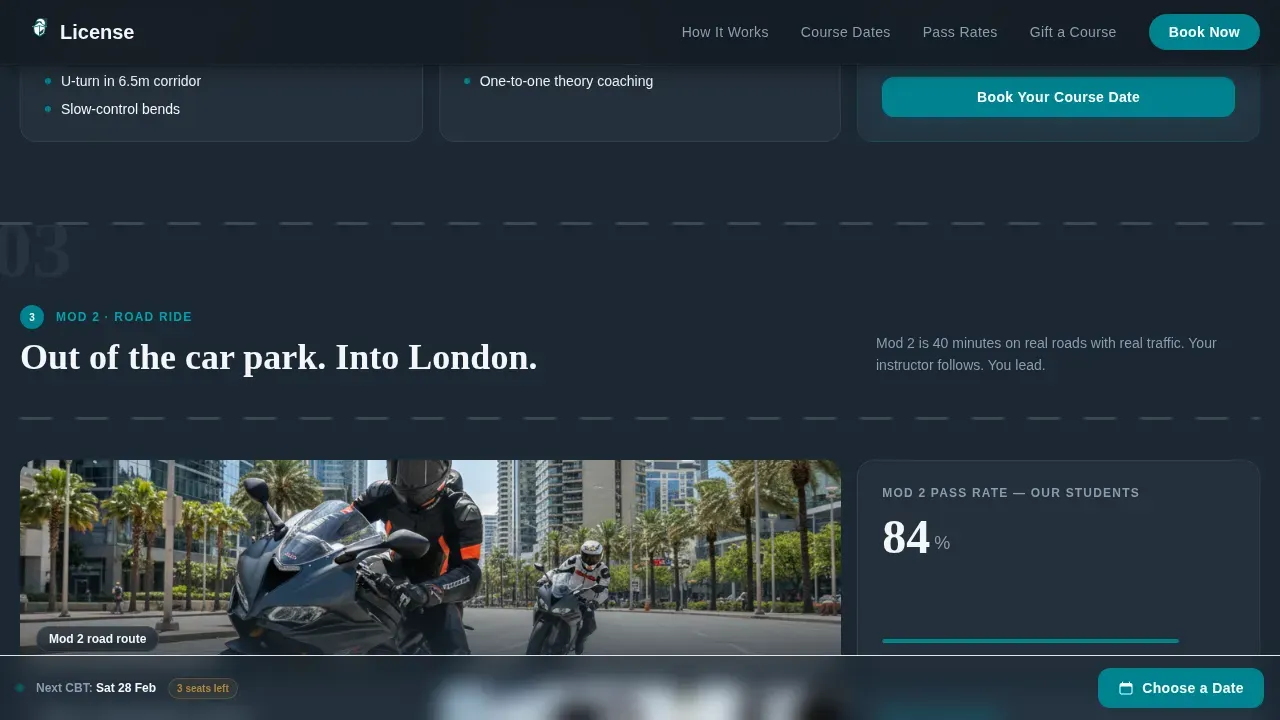
After the header, the page unfolds as a visual journey through the UK licensing stages. Each row of cards represents one stage: CBT day one, theory preparation, Mod 1 manoeuvres, Mod 2 road ride, and full licence achievement. Cards within each row show equipment provided, skills practised, pass rates, and student photography.
Live Seat Countdown and Urgency Cues
Seat-count badges on each calendar date update to reflect remaining availability. High-vis amber is reserved exclusively for urgency signals such as low-seat warnings and upcoming date badges, keeping the alert colour meaningful rather than decorative.
Sticky Bottom Booking Bar
A persistent bar appears once the visitor scrolls past the hero form. It displays the course type the visitor selected and a compact "Choose a Date" button, ensuring the booking path is never more than one tap away on any device.
Gift a Course Voucher Card
A dedicated card within the social proof section opens a voucher purchase modal. This secondary conversion path captures visitors who are buying for someone else, broadening the school's revenue without a separate page.
Social Proof and Institutional Credentials
A dedicated section combines DVSA-approved badges, cumulative pass-rate counters, a live ticker showing licences earned this month, and student testimonials with photographs. Together these elements provide the institutional proof that converts hesitant visitors into paying students.
Page sections overview
| Section | Purpose |
|---|---|
| Hero booking form | Capture intent and surface filtered course dates immediately |
| Stage 1: CBT day one | Show equipment, first skills, and what to expect on arrival |
| Stage 2: Theory and Mod 1 | Present manoeuvre cards with skill breakdowns and pass rates |
| Stage 3: Mod 2 road ride | Display open-road photography and final-stage course cards |
| Social proof and stats | Build trust with DVSA badges, counters, ticker, and testimonials |
| Page footer | Provide school contact and navigation in a single-row layout |
Design & branding system
The visual identity follows an Institutional Authority theme. The palette is drawn from a training yard at dawn: dark tarmac backgrounds, sharp teal accents, clean white card surfaces, and amber used only where urgency matters.
- Deep asphalt charcoal (#1C2833) for primary backgrounds, regulation teal (#00838F) for buttons and active states, road-marking white (#F4F6F7) for card surfaces and body text
- High-vis amber (#F5B041) reserved strictly for urgency cues such as low-seat warnings and upcoming date badges, keeping the colour meaningful
- Fraunces serif for display headings paired with Manrope for body copy and user interface elements, creating a confident and readable typographic hierarchy
Mobile & speed optimization
The template is built mobile-first because the target students typically book during commutes on their phones. Every interactive element is sized and spaced for thumb navigation.
- The multi-step form, calendar, seat-count badges, and sticky bottom bar are built as client-side components to stay responsive and interactive on small screens
- Static content sections such as the timeline card rows and social proof panels are built as server-rendered components, keeping initial load weight low
- Scroll-linked stage reveals and staggered card animations are calibrated to feel fluid on mobile without blocking the booking path
How this template helps you convert
The entire page is structured as a progressive commitment sequence. Each step the visitor takes makes the next step feel natural rather than forced.
- The three-step header form personalises the experience immediately, so visitors see only the course dates and seat counts relevant to their licence status and riding goal, reducing drop-off before the calendar step.
- The timeline card grid earns trust by showing exactly what happens at each stage of the UK licensing process, giving hesitant visitors the confidence to commit to a date rather than leaving to research elsewhere.
- The sticky bottom bar and the "Book Your Course Date" call to action repeated at the end of every timeline stage mean the booking prompt is always present without interrupting the reading flow.
Other information about this template
This template is designed specifically for the UK motorcycle licensing market and uses British English throughout. All date formats follow DD/MM/YYYY, pricing displays in GBP, and all course terminology aligns with UK Driver and Vehicle Standards Agency (DVSA) language including CBT, Mod 1, Mod 2, and provisional licence.
- The template ships as a card-grid, single-page layout with high animation settings: scroll-linked reveals, staggered card entries, and a live seat countdown ticker
- Typography is set with Fraunces for display headings and Manrope for interface and body text, both available as web fonts
- The footer follows a linear single-row pattern, keeping the bottom of the page clean and uncluttered
Theme
Institutional Authority
Creative direction
Timeline Progression
Color system
Teal Catalyst
Style
Card Grid (Modular)
Direction
Event Registration
Page Sections
Three-step Header Booking Form
Timeline Progression Card Grid
Live Seat Countdown and Urgency Badges
Sticky Bottom Booking Bar
Gift a Course Voucher Modal
Institutional Social Proof Section
Related questions
Does this template work for schools that offer only CBT and not the full Mod 1 and Mod 2 pathway?
Can the seat-count badges and calendar be connected to live booking data?
Is this template suitable for a training school that also offers car or van lessons?
How does the multi-step form behave on a mobile device?
Can the Gift a Course voucher card be removed if the school does not offer gift vouchers?



