Automotive AI Chatbot Landing Page Template
Throttle is a scroll-reveal landing page template built for automotive AI chatbot products. It uses a Midnight Blue color system and a Problem-to-Solution narrative arc to show dealership decision-makers exactly what they lose without 24/7 AI coverage, then demonstrates the solution in motion. The layout includes a live dashboard header, a comparison toggle, and a lead-value calculator that moves visitors toward a clear conversion action.
by Rocket studio
Quick summary
Throttle is a high-converting, single-page template designed to sell an automotive AI chatbot to dealership professionals. It opens with a live dashboard preview, guides visitors through a problem-to-solution arc, and closes with a calculator-driven call to action. Every section is built around the buyer's pain points and the product's measurable answers to them.
Who this template is for
This template is purpose-built for automotive technology products that need to speak directly to dealership operators. The tone, visuals, and structure are calibrated for people who manage leads, floor traffic, and monthly unit targets, not general consumers.
- Dealer principals managing lots of 200 to 800 units who need after-hours lead coverage
- Business Development Center (BDC) managers facing large volumes of unanswered web leads every Monday morning
- Automotive group Chief Marketing Officers who have already tried and replaced multiple live-chat vendors
What problem this template solves
Most automotive AI products struggle to communicate urgency and specificity to dealership buyers. A generic landing page does not convey the cost of a missed 2 AM lead or an 11-hour average response time. Throttle gives the product a stage that matches the seriousness of the problem.
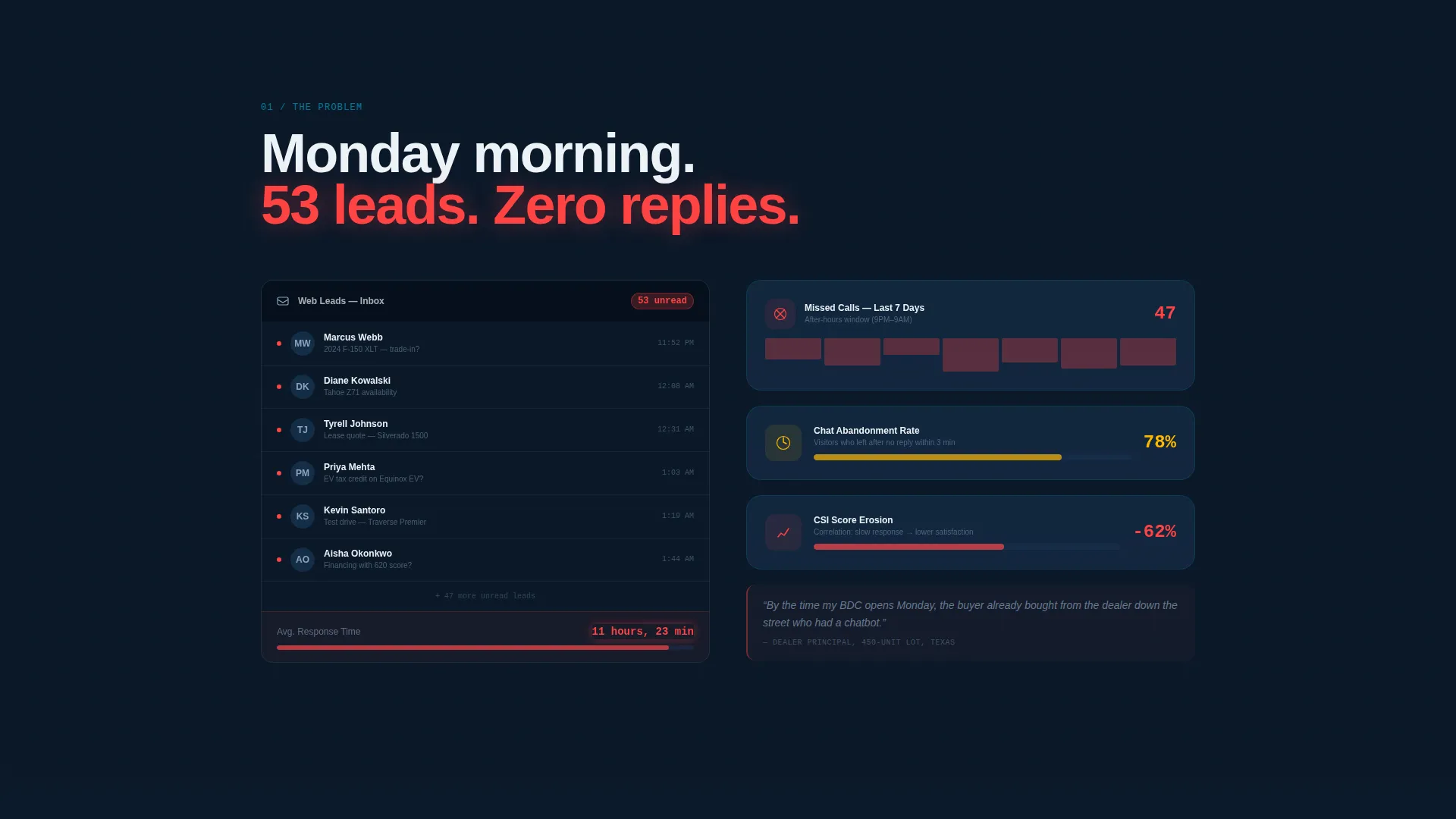
- Visitors see the pain immediately: a simulated inbox with 53 unread leads, a missed-call counter, and a response-time badge in red
- The comparison toggle makes competitive positioning instant and visual, removing the need for buyers to do mental math
- The calculator form quantifies the revenue opportunity before asking for contact details, lowering the friction of the primary conversion
What you get with this template
Throttle delivers a complete, ready-to-customize landing page structure for an automotive AI chatbot. Every section is designed, sequenced, and named. You receive a full visual system and a clear content framework, so the only work left is dropping in your specific product details.
- A scroll-reveal page with a Dashboard Preview header, a problem arc, a comparison section, and a calculator-driven call to action
- A Midnight Blue visual identity with four defined palette colors, dynamic hover states in ignition-pulse cyan, and a motion theme throughout
- Two distinct conversion paths: a primary calculator form and a secondary demo video link
Feature list
This section describes the core design and structural capabilities built into the Throttle template.
Live Dashboard Header
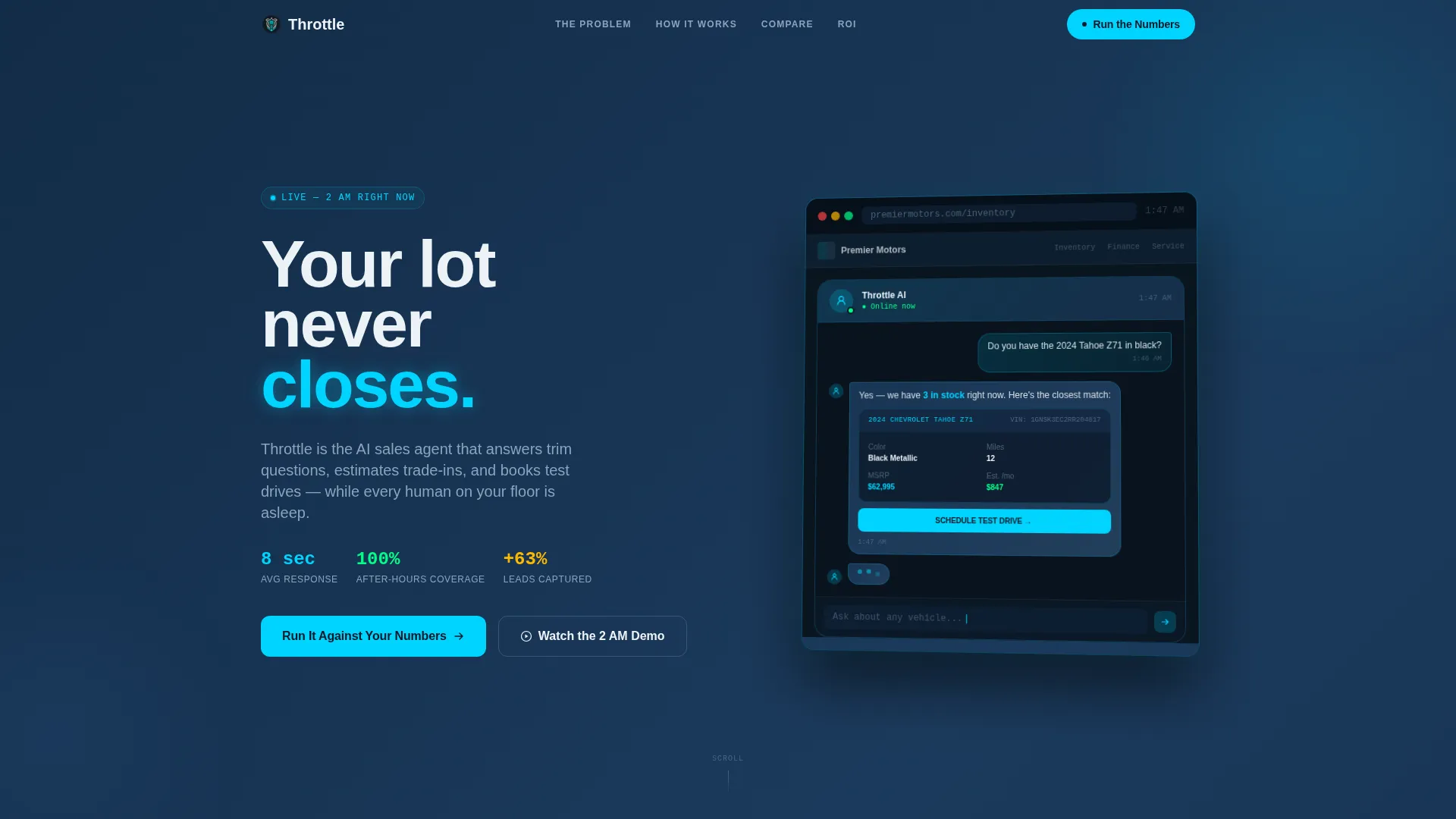
The header renders a mockup of a dealership website mid-conversation. The AI is shown answering a specific vehicle trim question at 1:47 AM, with a photo card, a monthly payment estimate, and a test-drive scheduling button already surfaced. There is no stock photography. The screen glows against the midnight background with a blinking cursor and a live timestamp.
Problem-to-Solution Scroll Arc
The page opens with a simulated pain state: an inbox showing 53 unread leads, a missed-call counter, and a chat widget displaying an 11-hour average response time in red. Each scroll section peels back a layer of dealership pain, then immediately counters it with the solution in motion. The pacing is designed to feel like accelerating through gears.
Sticky Comparison Toggle
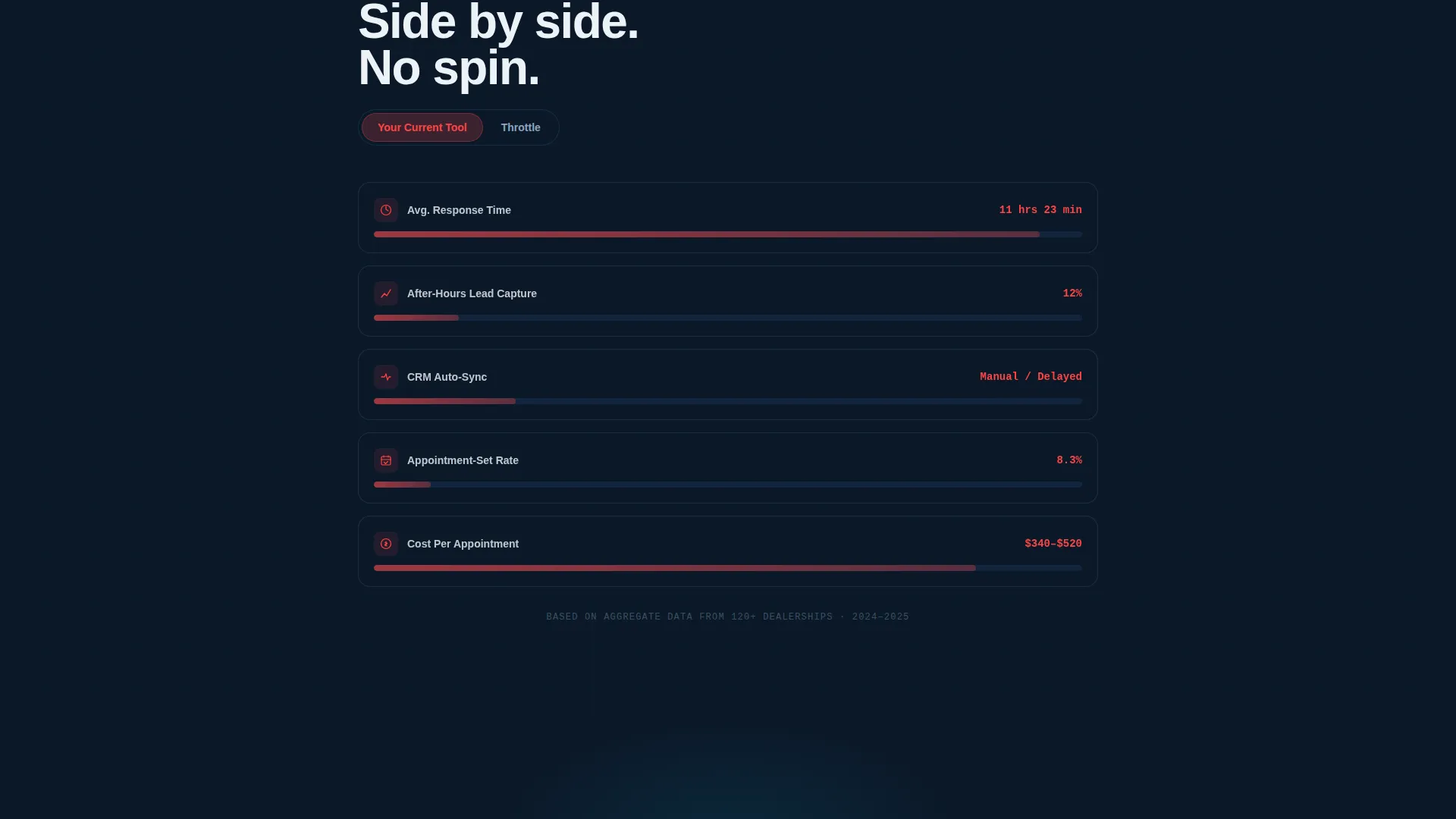
A sticky toggle lets visitors flip between "Your Current Chat Tool" and the product on every metric section. Metrics include response time, lead capture rate, after-hours coverage, customer relationship management (CRM) integration depth, and cost per appointment. The toggle stays visible as the user scrolls, making the comparison continuous and immediate.
Lead Value Calculator
The primary call to action leads to a short calculator form. Visitors enter their monthly website traffic, current lead count, and current conversion rate. The form outputs a projected performance lift before asking for the visitor's name, dealership, and email address. This sequencing lets the product prove value before requesting personal information.
Secondary Demo Path
A secondary conversion path labeled "Watch the 2 AM Demo" links to a 90-second screen recording. The recording shows the AI handling a full buyer journey from initial greeting to confirmed test-drive appointment. This path serves visitors who prefer to see the product in action before filling out any form.
Dynamic Motion Visual System
Every active state, hover interaction, data highlight, and live metric uses ignition-pulse cyan to fire visually, mimicking a tachometer needle responding to input. The scroll-reveal structure progressively exposes each section, creating a sense of forward momentum that matches the automotive theme.
Page sections overview
| Section | Purpose |
|---|---|
| Dashboard Preview Header | Opens with a live AI chat mockup at 1:47 AM to establish the product immediately |
| Problem Inbox Reveal | Shows 53 unread leads and an 11-hour response time to surface dealership pain |
| Pain Layer: Lost Leads | Illustrates after-hours lead abandonment and its cost to the dealership |
| Pain Layer: CSI Erosion | Connects slow response times to Customer Satisfaction Index (CSI) score damage |
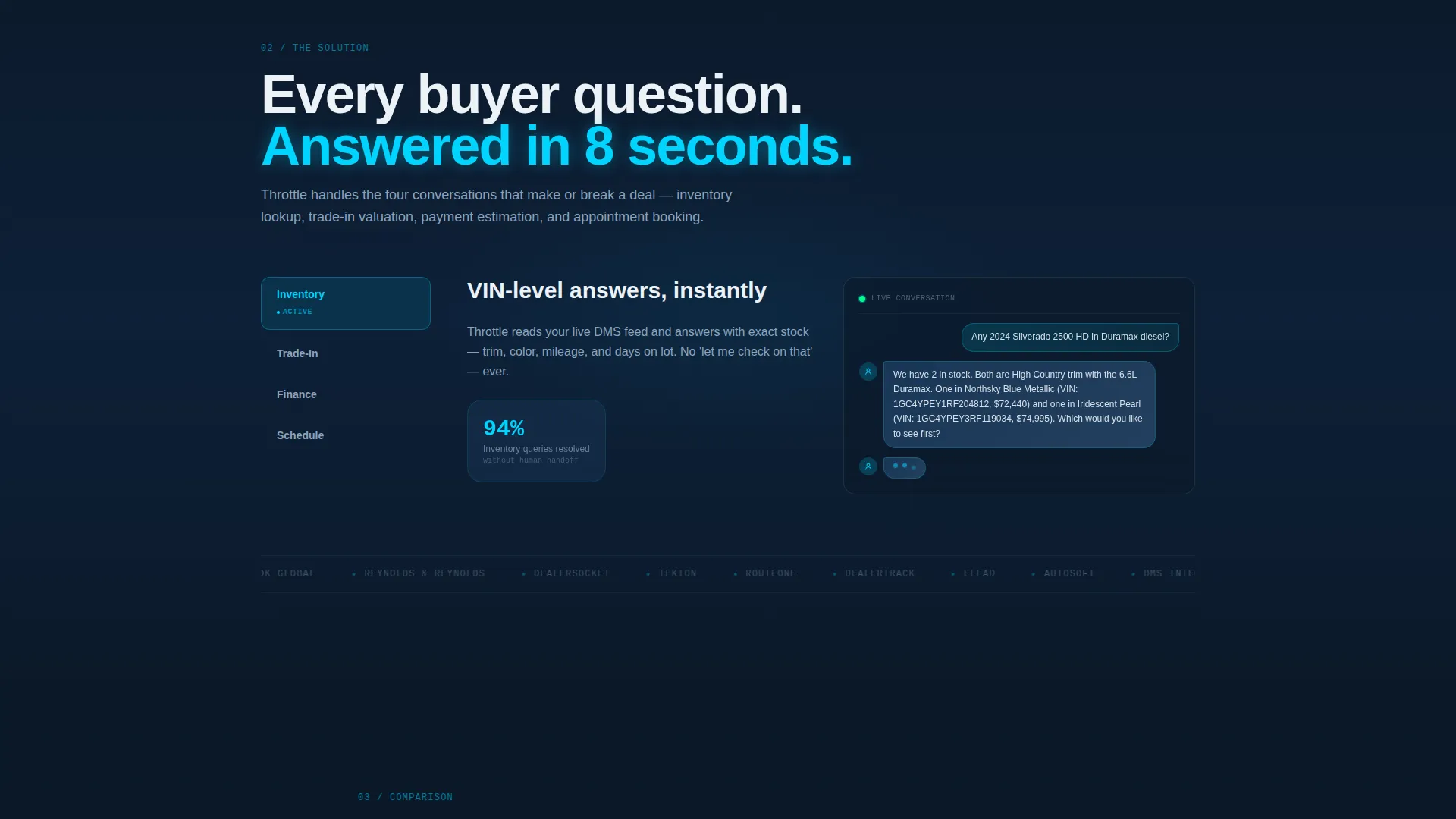
| Solution in Motion | Counters each pain point with live conversation screenshots and response-time gauges |
| Comparison Toggle Section | Sticky toggle flips every metric between the current tool and the product |
| Lead Value Calculator | Visitor inputs traffic and lead data to receive a projected performance lift |
| Watch the Demo call to action | Secondary path to a 90-second screen recording of the full buyer journey |
| Footer and Contact | Closes with dealership-specific contact and next-step prompts |
Design & branding system
The Throttle template uses a Midnight Blue color system designed to evoke a dealership lot after hours: dark glass, chrome reflections, and dashboard glow. The palette is defined and purposeful, with each color assigned a specific functional role across the layout.
- Deep showroom navy (#0B1929) dominates backgrounds; instrument cluster blue (#1B3A5C) holds secondary containers; headlight white (#EDF2F7) carries body text; ignition-pulse cyan (#00D4FF) activates on every hover, toggle, and live metric
- The Dynamic Motion theme drives all interactive states, with cyan used consistently to signal activity, much like a tachometer needle responding to engine input
- Typography and layout follow a high-contrast, dark-first approach that keeps the interface readable and authoritative in low-light visual contexts
Mobile & speed optimization
The Throttle template is structured for clean rendering across screen sizes. The scroll-reveal behavior and sticky toggle are designed to translate from desktop to mobile without losing their navigational purpose.
- The sticky comparison toggle is built to remain functional and accessible on smaller screens so mobile visitors can still flip between metrics
- The calculator form uses a minimal input structure, keeping the mobile entry experience short and direct
- Section-by-section scroll reveals are sequenced to work with touch-based scrolling, maintaining the progressive pacing on phones and tablets
How this template helps you convert
Throttle is engineered around a specific buyer psychology: dealership operators are skeptical, data-driven, and short on time. The page earns trust before it asks for anything.
- The problem arc activates recognition early. Visitors see their own Monday-morning inbox reflected back at them within the first scroll, creating immediate relevance before any product claim is made.
- The calculator inverts the standard lead-capture model. Instead of asking for contact details upfront, it delivers a personalized projection first. The visitor receives value before the form asks for their name and dealership.
- The secondary demo path gives cautious buyers a low-commitment next step. Watching a 90-second recording requires no form fill, but it deepens product understanding and warms the lead for follow-up.
Other information about this template
Throttle is a standalone landing page template and does not include a backend system, live data feeds, or actual chatbot functionality. It is a design and content framework for presenting an automotive AI chatbot product to dealership buyers. The template is suited for use by product teams, marketing agencies, and independent builders working in the automotive technology space.
- The template style is Scroll Reveal (Progressive), meaning sections animate into view as the visitor scrolls, reinforcing the forward-momentum narrative
- The creative direction follows a Problem-to-Solution Arc, a structure well-suited to competitive B2B products where the buyer's existing pain is the strongest argument for switching
- The header concept is a Dashboard Preview, a no-photography approach that uses a rendered product interface to establish credibility without relying on lifestyle imagery
- The comparison direction (labeled Comparison/Versus in the template system) is particularly relevant for products entering a market where buyers have already used and discarded competitor tools
Theme
Dynamic Motion
Creative direction
Problem→Solution Arc
Color system
Midnight Blue
Style
Scroll Reveal (Progressive)
Direction
Comparison/Versus
Page Sections
Live Dashboard Preview Header
Problem-to-solution Scroll Arc
Sticky Comparison Toggle
Lead Value Calculator Form
Secondary Demo Video Path
Dynamic Motion Visual System
Related questions
Does this template include actual chatbot functionality?
Can I customize the colors, copy, and metrics in this template?
Who is this landing page template designed for?
What are the two conversion paths included in this template?
Is the sticky comparison toggle section customizable?



