Auto Dealer Analytics Dashboard Landing Page Template
Throttle is a scroll-reveal landing page template built for auto dealer analytics platforms. It opens with a trust-building logo bar and drops visitors straight into a live ROI simulator before a single line of body copy. A dark, cockpit-inspired design system guides users toward a persistent app install call to action as each dashboard module powers up on scroll.
by Rocket studio
Quick summary
Throttle is a single-page, scroll-reveal landing page template for auto dealer analytics dashboards. It leads with a logo bar, immediately presents an interactive ROI simulator, and progressively reveals core dashboard modules as the visitor scrolls. The dark carbon-fiber visual identity and persistent install call to action work together to push qualified dealer professionals toward an app download.
Who this template is for
This template is built for analytics and vertical SaaS platforms serving the automotive dealership market. It speaks directly to the people who live inside dealer data every day.
- General managers running multi-rooftop dealer groups who track sold units and inventory daily
- Internet directors managing multiple third-party lead sources who need clear attribution visibility
- Fixed-operations managers monitoring service absorption rates as a core business metric
What problem this template solves
Dealer-facing SaaS products often struggle to communicate data value quickly. A generic landing page loses the attention of operators who already have twelve tabs open before 8 a.m.
- Visitors arrive skeptical and data-literate, so abstract benefit claims fall flat before they even scroll
- A static page cannot show a live analytics product in action, making it hard for dealers to picture ROI
- App install pages typically lack the context needed to justify an immediate download from a professional audience
What you get with this template
This template delivers a complete, single-page flow from first impression to app install. Every section is designed to reduce friction for dealer decision-makers.
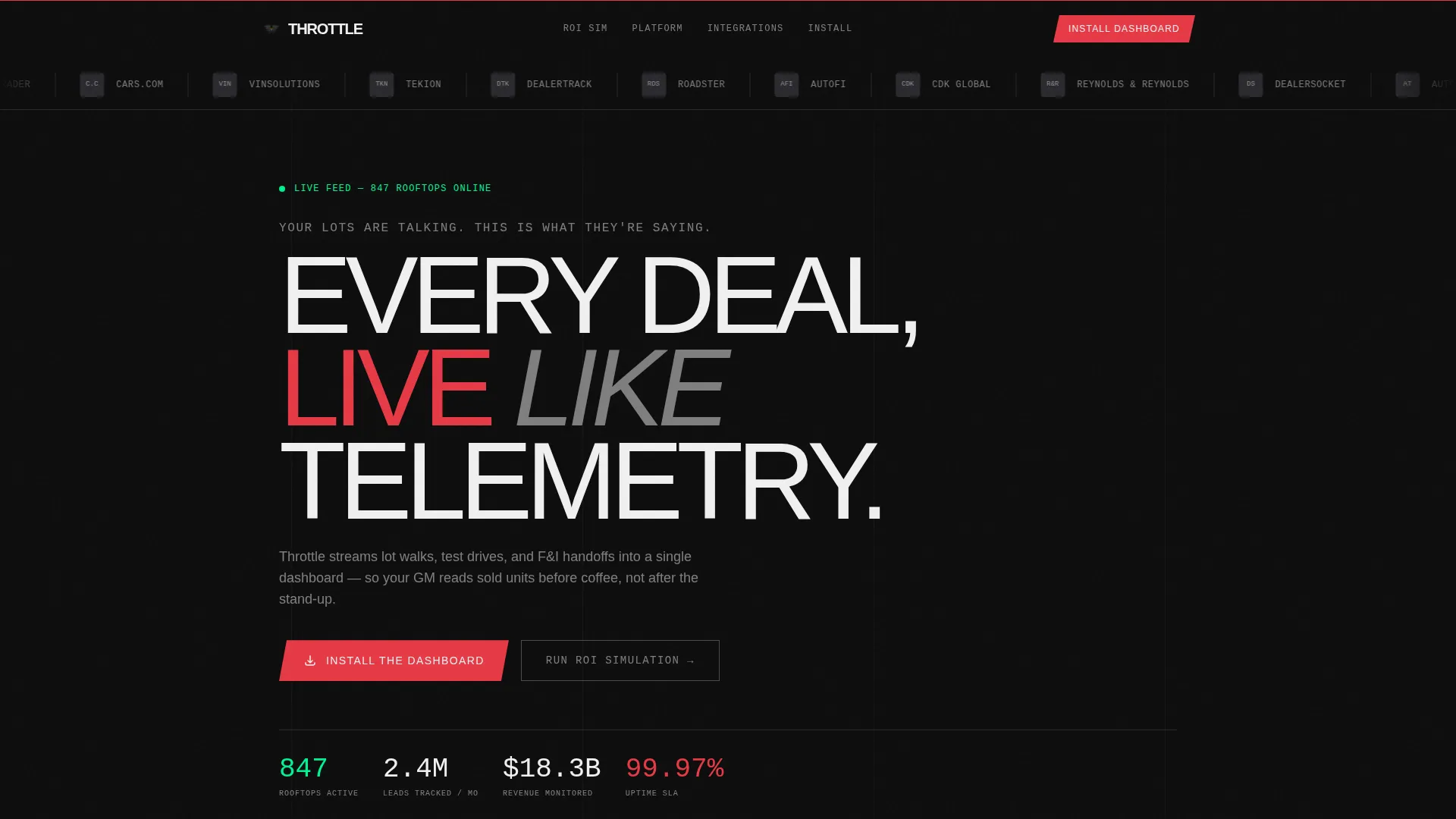
- A continuously scrolling logo bar header featuring dealership group logos and dealer management system integration partner marks
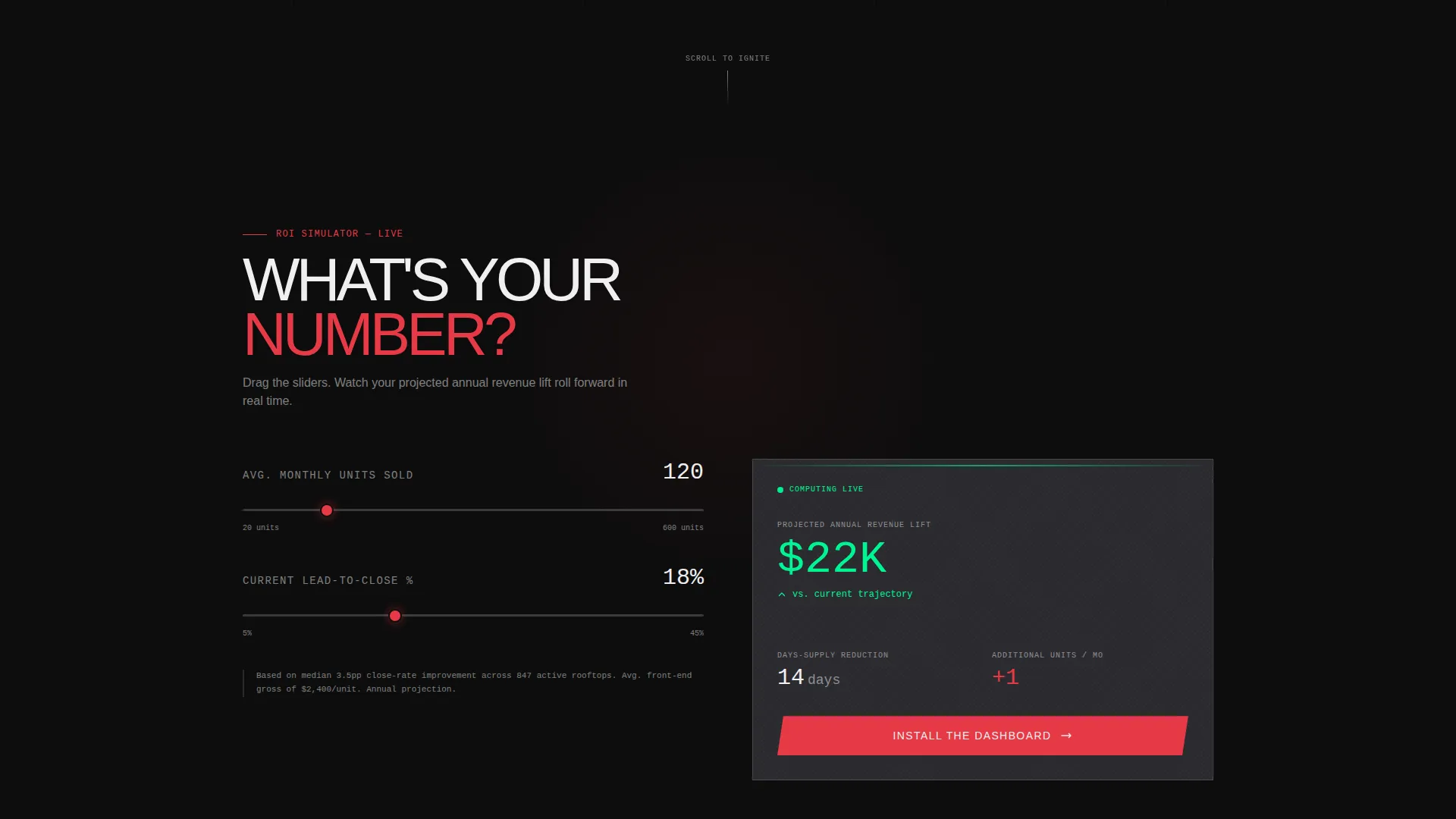
- A live ROI simulator with two interactive sliders that output projected revenue lift and days-supply reduction in real time
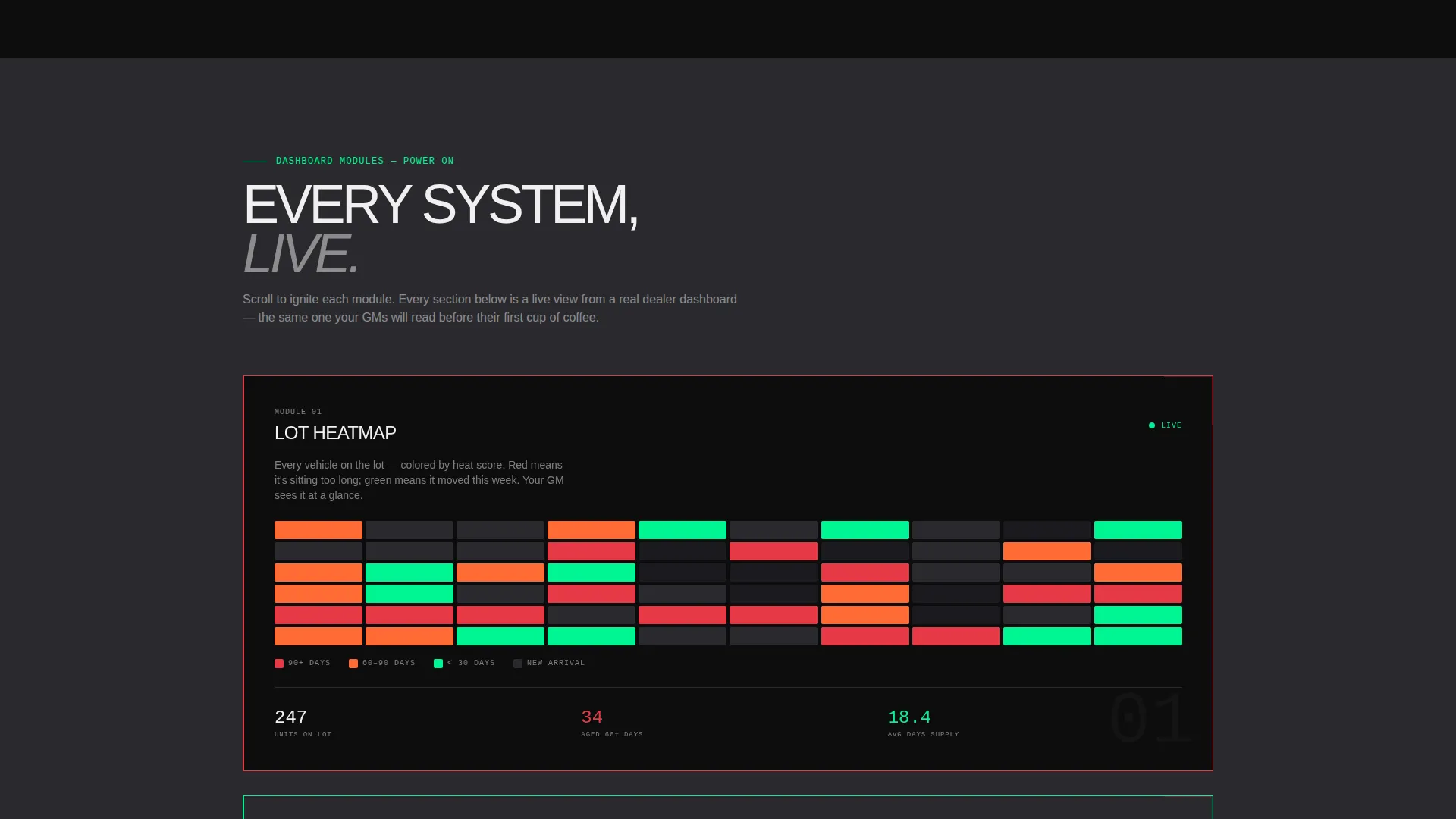
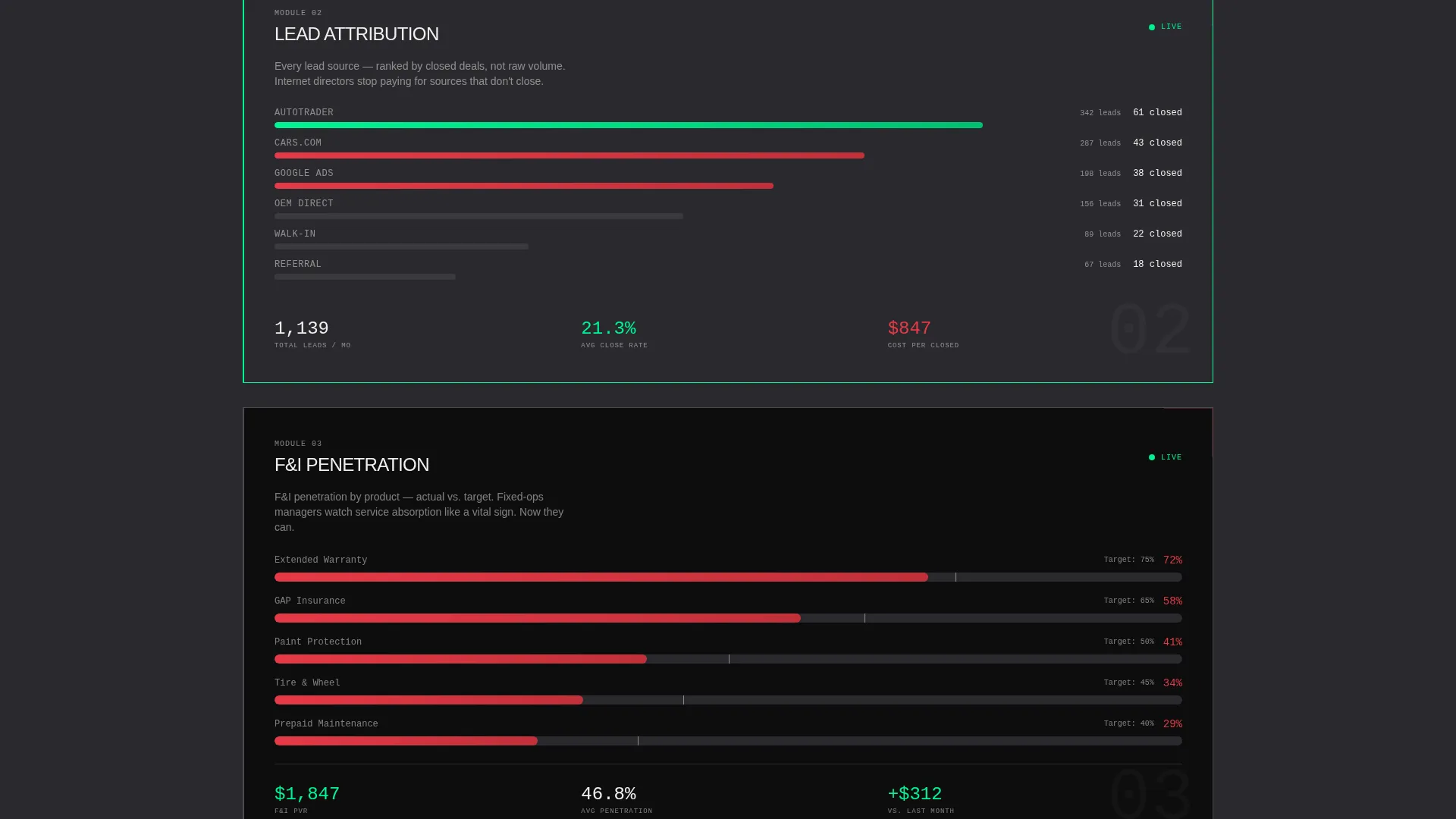
- Progressive scroll-reveal sections that animate the lot heatmap, lead attribution waterfall, and F&I penetration tracker into view one by one
- A persistent bottom-pinned install call to action with paired app store badges, a live QR code, and a phone-number field for one-tap SMS delivery
Feature list
This template packages every component a dealer analytics platform needs to earn an app install from a skeptical, time-pressed professional audience.
Live ROI Simulator
Two sliders capture average monthly units sold and current lead-to-close ratio. The tool outputs a projected revenue lift and days-supply reduction with numbers that tick forward in real time, giving visitors a personalized reason to act before reading further.
Scroll-Reveal Dashboard Modules
Each section of the page animates into view on scroll, simulating the experience of powering up a dashboard module by module. Sections cover the lot heatmap, lead attribution waterfall, and the Finance and Insurance penetration tracker in sequence.
Persistent Install Call to Action Bar
Once the ROI simulator delivers a result, a notification-style bar pins to the bottom of the viewport. It stays visible throughout the rest of the scroll without interrupting the reading experience, pairing "Install the Dashboard" copy with app store badges and a QR code.
SMS Download Path
A phone-number input field offers a secondary conversion route. Visitors can enter their number to receive a one-tap download link by text message, lowering the barrier for users on desktop who prefer to complete the install on their phone.
Continuous Logo Bar Header
A horizontal strip of dealership group and integration partner logos scrolls in a quiet, continuous loop above a single line of typographic copy. The loop runs without animation complexity, letting logo recognition carry the credibility work silently.
Dark Cockpit Design System
The Carbon Fiber color palette uses deep cockpit black for backgrounds, brushed graphite for card and section separation, tachometer red for primary interactive elements and alerts, and status green for live data accents. Signal white text floats above the dark layers like a heads-up display readout.
Page sections overview
| Section | Purpose |
|---|---|
| Logo bar header | Establish integration credibility and set tone with a single curiosity-driving headline |
| ROI simulator tool | Deliver a personalized projected revenue lift before any body copy is read |
| Lot heatmap reveal | Show inventory distribution data as the first animated dashboard module |
| Lead attribution waterfall | Visualize lead source performance as the second module animating on scroll |
| F&I penetration tracker | Surface Finance and Insurance conversion data as the third module |
| Persistent install bar | Keep the primary app download call to action visible throughout the entire scroll |
Design & branding system
The template uses a Startup Velocity theme expressed through a Carbon Fiber color system. Every visual decision references the physical feel of a high-performance vehicle interior at night.
- Background and foreground layers use deep cockpit black (#0D0D0D) as the dominant color, with brushed graphite (#2A2A2E) separating cards and content sections
- Tachometer red (#E63946) marks all primary interactive elements and alert states; status green (#00F593) pulses on live data indicators and upward-trending metrics
- Body text renders in signal white (#F0F0F0) using a condensed sans-serif typeface, giving readouts a heads-up display quality against the dark backdrop
Mobile & speed optimization
The template is structured to maintain its progressive reveal experience across screen sizes. The install flow is designed with mobile-first completion in mind.
- The persistent install bar and QR code adapt for smaller viewports, with the SMS path serving as the natural primary conversion route on mobile devices
- Scroll-reveal animations are scoped to individual section modules, so each reveal loads independently rather than requiring the full page to initialize at once
- The ROI simulator sliders are touch-friendly inputs, keeping the tool fully usable on tablets and smartphones without requiring a pointer device
How this template helps you convert
The page is engineered around a single psychological sequence: show dealers their own number first, then make the install feel like the obvious next step.
- The ROI simulator personalizes the value proposition before any feature copy appears, meaning the visitor has already done a mental calculation in their favor by the time they reach the first product section
- Progressive scroll reveals mirror the experience of actually using the dashboard, so each new module builds product familiarity and reduces the perceived learning curve before the install decision
- The persistent call to action bar keeps the install option visible without demanding attention, functioning like a standing offer that waits for the moment the visitor is ready rather than forcing a premature click
Other information about this template
The Throttle template is built for platforms operating in the auto dealer vertical SaaS space. It reflects the workflow reality of dealer operators who measure everything in real time.
- The header copy line "Your lots are talking. This is what they're saying." is included as editable typography in the template
- The QR code component is designed to render live on desktop, pointing directly to the app install destination of your choice
- The template is suitable for platforms that integrate with dealer management systems; the logo bar section includes placeholder slots for DMS partner marks alongside dealership group logos
- CDK, Reynolds and Reynolds, and DealerSocket are example integration partner types the logo bar is designed to feature, making the template a natural fit for platforms built on or alongside those systems
Theme
Startup Velocity
Creative direction
Calculator/Tool First
Color system
Carbon Fiber
Style
Scroll Reveal (Progressive)
Direction
App Download
Page Sections
Live ROI Simulator with Real-time Output
Progressive Scroll-reveal Dashboard Sections
Persistent Bottom-pinned Install Bar
SMS One-tap Download Field
Continuous Scrolling Logo Bar
Carbon Fiber Dark Design System
Related questions
Who is the Throttle template designed for?
Can I replace the placeholder logos in the header bar?
Does the ROI simulator require a backend connection?
How does the persistent install bar behave on mobile?
Can the call to action be changed from an app download to something else?



