Ticker - Dynamic Compliance Landing Page Template
Ticker is a compliance-ready landing page template built for financial services social media agencies. It leads with animated stat counters, a logo trust bar, and a head-to-head comparison table that makes the performance gap impossible to ignore. The page drives visitors straight to a strategy call booking flow without a single on-page form.
by Rocket studio
Quick summary
Ticker is a single-page comparison template designed for financial services social media management agencies. It opens with a scrolling logo bar and kinetic stat counters, builds trust through a detailed side-by-side comparison table, and closes with case study cards and a full-width call-to-action bar. Every section is engineered to earn the click to a strategy call booking page.
Who this template is for
This template speaks directly to agencies and firms that operate at the intersection of compliance and content. If your sales pitch lives or dies on proving measurable performance, Ticker gives you the structure to do that visually and credibly.
- Registered Investment Adviser (RIA) marketing directors managing approval-heavy content workflows
- Independent financial advisors who need a consistent content presence but post inconsistently
- Wealth management firms competing for attention against fast-moving social media creators
What problem this template solves
Compliance-focused financial brands struggle to show prospects why their agency is different. A generic agency page does not answer the hard questions buyers are already asking. Ticker closes that gap by placing proof before narrative at every scroll depth.
- Visitors leave before seeing the value because the page buries its strongest claims
- Side-by-side comparisons are missing, so prospects cannot see the performance difference clearly
- The booking step feels disconnected from the case being made on the page
What you get with this template
You get a fully structured, single-page layout that builds a persuasive case from top to bottom without relying on a form or a wall of copy. Every section has a specific job, and the visual system reinforces credibility at every step.
- An animated logo trust bar, three kinetic stat counters, and a structured comparison table
- Flip-card case study blocks that reveal before-and-after engagement metrics on scroll
- Three strategically placed "See Your Audit" call-to-action buttons linked to a Calendly-style booking flow
Feature list
This section breaks down the core components built into the Ticker template and what each one delivers for your page.
Animated Logo Trust Bar
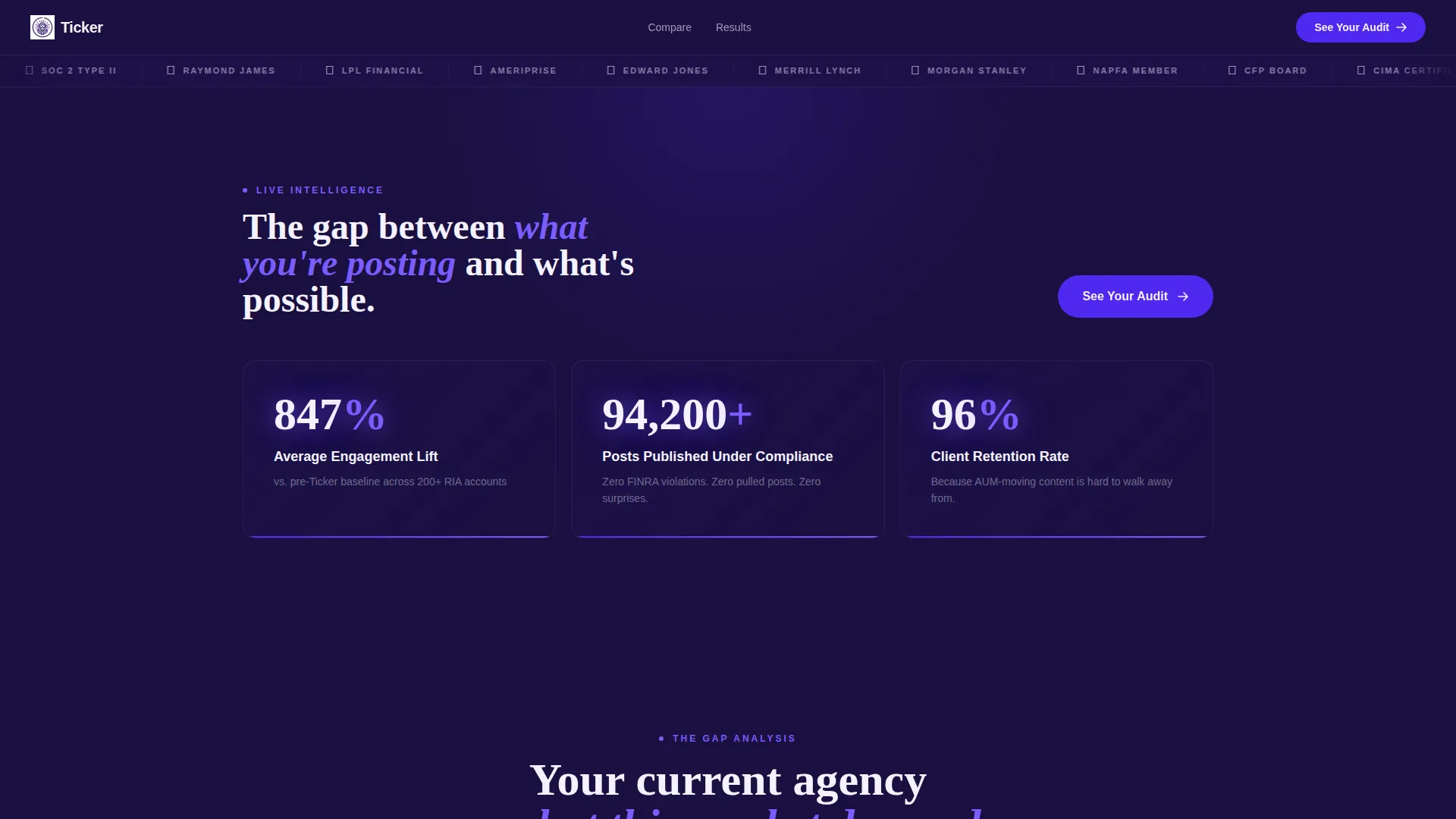
A perpetually scrolling horizontal bar displays recognizable financial institution logos alongside compliance badges. The motion mirrors a live stock ticker and establishes institutional credibility before a visitor reads a single word.
Kinetic Stat Counter Header
Three animated counters slam into place below the logo bar, displaying key performance figures such as average engagement lift, posts published under compliance, and client retention rate. Each number lands with physical weight to communicate scale immediately.
Compliance-Focused Comparison Table
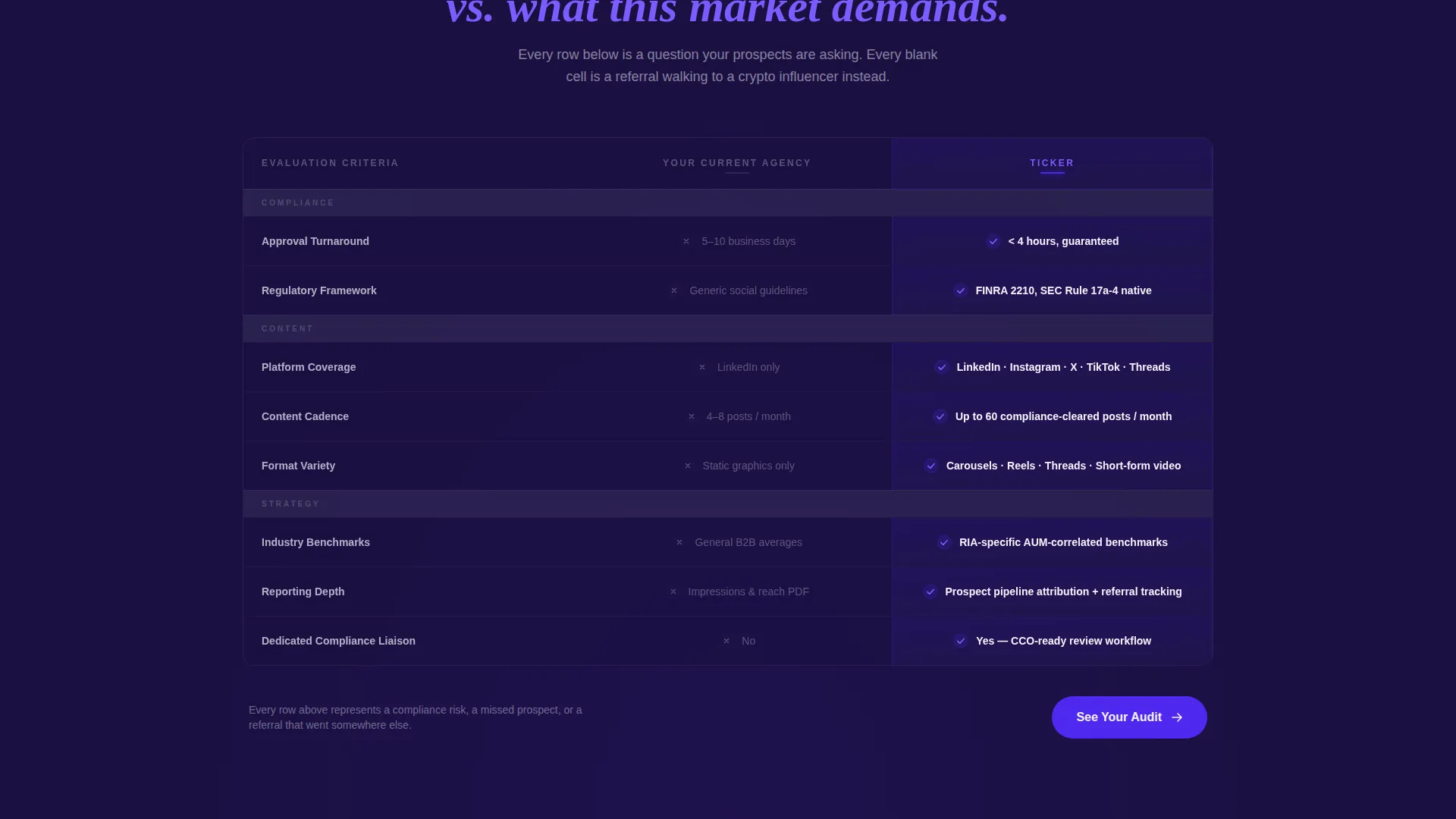
The mid-page comparison table contrasts a generic current agency against Ticker across rows that matter to this specific buyer. Rows cover compliance approval turnaround, platform coverage, content cadence, reporting depth, and industry-specific benchmarks. Competitor cells are styled in muted navy; the Ticker column pulses with indigo highlights and scroll-triggered animated checkmarks.
Flip-Card Case Study Blocks
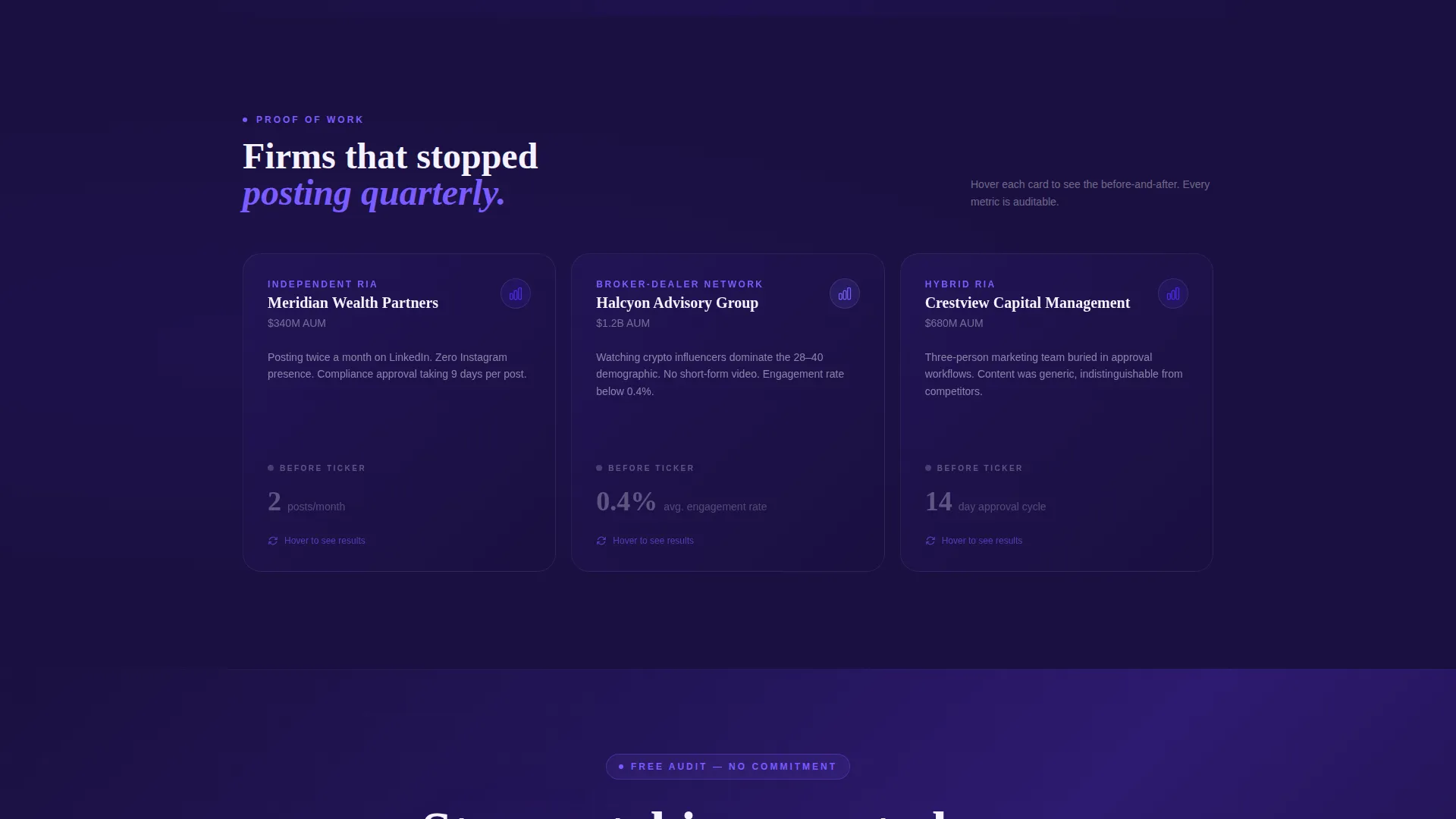
Below the comparison table, case study cards flip to reveal before-and-after engagement metrics. Each card uses the same kinetic snap transition as the stat counters, keeping the visual language consistent and the data memorable.
Triple-Placement Call-to-Action System
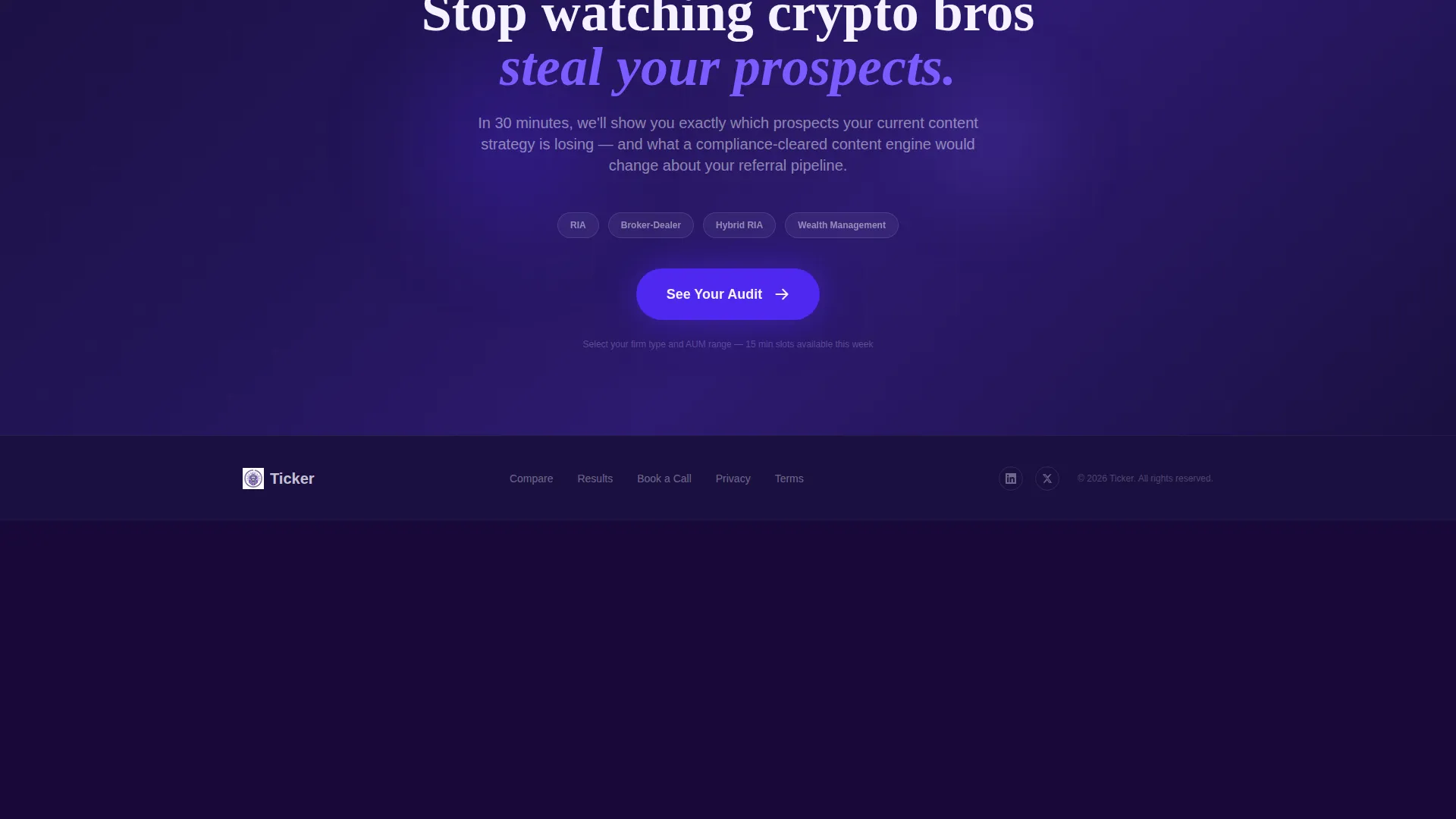
The primary call-to-action button, labeled "See Your Audit", appears after the stat counters, pinned at the comparison table footer, and as a full-width bar after the case studies. Each placement carries UTM context to the booking page.
Booking Flow Integration Structure
The page is built as a click-through to a strategy call booking page with no on-page form. The booking destination supports firm-type selection (RIA, broker-dealer, or hybrid) and assets under management range filters, making the handoff feel structured and relevant.
Page sections overview
| Section | Purpose |
|---|---|
| Logo Trust Bar | Establish institutional credibility with scrolling logos and compliance badges |
| Stat Counter Header | Lead with kinetic performance numbers before any narrative copy |
| Comparison Table | Show the measurable gap between a generic agency and this service |
| Case Study Cards | Prove claims with before-and-after engagement metrics via flip transitions |
| Post-Table call to action Bar | Pin the primary call-to-action directly below the comparison evidence |
| Full-Width call to action Bar | Close the page with a high-visibility booking prompt after case studies |
Design & branding system
The visual identity follows a Dynamic Motion theme using an Electric Indigo color system. The palette is designed to feel institutional enough for a chief compliance officer and energetic enough for a younger advisor audience.
- Deep compliance navy (#1A1040) for backgrounds, muted competitor cells, and structural elements
- Charged indigo (#4F29F0) as the primary accent on buttons, highlights, and active table cells
- Phosphor violet (#7B5CFF) on hover states and animated elements, with ticker-white (#F4F2FF) for backlit background surfaces
Mobile & speed optimization
The template is structured to preserve visual hierarchy and interaction clarity across screen sizes. Animated elements and the comparison table are designed to reflow cleanly on smaller viewports.
- The scrolling logo bar and stat counters maintain their kinetic effect on mobile without layout overflow
- The comparison table is built to remain readable on narrow screens, keeping the Ticker column advantage visible at all breakpoints
How this template helps you convert
Every design and copy decision in this template is built to reduce friction and increase the quality of the click to the booking page. The page does not ask for anything until it has already shown the evidence.
- The stats-first creative direction leads with numbers, not claims, so visitors form a data-backed impression before reading a single sentence of agency copy.
- The comparison table makes the performance gap concrete and visible, removing the need for a visitor to imagine why this agency is different.
- Three call to action placements at key scroll depths mean a ready buyer never has to scroll back up to take action.
Other information about this template
This template was designed specifically for the financial services social media management niche, where compliance constraints and content velocity are both non-negotiable. It is a strong fit for agencies positioning against generalist social media management providers.
- The template style is a Comparison Table layout, matched to a Stats-First Impact creative direction
- The header concept is a Logo Bar, reflecting the perpetual-motion visual language of financial data feeds
- The landing page direction is Click-Through, routing qualified visitors to an external booking page without capturing data on-page
- The color system is Electric Indigo, built to bridge the gap between institutional finance aesthetics and contemporary digital culture
- The theme is Dynamic Motion, applied consistently through scroll-triggered animations, flip transitions, and kinetic counter effects
Theme
Dynamic Motion
Creative direction
Stats-First Impact
Color system
Electric Indigo
Style
Comparison Table
Direction
Click-Through
Page Sections
Animated Logo Trust Bar
Kinetic Stat Counter Header
Compliance-focused Comparison Table
Flip-card Case Study Blocks
Triple-placement Call to Action System
Related questions
Does this template include a contact form?
Can I update the comparison table rows to reflect my agency's services?
Is this template suitable for a solo advisor or only for larger agencies?
How many call-to-action placements does this template include?
What visual style does this template use?



