Pension Analytics Dashboard Landing Page Template
Ticker is a split-screen pension analytics landing page template built for the pension analytics dashboard vertical. It pairs a live-data left panel with a persuasive right panel, guiding defined-benefit trustees, financial advisers, and in-house pension managers through a Problem to Solution arc that turns opaque fee drag and allocation drift into clear, actionable numbers.
by Rocket studio
Quick summary
Ticker is a high-impact split-screen landing page template purpose-built for pension analytics dashboards. It uses a deep Midnight Blue color system, animated data visuals, and a structured Problem to Solution arc to move trustees, advisers, and pension managers from unclear scheme data toward a single confident action: analysing their scheme free.
Who this template is for
This template is designed for specialist financial technology products serving the pension management sector. It speaks directly to professionals who manage large, complex fund structures and need to communicate value quickly to a risk-aware audience.
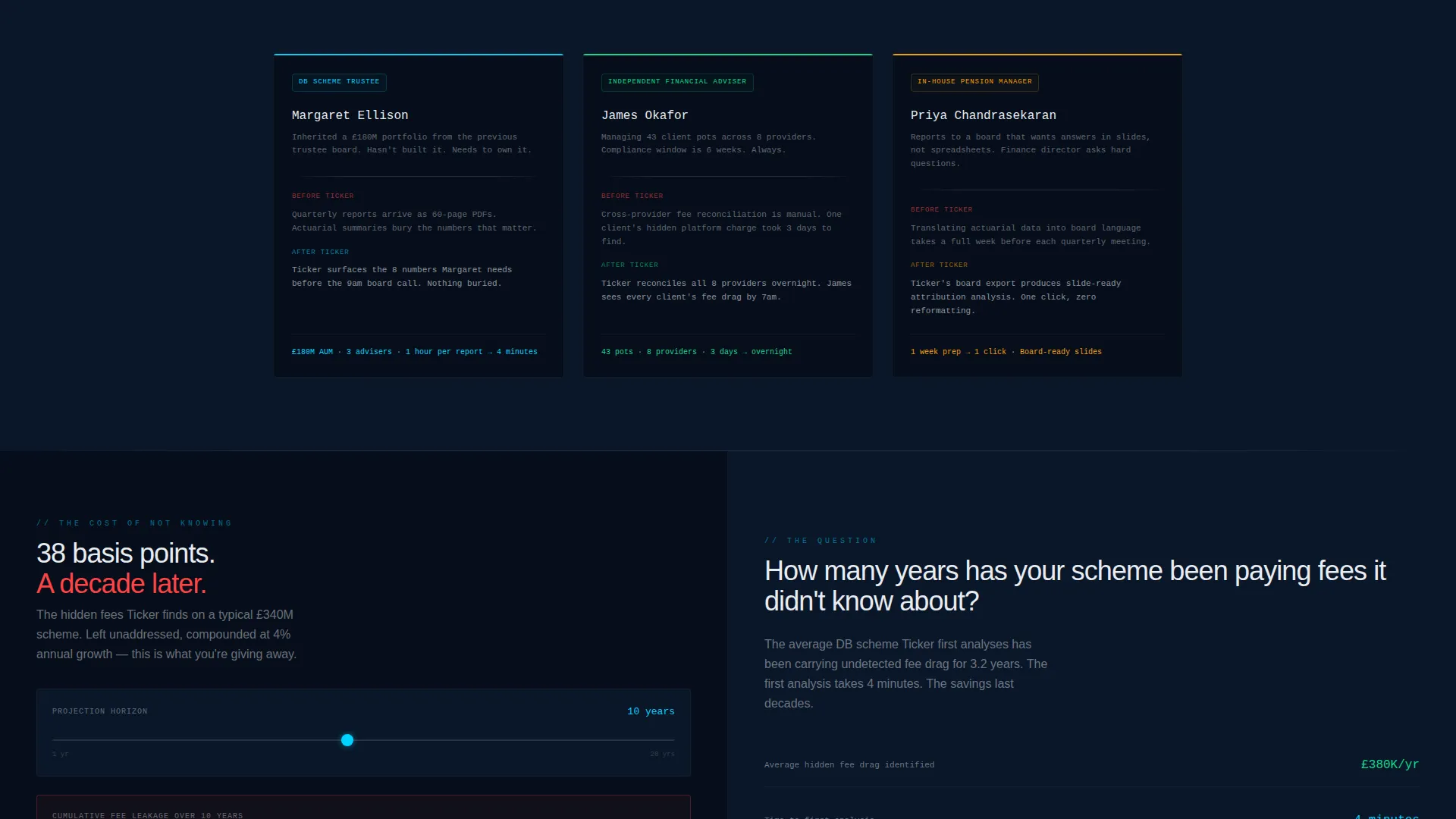
- Defined-benefit scheme trustees who inherited portfolios and need independent performance clarity
- Independent financial advisers managing multiple client pension pots across several providers
- In-house pension managers who report scheme health to boards and committees
What problem this template solves
Pension analytics products struggle to earn trust at first glance. Potential users often see generic SaaS layouts that fail to reflect the precision and stakes of institutional fund management. The result is high bounce rates and low trial sign-ups.
- Hidden fee structures and allocation drift are hard to communicate visually without a purpose-built layout
- Generic landing page designs do not signal the terminal-level accuracy that pension professionals expect
- Friction-heavy sign-up flows lose users before they ever see the product's value
What you get with this template
You get a single-page layout built around a 50/50 split-screen structure that mirrors the dashboard experience itself. Every section is designed to escalate stakes and reduce hesitation on the way to a conversion.
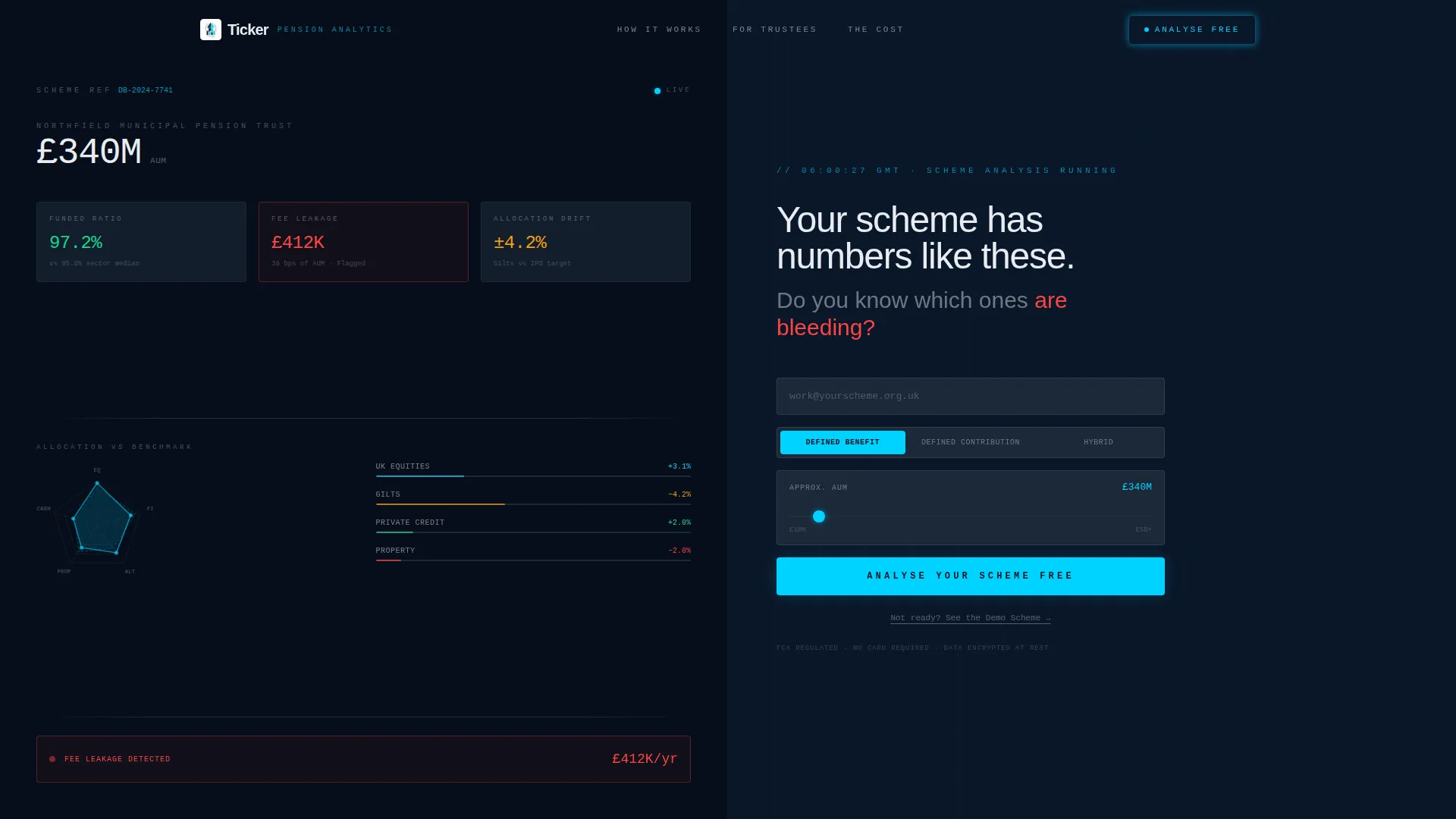
- A header featuring a live stats and metrics wall with animated dials, a radar chart, and a direct challenge to the visitor
- A Problem to Solution arc that unfolds across scrollable sections, pairing fee and drift visualisations with dashboard solutions
- A low-friction freemium sign-up flow with a sticky call-to-action bar, a scheme-type toggle, and an AUM slider
Feature list
This section covers the core built-in capabilities delivered by the Ticker template.
Animated Stats Header Panel
The left header panel displays a fictional £340 million scheme with live-style dials showing funded ratio at 97.2 percent, annual fee leakage flagged in red, and an animated radar chart for asset allocation drift. The data pulses every four seconds to feel alive without becoming distracting.
Problem to Solution Scroll Arc
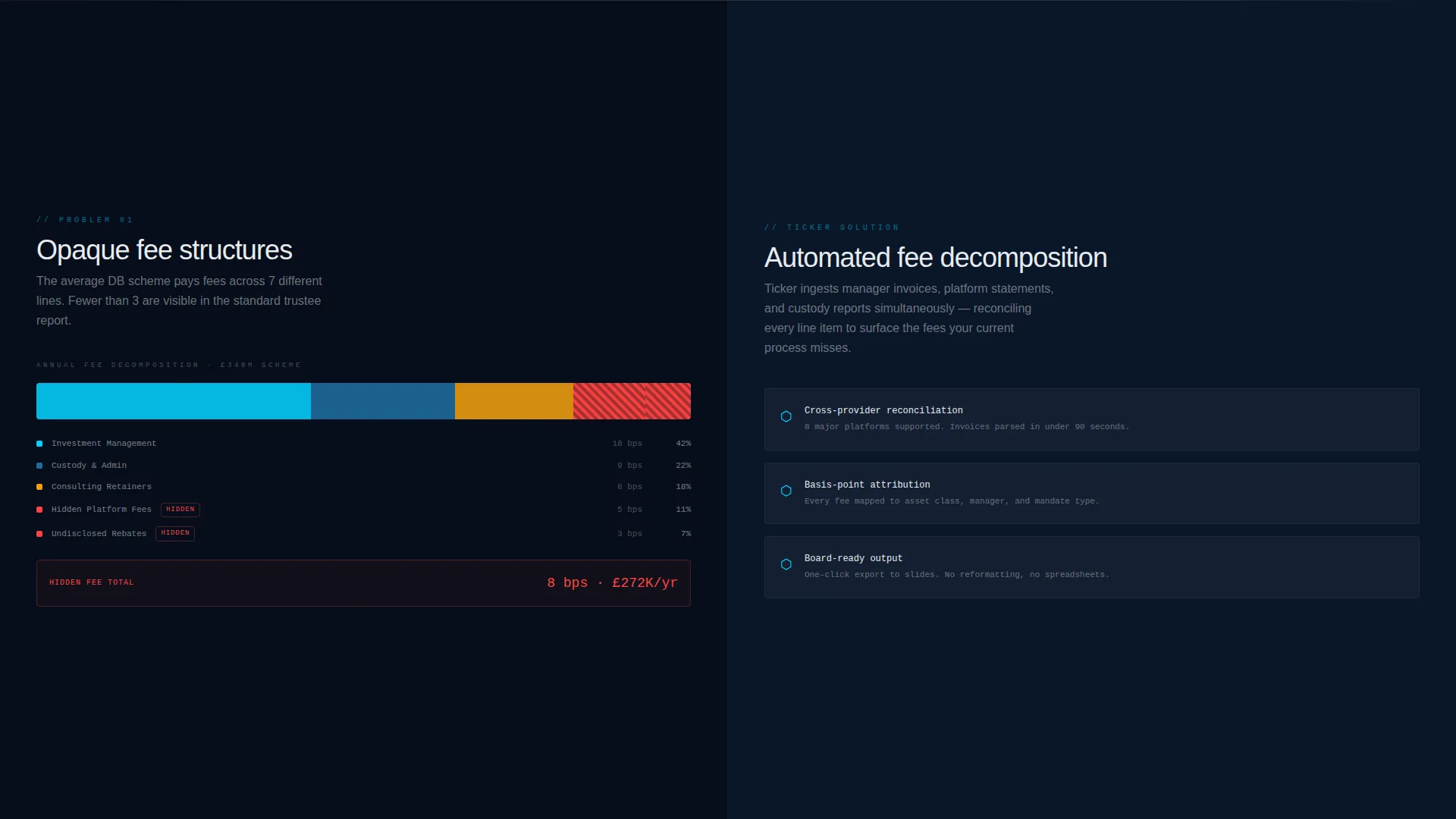
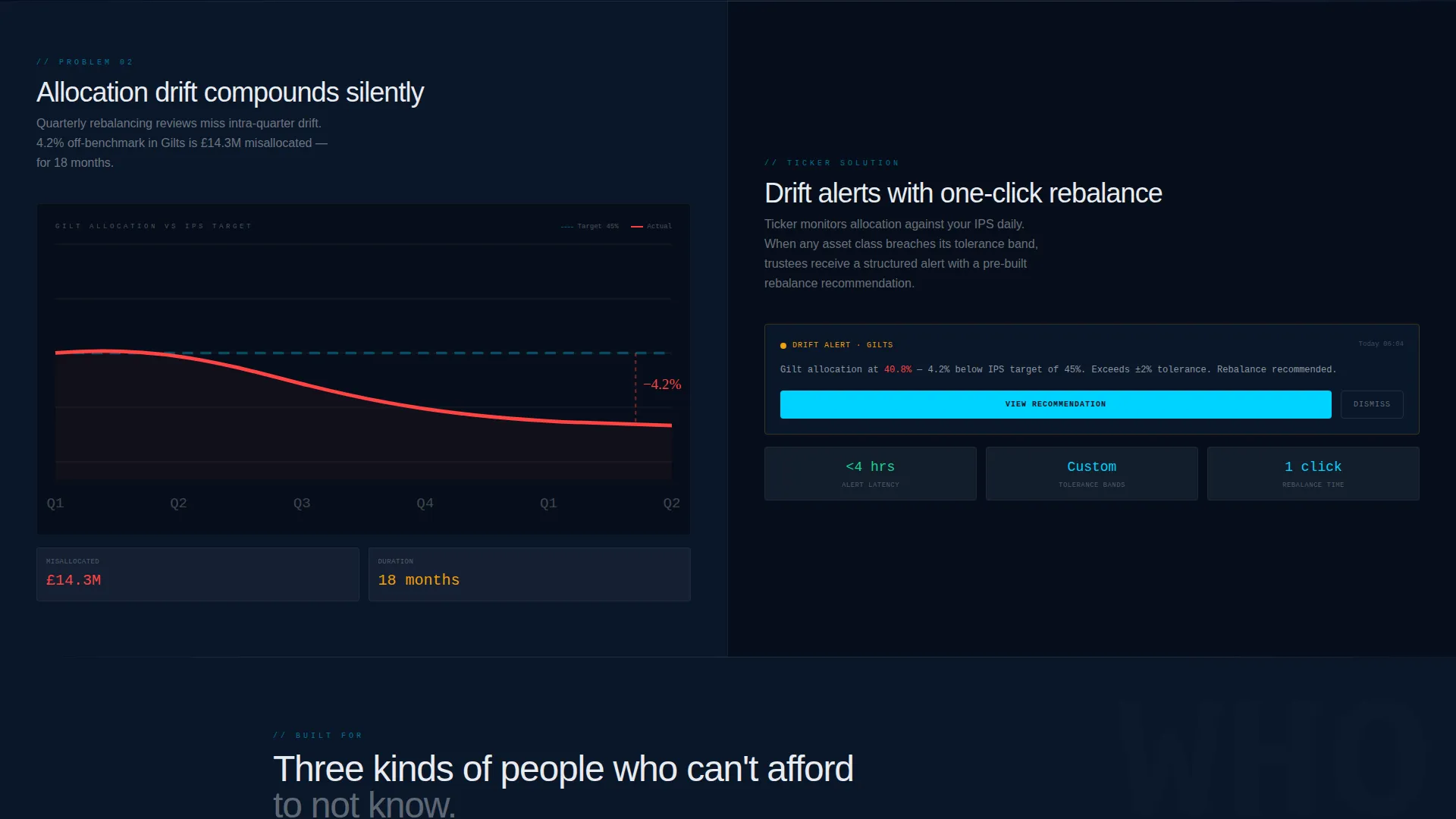
As users scroll past the header, the left panel progressively surfaces pension problems: stacked bar charts with peeling hidden fee layers and a benchmark drift line. The right panel mirrors each problem with its dashboard solution, escalating from basis-point losses to decade-long compounding projections.
Low-Friction Freemium Sign-Up Flow
The primary call-to-action, "Analyse Your Scheme Free", appears first inside the header right panel and then again as a sticky bar after the third section. The form collects a work email, a scheme-type toggle (defined benefit, defined contribution, or hybrid), and an AUM slider to minimise input friction.
Interactive Demo Sandbox Path
A secondary conversion path labelled "See the Demo Scheme" is built into the header right panel. Clicking it scrolls the visitor into an interactive sandbox section below the fold, letting prospects explore scheme data without committing real information.
Split-Screen Section Architecture
Every section uses the 50/50 split layout consistently. The left side holds data visualisations and problem evidence; the right side delivers solutions and calls to action. This structure creates a card-turning rhythm that keeps readers engaged section by section.
Midnight Blue Visual System
The color system uses deep terminal navy as the dominant background, luminous data-line cyan for charts and highlights, muted gunmetal for section dividers, and signal white for typography. The palette is configured to push critical data visuals forward against dark backgrounds.
Page sections overview
| Section | Purpose |
|---|---|
| Header Stats Wall | Display live scheme dials and issue the visitor challenge |
| Fee Structure Panel | Reveal hidden fee drag via peeling stacked bar charts |
| Allocation Drift Panel | Visualise benchmark deviation with an animated drift line |
| Solution Mirror Panels | Pair each problem section with an automated dashboard solution |
| Primary call to action Panel | Capture work email, scheme type, and AUM via low-friction form |
| Sticky call to action Bar | Re-surface the primary action after the third scroll section |
| Demo Sandbox Section | Let unready visitors explore scheme data without real input |
Design & branding system
The template follows a Startup Velocity theme expressed entirely through the Midnight Blue color system. The overall effect is precise and data-forward, like a professional trading terminal stripped of all decoration.
- Deep terminal navy (#0A1628) dominates all backgrounds, keeping chart colours vivid
- Data-line cyan (#00D2FF) drives all data visuals, alerts, and active interface elements
- Muted gunmetal (#1B2838) acts as a quiet section separator, and signal white (#E8ECF1) carries all body and heading typography
Mobile & speed optimization
The Ticker template is structured to remain functional and readable on smaller screens while preserving the visual impact of the split-screen layout. The design choices support fast load behaviour by keeping decoration minimal and motion purposeful.
- The 50/50 split transitions to a stacked single-column layout on mobile, preserving the Problem to Solution reading order
- Animations are lightweight and intentional, with the four-second data pulse designed to avoid heavy rendering overhead
How this template helps you convert
The page is built around earning the click before asking for it. Every structural decision is designed to reduce hesitation and raise perceived value at the right moment.
- The header surfaces specific scheme numbers and a direct cost-of-inaction question before any sign-up form appears, establishing credibility and urgency together
- The dual conversion path gives impatient visitors a safe "See the Demo Scheme" option, keeping them on the page instead of bouncing
- The sticky call-to-action bar re-engages users who scroll past the header without converting, with minimal form fields to reduce drop-off
Other information about this template
Ticker is part of a template library built around specific vertical SaaS niches, where generic layouts consistently underperform against purpose-designed pages. This template is matched to the pension analytics dashboard intersection and is ready to customise with real scheme data, brand colours, and live integrations.
- Template style: Split Screen 50/50 with a Startup Velocity theme
- Conversion model: Freemium and free trial, with a primary and secondary call-to-action path
- Header concept: Stats and Metrics wall with animated dials and radar chart
- Built for the pension vertical SaaS category within the broader technology segment
Theme
Startup Velocity
Creative direction
Problem→Solution Arc
Color system
Midnight Blue
Style
Split Screen (50/50)
Direction
Freemium/Trial
Page Sections
Animated Stats Header Panel
Problem to Solution Scroll Arc
Low-friction Freemium Sign-up Flow
Interactive Demo Sandbox Path
Split-screen Section Architecture
Midnight Blue Visual System
Related questions
Who is the Ticker template designed for?
Can I replace the fictional scheme data with real figures?
How does the dual conversion path work?
Does the template support both defined-benefit and defined-contribution schemes?
How customisable is the Midnight Blue color system?



