Restaurant Software & SaaS Professional Website Template
Ticket is a dark-mode restaurant billing and invoicing landing page template built for independent operators and multi-unit restaurant groups. It features animated invoice population, split-check logic displays, a multi-location variance dashboard, and a void audit trail section. The design uses an Electric Indigo color system with GSAP scroll animations and drives visitors toward an app download.
by Rocket studio
Quick summary
Ticket is a single-page app download landing page template for a restaurant billing and invoicing platform. It targets independent restaurant owners, multi-unit operators, and front-of-house managers. The split-screen layout pairs live feature demonstrations with concise spec copy, building trust through product precision before asking for a download.
Who this template is for
This template is built for restaurant tech founders, product teams, and SaaS marketers who need a high-impact landing page that converts operators into app users. It speaks directly to the daily pressure of restaurant billing work.
- Independent restaurant owners who reconcile split checks after close
- Multi-unit operators tracking variance reports across multiple locations
- Front-of-house managers managing void and comp audit trails
What problem this template solves
Restaurant billing platforms often struggle to communicate precision and trust quickly. Operators arrive skeptical because they have been burned by handwritten voids, unlogged comps, and systems that fail during a dinner rush. This template solves the credibility gap by showing the product working before asking for anything.
- No form fields slow the path to download; platform toggles and a QR code remove friction
- Each scroll section demonstrates a specific capability live, replacing marketing language with working proof
- The floating download bar activates at the right moment, after the visitor has seen enough to decide
What you get with this template
You get a fully structured, single-page landing page template with five distinct content sections and a footer. Every section is designed as a spec-sheet moment that pairs a written capability statement with an animated interface panel.
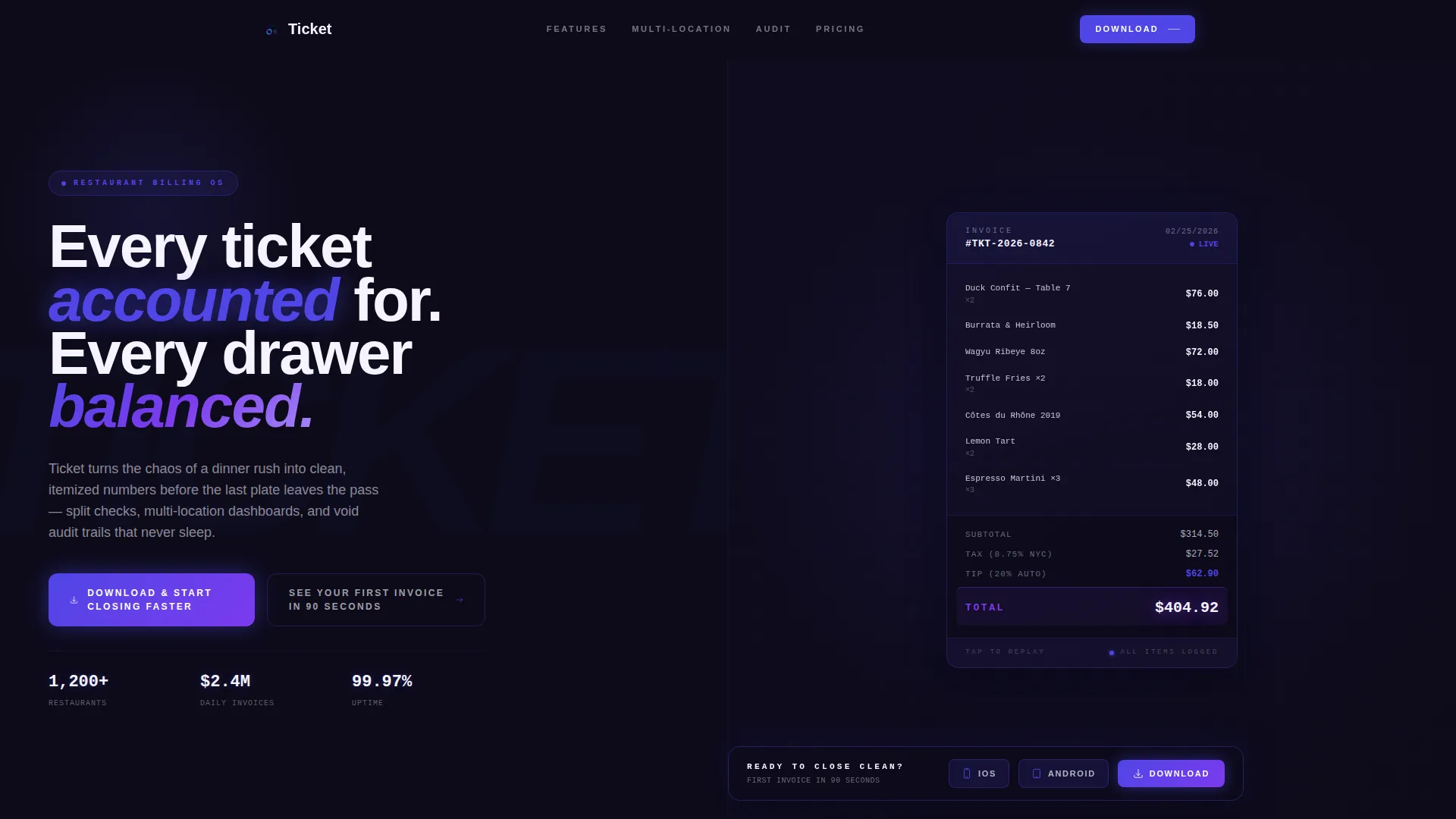
- Hero section with a 50/50 split screen, animated line-by-line invoice, and primary call-to-action
- Three feature sections covering split-check logic, multi-location dashboard, and void audit trail
- App download section with platform toggle buttons, QR code display, and floating bottom bar
Feature list
This template ships with purpose-built components that reflect real restaurant billing workflows. Each one is designed to demonstrate a specific capability to a skeptical operator audience.
Animated Invoice Hero
The hero section opens with a pitch-black viewport where a restaurant invoice populates line by line. Each item entry triggers a soft indigo bloom. Subtotals animate, tax calculates in real time, a tip line auto-suggests, and the total lands with a violet ripple pulse.
Split-Check Logic Display
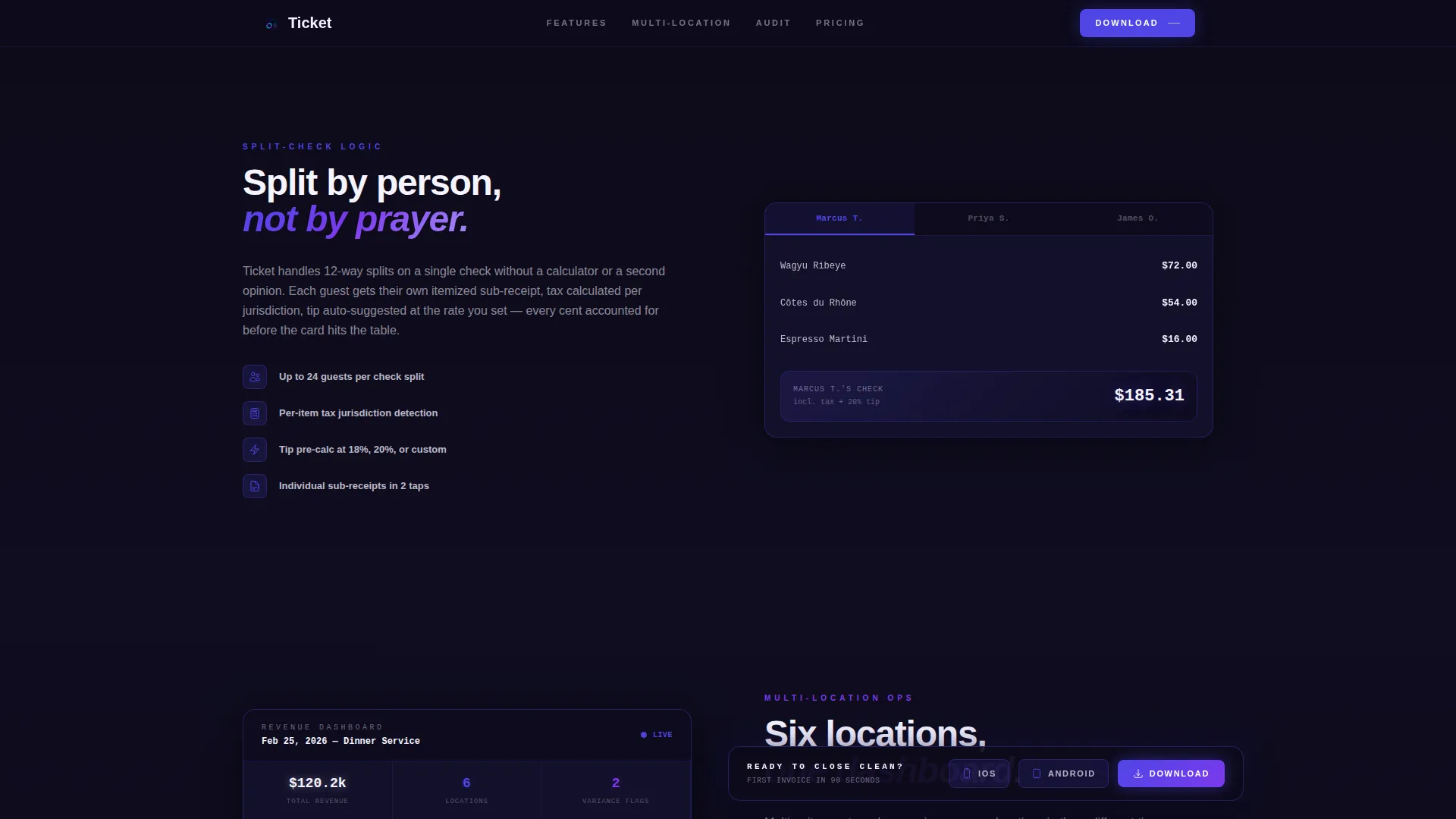
A dedicated 50/50 section shows split-check logic with the feature spec on the left and the animated interface performing the split on the right. Scroll triggers activate the interaction so visitors experience the function as if they tapped the button themselves.
Multi-Location Variance Dashboard
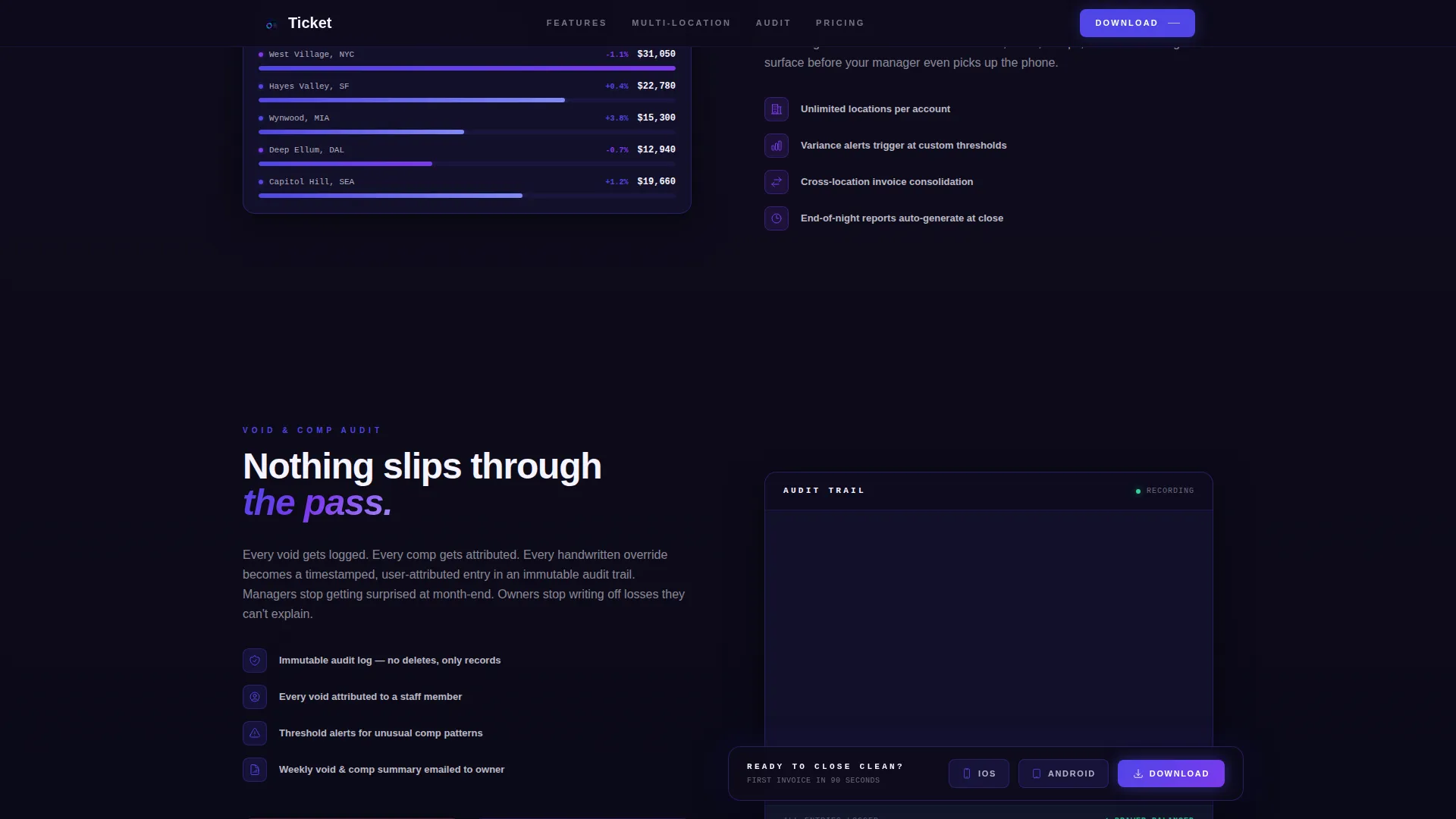
This section renders an animated variance report spanning multiple restaurant locations. The data lines trace in violet on scroll, giving multi-unit operators an immediate sense of scale and control across their entire portfolio.
Void and Comp Audit Trail
The audit trail section presents an animated log with flagged void and comp items. It directly addresses the pain point of unlogged discrepancies, showing the system catching what handwritten records miss.
Frictionless App Download Section
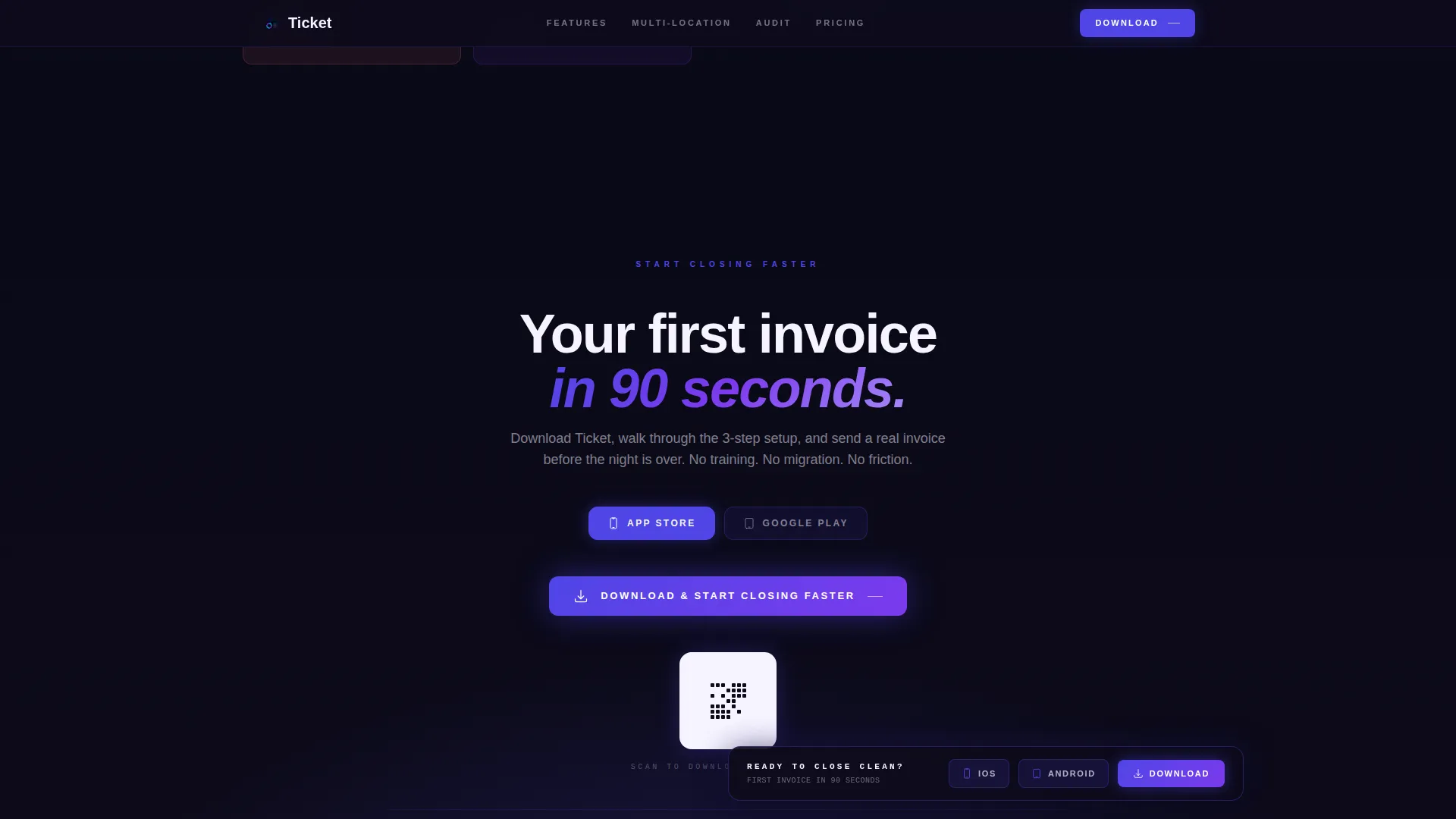
The download section replaces form fields with iOS and Android platform toggle buttons and a QR code for desktop visitors. A secondary inline call-to-action links directly to the app store onboarding flow with a 90-second first-invoice promise.
Floating Download Bar
A pinned bottom bar activates after the visitor scrolls past the third section. It carries the primary call-to-action and stays visible without interrupting the feature demonstration rhythm.
Page sections overview
| Section | Purpose |
|---|---|
| Animated Invoice Hero | Establish product precision and capture attention with live invoice animation |
| Split-Check Logic | Demonstrate split-check capability with a paired spec and animated interface |
| Multi-Location Dashboard | Show variance reporting across multiple locations with scroll-triggered data animation |
| Void Audit Trail | Address unlogged voids and comps with a flagged animated audit log |
| App Download Section | Drive installs with platform toggles, QR code, and a 90-second onboarding hook |
| Footer | Deliver horizontal flow navigation and supporting links |
Design & branding system
The visual identity follows a Dynamic Motion theme built on an Electric Indigo color system. The palette evokes a back-office terminal screen at 1 a.m., precise and electric, with every glow intentional and every shadow deliberate.
- Color tokens: deep register black (#0D0B1A) base, live-wire indigo (#4F46E5) primary, transaction-confirmed violet (#7C3AED) accent, receipt-paper white (#F5F3FF) for text and card surfaces
- Typography uses Plus Jakarta Sans with tight tracking for a mechanical precision feel
- GSAP ScrollTrigger powers line-by-line invoice population, counter animations, clip-path reveals, and ripple pulse effects on active states and calls to action
Mobile & speed optimization
The template is designed desktop-first for late-night back-office operators working on larger screens. It remains fully responsive for mobile use cases.
- Server Components handle static sections to keep initial load lean; Client Components isolate animated sections
- Animated panels use clip-path reveals and scroll triggers so heavy motion only runs when the section is in view
- Platform toggle and QR code components adapt cleanly to smaller viewports without losing conversion function
How this template helps you convert
Every design and copy decision in this template is built to earn the download tap before asking for it. The page structure follows a trust escalation pattern from single-ticket simplicity to enterprise-grade reporting.
- The hero section hooks operators immediately with a live invoice animation that communicates accuracy before a single word is read.
- Each successive feature section raises the stakes, moving from split checks to multi-location dashboards to audit trails, so the visitor feels the product scale with their own operation.
- The floating download bar and frictionless QR code appear only after the visitor has seen the full value case, converting interest at peak intent.
Other information about this template
This template is built for the restaurant software and SaaS category, specifically the restaurant billing and invoicing niche. It is designed to support B2B app marketing for both independent operators and enterprise-level restaurant groups.
- The template uses US restaurant industry terminology, USD currency formatting, and MM/DD/YYYY date conventions throughout
- Social proof placements include operational metrics such as tickets processed, active locations, and uptime alongside role-specific testimonials
- The footer follows a Vercel Horizontal Flow pattern for clean navigation and supporting links
- The Spec Sheet creative direction means every section reads like a capability document, not a marketing brochure, which builds credibility with technically minded operators
Theme
Dynamic Motion
Creative direction
Spec Sheet
Color system
Electric Indigo
Style
Split Screen (50/50)
Direction
App Download
Page Sections
Animated Line-by-line Invoice Hero
Split-check Logic Section
Multi-location Variance Dashboard
Void and Comp Audit Trail
Frictionless App Download Section
Floating Pinned Download Bar
Related questions
Who is this landing page template designed for?
Does this template include a contact form or lead capture field?
What animation technology does this template use?
Can I adapt this template for a single restaurant location?
What does the floating download bar do?



