Outdoor & Adventure Education FAQ Website Template
Tideline is a single-column landing page template built for a ten-day accredited marine biology field course. It pairs a documentary visual identity with a FAQ-driven scroll structure, guiding prospective students from first impression to registration. The layout is precise, institutional, and purposeful, designed to remove doubt and move serious applicants toward reserving their place.
by Rocket studio
Quick summary
Tideline is a single-column flow landing page for an accredited marine biology field course hosted at a working research station. The design follows an Institutional Authority theme, using a muted coastal palette and a FAQ-driven structure that answers real applicant questions in sequence. Every section builds credibility quietly and moves visitors toward registration.
Who this template is for
This template is designed for field course coordinators, research station program managers, and academic program administrators who need to promote an intensive, credit-bearing coastal ecology course. It speaks directly to scientifically literate applicants who evaluate programs carefully before committing.
- Marine biology master's students who need verified fieldwork hours for program accreditation
- Early-career researchers transitioning from lab-only work into ecological survey methods
- Undergraduate honors students building a thesis proposal around coastal biodiversity
What problem this template solves
Promoting a rigorous academic field course is different from marketing a general outdoor workshop. Prospective students arrive with specific, detailed questions. A generic page layout fails them by burying answers or omitting the institutional detail they need to feel confident. Tideline solves this by structuring the entire scroll around those real questions.
- Removes hesitation by providing gear lists, credit transfer policy, and instructor credentials directly on the page
- Captures applicants at different stages of readiness with both a registration form and a syllabus download path
- Builds authority through precise, accumulated detail rather than promotional language
What you get with this template
The template delivers a fully structured single-page layout ready to be filled with course-specific content. Every section has a defined role, and the visual hierarchy keeps readers moving downward toward the registration form.
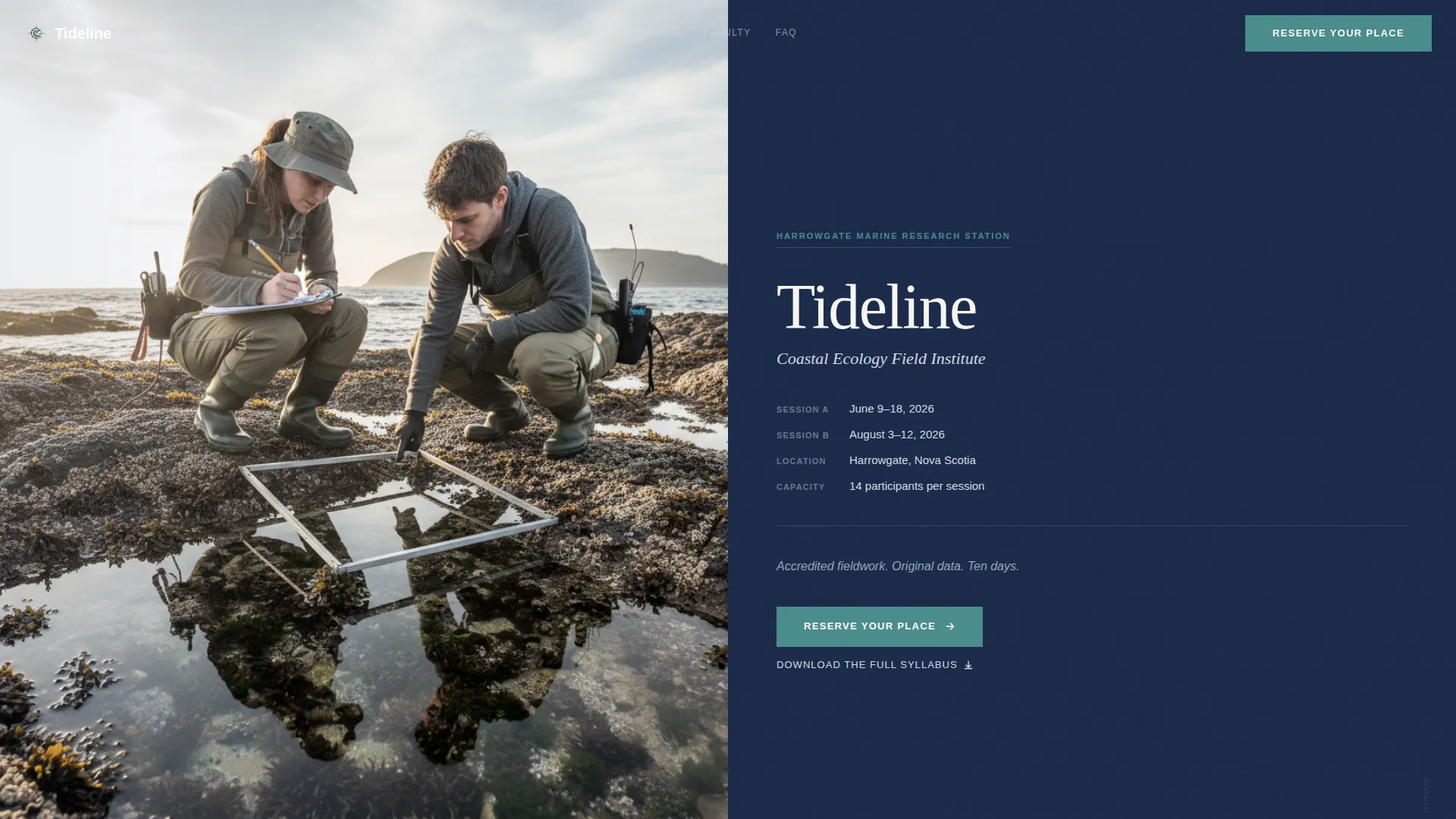
- A half-page photo and text header with course title, host institution name, dates, and a single anchor line
- A FAQ-driven scroll body alternating question blocks, answers, and documentary photographs
- A dual-conversion path: a primary "Reserve Your Place" registration form and a secondary syllabus PDF download gate
Feature list
This section describes the core functional components built into the Tideline template.
Half-Page Photo and Text Header
The header splits horizontally. The left side holds a full-bleed documentary photograph shot at knee height on a rocky intertidal platform, showing two researchers in waders over a quadrat frame in morning overcast light. The right side carries the course title in a serif typeface, the host institution name, course dates, and the anchor line "Accredited fieldwork. Original data. Ten days."
FAQ-Driven Scroll Structure
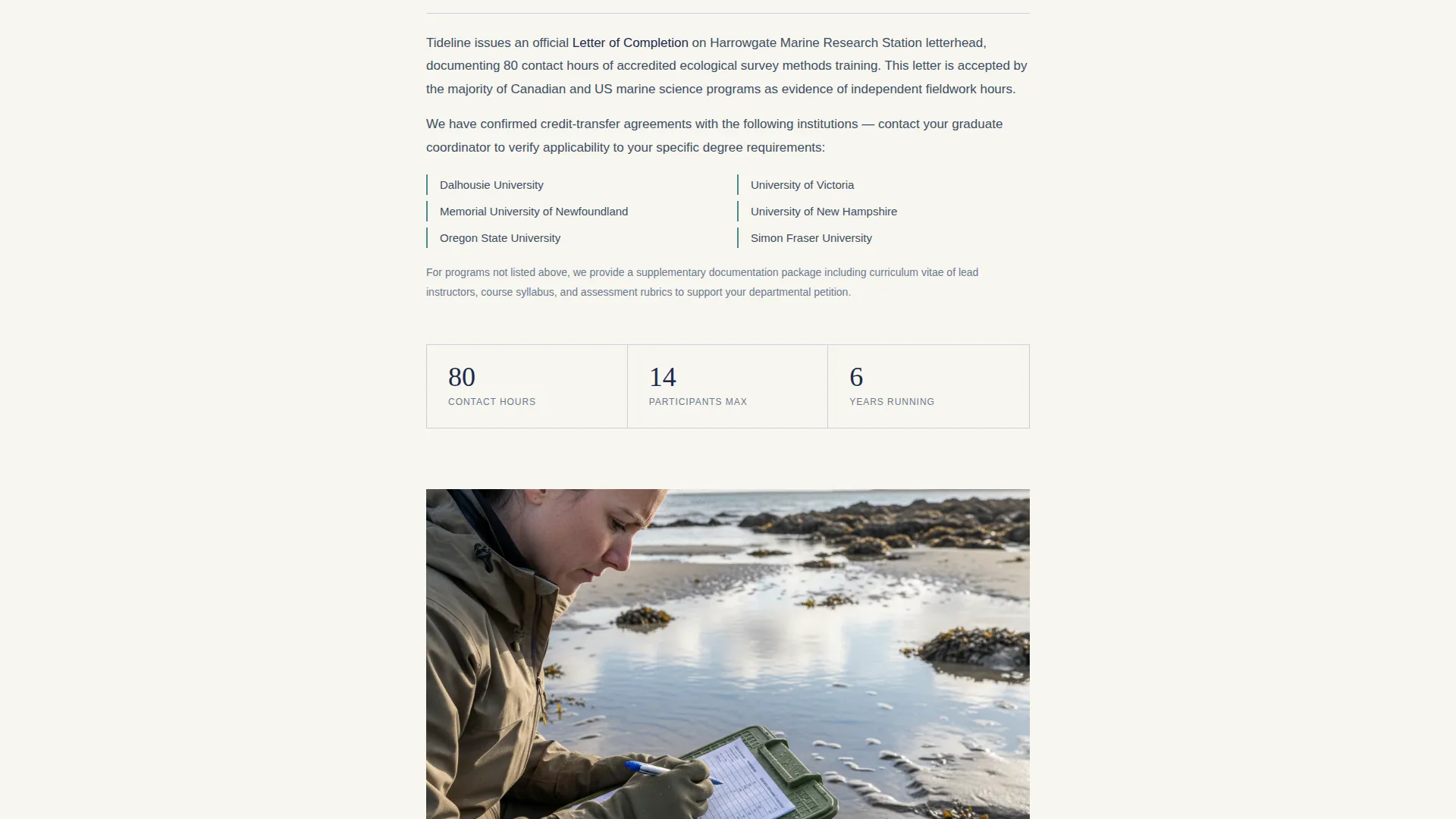
The page body is organized as a descending sequence of questions that prospective students genuinely ask. Each question anchors a section that opens into a calm, detailed answer. The rhythm alternates between question, answer, and documentary photograph, so authority builds through the quiet accumulation of specific institutional detail rather than promotional claims.
Repeating Primary Call to Action
The "Reserve Your Place" button appears first immediately below the header, then repeats after every third FAQ block. This placement catches visitors at multiple points of readiness without interrupting the informational flow of the page.
Multi-Field Registration Form
The registration form collects name, university affiliation, current program and year, a session date preference dropdown, and a short open-text field. The open-text prompt asks applicants what research question they hope to explore in the field, which simultaneously qualifies applicants and makes them feel the course has already begun.
Syllabus PDF Download Gate
A secondary conversion path offers a full course syllabus as a downloadable PDF. It requires only an email address, making it a low-commitment entry point for visitors not yet ready to register but willing to stay in contact.
Soft Mist Color System
The four-color palette uses fog-over-harbor gray, deep-water navy, bleached driftwood white, and specimen-label teal. Teal is reserved strictly for links, buttons, and data callouts, so every instance of color carries a functional meaning rather than a decorative one.
Page sections overview
| Section | Purpose |
|---|---|
| Header photo block | Establishes course identity and first call to action |
| Course overview text | Sets dates, location, and accreditation context |
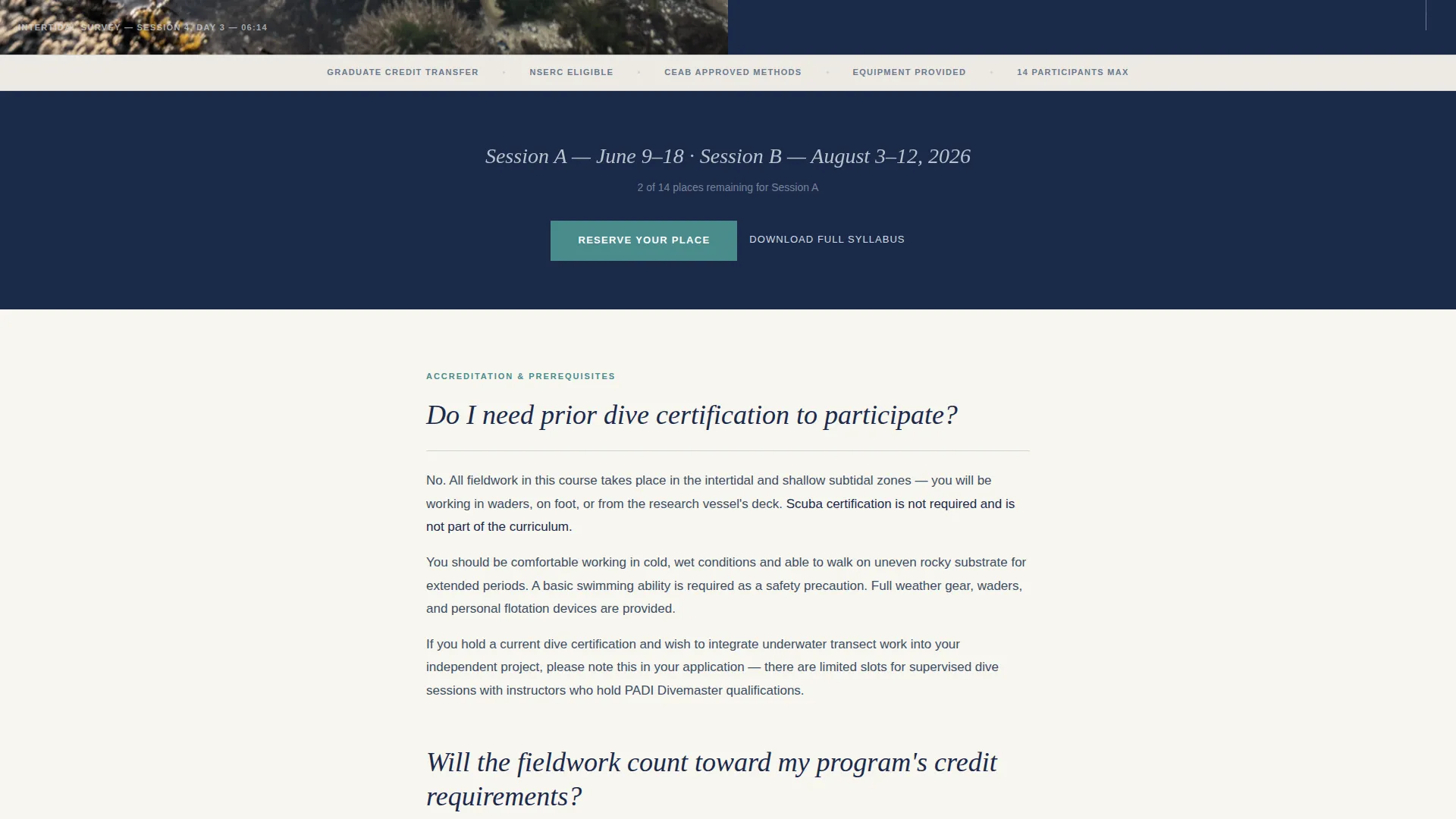
| FAQ block one | Answers dive certification and prerequisites |
| Registration form | Primary conversion point after first FAQ set |
| FAQ block two | Covers credit transfer and program requirements |
| Gear list section | Details provided versus participant-supplied equipment |
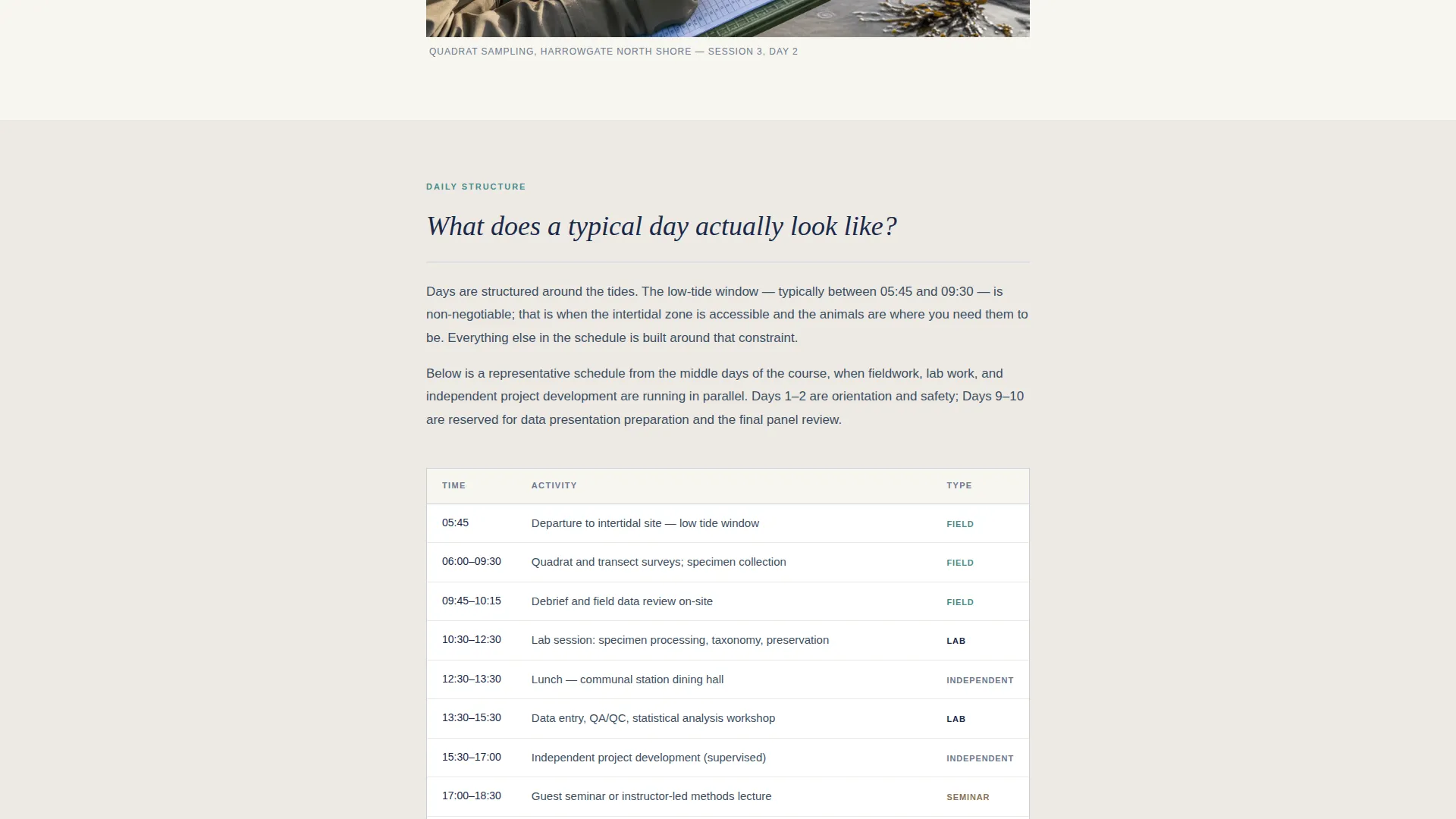
| Sample schedule table | Shows a daily rhythm to reduce uncertainty |
| Instructor credentials | Lists credentials and publication context |
| Registration form repeat | Second conversion point mid-page |
| FAQ block three | Addresses logistics and research expectations |
| Syllabus download gate | Secondary conversion for undecided visitors |
| Final registration repeat | Closing conversion point at page end |
Design & branding system
The visual identity is built on an Institutional Authority theme. Every design decision references the atmosphere of a university field station: muted, credible, and slightly weathered by coastal conditions. The typography uses a serif typeface that reads like a journal masthead, reinforcing the academic register of the content.
- Four-color Soft Mist palette: fog-over-harbor gray (#D6DDE3), deep-water navy (#1B2A4A), bleached driftwood white (#F7F5F0), and specimen-label teal (#4A8C8C)
- Teal is used exclusively for links, buttons, and data callouts, so it signals action or data every time it appears
- Documentary-style photography throughout: no filters, no lifestyle staging, morning overcast light only
Mobile & speed optimization
The single-column flow layout adapts naturally to smaller screens because the content is already stacked vertically. There are no complex grid shifts or side-by-side panels to collapse, which keeps the reading experience consistent across devices.
- The half-page header splits to a stacked image-above, text-below layout on narrow viewports
- Form fields are sized and spaced for comfortable tap input on mobile screens
- The FAQ structure keeps individual sections short, which reduces scroll fatigue on phones
How this template helps you convert
The Tideline template is engineered around two facts: serious applicants have detailed questions, and hesitation is the main barrier to registration. The layout removes hesitation methodically, section by section.
- The FAQ-driven structure answers the exact questions applicants send in emails, reducing the need for back-and-forth inquiry and moving visitors toward a decision on the page itself.
- The dual-conversion architecture captures both ready applicants through the registration form and undecided visitors through the low-friction syllabus download, so no motivated visitor leaves empty-handed.
Other information about this template
Tideline fits naturally within academic program promotion contexts where the audience is detail-oriented and trust must be earned through specificity rather than enthusiasm. The template style is Single Column Flow, which keeps the reading path linear and unambiguous for visitors arriving from search or email outreach.
- The template theme is Institutional Authority, which suits university departments, research station programs, and accredited short-course providers
- The creative direction is FAQ-Driven, making it reusable for any intensive course format where applicants arrive with a predictable list of qualifying questions
- The color system is Soft Mist, a palette that references coastal field environments without relying on cliched ocean-blue branding
- The header concept is Half-Page Photo and Text, a composition that works equally well for other field science disciplines such as marine ecology, intertidal biology, or oceanographic survey programs
Theme
Institutional Authority
Creative direction
FAQ-Driven
Color system
Soft Mist
Style
Single Column Flow
Direction
Event Registration
Page Sections
Half-page Photo and Text Header
Faq-driven Scroll Structure
Repeating Primary Call to Action
Multi-field Registration Form
Syllabus PDF Download Gate
Soft Mist Four-color Palette
Related questions
What types of courses is this template suited for?
Can I adapt the FAQ sections to match my own course questions?
How does the dual-conversion path work in practice?
Does the registration form support multiple session dates?
Does the template include the documentary photographs shown in the design?



