Tollway - Powerful Analytics Landing Page Template
Tollway is a bold, brutalist split-screen landing page template built for toll road analytics platforms. It uses a live feature matrix to show agencies exactly what legacy tools miss. The layout pairs a full-viewport dashboard screenshot with raw, urgent copy designed to move toll authority decision-makers from hesitation to action.
by Rocket studio
Quick summary
Tollway is a single-page, split-screen landing page template built for toll road analytics software. It pairs a full-viewport dashboard screenshot with an escalating feature matrix that pits legacy tools against modern capabilities. The Bold Brutalist design and urgent, data-forward copy are built specifically for toll authority buyers who think in lane-miles and bond covenants.
Who this template is for
This template is purpose-built for vertical SaaS companies selling analytics platforms to public-sector transportation agencies. If your buyers live inside traffic management centers or state budget offices, this layout speaks their language directly.
- Toll authority chief financial officers who reconcile dynamic pricing against bond covenants
- Traffic operations directors who need real-time congestion visibility around the clock
- State department of transportation analysts building long-range concession models
What problem this template solves
Most analytics landing pages are built for generic software buyers. Toll road agencies are not generic buyers. They process millions of daily transponder pings, license plate reads, and loop detector counts, and they need to see that your platform handles that scale before they book a demo.
- Legacy tool comparison is invisible, leaving buyers unsure why they should switch
- No clear call to action for agency-specific entry points like corridor selection
- The emotional gap between "data exists" and "revenue is leaking right now" is never shown
What you get with this template
You get a complete, single-page layout built around a Feature Matrix creative direction. Every structural decision supports a Comparison/Versus conversion path, from the header through the pinned call to action at the bottom of the viewport.
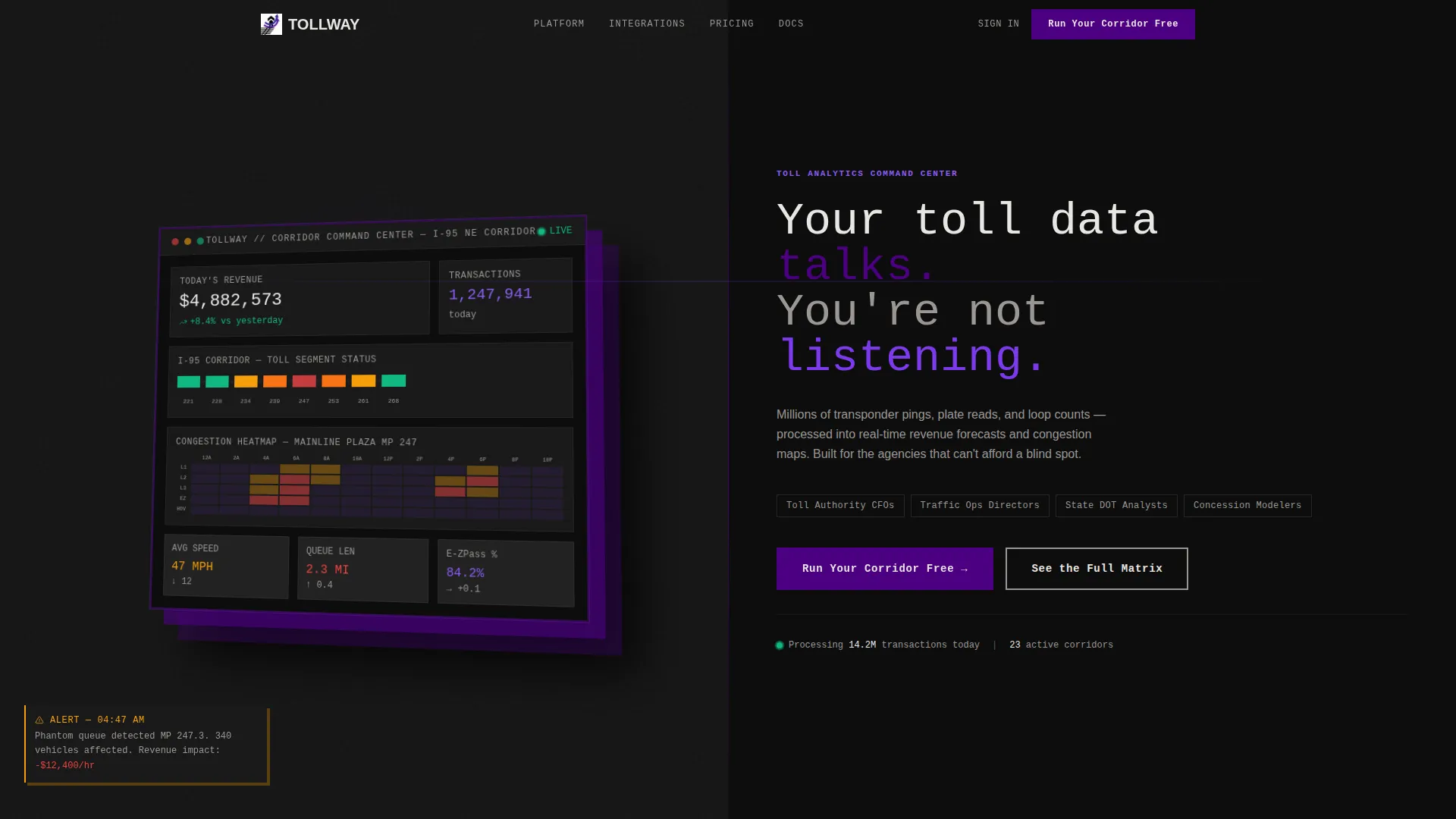
- A split-screen header with an isometric dashboard screenshot on the left and a brutalist headline on the right
- An animated feature matrix comparing legacy tools against the platform row by row
- Two conversion paths: a two-field corridor demo form and a gated PDF download behind a work email
Feature list
This section covers the core built-in components and interaction patterns included in the Tollway template.
Split-Screen Header with Dashboard Screenshot
The header fills the full viewport. The left half holds a product screenshot at a slight isometric tilt with a heavy drop shadow. The right half carries an oversized mono-type headline. There are no gradients and no rounded corners, just raw geometry and blunt language.
Animated Feature Matrix
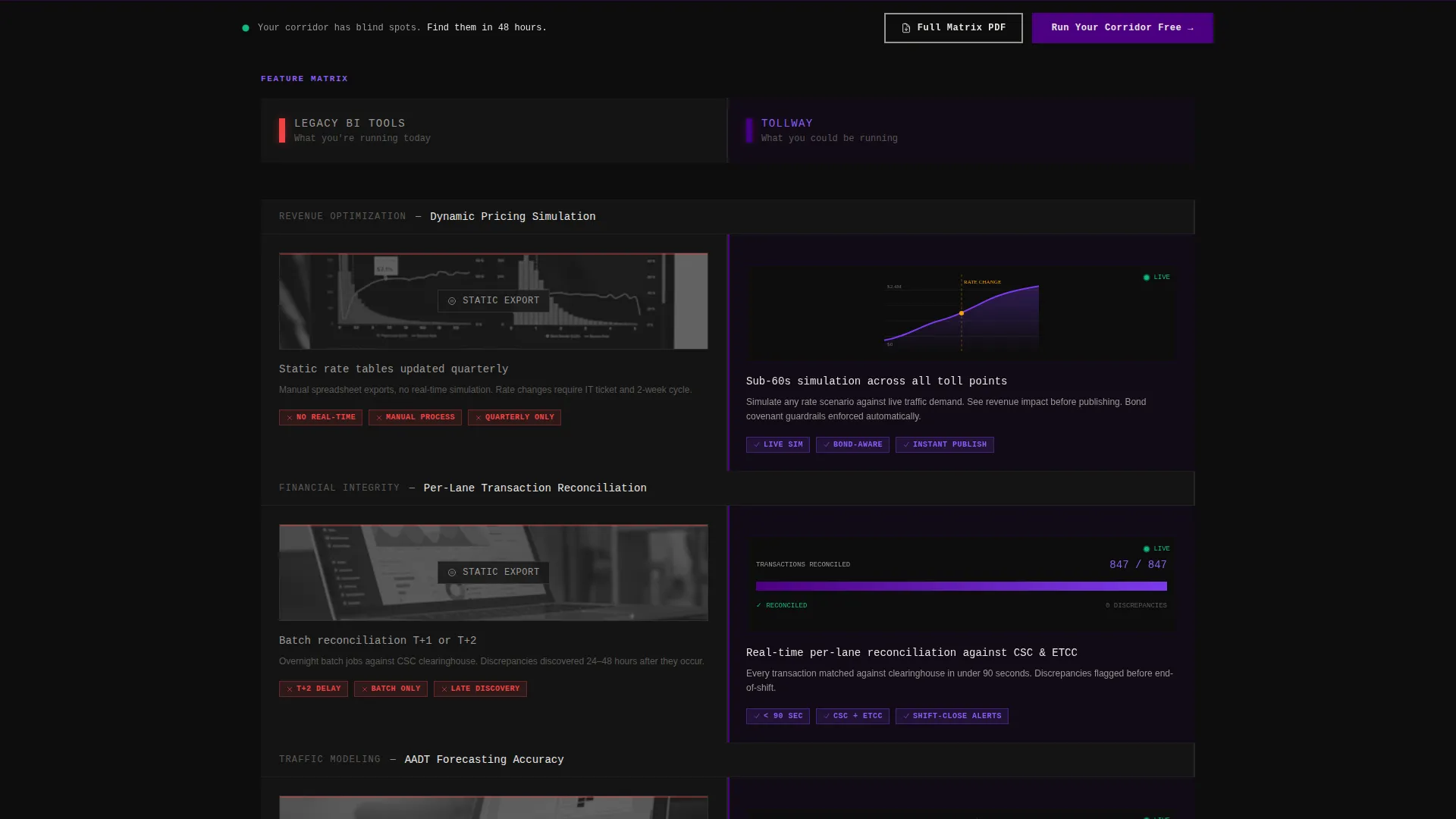
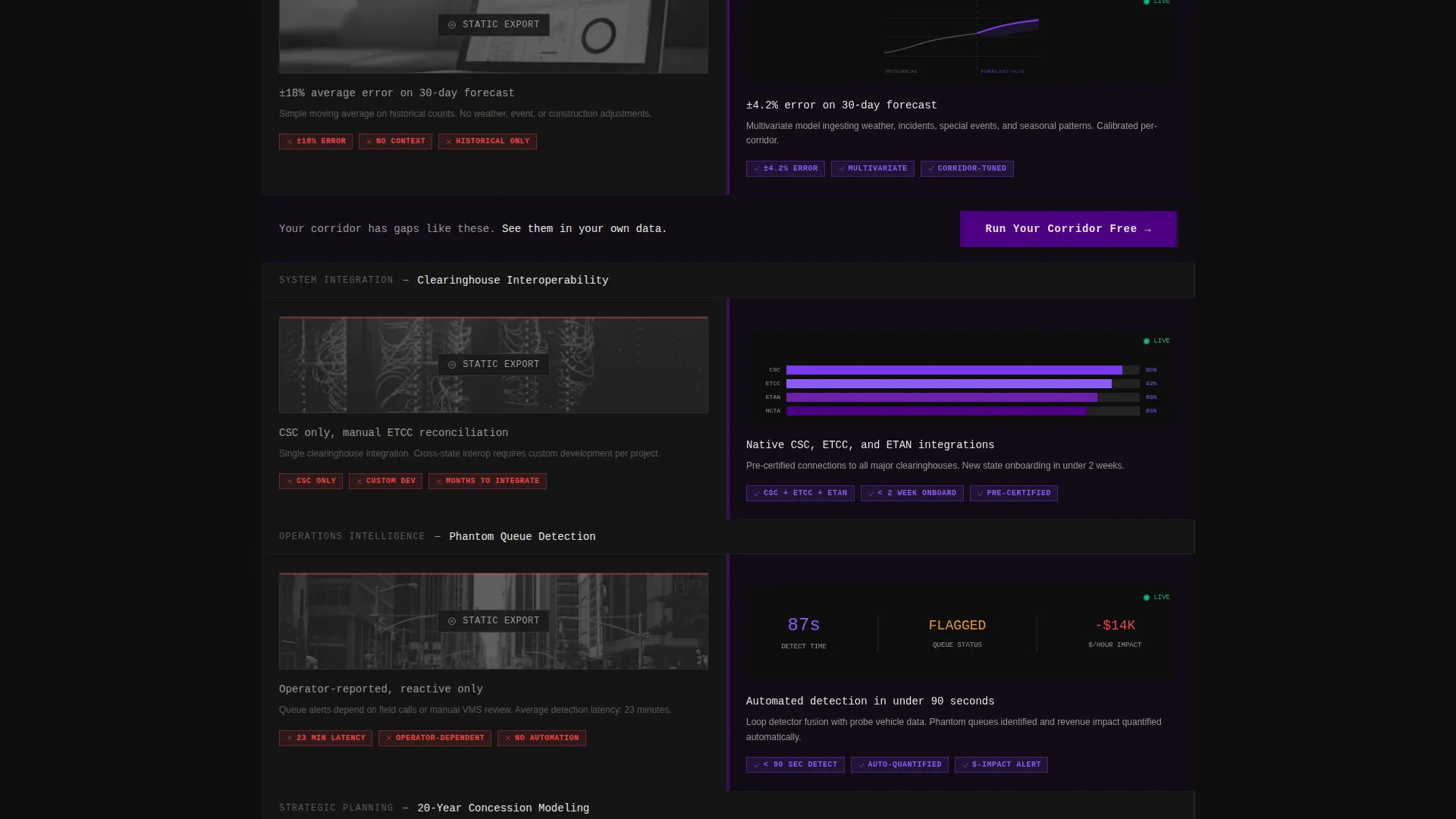
After the header, the page becomes a side-by-side comparison. The left column shows legacy tool limitations with static screenshots and red tags. The right column animates live, with charts drawing themselves and numbers populating in real time. Rows escalate from basic reporting to advanced predictive modeling.
Dynamic Pricing Simulation Row
One dedicated matrix row covers dynamic pricing simulation, showing the contrast between static legacy output and live scenario modeling. This row is built to land with toll authority chief financial officers who need to stress-test pricing against covenant thresholds.
Per-Lane Transaction Reconciliation Row
A focused matrix row demonstrates per-lane transaction reconciliation. The legacy side shows manual export limitations. The platform side populates figures automatically, making the operational cost of the old approach impossible to ignore.
Pinned Call-to-Action Bar
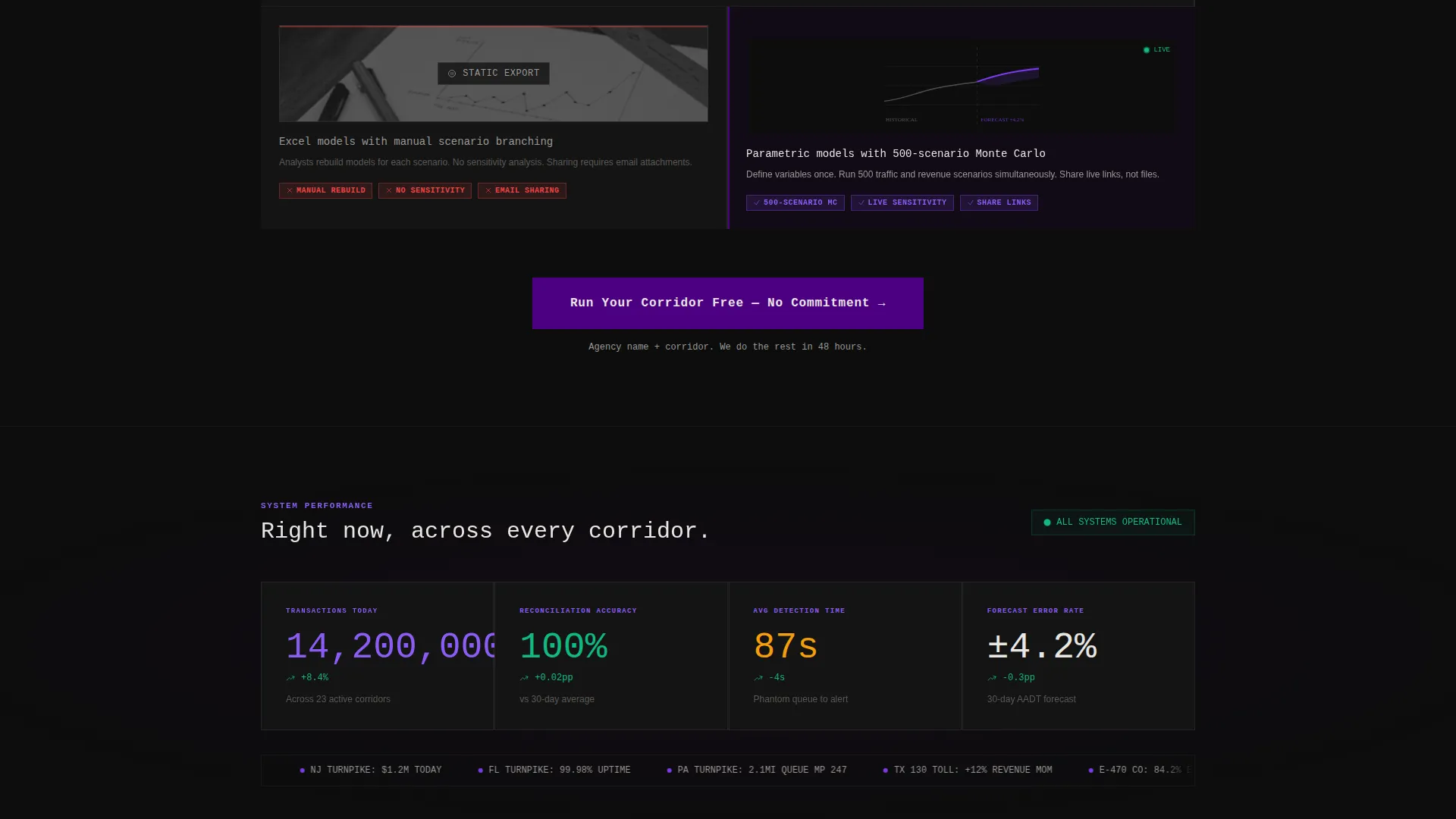
The primary call to action, "Run Your Corridor Free," appears after every third matrix row and stays pinned to the bottom of the viewport during scroll. It opens a two-field form asking for the agency name and a state toll system dropdown, keeping friction minimal.
Gated PDF Comparison Path
A secondary conversion path labeled "See the Full Matrix" expands a downloadable PDF comparison. Access is gated behind a work email field, giving the marketing team a qualified lead while giving the visitor a tangible artifact to share internally.
Page sections overview
| Section | Purpose |
|---|---|
| Full-Viewport Header | Establish dashboard credibility with isometric screenshot and brutalist headline |
| Feature Matrix Rows | Compare legacy tool limits against live platform capabilities row by row |
| Dynamic Pricing Row | Show real-time pricing simulation versus static legacy output |
| Per-Lane Reconciliation Row | Demonstrate automated transaction matching versus manual export workflows |
| AADT Forecasting Row | Contrast annual average daily traffic forecast accuracy between approaches |
| Clearinghouse Interop Row | Highlight compatibility with toll clearinghouse systems versus legacy gaps |
| Inline call to action Blocks | Insert "Run Your Corridor Free" form after every third matrix row |
| Pinned call to action Bar | Keep primary conversion action visible throughout the full scroll |
| Gated PDF Offer | Capture work email in exchange for full downloadable comparison matrix |
Design & branding system
The visual identity follows a Bold Brutalist theme. Every color and type choice is built to feel like highway signage caught in headlights: stark, unapologetic, and impossible to misread at speed.
- Deep asphalt black (#0D0D0D) as the base, electric indigo (#4B0082) on headers and data highlights, high-voltage violet (#7C3AED) on hover states and active chart elements
- Concrete white (#E8E6E3) for data labels and body text, with no gradients and no rounded corners anywhere in the layout
- Oversized mono-type typography for headlines, reinforcing the raw, data-terminal aesthetic throughout the page
Mobile & speed optimization
The split-screen layout is designed to reflow cleanly on narrower viewports. The Feature Matrix stacks vertically on smaller screens so each comparison row remains legible without horizontal scrolling.
- The isometric header screenshot scales and repositions so the dashboard detail stays visible on tablet and mobile breakpoints
- The pinned call-to-action bar adapts its height and padding to stay usable on touch devices without covering critical content
- Inline form fields for the corridor demo and gated PDF are kept to a minimum number of inputs to reduce friction on any screen size
How this template helps you convert
The entire page is architected around a single question: does watching your competitor's problem get solved in real time feel more uncomfortable than filling out a two-field form? Every layout decision is built to make inaction feel more expensive than the demo.
- The feature matrix escalates deliberately, starting with table-stakes reporting gaps and ending with advanced predictive modeling, so the stakes grow with every row the visitor scrolls through.
- The "Run Your Corridor Free" call to action appears after every third matrix row and stays pinned to the viewport, giving the visitor a low-friction entry point at exactly the moment the comparison lands hardest.
- The secondary gated PDF path captures visitors who are not ready to demo but want internal ammunition, turning a delayed decision into a qualified lead with a work email.
Other information about this template
The Tollway template is built specifically for the toll road analytics vertical inside the broader transportation SaaS market. It is designed to support a sales cycle where the buyer is technically literate, budget-conscious, and politically accountable.
- The template supports comparison content covering interoperability with toll clearinghouse systems relevant to the North American toll industry
- Annual average daily traffic forecasting accuracy is called out as a dedicated matrix row, reflecting the real language used in agency procurement conversations
- The two-conversion-path architecture suits platforms that serve both operational buyers (traffic directors) and financial buyers (chief financial officers) simultaneously
- This template is a strong fit for teams presenting at industry conferences or sending outbound campaigns to state transportation departments, where a shareable PDF leaves the conversation open after the first touchpoint
Theme
Bold Brutalist
Creative direction
Feature Matrix
Color system
Electric Indigo
Style
Split Screen (50/50)
Direction
Comparison/Versus
Page Sections
Split-screen Header with Isometric Screenshot
Animated Feature Matrix Layout
Pinned Viewport Call-to-action Bar
Gated PDF Comparison Download
Escalating Matrix Row Sequence
Inline Call to Action Blocks Between Matrix Rows
Related questions
Who is the ideal buyer for this template?
Can I use this template for a product that covers multiple toll corridors?
How does the gated PDF conversion path work?
Is the feature matrix easy to update as the product changes?
Does the template include both conversion paths out of the box?



