Torque - Bold Automotive Landing Page Template
Torque is a bold brutalist landing page template built for automotive membership sites. It leads with a live build-cost calculator that proves value before asking for a signup. A split-screen layout, a Midnight Blue instrument-cluster palette, and a freemium trial flow make this the right starting point for any digital garage community.
by Rocket studio
Quick summary
Torque is a single-page automotive membership landing page built around a Calculator/Tool First creative direction. The split-screen layout puts a live build-cost calculator front and center, lets visitors explore freely, and then converts them through a minimal freemium modal. The Bold Brutalist design feels like a professional shop environment rendered in pixels.
Who this template is for
This template is designed for builders and operators who need to earn trust before asking for a commitment. If your membership site serves a technically minded automotive audience, this layout speaks their language immediately.
- Weekend project builders pricing out platform swaps and bolt-on upgrades at home
- Shop owners quoting restomod jobs and needing a professional digital presence
- Track-day enthusiasts who make decisions from data, dyno logs, and hard numbers
What problem this template solves
Most membership landing pages lead with a sales pitch. Automotive audiences reject that pattern fast. They want to touch the tool, run a real number, and decide for themselves. This template solves the trust gap by making the calculator the hero, not the headline.
- Visitors leave before signing up because a page asks for identity before proving value
- Generic membership templates feel mismatched for a technical, gearhead audience
- Freemium conversion paths are often clunky, multi-step, or visually inconsistent
What you get with this template
You get a fully structured single-page layout that handles the entire freemium conversion journey from first impression to trial signup. Every section is designed with a specific job and a clear visual hierarchy.
- A 50/50 split-screen calculator section with a live running cost estimate on the right panel
- A brutalist header logo bar, a full freemium modal flow, and escalating content reveal sections
- A complete Midnight Blue color system with tachometer red reserved exclusively for interactive elements and calls to action
Feature list
This template ships with purposeful, prompt-backed features. Each one is designed to reduce friction and push the right visitor toward a membership commitment.
Live Build-Cost Calculator Panel
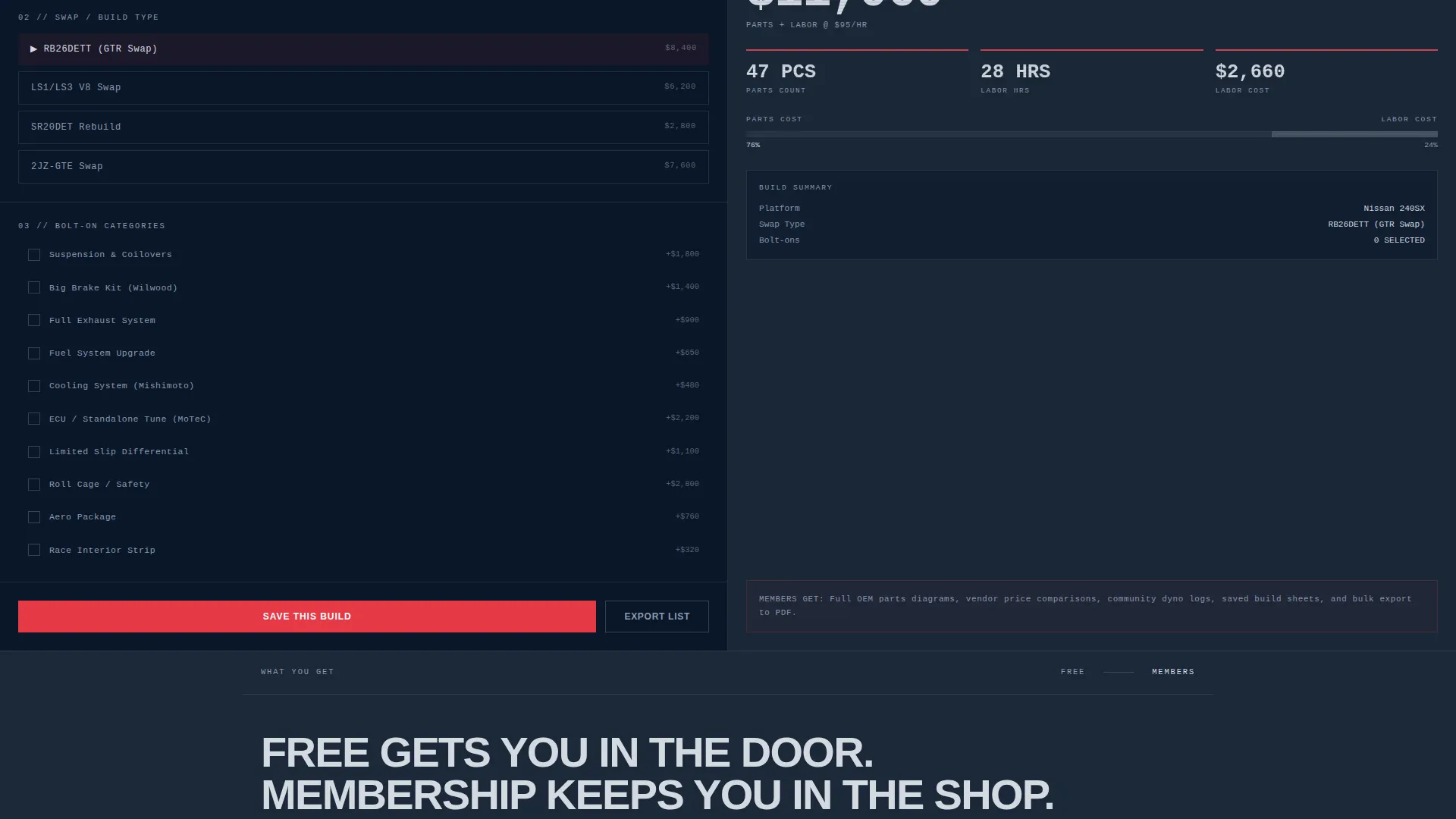
The left panel hosts an interactive build-cost calculator. Visitors select a vehicle platform, choose a swap type, and tick bolt-on categories. The right panel updates a running cost estimate, parts count, and estimated labor hours in real time. No signup required to use it.
Freemium Modal Conversion Flow
When a visitor hits "Save This Build" or "Export Parts List," a minimal modal appears asking only for an email address and a username. The ask is small because the tool has already delivered value. This keeps signup friction as low as possible.
7-Day Trial Prompt Trigger
After a visitor completes three calculator interactions, a secondary conversion prompt appears with the line: "Run three builds free, keep them all when you join." This escalating approach rewards engagement before making the bigger ask.
Brutalist Logo Bar Header
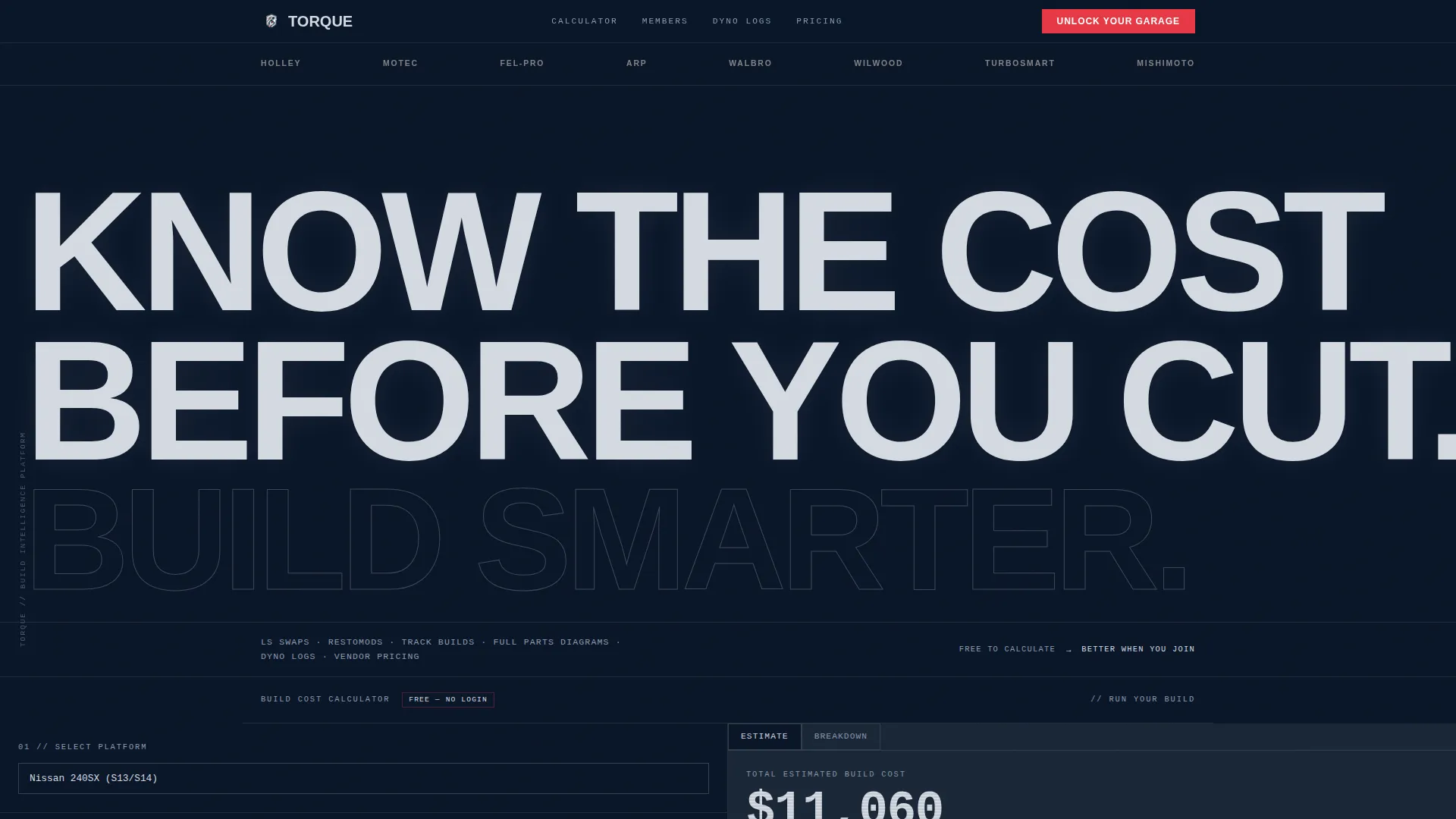
The header is a horizontal strip of automotive brand and tool partner logos rendered in monochrome chrome against the deep terminal navy background. Each logo flares to full color on hover. Below the bar sits the oversized condensed headline: "KNOW THE COST BEFORE YOU CUT." Typography replaces hero imagery entirely.
Escalating Content Reveal Sections
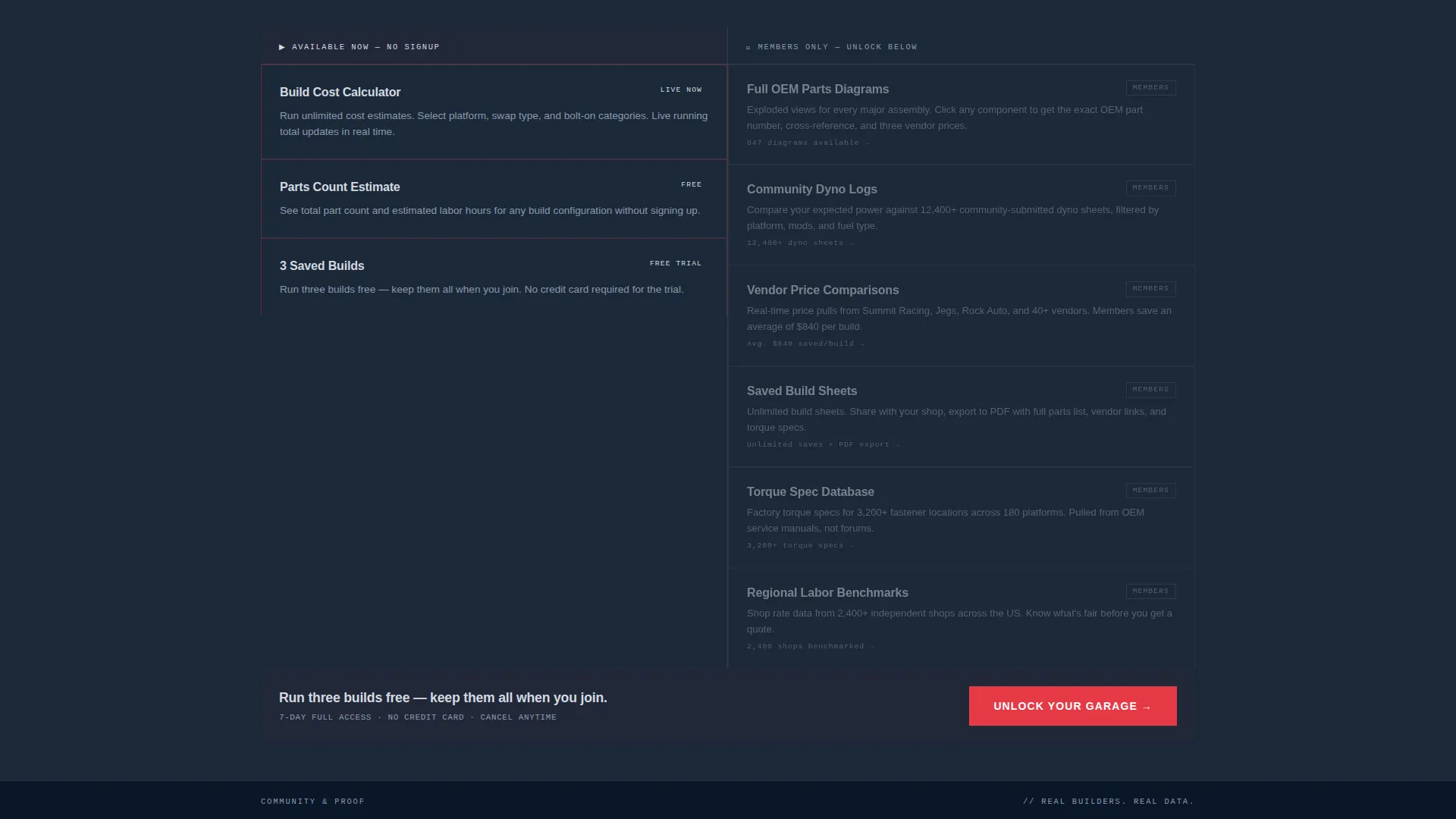
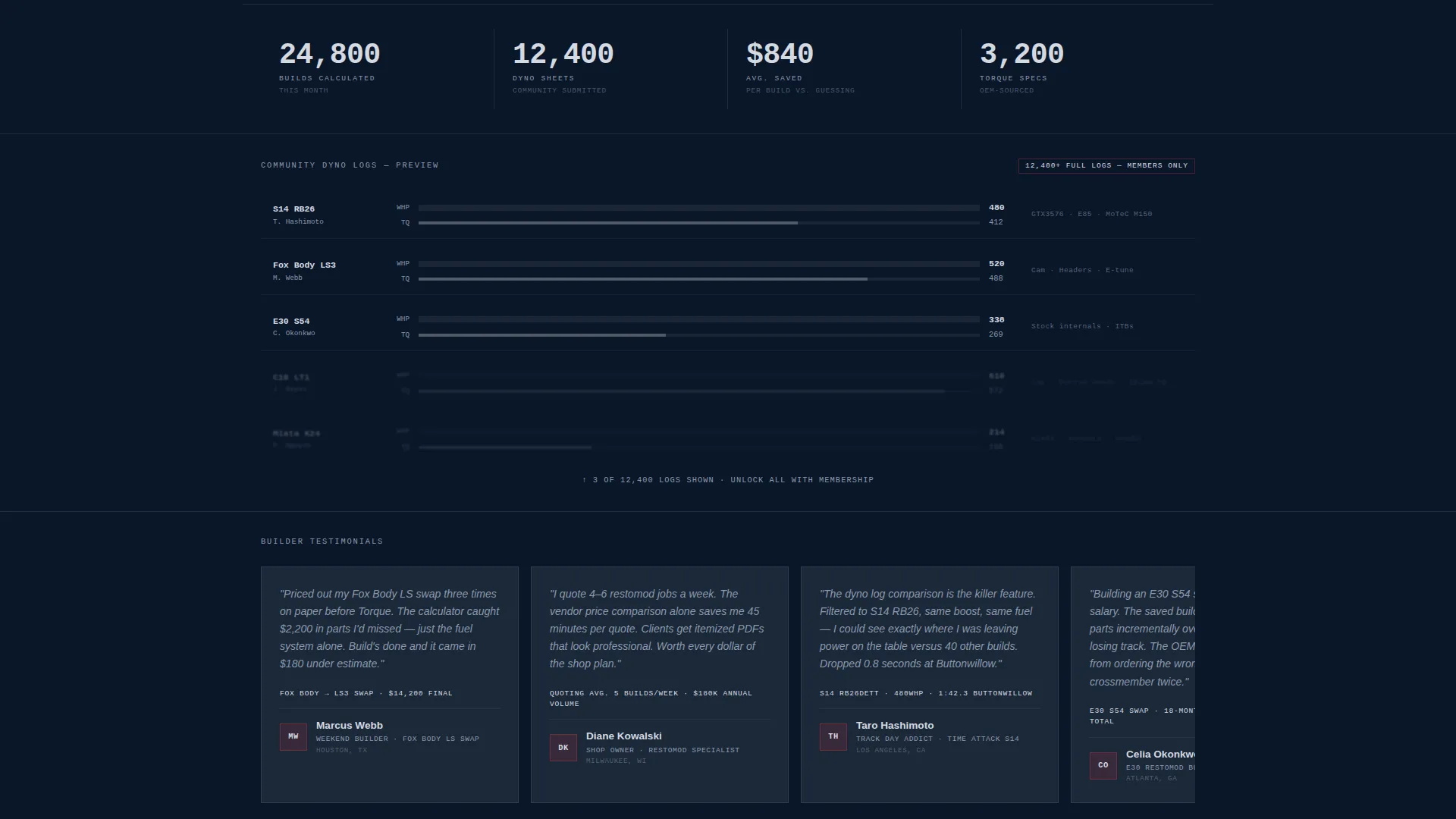
Scrolling past the calculator reveals a staged content hierarchy. Each section moves from free-access features toward locked membership content: full parts diagrams, vendor price comparisons, community dyno logs, and saved build sheets. Raw divider lines and zero-padding brutalist blocks reinforce the industrial tone.
"Unlock Your Garage" call to action System
Every call-to-action button uses the tachometer red accent color. The primary button label reads "Unlock Your Garage." Red appears only on interactive elements and calls to action, so every clickable element is immediately identifiable without visual noise.
Page sections overview
| Section | Purpose |
|---|---|
| Logo Bar Header | Displays partner logos and sets the brand tone with the oversized headline |
| Split-Screen Calculator | Lets visitors run a live build-cost estimate before any signup is required |
| Cost Estimate Panel | Shows running parts count, cost total, and estimated labor hours in real time |
| Members Content Preview | Reveals what unlocks behind the wall: diagrams, dyno logs, and build sheets |
| Freemium Signup Modal | Captures email and username with minimal friction at the natural conversion point |
| Trial Conversion Prompt | Triggers a 7-day full-access offer after three calculator interactions |
Design & branding system
The visual identity is built on a Midnight Blue color system that feels like a digital instrument cluster glowing behind dark glass. Every color decision is deliberate and purposeful.
- Deep terminal navy (#0A1628) and gunmetal panel (#1B2838) alternate as section backgrounds, with chrome highlight (#D4D9E1) carrying all body text
- Electric tachometer red (#E63946) appears only on interactive elements and call-to-action buttons, never as decoration
- Oversized condensed type acts as the primary visual element in place of hero photography, reinforcing the Bold Brutalist theme
Mobile & speed optimization
The 50/50 split-screen layout is designed to reflow cleanly for smaller viewports. The stripped-down visual system avoids decorative assets that add weight without adding meaning.
- No hero images or decorative photography means fewer large assets to load on mobile connections
- The brutalist grid collapses into a single-column stacked layout for smaller screens without losing hierarchy
- Monochrome logo treatment keeps the header bar lightweight while remaining recognizable at any screen size
How this template helps you convert
The entire page is structured around a single insight: the tool earns the click. Conversion happens after value is demonstrated, not before it is promised.
- The calculator runs without requiring any signup, so visitors engage deeply and build trust in the product before the ask ever appears
- The modal trigger fires at the natural moment of intent, when the visitor wants to save or export, keeping the signup feel logical rather than forced
- The escalating content reveal shows free features first and locked features second, creating a visible reason to upgrade without aggressive upselling
Other information about this template
This template is built specifically for the automotive membership site niche, where technical credibility matters as much as visual presentation. The design system and copy structure are optimized for that intersection.
- The template style is a 50/50 split screen, with the creative direction labeled Calculator/Tool First throughout the layout
- The header concept is a Logo Bar, designed to display recognized automotive and tool partner brands in a way that signals industry legitimacy
- The freemium and 7-day trial landing page direction suits membership platforms looking to reduce signup hesitation among skeptical technical audiences
Theme
Bold Brutalist
Creative direction
Calculator/Tool First
Color system
Midnight Blue
Style
Split Screen (50/50)
Direction
Freemium/Trial
Page Sections
Live Build-cost Calculator
Freemium Modal Conversion Flow
Escalating Content Reveal
Brutalist Logo Bar Header
Day Trial Prompt Trigger
Tachometer Red Call to Action System
Related questions
Does the calculator require a signup to use?
Can I customize the vehicle platforms and swap categories?
What triggers the 7-day trial prompt?
Is this template suitable for shop owners as well as individual builders?
Can I adjust the colors or typography to match my brand?



