Advanced Directory & Marketplace Platforms Professional Website Template
Torque is a scroll reveal landing page template built for auto mechanic directories. It opens with a live-styled dashboard header showing mechanic listings, star ratings, and a zip code search bar. Progressive scroll reveals layer in aggregate stats, a ranking methodology breakdown, and repair-cost comparisons, building trust before asking for a single click.
by Rocket studio
Quick summary
Torque is a single-page directory landing page template designed for auto mechanic platforms. It uses a Data Command visual theme and a Monochrome Steel color system to deliver diagnostic clarity from the first scroll. The layout guides visitors from a live-feeling dashboard preview through data-rich trust layers, ending with a clear call to action.
Who this template is for
This template is built for founders and product teams launching an auto mechanic directory. It speaks directly to the real people who use such a platform every day.
- Car owners dealing with an unexpected check-engine light who need fast, trustworthy repair options
- Fleet managers tracking maintenance schedules across multiple vehicles who need reliable shop data at a glance
- Weekend hobbyists and enthusiasts searching for specialty machine shops that offer quick turnaround
What problem this template solves
Finding a trustworthy mechanic is frustrating. Pricing is opaque, availability is hard to confirm, and reviews are easy to fake. This template presents your directory as a credible, data-driven solution from the very first second.
- Shops lack transparency on parts pricing and bay availability, leaving car owners guessing
- Visitors do not trust a directory until they see proof it works, so the template shows the tool running before asking anyone to sign up
- Generic directory pages fail to communicate ranking logic, which erodes confidence in the results
What you get with this template
You get a fully structured scroll reveal landing page ready to represent an auto mechanic directory. Every section is purposeful and data-forward.
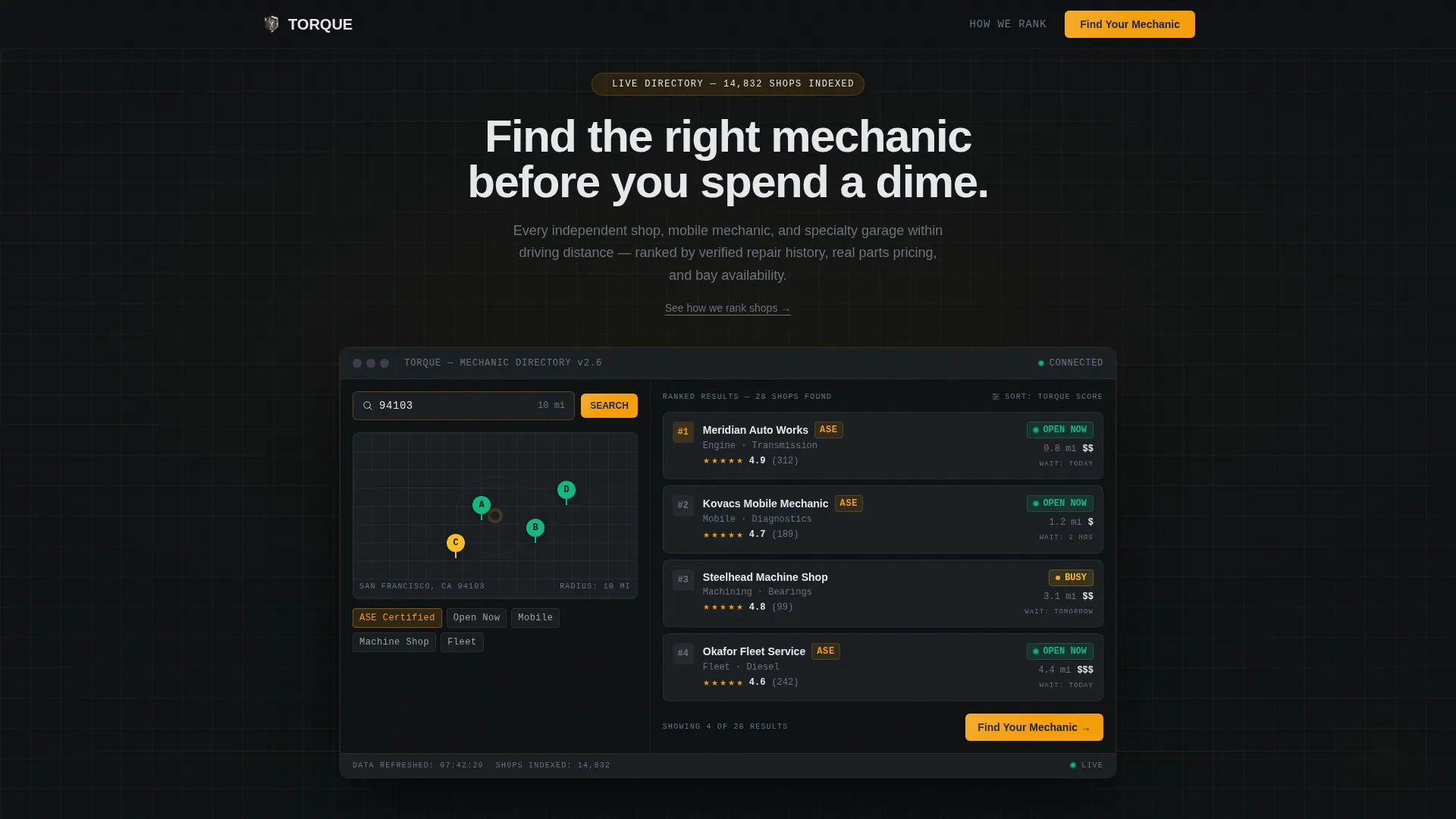
- A dashboard-style header with a map pin cluster, ranked mechanic list, star ratings, open-now badges, and a pre-filled zip code search bar
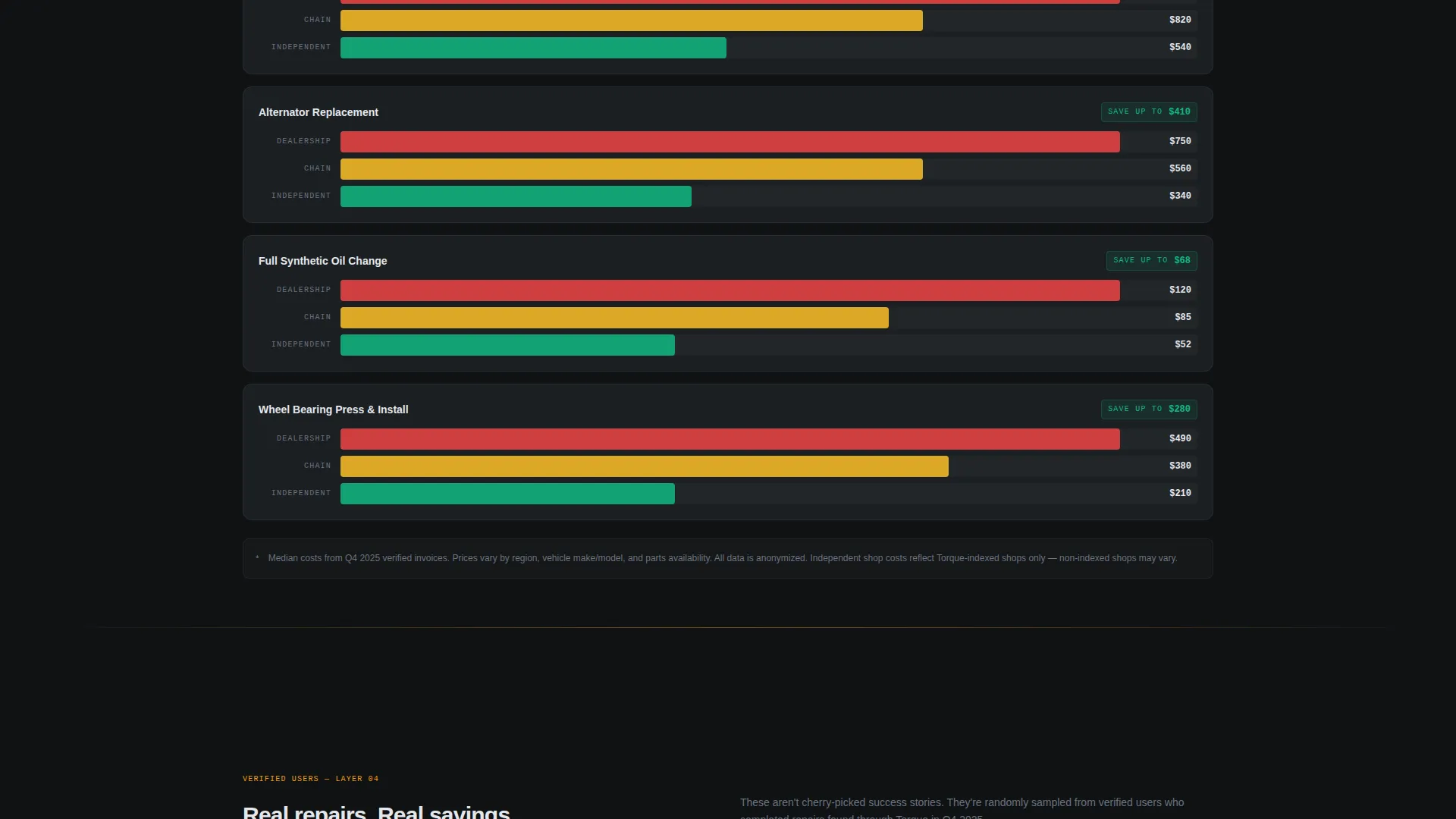
- Scroll-triggered sections that reveal aggregate directory stats, a ranking methodology breakdown, and anonymized repair-cost bar charts
- A primary "Find Your Mechanic" call to action in the header and a sticky bottom bar that reappears after the second scroll reveal
Feature list
This template packs a focused set of components that make an auto mechanic directory feel credible and ready to use.
Live-Styled Dashboard Header
The header looks like active software, not a static marketing image. It shows a map pin cluster, a ranked mechanic list with star ratings and "Open Now" badges, and a search bar pre-filled with a zip code. Micro-animations pulse: shop availability shifts from yellow to green, a review count ticks up, and a distance radius ring expands.
Progressive Scroll Reveal Layout
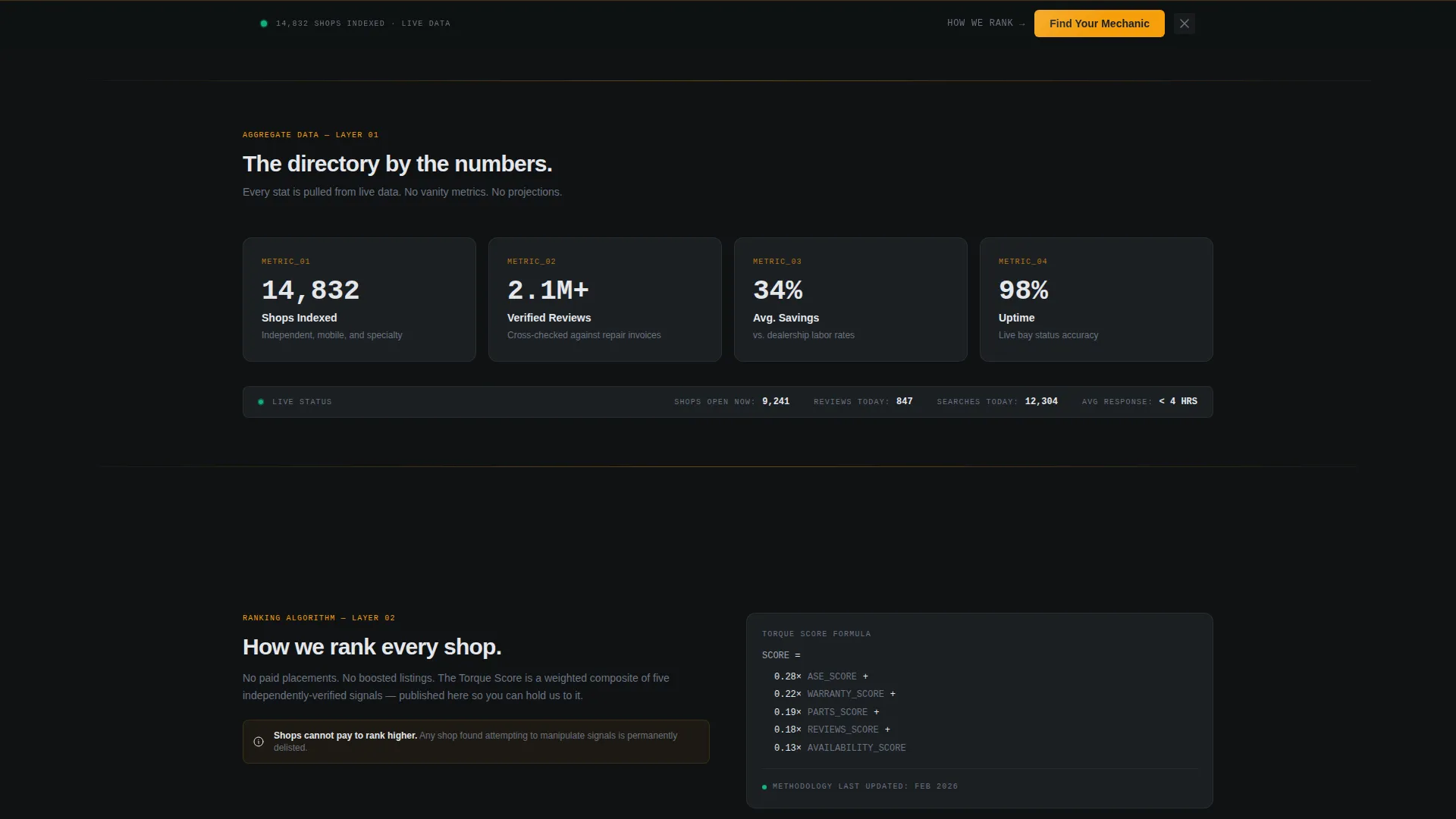
Each scroll triggers a new data layer. Aggregate stats fade in first, followed by the ranking methodology section, then the repair-cost comparison charts. The reveal sequence builds conviction progressively rather than dumping all information at once.
Ranking Methodology Section
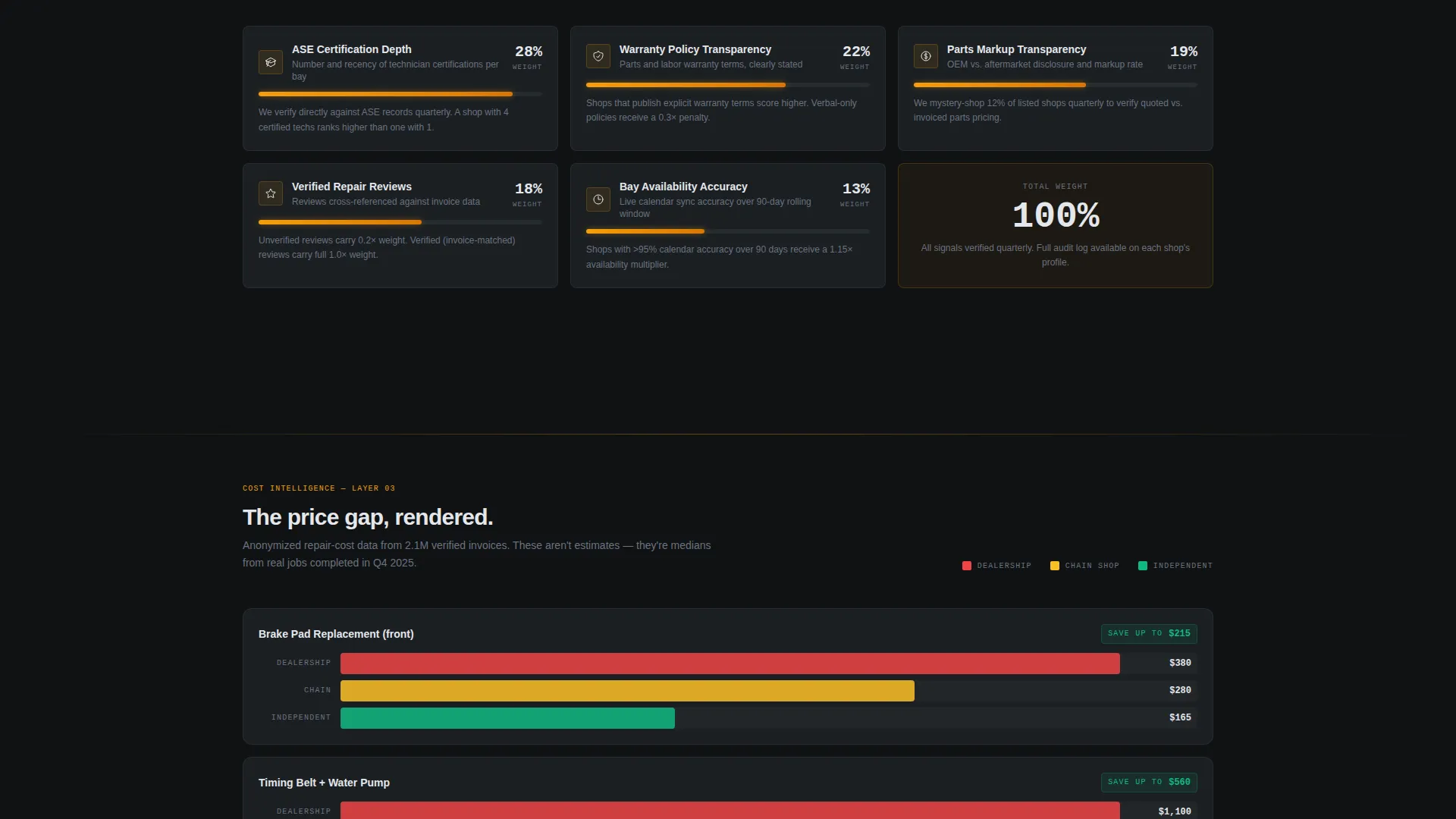
A dedicated section explains how shops are ranked using ASE (Automotive Service Excellence) certifications, warranty policies, and parts markup transparency. It reads like a methodology breakdown, not a sales pitch, which earns trust from skeptical visitors.
Repair-Cost Comparison Charts
Anonymized repair costs are rendered as horizontal bar charts. The visual comparison makes the financial value of choosing the right shop immediately obvious without requiring the visitor to read a paragraph of explanation.
Sticky call to action Bottom Bar
After the second scroll reveal, a sticky bottom bar carrying the "Find Your Mechanic" call to action stays visible as the user continues scrolling. It keeps the conversion path accessible without interrupting the content experience.
Secondary Anchor Link
A text link labeled "See How We Rank Shops" sits alongside the primary call to action. It anchors down to the methodology section for visitors who need proof before they are ready to click the main button.
Page sections overview
| Section | Purpose |
|---|---|
| Dashboard Header | Simulates live directory software with map pins, ranked mechanic list, and zip code search bar |
| Aggregate Stats Reveal | Fades in total shops indexed, verified reviews, and average savings versus dealership rates |
| Ranking Methodology | Breaks down how ASE certifications, warranty policies, and parts markup are weighted |
| Repair-Cost Charts | Displays anonymized horizontal bar chart comparisons to show real savings potential |
| Sticky call to action Bar | Keeps "Find Your Mechanic" visible after the second scroll reveal for continuous conversion access |
Design & branding system
The template uses a Monochrome Steel color system built around a dark shop-floor interface. Every color choice carries information rather than decoration.
- Deep shop-floor charcoal (#1B1F23) as the base background, brushed aluminum mid-tone (#6B7280) for secondary text and dividers, and bright chrome highlight (#E5E7EB) for primary text and data labels
- Diagnostic amber (#F59E0B) reserved exclusively for calls to action, live status indicators, and hover states to maintain visual hierarchy
- The overall aesthetic references a professional scan tool connected to an OBD-II (On-Board Diagnostics) port: dark interface, precise readouts, zero decorative noise
Mobile & speed optimization
The scroll reveal layout is built with mobile visitors in mind. The progressive reveal sequence works naturally on touch screens and smaller viewports.
- Sections stack cleanly on mobile so the dashboard preview, stats, methodology, and charts all remain readable without horizontal scrolling
- The sticky call to action bar is sized and positioned for thumb-friendly tapping on phone screens
- Micro-animations are lightweight and purposeful, avoiding visual clutter on smaller displays
How this template helps you convert
Every design and layout decision in this template is aimed at reducing hesitation and guiding visitors toward the directory search.
- The dashboard header makes the product feel real and already running, so visitors instinctively want to type their own zip code rather than wondering whether the platform exists
- The scroll reveal sequence layers in trust signals, stats, methodology, cost comparisons, so by the time the visitor reaches the sticky call to action bar, the value of the directory has been demonstrated, not just described
Other information about this template
This template sits in the Technology category under the Directory and Marketplace Platforms subcategory. It is purpose-built for the auto mechanic directory niche with a high intersection match between the visual theme and the audience intent.
- Template style: Scroll Reveal (Progressive), meaning content appears as the visitor scrolls rather than loading all at once
- Theme: Data Command, which prioritizes information density and functional aesthetics over lifestyle imagery
- Creative direction: Industry Report, treating the landing page like a credible data publication rather than a promotional brochure
- Header concept: Dashboard Preview, designed to make the directory feel like active software the visitor can step into immediately
- Landing page direction: Click-Through, with every section optimized to route traffic toward the live search results page
Theme
Data Command
Creative direction
Industry Report
Color system
Monochrome Steel
Style
Scroll Reveal (Progressive)
Direction
Click-Through
Page Sections
Live-styled Dashboard Header
Progressive Scroll Reveal Layout
Ranking Methodology Section
Repair-cost Comparison Charts
Sticky Call to Action Bottom Bar
Secondary Anchor Navigation Link
Related questions
Who is this landing page template designed for?
Can I customize the color scheme and branding?
What is the purpose of the sticky call to action bar?
How does the scroll reveal sequence work?
Does this template include real mechanic data or live map functionality?



