Torque - Dynamic Autorepair Landing Page Template
Torque is a single-page auto repair landing page template built around a live-style diagnostic dashboard header, a service comparison table, and a lead capture form. It combines a Midnight Blue color system with hydraulic red calls to action to turn check-engine anxiety into booked appointments. The layout is designed for auto repair shops that compete on transparency and speed.
by Rocket studio
Quick summary
Torque is a comparison table landing page for auto repair shops. It opens with an animated diagnostic dashboard, delivers hard-hitting stats, and walks visitors through a service-by-service price comparison before presenting a low-friction booking form. The design runs on a Midnight Blue palette with hydraulic red accents that make every call to action impossible to miss.
Who this template is for
This template is built for independent auto repair shops and service garages that want to compete directly with dealerships and chain shops on price, speed, and transparency. It is equally useful for any shop owner who needs a focused lead capture page rather than a full multi-page website.
- Independent garages targeting local commuters and families who need fast, affordable repairs
- Fleet service managers who need a clear one-page reference for maintenance scheduling and pricing
- Shop owners running a free inspection or diagnostic promotion and needing a dedicated booking page
What problem this template solves
Most auto repair shop pages bury pricing, avoid direct comparisons, and give visitors no reason to choose them over the dealership down the street. Torque fixes that by leading with proof before asking for commitment.
- Visitors arrive anxious about cost and leave with concrete numbers, not vague estimates
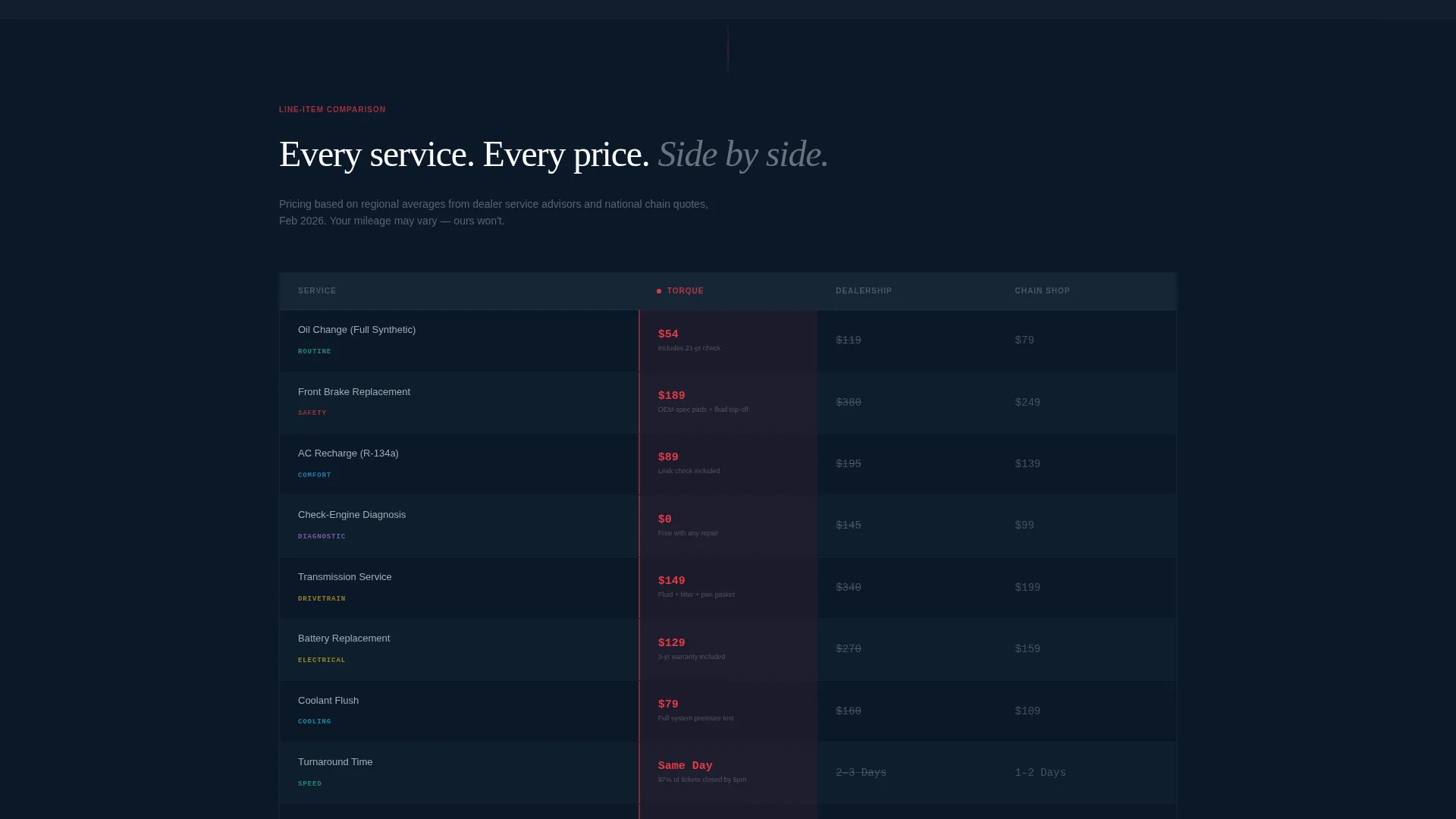
- The comparison table removes the guesswork by showing turnaround time, warranty terms, and pricing side by side
- The two-path form structure captures both ready-to-book visitors and those who need a softer first step
What you get with this template
You get a complete single-page layout structured to move a cold visitor from curiosity to a booked appointment. Every section has a defined job, and the visual hierarchy keeps attention focused on action.
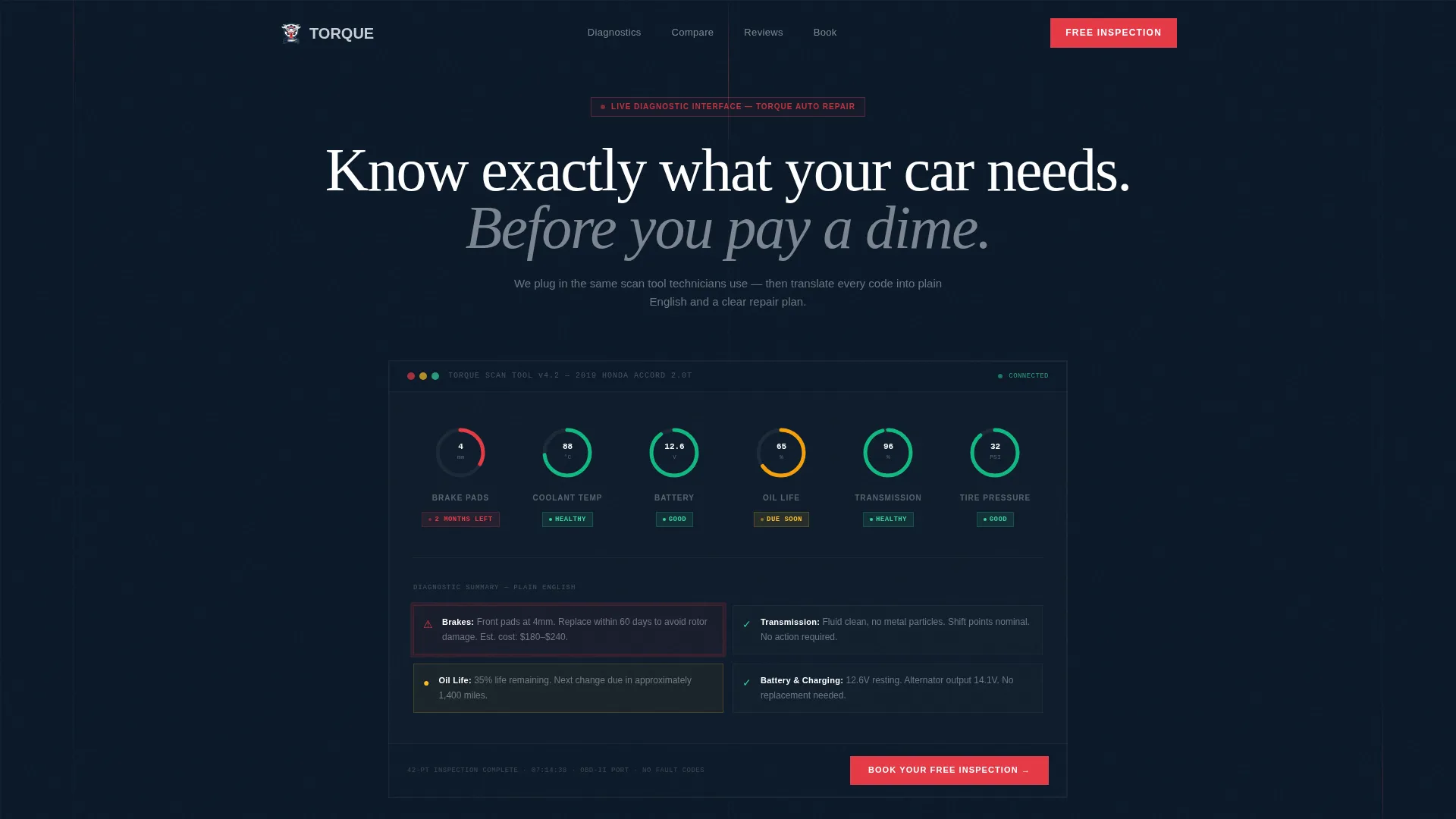
- An animated diagnostic dashboard header with plain-English vehicle health readouts
- A stats-first impact zone with oversized proof numbers and a full service comparison table
- A floating booking bar, a primary inspection form, and a secondary SMS lead capture path
Feature list
This section covers the core built-in components that make Torque work as a lead generation landing page for auto repair services.
Animated Diagnostic Dashboard Header
The header fills the full viewport with a live-style scan tool interface. Gauges sweep from red-zone warnings to green as on-screen values animate: brake pad thickness, coolant temperature, and battery voltage all resolve into plain-English verdicts. A headline fades over the display reading "Know exactly what your car needs. Before you pay a dime."
Stats-First Impact Zone
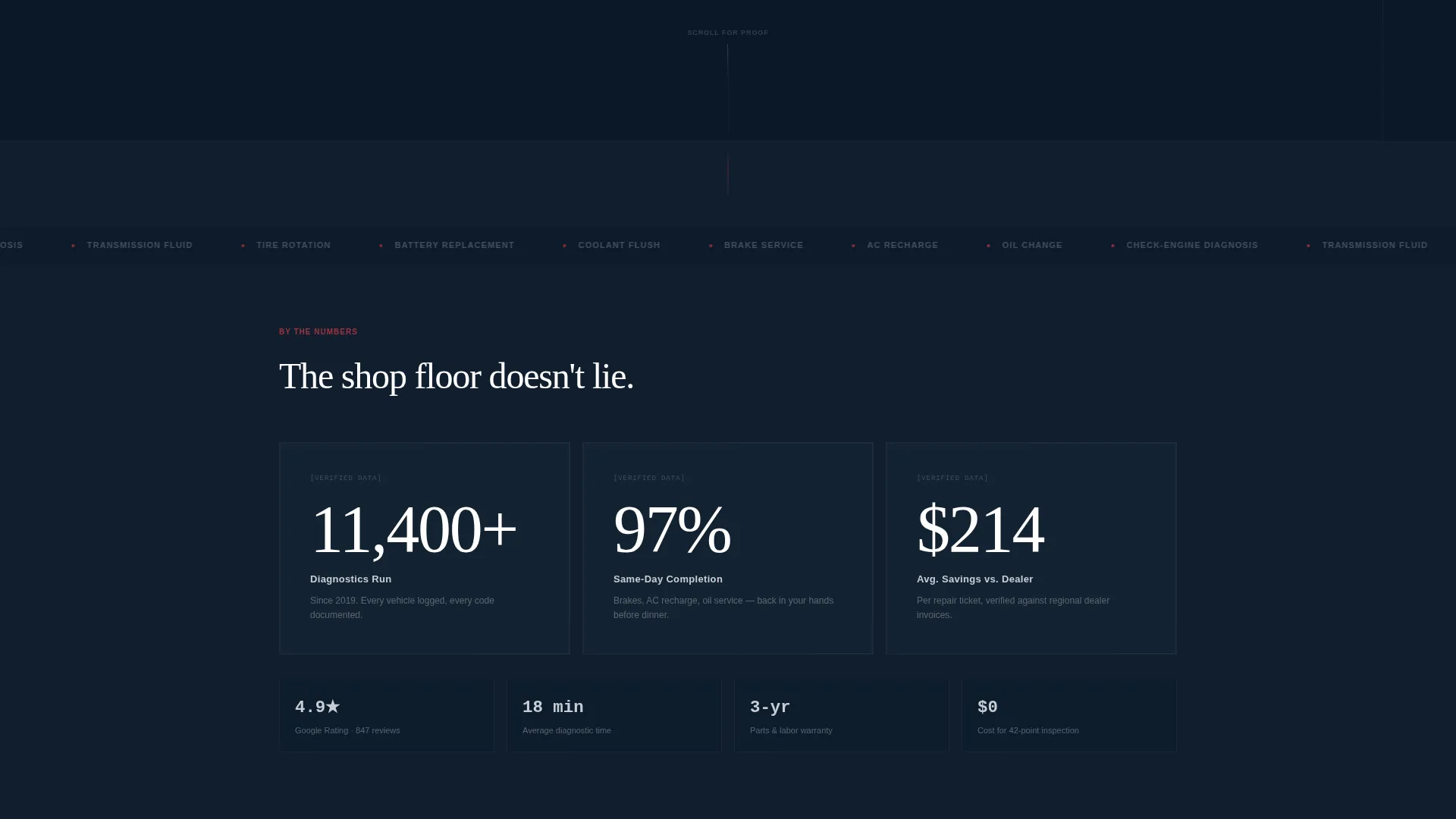
Immediately below the header, three oversized proof numbers land in large type: 11,400 or more diagnostics run, 97 percent same-day completion rate, and an average saving of $214 compared to dealership pricing. This section is designed to build credibility before the visitor reads a single line of marketing copy.
Service Comparison Table
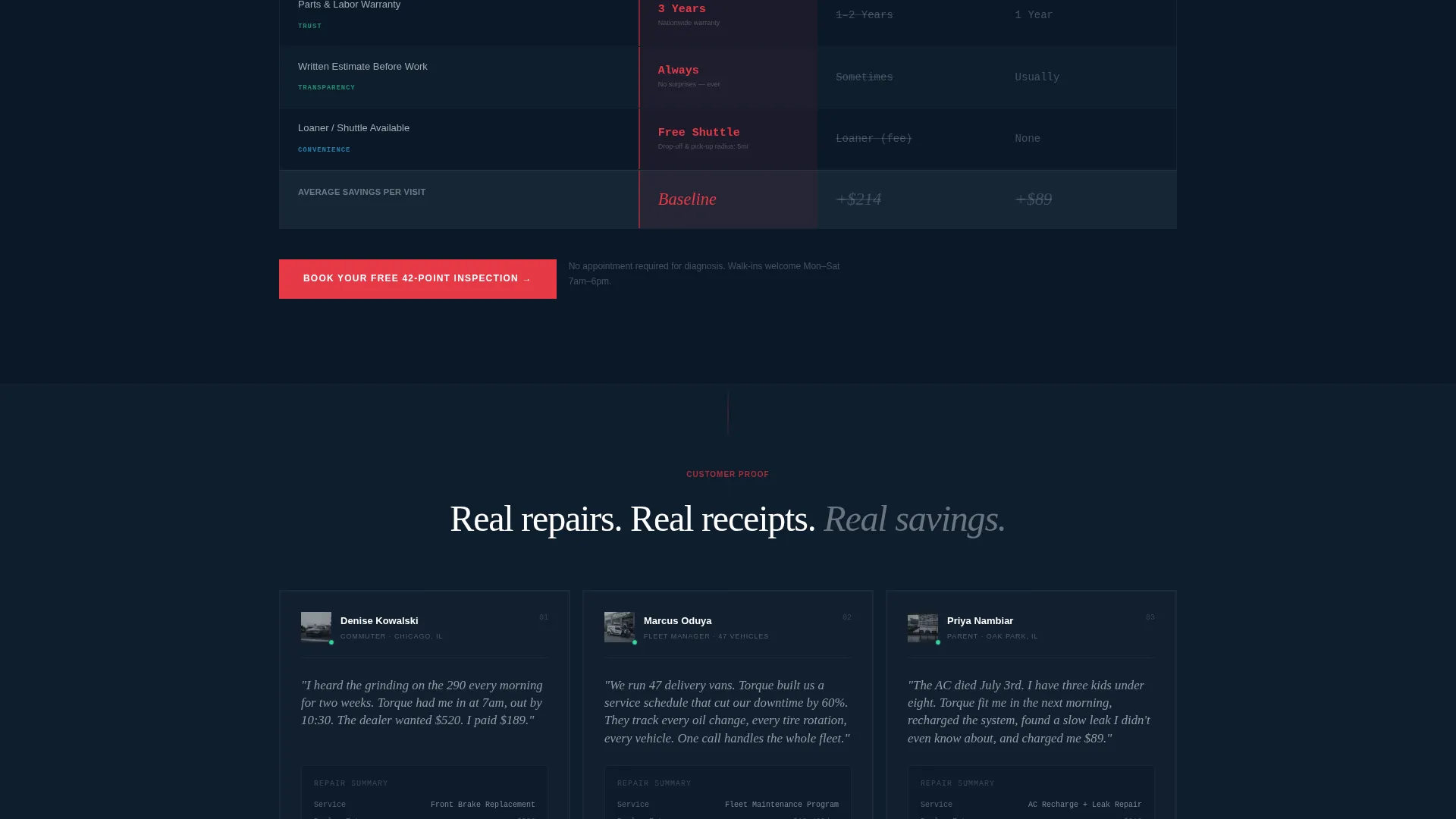
The core section pits the shop's transparent pricing, turnaround time, and warranty terms against dealership averages and chain-shop averages in a structured, color-coded table. Silver borders define the grid while hydraulic red highlights the winning cells, so the eye reads the result without any effort.
Floating Booking Bar
After the first scroll, a persistent bar pins to the page with the primary call to action: "Book Your Free 42-Point Inspection." It stays visible throughout the entire page so the visitor never has to scroll back up to take action.
Two-Path Lead Capture Form
The primary form collects vehicle year, make, and model via dropdown, a primary concern selection, a preferred date, and a phone number. A secondary path labeled "Text Me My Car's Health Score" asks for a phone number only and sends an SMS link to a sample diagnostic report, warming leads who are not ready to book.
Redacted Invoice Proof Section
As the visitor scrolls further, real customer repair invoices appear with names removed. Each invoice makes the savings case concrete and specific, building a layer of trust that aggregate statistics alone cannot achieve.
Page sections overview
| Section | Purpose |
|---|---|
| Diagnostic Dashboard Header | Opens with animated vehicle health gauges and a bold headline |
| Stats Impact Zone | Delivers oversized proof numbers to build instant credibility |
| Service Comparison Table | Compares shop pricing, turnaround, and warranty against competitors |
| Redacted Invoice Proof | Shows real repair invoices to validate the savings claims |
| Floating Booking Bar | Pins the primary call to action to the page after the first scroll |
| Primary Booking Form | Captures vehicle details, concern type, preferred date, and phone |
| SMS Lead Capture Path | Collects phone numbers from visitors not ready to book directly |
Design & branding system
The template uses a Dynamic Motion theme built on a Midnight Blue color system. The palette is inspired by a service bay at night: deep navy backgrounds, polished silver details, and sharp red accents that fire only when action is needed.
- Deep bay-floor navy (#0B1929) dominates backgrounds, lift-arm charcoal (#1E2D3D) separates comparison rows, and chrome silver (#C8CDD5) carries body text and table borders
- Hydraulic-line red (#E63946) is reserved strictly for urgent accents, warning indicators, and all primary call-to-action buttons
- The Dynamic Motion theme drives the animated header gauges and the scrolling stats reveal, giving the page a sense of mechanical energy without distracting from the core message
Mobile & speed optimization
The layout is built to perform on mobile screens where most auto repair searches happen. A commuter pulling over to search for a brake noise fix should be able to read the comparison table and tap the booking bar without pinching or zooming.
- The comparison table is structured to stay readable on small screens, with color coding doing the work that column width alone cannot
- The floating booking bar is sized and positioned for thumb-friendly tapping on mobile viewports
- The two-path form keeps field count low, reducing friction for users on a phone keyboard
How this template helps you convert
Every scroll section is designed to escalate proof and reduce hesitation, moving the visitor from awareness to action in a single continuous page.
- The animated diagnostic header creates immediate relevance by mirroring the scan tool experience the visitor is about to have in the shop, making the service feel familiar before they book.
- The comparison table and redacted invoice section stack objective evidence layer by layer, so by the time the visitor reaches the form, they have already done the math and chosen the shop.
- The two-path form removes the all-or-nothing barrier: visitors who are not ready to book can request an SMS health score, keeping them connected to the shop until they convert.
Other information about this template
This landing page template is a strong fit for auto repair shop lead capture campaigns, particularly for shops promoting a free multi-point inspection or a price-match guarantee against dealership service centers.
- The template style is a comparison table layout, which is well suited to any service business where transparent pricing is a competitive advantage
- The Freemium and Trial landing page direction makes it easy to lead with a no-cost first step, such as the free 42-point inspection, before presenting paid service options
- The redacted invoice proof section can be updated with the shop's own real repair data to keep the claims grounded and locally relevant
- The template is delivered as a single-page file, making it straightforward to publish as a standalone campaign page separate from an existing shop website
Theme
Dynamic Motion
Creative direction
Stats-First Impact
Color system
Midnight Blue
Style
Comparison Table
Direction
Freemium/Trial
Page Sections
Animated Diagnostic Dashboard Header
Stats-first Impact Zone
Color-coded Service Comparison Table
Floating Call-to-action Booking Bar
Two-path Lead Capture Form
Redacted Invoice Proof Section
Related questions
What type of auto repair shop is this template designed for?
Can I update the comparison table with my shop's actual pricing?
What are the two lead capture paths included in the form section?
How does the animated diagnostic dashboard header work?
Is Torque a single landing page or a full multi-page website?



