Auto Repair Shop Coming Soon Landing Page Template
Torque is a dashboard-style coming soon landing page built for auto repair shops preparing to open. It leads with a live Repair Cost Estimator, then drives signups through a countdown timer, capacity dashboard, flat-rate services grid, and a location section. The design runs on a Midnight Blue palette with electric-blue data elements and high-vis yellow calls to action.
by Rocket studio
Quick summary
Torque is a single-page auto repair shop coming soon landing page built around data and transparency. The header is a working Repair Cost Estimator. Below it, a countdown timer, capacity dashboard, services grid, and location section build urgency and trust before the shop opens its doors.
Who this template is for
This template fits shop owners who want to capture real customers before opening day. It works best for anyone who needs to prove their pricing model early and start filling an appointment calendar while the bay is still getting ready.
- Auto repair shop owners preparing for a grand opening
- Fleet service managers who need to vet a new provider before committing
- Weekend drivers and daily commuters looking for transparent, flat-rate repair pricing
What problem this template solves
Most coming soon pages do nothing except display a logo and a countdown. Potential customers land, see nothing useful, and leave. Torque solves that by putting the most persuasive tool front and center: a repair cost estimator that shows real price ranges before the shop even opens.
- Visitors leave without converting because there is no reason to sign up early
- Pricing opacity pushes customers toward established competitors
- No mechanism exists to capture committed bookings versus casual email signups
What you get with this template
You get a complete, section-led landing page that works as both a lead capture tool and a brand statement. Every section is built to move a visitor from curious to committed, using data density and transparent pricing as the persuasion engine.
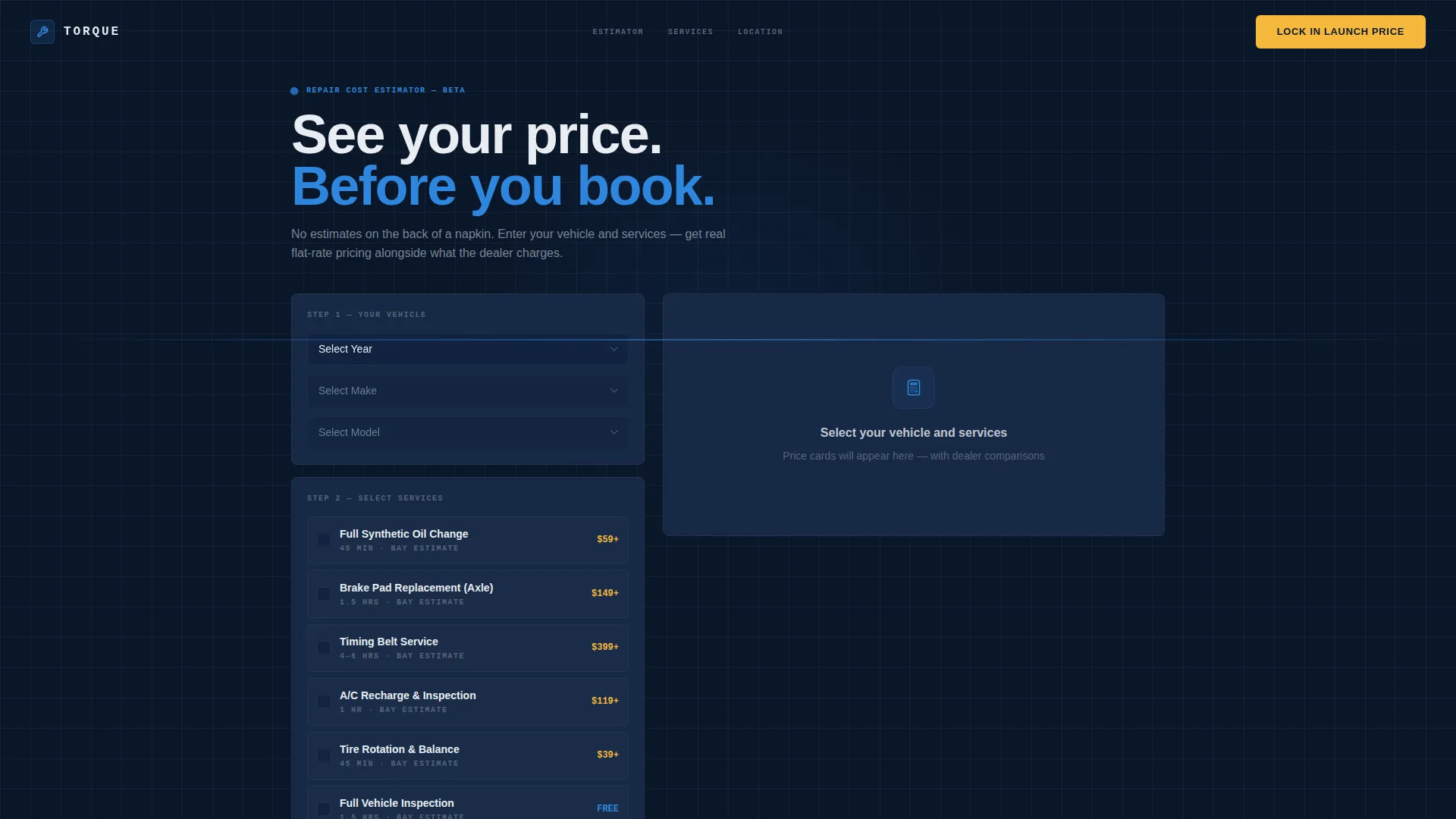
- A Repair Cost Estimator widget with cascading dropdowns and instant price-range data cards
- A two-step Early Access signup form with vehicle info capture and service selection
- A countdown timer, capacity progress bar, services grid, and location section with zip-code notification
Feature list
Repair Cost Estimator Widget
The header section contains a live estimator where visitors select vehicle year, make, and model from cascading dropdowns. They then check common services such as oil change, brake pads, timing belt, and air conditioning recharge. Results render instantly as data cards showing estimated price ranges, with local competitor averages displayed in chrome-gray beside them.
Countdown Timer Module
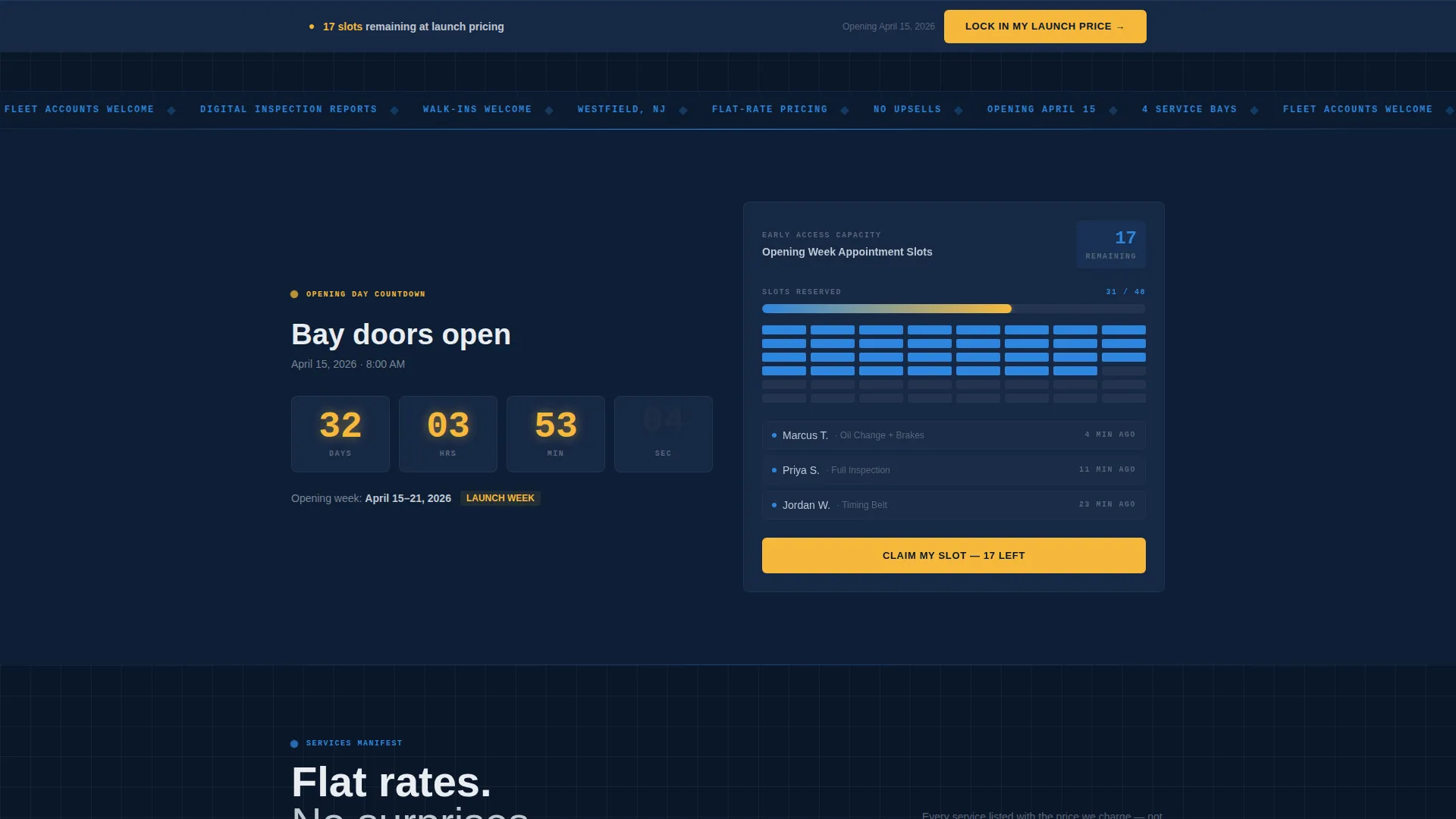
A dedicated data-grid module displays a live countdown ticking toward the shop's opening day. The timer uses the high-vis yellow color reserved for critical data points, making it impossible to miss. It reinforces the limited-time nature of launch pricing and early access slots.
Capacity Dashboard with Progress Bar
This module shows how many Early Access appointment slots remain out of a fixed total. The progress bar fills in real time as signups accumulate, creating visible scarcity. Visitors can see exactly how close the shop is to filling its opening-week calendar.
Flat-Rate Services Grid
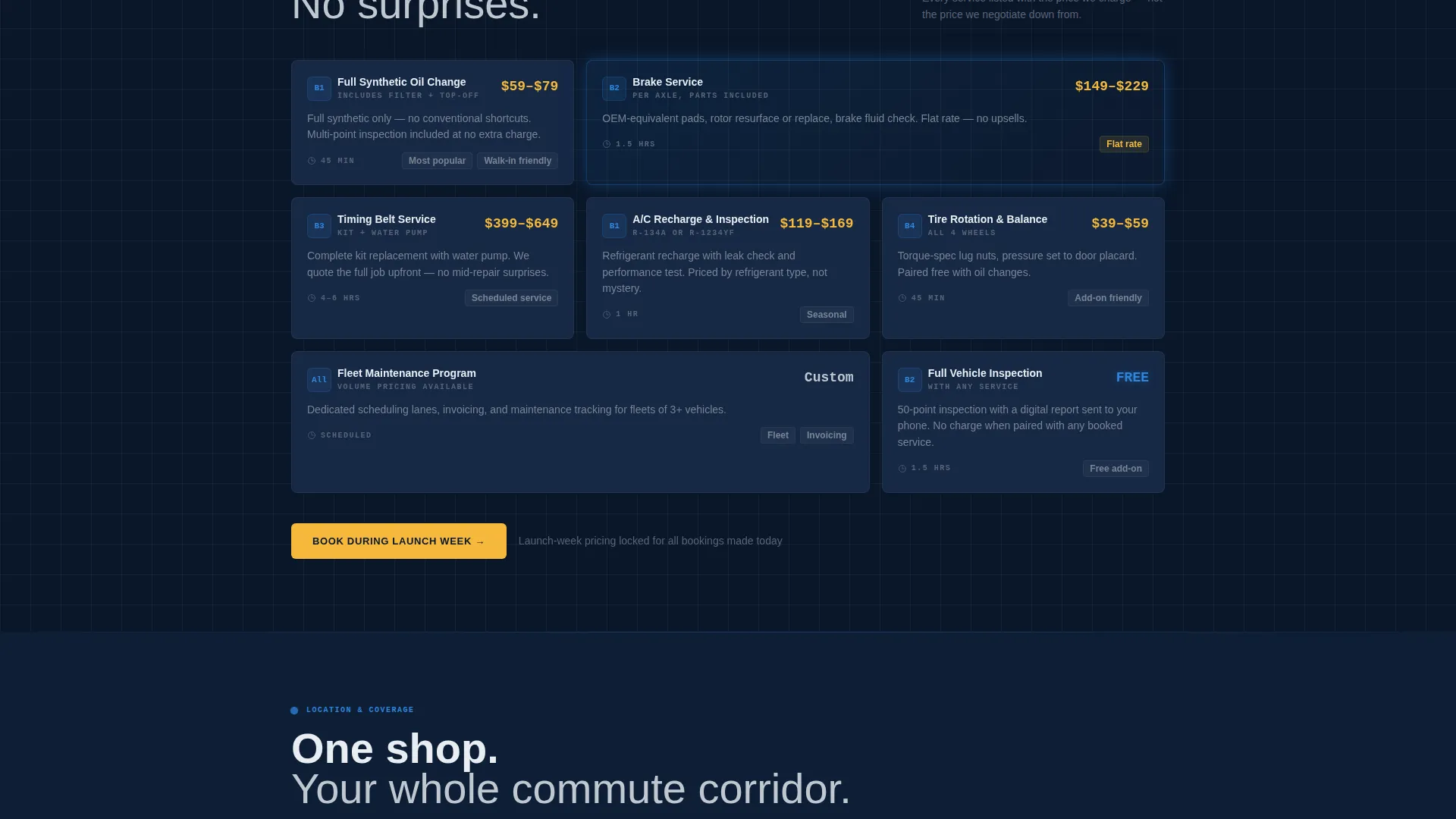
Each service offering appears as its own card showing a flat-rate price, a bay assignment icon, and an estimated turnaround time. The information density signals operational competence and removes the guesswork that frustrates repair customers at traditional shops.
Two-Step Early Access Form
The primary call to action opens a two-step form. Step one captures name, phone number, and vehicle details. Step two lets the visitor select up to three services and choose a preferred appointment window during opening week, converting a casual visit into a committed booking.
Location and Zip-Code Notification Section
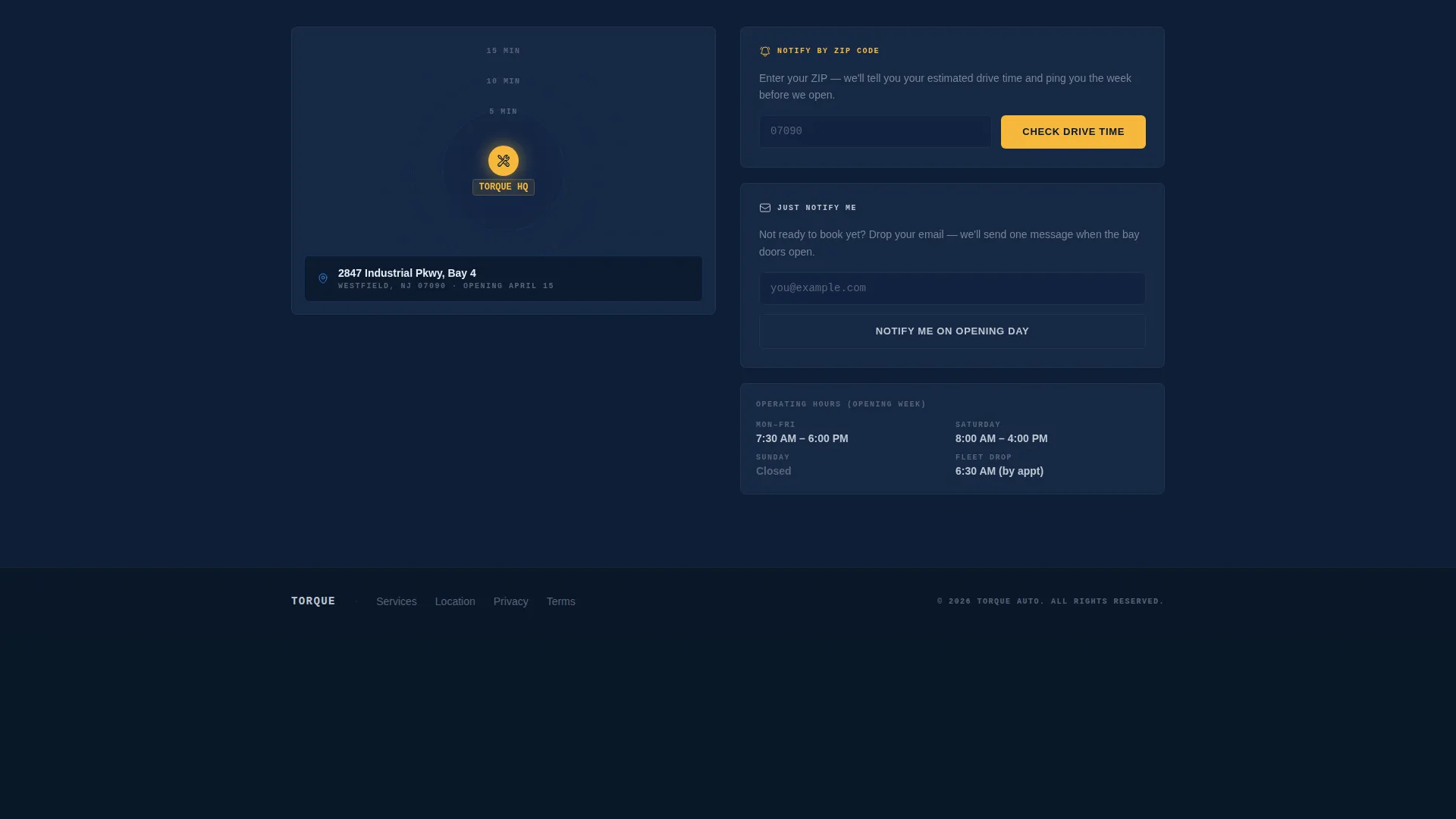
The final section displays the shop location alongside drive-time radius information. A "notify by zip code" micro-interaction lets visitors outside the immediate area register their interest, extending the lead-capture reach beyond the core service zone.
Page sections overview
| Section | Purpose |
|---|---|
| Repair Cost Estimator | Lead with transparent pricing to earn trust immediately |
| Countdown Timer Module | Build urgency around a fixed opening date |
| Capacity Dashboard | Show remaining slots to create visible scarcity |
| Flat-Rate Services Grid | Display every offering with pricing and turnaround times |
| Location and Zip Notify | Capture interest from nearby zip codes before opening |
Design & branding system
The visual identity draws on a Midnight Blue color system built to feel like a service bay at midnight. Every background panel uses deep navy, data elements glow in electric blue, and calls to action stand out in high-vis yellow. The result looks engineered, not decorated.
- Deep bay-floor navy (#0A1628) anchors every background panel
- Brushed chrome silver (#C0C7D0) handles data labels and secondary text, electric diagnostic-blue (#2E86DE) pulses through progress bars and interactive elements, and high-vis safety yellow (#F6B93B) is reserved exclusively for calls to action and countdown digits
- The overall Startup Velocity theme channels a startup pitch deck aesthetic applied to a physical trade business
Mobile & speed optimization
The dashboard layout is designed to remain readable and functional on smaller screens. Data cards stack cleanly, the estimator dropdowns remain operable on touch devices, and the sticky bottom bar with the primary call to action stays visible regardless of scroll position.
- The sticky "Lock In My Launch Price" bar persists at the bottom of the viewport across all screen sizes
- Data cards and the services grid reflow into single-column layouts on mobile without losing pricing clarity
- The countdown timer and capacity progress bar remain visually prominent on narrow viewports
How this template helps you convert
The conversion strategy treats the estimator result as the moment of decision. Once a visitor sees their brake job priced well below a dealer estimate, the signup feels like claiming a deal rather than completing a form.
- The Repair Cost Estimator creates a personalized price result, which makes the "Lock In My Launch Price" call to action feel immediately relevant and valuable to that specific visitor.
- The capacity dashboard with its filling progress bar adds real scarcity, nudging fence-sitters to act before the opening-week slots are gone.
- The "Just Notify Me" email-only path captures softer leads who are not ready to book, so no visitor leaves the page without a conversion opportunity.
Other information about this template
This template is categorized under auto repair shop website templates with a specific focus on the auto repair shop coming soon page niche. It is built for the Technology category on the marketplace and uses a Dashboard and Data Grid template style throughout.
- The template style is classified as Dashboard and Data Grid, making it distinct from standard photo-led coming soon pages in the auto repair category
- The Freemium and Trial landing page direction is reframed here as Early Access, giving the conversion model a scarcity-driven and deal-focused framing that fits a grand-opening context
- The intersection match between the Startup Velocity theme and the auto repair shop coming soon niche is intentional: it applies tech-startup launch energy to a trade business, which sets the shop apart from competitors using generic garage templates
Theme
Startup Velocity
Creative direction
Launch Energy
Color system
Midnight Blue
Style
Dashboard/Data Grid
Direction
Freemium/Trial
Page Sections
Repair Cost Estimator with Data Cards
Live Countdown Timer
Early Access Capacity Dashboard
Flat-rate Services Grid
Two-step Early Access Booking Form
Location Section with Zip-code Notification
Related questions
Can I edit the estimated price ranges in the Repair Cost Estimator?
What happens when a visitor clicks Lock In My Launch Price?
Is there a signup option for visitors who are not ready to book?
How does the capacity progress bar work?
Can the template capture leads from outside the local service area?



