Plumbing Training Landing Page Template
Torque is a scroll-reveal landing page template built for plumbing course and training platforms. It opens with animated stat counters, then progressively discloses curriculum cards, income-change charts, and employer logos as the visitor scrolls. The dark iridescent design and a high-intent lead form make this template ideal for converting career-changers and apprentices into enrolled students.
by Rocket studio
Quick summary
Torque is a single-page, scroll-reveal landing page template designed for plumbing training platforms. It leads with proof, three animated stat counters, then walks visitors through curriculum modules, salary data, and employer partnerships before presenting a progressive lead form. The visual identity pairs deep blacks with iridescent color shifts to feel both technically credible and electrically modern.
Who this template is for
This template is built for training providers who need to earn trust fast and capture high-intent leads from a skeptical, blue-collar audience. It works for operators who have real outcomes to show and want those numbers front and center.
- Plumbing course creators and trade school operators launching or relaunching an enrollment page
- Small shop owners building a structured training offer for new hires
- Platform builders who want a bold, data-led design without starting from scratch
What problem this template solves
Many training landing pages lead with lifestyle imagery and vague promises. That approach loses the practical, results-oriented visitor who wants proof before commitment. Torque flips the structure entirely.
- Visitors see verified outcome stats before they read a single line of course copy
- Progressive scroll reveals deliver information in a deliberate sequence, reducing overwhelm
- The lead form is built to signal serious intent, not just collect email addresses
What you get with this template
Torque delivers a complete, ready-to-customize scroll-reveal landing page. Every section is pre-built and sequenced to move a visitor from curiosity to qualified lead.
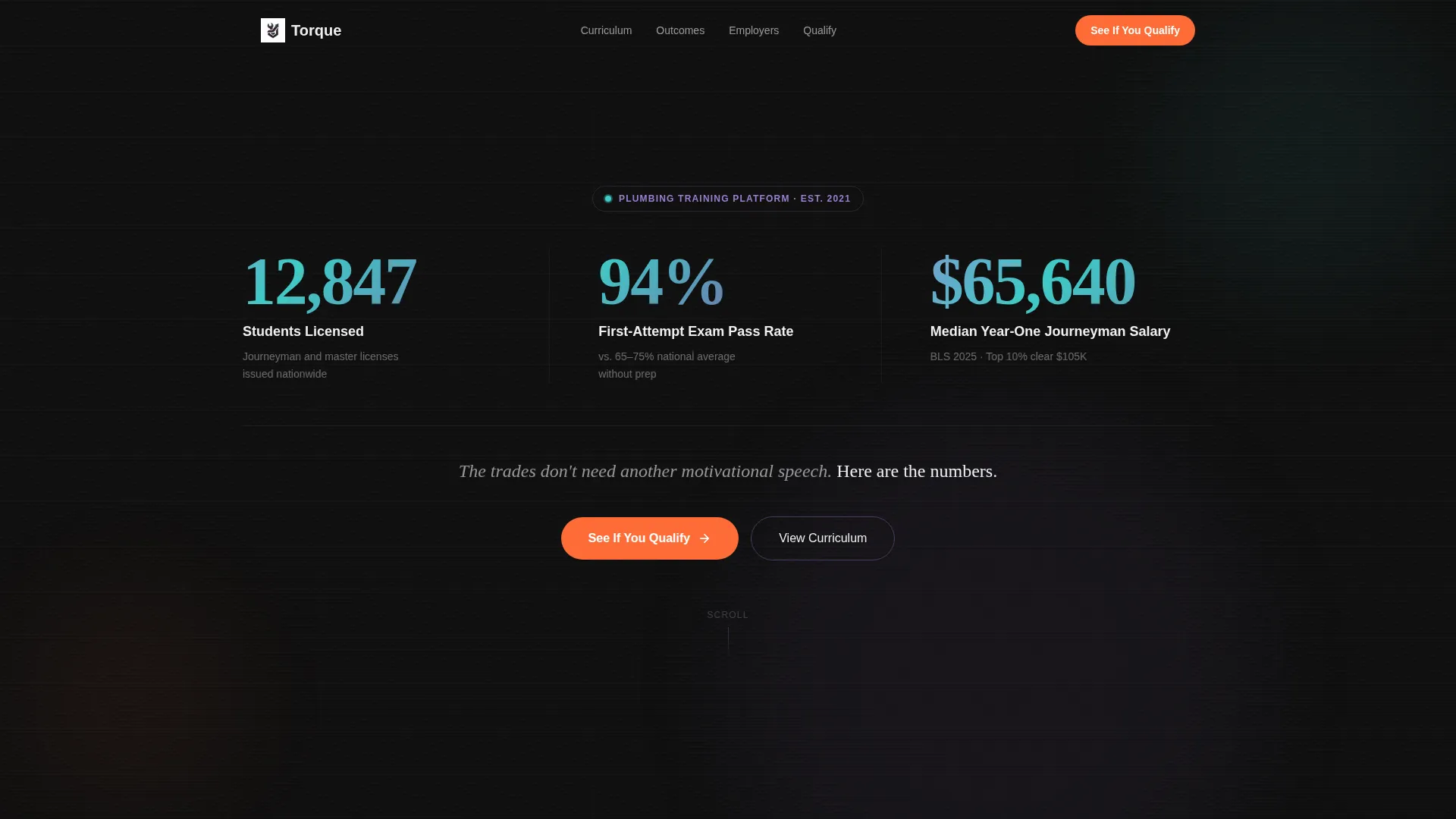
- An animated stats header with three rolling counters and a bold single-line value statement
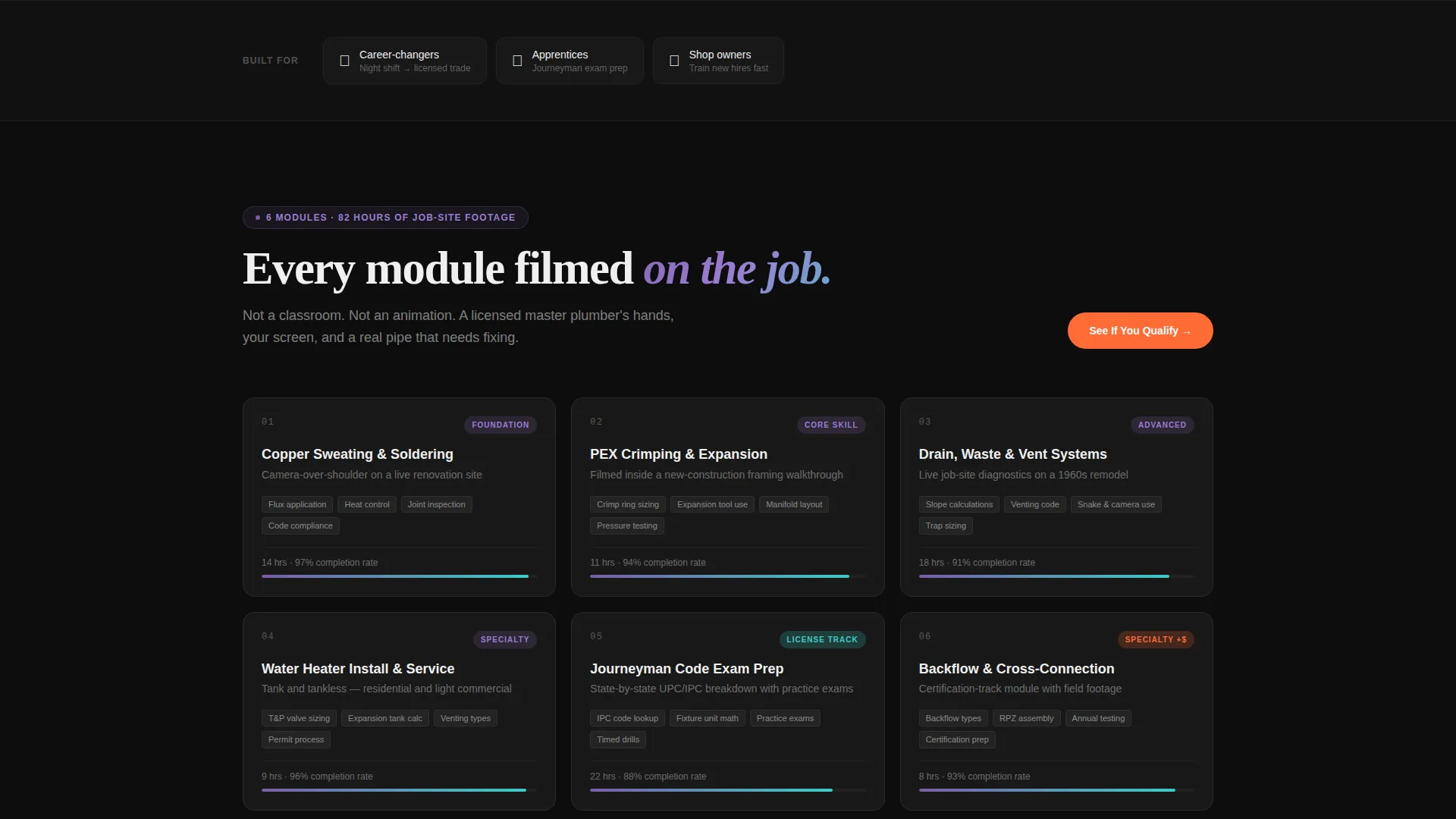
- Curriculum module cards showing hours and completion rates, income-change charts, and employer logo rows
- A progressive three-field lead form with a primary call-to-action and a sticky bottom bar repeat
Feature list
This template is structured around one purpose: converting the right visitor at the right moment. Every built-in component serves that goal directly.
Animated Stats Header
Three counters roll upward on page load against a deep black background. Each number pulses with an iridescent violet-to-teal color shift as it lands, giving the page an immediate sense of live, verified data. A single white headline sits below the counters to anchor the impact.
Scroll-Reveal Section Sequencing
Sections unlock progressively as the visitor scrolls. Curriculum cards slide in first, followed by income charts that animate left to right, then employer logos that resolve from blur to sharp. The pacing mirrors a deliberate reveal of value rather than dumping everything at once.
Curriculum Module Cards
Each card displays the module topic, estimated hours, and a completion rate indicator. This gives prospective students a clear picture of the course scope before they ever fill out a form.
Income-Change Chart Animation
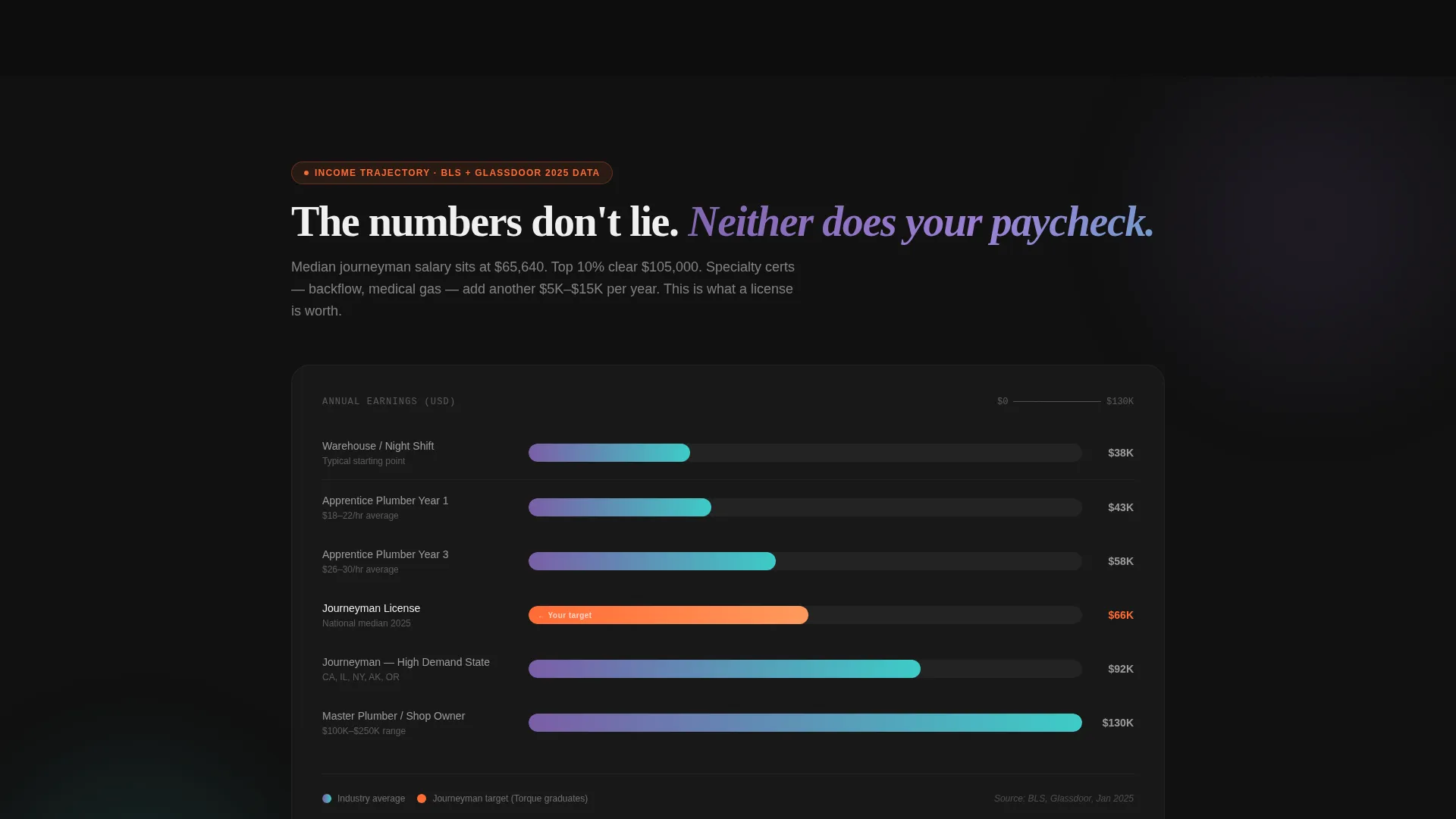
A salary trajectory chart animates on scroll, with the line climbing upward as it fills across the screen. The motion reinforces the economic outcome of completing the program without requiring a separate data visualization tool.
Progressive Lead Form
The three-step form starts with employment status, then asks for target license state, then captures name and phone number. This sequencing filters for high-intent visitors and gathers the information an admissions team needs to follow up with a relevant, personalized message.
Sticky Call-to-Action Bar
After the third scroll-reveal section loads, a sticky bar appears at the bottom of the viewport. It repeats the primary call-to-action so the conversion opportunity stays visible without interrupting the reading flow.
Page sections overview
| Section | Purpose |
|---|---|
| Animated Stats Header | Opens with three rolling counters and a value statement to lead with proof |
| Curriculum Module Cards | Shows course topics, hours, and completion rates in a scannable card layout |
| Income Change Charts | Animates a salary trajectory graph to reinforce the financial outcome |
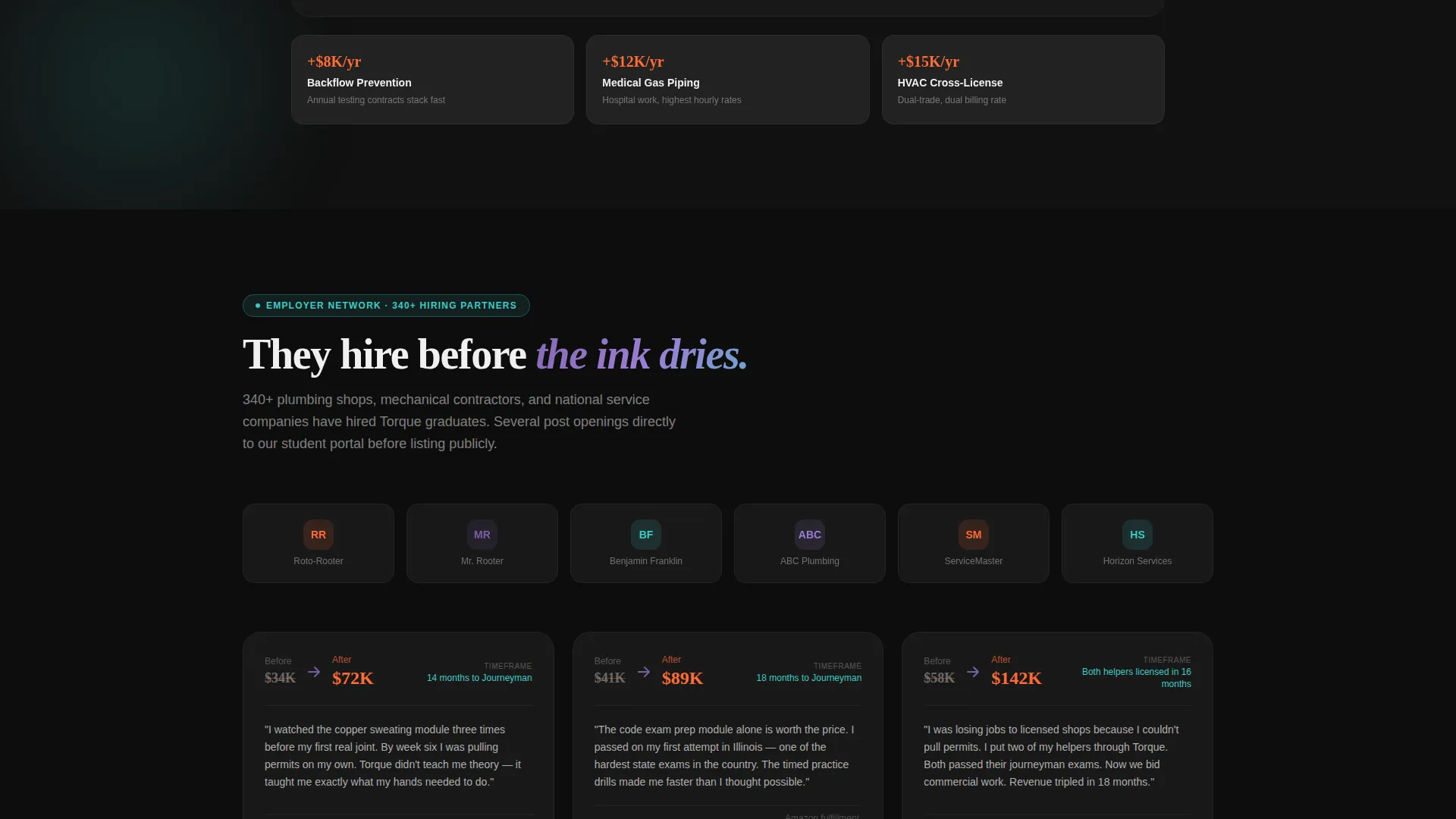
| Employer Partner Logos | Resolves employer logos from blur to sharp to establish industry credibility |
| Progressive Lead Form | Captures employment status, target state, name, and phone in three steps |
| Sticky call to action Bar | Keeps the primary call-to-action visible after the third scroll reveal loads |
Design & branding system
The visual identity is built around a Dynamic Motion theme using an AI Iridescent color system. The palette is chosen to feel futuristic and electric while staying grounded in the physical reality of trade work.
- Base colors: deep pipe-black (#0D0D0D) for backgrounds, solder-spark white (#F0F0F0) for body text, and iridescent violet-blue (#7B5EA7) shifting to teal (#3DCCC7) on hover states
- Accent color: molten orange (#FF6B35) reserved exclusively for call-to-action buttons and stat counter highlights
- Motion language: counters climb, progress bars fill, and charts slope upward so every animation reinforces the idea of forward momentum
Mobile & speed optimization
The template is designed with a scroll-reveal structure that loads section content only as the visitor reaches it. This approach keeps the initial viewport fast and responsive on smaller screens.
- Sections animate into view on scroll rather than all loading at once, keeping the experience smooth on mobile devices
- The sticky call-to-action bar is sized and positioned to remain accessible on phone-sized viewports without covering critical content
How this template helps you convert
Every design and layout decision in Torque points toward one outcome: getting a qualified visitor to submit the lead form.
- Leading with animated stat counters builds credibility before asking for any personal information, lowering the barrier to continued engagement.
- The progressive disclosure sequence rewards scrolling with new proof at each stage, maintaining attention through to the lead form.
- The three-field form structure, starting with employment status rather than an email address, filters for visitors who are ready to act and gives the admissions team the context to follow up effectively.
Other information about this template
Torque is a single landing page template, not a multi-page website. It is built specifically for the plumbing course and training platform niche, where the audience responds to hard numbers and practical proof over aspirational messaging.
- The template is part of a broader Technology category covering plumbing digital presence for course operators
- The "See If You Qualify" call-to-action copy is pre-written in the template and positioned for lead generation campaigns targeting career-changers and apprentices
- The employer logo section supports social proof from industry partners without requiring a dedicated testimonial page
- All color values, motion behaviors, and section sequencing described in this listing are included in the template as delivered
Theme
Dynamic Motion
Creative direction
Stats-First Impact
Color system
AI Iridescent
Style
Scroll Reveal (Progressive)
Direction
Lead Generation
Page Sections
Animated Rolling Stats Header
Progressive Scroll-reveal Layout
Curriculum Module Card Grid
Income-change Chart Animation
Three-step Progressive Lead Form
Sticky Call-to-action Bottom Bar
Related questions
Who is this landing page template designed for?
Can I change the stat counter numbers to match my own platform's data?
What does the progressive lead form collect?
Is this template suitable for a course platform that also sells to employers?
Does the template include the chart and counter animations, or do I need to add them separately?



